Skip to content
  • MySensors
  • OpenHardware.io
  • Categories
  • Recent
  • Tags
  • Popular
Skins
  • Light
  • Brite
  • Cerulean
  • Cosmo
  • Flatly
  • Journal
  • Litera
  • Lumen
  • Lux
  • Materia
  • Minty
  • Morph
  • Pulse
  • Sandstone
  • Simplex
  • Sketchy
  • Spacelab
  • United
  • Yeti
  • Zephyr
  • Dark
  • Cyborg
  • Darkly
  • Quartz
  • Slate
  • Solar
  • Superhero
  • Vapor

  • Default (No Skin)
  • No Skin
Collapse
Brand Logo
  1. Home
  2. General Discussion
  3. What did you build today (Pictures) ?

What did you build today (Pictures) ?
Scheduled Pinned Locked Moved General Discussion
1.1k Posts 105 Posters 206.5k Views 98 Watching
  • Oldest to Newest
  • Newest to Oldest
  • Most Votes
Reply
  • Reply as topic
Log in to reply
This topic has been deleted. Only users with topic management privileges can see it.
  • sundberg84S sundberg84

    Another picture from today:
    cd572dd2-1092-478e-bb59-6200ef28ad7a-image.png

    Just started working with coincells - CR2032 to be exact. Anyone knows why the battery % varies with the given temperature? Are those coincells very temp. dependent or I have made a misstake somewhere... ???

    Nca78N Offline
    Nca78N Offline
    Nca78
    Hardware Contributor
    wrote on last edited by
    #940

    @sundberg84 said in What did you build today (Pictures) ?:

    Anyone knows why the battery % varies with the given temperature

    They don't like it when it's too cold. Check page 4 :
    https://data.energizer.com/pdfs/lithiumcoin_appman.pdf

    1 Reply Last reply
    0
    • sundberg84S sundberg84

      Another picture from today:
      cd572dd2-1092-478e-bb59-6200ef28ad7a-image.png

      Just started working with coincells - CR2032 to be exact. Anyone knows why the battery % varies with the given temperature? Are those coincells very temp. dependent or I have made a misstake somewhere... ???

      YveauxY Offline
      YveauxY Offline
      Yveaux
      Mod
      wrote on last edited by
      #941

      @sundberg84 looks like you can ditch the temperarure sensor and just use the battery voltage to measure the temperature :muscle:

      http://yveaux.blogspot.nl

      sundberg84S 1 Reply Last reply
      3
      • C Offline
        C Offline
        cloolalang
        wrote on last edited by
        #942

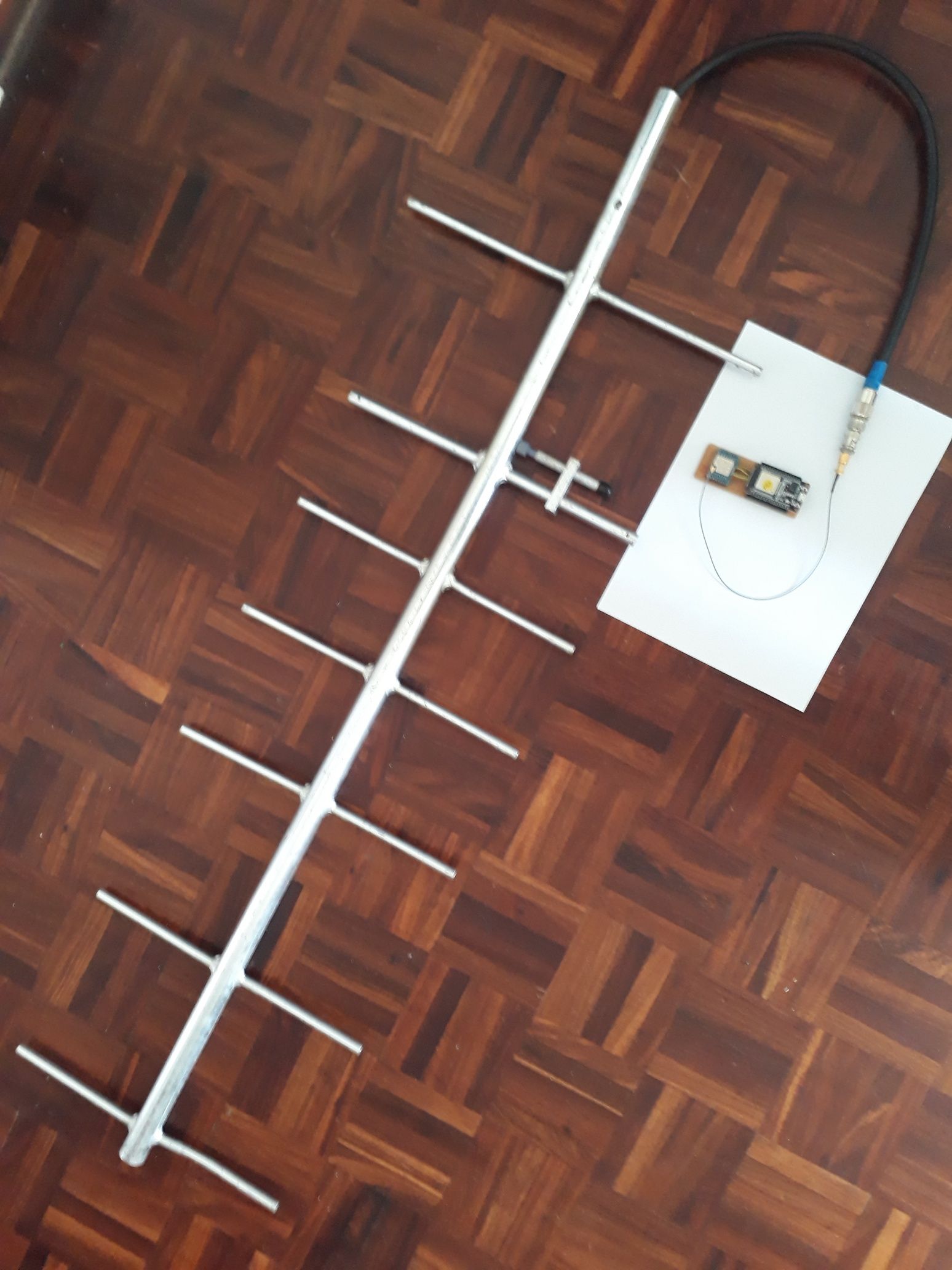
        20200422_132110_resized.jpg

        433 MHz ESP 32 MQTT Gateway with proper antenna

        1 Reply Last reply
        3
        • YveauxY Yveaux

          @sundberg84 looks like you can ditch the temperarure sensor and just use the battery voltage to measure the temperature :muscle:

          sundberg84S Offline
          sundberg84S Offline
          sundberg84
          Hardware Contributor
          wrote on last edited by
          #943

          @Nca78 - Well, its been around 14-17dgr C today, so almost room temp. Strange
          @Yveaux - hahaha, best answer! Saving uA!

          Controller: Proxmox VM - Home Assistant
          MySensors GW: Arduino Uno - W5100 Ethernet, Gw Shield Nrf24l01+ 2,4Ghz
          MySensors GW: Arduino Uno - Gw Shield RFM69, 433mhz
          RFLink GW - Arduino Mega + RFLink Shield, 433mhz

          1 Reply Last reply
          0
          • NeverDieN NeverDie

            Yesterday received the PCB. Today assembled for testing this battery-powered nRF52-based passive infrared motion detector:
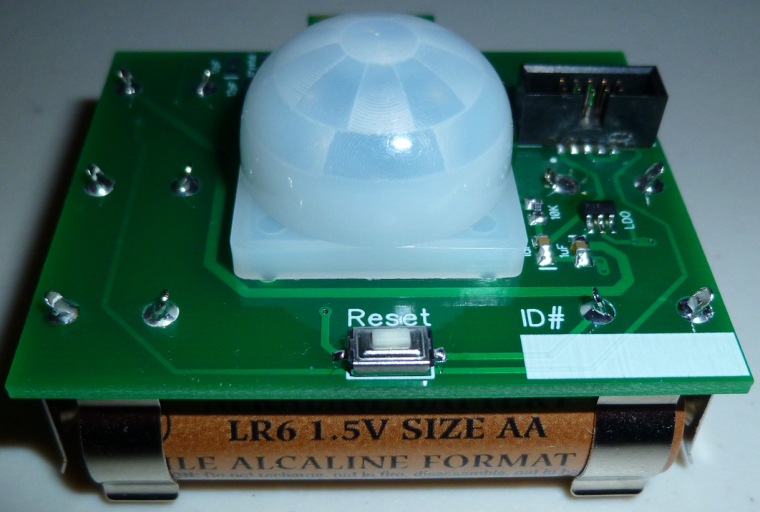
            0_1511459187973_PIR_02.jpg

            I Offline
            I Offline
            idanronen
            wrote on last edited by
            #944

            @NeverDie sorry if it's a bit off topic, but I see that 10 pin ARM box connector you use in several of your designs, and I was wondering if it offers anything extra in addition to the regular 6 pin programming pins. I'm asking specifically because I want to try some of your nrf52832 designs, but would like to avoid spending extra money on special connectors and cables. Thanks!

            NeverDieN 1 Reply Last reply
            0
            • I idanronen

              @NeverDie sorry if it's a bit off topic, but I see that 10 pin ARM box connector you use in several of your designs, and I was wondering if it offers anything extra in addition to the regular 6 pin programming pins. I'm asking specifically because I want to try some of your nrf52832 designs, but would like to avoid spending extra money on special connectors and cables. Thanks!

              NeverDieN Offline
              NeverDieN Offline
              NeverDie
              Hero Member
              wrote on last edited by NeverDie
              #945

              @idanronen No, nothing extra. It just conveniently and transparently interfaces to the ribbon adapter cable used by the Nordic nrf52 dev kits for programming external nRF52 MCU's. If you want to roll-your-own, you can do away with most of the pins. I myself migrated to a smaller connector in later designs.

              I 1 Reply Last reply
              1
              • NeverDieN NeverDie

                @idanronen No, nothing extra. It just conveniently and transparently interfaces to the ribbon adapter cable used by the Nordic nrf52 dev kits for programming external nRF52 MCU's. If you want to roll-your-own, you can do away with most of the pins. I myself migrated to a smaller connector in later designs.

                I Offline
                I Offline
                idanronen
                wrote on last edited by idanronen
                #946

                @NeverDie thanks for clarifying!
                So for example in the mini breakout board (https://www.openhardware.io/view/471/Ebyte-nRF52832-Small-Breakout-Board) I could just align the 6 pads and use a standard 6 pin pogo programmer right?

                NeverDieN 1 Reply Last reply
                0
                • I idanronen

                  @NeverDie thanks for clarifying!
                  So for example in the mini breakout board (https://www.openhardware.io/view/471/Ebyte-nRF52832-Small-Breakout-Board) I could just align the 6 pads and use a standard 6 pin pogo programmer right?

                  NeverDieN Offline
                  NeverDieN Offline
                  NeverDie
                  Hero Member
                  wrote on last edited by NeverDie
                  #947

                  @idanronen Yup. If you have more questions, you should probably ask them on a different thread than this one, as it's off topic here.

                  1 Reply Last reply
                  2
                  • monteM Offline
                    monteM Offline
                    monte
                    wrote on last edited by
                    #948

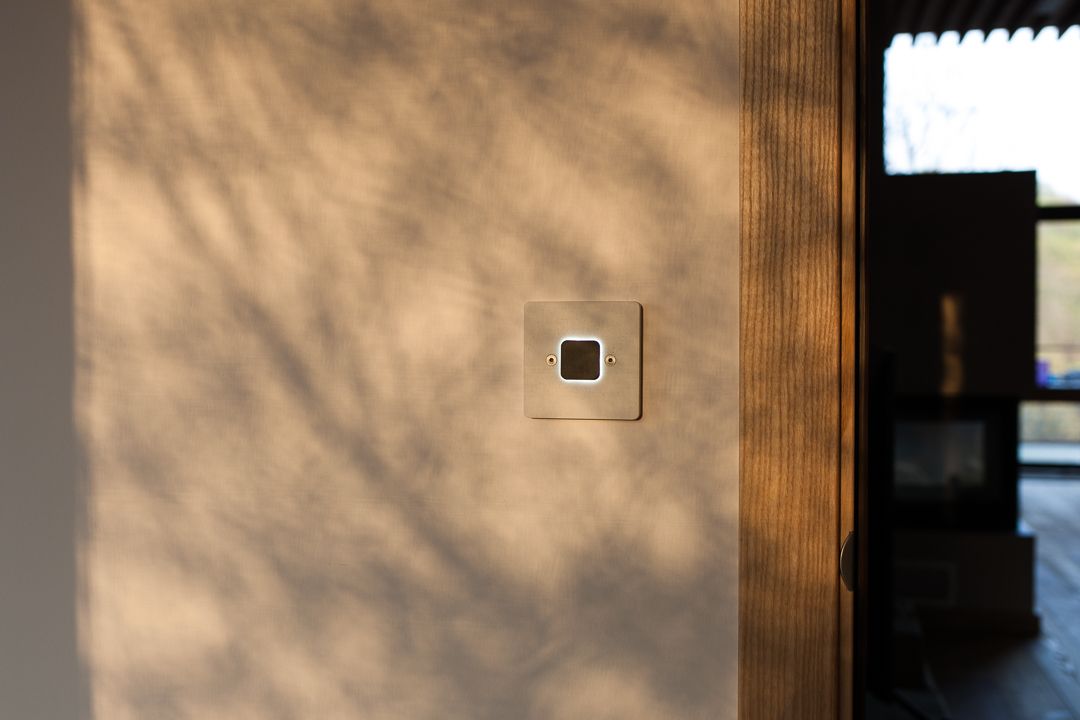
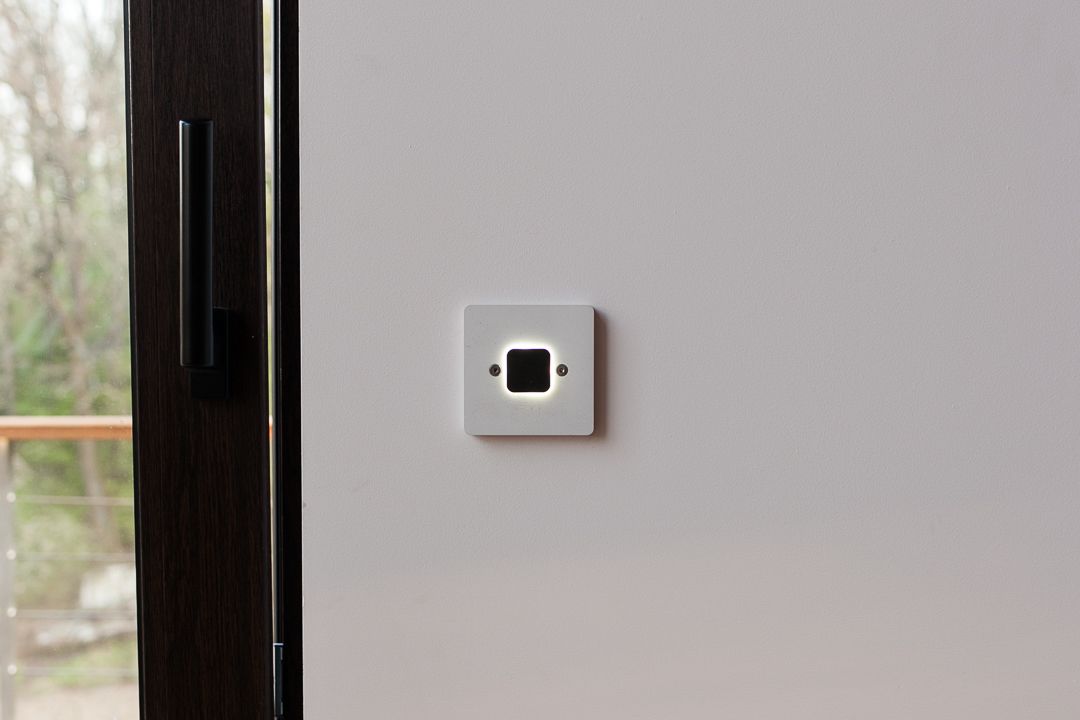
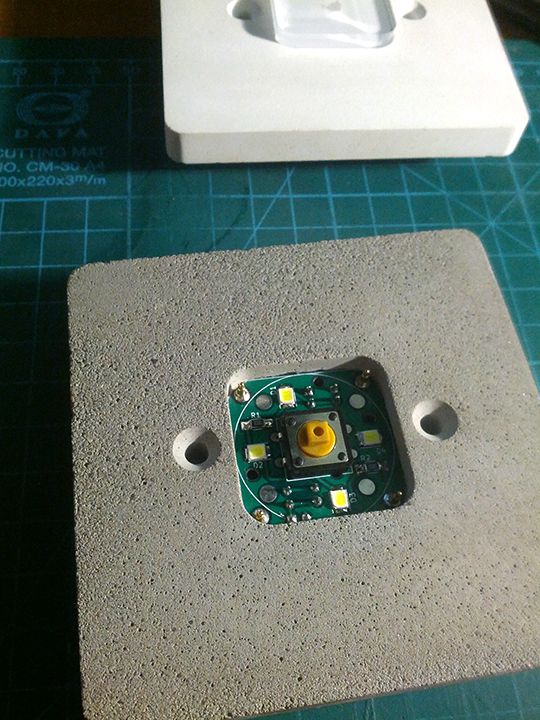
                    Offtopic in terms of mysensors platform, but somehow tangent to a home automation. I've made a batch of concrete switches/push buttons which are in this case simple buttons with led backlight and all the logic is located centrally in distribution box, based on KNX ABB module. But I am planning on making smarter and more complex version which could use Mysensors as its transport.
                    _MG_6056.jpg
                    _MG_6063.jpg
                    and a photo of insides of one of the prototypes at first stages of development
                    11.jpg

                    MatiasVM NeverDieN 2 Replies Last reply
                    5
                    • monteM monte

                      Offtopic in terms of mysensors platform, but somehow tangent to a home automation. I've made a batch of concrete switches/push buttons which are in this case simple buttons with led backlight and all the logic is located centrally in distribution box, based on KNX ABB module. But I am planning on making smarter and more complex version which could use Mysensors as its transport.
                      _MG_6056.jpg
                      _MG_6063.jpg
                      and a photo of insides of one of the prototypes at first stages of development
                      11.jpg

                      MatiasVM Offline
                      MatiasVM Offline
                      MatiasV
                      wrote on last edited by
                      #949

                      @monte Nice work! I love the looks of the concrete switches, do you have some links or useful information on how you did it.
                      I have a project of a doorbell that could use such a switch.

                      Thanks!


                      HomeAssistant
                      MyController.org
                      MQTT GW WIFI
                      FOTA/MYSBootloader

                      1 Reply Last reply
                      0
                      • monteM monte

                        Offtopic in terms of mysensors platform, but somehow tangent to a home automation. I've made a batch of concrete switches/push buttons which are in this case simple buttons with led backlight and all the logic is located centrally in distribution box, based on KNX ABB module. But I am planning on making smarter and more complex version which could use Mysensors as its transport.
                        _MG_6056.jpg
                        _MG_6063.jpg
                        and a photo of insides of one of the prototypes at first stages of development
                        11.jpg

                        NeverDieN Offline
                        NeverDieN Offline
                        NeverDie
                        Hero Member
                        wrote on last edited by NeverDie
                        #950

                        @monte It's a real pleasure to see such professional looking design!

                        I'm curious though: the button in your teardown looks clear:

                        alt text
                        so how does it turn black and give the solar eclipse effect? I mean, I can see the 4 LED's that comprise the "sun," but how does the button (the "moon" in this analogy) go from clear to black?

                        monteM 1 Reply Last reply
                        1
                        • NeverDieN NeverDie

                          @monte It's a real pleasure to see such professional looking design!

                          I'm curious though: the button in your teardown looks clear:
                          alt text
                          so how does it turn black and give the solar eclipse effect? I mean, I can see the 4 LED's that comprise the "sun," but how does the button (the "moon" in this analogy) go from clear to black?

                          monteM Offline
                          monteM Offline
                          monte
                          wrote on last edited by
                          #951

                          @NeverDie tanks for describing it as "professional":)
                          The clear button on the last photo was one of prototypes as I've mentioned, frankly process of refining the button part to make it work as it should was the longest part of the development. Now it is made in two stages: at first the transparent acrylic part is cut on laser machine, then it placed into a mold with curing mix of resin and concrete, which makes it's black top layer that blocks the light from below. 3mm acrylic base and 2mm resin top layer.
                          But I have to say that next batches will be made the other way, which is already in my mind:)

                          @MatiasV thanks! Well, I coluld describe the whole process of making, but it requires a lot of work like making propper mold, the process of trial and error while trying to achieve consistant pour and at last the complex process of making a button that would work without sticking.
                          Frankly I don't think it's worth time and effort if you plan tho do only one switch for yourself. But I can give you hints about concrete mixture and other stuff, if you're just interested in it's concrete part.

                          NeverDieN 1 Reply Last reply
                          1
                          • monteM monte

                            @NeverDie tanks for describing it as "professional":)
                            The clear button on the last photo was one of prototypes as I've mentioned, frankly process of refining the button part to make it work as it should was the longest part of the development. Now it is made in two stages: at first the transparent acrylic part is cut on laser machine, then it placed into a mold with curing mix of resin and concrete, which makes it's black top layer that blocks the light from below. 3mm acrylic base and 2mm resin top layer.
                            But I have to say that next batches will be made the other way, which is already in my mind:)

                            @MatiasV thanks! Well, I coluld describe the whole process of making, but it requires a lot of work like making propper mold, the process of trial and error while trying to achieve consistant pour and at last the complex process of making a button that would work without sticking.
                            Frankly I don't think it's worth time and effort if you plan tho do only one switch for yourself. But I can give you hints about concrete mixture and other stuff, if you're just interested in it's concrete part.

                            NeverDieN Offline
                            NeverDieN Offline
                            NeverDie
                            Hero Member
                            wrote on last edited by NeverDie
                            #952

                            @monte Now that you've mastered the medium you can cast your own tile to texture a wall:
                            alt text

                            I met a local architect who did such a thing for her own home. She only had to create a handful of different molds, and then random placement gave the illusion of more than that. Maybe they could be secret panels for hiding all your home automation control equipment behind. High WAF that would be. :grin:

                            1 Reply Last reply
                            2
                            • tbowmoT Offline
                              tbowmoT Offline
                              tbowmo
                              Admin
                              wrote on last edited by tbowmo
                              #953

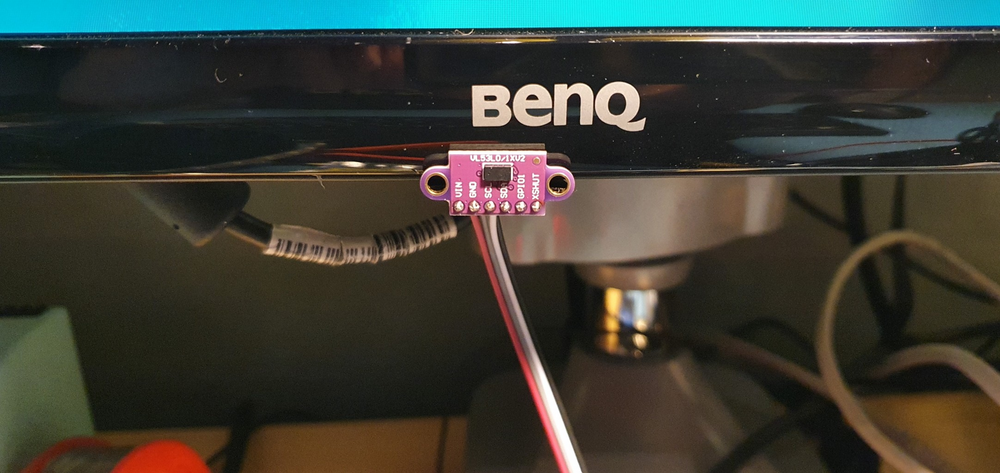
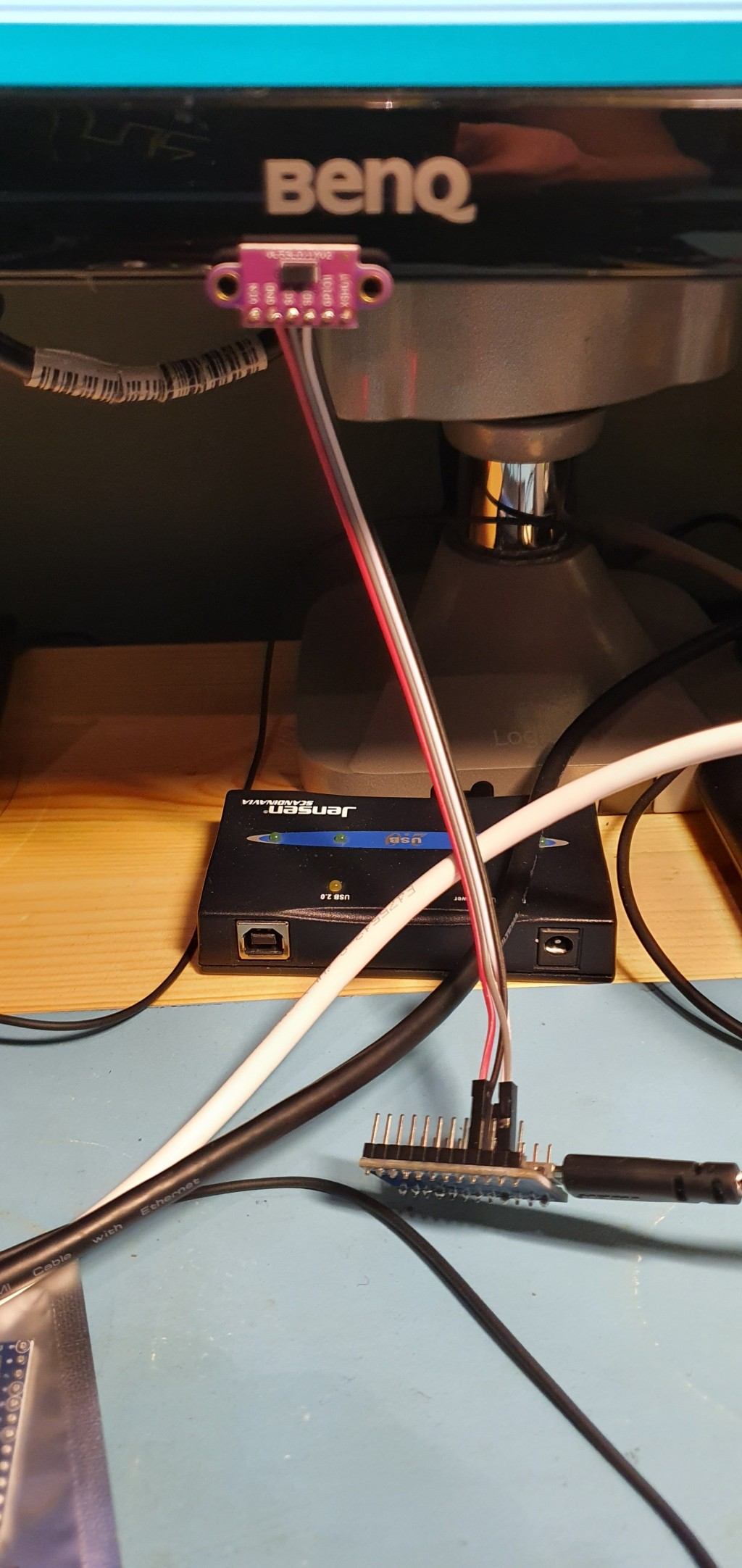
                              Just made a fun (and useful) sensor / device, using a arduino pro-micro (atmega32u4), and VL53L01 TOF distance sensor.

                              It's an auto lock device for my pc, I have mounted the VL53L01 to the bottom of my center monitor, and then have it measure the distance to my body, whenever it exceeds 1m (or is out of range), I increase a counter. When the counter reaches 20 (seconds) I send keypress GUI+L, to lock the screen (works equally well on ubuntu and windows).

                              When I return to the desk again, it is detected by the arduino (distance is now under 1m again). And it then sends CTRL+ALT+DEL to start login procedure.

                              The arduino sketch is available on https://gist.github.com/tbowmo/7e9934796d47566dc09e7b3bc5b2f208

                              next project should probably be to find a better enclosure, and build one for when I return to the office in a month or two, when the corona lockdown is lifted more
                              f28a180c-322f-4360-ae28-1a4efc93ecad-billede.png

                              8cdc94f7-be29-4706-986e-9583c7c5cd25-billede.png

                              Danielo RodríguezD 1 Reply Last reply
                              5
                              • sundberg84S sundberg84

                                I think we need a thread (and it would be fun) where old and new users can post a picture with a small text with "look what I did today". Its a steal from another forum i watch but its a really fun thread to follow like-minded people in their daily work.

                                The rules are simple - keep it simple with one picture (or a few) with a small text including a small explanation. If you want to comment on a particular post please create a new thread ("Reply as topic") or keep it really short. The idea is to get a flow with pictures. It does absolutely not needs to be a finished project - it can be a sketch of an idea or a process of something. Anything you can take a picture off from the MySensors / Home automation world.

                                I hope this is not violating any forum rules and if it does, please remove - but I think this can be a fun addition to the forum.

                                Let me start!
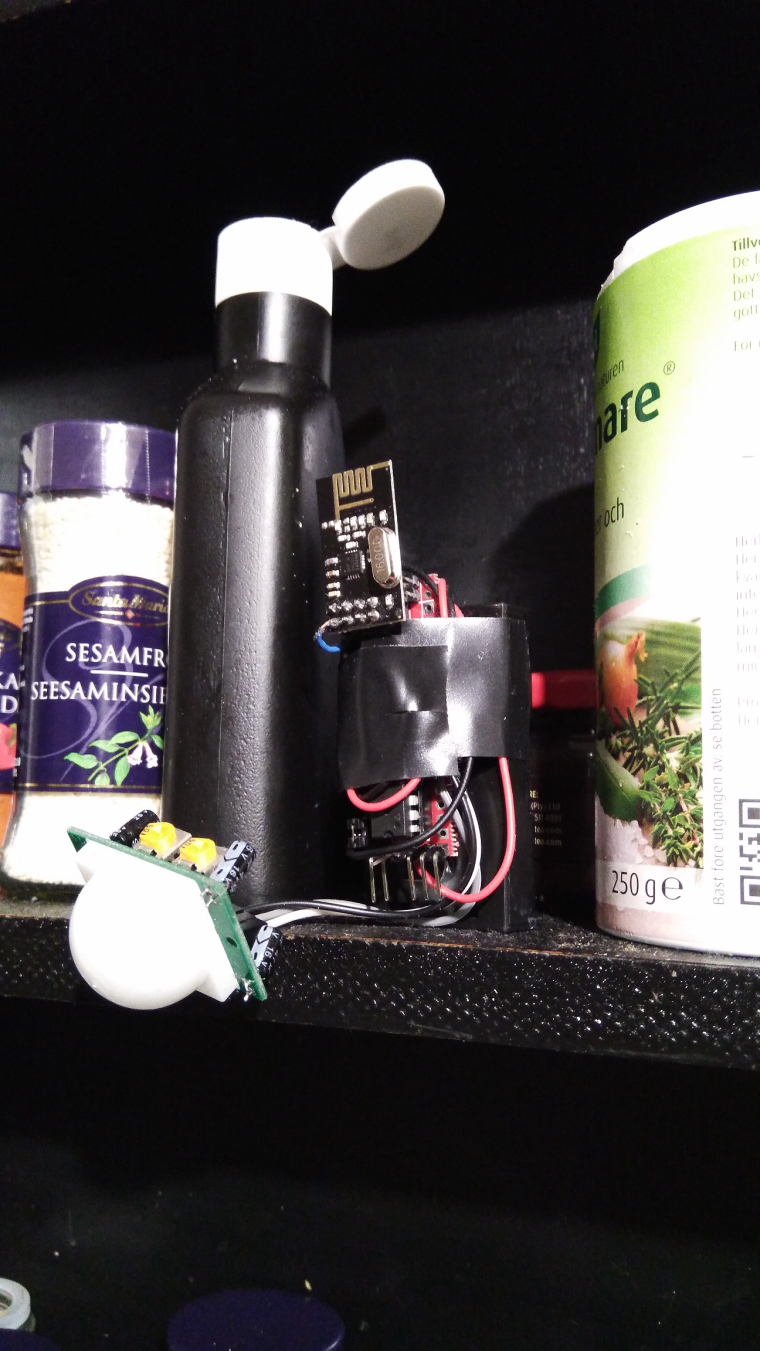
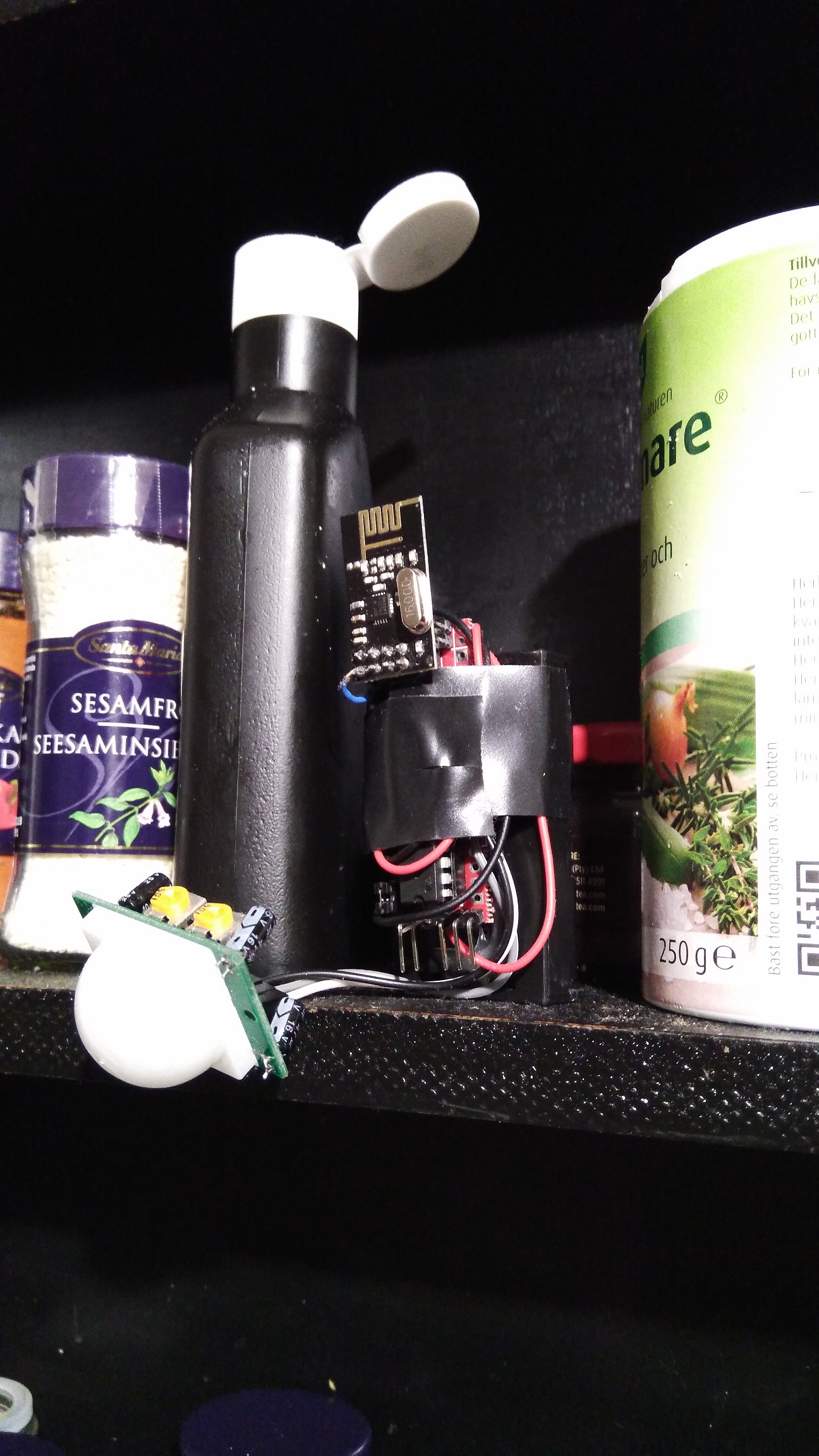
                                0_1508438347617_171019-IMG_20171019_203715.jpg
                                Today i created a second motion detector based on Slim Node from @m26872. Its a 1mhz bootloader and modified hc-sr501(3.3v "hack"). Its currently "deployed" in my kitchen (replaced the old one) in the spice-rack above the stove... low WAF but high camouflage! Might work :)

                                Luiz CarlosL Offline
                                Luiz CarlosL Offline
                                Luiz Carlos
                                wrote on last edited by
                                #954

                                @sundberg84

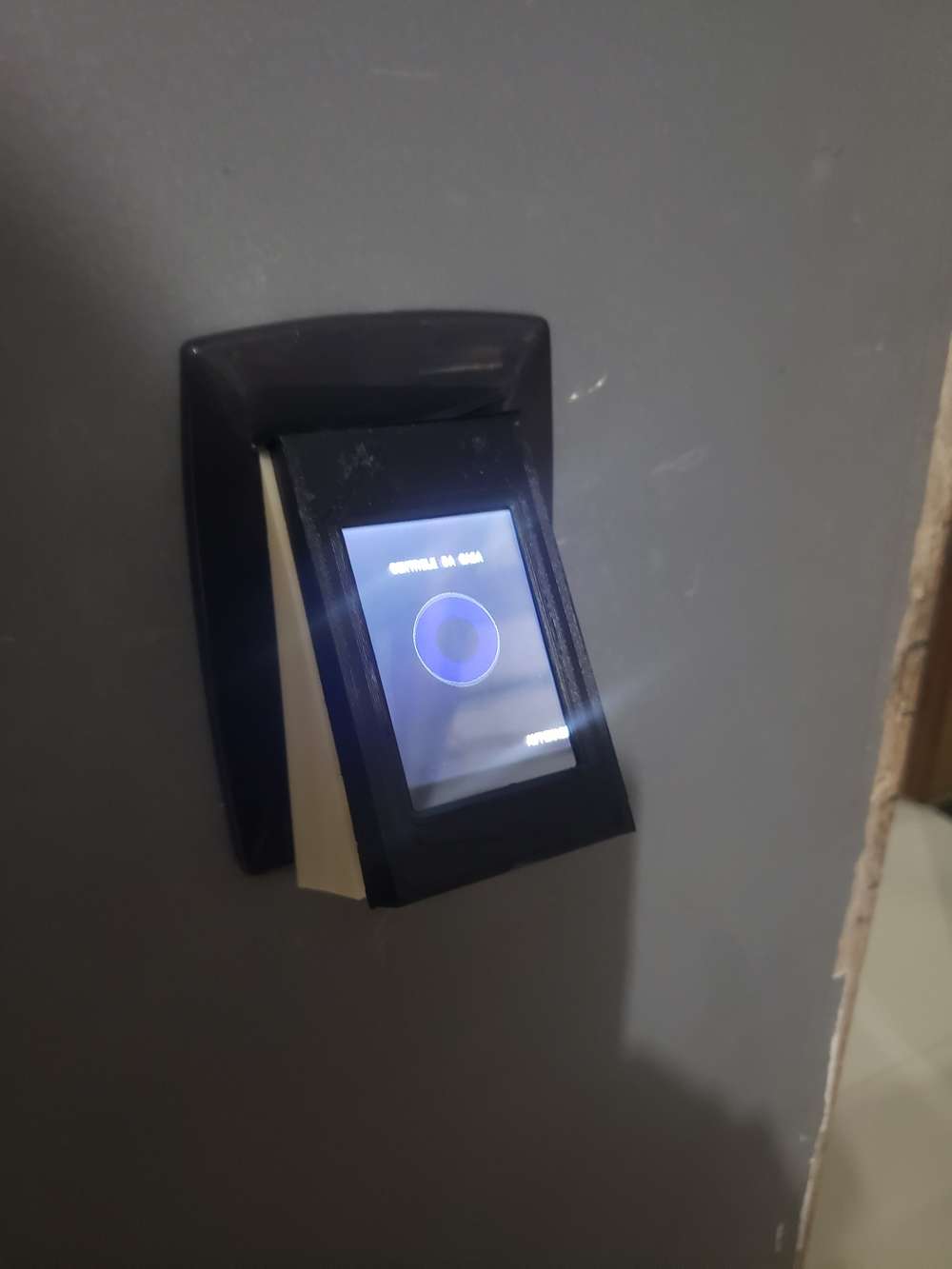
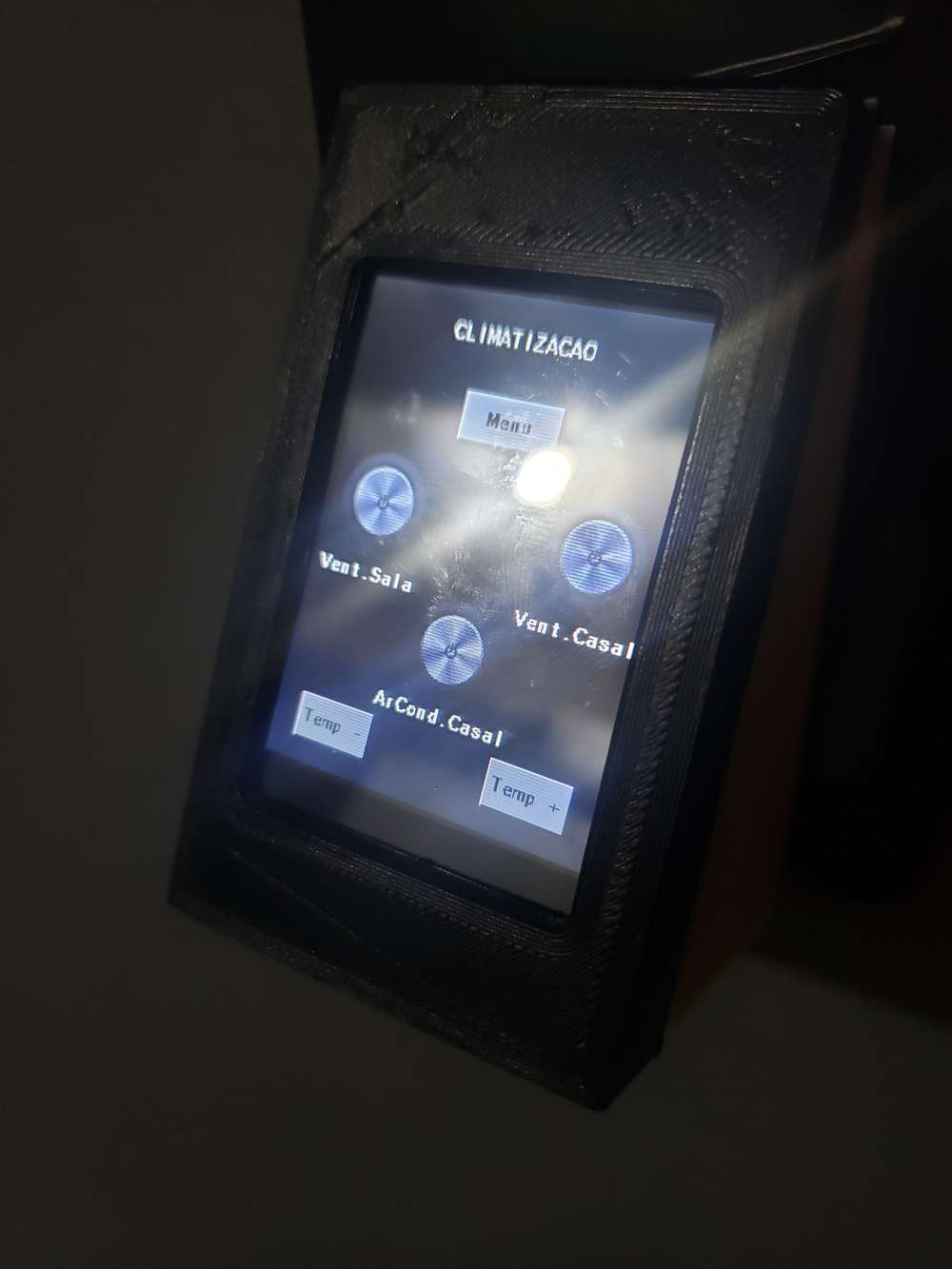
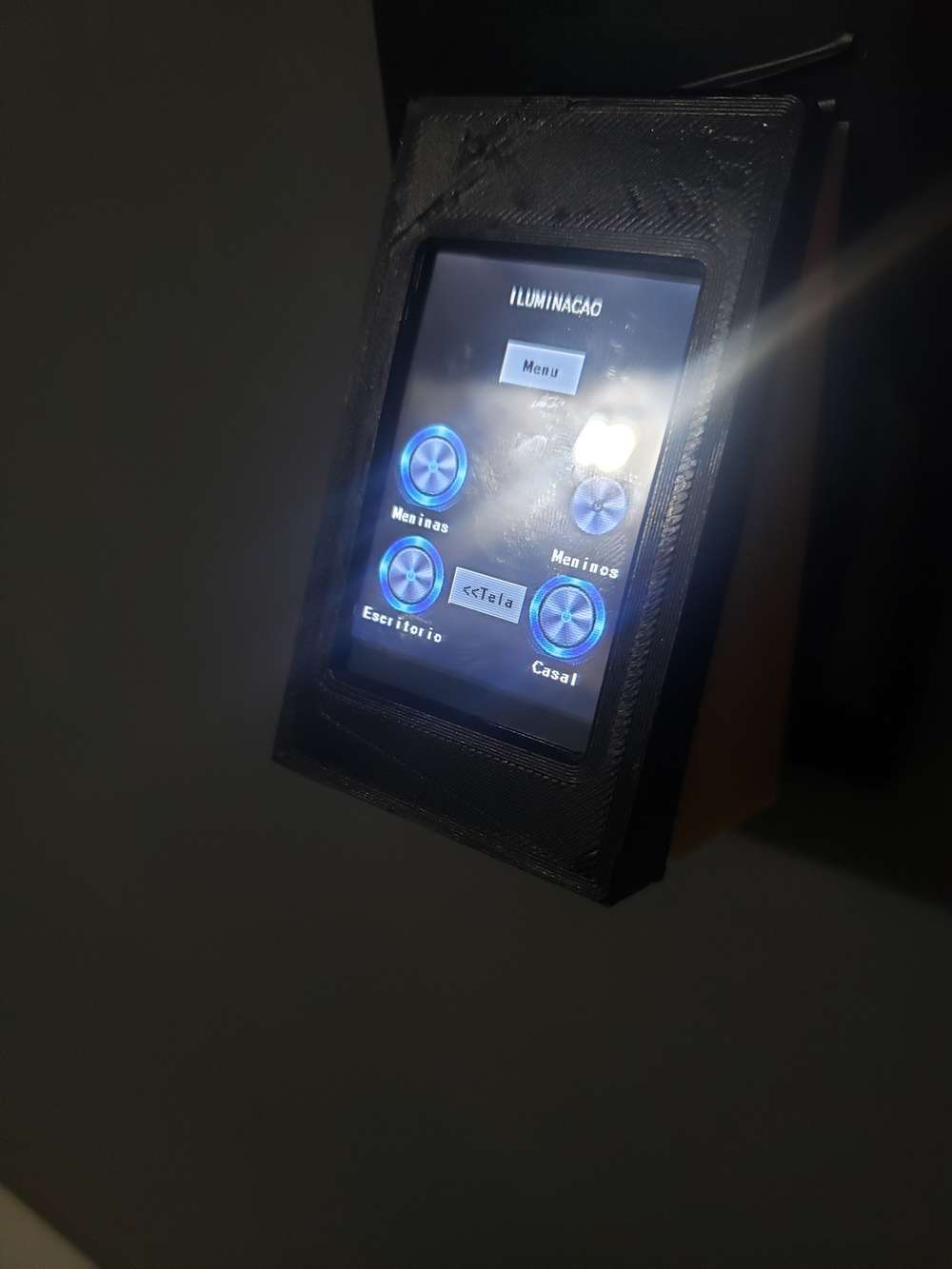
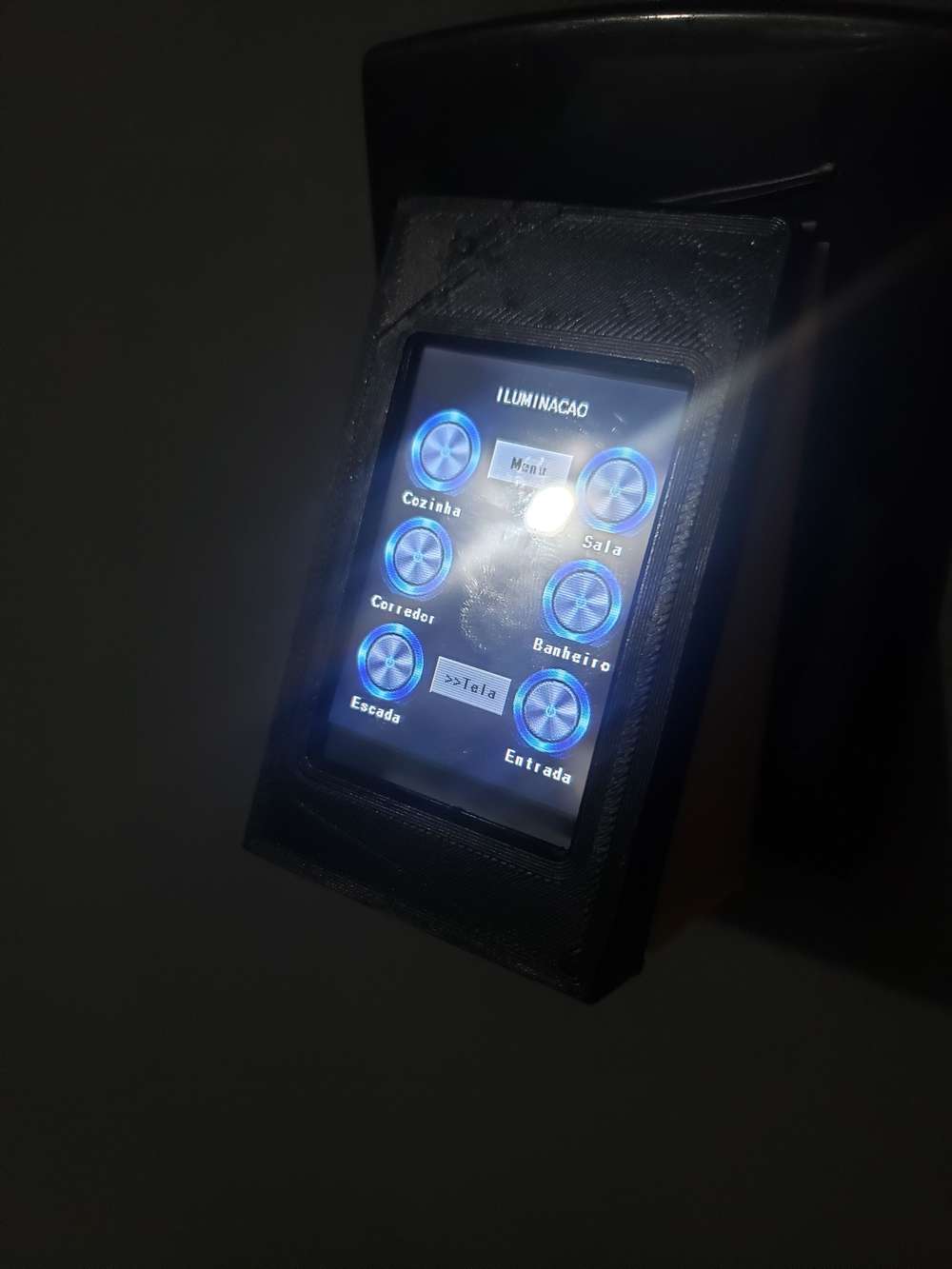
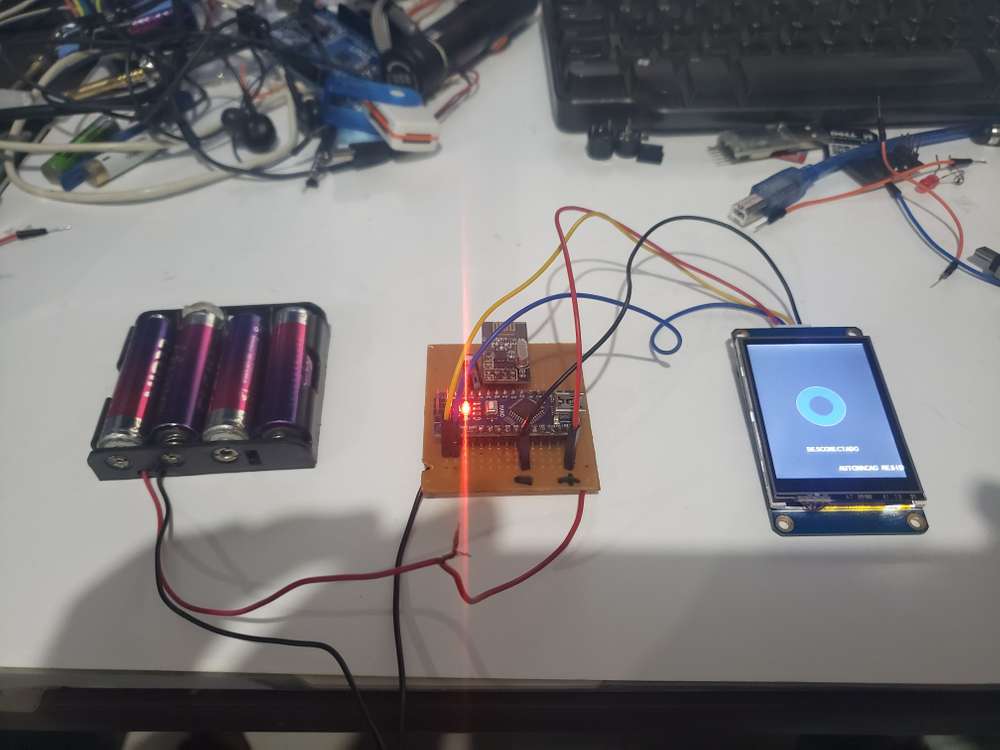
                                I finished my fully functional panel for domoticz, using Display Nextion ...

                                I don't know where to post, sorry !!! lol
                                20200514_202815.jpg 20200516_211738.jpg 20200516_211820.jpg 20200516_211810.jpg 20200516_211815.jpg

                                1 Reply Last reply
                                5
                                • sundberg84S Offline
                                  sundberg84S Offline
                                  sundberg84
                                  Hardware Contributor
                                  wrote on last edited by
                                  #955

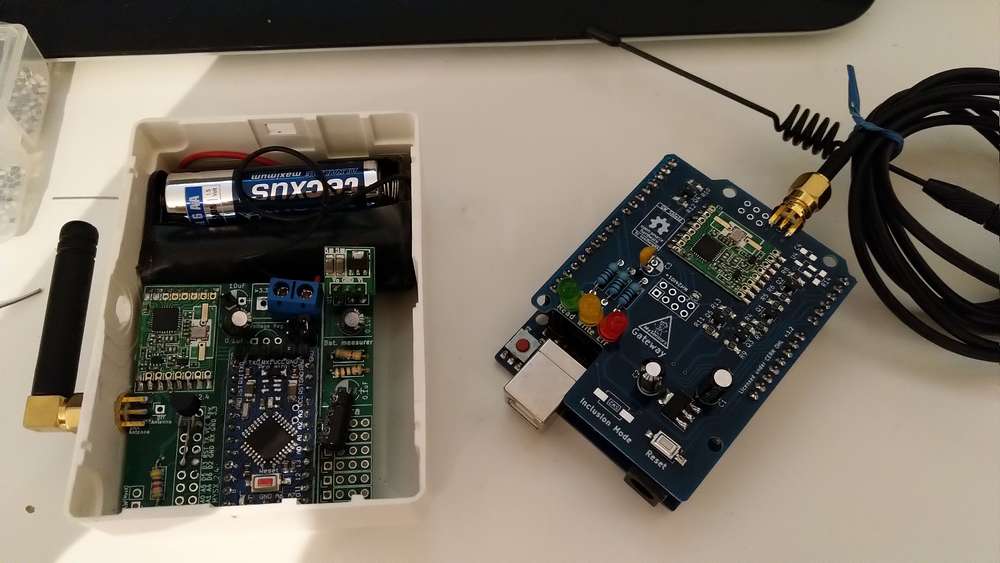
                                  Interupted by our first "Summer" lightning, but in replacing my old Rfm69 gateway (old one works, but uses a ftdi adapter for Serial communication and i have another need for the adapter). In the same time im taking up signing. The node has a atsha chip but I never used it properly which im going to try to fix.
                                  IMG_20200523_162944.jpg

                                  Controller: Proxmox VM - Home Assistant
                                  MySensors GW: Arduino Uno - W5100 Ethernet, Gw Shield Nrf24l01+ 2,4Ghz
                                  MySensors GW: Arduino Uno - Gw Shield RFM69, 433mhz
                                  RFLink GW - Arduino Mega + RFLink Shield, 433mhz

                                  1 Reply Last reply
                                  1
                                  • franz-unixF Offline
                                    franz-unixF Offline
                                    franz-unix
                                    wrote on last edited by franz-unix
                                    #956

                                    Hi guys,

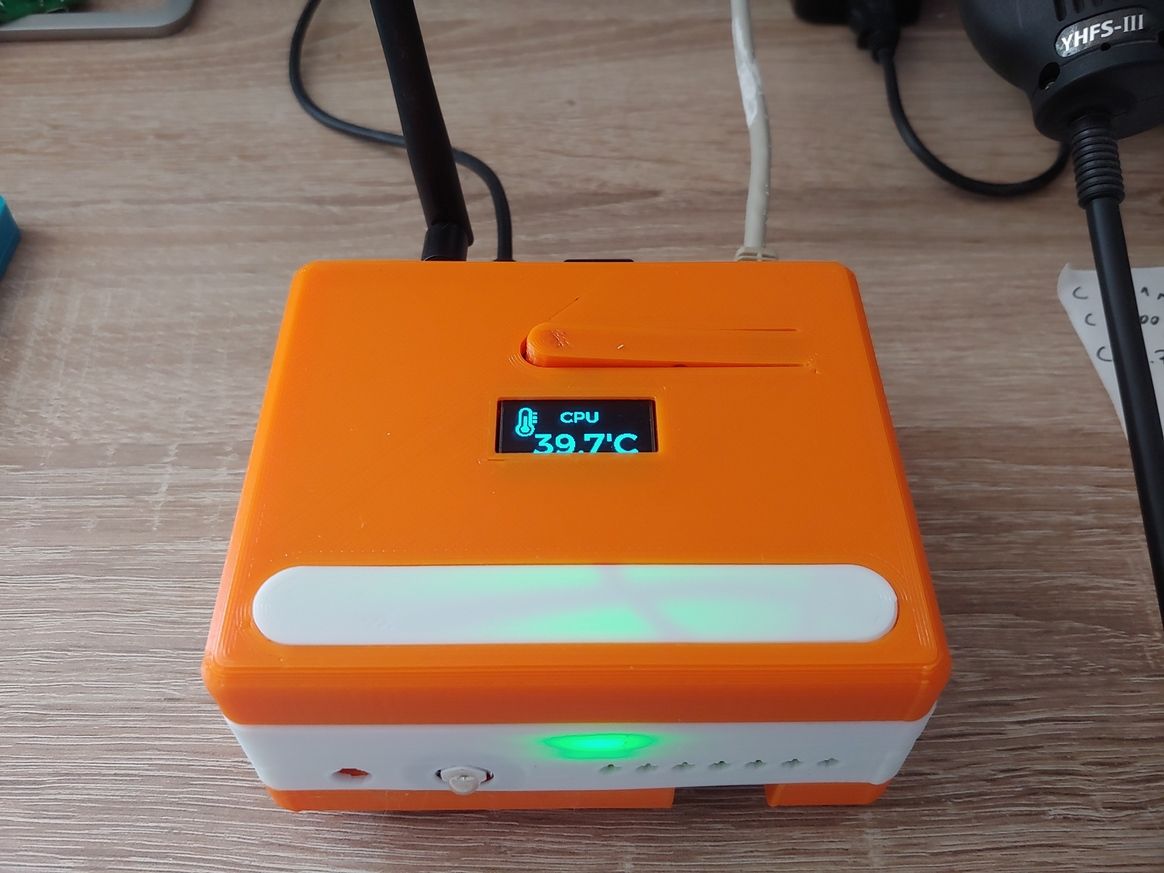
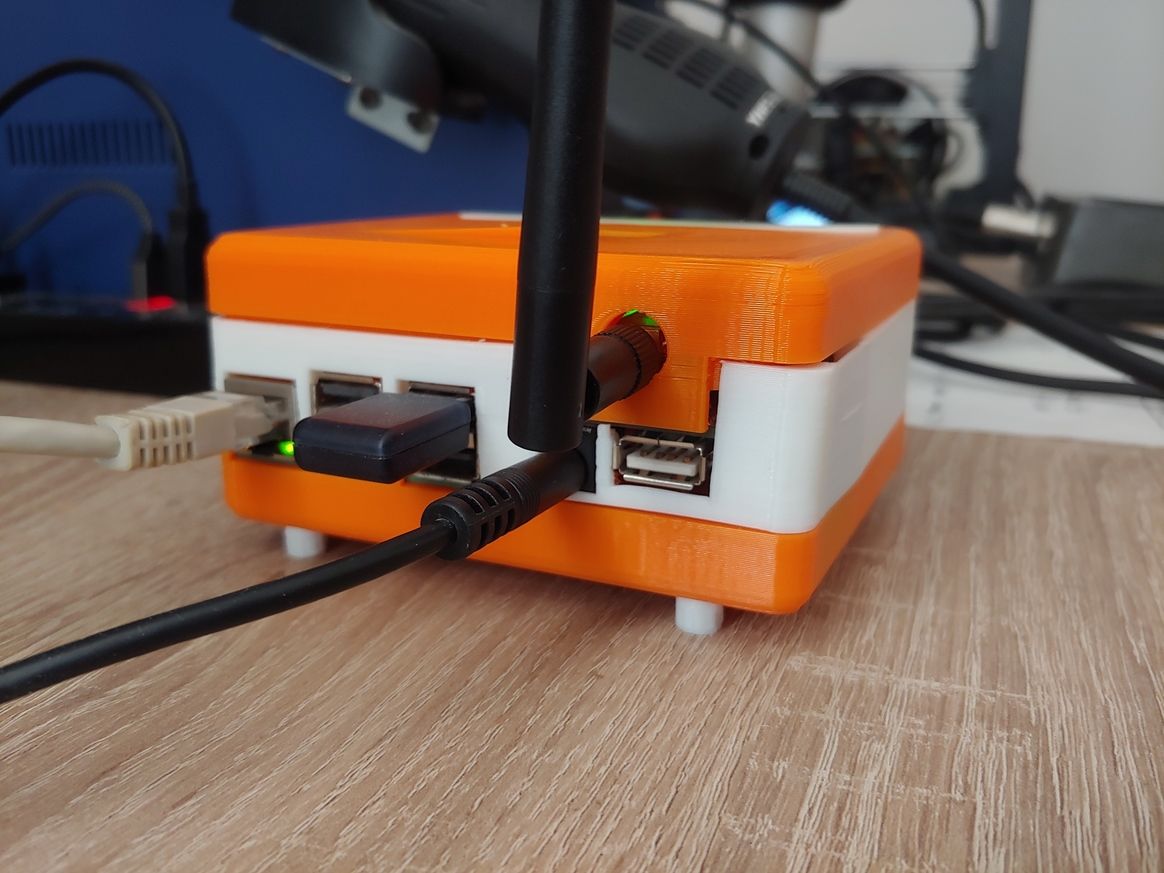
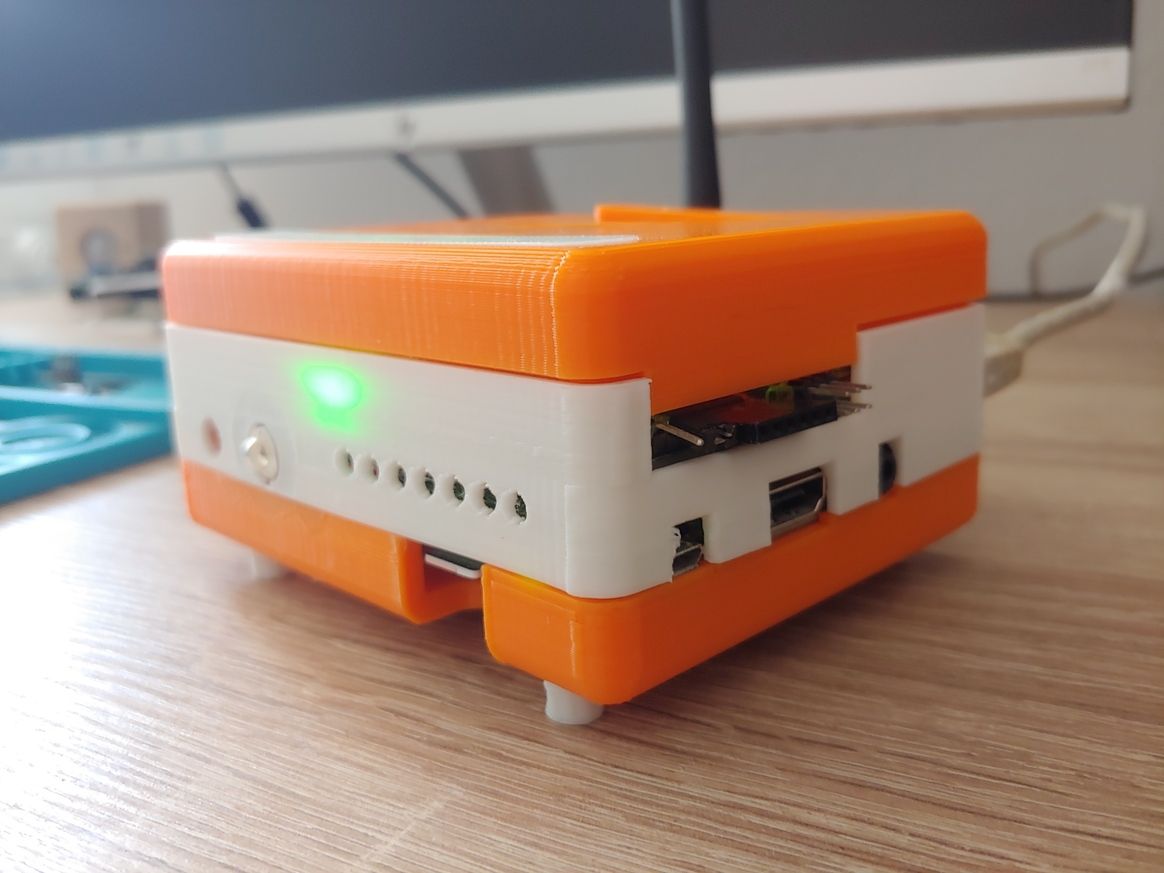
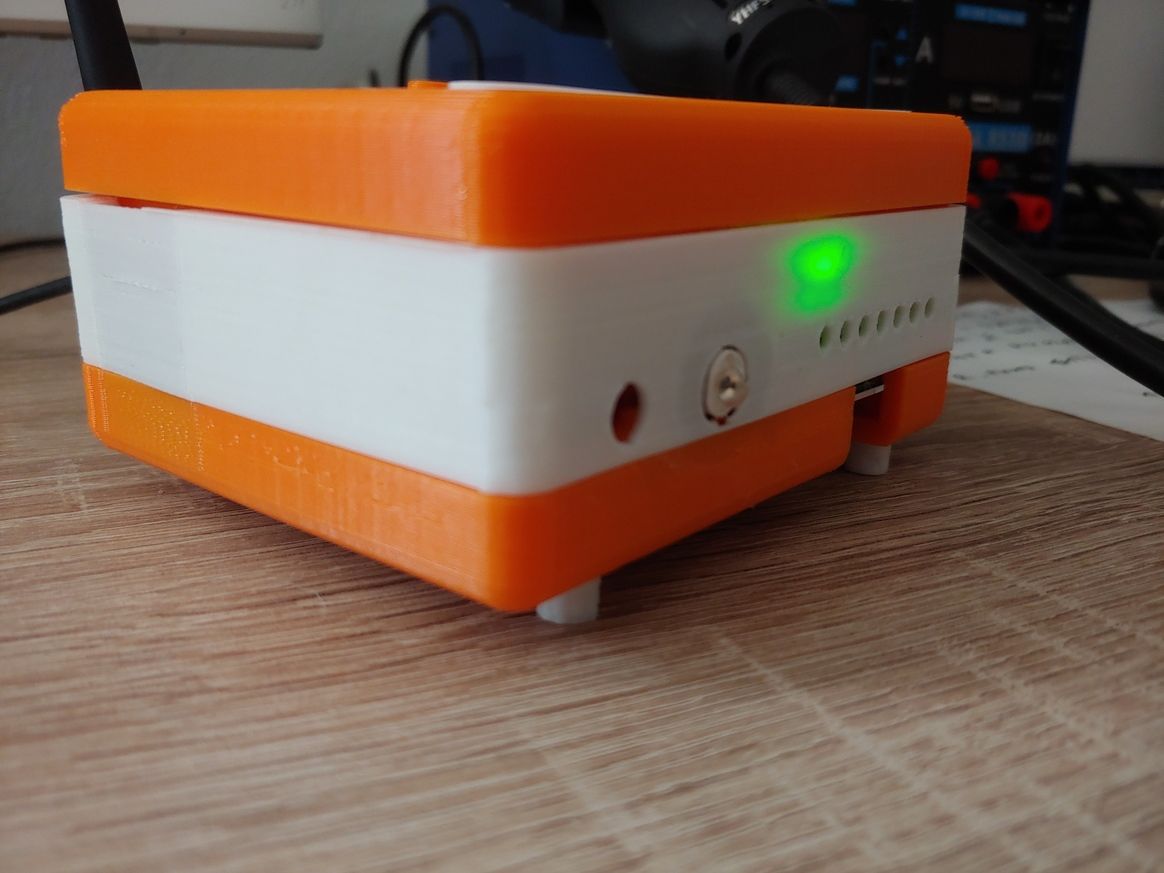
                                    today I have finished the 3d printable case of the d-diot hub.
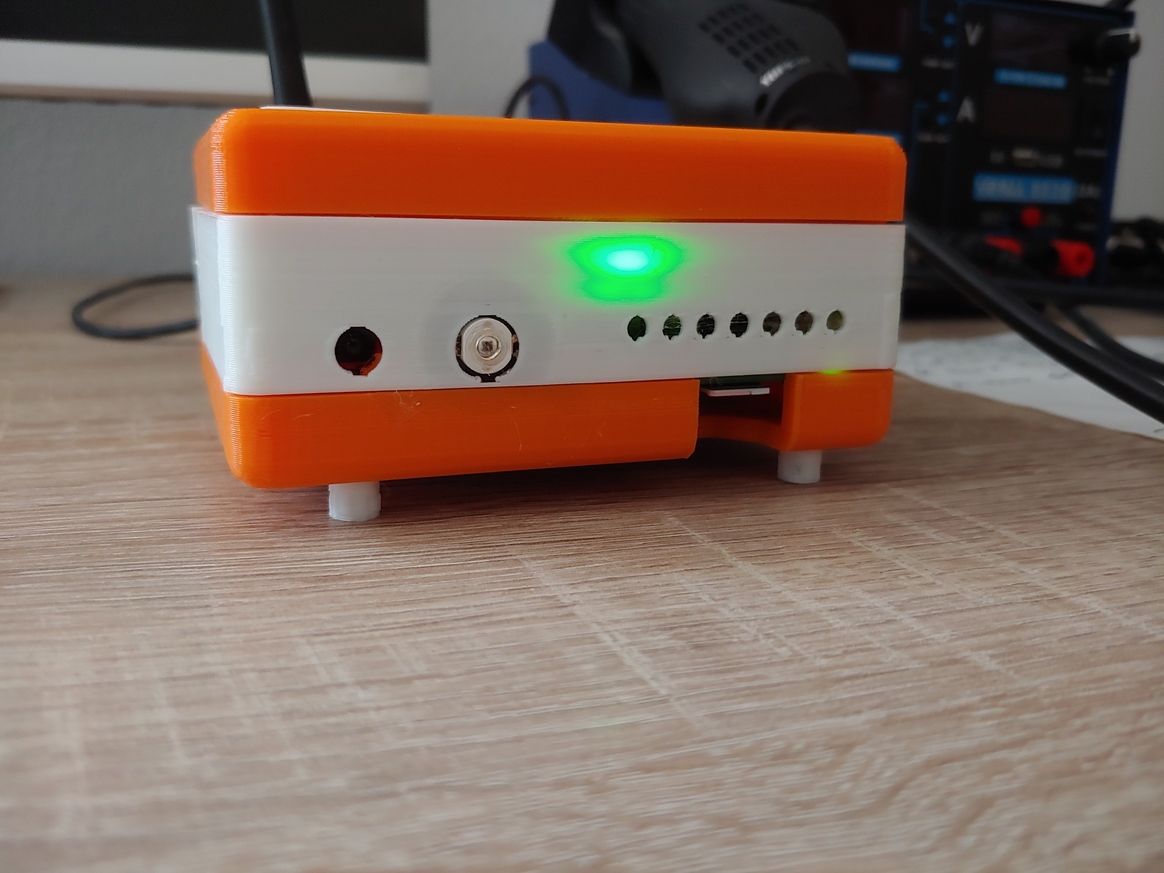
                                    20200524_101250.jpg 20200524_101318.jpg 20200524_101419.jpg 20200524_101329_HDR.jpg 20200524_101340.jpg

                                    The hub basically is a Raspberry Pi 3 with the d-diot board (see this topic) that offers the following functionalities:

                                    • IR Gateway (blaster and receiver) to control every device that has a dummy infrared remote.

                                    • 433 Mhz Gateway with the RFLink firmware running on the on-board ATMega2560 microcontroller

                                    • Dual MySensors Gateway: NRF24 (2.4 Ghz) and RFM69 (868 Mhz).

                                    • Latch circuit to power-on and safely power-off your Pi with a simple button press.

                                    • SSD1306 I2C Oled display controllable in Home Assistant

                                    • Radio activity LEDs for IR and Mysensors gateways

                                    • Nice and powerful web interface thanks to Home Assistant

                                    • Easy setup and configuration with the d-diot image

                                    If someone is interested, here the detailed build instructions.

                                    1 Reply Last reply
                                    6
                                    • NeverDieN NeverDie

                                      Anyone know or have experience with how well the underlying capacitive soil moisture sensors hold up over the long term? Clearly they're better than the cheap conductive electrode kind, which for most people don't last very long at all, but I recollect reading that water ultimately invades the PCB enough on even the capacitive designs that it goes kaput. Maybe they've been improved since then or maybe there are now known tricks for how to fortify them against that happening?

                                      berkseoB Offline
                                      berkseoB Offline
                                      berkseo
                                      wrote on last edited by
                                      #957

                                      @NeverDie My experience shows that the Chinese sensors that are sold on Aliexpress have a low quality printed circuit Board. When used outdoors, they may deteriorate within 1-2 seasons. Inside the house, in a flower pot, the service life is much longer. As for such sensors developed independently, the quality of printed circuit boards that are ordered through the services of jlcpcb, pcbway... very high.

                                      1 Reply Last reply
                                      1
                                      • NeverDieN NeverDie

                                        Anyone know or have experience with how well the underlying capacitive soil moisture sensors hold up over the long term? Clearly they're better than the cheap conductive electrode kind, which for most people don't last very long at all, but I recollect reading that water ultimately invades the PCB enough on even the capacitive designs that it goes kaput. Maybe they've been improved since then or maybe there are now known tricks for how to fortify them against that happening?

                                        A Offline
                                        A Offline
                                        Avamander
                                        wrote on last edited by
                                        #958

                                        @NeverDie I personally took a bottle of nail polish and coated every sensor I had. I had a hunch that moisture seeping might affect the capacitive sensors so I took precautions. They've lasted a year now with no sign of deteriorating.

                                        1 Reply Last reply
                                        1
                                        • NeverDieN Offline
                                          NeverDieN Offline
                                          NeverDie
                                          Hero Member
                                          wrote on last edited by
                                          #959

                                          Thanks! Earlier in 2020 I started a shoot-out of different weatherproofing coatings, and I can already see that Spray Max 680061 is by far performing the best out of all the hard coatings that I tried: https://www.spraymax.com/en/products/product/clear-coats-and-spot-blender/2k-clear-coat/ So, for that reason, I suspect it would also perform very well at moisture proofing capacitive PCB soil probes.


                                          1 Reply Last reply
                                          0
                                          Reply
                                          • Reply as topic
                                          Log in to reply
                                          • Oldest to Newest
                                          • Newest to Oldest
                                          • Most Votes


                                          29

                                          Online

                                          11.7k

                                          Users

                                          11.2k

                                          Topics

                                          113.1k

                                          Posts


                                          Copyright 2025 TBD   |   Forum Guidelines   |   Privacy Policy   |   Terms of Service
                                          • Login

                                          • Don't have an account? Register

                                          • Login or register to search.
                                          • First post
                                            Last post
                                          0
                                          • MySensors
                                          • OpenHardware.io
                                          • Categories
                                          • Recent
                                          • Tags
                                          • Popular