
Momert 5848-9 bathroom scale (reading from lcd)
-
Thanks to http://quo.vadis.stojkovic.ch/hacking-a-weighing-scale/ and http://troels.leegaard.org/misc/grundtal20047/ I hacked Momert 5848-9 bathroom scale http://momert.eu/index.php/en/products?page=shop.product_details&flypage=flypage.tpl&category_id=16&product_id=158
Pin arrangement the same as on IKEA Grundtal scales http://troels.leegaard.org/misc/grundtal20047/grundtal20047.pdf
Putting 3V to each lcd pin you can figure out what is each pin for. I used 13 lcd pins from 16. https://www.youtube.com/watch?v=yGe3wtwzqf0
Some photos
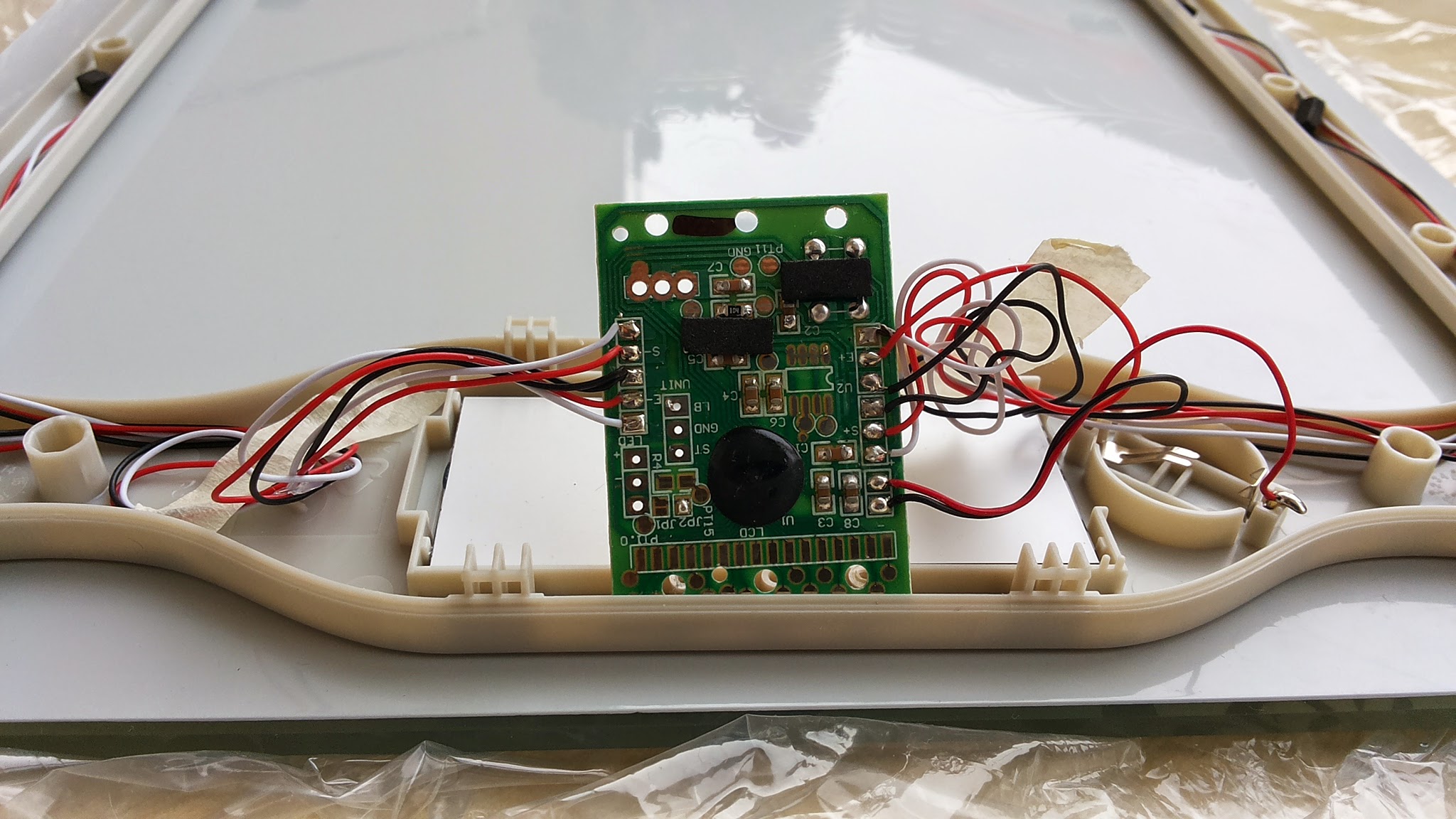
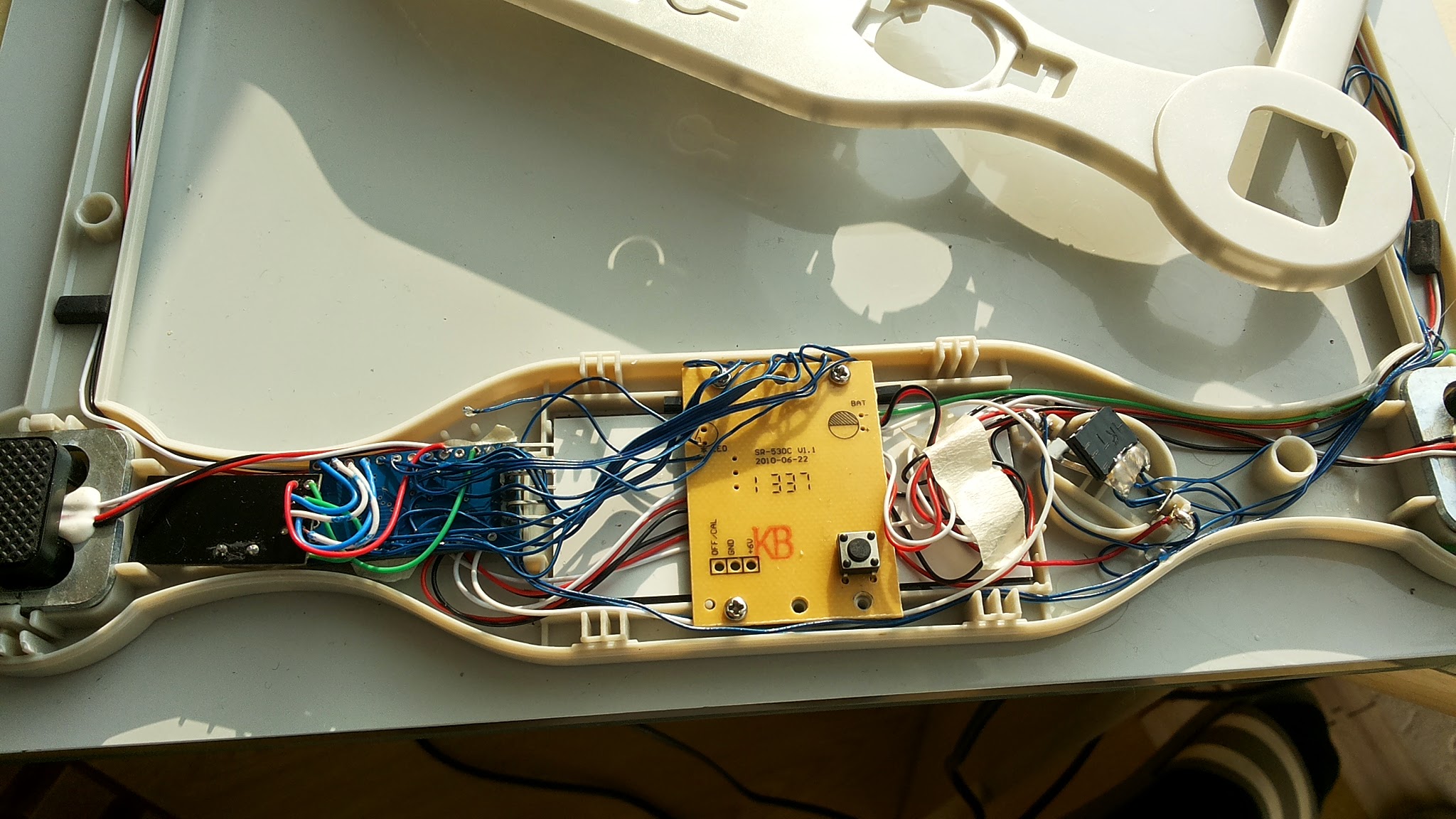
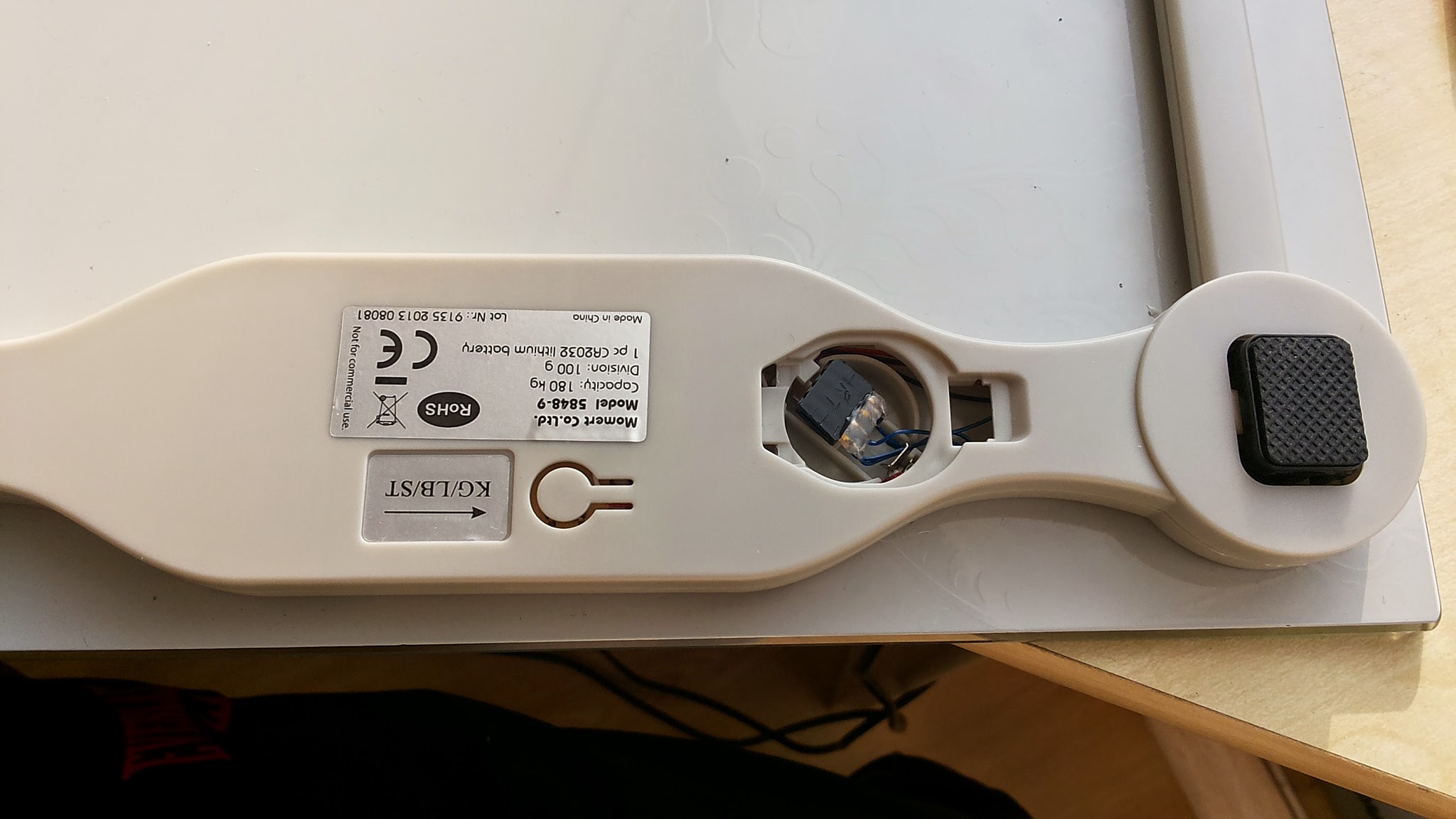
CODE:
#include <Sleep_n0m1.h>
#include <SPI.h>
#include <EEPROM.h>
#include <RF24.h>
#include <Sensor.h>#define DIGITAL_INPUT_SENSOR 3 // The digital input you attached your motion sensor. (Only 2 and 3 generates interrupt!) #define INTERRUPT DIGITAL_INPUT_SENSOR-2 // Usually the interrupt = pin -2 (on uno/nano anyway) #define DI_ID 1 // Id of the sensor child #define SA_ID 2 // Id of the sensor child #define VI_ID 3 // Id of the sensor child #define ALL_ID 4 // Id of the sensor child #define DEBUG 1 int pa,pb,pc,pd; int lcdA=0,lcdB=0,lcdC=0,lcdD=0; bool lcd1,lcd2,lcd3,lcd4,lcd5,lcd6,lcd7,lcd8,lcd9; unsigned int SAn, SBn, SCn, SDn; unsigned int SA[9], SB[9], SC[9], SD[9]; bool A[9], B[9], C[9], D[9]; double weight; double oldweight=0; Sensor gw; Sleep sleep; //calculate weight int getDigit(int d) { // d=0,1,2,3 int i = 2*d+0; int j = 2*d+1; if ( A[i] && A[j] && !B[i] && B[j] && C[i] && C[j] && D[i]) return 0; //ok if (!A[i] && !A[j] && !B[i] && B[j] && !C[i] && C[j] && !D[i]) return 1; //ok if (!A[i] && A[j] && B[i] && B[j] && C[i] && !C[j] && D[i]) return 2; //ok if (!A[i] && A[j] && B[i] && B[j] && !C[i] && C[j] && D[i]) return 3; //ok if ( A[i] && !A[j] && B[i] && B[j] && !C[i] && C[j] && !D[i]) return 4; //ok if ( A[i] && A[j] && B[i] && !B[j] && !C[i] && C[j] && D[i]) return 5; //ok if ( A[i] && A[j] && B[i] && !B[j] && C[i] && C[j] && D[i]) return 6; //ok if (!A[i] && A[j] && !B[i] && B[j] && !C[i] && C[j] && !D[i]) return 7; //ok if ( A[i] && A[j] && B[i] && B[j] && C[i] && C[j] && D[i]) return 8; //ok if ( A[i] && A[j] && B[i] && B[j] && !C[i] && C[j] && D[i]) return 9; //ok return 0; } void setup() { gw.begin(); // Send the sketch version information to the gateway and Controller gw.sendSketchInfo("Weight Meter", "1.0"); pinMode(DIGITAL_INPUT_SENSOR, INPUT); // sets the motion sensor digital pin as input // Register all sensors to gw (they will be created as child devices) gw.sendSensorPresentation(DI_ID, S_WEIGHT); gw.sendSensorPresentation(SA_ID, S_WEIGHT); gw.sendSensorPresentation(VI_ID, S_WEIGHT); gw.sendSensorPresentation(ALL_ID, S_WEIGHT); } void loop() { getweightnow(); #if DEBUG Serial.println("Sleeping."); #endif delay(400); //delay to allow serial to fully print before sleep gw.powerDown(); sleep.pwrDownMode(); //set sleep mode sleep.sleepInterrupt(INTERRUPT,CHANGE); } void getweightnow() { lcdA = analogRead(A0); lcdB = analogRead(A1); lcdC = analogRead(A2); lcdD = analogRead(A3); // waiting for display (interruption will continue from here) #if DEBUG Serial.println("Stepped on scale"); #endif // make sure that LCD is active // starts measuring #if DEBUG Serial.println("Mesuring"); #endif SAn = SBn = SCn = SDn = 0; for (int i=0; i<9; i++) SA[i] = SB[i] = SC[i] = SD[i] = 0; int i=0; //run while backplanes are active while ((lcdA!=0 || lcdB!=0 || lcdC!=0 || lcdD!=0)) { lcdA = analogRead(A0); lcdB = analogRead(A1); lcdC = analogRead(A2); lcdD = analogRead(A3); lcd1 = digitalRead(A4); lcd2 = digitalRead(A5); lcd3 = digitalRead(2); lcd4 = digitalRead(3); lcd5 = digitalRead(4); lcd6 = digitalRead(5); lcd7 = digitalRead(6); lcd8 = digitalRead(7); lcd9 = digitalRead(8); // decode A, B, C and D signals to -1, 0, 1 pa = 0; if (lcdA < 300) pa=-1; else if (lcdA > 600) pa=1; pb = 0; if (lcdB < 300) pb=-1; else if (lcdB > 600) pb=1; pc = 0; if (lcdC < 300) pc=-1; else if (lcdC > 600) pc=1; pd = 0; if (lcdD < 300) pd=-1; else if (lcdD > 600) pd=1; lcdA = pa; lcdB = pb; lcdC = pc; lcdD = pd; if (lcdA!=0 && lcdB==0 && lcdC==0 && lcdD==0 || lcdA==0 && lcdB!=0 && lcdC==0 && lcdD==0 || lcdA==0 && lcdB==0 && lcdC!=0 && lcdD==0 || lcdA==0 && lcdB==0 && lcdC==0 && lcdD!=0) { if (lcdA==1 || lcdB==1 || lcdC==1 || lcdD==1) { lcd1 = 1-lcd1; lcd2 = 1-lcd2; lcd3 = 1-lcd3; lcd4 = 1-lcd4; lcd5 = 1-lcd5; lcd6 = 1-lcd6; lcd7 = 1-lcd7; lcd8 = 1-lcd8; lcd9 = 1-lcd9; } if (lcdA != 0) { SA[0] += lcd1; SA[1] += lcd2; SA[2] += lcd3; SA[3] += lcd4; SA[4] += lcd5; SA[5] += lcd6; SA[6] += lcd7; SA[7] += lcd8; SA[8] += lcd9; SAn++; } if (lcdB != 0) { SB[0] += lcd1; SB[1] += lcd2; SB[2] += lcd3; SB[3] += lcd4; SB[4] += lcd5; SB[5] += lcd6; SB[6] += lcd7; SB[7] += lcd8; SB[8] += lcd9; SBn++; } if (lcdC!=0) { SC[0] += lcd1; SC[1] += lcd2; SC[2] += lcd3; SC[3] += lcd4; SC[4] += lcd5; SC[5] += lcd6; SC[6] += lcd7; SC[7] += lcd8; SC[8] += lcd9; SCn++; } if (lcdD!=0) { SD[0] += lcd1; SD[1] += lcd2; SD[2] += lcd3; SD[3] += lcd4; SD[4] += lcd5; SD[5] += lcd6; SD[6] += lcd7; SD[7] += lcd8; SD[8] += lcd9; SDn++; } i++; } if (lcdA==-1 && lcdB==-1 && lcdC==-1 && lcdD==-1 && lcd9==0 && (SA[0]+SA[1]+SA[2]+SA[3]+SA[4]+SA[5]+SA[6]+SA[7]+SA[8]>0)) { // measuring is done #if DEBUG Serial.println("Done"); #endif // finding the average of signals values during measuring period // not 100% correct, but the fastest way I could think of for (int i=0;i<9;i++) { A[i] = (1.0 * SA[i] / SAn >0.5); B[i] = (1.0 * SB[i] / SBn >0.5); C[i] = (1.0 * SC[i] / SCn >0.5); D[i] = (1.0 * SD[i] / SDn >0.5); } // decoding float weight = 100.0*getDigit(0) + 10.0*getDigit(1) + 1.0*getDigit(2) + 0.1*getDigit(3); #if DEBUG Serial.print("Weight is: "); Serial.println(weight); #endif if (weight != oldweight) { gw.sendVariable(DI_ID, V_WEIGHT, weight,3); // Send volume value to gw #if DEBUG Serial.println("Sent"); #endif oldweight = weight; } break; } //end of if } //end of while }And now is the question S_WEIGHT sensor-type are working on MySensors Arduino Library (v1.3) and VERA Lite as controller. Or do i need *Sensor1.json *Sensor1.xml files for it working? Because when i included scales node to Vera and restarted Luup, after that all nodes stoped working. Only restoring VERA from backup are helped.
-
-
Wild!
How will you use this? (Its not apparent to me this late at night ;-) ) -
-
Vera Plugin ScaleSensor
ScaleSensor.zip -
-
-
@derrij - Amazing work working this out.
I had this same idea back in about Feb this year...my approach was to hack it the same way as you have done, but i also knew i didnt have the skills ( or time) to work this out...really cool!!!I think your work/technique has a lot of value in "mySensoring" other devices with LCD/LED digit displays. Eg: A thermostat/control panel built into portable gas heaters- so as to read the display digits.
Related....and cool too, just not as cool...
Not long after there was a bargain on these http://www.withings.com/eu/ws-30.html - Abouit $40aud so i bought these instead...No they dont hook into mySensors, or Vera...but they are Web-enabled and can work out who the family member standing on the scales...and also tell you if its going to rain that day. -
Wow, i did not do this to my digital weight scale. You did a great job here



Hello! It looks like you're interested in this conversation, but you don't have an account yet.
Getting fed up of having to scroll through the same posts each visit? When you register for an account, you'll always come back to exactly where you were before, and choose to be notified of new replies (either via email, or push notification). You'll also be able to save bookmarks and upvote posts to show your appreciation to other community members.
With your input, this post could be even better 💗
Register Login