
Need a Guide to debug MySensor and Home Assistant
-
Dear,
I don't know what happened, but after a lot of test, no more new sensors appeared in HA.
I read a lot of documentation about DEBUG and enabled LOG in HA.
But, it doesn't exist a guide and I at the end, I give up.
I decided to :- Rebuild a new Hyper V with last version of HA. No improvement.
- Rebuild a new MySensorGW. No improvement. I was never able to build the stable version (compilation error at the end). I'm with version 2.4.0.
- Restart a new arduino SENSOR
Nothing worked until I finally get a new SENSOR in HA. I don't know why.
My question is to have a quick guide to understand the following :
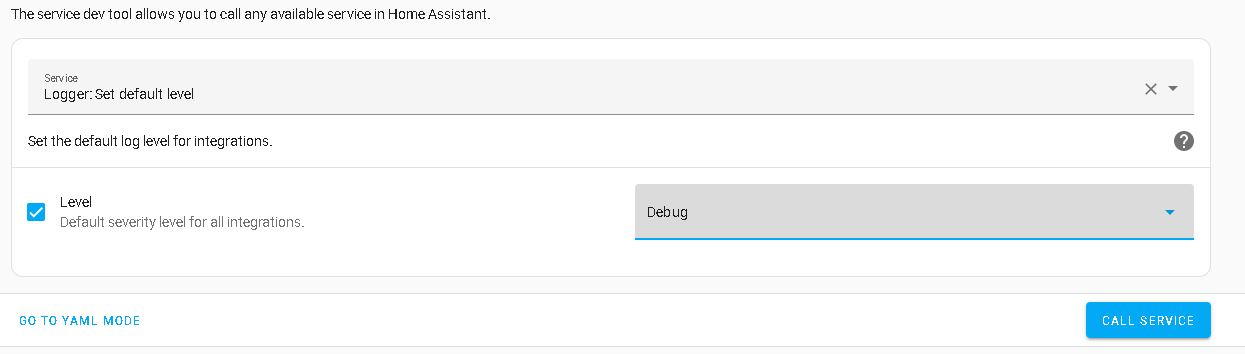
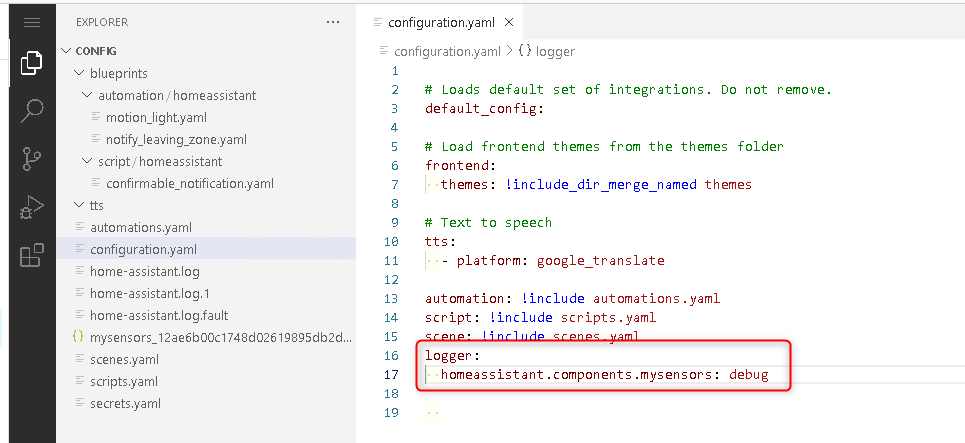
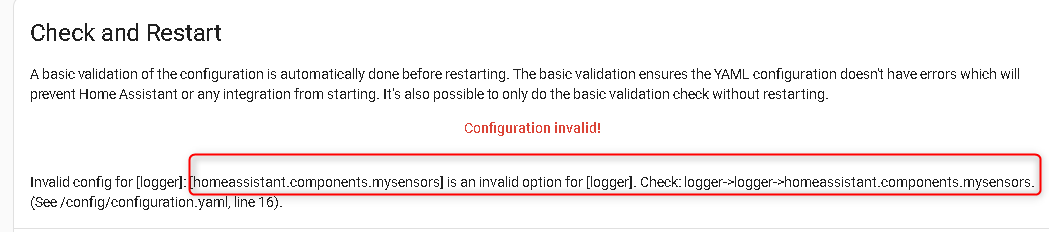
- Enable DEBUG LOG in HA (what is the best and quick way).
- Check Configuration of ADDON like Mosquitto, MySENSORS,
Best Regards
-
Dear,
I don't know what happened, but after a lot of test, no more new sensors appeared in HA.
I read a lot of documentation about DEBUG and enabled LOG in HA.
But, it doesn't exist a guide and I at the end, I give up.
I decided to :- Rebuild a new Hyper V with last version of HA. No improvement.
- Rebuild a new MySensorGW. No improvement. I was never able to build the stable version (compilation error at the end). I'm with version 2.4.0.
- Restart a new arduino SENSOR
Nothing worked until I finally get a new SENSOR in HA. I don't know why.
My question is to have a quick guide to understand the following :
- Enable DEBUG LOG in HA (what is the best and quick way).
- Check Configuration of ADDON like Mosquitto, MySENSORS,
Best Regards
@esa1966
Sounds similar to the problems I was having. See if what I did works for you.Also, I think I remember seeing a variable that limits the number of connections to the gateway. MY_GATEWAY_MAX_CLIENTS ?
OSD

Hello! It looks like you're interested in this conversation, but you don't have an account yet.
Getting fed up of having to scroll through the same posts each visit? When you register for an account, you'll always come back to exactly where you were before, and choose to be notified of new replies (either via email, or push notification). You'll also be able to save bookmarks and upvote posts to show your appreciation to other community members.
With your input, this post could be even better 💗
Register Login