
Robotic lawn mower supervisor
-
Just dropping a small project i made here for the upcoming season.
Its a motion and distance combined sensor sitting besides my robotic lawn mower. Whenever there is a movement it measures the distance, and therefore I can see if my mower is out or charging.
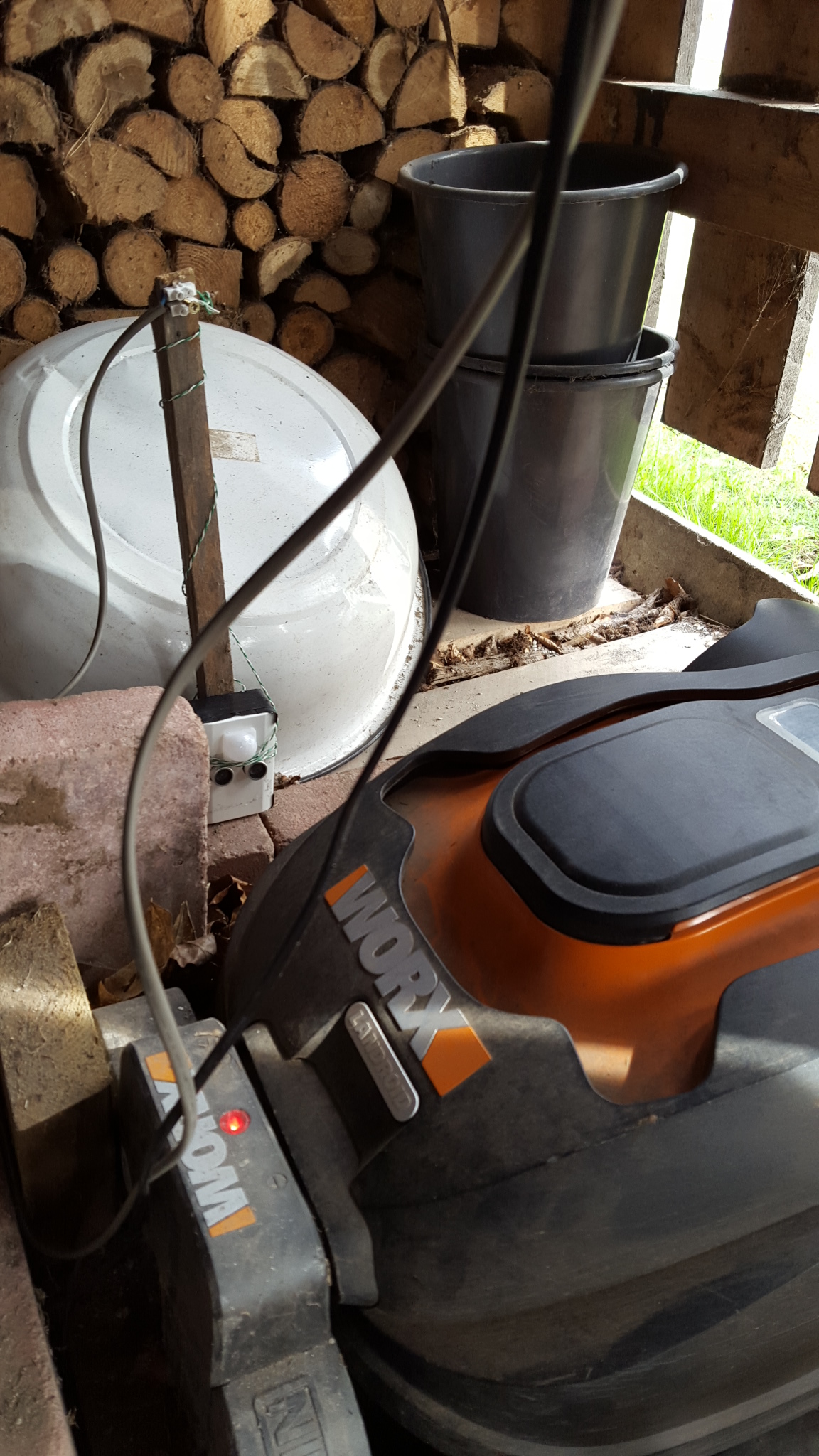
Why not only a motion detector - well I have alot of other things happening in the shed as well (cats, children, rabbits) and i also wants to know if the mower is charging or out cutting gras.
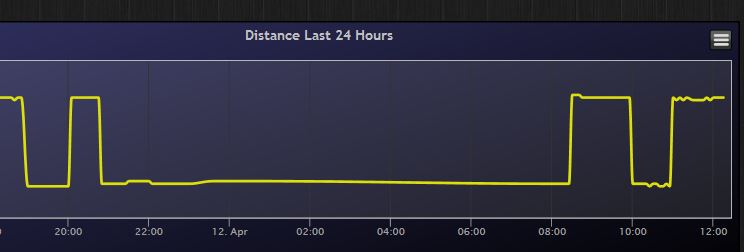
With a small lua script in Domoticz i hope to achieve a push notise whenever its trapped outside for to long.
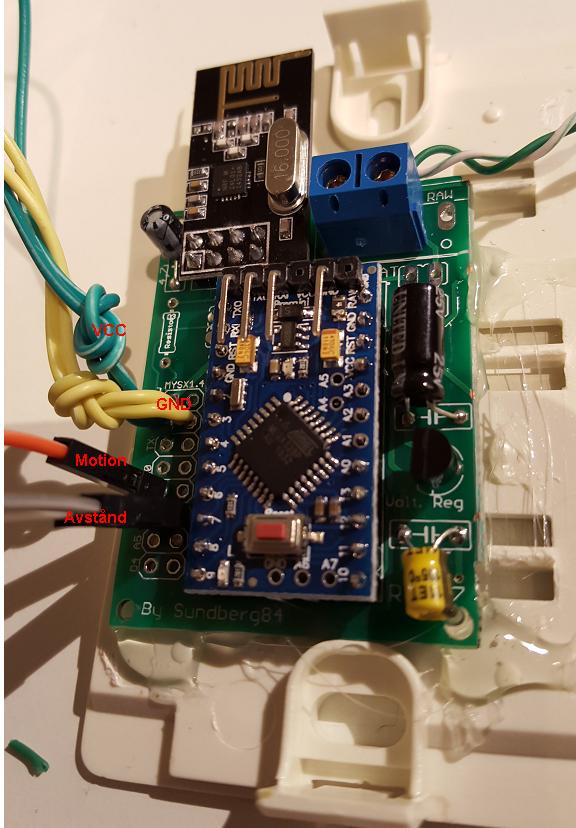
Its made of my EasyPCB, a Arduino Pro mini 5v, Nrf24l01+ radio, HC-SR04 distance sensor and HC-SR501 motion sensor.
Code for 2.0
// Enable debug prints #define MY_DEBUG // Enable and select radio type attached #define MY_RADIO_NRF24 //#define MY_RADIO_RFM69 // #define MY_NODE_ID 12 #include <SPI.h> #include <MySensors.h> #include <NewPing.h> #define DIGITAL_INPUT_SENSOR 3 // The digital input you attached your motion sensor. (Only 2 and 3 generates interrupt!) #define CHILD_ID 1 // Id of the sensor child #define CHILD_ID_DIST 2 #define TRIGGER_PIN 6 // Arduino pin tied to trigger pin on the ultrasonic sensor. #define ECHO_PIN 5 // Arduino pin tied to echo pin on the ultrasonic sensor. #define MAX_DISTANCE 300 // Maximum distance we want to ping for (in centimeters). Maximum sensor distance is rated at 400-500cm. // Initialize motion message MyMessage msg(CHILD_ID, V_TRIPPED); // Initialize distance message NewPing sonar(TRIGGER_PIN, ECHO_PIN, MAX_DISTANCE); // NewPing setup of pins and maximum distance. MyMessage msgdist(CHILD_ID_DIST, V_DISTANCE); int lastDist; boolean metric = true; int oldTripped = 0; int tripped = 0; unsigned long lastRequest = 0; void setup() { pinMode(DIGITAL_INPUT_SENSOR, INPUT); // sets the motion sensor digital pin as input metric = getConfig().isMetric; } void presentation() { // Send the sketch version information to the gateway and Controller sendSketchInfo("Distance and Motion", "1.3"); // Register all sensors to gw (they will be created as child devices) present(CHILD_ID, S_MOTION); delay(100); present(CHILD_ID_DIST, S_DISTANCE); } void loop(){ unsigned long now = millis(); //Read digital motion value tripped = digitalRead(DIGITAL_INPUT_SENSOR); if (tripped != oldTripped){ lastRequest = now; // Distance? int dist = metric?sonar.ping_cm():sonar.ping_in(); Serial.print("Ping: "); Serial.print(dist); // Convert ping time to distance in cm and print result (0 = outside set distance range) Serial.println(metric?" cm":" in"); if (dist == 0){ return; //read again if 0, because 0 is error! } if (dist != lastDist) { send(msgdist.set(dist)); lastDist = dist; } // Motion? send(msg.set(tripped?"1":"0")); // Send tripped value to gw oldTripped = tripped; } if ((now - lastRequest) > (60UL * 1000UL * 60UL)){ lastRequest = now; Serial.print("Heartbeat"); sendHeartbeat();} } -
Nice sensor on a stick @sundberg84 . I have ordered a robotic lawn mower to and was thinking I would monitor this exact same thing but with a sensbender and a microswitch.
-
Thanks @korttoma! I was thinking about some switch, either mechanical or magnetic but the robot is not gentle at all when it enters the charging station so i descided to go with this that do not have any parts that needs to be close to eachother.
-
It's the same model I'm trying to fix the crappy rain detector, remember, we spoke about having a node on the mower that wakes and checks an external soil / rain sensor... I never did figure out the V_TEXT stuff ;-)
-
@Mark-Swift oh, strange - my rain sensors works just fine.
Have you talked with the support? It can just be a software issue - look at robot-forums and get the support to send you a updated software version. Its easy to just download to a USB stick and connect to the robot. -
@sundberg84 I sure have, in fact it's been replaced already, but has made little difference - looking around, it seems a fairly common issue. I've come to the conclusion Landroid just likes to take a shower :-)
-
@Mark-Swift Haha ;) Yes - that can be the reason - its great you dont have to wash it that often then.
I have heard the issue as well before... I hope you find a good sollution to your problem! -
I finally got my mower yesterday an as soon as I got home from work I just had to MySensor it.
It is simply a Sensebender micro on a stick with a microswitch. So far it seems to work as expected.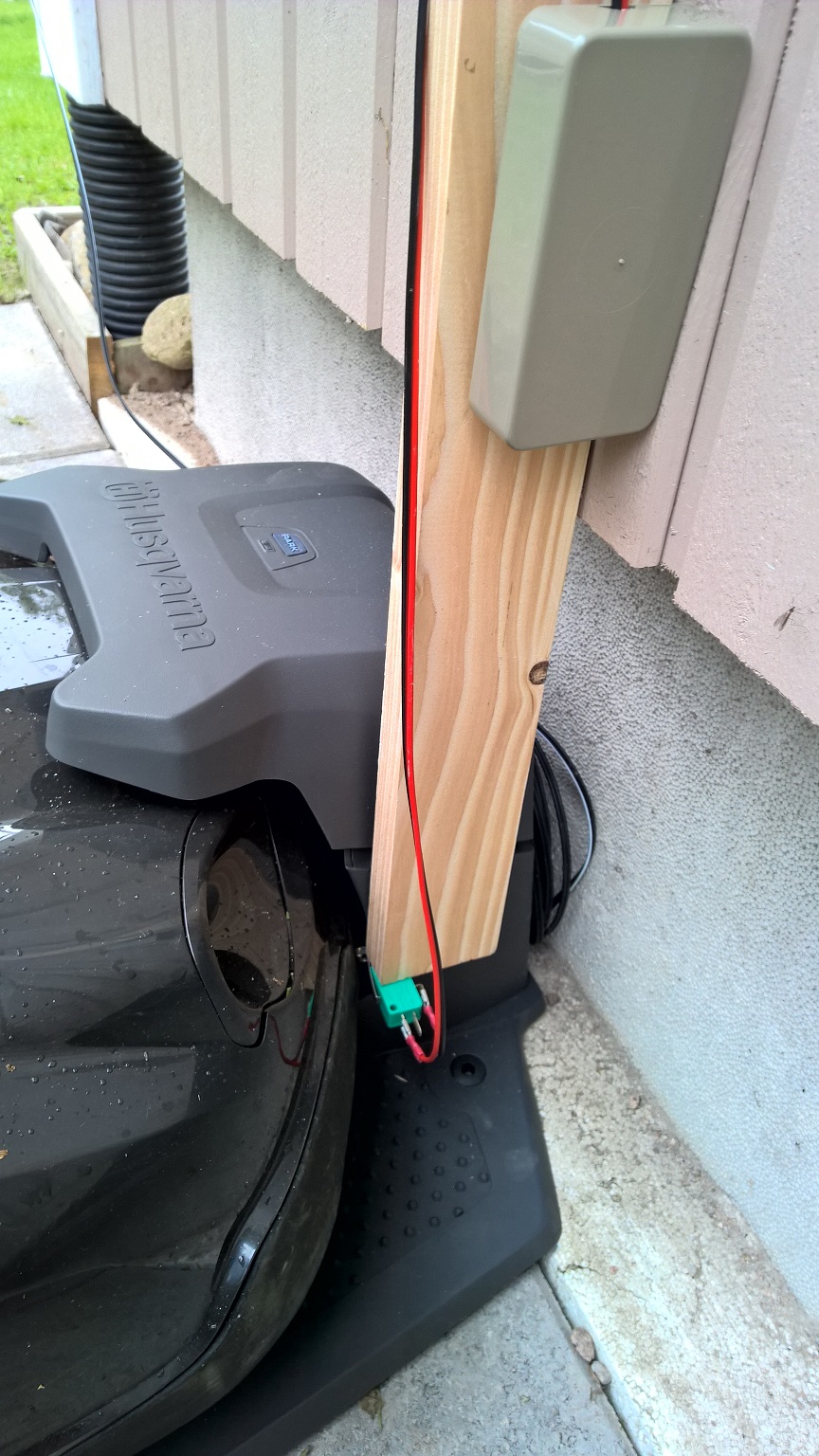
-
Can you provide more details on wiring and more close ups of the circuit and the sensor itself?
Thanks

Hello! It looks like you're interested in this conversation, but you don't have an account yet.
Getting fed up of having to scroll through the same posts each visit? When you register for an account, you'll always come back to exactly where you were before, and choose to be notified of new replies (either via email, or push notification). You'll also be able to save bookmarks and upvote posts to show your appreciation to other community members.
With your input, this post could be even better 💗
Register Login