
Skip to content
  • MySensors
  • OpenHardware.io
  • Categories
  • Recent
  • Tags
  • Popular
Skins
  • Light
  • Brite
  • Cerulean
  • Cosmo
  • Flatly
  • Journal
  • Litera
  • Lumen
  • Lux
  • Materia
  • Minty
  • Morph
  • Pulse
  • Sandstone
  • Simplex
  • Sketchy
  • Spacelab
  • United
  • Yeti
  • Zephyr
  • Dark
  • Cyborg
  • Darkly
  • Quartz
  • Slate
  • Solar
  • Superhero
  • Vapor

  • Default (No Skin)
  • No Skin
Collapse
Brand Logo
H

hhg

@hhg
About
Posts
5
Topics
0
Shares
0
Groups
0
Followers
0
Following
0

Posts

Recent Best Controversial

  • SceneController
    H hhg

    In 1.4b1 1.4b1 (18848a2) Scene Controller support is present, and works fine

    Present with:

    gw.present(CHILD_ID, S_SCENE_CONTROLLER); 
    

    And it shows as a generic scene controller in Vera:
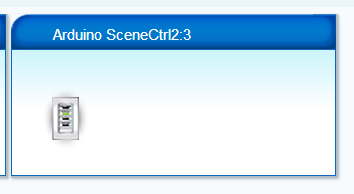
    upload-af0688b3-9110-434f-a57c-aa34e808e0fe

    The sketch to support a 4 button wall controller:

    // Simple SceneController 
    
    #include <MySensor.h>
    #include <SPI.h>
    #include <Bounce2.h>
    
    #define CHILD_ID 3
    // PIN for the buttons
    byte buttons[] = {3, 4, 5, 6};
    #define NUMBUTTONS sizeof(buttons)
    byte pressed[NUMBUTTONS], justpressed[NUMBUTTONS], justreleased[NUMBUTTONS];
    
    MySensor gw;
    Bounce debouncer[NUMBUTTONS];
    
    int oldValue[NUMBUTTONS];
    
    MyMessage msgOn(CHILD_ID,V_SCENE_ON);
    MyMessage msgOff(CHILD_ID,V_SCENE_OFF);
    
    void setup()  
    {  
      gw.begin();
    
      /// Make input & enable pull-up resistors on switch pins
      for (short i=0; i < NUMBUTTONS; i++){
      
        pinMode(buttons[i], INPUT);
        digitalWrite(buttons[i], HIGH);
        oldValue[i] = -1;
        // After setting up the button, setup debouncer
        debouncer[i].attach(buttons[i]);
        debouncer[i].interval(5);
        
      }


      // Send the Sketch Version Information to the Gateway
      gw.sendSketchInfo("LK 4-Tryk", "1.0");
      // Register binary input sensor to gw (they will be created as child devices)
      gw.present(CHILD_ID, S_SCENE_CONTROLLER); 
    }
    
    
    //  Check if digital input has changed and send in new value
    void loop() 
    {
      for (short i=0; i < NUMBUTTONS; i++){
        debouncer[i].update();
        // Get the update value
        int value = debouncer[i].read();
     
        if (value != oldValue[i]) {
           // Send in the new value
           if (value==HIGH) {
             gw.send(msgOff.set(i));
           }
           else {
             gw.send(msgOn.set(i));
           }
           oldValue[i] = value;
        }
      }
    }
    
    Development

  • SceneController
    H hhg

    @androbot said:

    I'm suspecting this is due to the "setVariableIfChanged" nature of the code in conjunction with the split V_SCENE_ON/V_SCENE_OFF messages. In other words, it's not a single variable that is toggling, it's two separate ones.

    Nice spottet!

    Change line 182 in L_Arduino.lua from

     if ((value ~= curValue) or (curValue == nil)) then
    

    to:

    if ((value ~= curValue) or (curValue == nil) or (serviceId == "urn:micasaverde-com:serviceId:SceneController1")) then
    

    So the sl_SceneActivated/sl_SceneDeactivated variables are updated unconditionally

    Development
  • Login

  • Don't have an account? Register

  • Login or register to search.
  • First post
    Last post
0
  • MySensors
  • OpenHardware.io
  • Categories
  • Recent
  • Tags
  • Popular