
[contest] BcSensor
-
Hi,
i attached my sensors boards
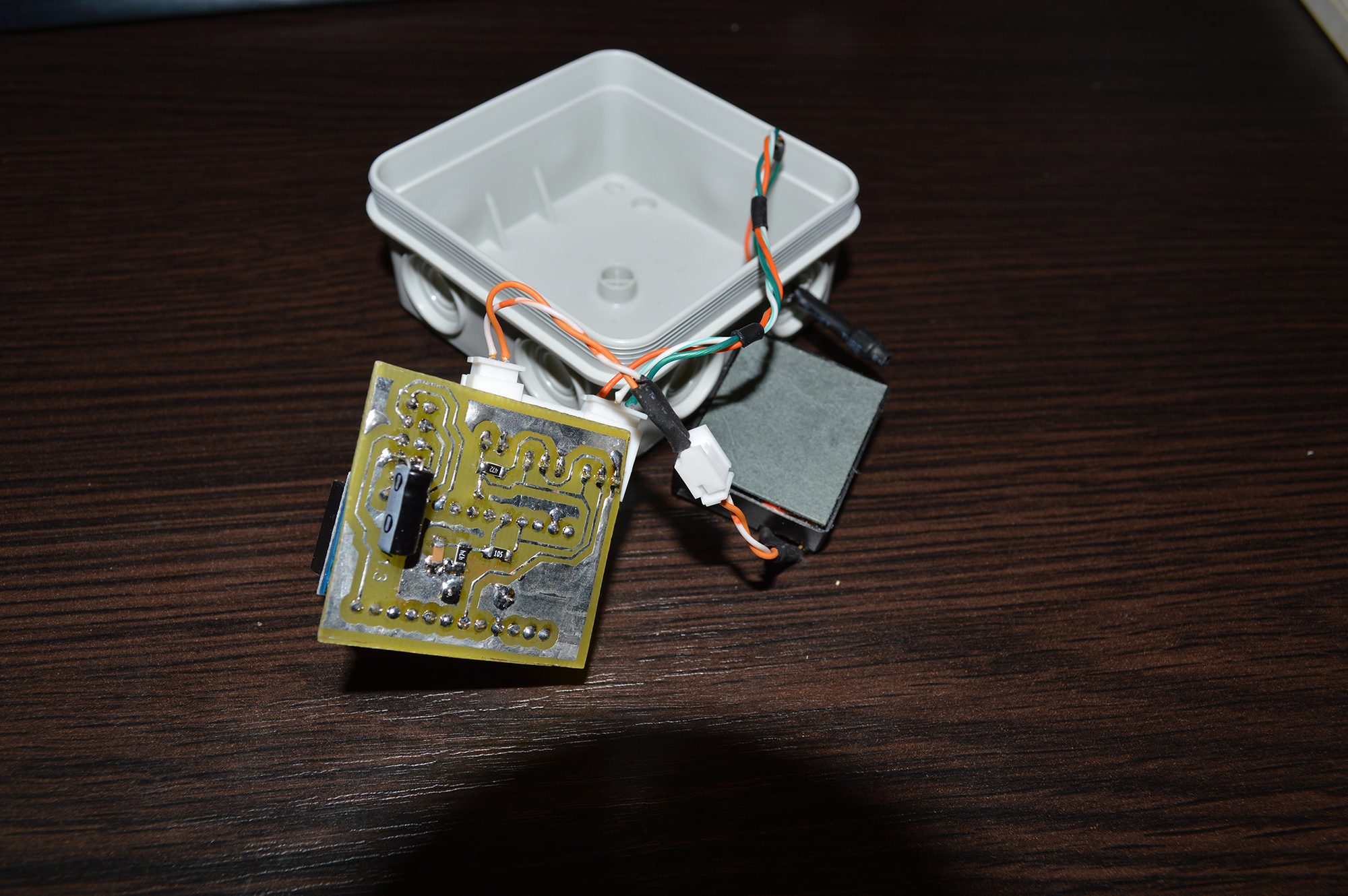
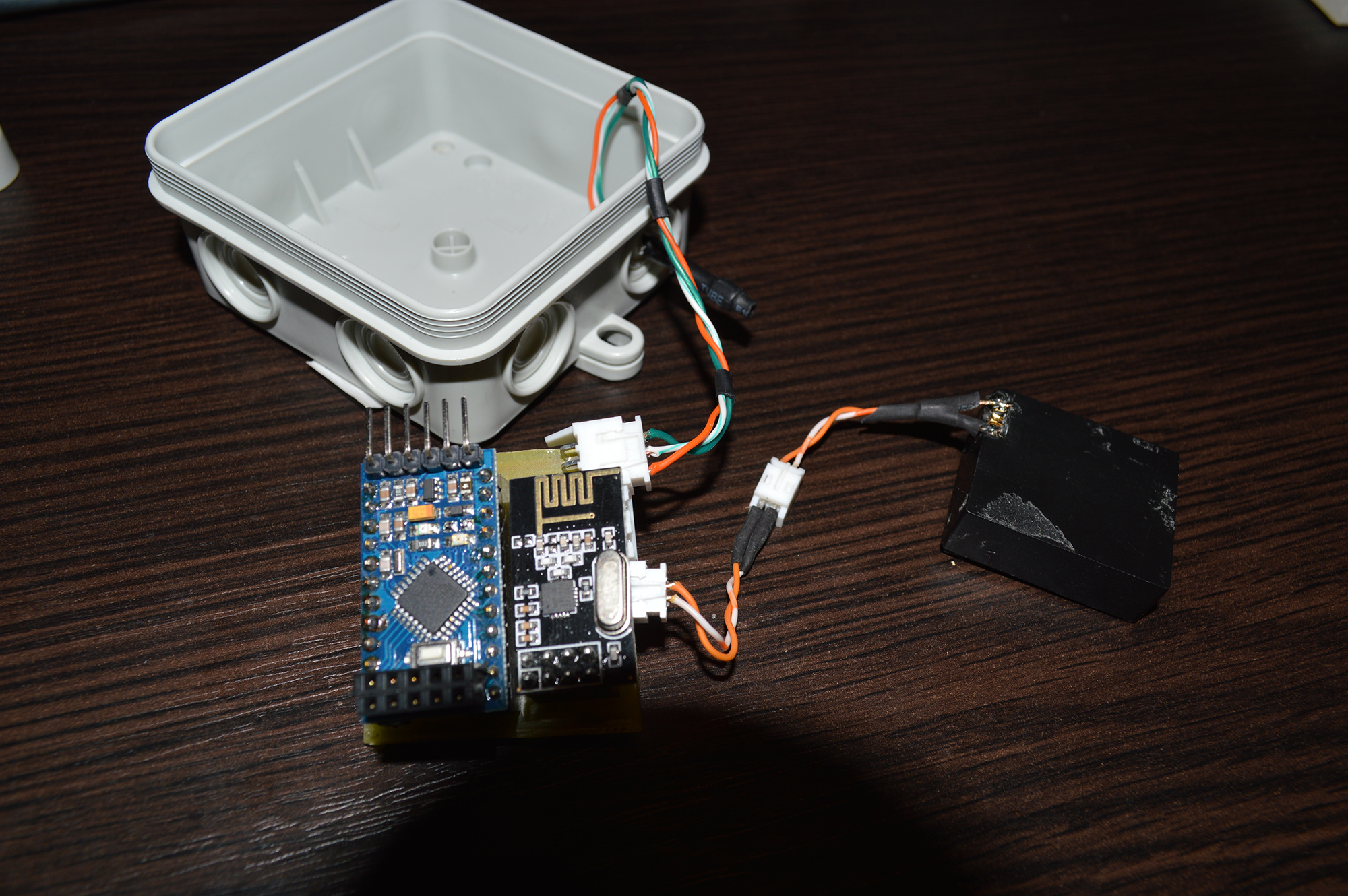
the are 2 versions, one for battery power and one for Wall Adapter Power Supply
The battery powered version:
-is connected directly to the battery- 2x connectors for Dallas temperature sensor
- 1 - photocell (light sensor)
(this version is reporting the battery level)
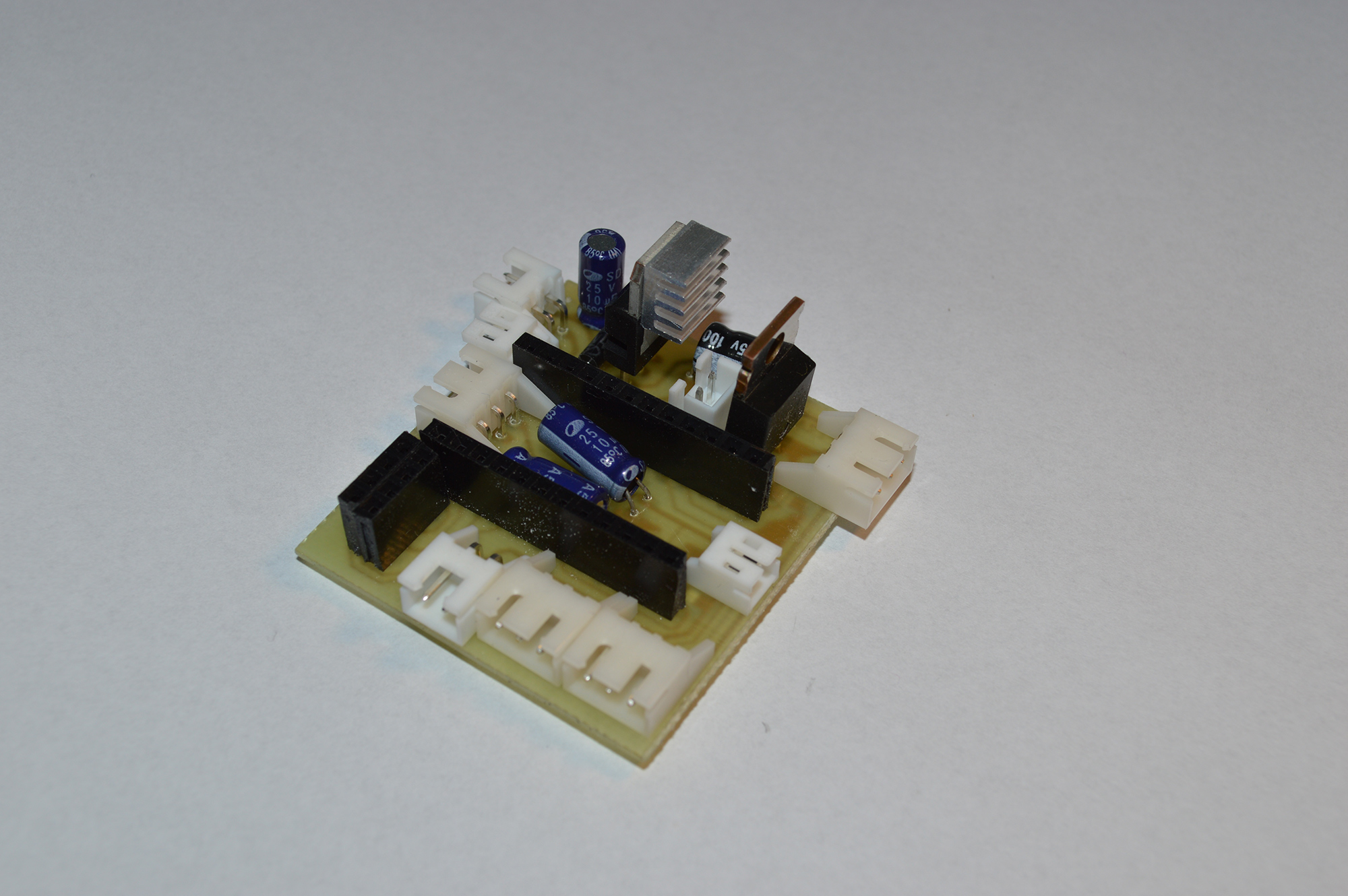
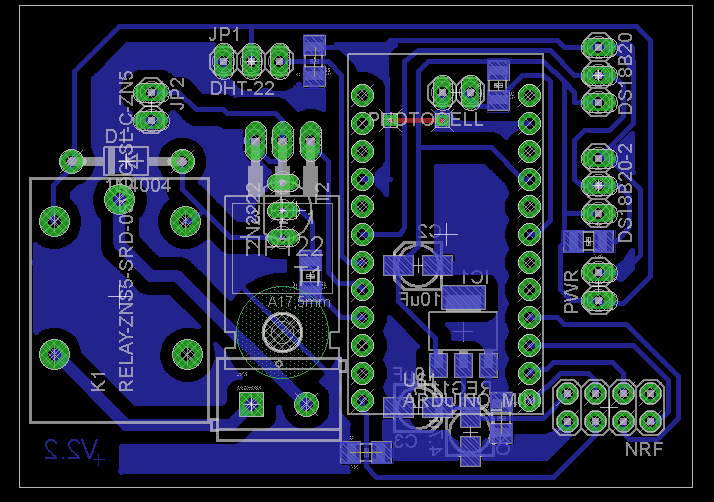
The other version (Wall Adapter Power Supply)
- 2x connectors for Dallas temperature sensor
- 1 - photocell connector (light sensor)
- 1 DHT-22 connector (humidity and temperature)
- 1 connector for pir sensor (HC-SR501 PIR Motion Sensor Module)
- 1 connector for PWM IRF3205 (led light controller )
- 1 conenctor for Magnetic Door Switch Sensor
- 1 conenctor for power out (5v)
(this version has a 1117 3.3v regulator and 7805 5.0v)
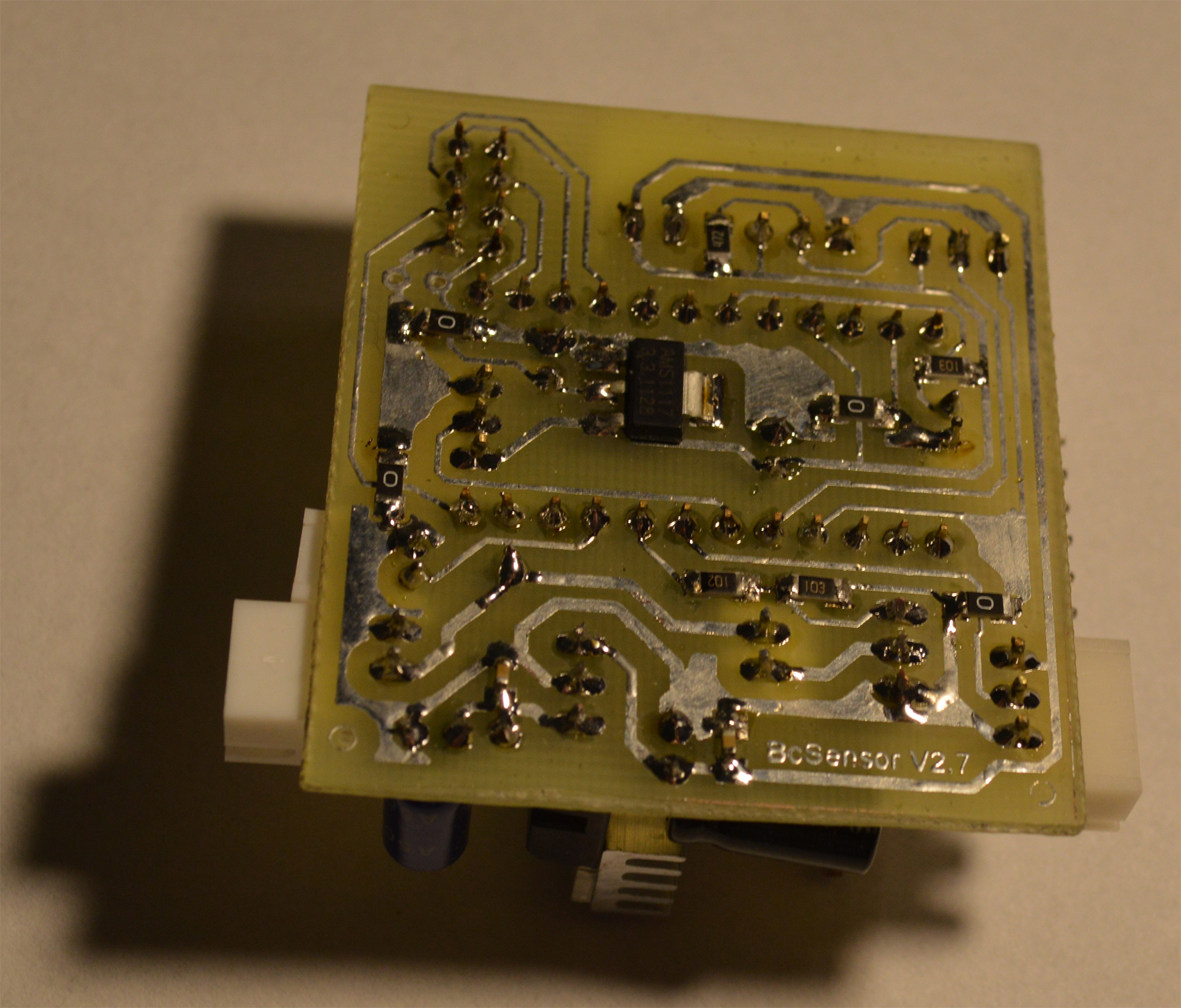
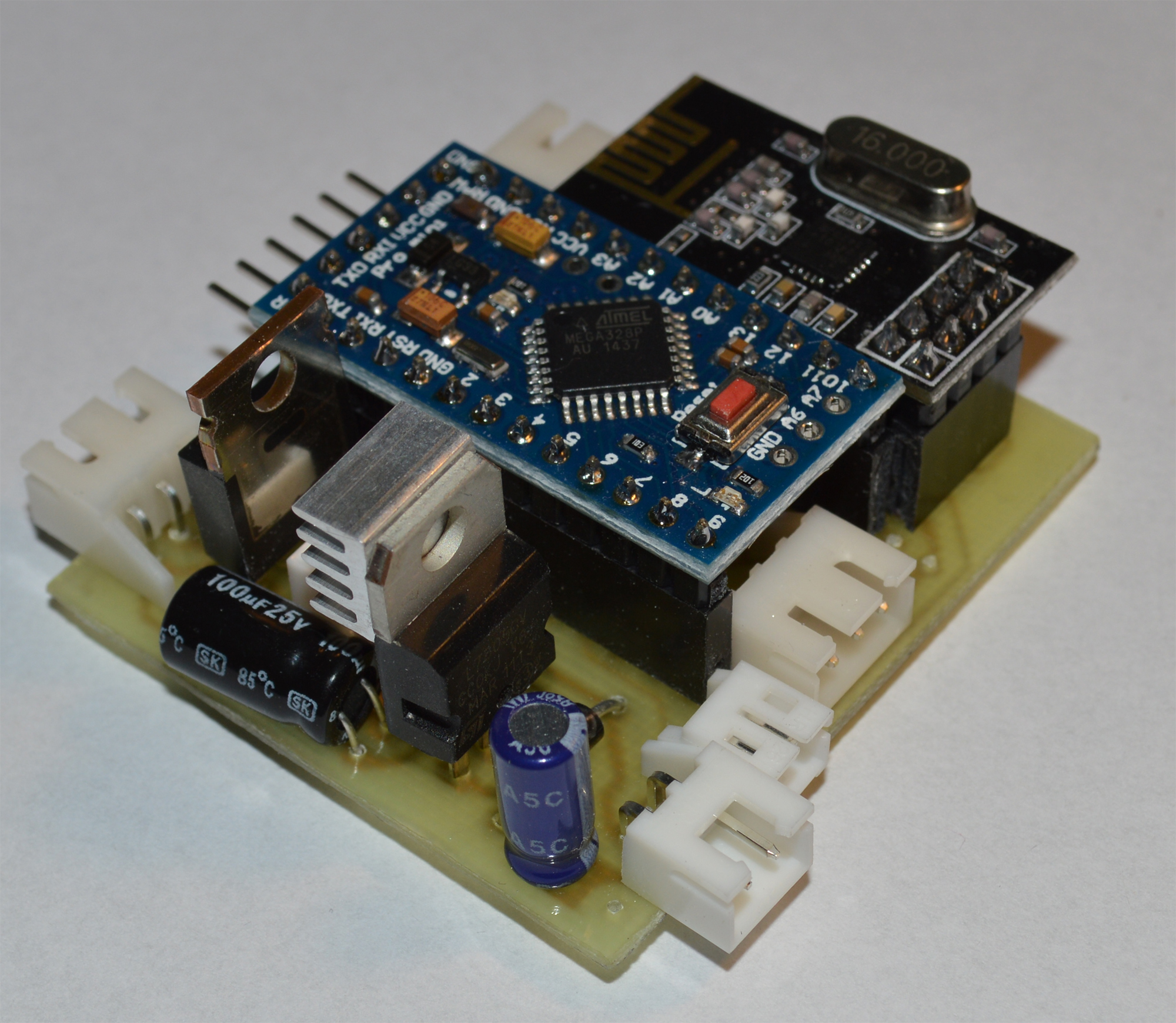
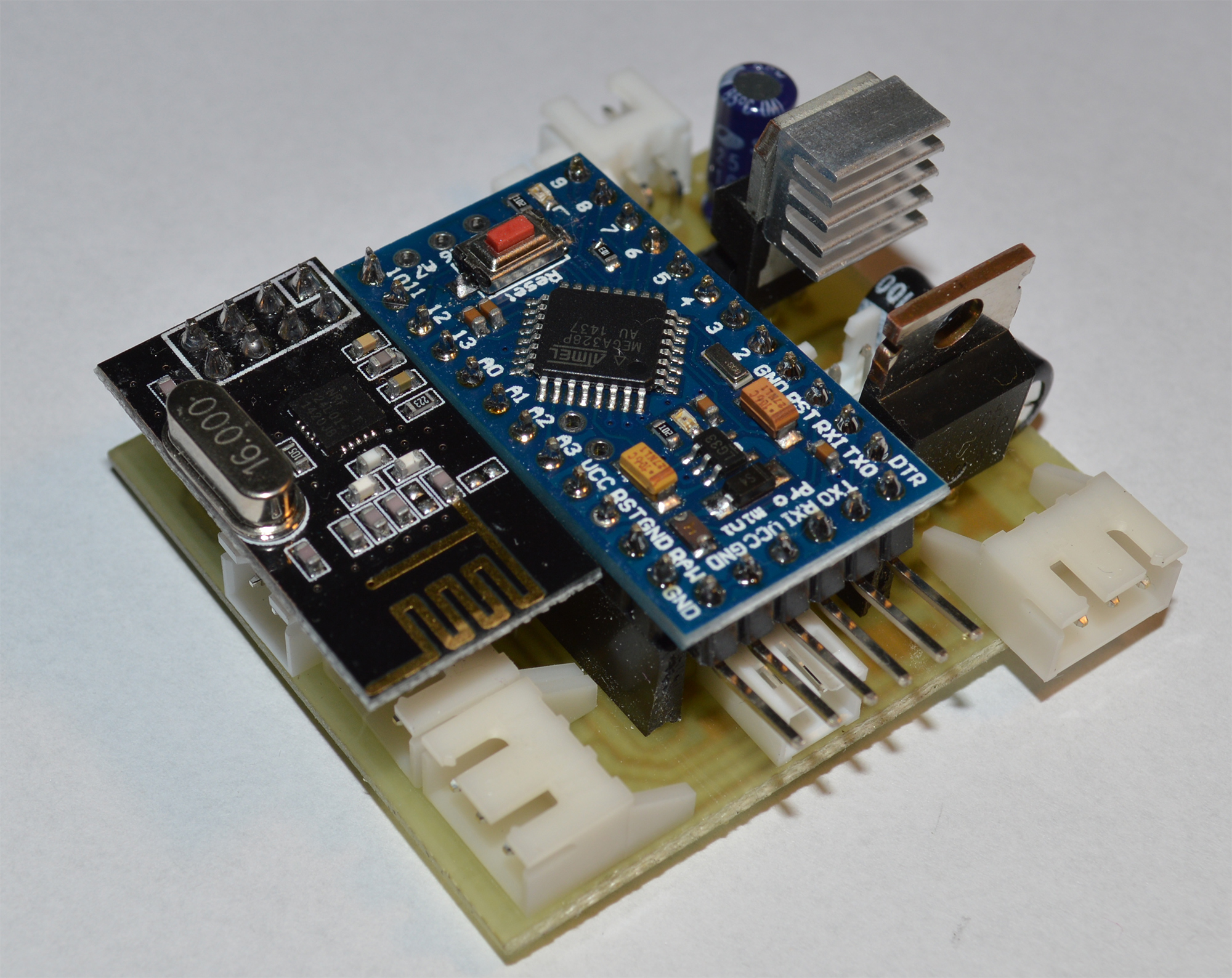
**the 3rd version has a relay instead of IRF3205 **
all my sensors are connected to an MQTT gateway what is powered by my switching power regulator (5v , 2x 3v3)
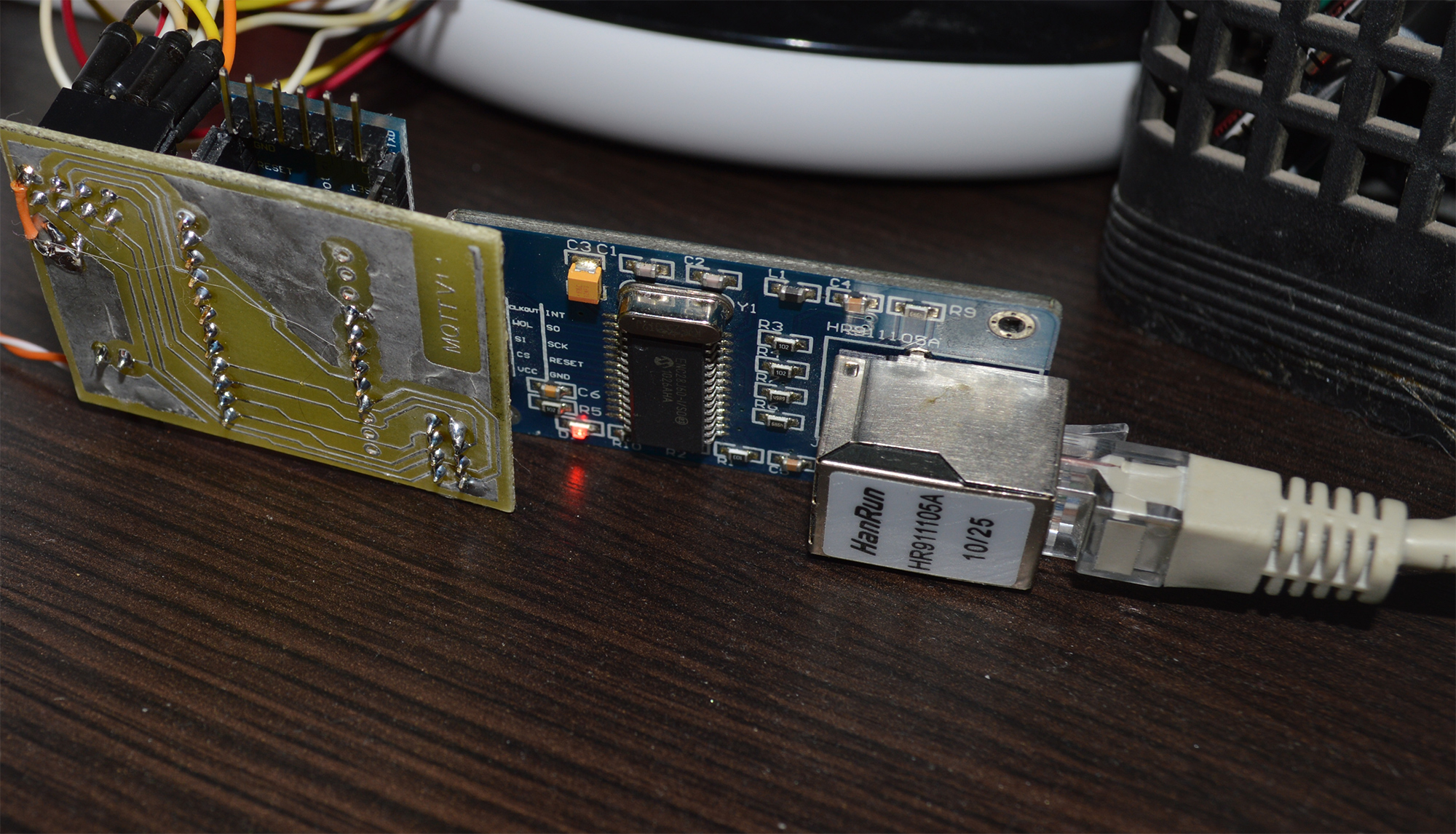
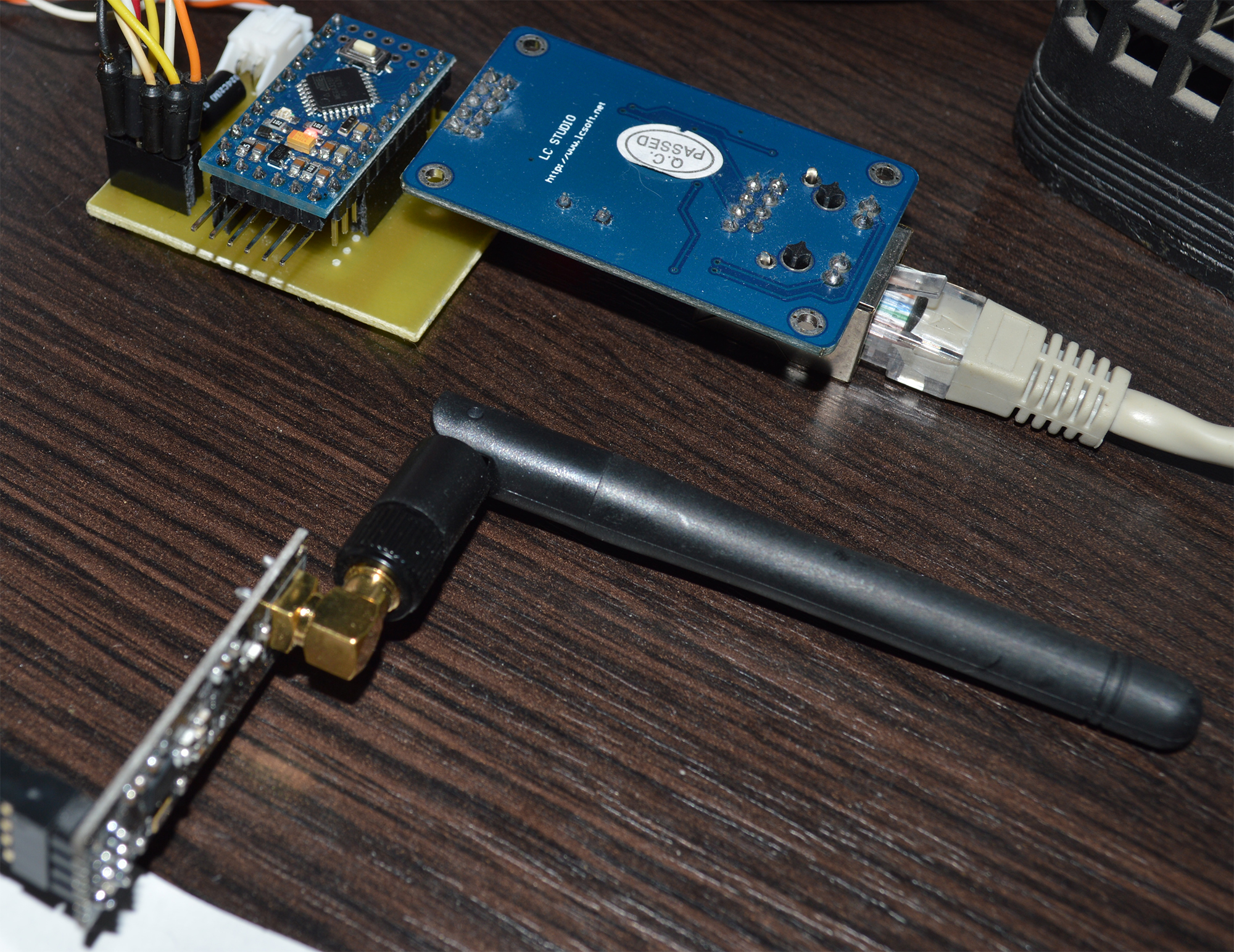
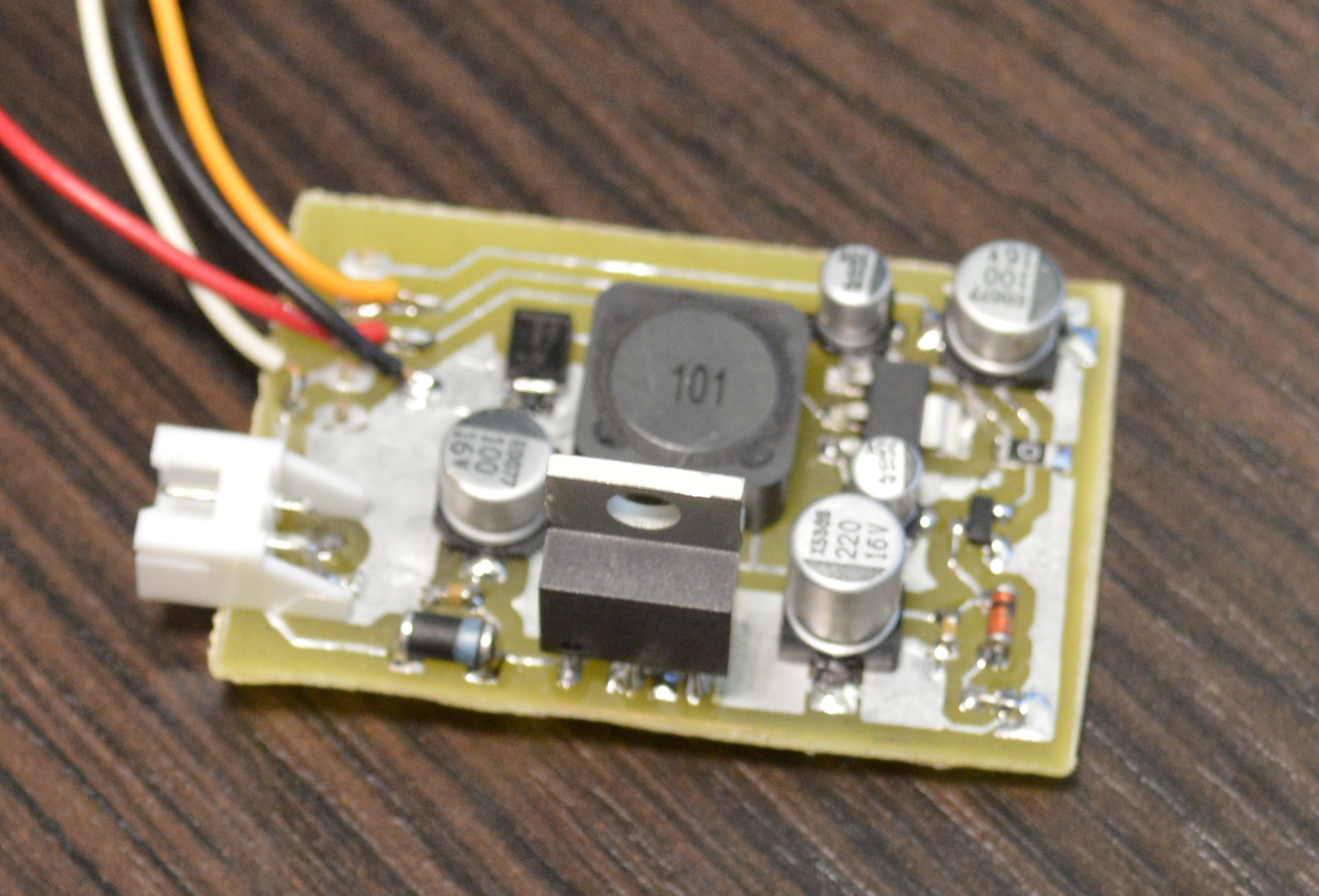
the mqtt gateway is connected to the controller rasbperry pi
- (working with openhab and pidome [not at the same time])
here is the for for one of my sensors
define SN "BcSensor"
define SV "1.1"include <MySensor.h>
include <SPI.h>
include <DallasTemperature.h>
include <OneWire.h>
include <DHT.h>define NUMBER_OF_LIGHTS 1
//#define NUMBER_DS 1
define NUMBER_DHT 1
define NUMBER_PIR 1define LED_PIN 5 // Arduino pin attached to MOSFET Gate pin
define FADE_DELAY 5 // Delay in ms for each percentage fade up/down (10ms = 1s full-range dim)define ONE_WIRE_BUS 2
define MAX_ATTACHED_DS18B20 16define LIGHT_SENSOR_ANALOG_PIN A2
int lastLightLevel;
static int currentLevel = 0; // Current dim level...
unsigned long SLEEP_TIME = 30000;
unsigned long lastRequest, now;
MySensor gw;
ifdef NUMBER_DS // dallas sensor
OneWire oneWire(ONE_WIRE_BUS);
DallasTemperature sensors(&oneWire);
float lastTemperature[MAX_ATTACHED_DS18B20];
int numSensors = 0;
MyMessage msg(0, V_TEMP);
endififdef NUMBER_DHT // DTH sensor
define HUMIDITY_SENSOR_DIGITAL_PIN 4
define CHILD_ID_HUM 1
define CHILD_ID_TEMP 1
DHT dht;
float lastTemp;
float lastHum;
MyMessage msgHum(CHILD_ID_HUM, V_HUM);
MyMessage msgTemp(CHILD_ID_TEMP, V_TEMP);
endififdef NUMBER_PIR //PIR Sensor
define DIGITAL_INPUT_SENSOR 3 // The digital input you attached your motion sensor. (Only 2 and 3 generates interrupt!)
define INTERRUPT DIGITAL_INPUT_SENSOR-2 // Usually the interrupt = pin -2 (on uno/nano anyway)
define CHILD_ID 0 // Id of the sensor child
boolean lastTrippedState;
MyMessage msgMotion(CHILD_ID, V_TRIPPED);
endif
boolean metric = true;MyMessage dimmerMsg(0, V_DIMMER);
MyMessage lightMsg(0, V_LIGHT);ifdef NUMBER_OF_LIGHTS // light sensor
MyMessage msgL(0, V_LIGHT_LEVEL);
endif
void setup()
{
analogReference(INTERNAL);
Serial.println( SN );
gw.begin( incomingMessage );gw.present( 0, S_DIMMER );
gw.sendSketchInfo(SN, SV);
gw.request( 0, V_DIMMER );
ifdef NUMBER_DS //dallas sensor
sensors.begin();
numSensors = sensors.getDeviceCount();
for (int i = 0; i < numSensors && i < MAX_ATTACHED_DS18B20; i++) {
gw.present(i, S_TEMP);
}
endif
ifdef NUMBER_OF_LIGHTS // light sensor
pinMode(LIGHT_SENSOR_ANALOG_PIN, INPUT);
gw.present(0, S_LIGHT_LEVEL);
endif
ifdef NUMBER_DHT // DHT sensor
dht.setup(HUMIDITY_SENSOR_DIGITAL_PIN);
gw.present(CHILD_ID_HUM, S_HUM);
gw.present(CHILD_ID_TEMP, S_TEMP);
endif
ifdef NUMBER_PIR //PIR Sensor
pinMode(DIGITAL_INPUT_SENSOR, INPUT);
gw.present(CHILD_ID, S_MOTION);
endif
}void loop()
{
gw.process();
now = millis();
if (now - lastRequest >= SLEEP_TIME || lastRequest < 1) {
Serial.println("loop");
lastRequest = now;
ifdef NUMBER_DS // DALLAS
sensors.requestTemperatures();
for (int i = 0; i < numSensors && i < MAX_ATTACHED_DS18B20; i++) {
float temperature = static_cast<float>(static_cast<int>((gw.getConfig().isMetric ? sensors.getTempCByIndex(i) : sensors.getTempFByIndex(i)) * 10.)) / 10.;
if (abs(lastTemperature[i] - temperature) >= 0.5 && temperature != -127.00) {
gw.send(msg.setSensor(i).set(temperature, 1));
lastTemperature[i] = temperature;
}
}
endif //end DALLAS
ifdef NUMBER_OF_LIGHTS // senzor lumina
int lightLevel = (1023 - analogRead(LIGHT_SENSOR_ANALOG_PIN)) / 10.23;
if (lightLevel != lastLightLevel) {
gw.send(msgL.set(lightLevel));
lastLightLevel = lightLevel;
}
endif // end senzor luminaifdef NUMBER_DHT delay(dht.getMinimumSamplingPeriod()); float temperature = dht.getTemperature(); if (isnan(temperature)) { Serial.println("Failed reading temperature from DHT"); } else if (temperature != lastTemp) { lastTemp = temperature; if (!metric) { temperature = dht.toFahrenheit(temperature); } gw.send(msgTemp.set(temperature, 1)); Serial.print("T: "); Serial.println(temperature); } float humidity = dht.getHumidity(); if (isnan(humidity)) { Serial.println("Failed reading humidity from DHT"); } else if (humidity != lastHum) { lastHum = humidity; gw.send(msgHum.set(humidity, 1)); Serial.print("H: "); Serial.println(humidity); } endif}
ifdef NUMBER_PIR //PIR Sensor
boolean tripped = digitalRead(DIGITAL_INPUT_SENSOR) == HIGH;
if (tripped != lastTrippedState){
Serial.println(tripped? "tripped" : "not tripped");
gw.send(msgMotion.set(tripped?"1":"0")); // Send tripped value to gw//
lastTrippedState = tripped;
}
endif
}void incomingMessage(const MyMessage &message) {
if (message.type == V_LIGHT || message.type == V_DIMMER) {int requestedLevel = atoi( message.data ); requestedLevel *= ( message.type == V_LIGHT ? 100 : 1 ); // Clip incoming level to valid range of 0 to 100 requestedLevel = requestedLevel > 100 ? 100 : requestedLevel; requestedLevel = requestedLevel < 0 ? 0 : requestedLevel; Serial.print( "Changing level to " ); Serial.print( requestedLevel ); Serial.print( ", from " ); Serial.println( currentLevel ); fadeToLevel( requestedLevel ); // Inform the gateway of the current DimmableLED's SwitchPower1 and LoadLevelStatus value... gw.send(lightMsg.set(currentLevel > 0 ? 1 : 0)); // hek comment: Is this really nessesary? gw.send( dimmerMsg.set(currentLevel) ); }}
void fadeToLevel( int toLevel ) {int delta = ( toLevel - currentLevel ) < 0 ? -1 : 1;
while ( currentLevel != toLevel ) {
currentLevel += delta;
analogWrite( LED_PIN, (int)(currentLevel / 100. * 255) );
delay( FADE_DELAY );
}
} -
-
@gigi
traditional method, with iron , ferric chloride ..etc
and after etching i use Rothenberger Rosol 3 before drilling -
@AlinClaudiu What kind of batteries are you using and what are the average life and ways to use less power ?
-
@epierre Lipo battery 950mah, for now has 1 month and is not depleted, I just disconnected the power led and use mysensors sleep
-
the source code for** BcSensor Mosfet**
BcSensor Mosfet


Hello! It looks like you're interested in this conversation, but you don't have an account yet.
Getting fed up of having to scroll through the same posts each visit? When you register for an account, you'll always come back to exactly where you were before, and choose to be notified of new replies (either via email, or push notification). You'll also be able to save bookmarks and upvote posts to show your appreciation to other community members.
With your input, this post could be even better 💗
Register Login