
[SOLVED] Dropped node: arduino blinks only once
-
Hi,
sorry for the cryptic topic-name, I'll try to elaborate.
I have build a node with an arduino pro mini 3.3, an rfm69, a temp sensor, a lux sensor and a door sensor using the easypcb. The node worked flawlessly and I mounted it above the door I wanted to monitor. Unfortunately I mounted it rather badly and it came down after two weeks.
It didn't turn on again and I saw that a part of the step up booster came loose, so I replaced the step up booster.
When I now attach my batteries to it (2 AA rechargables, 1.6V in total, measured with my multimeter) the status-led (not the power led, I desoldered that one) blinks shortly once but then stays silent and I am not receiving any messages on the gateway.
It all works as expected if I power the arduino with the FTDI-serial-adapter so I think the arduino is ok?
Two things I noticed: When I switch battery power on the status led blinks once, as I said. When I then turn the power off and immediately back on again it doesn't blink. I have to wait some time before it blinks again.
I measured the voltage at the screw terminal and there it is only 0.4V instead of the 1.6V I see when I measure it at the cables of the battery holder directly. I don't know whether that's expected or not, but I wanted to mention it.
Here are pictures of the node:
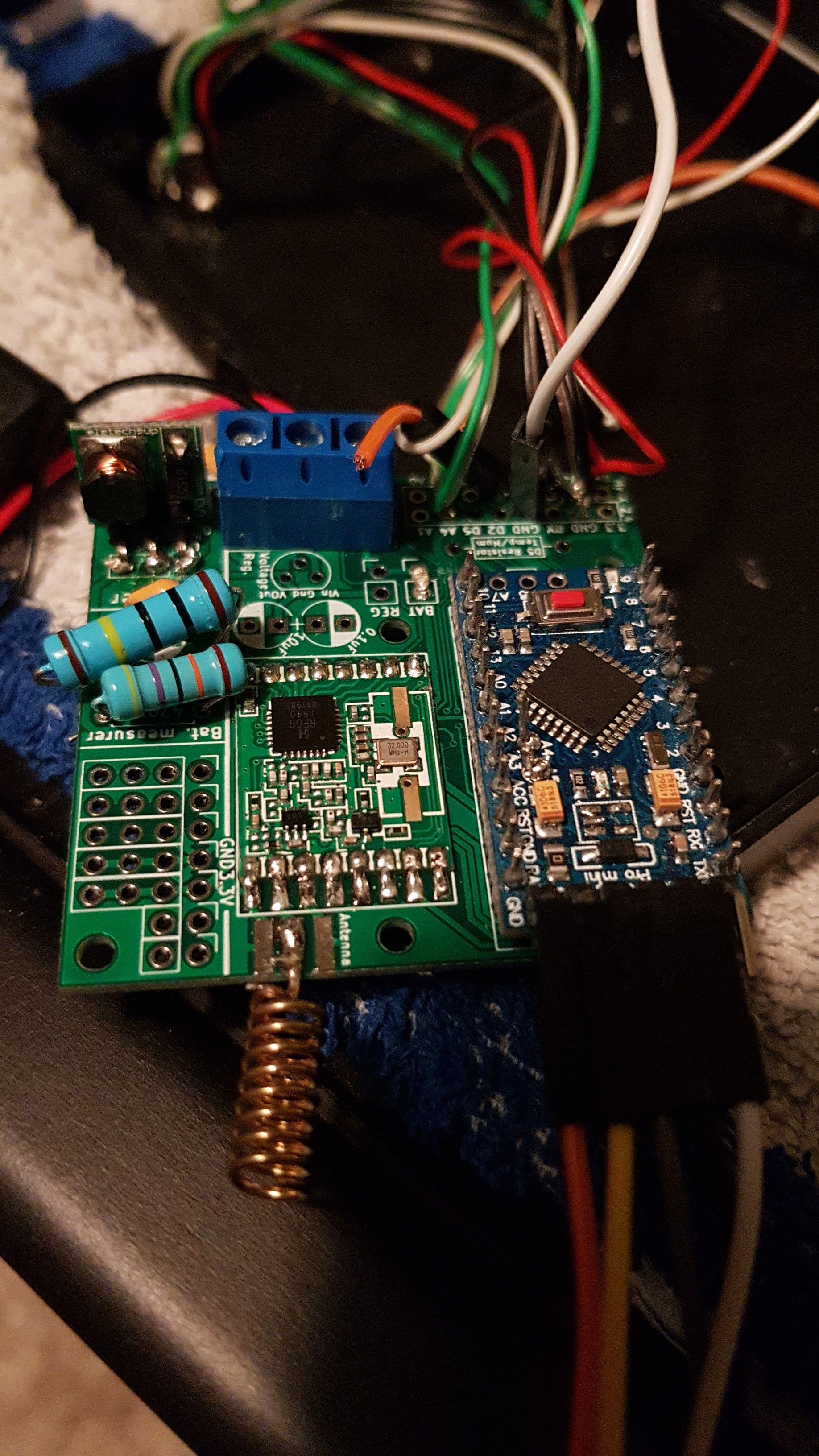
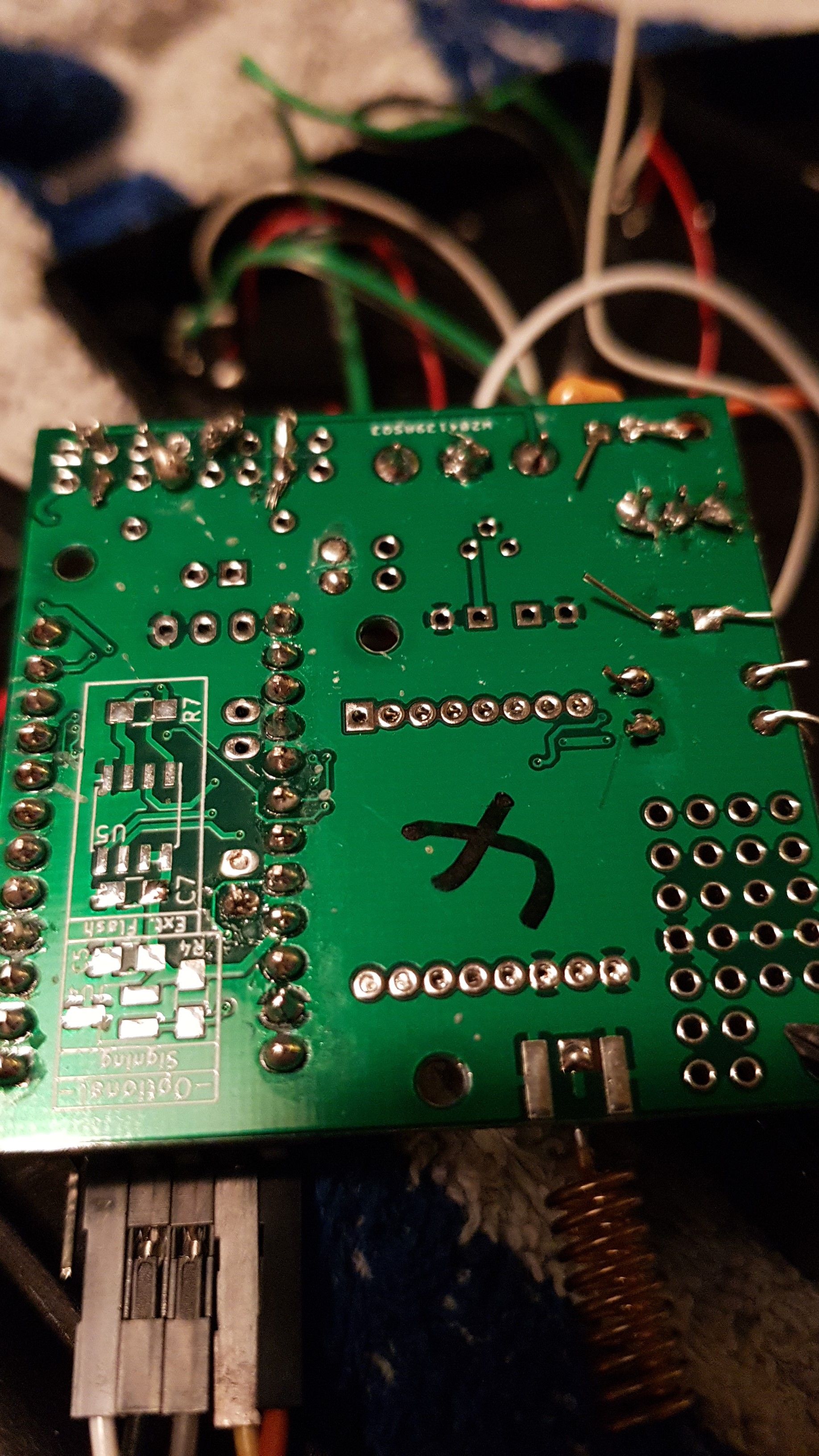
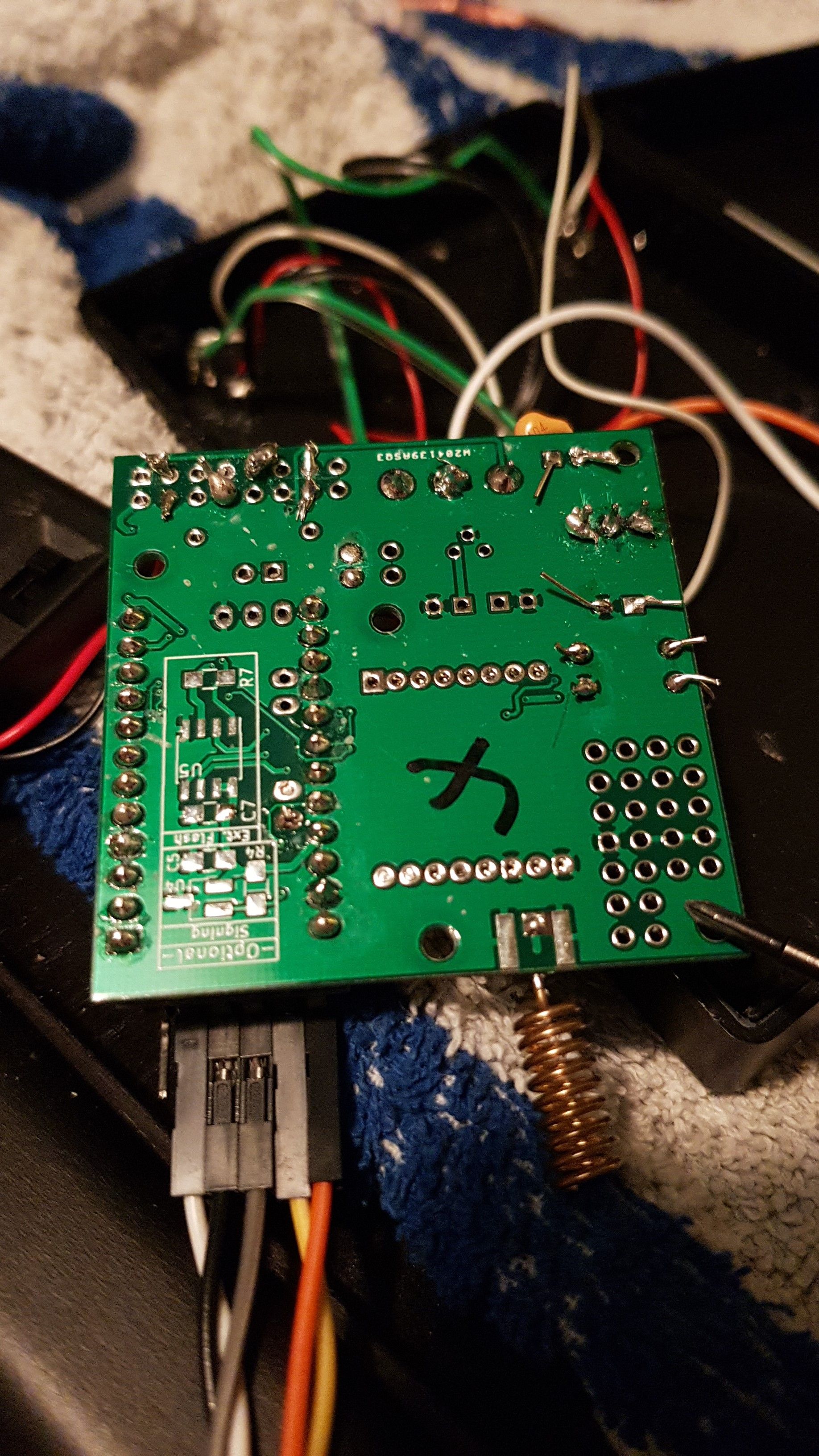
Thanks for any help!
-
Hi,
sorry for the cryptic topic-name, I'll try to elaborate.
I have build a node with an arduino pro mini 3.3, an rfm69, a temp sensor, a lux sensor and a door sensor using the easypcb. The node worked flawlessly and I mounted it above the door I wanted to monitor. Unfortunately I mounted it rather badly and it came down after two weeks.
It didn't turn on again and I saw that a part of the step up booster came loose, so I replaced the step up booster.
When I now attach my batteries to it (2 AA rechargables, 1.6V in total, measured with my multimeter) the status-led (not the power led, I desoldered that one) blinks shortly once but then stays silent and I am not receiving any messages on the gateway.
It all works as expected if I power the arduino with the FTDI-serial-adapter so I think the arduino is ok?
Two things I noticed: When I switch battery power on the status led blinks once, as I said. When I then turn the power off and immediately back on again it doesn't blink. I have to wait some time before it blinks again.
I measured the voltage at the screw terminal and there it is only 0.4V instead of the 1.6V I see when I measure it at the cables of the battery holder directly. I don't know whether that's expected or not, but I wanted to mention it.
Here are pictures of the node:
Thanks for any help!
@kiesel what type are your rechargables? NiMh? At 0.8V each, without load, they are empty. Measuring the voltage of an unloaded battery doesn't say much, easpecially not when the batteries are near empty. The voltage will drop very quickly when the batteries are put under load.
Have you tried with fresh batteries?
-
Hi,
sorry for the cryptic topic-name, I'll try to elaborate.
I have build a node with an arduino pro mini 3.3, an rfm69, a temp sensor, a lux sensor and a door sensor using the easypcb. The node worked flawlessly and I mounted it above the door I wanted to monitor. Unfortunately I mounted it rather badly and it came down after two weeks.
It didn't turn on again and I saw that a part of the step up booster came loose, so I replaced the step up booster.
When I now attach my batteries to it (2 AA rechargables, 1.6V in total, measured with my multimeter) the status-led (not the power led, I desoldered that one) blinks shortly once but then stays silent and I am not receiving any messages on the gateway.
It all works as expected if I power the arduino with the FTDI-serial-adapter so I think the arduino is ok?
Two things I noticed: When I switch battery power on the status led blinks once, as I said. When I then turn the power off and immediately back on again it doesn't blink. I have to wait some time before it blinks again.
I measured the voltage at the screw terminal and there it is only 0.4V instead of the 1.6V I see when I measure it at the cables of the battery holder directly. I don't know whether that's expected or not, but I wanted to mention it.
Here are pictures of the node:
Thanks for any help!
@kiesel said in Dropped node: arduino blinks only once:
2 AA rechargables, 1.6V in total
Mikael beat me to it, this was also the first thing that jumped out at me. Second thing was all those leads poking out everywhere, maybe trim those up, any one of them touching a ground plane could be causing a short or other issues.

Hello! It looks like you're interested in this conversation, but you don't have an account yet.
Getting fed up of having to scroll through the same posts each visit? When you register for an account, you'll always come back to exactly where you were before, and choose to be notified of new replies (either via email, or push notification). You'll also be able to save bookmarks and upvote posts to show your appreciation to other community members.
With your input, this post could be even better 💗
Register Login