
Desktop 8 button scene controller
-
So recently I had to change over one of my last remaining rooms that had X10 hardware over to MySensors. This happened to be our master bedroom which I had been using a couple of these X10 tabletop controllers:
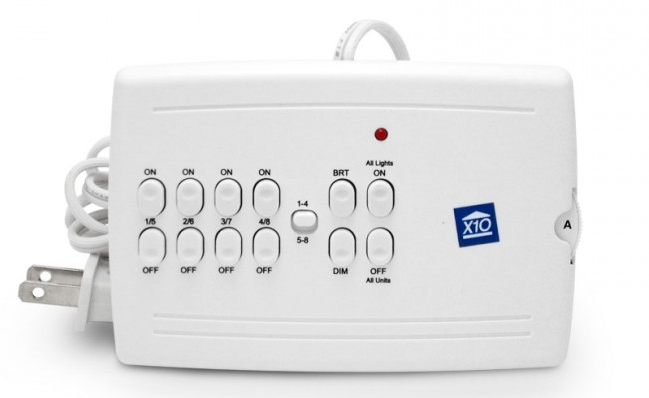
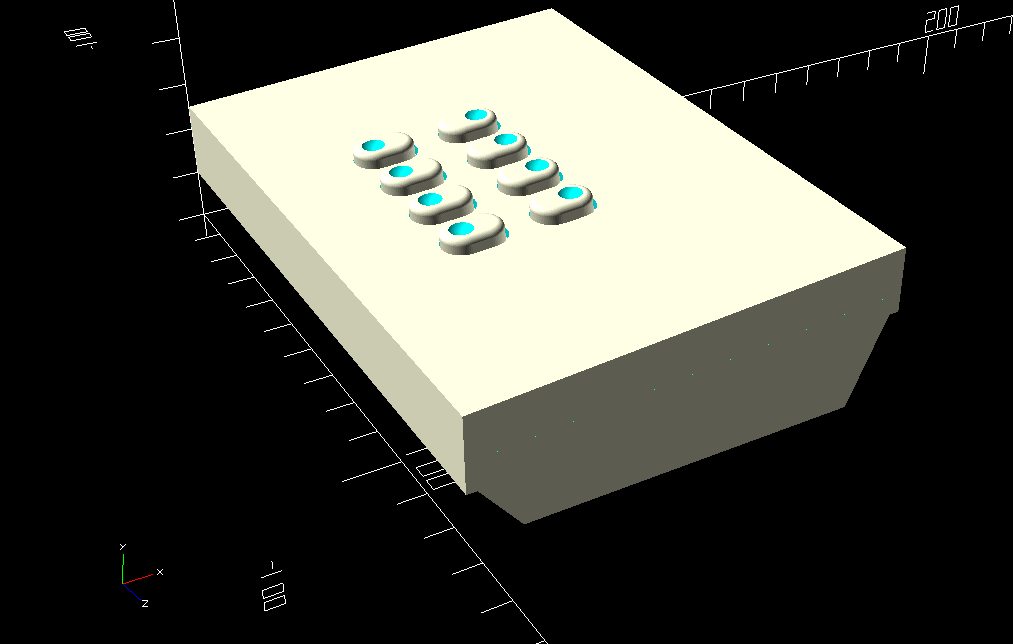
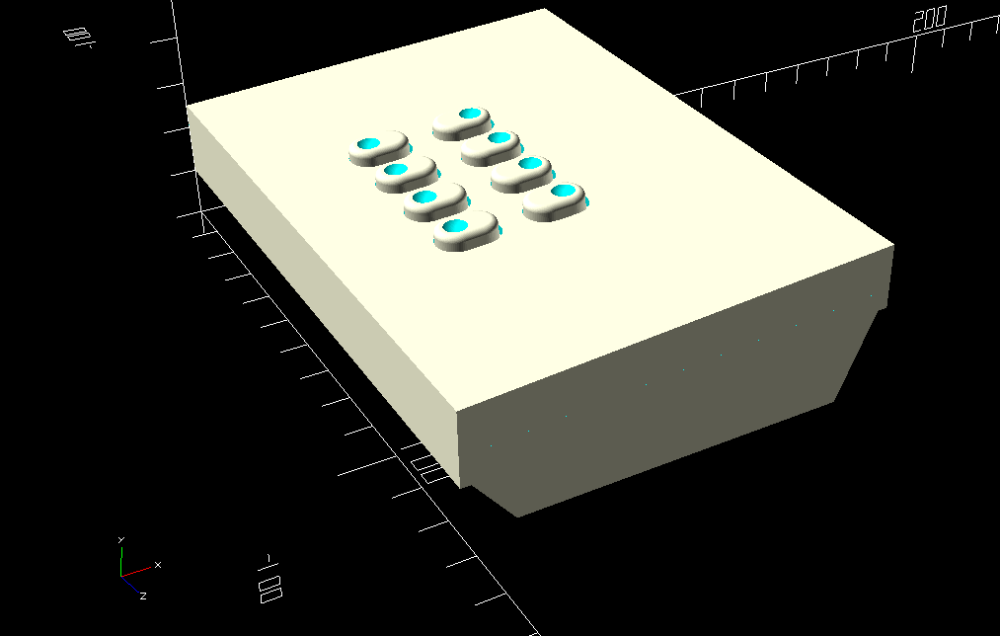
My wife loved the fact that she had control of the light and ceiling fan right next to the bed. When I switched over to MySensors control of the room with my Vera controller, I was no longer able to use the old X10 controller. I had thought of gutting the controller and rebuilding the electronics, but that seemed like more work than designing my own controller. I started mocking up a design in OpenSCAD and here is what I came up with.This is the full mocked view showing the 8 buttons.
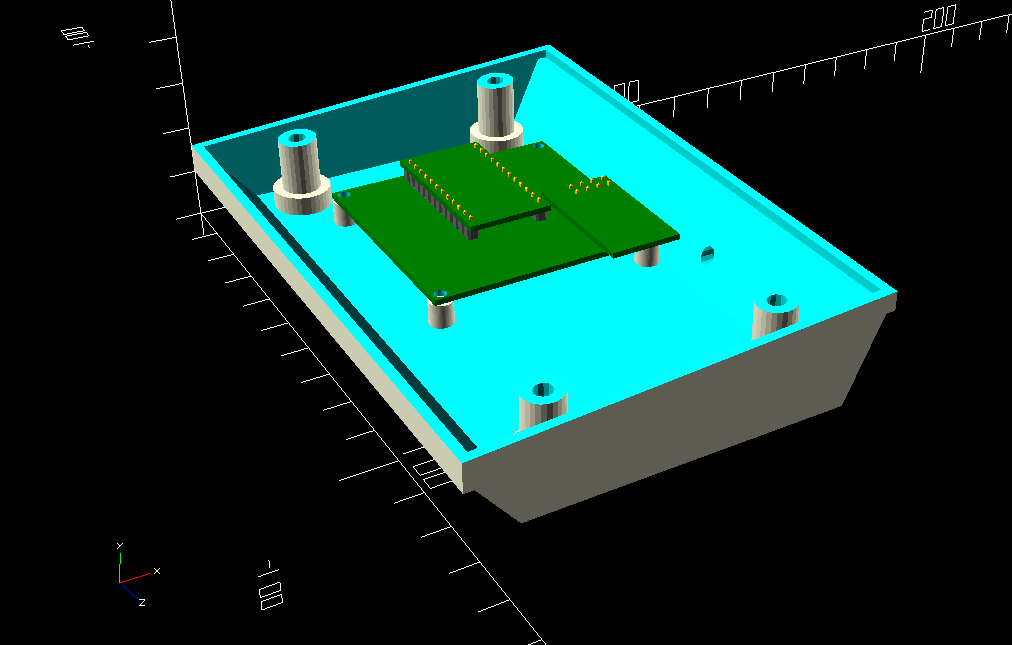
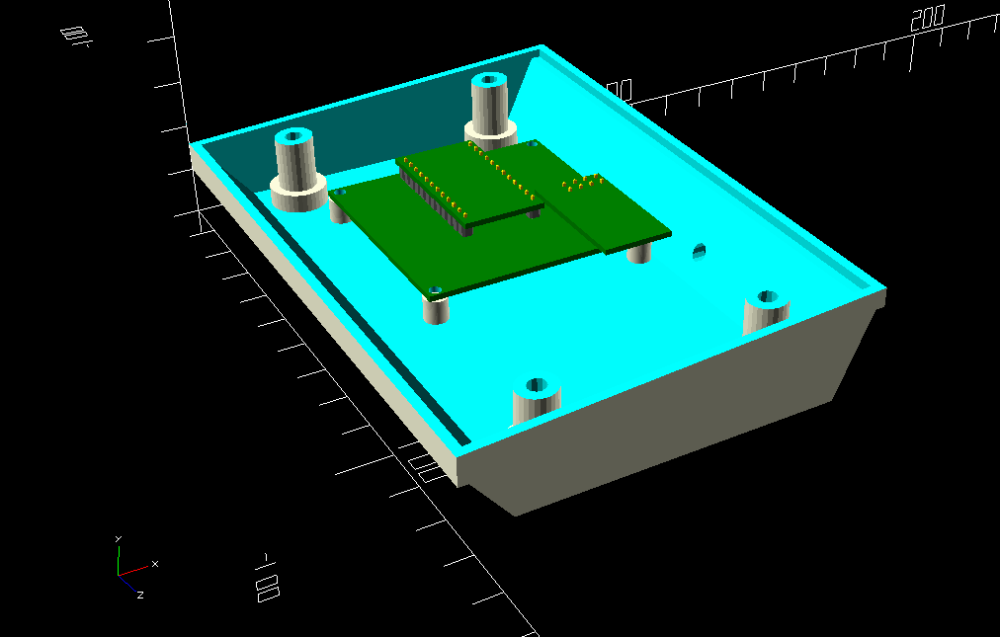
This is with the cover off and the mock of the Easy Newbie Board by @sundberg84 in place to see how it would fit. The hole in the back of the case is for a DC power cable. I figured rather than have to design in a power supply, I figured I would just use a 5 volt wall wart power supply.
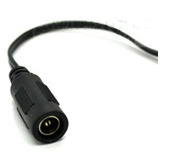
I had a couple of these laying around, so this will be my DC in jack. wired through the small hole in the back directly to the raw in to the Easy Newbie board.
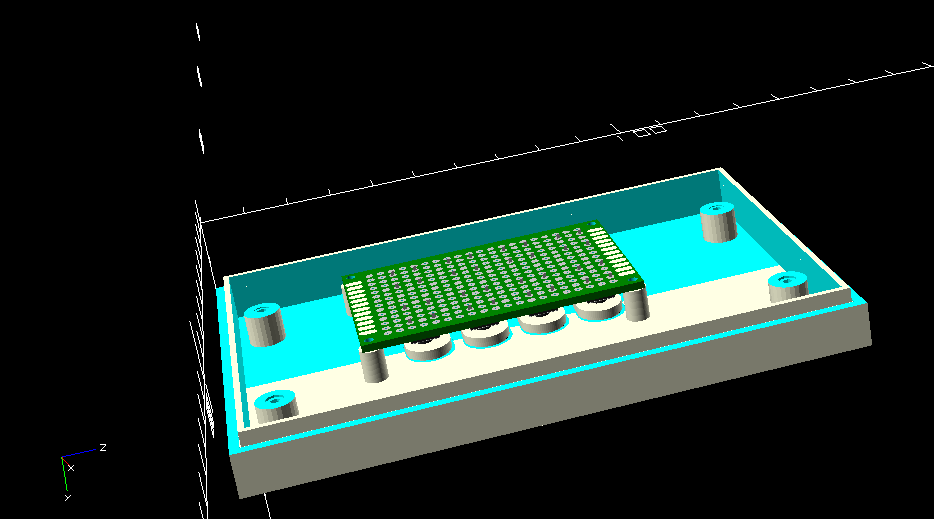
This is the underside of the top cover showing the mock up of the 40 x 60mm proto-board with switches mounted to it, again to size up the fit.
I currently have the first revision of the case on the printer. I may at some point add an OLED or LCD display to a future revision for feedback, but for now just to see if the idea is sound, I am keeping it as simple as possible.
Once I get this finished and know it works I will post it to thingiverse. If anyone had comments or questions, feel free to post them here.
-
-
Looks good and my only comment is if it's easy to round/chamfer the edges of the box so it's hand-friendly with no rough edges/corners
@bjacobse I was looking to do that, but had a couple challenges that I needed to work through to do it, and I figured for the first test that I'd skip that. In OpenSCAD there is a method called minkowski() which will round the edges using a sphere or cylinder as the radius, but the problem with that is that if I set it to use a 1.5mm sphere as the edge radius, the object increases 3mm in size in all planes (XY and Z). I created the case basically using extruded polygons. I just have to figure out how to do the rounded outside edge, but hollow out the inside with square edges. I will probably figure that out for the final design that I post on thingiverse.
Vera Plus running UI7 with MySensors, Sonoffs and 1-Wire devices
Visit my website for more Bits, Bytes and Ramblings from me: http://dan.bemowski.info/ -
If any of my old x10 gear looked that good I would just make new pcbs and relabel the buttons.
-
If any of my old x10 gear looked that good I would just make new pcbs and relabel the buttons.
@wallyllama I would too...LOL That was just a pic I took from a web search...
-
@bjacobse I was looking to do that, but had a couple challenges that I needed to work through to do it, and I figured for the first test that I'd skip that. In OpenSCAD there is a method called minkowski() which will round the edges using a sphere or cylinder as the radius, but the problem with that is that if I set it to use a 1.5mm sphere as the edge radius, the object increases 3mm in size in all planes (XY and Z). I created the case basically using extruded polygons. I just have to figure out how to do the rounded outside edge, but hollow out the inside with square edges. I will probably figure that out for the final design that I post on thingiverse.
-
@bjacobse I was looking to do that, but had a couple challenges that I needed to work through to do it, and I figured for the first test that I'd skip that. In OpenSCAD there is a method called minkowski() which will round the edges using a sphere or cylinder as the radius, but the problem with that is that if I set it to use a 1.5mm sphere as the edge radius, the object increases 3mm in size in all planes (XY and Z). I created the case basically using extruded polygons. I just have to figure out how to do the rounded outside edge, but hollow out the inside with square edges. I will probably figure that out for the final design that I post on thingiverse.
@dbemowsk said in Desktop 8 button scene controller:
the object increases 3mm in size
Try using spheres and hull, something like:
WallThick = 2;
Radius    = 5;
Width     = 40;
Length    = 40;
Height    = 20;

$fn = 30;

module RoundedBox(w,l,h,r) {
    hull() {
        translate([ w/2-r, l/2-r,h/2-r]) sphere(r=r);
        translate([-w/2+r, l/2-r,h/2-r]) sphere(r=r);
        translate([ w/2-r,-l/2+r,h/2-r]) sphere(r=r);
        translate([-w/2+r,-l/2+r,h/2-r]) sphere(r=r);
        translate([ w/2-r, l/2-r,-h/2+r]) sphere(r=r);
        translate([-w/2+r, l/2-r,-h/2+r]) sphere(r=r);
        translate([ w/2-r,-l/2+r,-h/2+r]) sphere(r=r);
        translate([-w/2+r,-l/2+r,-h/2+r]) sphere(r=r);
    }
}
difference() {
    RoundedBox(Width, Length, Height, Radius);
    RoundedBox(Width-2*WallThick, Length-2*WallThick, Height-2*WallThick, Radius-WallThick);
    if ($preview) {
        cube([Width, Length, Height]);
    }
}
-
@dbemowsk said in Desktop 8 button scene controller:
the object increases 3mm in size
Try using spheres and hull, something like:
WallThick = 2; Radius = 5; Width = 40; Length = 40; Height = 20; $fn = 30; module RoundedBox(w,l,h,r) { hull() { translate([ w/2-r, l/2-r,h/2-r]) sphere(r=r); translate([-w/2+r, l/2-r,h/2-r]) sphere(r=r); translate([ w/2-r,-l/2+r,h/2-r]) sphere(r=r); translate([-w/2+r,-l/2+r,h/2-r]) sphere(r=r); translate([ w/2-r, l/2-r,-h/2+r]) sphere(r=r); translate([-w/2+r, l/2-r,-h/2+r]) sphere(r=r); translate([ w/2-r,-l/2+r,-h/2+r]) sphere(r=r); translate([-w/2+r,-l/2+r,-h/2+r]) sphere(r=r); } } difference() { RoundedBox(Width, Length, Height, Radius); RoundedBox(Width-2*WallThick, Length-2*WallThick, Height-2*WallThick, Radius-WallThick); if ($preview) { cube([Width, Length, Height]); } }@yveaux The problem in using a rounded box like that is that it has equal sides. The box I did, as I mentioned previously, is a linear extruded polygon which gives it it's sloped shape. I think what I need to do is create the outer polygon with minkowski(), but subtract the size of the sphere used for rounding the edges from all points in the polygon. So basically I collapse the polygon in so that when the minkowski increases the size of the polygon it ends up being the original size, but with the rounded edges. I am going to try that today.
-
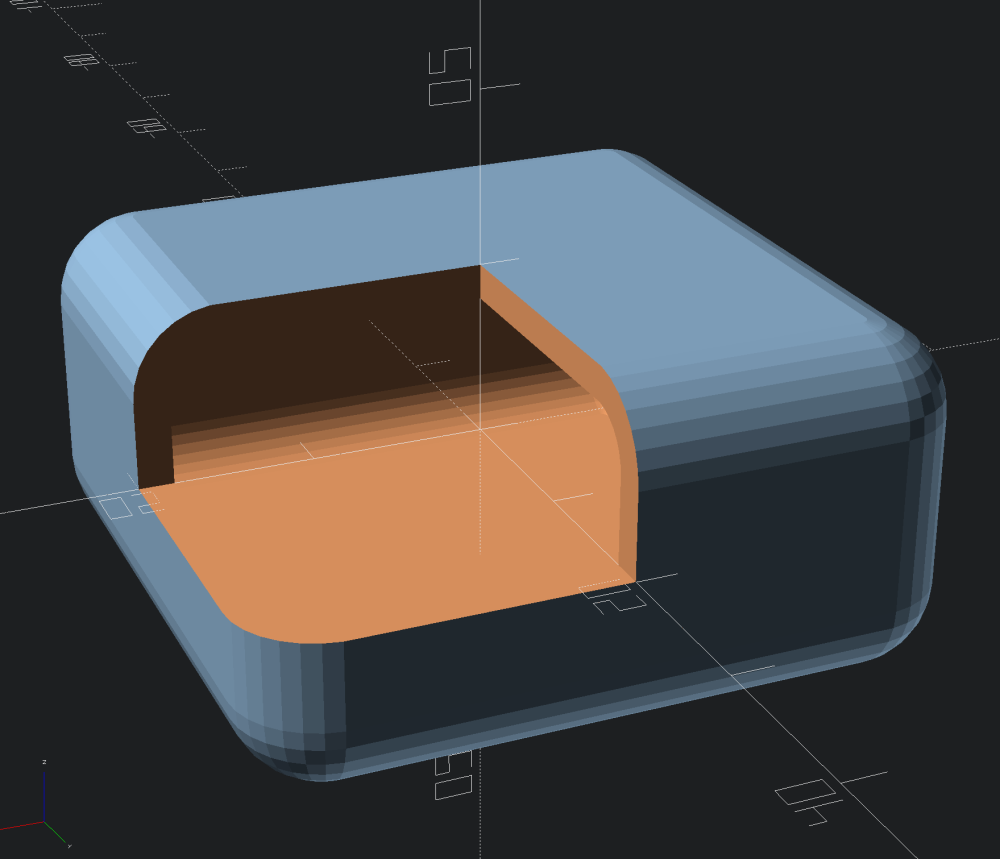
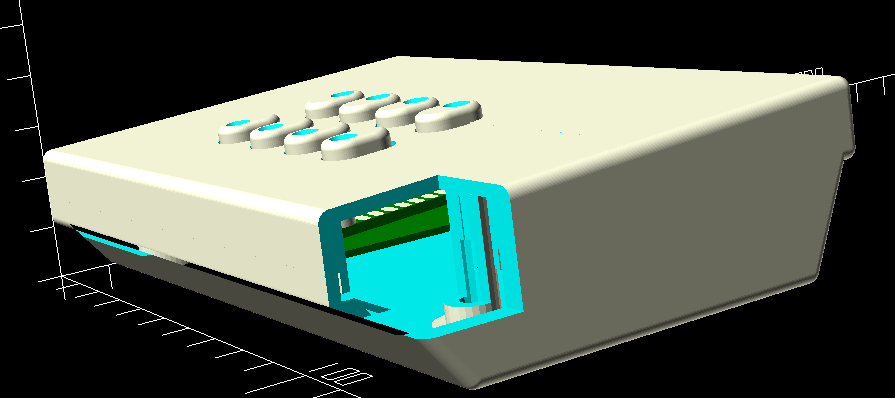
So I tried collapsing the polygon by the edge radius size in all directions and that appears to have done the trick. I kept the hollowed out inside with the square corners, and my worry with that was that the square corner was going to come too close to the rounded edge making the edge weak, but that doesn't appear to be the case. Here is the result with a cutaway corner.
Here are some pics of the first run of the case with the non-rounded corners. I printed it in ABS, and on the bottom in the third pic you can see where I had some slight lifting of the bottom corners. I had some trouble getting my bed temp where I wanted it, so I ended up running the bottom at 95c, which is probably why I got the lifting. I ran the top at 103c and didn't get any lifting there. They say ideal bed temp for ABS is around 110, but I can never get mine that high.
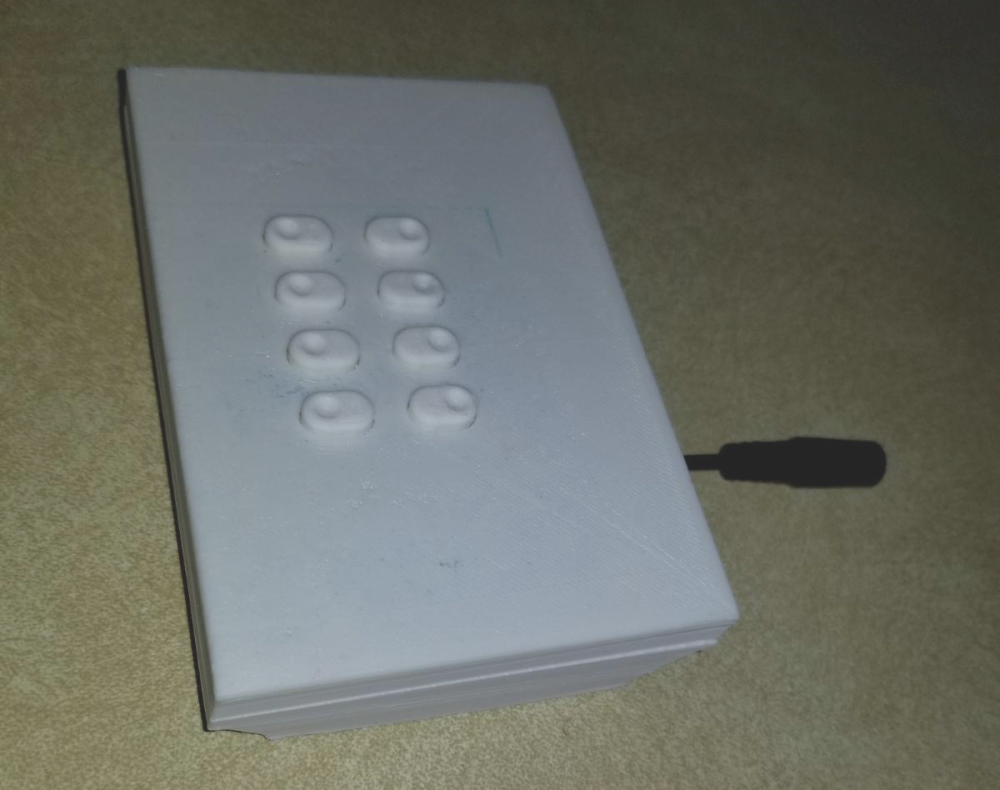
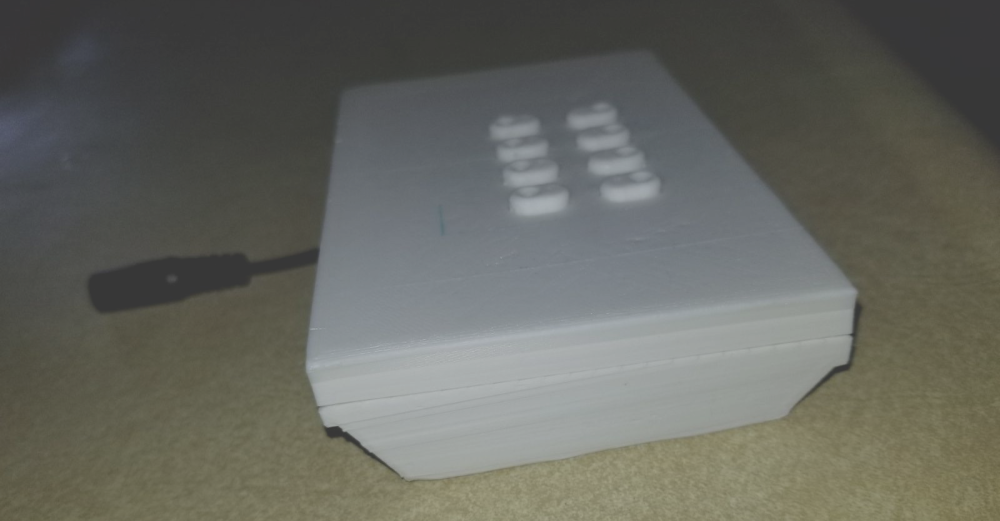
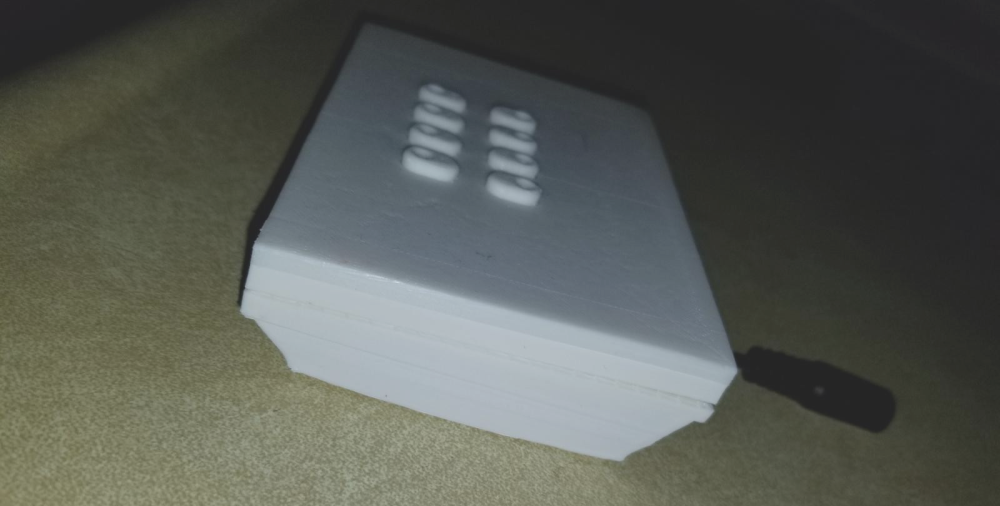
I have the switch board in place to test the functionality and feel of the buttons, but I don't have anything wired just yet. I figure I should be able to use the same code that I use for my in-wall scene controllers as it is just wired as 4 rows and two columns which is what those switches use.
-
So for anyone interested, I posted this case design out on thingiverse tonight.
https://www.thingiverse.com/thing:3339158




Hello! It looks like you're interested in this conversation, but you don't have an account yet.
Getting fed up of having to scroll through the same posts each visit? When you register for an account, you'll always come back to exactly where you were before, and choose to be notified of new replies (either via email, or push notification). You'll also be able to save bookmarks and upvote posts to show your appreciation to other community members.
With your input, this post could be even better 💗
Register Login