
Serial Gateway not connecting - ttyUSB0 in use
-
I've also tried adding the user pi to the dialout and tty groups, but still I can't select any port in the arduino ide when mysgw.service and openhab2.service are stopped. It's as if the mysgw.service is creating the ttyUSB0 port (virtually?) :confused:
I did a ls /dev/tty* and ttyUSB0 had disappeared...so I unplugged the gateway and plugged it back in again (all while mysgw.service is stopped) then another ls /dev/tty* and ttyUSB0 was back. I started the arduino ide and selected ttyUSB0 and in the serial monitor I now have:
0;255;3;0;9;0 MCO:BGN:INIT GW,CP=RNNGA---,FQ=16,REL=255,VER=2.3.2 0;255;3;0;9;5 TSM:INIT 0;255;3;0;9;7 TSF:WUR:MS=0 0;255;3;0;9;15 TSM:INIT:TSP OK 0;255;3;0;9;18 TSM:INIT:GW MODE 0;255;3;0;9;21 TSM:READY:ID=0,PAR=0,DIS=0 0;255;3;0;9;24 MCO:REG:NOT NEEDED 0;255;3;0;14;Gateway startup complete. 0;255;0;0;18;2.3.2 0;255;3;0;9;28 MCO:BGN:STP 0;255;3;0;9;35 MCO:BGN:INIT OK,TSP=1 0;255;3;0;9;38 TSM:READY:NWD REQ 0;255;3;0;9;45 ?TSF:MSG:SEND,0-0-255-255,s=255,c=3,t=20,pt=0,l=0,sg=0,ft=0,st=OK: -
I did a ls /dev/tty* and ttyUSB0 had disappeared...so I unplugged the gateway and plugged it back in again (all while mysgw.service is stopped) then another ls /dev/tty* and ttyUSB0 was back. I started the arduino ide and selected ttyUSB0 and in the serial monitor I now have:
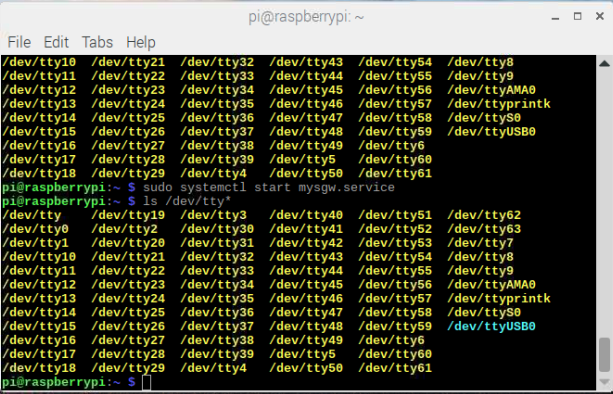
0;255;3;0;9;0 MCO:BGN:INIT GW,CP=RNNGA---,FQ=16,REL=255,VER=2.3.2 0;255;3;0;9;5 TSM:INIT 0;255;3;0;9;7 TSF:WUR:MS=0 0;255;3;0;9;15 TSM:INIT:TSP OK 0;255;3;0;9;18 TSM:INIT:GW MODE 0;255;3;0;9;21 TSM:READY:ID=0,PAR=0,DIS=0 0;255;3;0;9;24 MCO:REG:NOT NEEDED 0;255;3;0;14;Gateway startup complete. 0;255;0;0;18;2.3.2 0;255;3;0;9;28 MCO:BGN:STP 0;255;3;0;9;35 MCO:BGN:INIT OK,TSP=1 0;255;3;0;9;38 TSM:READY:NWD REQ 0;255;3;0;9;45 ?TSF:MSG:SEND,0-0-255-255,s=255,c=3,t=20,pt=0,l=0,sg=0,ft=0,st=OK:When I restart the mysgw.service and do a ls /dev/tty* the ttyUSB0 is shown in blue as opposed to yellow as seen below.
-
When I restart the mysgw.service and do a ls /dev/tty* the ttyUSB0 is shown in blue as opposed to yellow as seen below.
-
@CraigDubya mysgw.service is partly a software gateway. From earlier posts, it seems you also have a hardware gateway (based on an Arduino Nano). Is that correct?
If so, the two gateways might conflict. Is your intention to run two gateways?
@mfalkvidd Hi,
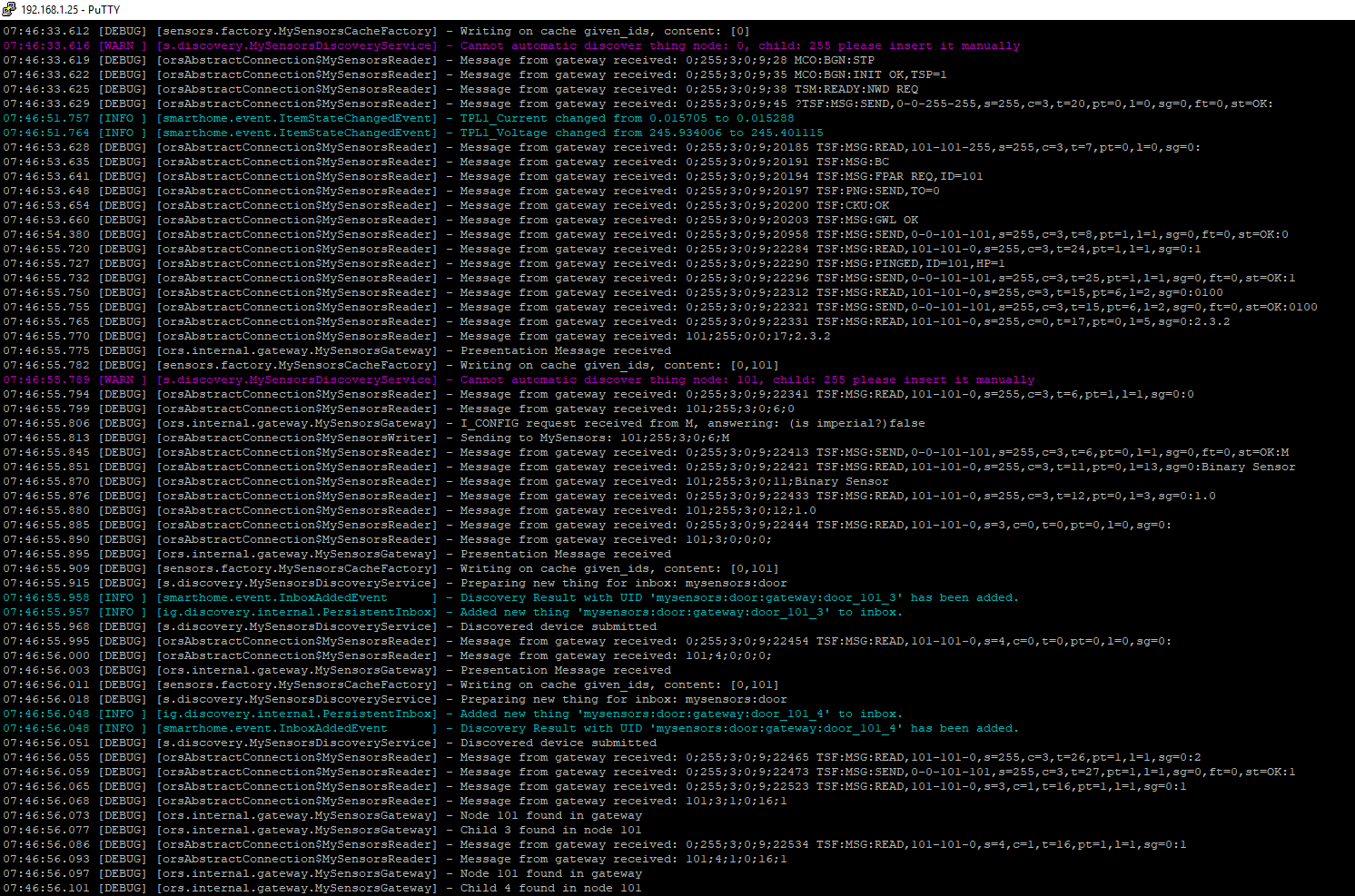
No, my intention is not to run 2 gateways, I did a make on the mysgw.service and changed the port to ttyUSB020 in the config and restarted openhab. I now have communication with the hardware gateway. It seems it's all working properly now, but I'm a bit concerned that I may still have a software gateway running aswell.
-
@mfalkvidd Hi,
No, my intention is not to run 2 gateways, I did a make on the mysgw.service and changed the port to ttyUSB020 in the config and restarted openhab. I now have communication with the hardware gateway. It seems it's all working properly now, but I'm a bit concerned that I may still have a software gateway running aswell.
I just rebooted my pi, and whatever I did to get the bridge working has reset, and I'm not getting any node connections anymore :confused:
-
I just rebooted my pi, and whatever I did to get the bridge working has reset, and I'm not getting any node connections anymore :confused:
If I stop the mysgw.service and restart openhab2.service the gateway works fine. So, the mysgw.service is starting on bootup, how do I remove or disable mysgw.service from bootup?
-
If I stop the mysgw.service and restart openhab2.service the gateway works fine. So, the mysgw.service is starting on bootup, how do I remove or disable mysgw.service from bootup?
@mfalkvidd Sorry, in answer to your earlier question, that's correct... I have an Arduino Nano connected via USB to the raspberry pi as a hardware serial gateway
-
@mfalkvidd Sorry, in answer to your earlier question, that's correct... I have an Arduino Nano connected via USB to the raspberry pi as a hardware serial gateway
Ah I found it using:
sudo systemctl disable mysgw.serviceNow when I reboot the pi the gateway is working and my sensor node is reporting correctly.
Thanks for everyones help, it's been 2 years since I last played with openhab and mysensors, and what I learned back then I had mostly forgotten. Also with the openhab and mysensors updates that have happened in that time it's been a struggle to get back on track :grin:
-
Ah I found it using:
sudo systemctl disable mysgw.serviceNow when I reboot the pi the gateway is working and my sensor node is reporting correctly.
Thanks for everyones help, it's been 2 years since I last played with openhab and mysensors, and what I learned back then I had mostly forgotten. Also with the openhab and mysensors updates that have happened in that time it's been a struggle to get back on track :grin:
-
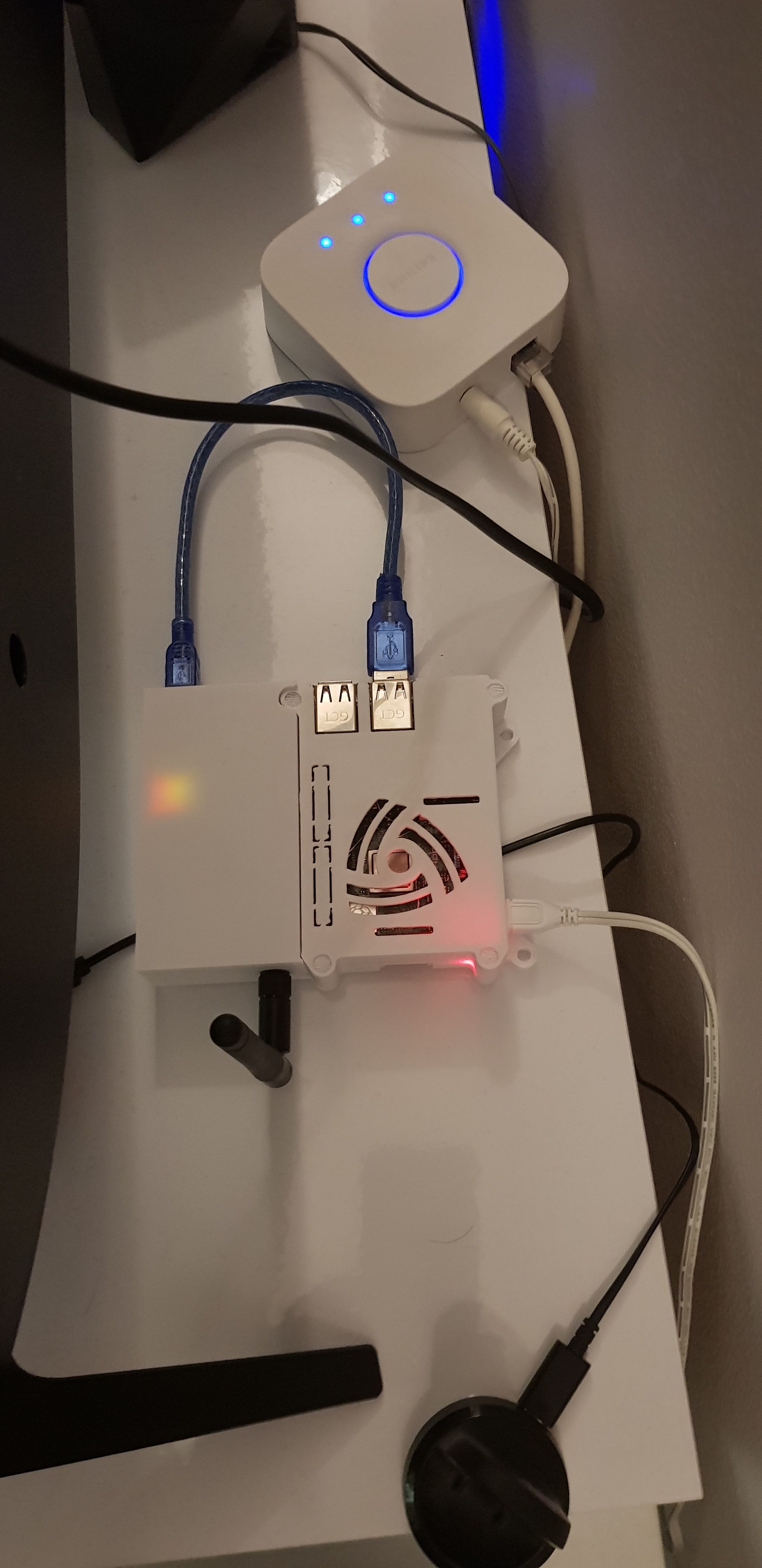
And so here is my serial gateway with 3d printed case:

Hello! It looks like you're interested in this conversation, but you don't have an account yet.
Getting fed up of having to scroll through the same posts each visit? When you register for an account, you'll always come back to exactly where you were before, and choose to be notified of new replies (either via email, or push notification). You'll also be able to save bookmarks and upvote posts to show your appreciation to other community members.
With your input, this post could be even better 💗
Register Login