
How can I choose a controller?
-
Hello everyone,
I am looking to make a system that controls the temperature of my house. I was following along perfectly until I reached the controller part. I dont know how to choose a controller, I tried to look at the ¨Selecting a controller¨ but didnt understand the graph, what does Y and N mean? how do I choose one? -
Hello everyone,
I am looking to make a system that controls the temperature of my house. I was following along perfectly until I reached the controller part. I dont know how to choose a controller, I tried to look at the ¨Selecting a controller¨ but didnt understand the graph, what does Y and N mean? how do I choose one?Welcome to the forum @Feliw05
Y means yes and n means no.
If any of your friends do home automation, ask them what they use. Having someone to discuss is great.
Another method is to just try one. Switching to a different controller is fairly easy in the beginning (when youhaven't added a lot of configuration.
Or look at videos of different controllers and see what controller you like best.
You can also describe what knowledge and experience you have and what you hope to do with your home automation, and people in the forum can give you their recommendations.
-
Choosing a controller can be a headache, especially if you are new to all this.
@mfalkvidd gave some sound advice which I would like to add to.....
Do you want a paid or free controller?
How easy is it to install and update?
Do you need graphs or guages?
How do you want it to look (all controllers have some restrictions on how data is displayed).
What hardware do you want the controller to run on?
Do you want your data private or do you trust cloud services to hold your data?
How is data going to be sent to/from the controller?
How easy is it to add sensors, timers, rules, srcipts etc?Hope you get a good decision soon!
-
Welcome to the forum @Feliw05
Y means yes and n means no.
If any of your friends do home automation, ask them what they use. Having someone to discuss is great.
Another method is to just try one. Switching to a different controller is fairly easy in the beginning (when youhaven't added a lot of configuration.
Or look at videos of different controllers and see what controller you like best.
You can also describe what knowledge and experience you have and what you hope to do with your home automation, and people in the forum can give you their recommendations.
@mfalkvidd Thank you very much, this information has been really helpful.
-
Choosing a controller can be a headache, especially if you are new to all this.
@mfalkvidd gave some sound advice which I would like to add to.....
Do you want a paid or free controller?
How easy is it to install and update?
Do you need graphs or guages?
How do you want it to look (all controllers have some restrictions on how data is displayed).
What hardware do you want the controller to run on?
Do you want your data private or do you trust cloud services to hold your data?
How is data going to be sent to/from the controller?
How easy is it to add sensors, timers, rules, srcipts etc?Hope you get a good decision soon!
-
@Feliw05 Selecting the "right" controller is of course a matter of opinion and depends how far you want to go into the homeautomation swamp ;) . Normally i don't give advice like this (and i agree with @mfalkvidd - It's great to discuss with a friend!) but here a my 2 cents... I think i've tried them all in the table but i always return to 2 alternatives: homeassistant and domoticz. If you want the fastest way to get started with good trend charts i still think Domoticz is a great choise. The UI is not the prettiest (even if you can fix that by setting up custom dashboards like dashticz or so) but it's very functional and i think it has a good default setup with trendlines per sensor for day/month/year using highcharts. I have a few weather station systems running remote and then i use domoticz in docker containers on off site servers (but i've also had it running on rasberry PIs). Very light weight.
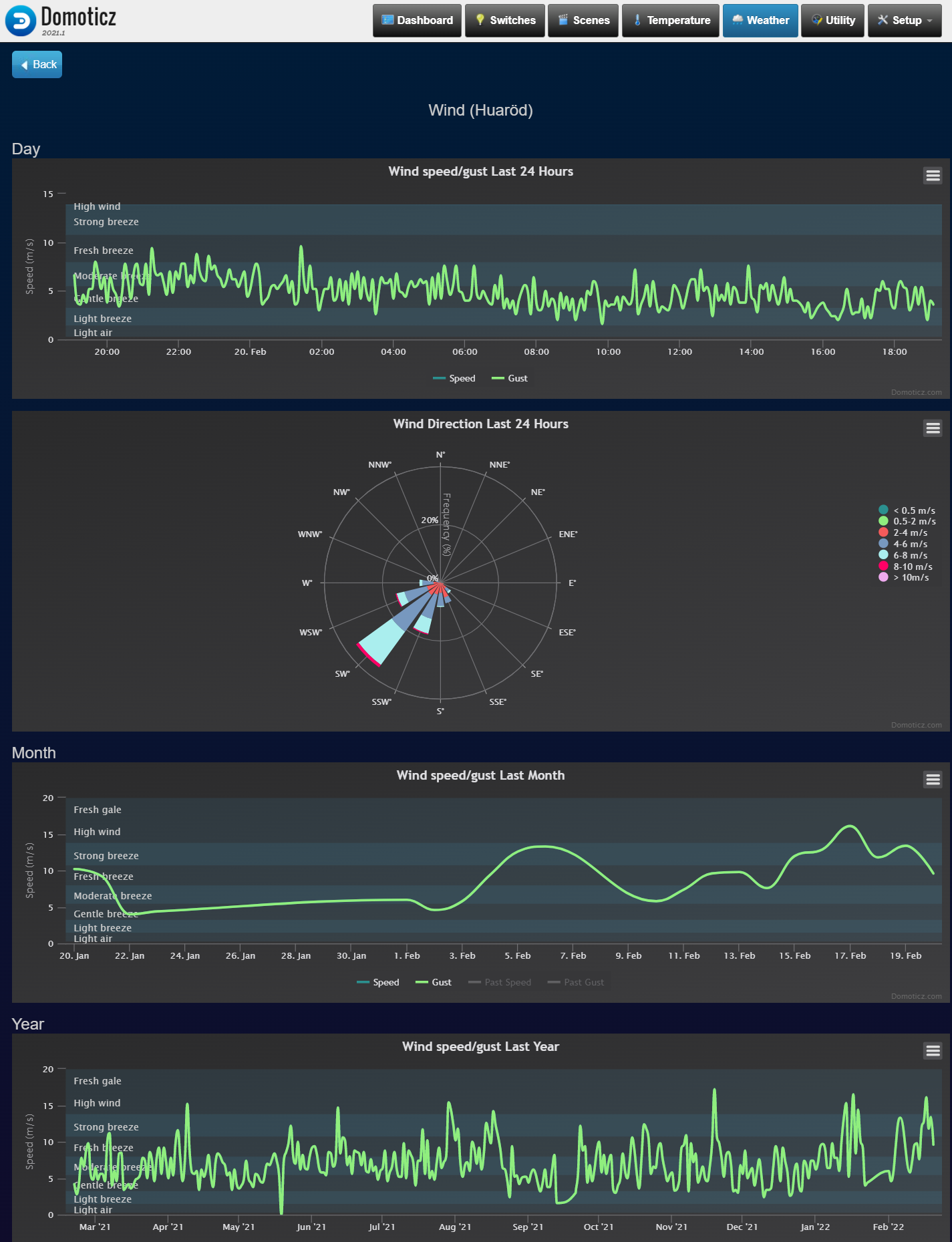
Another alternative (maybe obvious) is homeassistant but it might be a bit overwelming since it's very flexible and can be run in so many different ways so you will find tons of howtos that doesn't work anymore. It has a very active community that isn't afraid of changing core concepts when needed which is both a strength and sometimes a weakness. For my personal homeautomation i have moved over completely to homeassistant and it's possible to create beautiful dashboards with little effort. Is has integrations for more or less everything and if not there will be soon or you can add it yourself.Example dashboard that i have in the house with car heating/charging, cameras and tons of sensors and zigbee devices. Actually used and appretiated by everyone in the house :dart:
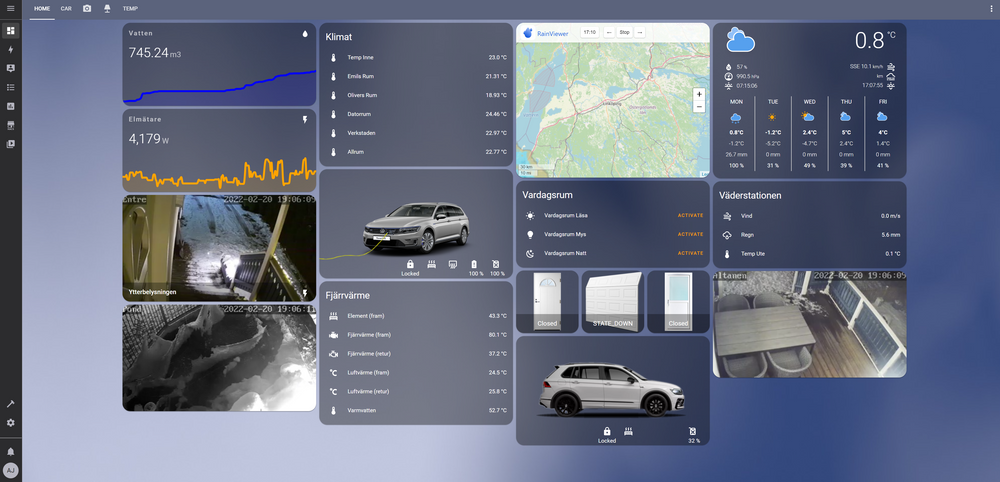
It's a bumpier ride at least at first but i think homeassistant wins in the long run - and it's open source!




Hello! It looks like you're interested in this conversation, but you don't have an account yet.
Getting fed up of having to scroll through the same posts each visit? When you register for an account, you'll always come back to exactly where you were before, and choose to be notified of new replies (either via email, or push notification). You'll also be able to save bookmarks and upvote posts to show your appreciation to other community members.
With your input, this post could be even better 💗
Register Login