
Wio-E5 (STM32 and SX1262)
-
Hi All,
I have been messing around with a module called the Wio-E5 from Seeed Studio.
Ever since the NRF5 series came out I have wanted something similar but with a LoRa or RFM69 radio. The Wio-E5 looked like just the thing:https://www.seeedstudio.com/LoRa-E5-Wireless-Module-Tape-Reel-p-5302.html
https://wiki.seeedstudio.com/LoRa-E5_STM32WLE5JC_Module/Cortex-M4 processor and SX1262 radio on a chip (STM32WLE5 series)
Supposedly low power consumption (still testing).
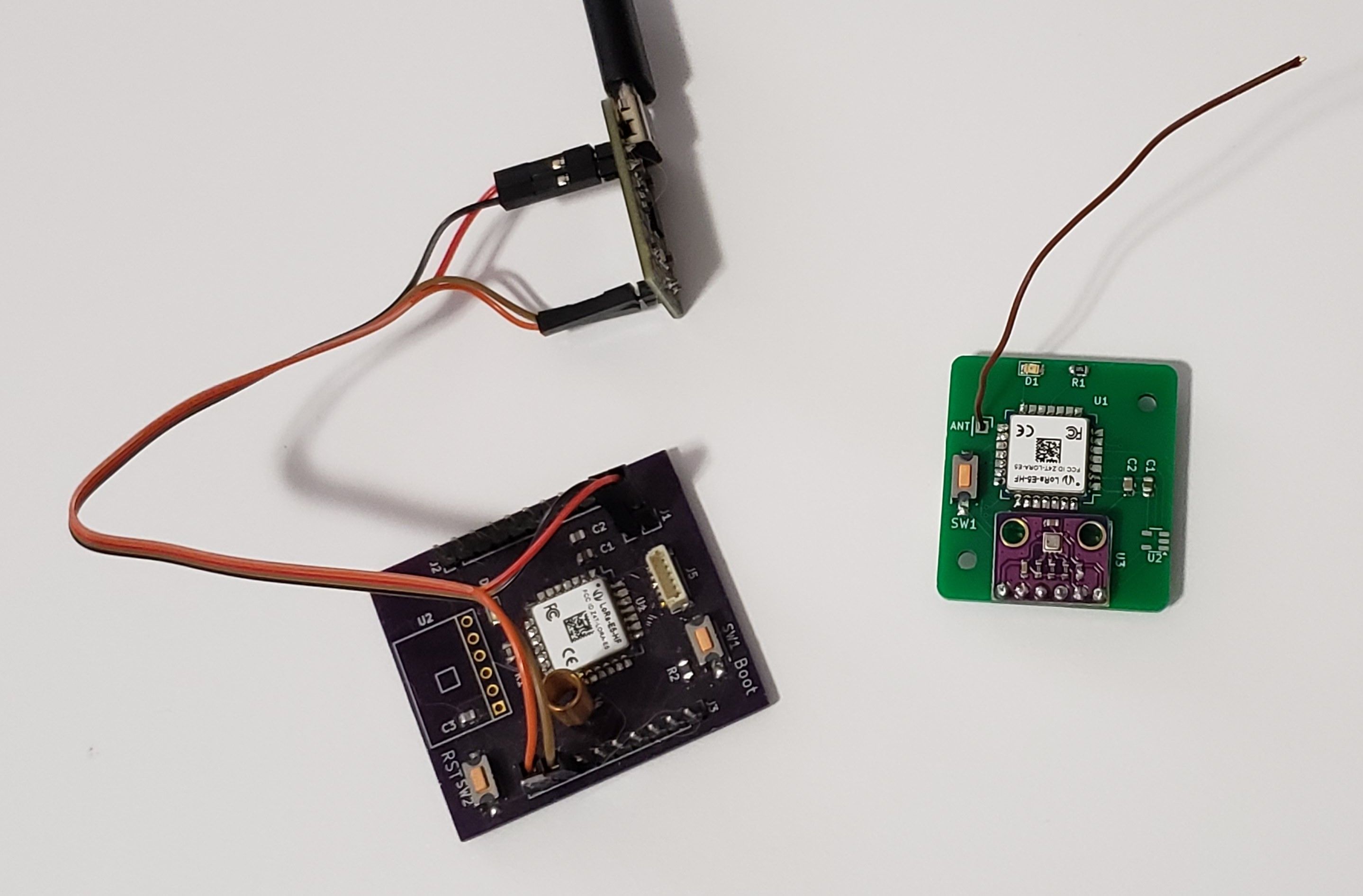
The module is small, but hand solderable package.I finally have one of these running as a coin cell powered temperature / humidity sensor.
My very basic E5 node and gateway
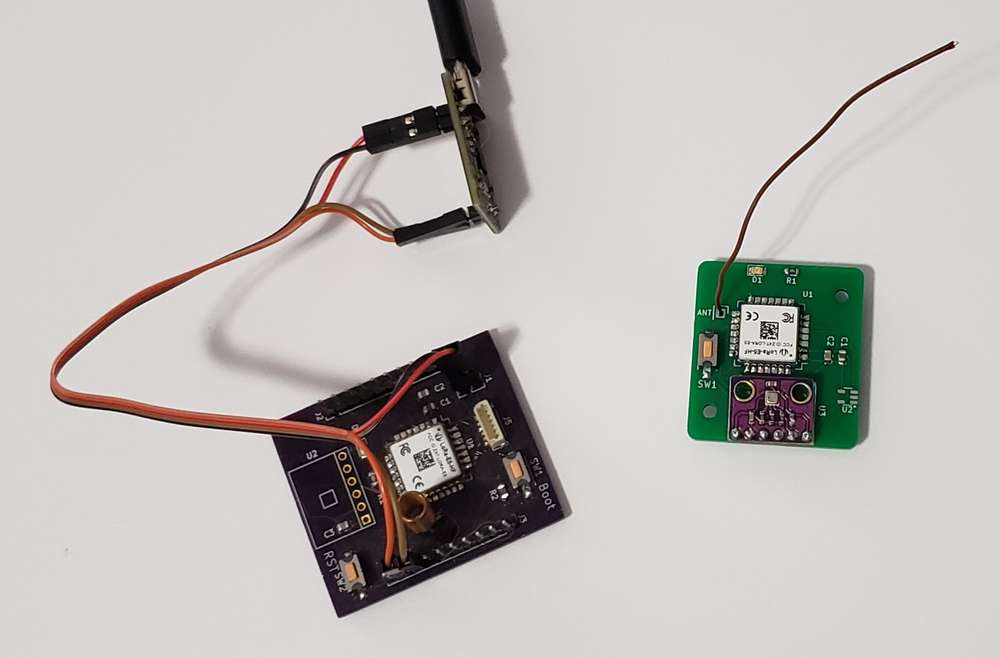
I have been able to get it to talk to my RMF95 gateway also.
If you want to give it a try, I have added code to the MySensors fork on my github: https://github.com/spike314/MySensors
in the development branch.You will need:
- For programming STM32
- STLink. There are cheap ones on aliexpress, but I got a legit STLink-V3MiniE for only US$11.70 on Mouser.
- STM32Cube Programmer from https://www.st.com/
- Arduino Libraries (available in the Arduino library manager)
- STM32duino Low Power
- STM32duino RTC
- Arduino Board files
- STM32 MCU based boards (available in the Arduino board manager)
- Updates for MySensors (already in the development branch on my github)
- STM32 files from Pull Request 1442, from @WhiskyDelta, @Koolru, and others
- RLSX1262 files : based on @eiten SX126X driver and:
- RadioLib https://github.com/jgromes/RadioLib (available in the Arduino library manager). Radiolib supports the STM32WL series. So I am using it for low level code to the radio.
Update to for AES Conflict(3/22/25 - I added a hack to my github fork that works around this issue)You will get a compile error because both MySensors and STM32 define AES.the offending STM32 file is here: \arduino15\packages\STMicroelectronics\hardware\stm32\2.8.1\system\Drivers\CMSIS\Device\ST\STM32WLxx\Include\stm32wle5xx.hIn this version, line 998: #define AES ((AES_TypeDef *) AES_BASE)I changed to: #define AESWL ((AES_TypeDef *) AES_BASE)This resolves the conflict. There are probably better ways. I'd rather change the STM32 code than MySensors, but there are downsides:Other files would probably need the update if you are using something besides a STM32WLE5 ....If you update the STM32 library, you will have to go and change this define again.
- Clear the factory bootloader
ground the PB13 pin and reboot the module to get into programming mode(This step isn't needed afterall)- Using the STM32Cube Programmer:
- Hit Option Bytes (OB) button. Under Read Out Protection, change to AA and hit Apply.
- Disconnect and (re-)Connect. You should get “Data read successfully”.
- Program w Arduino
- In your sketch, #define MY_RADIO_RLSX126x
- Update the SX126X settings in MyConfig.h as desired, or override them in your sketch.
- Use these board settings:
- Board: Generic STM32WL Series
- Board PN: Generic WLE5JCIx
- UART Support: Enabled Generic Serial
- Newlib Nano
- STM31CubeProgrammer (SWD)
And, there you go!
It's all still a bit rough. I'll post some more notes and sample code when I get a chance.Happy New Year!
- For programming STM32
-
Quick Range Check on the WIO-E5-LE. The LE version uses only the low power PA, +14dBm max. Using the default settings except for 915MHz
#define MY_SX126x_FREQUENCY (SX126x_915MHZ)
#define MY_SX126x_LORA_SF LORA_SF7
#define MY_SX126x_LORA_BW LORA_BW_125
#define MY_SX126x_LORA_CR LORA_CR_4_5
I get about 190 meter range, just walking around the neighborhood, line of site except for some trees and power lines.
No tuning on the antenna. Just using a 77.9mm wire.
Not as dramatic as some have achieved with LoRa radio's, but plenty good enough for my house and yard : ) -
I got about 400m using rfm69w at 433MHz and +14dBm tx using pece of wire as antenna. And that was through at least 3 houses. I would expect LoRa 868/915 MHz to at least match 433MHz FSK range...
ordering wio-e5 for testing - the small small CPU+RF package makes for perfect small nodes retrofits. inside light fittings/sockets/plugs etc... especially if OTA could be done without external memory...
If you're using insulated wire your antennae length will drop, sometimes dramatically, for PVC insulted single core wire a 73mm is a good starting point, then trim down to ~65mm in 0.5-1mm steps... miulticore wire is another box of worms. I Use wire pulled from cat 5/6 and velocity factor seems to be 0.83% in this calculator: https://m0ukd.com/calculators/quarter-wave-ground-plane-antenna-calculator/
-
Interesting. I hadn't thought about the antenna insulation. I usually grab the nearest hookup wire on my workbench. Will have to pay more attention to that. It easily reaches my basement and backyard, so I haven't been pushing for the most range.
I would love to find an OTA solution. Even if I had to solder on some external memory, it would be worth it.
-
looking at stm32wl datasheets(stm32 in general) it should be possible to write MySensors compatible bootloader capable of rewriting entire remaining flash(similar to nrf24(l)01 bootloder), or do dual bank firmware upgrades.
P.S it seems that RLSX126x driver from your repo uses wrong mux pins for wio-e5-le, that would explain abysmal range you're getting:
#if defined(WIOE5LE)
// Set RF switch configuration for Seeed WIO-E5-LE module
// E5-LE is always Low Power Transmit. Antenna setting PA4 1; PA5 0 = receive. PA4 0; PA5 1 = transmit.
static const uint32_t rfswitch_pins[] = {PA4,  PA5, RADIOLIB_NC, RADIOLIB_NC, RADIOLIB_NC};
static const Module::RfSwitchMode_t rfswitch_table[] = {
	{STM32WLx::MODE_IDLE,  {LOW,  LOW}},
	{STM32WLx::MODE_RX,    {HIGH, LOW}},
	{STM32WLx::MODE_TX_LP, {LOW,  HIGH}},
	END_OF_MODE_TABLE,
everywhere i check for wio-e5-le it shoudl be(edited as i remebered it wrong at time of writing, sorry)
{STM32WLx::MODE_TX_LP, {HIGH, HIGH}},my modules didn't arrive yet so i cannot test it myself.
-
@Sasquatch I have not found a good schematic of what is happening inside the WIO E5 Module. My only references were here from the wiki here:
https://wiki.seeedstudio.com/LoRa-E5_STM32WLE5JC_Module/
https://wiki.seeedstudio.com/LoRa_E5_Dev_Board/
These only address the high power WIO-E5, not the LE. They a reference to the WL55jc dev board. I found a document for that with this table:
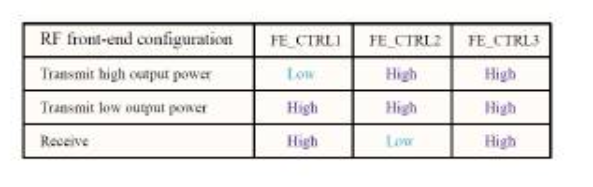
So, Maybe it should be HIGH, HIGH for the low power mode. I'm traveling now, but will do some experimenting when I get home. -
My wio-e5 mini is officially lost in transit, but i did some experiments with RAK3172 breakout boards.
Interestingly when you use correct pin config but with wrong LP/HP define it still barely transmits.
testing across bench yesterday(1.2m) I got:
RSSI -109 at +20dBi and//rak3172-e(no TXCO) static const uint32_t rfswitch_pins[] = {PB8, PC13, RADIOLIB_NC, RADIOLIB_NC, RADIOLIB_NC}; static const Module::RfSwitchMode_t rfswitch_table[] = { {STM32WLx::MODE_IDLE, {LOW, LOW}}, {STM32WLx::MODE_RX, {HIGH, LOW}}, {STM32WLx::MODE_TX_LP, {LOW, HIGH}},//CORRECT END_OF_MODE_TABLE, }; bool lp_supported = true; bool hp_supported = false;at glance above code should work, this pdf at page 7 clears things up a bit.
RSSI -101 at +20dBi and
//rak3172-e(no TXCO)
static const uint32_t rfswitch_pins[] = {PB8,  PC13, RADIOLIB_NC, RADIOLIB_NC, RADIOLIB_NC};
static const Module::RfSwitchMode_t rfswitch_table[] = {
   {STM32WLx::MODE_IDLE,  {LOW,  LOW}},
   {STM32WLx::MODE_RX,    {HIGH, LOW}},
   {STM32WLx::MODE_TX_HP, {HIGH,  HIGH}}, //INCORRECT
   END_OF_MODE_TABLE,
bool lp_supported = false;
bool hp_supported = true;
RSSI -23 at -3dBi with :
//rak3172-e(no TXCO)
static const uint32_t rfswitch_pins[] = {PB8,  PC13, RADIOLIB_NC, RADIOLIB_NC, RADIOLIB_NC};
static const Module::RfSwitchMode_t rfswitch_table[] = {
   {STM32WLx::MODE_IDLE,  {LOW,  LOW}},
   {STM32WLx::MODE_RX,    {HIGH, LOW}},
   {STM32WLx::MODE_TX_HP, {LOW,  HIGH}}, //CORECT
   END_OF_MODE_TABLE,
bool lp_supported = false;
bool hp_supported = true;
RSSI -60 at -3dBi and antennas removed, just SMA sockets on PCBs
-
Thanks @Sasquatch. I did some testing also. The values below seem to be the correct ones. I had similar -100 RSSI at all power settings when using the opposite settings. When I use these, I got reasonable RSSI's that changed approximately linearly with the power setting. I got at least 500m range with an E5-LE in a quick test. That's a 5x improvement and there were many obstacles and buildings in the path. I look forward to trying it somewhere where I have more line of sight. I made an update to my code on github.
{STM32WLx::MODE_TX_LP, {HIGH,  HIGH}},  // For the E5-LE
{STM32WLx::MODE_TX_HP, {LOW,  HIGH}},  // For the regular E5

Hello! It looks like you're interested in this conversation, but you don't have an account yet.
Getting fed up of having to scroll through the same posts each visit? When you register for an account, you'll always come back to exactly where you were before, and choose to be notified of new replies (either via email, or push notification). You'll also be able to save bookmarks and upvote posts to show your appreciation to other community members.
With your input, this post could be even better 💗
Register Login