
How to read a seven segment display?
-
Hi there,
I hope this is the right place to ask. I have this wireless remote control for my heating system and I would like to control it even more remotely (over the internet). :-) Hence I am planning a project on this.
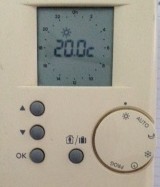
What I would like to do is to simulate the buttons being pressed on the remote for in-/decreasing the temperature and hence change the temperature via the internet. I suppose that can be done using optocouplers or relays or similar.
Now, the real question: The set temperature is displayed using this 3-digit 7-segment display. As far as I understand these 7-segment displays are driven by a 4 Bit digital code that is converted by a display driver IC to the abcdefg code of 0s and 1s.
I would like to read the temperature and display it on the pimatic software. How would I read this temperature? It cannot be too difficult I imagine, because it is already a digital binary code of 0000 for 0 and 0010 for 2 etc.
Could anyone point me in the right direction on how to tackle this project?
Thanks for any advice!
Karl -
-
Did you search for something like "your heating system + arduino"? Maybe someone already did the trick! :)
-
Hi, thanks for your replies. I checked a little bit around on the web, but could not find anything specific to my heating system. I just found out that if the 7-segment display is somehow multiplexed, it might be indeed very difficult to read these things, because it seems that the segments are only powered on for some microseconds and there is some fast switching between them, so if the temperature is 22, it is not permanently on, but switching through various states very quickly.
I guess I will have to open the thing and look what's really inside.
My original idea, to read the T via a small camera might be the easiest solution...
-
Hi, thanks for your replies. I checked a little bit around on the web, but could not find anything specific to my heating system. I just found out that if the 7-segment display is somehow multiplexed, it might be indeed very difficult to read these things, because it seems that the segments are only powered on for some microseconds and there is some fast switching between them, so if the temperature is 22, it is not permanently on, but switching through various states very quickly.
I guess I will have to open the thing and look what's really inside.
My original idea, to read the T via a small camera might be the easiest solution...
-
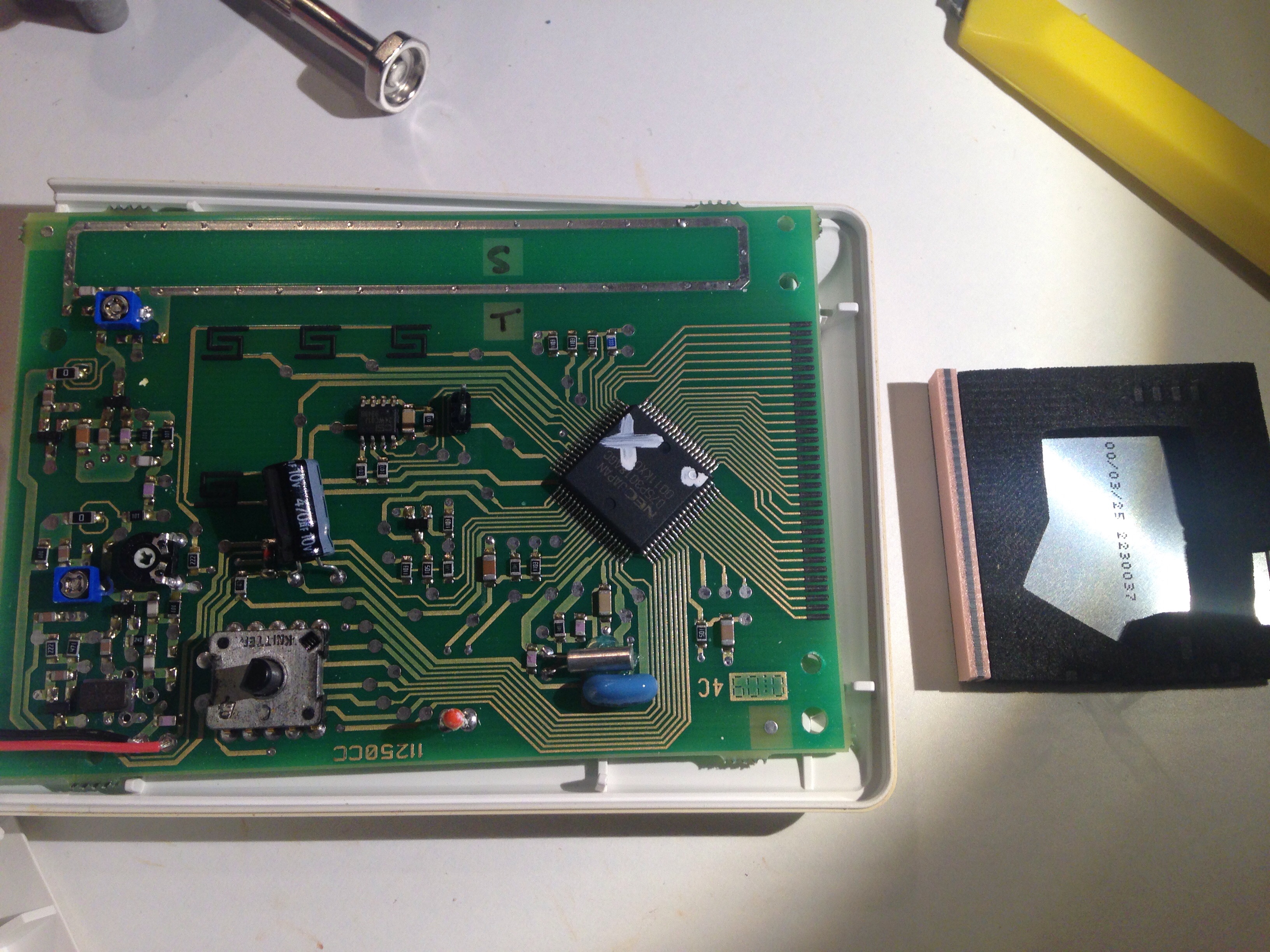
I think it does not look too complicated. Finally got around to open the thing. I am surprised by its simplicity, at least it looks like. Plenty of space. But I am scared that the display is just pressed into the board. I hope I won't kill it. So know I have to find out how it works...
It should be also super easy to control the four buttons (only two are actually needed) with optocouplers...
I wonder if it is possible to hack the radio transmission...
Comments?



Hello! It looks like you're interested in this conversation, but you don't have an account yet.
Getting fed up of having to scroll through the same posts each visit? When you register for an account, you'll always come back to exactly where you were before, and choose to be notified of new replies (either via email, or push notification). You'll also be able to save bookmarks and upvote posts to show your appreciation to other community members.
With your input, this post could be even better 💗
Register Login