Skip to content
  • MySensors
  • OpenHardware.io
  • Categories
  • Recent
  • Tags
  • Popular
Skins
  • Light
  • Brite
  • Cerulean
  • Cosmo
  • Flatly
  • Journal
  • Litera
  • Lumen
  • Lux
  • Materia
  • Minty
  • Morph
  • Pulse
  • Sandstone
  • Simplex
  • Sketchy
  • Spacelab
  • United
  • Yeti
  • Zephyr
  • Dark
  • Cyborg
  • Darkly
  • Quartz
  • Slate
  • Solar
  • Superhero
  • Vapor

  • Default (No Skin)
  • No Skin
Collapse
Brand Logo
  1. Home
  2. My Project
  3. Boiler control from MAX! Cube to Drayton Boiler via Raspberry Pi/Vera/Mysensors.

Boiler control from MAX! Cube to Drayton Boiler via Raspberry Pi/Vera/Mysensors.

Scheduled Pinned Locked Moved My Project
113 Posts 22 Posters 61.2k Views 24 Watching
  • Oldest to Newest
  • Newest to Oldest
  • Most Votes
Reply
  • Reply as topic
Log in to reply
This topic has been deleted. Only users with topic management privileges can see it.
  • S Stuart Middleton

    BTW, I fixed the ' issue by changing graphing.py to use urllib.unquote() on the room name then replaced a single ' with a double ''. I then had to replace the single ' again for the html print or the page just came out empty.

    S Offline
    S Offline
    stephenmhall
    wrote on last edited by
    #40

    @Stuart-Middleton said:

    BTW, I fixed the ' issue by changing graphing.py to use urllib.unquote() on the room name then replaced a single ' with a double ''. I then had to replace the single ' again for the html print or the page just came out empty.

    Stuart, I have made changes could you backup your graphing.py and try my one. This should be a link.

    Link to graphing.py on Github

    This shows you never know what you don't know about Python :) I was manually removing the html %20 spaces and never thought of other non text characters. And didn't know about the urllib functions. Old dog learning new tricks.

    Stephen

    1 Reply Last reply
    0
    • S Offline
      S Offline
      stephenmhall
      wrote on last edited by
      #41

      Stuart
      I have added a new table to the DB to store good heating values. I only have one room without a wall thermostat so it is a bit hard for me to test for a 0.0 temp, it seems to work fine if there is a good temp from the room. would you be able to give it a go for me? the main changes are in the database.py and webui.py scripts. in the vera_virtual_thermostats branch.

      make sure you back up your current files before you try just in case I breaks it :). your DB too just in case. I tend to make a copy of the whole heating folder onto my PC before using changes on my live system just in case I muck it up.

      Stephen

      1 Reply Last reply
      0
      • S Offline
        S Offline
        stephenmhall
        wrote on last edited by
        #42

        Corrected an error in the webui.py code for the 0.0 temps was causing a crash.

        1 Reply Last reply
        0
        • S Offline
          S Offline
          Stuart Middleton
          wrote on last edited by
          #43

          I'm going to try and find time to test this later. Just super busy at the moment. Stupid day job! :)

          1 Reply Last reply
          0
          • S Offline
            S Offline
            stephenmhall
            wrote on last edited by
            #44

            hehe know what you mean, 2 weeks off for me atm, good job as I just noticed the heating has been off for a while, oops.

            1 Reply Last reply
            0
            • S Offline
              S Offline
              stephenmhall
              wrote on last edited by
              #45

              Another tiny update to fix a problem if any of the temperatures went over 25.5 and buy tiny I mean one extra character of code in a binary format string. yesh.

              1 Reply Last reply
              0
              • S Offline
                S Offline
                Stuart Middleton
                wrote on last edited by
                #46

                Hey, just got around to trying your fix and there's a little issue. The converted name works for the web page but not for the DB query. I've changed the following line in graphing from

                tempData = DB.getTemps(cleanName, currentTime)
                to
                tempData = DB.getTemps(cleanName.replace(''', "''"), currentTime)

                to get it to work. Hope that helps

                Now it's all happy I should really get around to connecting it to my boiler instead of just looking at the pretty graphs! :)

                1 Reply Last reply
                0
                • S Offline
                  S Offline
                  stephenmhall
                  wrote on last edited by
                  #47

                  grrr, can you send me a copy of your database? I am wondering if it set the room name before the other changes if there is something extra in there.

                  And just to check, you are replacing one ' (quote) with two of them?

                  1 Reply Last reply
                  0
                  • S Offline
                    S Offline
                    Stuart Middleton
                    wrote on last edited by
                    #48

                    Ah, yes. My room names are already set up. Yes, replacing a single quote with two single quotes. I'll PM you my DB. It may have worked if I'd started from scratch.

                    1 Reply Last reply
                    0
                    • S Offline
                      S Offline
                      Stuart Middleton
                      wrote on last edited by
                      #49

                      OK, I have no idea how to PM you :)

                      1 Reply Last reply
                      0
                      • S Offline
                        S Offline
                        Stuart Middleton
                        wrote on last edited by
                        #50

                        This is my rooms table from the database

                        1 Living Room 12DA70
                        3 Hall 137F27
                        2 Kitchen 12DBCB
                        5 Master Bedroom 1245D7
                        4 Landing 12E19F
                        7 Lara's Room 12DA58
                        6 Luke's Room 12DA35

                        1 Reply Last reply
                        0
                        • S Offline
                          S Offline
                          stephenmhall
                          wrote on last edited by
                          #51

                          LOL me either maybe you cant. You could save it to google drive or dropbox and post a link i think.

                          1 Reply Last reply
                          0
                          • S Offline
                            S Offline
                            stephenmhall
                            wrote on last edited by
                            #52

                            kk cheers, I wonder why it is needing 2 quotes? I will have a better look.

                            1 Reply Last reply
                            0
                            • mfalkviddM Offline
                              mfalkviddM Offline
                              mfalkvidd
                              Mod
                              wrote on last edited by
                              #53

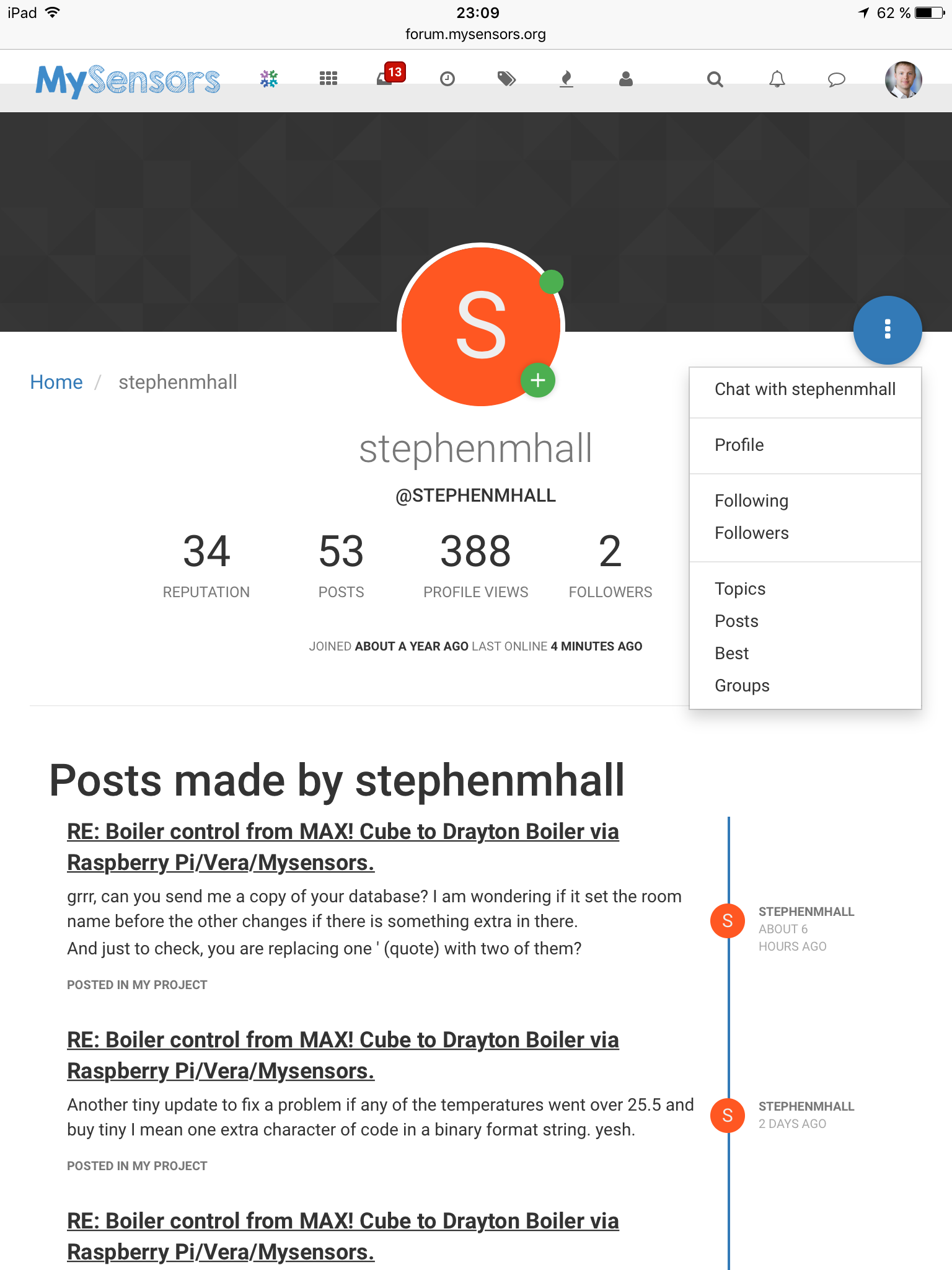
                              Here is how to open a private chat. Click the persons name at the top of a post. Then click the blue three-dot menu.

                              0_1471554567321_image.png

                              1 Reply Last reply
                              0
                              • S Offline
                                S Offline
                                Stuart Middleton
                                wrote on last edited by
                                #54

                                Ah, sql syntax (according to a website I found) uses double single-quote to escape a single quote when used in a table.

                                1 Reply Last reply
                                0
                                • S Offline
                                  S Offline
                                  stephenmhall
                                  wrote on last edited by
                                  #55

                                  Ok after faffing about for ages I ended up just moving your replace quote code into the database file, keeps it out of the way and seems to work ok if I simulate a room with a quote in it and without.

                                  It is happy saving names with a quote in to the DB it is just searching after that needs it doubled. Something else learned.

                                  1 Reply Last reply
                                  0
                                  • S Offline
                                    S Offline
                                    Stuart Middleton
                                    wrote on last edited by
                                    #56

                                    Cool, thanks. I'll grab it so the version I'm running is in sync.

                                    1 Reply Last reply
                                    0
                                    • S Offline
                                      S Offline
                                      stephenmhall
                                      wrote on last edited by stephenmhall
                                      #57

                                      For @simrob problem.

                                      I think the problem is in the database, and my code of course, With the way I developed it over time I think I added features later that cause a problem with a fresh install because It asks for the room names before it creates them. Where my database already had room names populated before I got to that point.
                                      Could you install "DB Browser for SQLite" and have a look at the heating.db file that was created. Under brows data there should be a rooms table like mine.

                                      "4" "Living Room" "1051D6"
                                      "5" "Dining-Extension" "106FD5"
                                      "2" "Bathroom" "1051DA"
                                      "3" "Bedroom 1" "116B63"
                                      "1" "Bedroom 2" "1163A5"

                                      If it is empty possibly just adding one record with the correct name and a random GroupID might be enough to get it past the point where it fails so it can fully populate the table. Also I think you must be using an older version as your line numbers don't quite match what I have. Try downloading the vera Virtual Thermostats branch and see if that helps, not saying it will but that will become the main branch when I sync it up.
                                      I will look at getting in installed again on a blank Pi so I can test and fix this properly. But hopefully putting a line of data in the DB rooms table will get you past the problem.

                                      1 Reply Last reply
                                      0
                                      • S Offline
                                        S Offline
                                        stephenmhall
                                        wrote on last edited by
                                        #58

                                        I have now changed the folder layout on github to make installing easier, also updated some of the files to hopefully stop the error on first run.

                                        I tried on a blank Raspberry and it all seemed to work ok.

                                        Give the README instructions a once over and see how it goes.

                                        1 Reply Last reply
                                        0
                                        • T Offline
                                          T Offline
                                          twisted
                                          wrote on last edited by
                                          #59

                                          After many delays and other items got in the way I finally have almost sully working system. I do have one issue I am struggling with and that is that I can't seem to turn the boiler off once the temperatures have been met.

                                          Also is there any way some of the configuration page could be clarified as there are a number of options I am a little unsure about.

                                          Thanks

                                          1 Reply Last reply
                                          0
                                          Reply
                                          • Reply as topic
                                          Log in to reply
                                          • Oldest to Newest
                                          • Newest to Oldest
                                          • Most Votes


                                          22

                                          Online

                                          11.7k

                                          Users

                                          11.2k

                                          Topics

                                          113.1k

                                          Posts


                                          Copyright 2025 TBD   |   Forum Guidelines   |   Privacy Policy   |   Terms of Service
                                          • Login

                                          • Don't have an account? Register

                                          • Login or register to search.
                                          • First post
                                            Last post
                                          0
                                          • MySensors
                                          • OpenHardware.io
                                          • Categories
                                          • Recent
                                          • Tags
                                          • Popular