
BME 280 how to use it?
-
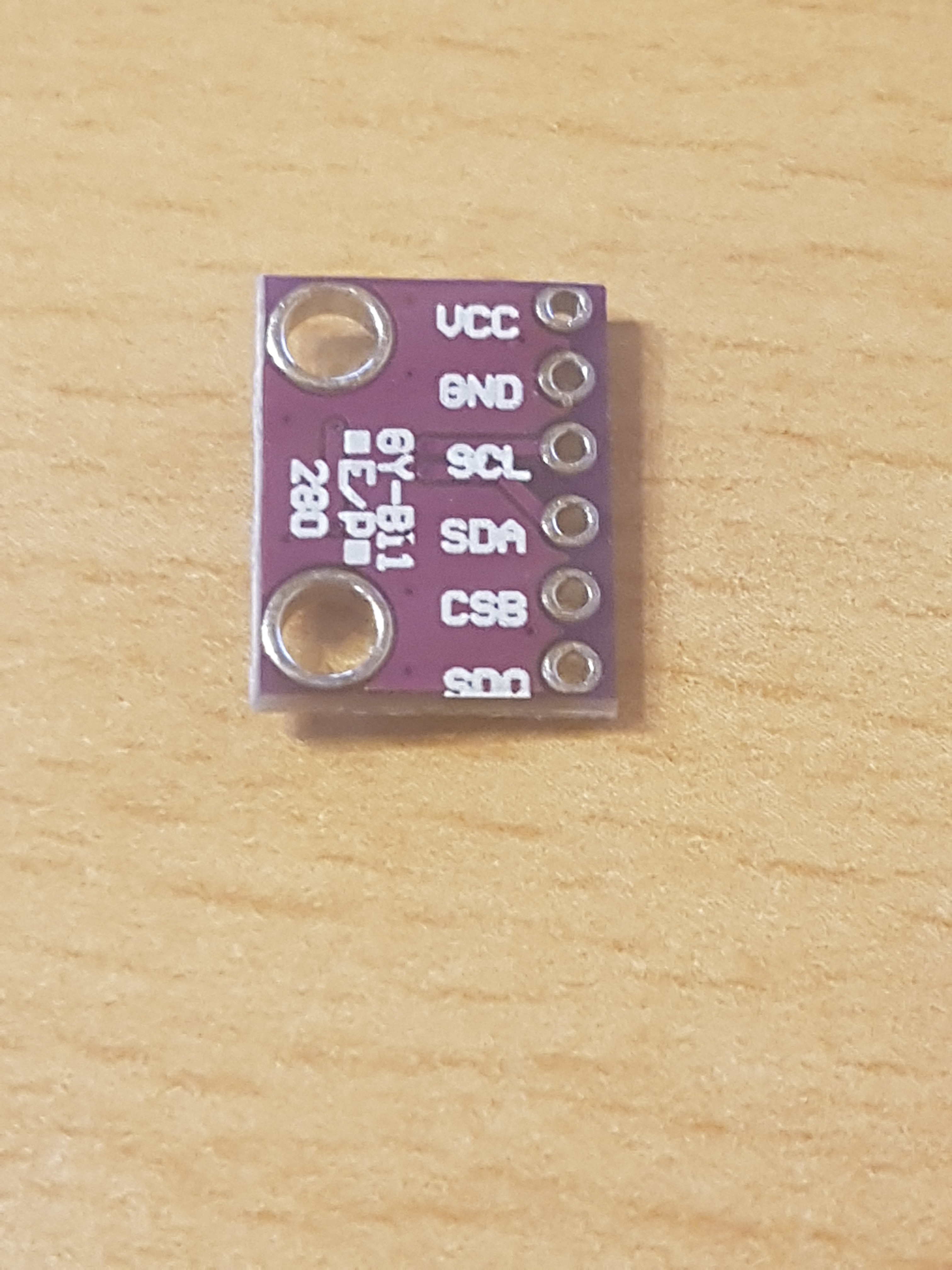
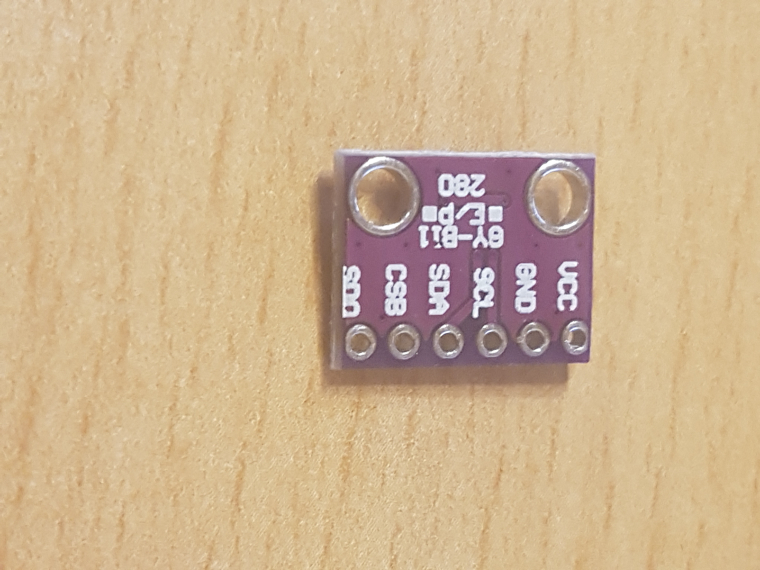
I bought a BME 280 and don´t know how to wire it, because the sensor is different to the normal ones.
-
/***************************************************************************
  This is a library for the BME280 humidity, temperature & pressure sensor
  Designed specifically to work with the BME280 Breakout board
  ----> http://www.adafruit.com/products/2650
  This sketch only supports the I2C bus for connection.
 ***************************************************************************/

#include <Wire.h>
#include "cactus_io_BME280_I2C.h"

// Create the BME280 object
BME280_I2C bme;
// I2C using default 0x77
// or
//BME280_I2C bme(0x76);  // I2C using address 0x76

void setup() {
  Serial.begin(9600);
  Serial.println("Bosch BME280 Barometric Pressure - Humidity - Temp Sensor | cactus.io");

  if (!bme.begin()&&!bmee.begin()) {
    Serial.println("Could not find a valid BME280 sensor, check wiring!");
    while (1);
  }

  bme.setTempCal(-1);

  Serial.println("Pressure\tHumdity\t\tTemp\t\tTemp");

}

void loop() {

    bme.readSensor();

    Serial.print(bme.getPressure_MB()); Serial.print("\t\t");    // Pressure in millibars
    Serial.print(bme.getHumidity()); Serial.print("\t\t");
    Serial.print(bme.getTemperature_C()); Serial.print(" *C\t");
    Serial.print(bme.getTemperature_F()); Serial.println(" *F\t");

    // add a 2 second delay to slow down the output
    delay(2000);
}
i use this code and he can´t find a device:/
-
I bought a BME 280 and don´t know how to wire it, because the sensor is different to the normal ones.
-
/***************************************************************************
  This is a library for the BME280 humidity, temperature & pressure sensor
  Designed specifically to work with the BME280 Breakout board
  ----> http://www.adafruit.com/products/2650
  This sketch only supports the I2C bus for connection.
 ***************************************************************************/

#include <Wire.h>
#include "cactus_io_BME280_I2C.h"

// Create the BME280 object
BME280_I2C bme;
// I2C using default 0x77
// or
//BME280_I2C bme(0x76);  // I2C using address 0x76

void setup() {
  Serial.begin(9600);
  Serial.println("Bosch BME280 Barometric Pressure - Humidity - Temp Sensor | cactus.io");

  if (!bme.begin()&&!bmee.begin()) {
    Serial.println("Could not find a valid BME280 sensor, check wiring!");
    while (1);
  }

  bme.setTempCal(-1);

  Serial.println("Pressure\tHumdity\t\tTemp\t\tTemp");

}

void loop() {

    bme.readSensor();

    Serial.print(bme.getPressure_MB()); Serial.print("\t\t");    // Pressure in millibars
    Serial.print(bme.getHumidity()); Serial.print("\t\t");
    Serial.print(bme.getTemperature_C()); Serial.print(" *C\t");
    Serial.print(bme.getTemperature_F()); Serial.println(" *F\t");

    // add a 2 second delay to slow down the output
    delay(2000);
}
i use this code and he can´t find a device:/
@wardur this is my stripped down code I use to read data from the BME280
Adafruit_BME280 bme; // I2C
uint8_t BME280_i2caddr = 0x76;
..
MyMessage msgHum(CHILD_ID_HUM, V_HUM);
MyMessage msgTemp(CHILD_ID_TEMP, V_TEMP);
MyMessage msgPress(CHILD_ID_BARO, V_PRESSURE);
..
void setup()
{
	Serial.begin(MY_BAUD_RATE);
	metric = getControllerConfig().isMetric;  // was getConfig().isMetric; before MySensors v2.1.1
	Wire.begin(); // Wire.begin(sda, scl)
	if (!bme.begin(BME280_i2caddr)) {
		Serial.println("Could not find a valid BME280 sensor, check wiring!");
		while (1);
	}
	// weather monitoring
	Serial.println("-- Weather Station Scenario --");
	Serial.println("forced mode, 1x temperature / 1x humidity / 1x pressure oversampling,");
	Serial.println("filter off");
	bme.setSampling(Adafruit_BME280::MODE_FORCED,
		Adafruit_BME280::SAMPLING_X1, // temperature
		Adafruit_BME280::SAMPLING_X1, // pressure
		Adafruit_BME280::SAMPLING_X1, // humidity
		Adafruit_BME280::FILTER_OFF,
		Adafruit_BME280::STANDBY_MS_1000);
	// suggested rate is 1/60Hz (1m)


}
void loop()
{
	bme.takeForcedMeasurement();
	float HUM = bme.readHumidity();
	float TEMP = bme.readTemperature();
	float BARO = bme.readPressure() / 100;
	send(msgHum.set(HUM, 2));
	send(msgTemp.set(TEMP, 2));
	send(msgPress.set(BARO, 1));

}


Hello! It looks like you're interested in this conversation, but you don't have an account yet.
Getting fed up of having to scroll through the same posts each visit? When you register for an account, you'll always come back to exactly where you were before, and choose to be notified of new replies (either via email, or push notification). You'll also be able to save bookmarks and upvote posts to show your appreciation to other community members.
With your input, this post could be even better 💗
Register Login