Skip to content
  • MySensors
  • OpenHardware.io
  • Categories
  • Recent
  • Tags
  • Popular
Skins
  • Light
  • Brite
  • Cerulean
  • Cosmo
  • Flatly
  • Journal
  • Litera
  • Lumen
  • Lux
  • Materia
  • Minty
  • Morph
  • Pulse
  • Sandstone
  • Simplex
  • Sketchy
  • Spacelab
  • United
  • Yeti
  • Zephyr
  • Dark
  • Cyborg
  • Darkly
  • Quartz
  • Slate
  • Solar
  • Superhero
  • Vapor

  • Default (No Skin)
  • No Skin
Collapse
Brand Logo
D

DanieleF

@DanieleF
About
Posts
22
Topics
6
Shares
0
Groups
0
Followers
0
Following
0

Posts

Recent Best Controversial

  • Ethernet gateway and receive function
    D DanieleF

    This is the full code, in my previous message I tried simplifing it and I missed a variable declaration:

    #define MY_DEBUG
    //#define MY_DEBUG_DETAIL
    
    #define MY_GATEWAY_W5100
    
    #define MY_RF24_CS_PIN 3
    #define MY_RF24_IRQ_PIN 2
    #define MY_RX_MESSAGE_BUFFER_FEATURE 6
    
    #define MY_IP_ADDRESS 192,168,1,20
    #define MY_IP_GATEWAY_ADDRESS 192,168,1,1
    #define MY_IP_SUBNET_ADDRESS 255,255,255,0
    #define MY_PORT 5003
    #define MY_MAC_ADDRESS 0xDE, 0xAD, 0xBE, 0xEF, 0xFE, 0xED
    
    #if defined(MY_USE_UDP)
    #include <EthernetUdp.h>
    #endif
    #include <Ethernet.h>
    
    #define CHILD_ID_LIGHT 1
    
    #include <MyRF24_P2_GW.h>
    #include <MySensors.h>
    
    MyMessage msgLIGHT(CHILD_ID_LIGHT, V_STATUS);
    
    
    #define BUTTON_UP A4
    #define BUTTON_DW A5
    
    #include <Bounce2.h>
    Bounce debounceUp = Bounce(); 
    Bounce debounceDw = Bounce();
    
    bool statoLuci = 1;
    const byte numReed = 4;
    const byte pinReed[numReed] = {A0,A1,A2,A3};
    const byte pinRelay[numReed] = {5,6,7,8};
    bool statoReed[numReed];


    void setup()
    {
    
    //  request(CHILD_ID_LIGHT, V_STATUS);
    
      debounceUp.attach(BUTTON_UP, INPUT_PULLUP);
      debounceUp.interval(5);
      debounceDw.attach(BUTTON_DW, INPUT_PULLUP);
      debounceDw.interval(5);
    
      for (int i=0; i<numReed; i++){
        pinMode(pinReed[i], INPUT_PULLUP);
        statoReed[i] = 0;
        pinMode(pinRelay[i], OUTPUT);
      }
    
    }
    
    void presentation()
    {
    
      present(CHILD_ID_LIGHT, S_BINARY, "P2 Luci Armadio");
    
    }
    
    void loop() {
    
      debounceUp.update();
      debounceDw.update();
      
      if ( debounceUp.fell() ) {
        Serial.println("UP");
      }
      if ( debounceDw.fell() ) {
        Serial.println("DOWN");
      }
      
    
      for (int i=0; i<numReed; i++){
        if (statoLuci){
          statoReed[i] = digitalRead(pinReed[i]);
          digitalWrite(pinRelay[i], statoReed[i]);
        }
        else
          digitalWrite(pinRelay[i], 0);
    
        #ifdef MY_DEBUG_DETAIL
        Serial.print("Reed ");
        Serial.print(i);
        Serial.print(" : ");
        Serial.println(statoReed[i]);
        #endif
      }
    
      #ifdef MY_DEBUG_DETAIL
      Serial.println("****************");
      wait(1000);
      #endif
      
    }
    
    /*
    void receive(const MyMessage &message)
    {
    
      if (message.destination == 0 && message.type == V_STATUS && message.sensor == CHILD_ID_LIGHT && !message.isAck()) {
        #ifdef MY_DEBUG
        Serial.println("*** Receiving ***");
        #endif
        statoLuci = message.getBool();
      }
    
    }
    */
    

    MyRF24_2_GW.h contains simply some common defines I use for all the nodes connected to this GW:

    #define MY_RADIO_NRF24
    #define MY_RF24_DATARATE   RF24_250KBPS
    #define MY_RF24_CHANNEL 115
    
    #ifndef MY_RF24_PA_LEVEL
    #define MY_RF24_PA_LEVEL   RF24_PA_HIGH
    #endif
    
    #ifndef MY_PARENT_NODE_ID
    #define MY_PARENT_NODE_ID 0
    #define MY_PARENT_NODE_IS_STATIC
    #endif
    
    Troubleshooting

  • Ethernet gateway and receive function
    D DanieleF

    Sorry for the late response, I've been away for a few days.
    The debug output looks very odd to me:

    4850944 MCO:BGN-Q-,REL=255,VER=2.3.1
    4850945 5,VER=2.3.1
    4850945 MCO:BGN:INIT GW,CP=RNNGA-Q-,REL=255,VER=2.3.1
    4850945 MCO:BGN:INIT GW,CP=RNNGA-Q-,REL=255,VER=2.3.1
    4850945 5,VER=2.3.1
    4850945 MCO:BGN:INIT GW,CP=RNNGA-Q-,REL=255,VER=2.3.1
    4850945 MCO:BGN:INIT GW,CP=RNNGA-Q-,REL=255,VER=2.3.1
    4850945 4850944 MCO:BGN:INIT GW,CP=RNNGA-Q-,REL=255,VER=2.3.1
    4850945 MDO:BGN:INIT GW,CP=RNNGA-Q-,REL=255,VER=2.3.1
    4850945 MCO:BGN:INIT GW,CP=RNNGA-Q-,REL=255,VER=2.3.1
    4850945 MCO:BGN:INIT GW,CP=RNNGA-Q-,REL=255,VER=2.3.1
    4850945 MDO:BGN:INIT GW,CP=RNNGA-Q-,REL=255,VER=2.3.1
    4850944 MCO:BGN:INIT GW,CP=RNNGA-Q-,REL=255,VER=2.3.1
    4850945 MDO:BGN:INIT GW,CP=RNNGA-Q-,REL=255,VER=2.3.1
    4850945 MCO:BGN:INIT GW,CP=RNNGA-Q-,REL=255,VER=2.3.1
    4850945 MCO:BGN:INIT GW,CP=RNNGA-Q-,REL=255,VER=2.3.1
    4850945 MDO:BGN:INIT GW,CP=RNNGA-Q-,REL=255,VER=2.3.1
    4850944 MCO:BGN:INIT GW,CP=RNNGA-Q-,REL=255,VER=2.3.1
    4850945 MDO:BGN:INIT GW,CP=RNNGA-Q-,REL=255,VER=2.3.1
    4850945 MCO:BGN:INIT GW,CP=RNNGA-Q-,REL=255,VER=2.3.1
    4850945 MCO:BGN:INIT GW,CP=RNNGA-Q-,REL=255,VER=2.3.1
    4850945 MDO:BGN:INIT GW,CP=RNNGA-Q-,REL=255,VER=2.3.1
    4850944 MCO:BGN:INIT GW,CP=RNNGA-Q-,REL=255,VER=2.3.1
    4850945 MDO:BGN:INIT GW,CP=RNNGA-Q-,REL=255,VER=2.3.1
    4850945 MCO:BGN:INIT GW,CP=RNNGA-Q-,REL=255,VER=2.3.1
    4850945 MCO:BGN:INIT GW,CP=RNNGA-Q-,REL=255,VER=2.3.1
    4850945 MDO:BGN:INIT GW,CP=RNNGA-Q-,REL=255,VER=2.3.1
    4850944 MCO:BGN:INIT GW,CP=RNNGA-Q-,REL=255,VER=2.3.1
    4850945 MDO:BGN:INIT GW,CP=RNNGA-Q-,REL=255,VER=2.3.1
    4850945 MCO:BGN:INIT GW,CP=RNNGA-Q-,REL=255,VER=2.3.1
    4850945 MCO:BGN:INIT GW,CP=RNNGA-Q-,REL=255,VER=2.3.1
    4850945 MDO:BGN:INIT GW,CP=RNNGA-Q-,REL=255,VER=2.3.1
    4850944 MCO:BGN:INIT GW,CP=RNNGA-Q-,REL=255,VER=2.3.1
    4850945 MDO:BGN:INIT GW,CP=RNNGA-Q-,REL=255,VER=2.3.1
    4850945 MCO:BGN:INIT GW,CP=RNNGA-Q-,REL=255,VER=2.3.1
    4850945 MCO:BGN:INIT GW,CP=RNNGA-Q-,REL=255,VER=2.3.1
    4850945 MDO:BGN:INIT GW,CP=RNNGA-Q-,REL=255,VER=2.3.1
    4850944 MCO:BGN:INIT GW,CP=RNNGA-Q-,REL=255,VER=2.3.1
    4850945 MDO:BGN:INIT GW,CP=RNNGA-Q-,REL=255,VER=2.3.1
    4850945 MCO:BGN:INIT GW,CP=RNNGA-Q-,REL=255,VER=2.3.1
    4850945 MCO:BGN:INIT GW,CP=RNNGA-Q-,REL=255,VER=2.3.1
    4850945 MDO:BGN:INIT GW,CP=RNNGA-Q-,REL=255,VER=2.3.1
    4850944 MCO:BGN:INIT GW,CP=RNNGA-Q-,REL=255,VER=2.3.1
    4850945 MDO:BGN:INIT GW,CP=RNNGA-Q-,REL=255,VER=2.3.1
    4850945 MCO:BGN:INIT GW,CP=RNNGA-Q-,REL=255,VER=2.3.1
    4850945 MCO:BGN:INIT GW,CP=RNNGA-Q-,REL=255,VER=2.3.1
    4850945 ```
    Troubleshooting

  • Ethernet gateway and receive function
    D DanieleF

    The code is really basic, taken from the ethernet gw template simply adding the receive function:

    
    #define MY_DEBUG
    
    #define MY_GATEWAY_W5100
    
    #define MY_RF24_CS_PIN 3
    #define MY_RF24_IRQ_PIN 2
    #define MY_RX_MESSAGE_BUFFER_FEATURE 6
    
    #define MY_IP_ADDRESS 192,168,1,20
    #define MY_IP_GATEWAY_ADDRESS 192,168,1,1
    #define MY_IP_SUBNET_ADDRESS 255,255,255,0
    #define MY_PORT 5003
    #define MY_MAC_ADDRESS 0xDE, 0xAD, 0xBE, 0xEF, 0xFE, 0xED
    
    #if defined(MY_USE_UDP)
    #include <EthernetUdp.h>
    #endif
    #include <Ethernet.h>
    
    #define CHILD_ID_LIGHT 1
    
    #include <MyRF24_P2_GW.h>
    #include <MySensors.h>


    void setup()
    {
    
    }
    
    void presentation()
    {
    
      present(CHILD_ID_LIGHT, S_BINARY, "P2 Luci Armadio");
    
    }
    
    void loop() {
    
      
    }
    
    void receive(const MyMessage &message)
    {
    
      if (message.type == V_STATUS && message.sensor == CHILD_ID_LIGHT && !message.isAck()) {
        #ifdef MY_DEBUG
        Serial.println("*** Receiving ***");
        #endif
        statoLuci = message.getBool();
      }
    
    }
    
    Troubleshooting

  • Ethernet gateway and receive function
    D DanieleF

    I have an ethernet gw based on Arduino Uno + W5100, working as expected.
    I tried to add an actuator (a simple relay), thus I added the usual "receive" function to the script, but at this point the ethernet stopped sending messages to others nodes.

    I tried filtering the destination, sensors type etc. but it still doesn't work.
    I suppose I should "forward" the messages manually in my receive function, correct?
    Does someone have a working example?

    Thanks
    Daniele

    Troubleshooting

  • NRF24 transport status not initialized
    D DanieleF

    @tekka my setup is quite simple:

    
    void setup() {
    
      wdt_disable();
    
      pinMode(RAIN_D_PIN, INPUT_PULLUP);
    //  pinMode(REED_PIN, INPUT_PULLUP);
    
      pinMode(VELUX_UP_PIN, OUTPUT);
      pinMode(VELUX_DOWN_PIN, OUTPUT);
    
      digitalWrite(VELUX_UP_PIN, RELAY_OFF);
      digitalWrite(VELUX_DOWN_PIN, RELAY_OFF);
    
      sensors.begin();
      if (!sensors.getAddress(ds18Addr, 0)) 
        Serial.println("************** Unable to find address for Device 0"); 
    
      sensors.setResolution(ds18Addr, 11);
    
      wdt_enable(WDTO_8S);
    
    }
    

    the only driver I use is the one from DallasTemperature library, which I used also in other nodes without any issue.
    This evening I'll try removong it to see if it has any effect.

    Regarding radio issues, this node goes completely offline from that message on: it neither sends nor receive any message.

    Troubleshooting

  • NRF24 transport status not initialized
    D DanieleF

    Hi, I prepared a new node with Arduino Nano (clone) and NRF24.
    Everything seems to work, the node connects to the network and sends the presentation info, but then I receive this in the serial log:

    MCO:BGN:INIT OK,TSP=0
    

    which using the parser translates into:

    Core initialized, transport status 0, (1=initialized, 0=not initialized, NA=not available)
    

    I never had this kind of error with my other node, could someone point me to the meaning of this message (how can it be "not initialized" if it successfully sent the all the presentation messages?) or to the possible cause?
    This is the complete log:

    2093 TSF:MSG:SEND,21-21-0-0,s=255,c=3,t=24,pt=1,l=1,sg=0,ft=1,st=OK:1
    2103 TSF:MSG:READ,0-0-21,s=255,c=3,t=25,pt=1,l=1,sg=0:1
    2108 TSF:MSG:PONG RECV,HP=1
    2111 TSM:UPL:OK
    2112 TSM:READY:ID=21,PAR=0,DIS=1
    2117 TSF:MSG:SEND,21-21-0-0,s=255,c=3,t=15,pt=6,l=2,sg=0,ft=0,st=OK:0100
    2124 TSF:MSG:READ,0-0-21,s=255,c=3,t=15,pt=6,l=2,sg=0:0100
    2131 TSF:MSG:SEND,21-21-0-0,s=255,c=0,t=18,pt=0,l=5,sg=0,ft=0,st=OK:2.3.1
    2140 TSF:MSG:SEND,21-21-0-0,s=255,c=3,t=6,pt=1,l=1,sg=0,ft=0,st=OK:0
    2338 TSF:MSG:READ,0-0-21,s=255,c=3,t=6,pt=0,l=1,sg=0:M
    2343 TSF:MSG:ACK REQ
    2347 TSF:MSG:SEND,21-21-0-0,s=255,c=3,t=6,pt=0,l=1,sg=0,ft=0,st=OK:M
    2356 TSF:MSG:SEND,21-21-0-0,s=255,c=3,t=11,pt=0,l=20,sg=0,ft=0,st=OK:P2 - Velux Cameretta
    2366 TSF:MSG:SEND,21-21-0-0,s=255,c=3,t=12,pt=0,l=3,sg=0,ft=0,st=OK:1.0
    2374 TSF:MSG:SEND,21-21-0-0,s=1,c=0,t=10,pt=0,l=10,sg=0,ft=0,st=OK:P2 Pioggia
    2384 TSF:MSG:SEND,21-21-0-0,s=2,c=0,t=6,pt=0,l=21,sg=0,ft=0,st=OK:OUT Temperatura tetto
    2395 TSF:MSG:SEND,21-21-0-0,s=3,c=0,t=5,pt=0,l=18,sg=0,ft=0,st=OK:P2 Velux Cameretta
    2405 TSF:MSG:SEND,21-21-0-0,s=4,c=0,t=3,pt=0,l=15,sg=0,ft=0,st=OK:P2 Velux Status
    2412 MCO:REG:REQ
    2415 TSF:MSG:SEND,21-21-0-0,s=255,c=3,t=26,pt=1,l=1,sg=0,ft=0,st=OK:2
    2422 TSF:MSG:READ,0-0-21,s=255,c=3,t=27,pt=1,l=1,sg=0:1
    2427 MCO:PIM:NODE REG=1
    2429 MCO:BGN:STP
    2436 MCO:BGN:INIT OK,TSP=0
    2441 TSF:MSG:SEND,21-21-0-0,s=1,c=1,t=6,pt=1,l=1,sg=0,ft=0,st=OK:0
    

    I tried changing the NRF24 with another one which works on another node, I tried changing the IRQ pin, or disabling the IRQ, but still the same errors.

    Thanks
    Daniele

    Troubleshooting

  • Receive queued mensajes after sleep
    D DanieleF

    I never used openhab, but your description makes me think about the way your sensor sleeps.
    Are you using sleep or smart sleep?
    If you want to achieve what you described you should use the second one, which informs the controller that the node is awake.

    Development

  • Node stops receiving after some time when using MY_RX_MESSAGE_BUFFER_FEATURE
    D DanieleF

    It works like a charm!
    Thank you for the suggestion, maybe it could be useful to add to the guide on building the ethernet gateway.

    Troubleshooting

  • Node stops receiving after some time when using MY_RX_MESSAGE_BUFFER_FEATURE
    D DanieleF

    An example would be great!
    Thank you very much

    Troubleshooting

  • Node stops receiving after some time when using MY_RX_MESSAGE_BUFFER_FEATURE
    D DanieleF

    @yveaux said in Node stops receiving after some time when using MY_RX_MESSAGE_BUFFER_FEATURE:

    @mathea90 I've used it for over 2 years now on my ethernet gateway and it never failed me.

    Sorry for bringing back an old post, but I tried to enable the messagge buffer on my ethernet gw and I failed due to this error:

    #error RF24 IRQ usage cannot be used with Soft SPI

    My setup is Arduino Uno + W5100 Ethernet Shield + NRF24.
    I'm using soft SPI as explained in the ethernet gw page.

    How did you overcome this problem?
    Thanks
    Daniele

    Troubleshooting

  • Log parser error
    D DanieleF

    It works perfectly now!
    Thanks
    Daniele

    Troubleshooting

  • Log parser error
    D DanieleF

    It's some day that I cannot use the log parser.
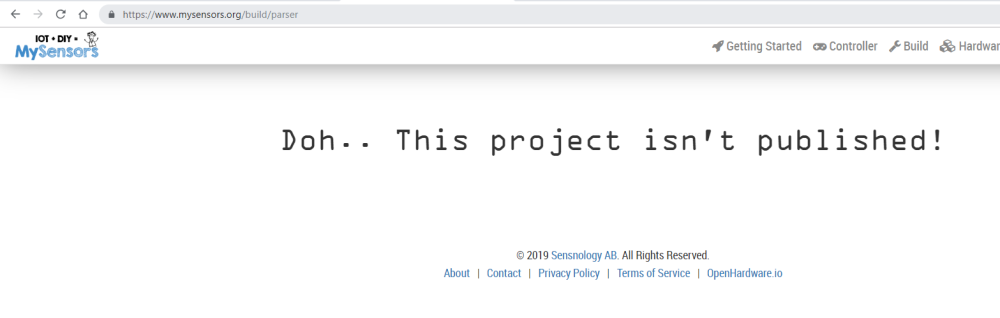
    When I open the page, I receive this error message:
    0_1554033560399_44ff6afe-89a0-4bd6-a0fe-4cf411a61d53-image.png
    Is anybody else having the same issue?

    Troubleshooting

  • Recompiling for different channels
    D DanieleF

    Sorry, my mystake!!!
    Pro mini!

    Development mysbootloader

  • Recompiling for different channels
    D DanieleF

    I'm using the definitions from board.txt available in the repo, simply changing the hex file in the folder where the IDE searches the bootloaders.

    Development mysbootloader

  • Recompiling for different channels
    D DanieleF

    The option I found is here.
    When I run make, only one hex file is generated, so I assumed I have to change it in order to configure che frequency of my arduino.

    BTW, I don't understand your reference to MySensors version: I'm compiling a C program, not ann Arduino sketch (and I haven't seen a place to give the path to MySensors library).

    Development mysbootloader

  • Recompiling for different channels
    D DanieleF

    @rejoe2 I tried this, and I also changed the frequency in the makefile (CLK = ... at line 8), but when I flash this bootloader, the arduino hangs and I'm not able to upload any sketch.

    I'm using a micro 3.3V 8MHz and MYSBootloader DEV branch.

    Development mysbootloader

  • Recompiling for different channels
    D DanieleF

    Could someone help me understading how to recmpile MYSBootloader for a different channel?
    I searched around but I haven't found a guide or anything similar.
    I'm not very familiar with gcc and it's configurations...
    I could work both on a Windows or Linux box, I guess the second could be easier to set up.
    Daniele

    Development mysbootloader

  • ENC28J60 Gateway - no ping
    D DanieleF

    I connected a brand new nano, the ethernet leds are powered when I connect a cable, but the log result is always the same.
    Should I deduct that my shield is defective?

    Hardware

  • ENC28J60 Gateway - no ping
    D DanieleF

    I really think you're right at this point.
    I don't have another arduino to do a test, I'll try in the next few days.
    Thanks

    Hardware

  • ENC28J60 Gateway - no ping
    D DanieleF

    @hard-shovel said in ENC28J60 Gateway - no ping:

    ENC28J60

    I tried conneting +5V, GND, then 10-10, 11-11, 12-12, 13-13, RST-RST, but with the same result.
    The odd thing is that I cannot see any led turning on on the shield (neither using it as a shield, neither with external connections).

    Hardware
  • Login

  • Don't have an account? Register

  • Login or register to search.
  • First post
    Last post
0
  • MySensors
  • OpenHardware.io
  • Categories
  • Recent
  • Tags
  • Popular