
Raspberry Pi gateway + hass.io + MQTT + MySensors
-
@monte, I'm seeing that a HA update is available. Since I'm using HA via docker the following applies to update.
$ sudo docker pull homeassistant/home-assistant:latest
To be on the safe side I'd like to backup my HA and/or RPi first to prevent me from losing all my settings. In your experience what's the most convenient for doing this. I did make a clone from the sd card a few weeks ago but it's not the most labour efficient method, do you make regular backups? -
@monte, I'm seeing that a HA update is available. Since I'm using HA via docker the following applies to update.
$ sudo docker pull homeassistant/home-assistant:latest
To be on the safe side I'd like to backup my HA and/or RPi first to prevent me from losing all my settings. In your experience what's the most convenient for doing this. I did make a clone from the sd card a few weeks ago but it's not the most labour efficient method, do you make regular backups?@Sebex if you installed Hassio with provided script then you can find your Home Assistant config folder in
/usr/share/hassio. You can also change this path to your liking in/etc/hassio.jsonconfig file.
To backup all of your HA settings and setups you need to just copy this folder. That's why I like idea of using Docker. You can lose all your RPi setup, but if you fave backed up your config folder it only matter of half an hour to recover everything from scratch. -
@Sebex if you installed Hassio with provided script then you can find your Home Assistant config folder in
/usr/share/hassio. You can also change this path to your liking in/etc/hassio.jsonconfig file.
To backup all of your HA settings and setups you need to just copy this folder. That's why I like idea of using Docker. You can lose all your RPi setup, but if you fave backed up your config folder it only matter of half an hour to recover everything from scratch.@monte can you copy this over ssh? tried using scp -r, which seemed to work but can't find the downloaded files somehow.
And in regard of updating HA(within UI I see that and update is available). I can just stop the container and run a new updated version right, without it affecting config files?Furthermore I wondered about HA speed, if I want to look at the history of a sensors it takes quite a while to poll the data and create a graph. Is this subsequent to HA/rpi or can the performance be improved somehow?
-
@monte can you copy this over ssh? tried using scp -r, which seemed to work but can't find the downloaded files somehow.
And in regard of updating HA(within UI I see that and update is available). I can just stop the container and run a new updated version right, without it affecting config files?Furthermore I wondered about HA speed, if I want to look at the history of a sensors it takes quite a while to poll the data and create a graph. Is this subsequent to HA/rpi or can the performance be improved somehow?
@Sebex yes, you can copy config over ssh, like every other directory you have access to. It should be located from where you were running scp command. Do you use linux on your desktop/laptop?
You can also create samba share on your raspberry with location of your config folder, and then access it from any pc on the network, it makes easy to config your HA.Yes you can pull newer version of a container and all your config files should be in place.
Can't help you with UI speed, sorry. You can try to find anything on HA forum, maybe there is someone who made some performance tests.
-
@Sebex yes, you can copy config over ssh, like every other directory you have access to. It should be located from where you were running scp command. Do you use linux on your desktop/laptop?
You can also create samba share on your raspberry with location of your config folder, and then access it from any pc on the network, it makes easy to config your HA.Yes you can pull newer version of a container and all your config files should be in place.
Can't help you with UI speed, sorry. You can try to find anything on HA forum, maybe there is someone who made some performance tests.
@monte thanks it worked using Samba. I use ssh from my mac. I also found the copied folder that I tried to copy with
scp:laughing:I tried pulling a new version but that didn't seem to work so easily. It seems to get stuck on initialising after which it shuts down and tries again. The logs show the error below, it's missing a file/directory. Not sure how to solve this.
2020/01/23 17:13:08 [error] 7#7: *1 open() "/usr/share/www/api/websocket" failed (2: No such file or directory), client: ::ffff:192.168.178.16, server: , request: "GET /api/websocket HTTP/1.1", host: "192.168.178.27:8123"
2020/01/23 17:13:15 [error] 7#7: *3 open() "/usr/share/www/api/websocket" failed (2: No such file or directory), client: ::ffff:192.168.178.16, server: , request: "GET /api/websocket HTTP/1.1", host: "192.168.178.27:8123"
2020/01/23 17:13:21 [error] 7#7: *4 open() "/usr/share/www/api/websocket" failed (2: No such file or directory), client: ::ffff:192.168.178.16, server: , request: "GET /api/websocket HTTP/1.1", host: "192.168.178.27:8123"
What I did to update the container is stop all running containers, and remove images, and re-execute the cmd for homeassistant again. Was this the way to go?
Also is there a way to copy the RPi settings? I quite often get a broken pipe and not sure what's causing it. I am thinking about reflashing the SD and reinstating the settings.
-
@monte thanks it worked using Samba. I use ssh from my mac. I also found the copied folder that I tried to copy with
scp:laughing:I tried pulling a new version but that didn't seem to work so easily. It seems to get stuck on initialising after which it shuts down and tries again. The logs show the error below, it's missing a file/directory. Not sure how to solve this.
2020/01/23 17:13:08 [error] 7#7: *1 open() "/usr/share/www/api/websocket" failed (2: No such file or directory), client: ::ffff:192.168.178.16, server: , request: "GET /api/websocket HTTP/1.1", host: "192.168.178.27:8123"
2020/01/23 17:13:15 [error] 7#7: *3 open() "/usr/share/www/api/websocket" failed (2: No such file or directory), client: ::ffff:192.168.178.16, server: , request: "GET /api/websocket HTTP/1.1", host: "192.168.178.27:8123"
2020/01/23 17:13:21 [error] 7#7: *4 open() "/usr/share/www/api/websocket" failed (2: No such file or directory), client: ::ffff:192.168.178.16, server: , request: "GET /api/websocket HTTP/1.1", host: "192.168.178.27:8123"
What I did to update the container is stop all running containers, and remove images, and re-execute the cmd for homeassistant again. Was this the way to go?
Also is there a way to copy the RPi settings? I quite often get a broken pipe and not sure what's causing it. I am thinking about reflashing the SD and reinstating the settings.
@Sebex the best way to backup your Raspbian setup is to copy whole SD card to image file, apparently you can use mac's Disk Utility to do this.
I'm not sure how home assistant supervisor pulls and runs docker container, but it seems that it have some trouble. You can run setup script once again, maybe it will help.
For future, you should update via web ui. I've read that hassio images are updated later than standalone home assistant once. So you won't get update right away, when new version of HA is released. But when new version of hassio is released it will suggest you to update in Hass.io dashboard.
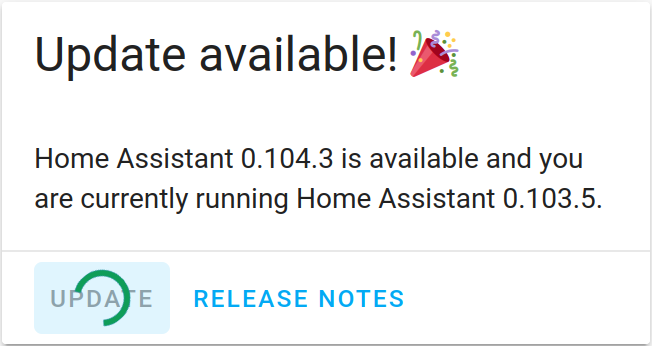
-
@monte I had tried that one before, but know that it's useful to restore the file doesn't seem to work and I get an error. Perhaps bad luck, will have to try again.
In the meantime while reinstating HA I'm facing quite some difficulties in getting HA to install within docker via link. I'm facing a broken pipe quite often and have no idea how to fix this, tried different ssh settings but when installing HA it seems to get stuck at
pi@raspberrypi:~ $ sudo su
root@raspberrypi:/home/pi# curl -sL https://raw.githubusercontent.com/home-assistant/hassio-installer/master/hassio_install.sh | bash -s -- -m raspberrypi3
[Warning] No NetworkManager support on host.
[Info] Install supervisor Docker container
packet_write_wait: Connection to fe80::233b:33dc:8d3e:eb75%en0 port 22: Broken pipe
Yesterday it did pass but then hassio had troubles successfully launching. It got the below error in the logs, not sure what caused it.
error /usr/share/www/manifest.jsonNow trying to install hassio again, any suggestions are welcome. I'm going to try a different SD card and wifi connection instead of ethernet.
-
@monte I had tried that one before, but know that it's useful to restore the file doesn't seem to work and I get an error. Perhaps bad luck, will have to try again.
In the meantime while reinstating HA I'm facing quite some difficulties in getting HA to install within docker via link. I'm facing a broken pipe quite often and have no idea how to fix this, tried different ssh settings but when installing HA it seems to get stuck at
pi@raspberrypi:~ $ sudo su
root@raspberrypi:/home/pi# curl -sL https://raw.githubusercontent.com/home-assistant/hassio-installer/master/hassio_install.sh | bash -s -- -m raspberrypi3
[Warning] No NetworkManager support on host.
[Info] Install supervisor Docker container
packet_write_wait: Connection to fe80::233b:33dc:8d3e:eb75%en0 port 22: Broken pipe
Yesterday it did pass but then hassio had troubles successfully launching. It got the below error in the logs, not sure what caused it.
error /usr/share/www/manifest.jsonNow trying to install hassio again, any suggestions are welcome. I'm going to try a different SD card and wifi connection instead of ethernet.
@Sebex you could try connecting a monitor and keyboard directly to RPi and running install script. Broken pipe means something is braking connection to ssh host. I can't really say what it is for sure, maybe just excessive CPU usage, or running out of ram? But that would be strange.
If you have backed up you HA setup, why not just flash clean Raspbian image and run install script on it. If it worked before, I don't see why it wouldn't work again.And that piece of output you wrote, suggests you are using IPv6 for ssh connection. Is there any reason for this?
-
-
@monte good idea I'll try that.
Regarding IPv6, there's no particular reason and I haven't noticed actually. I have been using
ssh pi@raspberrypi.localto login, I can also connect directly to the IPv4 address. You think that can resolve it? -
@Sebex okay, I've googled for you, there are plenty reportings of similar issues. It may be caused by insufficient power supply. On intense CPU usage it may lack current. Try getting better power supply rated at 2.5A, 5V.
-
-
Here I am again, I had a second node running and tried to make it battery powered but it doesn't seem to work on battery only. Anyway along the process of finding out what the problem is I encountered two other problems:
- I'm getting a
ERROR accept: Bad file descriptorin mysgw, only 1 instance seems to be running though:
Any suggestions on this?
PID TTY STAT TIME COMMAND 1 ? Ss 0:05 /sbin/init 2 ? S 0:00 [kthreadd] 3 ? I< 0:00 [rcu_gp] 4 ? I< 0:00 [rcu_par_gp] 8 ? I< 0:00 [mm_percpu_wq] 9 ? S 0:00 [ksoftirqd/0] 10 ? I 0:05 [rcu_sched] 11 ? I 0:00 [rcu_bh] 12 ? S 0:00 [migration/0] 13 ? S 0:00 [cpuhp/0] 14 ? S 0:00 [cpuhp/1] 15 ? S 0:00 [migration/1] 16 ? S 0:00 [ksoftirqd/1] 17 ? I 0:00 [kworker/1:0-mm_percpu_wq] 19 ? S 0:00 [cpuhp/2] 20 ? S 0:00 [migration/2] 21 ? S 0:00 [ksoftirqd/2] 23 ? I< 0:00 [kworker/2:0H-kblockd] 24 ? S 0:00 [cpuhp/3] 25 ? S 0:00 [migration/3] 26 ? S 0:00 [ksoftirqd/3] 29 ? S 0:00 [kdevtmpfs] 30 ? I< 0:00 [netns] 33 ? I 0:00 [kworker/2:1-mm_percpu_wq] 34 ? S 0:00 [khungtaskd] 35 ? S 0:00 [oom_reaper] 36 ? I< 0:00 [writeback] 37 ? S 0:00 [kcompactd0] 38 ? I< 0:00 [crypto] 39 ? I< 0:00 [kblockd] 40 ? S 0:00 [watchdogd] 42 ? I< 0:00 [rpciod] 43 ? I< 0:00 [kworker/u9:0-hci0] 44 ? I< 0:00 [xprtiod] 47 ? S 0:00 [kswapd0] 48 ? I< 0:00 [nfsiod] 59 ? I< 0:00 [kthrotld] 60 ? I< 0:00 [iscsi_eh] 61 ? I< 0:00 [dwc_otg] 62 ? I< 0:00 [DWC Notificatio] 63 ? S< 0:04 [vchiq-slot/0] 64 ? S< 0:01 [vchiq-recy/0] 65 ? S< 0:00 [vchiq-sync/0] 66 ? S 0:00 [vchiq-keep/0] 67 ? S< 0:00 [SMIO] 69 ? S 0:00 [irq/86-mmc1] 71 ? I< 0:00 [mmc_complete] 74 ? I< 0:01 [kworker/0:1H-mmc_complete] 75 ? I< 0:00 [kworker/1:1H-kblockd] 76 ? S 0:00 [jbd2/mmcblk0p2-] 77 ? I< 0:00 [ext4-rsv-conver] 79 ? I< 0:00 [ipv6_addrconf] 96 ? I< 0:00 [kworker/3:2H-kblockd] 101 ? S 0:00 [irq/166-usb-001] 114 ? Ss 0:01 /lib/systemd/systemd-journald 144 ? Ss 0:01 /lib/systemd/systemd-udevd 159 ? S< 0:00 [SMIO] 181 ? I< 0:00 [mmal-vchiq] 183 ? I< 0:00 [mmal-vchiq] 185 ? I< 0:00 [mmal-vchiq] 198 ? I< 0:00 [cfg80211] 202 ? I< 0:00 [brcmf_wq/mmc1:0] 203 ? S 0:00 [brcmf_wdog/mmc1] 247 ? Ssl 0:00 /lib/systemd/systemd-timesyncd 290 ? Ss 0:55 /usr/local/bin/mysgw -q 295 ? Ss 0:00 /usr/sbin/thd --triggers /etc/triggerhappy/triggers.d/ --socket /run/thd.socket --user nobody --deviceglob /dev/input/ev 297 ? Ss 0:00 /usr/sbin/cron -f 298 ? Ss 0:01 avahi-daemon: running [raspberrypi.local] 299 ? Ss 0:01 /usr/bin/dbus-daemon --system --address=systemd: --nofork --nopidfile --systemd-activation --syslog-only 303 ? Ssl 0:00 /usr/sbin/rsyslogd -n -iNONE 311 ? Ss 0:00 /lib/systemd/systemd-logind 315 ? SNs 0:00 /usr/sbin/alsactl -E HOME=/run/alsa -s -n 19 -c rdaemon 319 ? Ss 0:00 /sbin/wpa_supplicant -u -s -O /run/wpa_supplicant 344 ? SLsl 0:00 /usr/sbin/rngd -r /dev/hwrng 356 ? S 0:00 avahi-daemon: chroot helper 395 ? I 0:00 [kworker/2:3-mm_percpu_wq] 456 ? Ss 0:00 /sbin/dhcpcd -q -w 461 ? Ss 0:01 /usr/sbin/nmbd --foreground --no-process-group 463 ? Ssl 0:00 /usr/bin/python3 /usr/share/unattended-upgrades/unattended-upgrade-shutdown --wait-for-signal 466 ? Ssl 0:02 /usr/bin/containerd 467 ? Ssl 0:11 /usr/bin/dockerd -H fd:// --containerd=/run/containerd/containerd.sock 468 tty1 Ss+ 0:00 /sbin/agetty -o -p -- \u --noclear tty1 linux 469 ? Ss 0:00 /usr/sbin/sshd -D 479 ? S 0:00 /usr/bin/hciattach /dev/serial1 bcm43xx 3000000 flow - b8:27:eb:d7:7e:1b 481 ? I< 0:00 [kworker/u9:2-hci0] 483 ? Ss 0:00 /usr/lib/bluetooth/bluetoothd 489 ? Ss 0:00 sshd: pi [priv] 511 ? Ss 0:01 /lib/systemd/systemd --user 514 ? S 0:00 (sd-pam) 525 ? Ss 0:00 /usr/sbin/smbd --foreground --no-process-group 536 ? R 0:03 sshd: pi@pts/0 539 pts/0 Ss 0:01 -bash 542 ? S 0:00 /usr/sbin/smbd --foreground --no-process-group 543 ? S 0:00 /usr/sbin/smbd --foreground --no-process-group 552 ? S 0:00 /usr/sbin/smbd --foreground --no-process-group 794 ? Ss 0:00 /bin/sh /usr/sbin/hassio-supervisor 821 ? Sl 0:01 docker start --attach hassio_supervisor 873 ? Sl 0:00 containerd-shim -namespace moby -workdir /var/lib/containerd/io.containerd.runtime.v1.linux/moby/af8bfda572398f9806ba54d 890 ? Ss 0:00 s6-svscan -t0 /var/run/s6/services 1045 ? S 0:00 s6-supervise s6-fdholderd 1192 ? Ss 0:00 udevd --daemon 1267 ? S 0:00 s6-supervise supervisor 1271 ? Ssl 0:17 python3 -m supervisor 1354 ? S 0:00 socat UDP-RECVFROM:53,fork UDP-SENDTO:172.30.32.3:53 1398 ? Sl 0:00 containerd-shim -namespace moby -workdir /var/lib/containerd/io.containerd.runtime.v1.linux/moby/21403e3385d0ce05418df7e 1409 ? Sl 0:00 containerd-shim -namespace moby -workdir /var/lib/containerd/io.containerd.runtime.v1.linux/moby/2b6193b6744b35b8d848671 1433 ? Ssl 0:01 coredns -conf /config/corefile 1437 ? Ss 0:00 s6-svscan -t0 /var/run/s6/services 1625 ? S 0:00 s6-supervise s6-fdholderd 1919 ? Ss 0:00 udevd --daemon 1951 ? S 0:00 s6-supervise bridge 1952 ? S 0:00 s6-supervise pulseaudio 1955 ? Ss 0:00 socat UNIX-LISTEN:/data/external/pulse.sock,fork,unlink-early,mode=777 UNIX-CONNECT:/data/internal/pulse.sock 1956 ? S<sl 0:05 pulseaudio --system -vvv 2004 ? Sl 0:00 containerd-shim -namespace moby -workdir /var/lib/containerd/io.containerd.runtime.v1.linux/moby/00ef0f54f7a780be3af62a1 2019 ? Ssl 2:07 /usr/local/bin/python3 -m homeassistant --config /config 2036 ? Ss 0:01 udevd --daemon 2353 ? Sl 0:00 containerd-shim -namespace moby -workdir /var/lib/containerd/io.containerd.runtime.v1.linux/moby/9ca754987ee52a3a48c5290 2369 ? Ss 0:00 /sbin/docker-init -- /init /run.sh 2462 ? S 0:00 s6-svscan -t0 /var/run/s6/services 2487 ? S 0:00 foreground if /etc/s6/init/init-stage2-redirfd foreground if if s6-echo -n -- [s6-init] 2488 ? S 0:00 s6-supervise s6-fdholderd 2499 ? S 0:00 foreground s6-setsid -gq -- with-contenv backtick -D 0 -n S6_LOGGING printcontenv S6_LOGGING importas S 2632 ? S 0:02 /usr/local/bin/python /usr/local/bin/hass-configurator /etc/configurator.conf 2677 ? S 0:02 /usr/sbin/smbd --foreground --no-process-group 2837 ? I< 0:00 [kworker/1:2H] 2854 pts/0 T 0:00 sudo nano mysensors.conf 2859 pts/0 T 0:00 nano mysensors.conf 2903 ? I 0:00 [kworker/u8:2-events_unbound] 2937 ? I< 0:00 [kworker/3:0H] 2939 ? I 0:00 [kworker/3:2-mm_percpu_wq] 2968 ? I 0:00 [kworker/1:2-events] 3008 ? I 0:00 [kworker/u8:0-events_unbound] 3021 ? I< 0:00 [kworker/0:2H] 3022 ? I 0:00 [kworker/0:0-events] 3036 ? I 0:00 [kworker/3:0-events] 3037 ? I< 0:00 [kworker/2:2H] 3043 ? I 0:00 [kworker/0:1-events_power_efficient] 3068 ? I 0:00 [kworker/u8:1-events_unbound] 3070 ? I 0:00 [kworker/2:0-mm_percpu_wq] 3071 ? I< 0:00 [kworker/3:1H-kblockd] 3074 ? I< 0:00 [kworker/0:0H] 3075 ? I 0:00 [kworker/3:1-events] 3076 pts/0 R+ 0:00 ps -ax - I'm getting a


Hello! It looks like you're interested in this conversation, but you don't have an account yet.
Getting fed up of having to scroll through the same posts each visit? When you register for an account, you'll always come back to exactly where you were before, and choose to be notified of new replies (either via email, or push notification). You'll also be able to save bookmarks and upvote posts to show your appreciation to other community members.
With your input, this post could be even better 💗
Register Login