
Sump Pit Monitor
-
Hi All,
I recently replaced my sump pit pump and installed a battery backup pump at the same time. Naturally, when I saw all the alarms available on the backup system, I wanted to integrate them into my home automation system. I also wanted to add a water level sensor to get a better idea of how often the pump ran and also create a water level alarm.
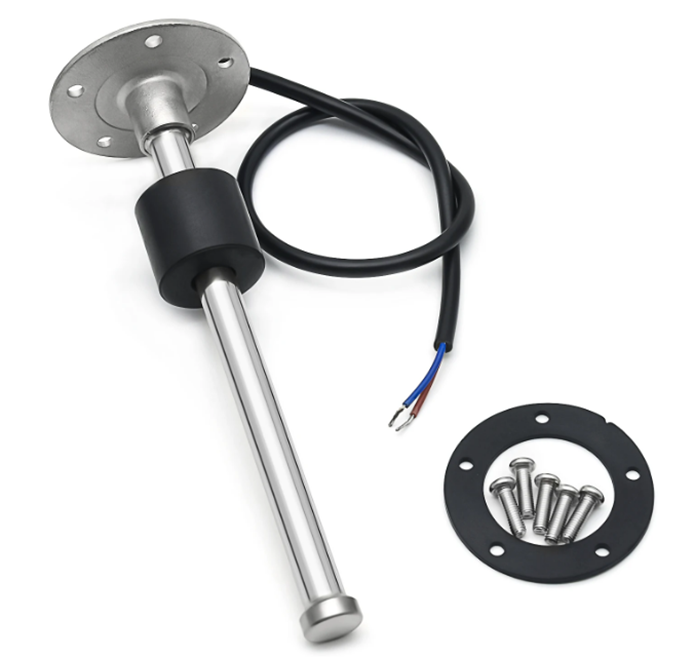
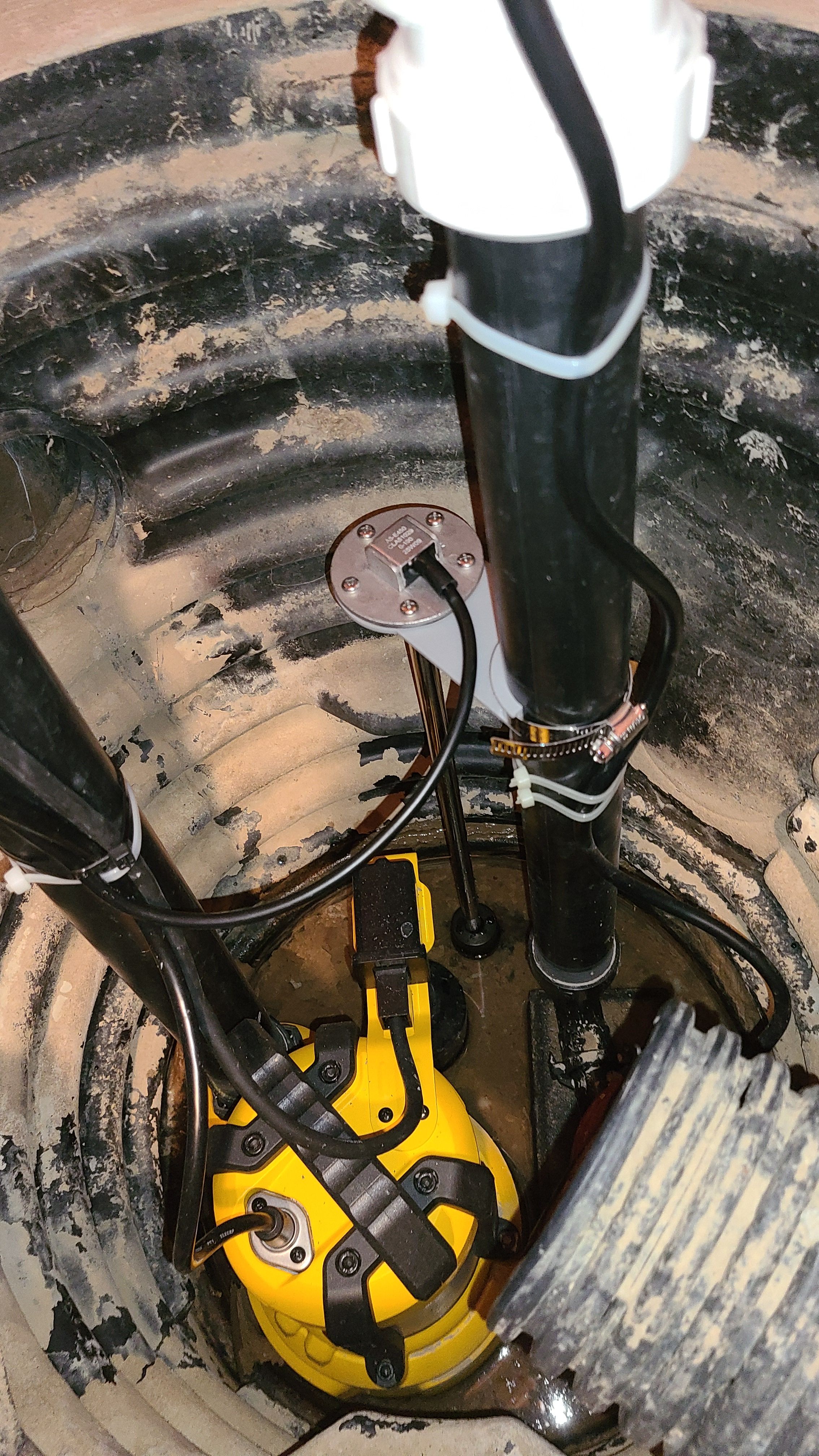
Water level sensor installed.
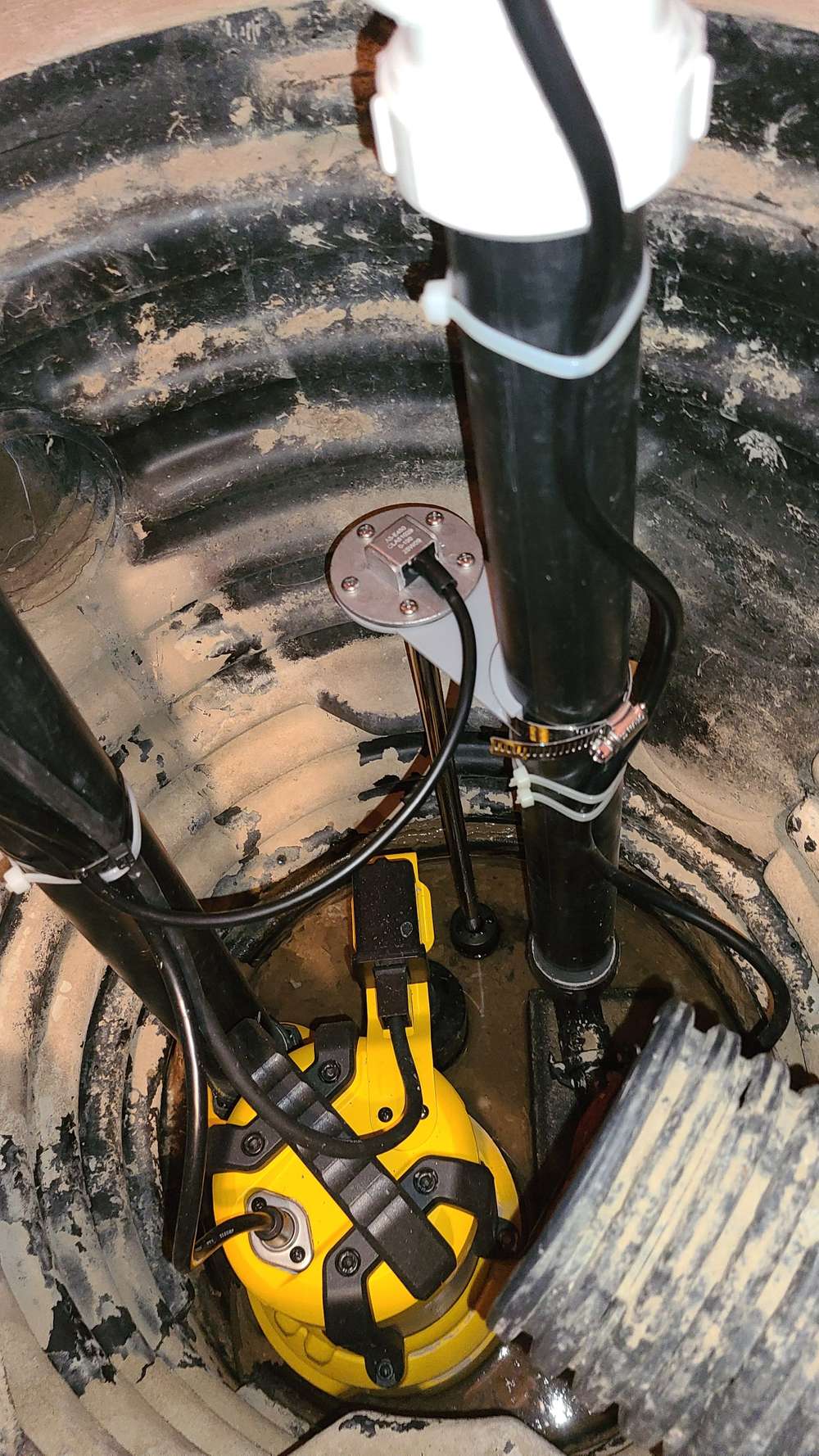
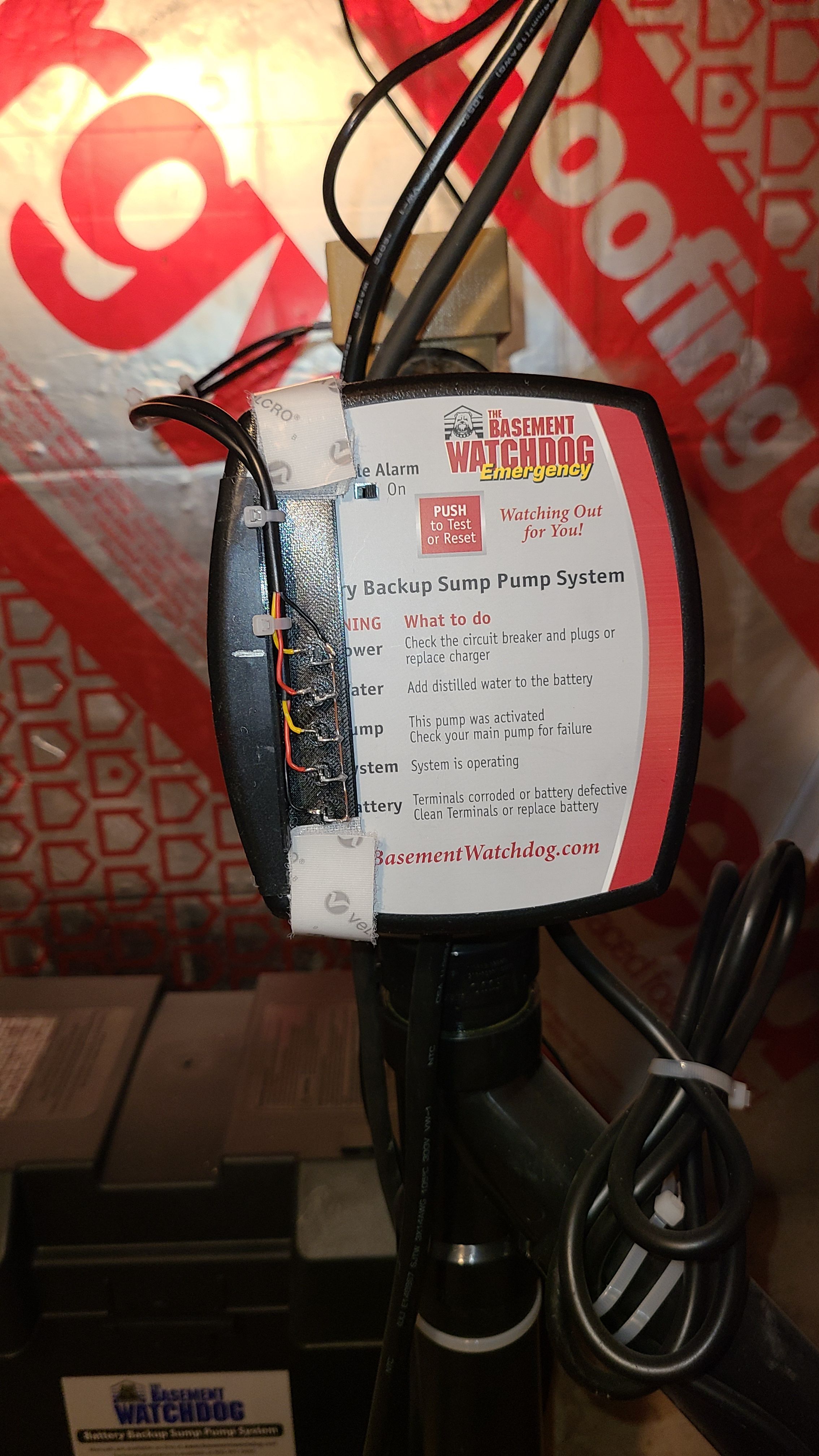
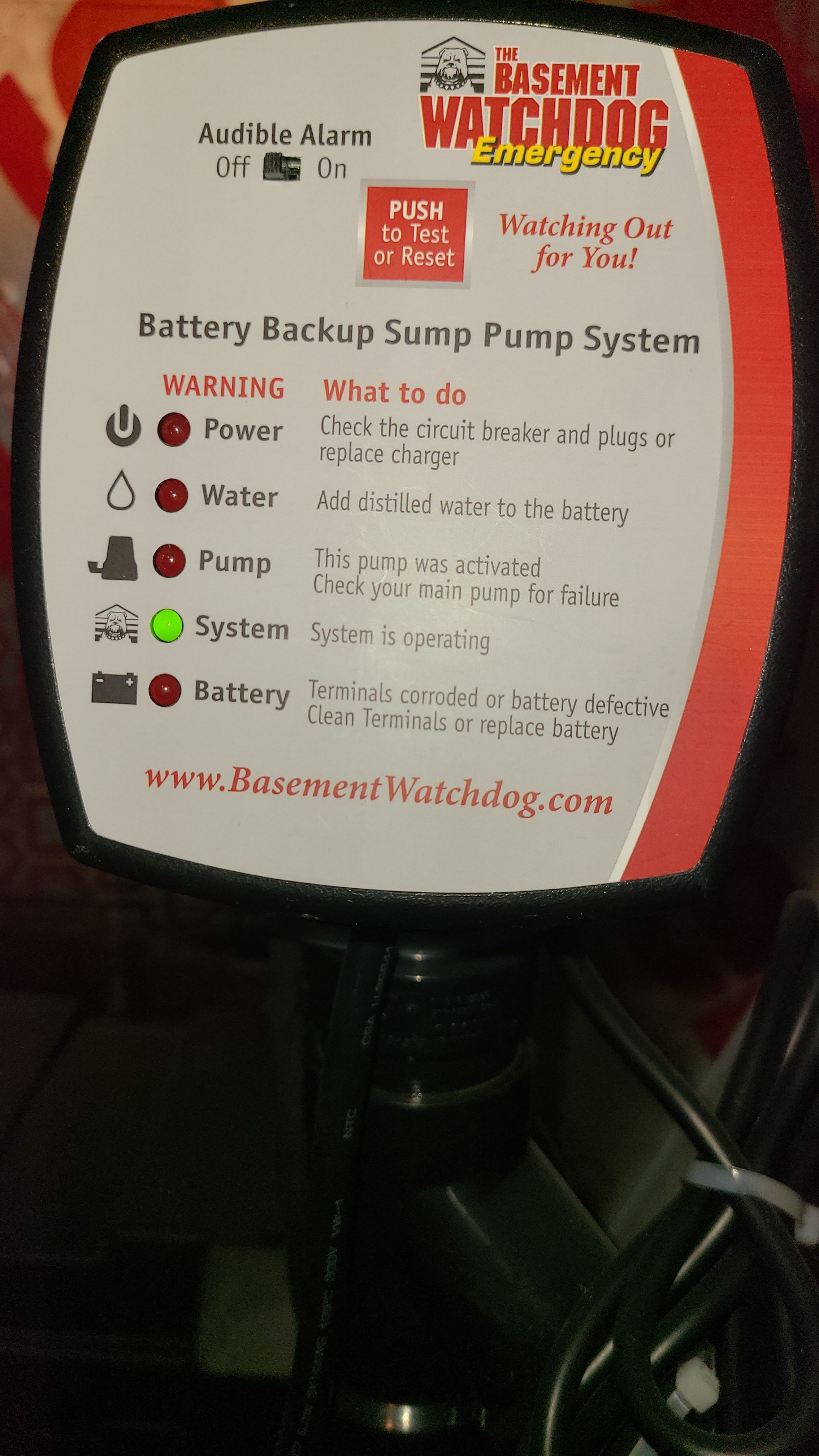
I looked at the backup controller and realised it would be difficult to pull signals from it since it isn't easy to disassemble. So, I opted to used photo transistors to read the state of the alarm LEDs.
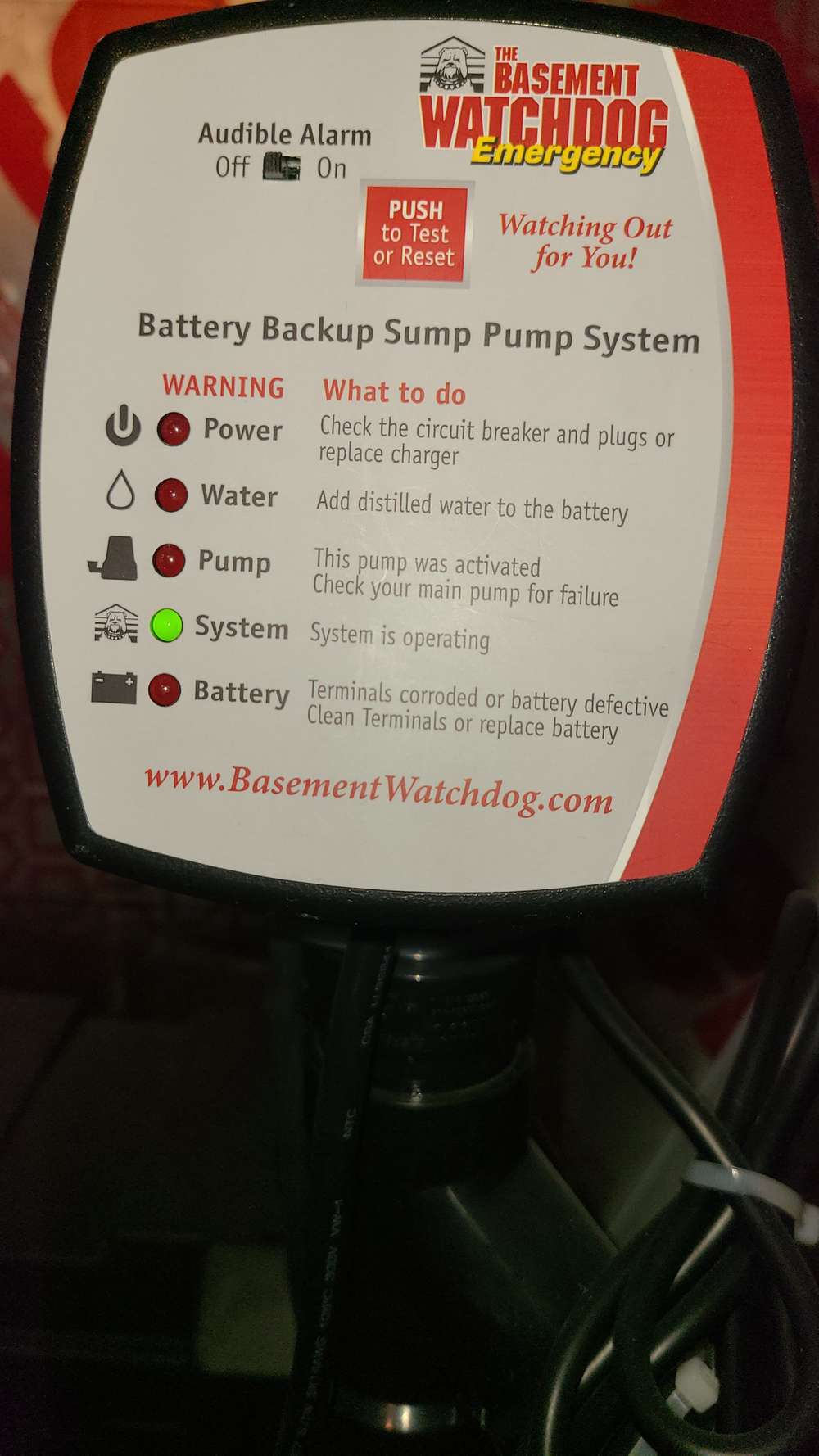
The photo transistors are held in place with velcro strips for easy removal.
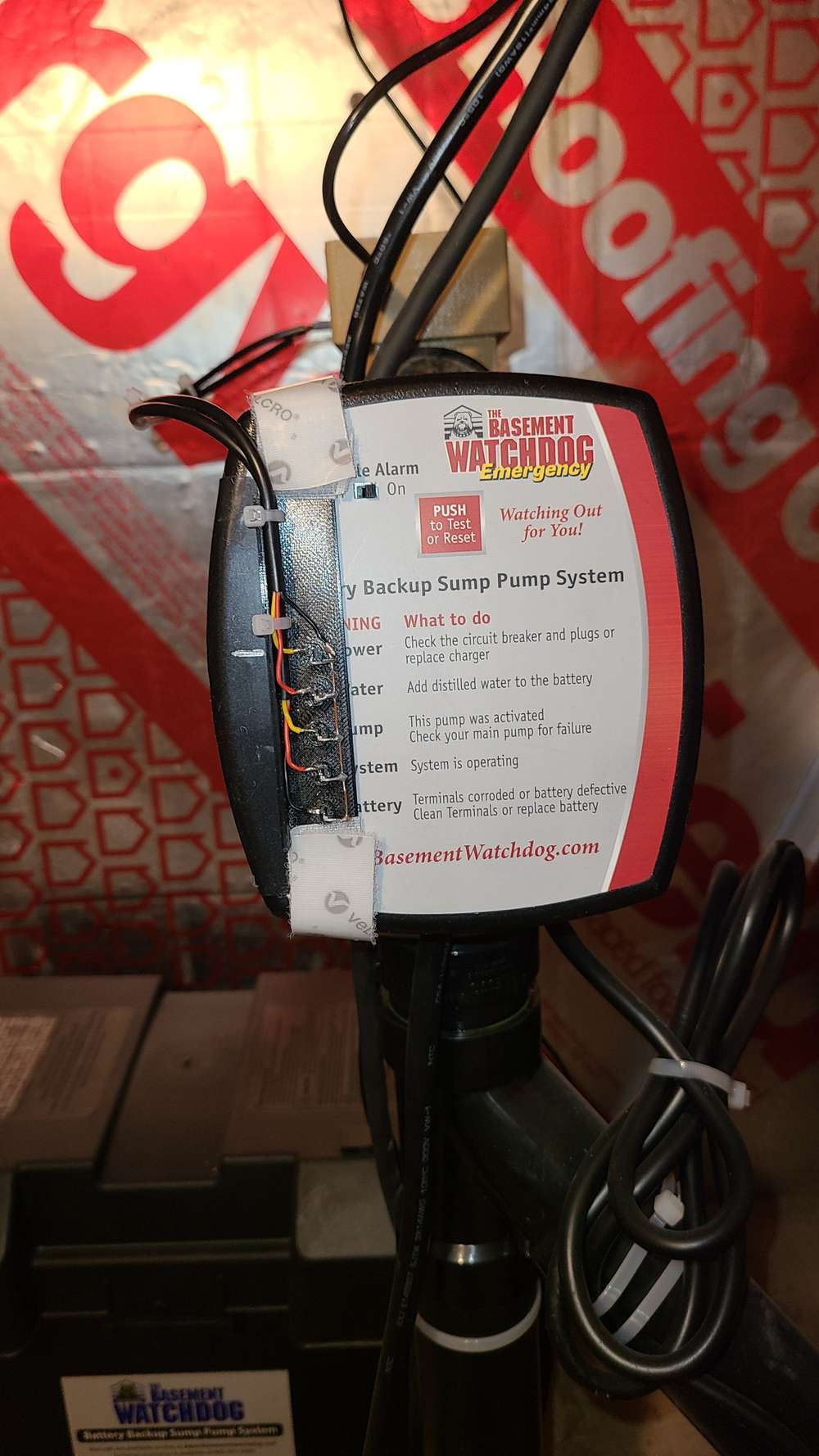
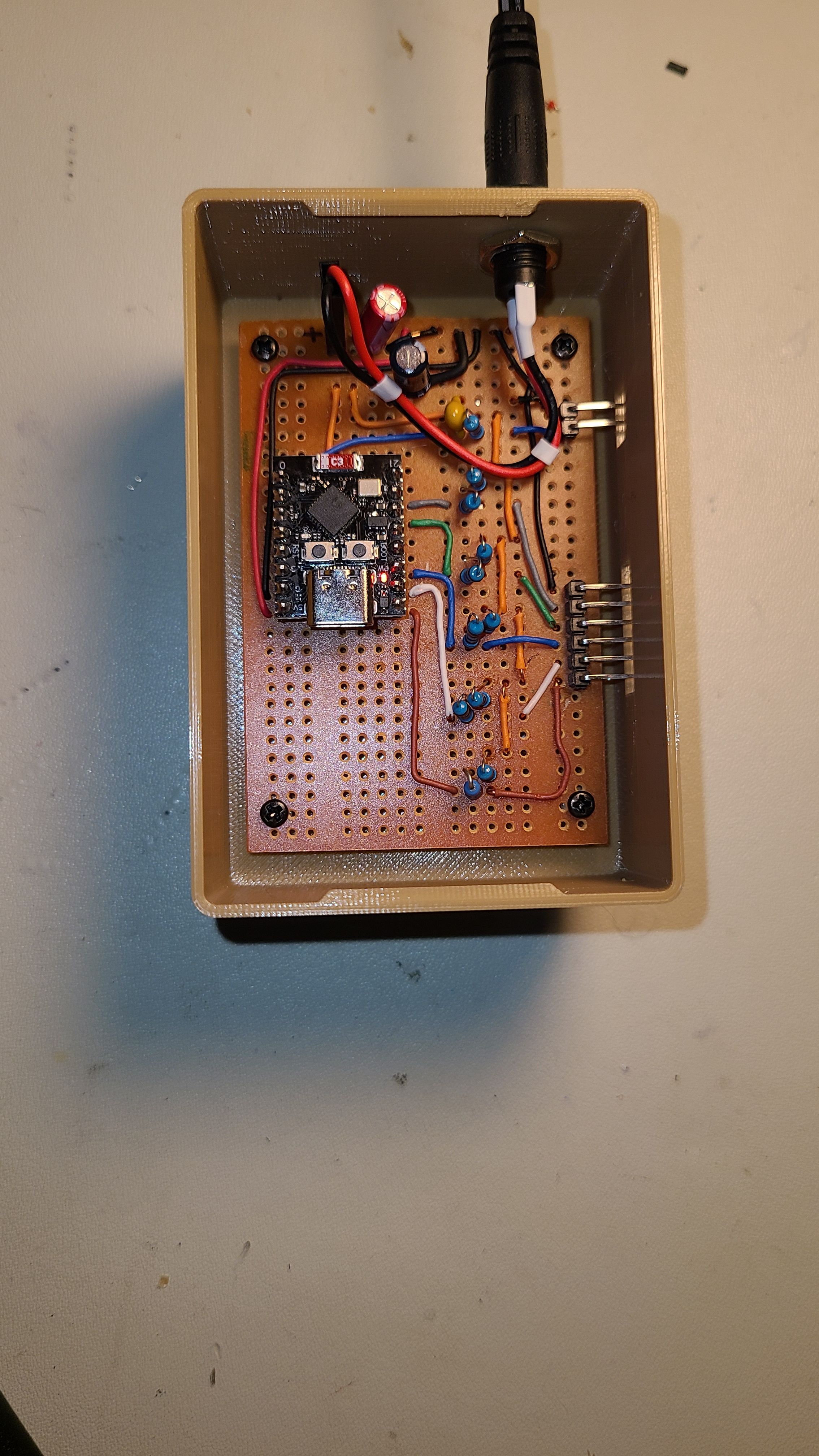
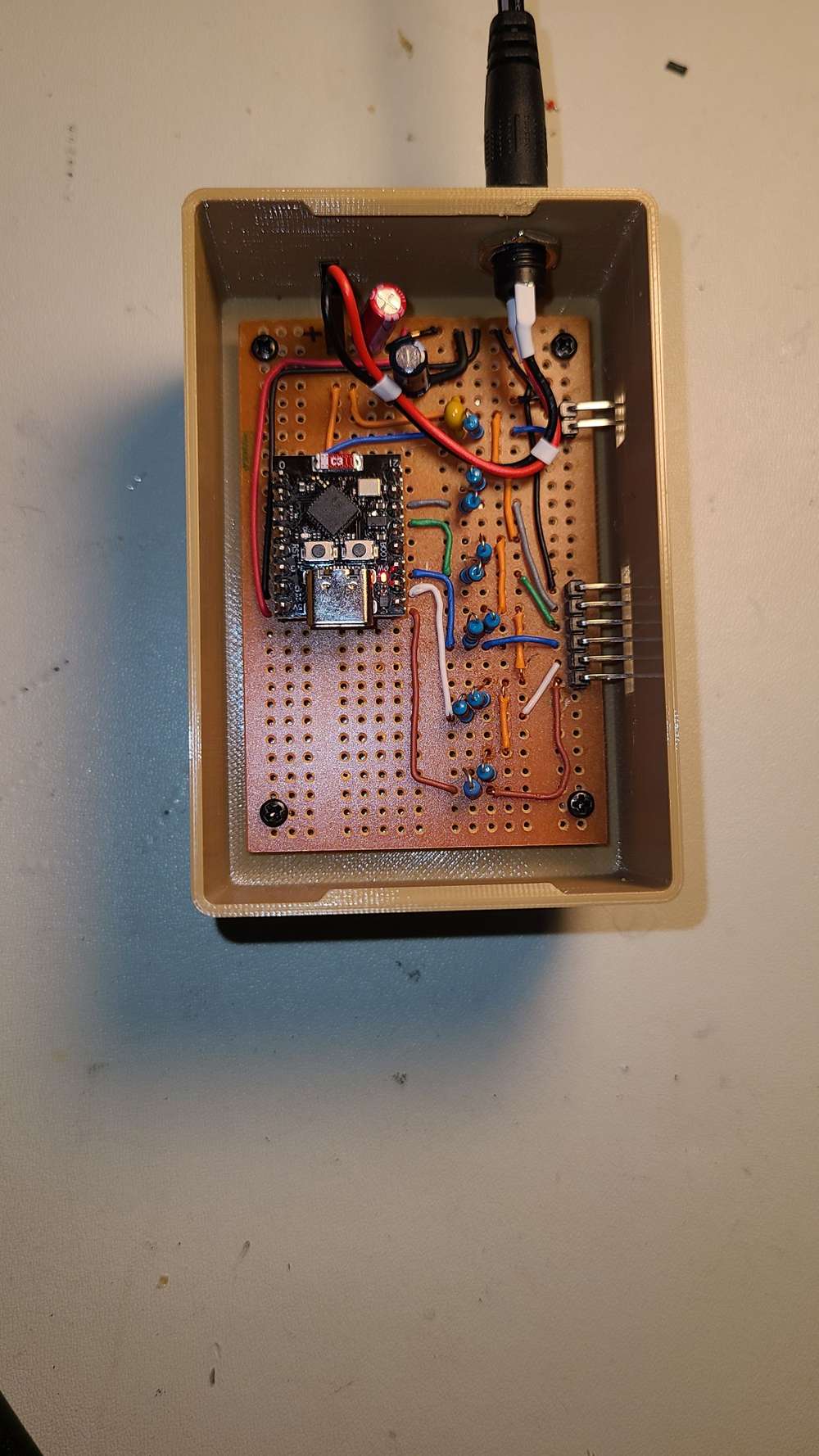
My monitoring node consists of an ESP32C3 Super Mini ucontroller configured with 5 digital input channels and 1 analog channel to read the alarm LEDs and water level. I'm using MQTT, for this project, to send the data to Home Assistant.
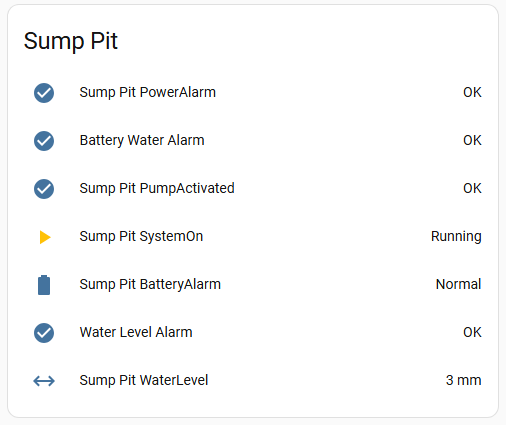
Integrated into Home Assistant
Overall, after a few adjustments, the systems works really well and provides some peace of mind. -
Hi All,
I recently replaced my sump pit pump and installed a battery backup pump at the same time. Naturally, when I saw all the alarms available on the backup system, I wanted to integrate them into my home automation system. I also wanted to add a water level sensor to get a better idea of how often the pump ran and also create a water level alarm.
Water level sensor installed.
I looked at the backup controller and realised it would be difficult to pull signals from it since it isn't easy to disassemble. So, I opted to used photo transistors to read the state of the alarm LEDs.
The photo transistors are held in place with velcro strips for easy removal.
My monitoring node consists of an ESP32C3 Super Mini ucontroller configured with 5 digital input channels and 1 analog channel to read the alarm LEDs and water level. I'm using MQTT, for this project, to send the data to Home Assistant.
Integrated into Home Assistant
Overall, after a few adjustments, the systems works really well and provides some peace of mind. -
I have exactly the same level sensor but not the controller. The level sensor output is essentially a variable resistor. When the float is at the top, the resistance is minimum, at the bottom, maximum. I have the 0-190 ohm sensor.
My "reader" is an ESP-12F (ESP8266). Put a 470 ohm resistor from 3.3V to the Analog input and one of the leads of the sensor and the other lead to ground. The program is Tasmota configured for analog input
I power it with this power supply.
Typically Tasmota devices use the MQTT method of delivering data. and is auto-configured in the Home Assistant controller.
This could could work great with an Arduino in the MySensors eco-sphere. The could would basically be: read analog, send.
-
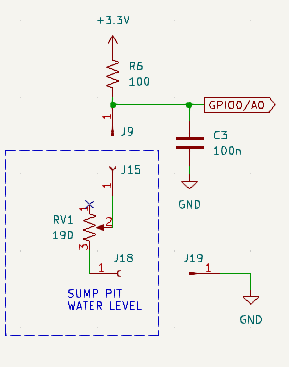
@TheoL Thanks. As @OldSurferDude says, it's an analog sensor I got off AliExpress Fuel level sensor. I chose a 0-190 ohm sensor, 450 mm long. I wired a 100 ohm resistor in series with the sensor and read the voltage with an analog channel. I do a little extra math to linearise the measurement.
I normally use mysensor nodes, but since this one is always on, I tried using MQTT for a change. -
@TheoL Thanks. As @OldSurferDude says, it's an analog sensor I got off AliExpress Fuel level sensor. I chose a 0-190 ohm sensor, 450 mm long. I wired a 100 ohm resistor in series with the sensor and read the voltage with an analog channel. I do a little extra math to linearise the measurement.
I normally use mysensor nodes, but since this one is always on, I tried using MQTT for a change. -
@TheoL that would probably be a hall effect sensor that draws in the microamp range. Per @KevinT 's circuit, it would draw 33mA full and 11.3mA empty, somewhere in between depending on the depth. MySensors and a controller like Home Assistant (with the MySensors Integration) can monitor the battery level as well as the level of the sensor.
-
@TheoL that would probably be a hall effect sensor that draws in the microamp range. Per @KevinT 's circuit, it would draw 33mA full and 11.3mA empty, somewhere in between depending on the depth. MySensors and a controller like Home Assistant (with the MySensors Integration) can monitor the battery level as well as the level of the sensor.
@OldSurferDude So if I get my circuit to work, that would by 22 times less (on average). Well I'm doing too many things at the same time. :)


Hello! It looks like you're interested in this conversation, but you don't have an account yet.
Getting fed up of having to scroll through the same posts each visit? When you register for an account, you'll always come back to exactly where you were before, and choose to be notified of new replies (either via email, or push notification). You'll also be able to save bookmarks and upvote posts to show your appreciation to other community members.
With your input, this post could be even better 💗
Register Login