
GatewayW5100MQTTClient + MY_SIGNING_SOFT + Development Branch + ATMega328 Nano = Sketch Too Large
-
Hi there
Firstly, thanks for all the great info and advice around the place. I've been quite active and successful on the build front since I started here a few weeks ago. Here's my gateway, a remote temp/switch sensor and a combo RGB controller and temp sensor/ir unit. With the exception of the ir stuff, all are working and connected to OpenHAB via Mosquitto.
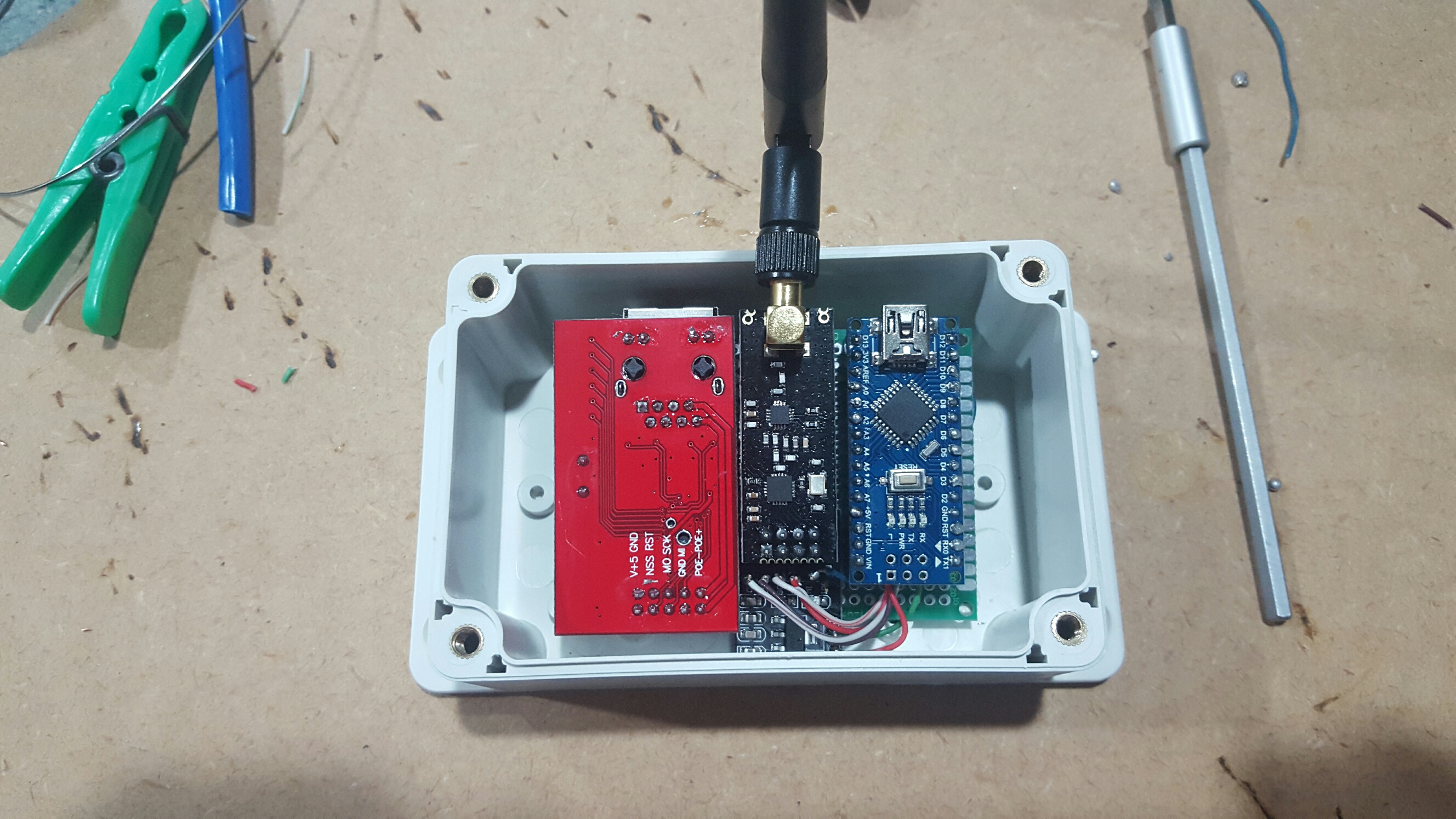
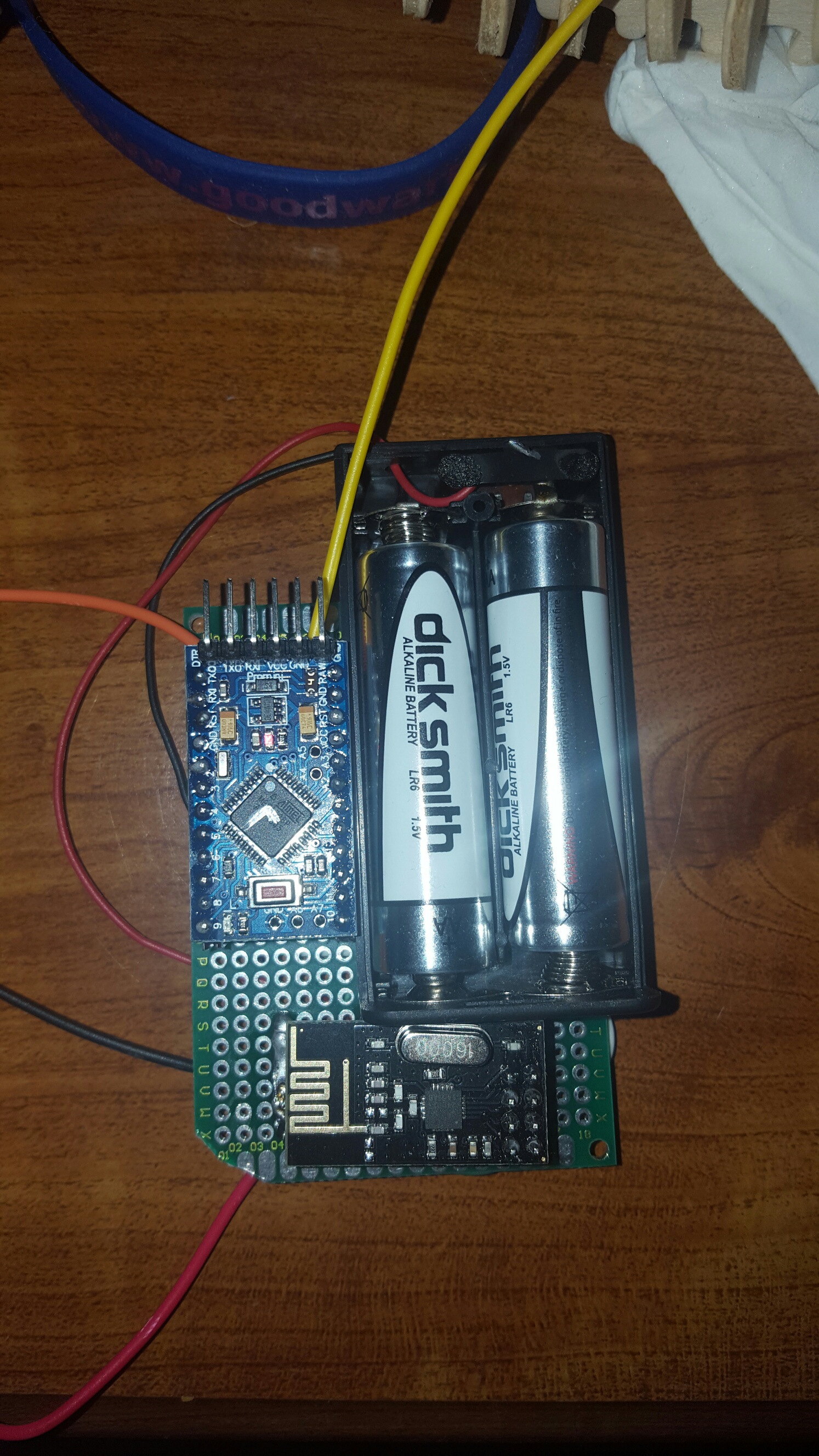
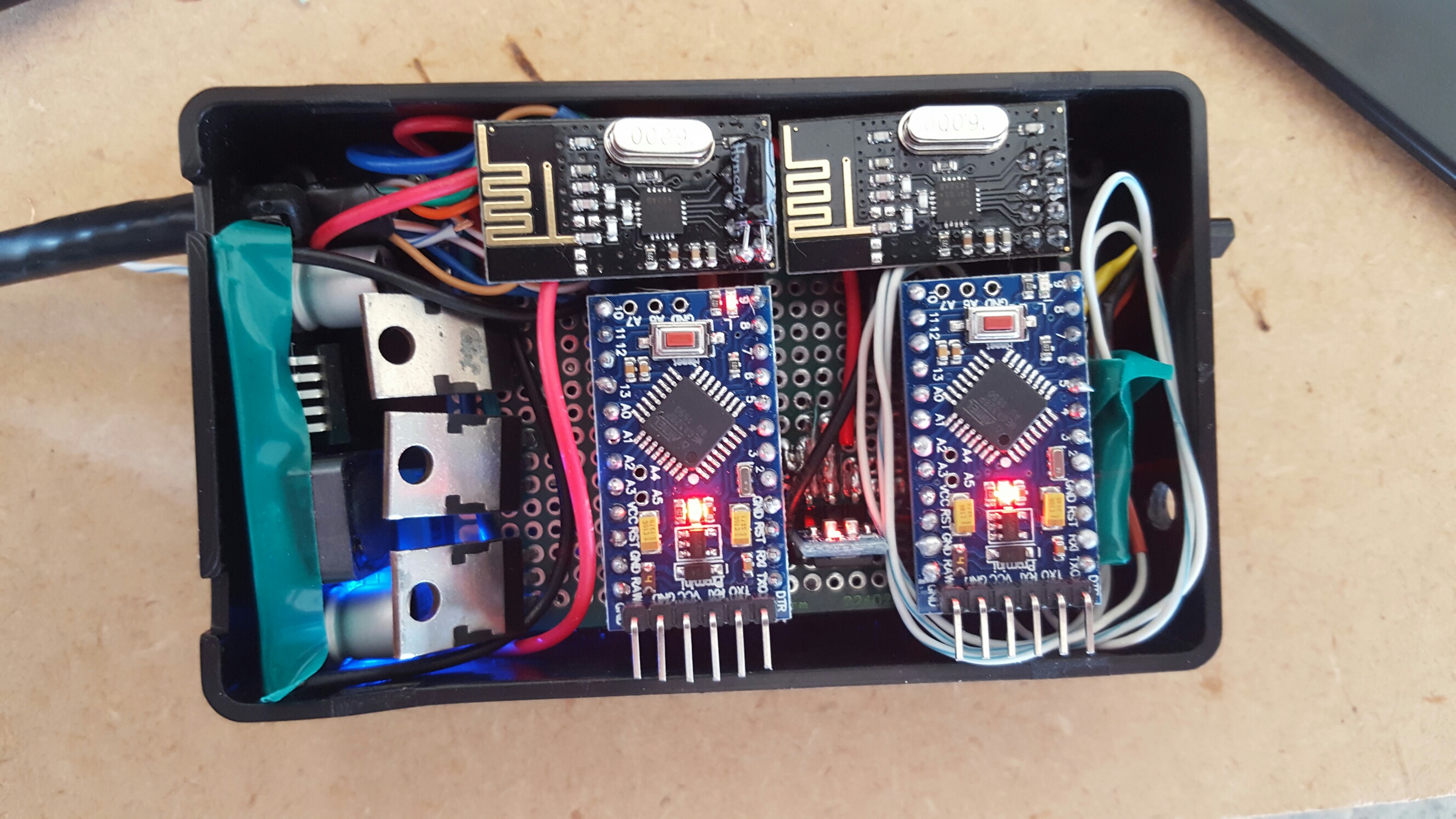
The sensor currently under construction will be smartening up the garage door controller. For this, I'm coming back around and activating Signing. Trouble is, with adding #define MY_SIGNING_SOFT to the stock Dev branch GatewayW5100MQTTClient sketch, I'm getting "Sketch uses 31,070 bytes (101%) of program storage space. Maximum is 30,720 bytes." (MY_DEBUG has been commented out)
I've got all the HMAC personalization done and loaded into the gateway and the sensor. With the gateway missing the MY_SIGNING_SOFT, the sensor reports "Message is not signed, but it should have been! verify fail" when told to do something.
I can't figure out why the gateway is too large for the Nano. Besides configuring SoftSPI and the necessary network connectivity IPs (including a static one on the gateway), I've done nothing else to the sketch. The only hint that I'm not alone with this issue is this quote from Anticimex "Soft signing on master with a ethernet gw will not fit as master looks currently and on a AtMega328" This was here 4 months ago.
Can someone please verify that Soft signing is currently not possible with the MQTT Gateway on the Development branch (2.0.0-beta). If it should be possible, any ideas where I could have gone wrong? (appreciate this is a pretty open question)
Cheers
-
Hi there
Firstly, thanks for all the great info and advice around the place. I've been quite active and successful on the build front since I started here a few weeks ago. Here's my gateway, a remote temp/switch sensor and a combo RGB controller and temp sensor/ir unit. With the exception of the ir stuff, all are working and connected to OpenHAB via Mosquitto.
The sensor currently under construction will be smartening up the garage door controller. For this, I'm coming back around and activating Signing. Trouble is, with adding #define MY_SIGNING_SOFT to the stock Dev branch GatewayW5100MQTTClient sketch, I'm getting "Sketch uses 31,070 bytes (101%) of program storage space. Maximum is 30,720 bytes." (MY_DEBUG has been commented out)
I've got all the HMAC personalization done and loaded into the gateway and the sensor. With the gateway missing the MY_SIGNING_SOFT, the sensor reports "Message is not signed, but it should have been! verify fail" when told to do something.
I can't figure out why the gateway is too large for the Nano. Besides configuring SoftSPI and the necessary network connectivity IPs (including a static one on the gateway), I've done nothing else to the sketch. The only hint that I'm not alone with this issue is this quote from Anticimex "Soft signing on master with a ethernet gw will not fit as master looks currently and on a AtMega328" This was here 4 months ago.
Can someone please verify that Soft signing is currently not possible with the MQTT Gateway on the Development branch (2.0.0-beta). If it should be possible, any ideas where I could have gone wrong? (appreciate this is a pretty open question)
Cheers
@brendanl you just confirmed it yourself :)
The ethernet library, mqtt library, soft spi library and soft signing library all add to the total size and at some point it will become too much for the flash size of the mcu.Since you are so close, (101%) you might be able to find things to remove to get within the size limit, but it will require some creativity and reading up on different guides on the net.
If you post your sketch we might be able to help you.
-
Thanks. As mentioned, sketch is pretty much stock. I'll have a poke around the core code and see if I can't remove something I'm not using - though I'm expecting 'optional' features to be configurable and defaulted to off, so as mentioned, it will take some creativity.
cheers
#include <SPI.h> #define MY_SIGNING_SOFT // Enable debug prints to serial monitor //#define MY_DEBUG // Enables and select radio type (if attached) #define MY_RADIO_NRF24 //#define MY_RADIO_RFM69 #define MY_GATEWAY_MQTT_CLIENT // Set this nodes subscripe and publish topic prefix #define MY_MQTT_PUBLISH_TOPIC_PREFIX "mygateway1-out" #define MY_MQTT_SUBSCRIBE_TOPIC_PREFIX "mygateway1-in" // Set MQTT client id #define MY_MQTT_CLIENT_ID "mysensors-1" // W5100 Ethernet module SPI enable (optional if using a shield/module that manages SPI_EN signal) //#define MY_W5100_SPI_EN 4 // Enable Soft SPI for NRF radio (note different radio wiring is required) // The W5100 ethernet module seems to have a hard time co-operate with // radio on the same spi bus. #if !defined(MY_W5100_SPI_EN) && !defined(ARDUINO_ARCH_SAMD) #define MY_SOFTSPI #define MY_SOFT_SPI_SCK_PIN 14 #define MY_SOFT_SPI_MISO_PIN 16 #define MY_SOFT_SPI_MOSI_PIN 15 #endif // When W5100 is connected we have to move CE/CSN pins for NRF radio #define MY_RF24_CE_PIN 5 #define MY_RF24_CS_PIN 6 // Enable these if your MQTT broker requires usenrame/password //#define MY_MQTT_USER "username" //#define MY_MQTT_PASSWORD "password" // Enable MY_IP_ADDRESS here if you want a static ip address (no DHCP) #define MY_IP_ADDRESS 192,168,1,150 // If using static ip you need to define Gateway and Subnet address as well #define MY_IP_GATEWAY_ADDRESS 192,168,1,254 #define MY_IP_SUBNET_ADDRESS 255,255,255,0 // MQTT broker ip address or url. Define one or the other. //#define MY_CONTROLLER_URL_ADDRESS "m20.cloudmqtt.com" #define MY_CONTROLLER_IP_ADDRESS 192, 168, 1, 100 // The MQTT broker port to to open #define MY_PORT 1883 /* // Flash leds on rx/tx/err #define MY_LEDS_BLINKING_FEATURE // Set blinking period #define MY_DEFAULT_LED_BLINK_PERIOD 300 // Enable inclusion mode #define MY_INCLUSION_MODE_FEATURE // Enable Inclusion mode button on gateway #define MY_INCLUSION_BUTTON_FEATURE // Set inclusion mode duration (in seconds) #define MY_INCLUSION_MODE_DURATION 60 // Digital pin used for inclusion mode button #define MY_INCLUSION_MODE_BUTTON_PIN 3 // Uncomment to override default HW configurations //#define MY_DEFAULT_ERR_LED_PIN 16 // Error led pin //#define MY_DEFAULT_RX_LED_PIN 16 // Receive led pin //#define MY_DEFAULT_TX_LED_PIN 16 // the PCB, on board LED */ #include <Ethernet.h> #include <MySensor.h> void setup() { } void presentation() { // Present locally attached sensors here } void loop() { // Send locally attech sensors data here } -
-
@mfalkvidd thanks again for your thoughts.
I wasn't having much luck reducing things, so came across another cunning plan. Initial info here https://bigdanzblog.wordpress.com/2014/10/23/installing-the-optiboot-loader-on-an-arudino-nano-to-fix-the-watch-dog-timer-wdt-issue
Turn Nano into Uno to free-up more memory (load optiboot bootloader)
- Use Uno as programmer – see here: https://learn.sparkfun.com/tutorials/installing-an-arduino-bootloader
- Upload Examples/AudrinoISP sketch to Uno
- Select type of Board Nano needs to be e.g. Adruino/Genuino Uno
- Select Tools/Burn Bootloader – this loads Uno bootloader into Nano. Behind the scenes, this bootloader is C:\Program Files (x86)\Arduino\hardware\arduino\avr\bootloaders\optiboot\optiboot_atmega328.hex (at least for my IDE setup)
Nano now has 32,256 bytes free instead of 30,720. Plenty enough to store the 31,070 my MQTT/SoftSPI/SigningSoft gateway needs. And after re-running SecurityPersonalizer (because bootloading cleared EEPROM), Signing is now working:
Signing backend: ATSHA204Soft
SHA256: EBB61F82572BBB42676ADA13705C918B05588F926D3E15F58800000000000000
Transmittng nonce
send: 46-46-0-0 s=255,c=3,t=17,pt=6,l=25,sg=0,st=ok:EBB61F82572BBB42676ADA13705C918B05588F926D3E15F588
Signature in message: 0194DB798EFE5B3543EEA0381D7817591E6E5A279A28FC13
Message to process: 002E0E00020131
Current nonce: EBB61F82572BBB42676ADA13705C918B05588F926D3E15F588AAAAAAAAAAAAAA
HMAC: A794DB798EFE5B3543EEA0381D7817591E6E5A279A28FC13A7716480D1820181
Signature OK
read: 0-0-46 s=1,c=0,t=2,pt=0,l=1,sg=0:1Fantastic!
-
@mfalkvidd thanks again for your thoughts.
I wasn't having much luck reducing things, so came across another cunning plan. Initial info here https://bigdanzblog.wordpress.com/2014/10/23/installing-the-optiboot-loader-on-an-arudino-nano-to-fix-the-watch-dog-timer-wdt-issue
Turn Nano into Uno to free-up more memory (load optiboot bootloader)
- Use Uno as programmer – see here: https://learn.sparkfun.com/tutorials/installing-an-arduino-bootloader
- Upload Examples/AudrinoISP sketch to Uno
- Select type of Board Nano needs to be e.g. Adruino/Genuino Uno
- Select Tools/Burn Bootloader – this loads Uno bootloader into Nano. Behind the scenes, this bootloader is C:\Program Files (x86)\Arduino\hardware\arduino\avr\bootloaders\optiboot\optiboot_atmega328.hex (at least for my IDE setup)
Nano now has 32,256 bytes free instead of 30,720. Plenty enough to store the 31,070 my MQTT/SoftSPI/SigningSoft gateway needs. And after re-running SecurityPersonalizer (because bootloading cleared EEPROM), Signing is now working:
Signing backend: ATSHA204Soft
SHA256: EBB61F82572BBB42676ADA13705C918B05588F926D3E15F58800000000000000
Transmittng nonce
send: 46-46-0-0 s=255,c=3,t=17,pt=6,l=25,sg=0,st=ok:EBB61F82572BBB42676ADA13705C918B05588F926D3E15F588
Signature in message: 0194DB798EFE5B3543EEA0381D7817591E6E5A279A28FC13
Message to process: 002E0E00020131
Current nonce: EBB61F82572BBB42676ADA13705C918B05588F926D3E15F588AAAAAAAAAAAAAA
HMAC: A794DB798EFE5B3543EEA0381D7817591E6E5A279A28FC13A7716480D1820181
Signature OK
read: 0-0-46 s=1,c=0,t=2,pt=0,l=1,sg=0:1Fantastic!
-
Thanks for that. However, the above output was at the sensor end, not the gateway. I've got all I was going to get out of the gateway.
Interestingly the HMAC reported above is not what was stored and reported by SecurityPersonalizer - I had checked before I posted. It must be HMAC along with some other stuff - regardless, I've changed my HMACs now in case anyone in New Zealand felt so inclined to reverse engineer things.
cheers
-
Thanks for that. However, the above output was at the sensor end, not the gateway. I've got all I was going to get out of the gateway.
Interestingly the HMAC reported above is not what was stored and reported by SecurityPersonalizer - I had checked before I posted. It must be HMAC along with some other stuff - regardless, I've changed my HMACs now in case anyone in New Zealand felt so inclined to reverse engineer things.
cheers
-



Hello! It looks like you're interested in this conversation, but you don't have an account yet.
Getting fed up of having to scroll through the same posts each visit? When you register for an account, you'll always come back to exactly where you were before, and choose to be notified of new replies (either via email, or push notification). You'll also be able to save bookmarks and upvote posts to show your appreciation to other community members.
With your input, this post could be even better 💗
Register Login