
rfm69 network issue
-
Anyone knows how I can change the rfm69 speed within the sketch?
Something like MY_RF69_DATARATE or something?Additionally, I'd like to use encryption, but no idea where to start. This is very easy with rf69 library, but not sure how to apply in MySensors.
-
This is the final product - I am @GertSanders would appreciate it
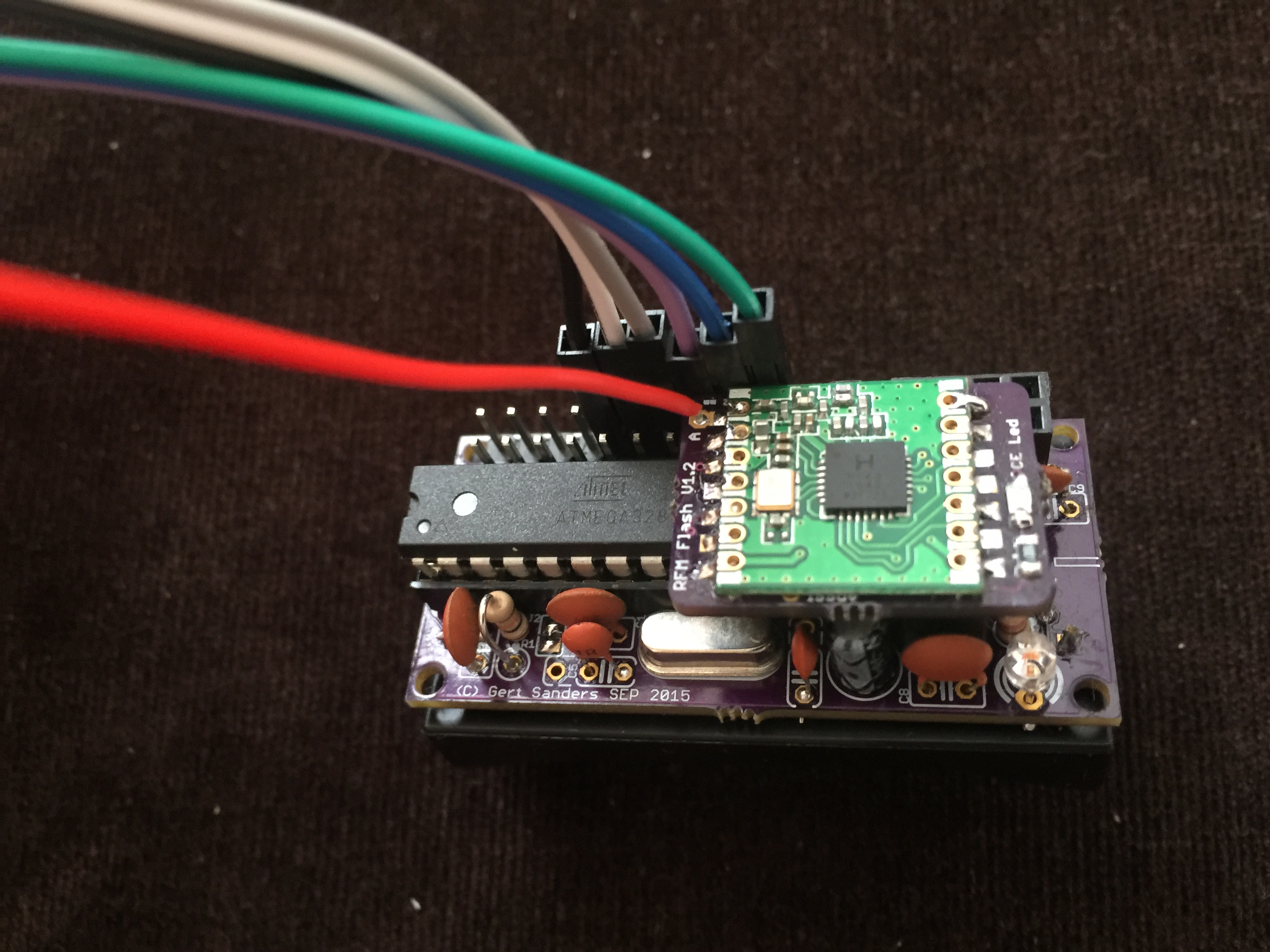
-
@alexsh1 cool :) for encryption this is done at radio init. You can enable/disable it by using MY_RFM69_ENABLE_ENCRYPTION
And for the datarate, there is no var for this. it's done by using register in radio init. I could look at adding this as I have locally updated mys with the latest rfm69 features. -
@alexsh1 cool :) for encryption this is done at radio init. You can enable/disable it by using MY_RFM69_ENABLE_ENCRYPTION
And for the datarate, there is no var for this. it's done by using register in radio init. I could look at adding this as I have locally updated mys with the latest rfm69 features. -
@alexsh1 For the encrypt key...I'm not sure how this works in mysensors. I will look into this later today ;)
Actually, it works like this : during radio init, encryption is enabled or not depending of the above define. For the key (which is stored in eeprom) it uses EEPROM_RF_ENCRYPTION_AES_KEY_ADDRESS which is related to signing defines..you can have more info on this in MyEepromAddresses.h . you will see how it is constructed. -
@alexsh1 For the encrypt key...I'm not sure how this works in mysensors. I will look into this later today ;)
Actually, it works like this : during radio init, encryption is enabled or not depending of the above define. For the key (which is stored in eeprom) it uses EEPROM_RF_ENCRYPTION_AES_KEY_ADDRESS which is related to signing defines..you can have more info on this in MyEepromAddresses.h . you will see how it is constructed. -
@alexsh1 cool :) for encryption this is done at radio init. You can enable/disable it by using MY_RFM69_ENABLE_ENCRYPTION
And for the datarate, there is no var for this. it's done by using register in radio init. I could look at adding this as I have locally updated mys with the latest rfm69 features.@scalz said:
And for the datarate, there is no var for this. it's done by using register in radio init. I could look at adding this as I have locally updated mys with the latest rfm69 features.
This is not working in MySensors sketch:
radio.writeReg(0x03,0x0D);
radio.writeReg(0x04,0x05);
Where do I set the bitrate?
-
@alexsh1 i don't know if it's possible on the fly, just for knowledge i will look later if it's possible as rfm69 already works well for me. And for longer range and as i have some devices with RFM95, i've started to port radiohead rfm95 for mysensors but not finished yet
So, about your question, it's done at init. in rfm69 driver, initialize(), line 52-53. you can try with some presets defined in rfm69registers.h if you want. -
@alexsh1 i don't know if it's possible on the fly, just for knowledge i will look later if it's possible as rfm69 already works well for me. And for longer range and as i have some devices with RFM95, i've started to port radiohead rfm95 for mysensors but not finished yet
So, about your question, it's done at init. in rfm69 driver, initialize(), line 52-53. you can try with some presets defined in rfm69registers.h if you want.@scalz thanks - as I said I am new to RFM69 and have to start from scratch (looking into the driver library) so apologies for asking noobs questions.
I did go through the driver and I see what you mean. Unfortunately those things like bidrate are not configurable from MySensors.hI'm very much interested in RFM95 though the cost of a transmitter is prohibitively expensive (£7.5 for one on aliexpress vs £0.7 for nrf24l01+). I think I'll use it for some sensors outside of the house. Where do you stand with porting?
-
-
@alexsh1 : just to say i have added the possibility to set datarate ;) you're right, that could be interesting to test.
that will be a simple define like
MY_RFM69_BITRATE_CUSTOM 4800
where 4800 in kbits. if not defined it takes default params.
And here few interesting comments about the datarate : https://openenergymonitor.org/emon/node/6178 -
What kind of gateway are you using? I have seen similar issues with RFM69 on ESP8266 gateways (although my RFM69 modules are 868 MHz). The issue was present with a wire as an antenne, as well as with a rubber antenna connected to a SMA connector directly to the RFM. I was able to solve the issue in several ways:
- Touching the antenna on the ESP8266 side with my fingers! (obviously a very temporary solution)
- Connecting a ground plane to the rubber antenna (I used the lid from a can of beans)
- Connecting a dipole antenna with a 1-2 meter cable
The easiest way to debug this is to load the Gateway and Node sketches from https://github.com/LowPowerLab/RFM69/tree/master/Examples on your sensor board and gateway, since these sketches provides instant feedback and tests in both directions.
Hopefully the RFM69 driver will get better debug output at some point.
@chrille I'm facing similar behavior with my setup, I get the st:fail but if I touch the antenna on the gateway side, it's working fine.
My setup is arduino 2.0, on the same node as @alexsh1 (the @GertSanders one) with the NRF2RFM69 adapter from @tbowmo. Antenna is wire lenght of 82.2 mm for the 868Mhz rfm69HW.
on the gateway side I did :
// Enable and select radio type attached
//#define MY_RADIO_NRF24
#define MY_RADIO_RFM69I added a small capacitor on the VCC-GND of the radio, and I soldered the jumper 2 to connect IRQ
the inclusion mode is also fully commented (I don't have inclusion button on board)
and the config file also #define MY_IS_RFM69HW is uncommented as well as #define MY_RADIO_RFM69
Any idea where my st:fail could come from ?
Your second life begins when you understand you only have one !
-
@chrille I'm facing similar behavior with my setup, I get the st:fail but if I touch the antenna on the gateway side, it's working fine.
My setup is arduino 2.0, on the same node as @alexsh1 (the @GertSanders one) with the NRF2RFM69 adapter from @tbowmo. Antenna is wire lenght of 82.2 mm for the 868Mhz rfm69HW.
on the gateway side I did :
// Enable and select radio type attached
//#define MY_RADIO_NRF24
#define MY_RADIO_RFM69I added a small capacitor on the VCC-GND of the radio, and I soldered the jumper 2 to connect IRQ
the inclusion mode is also fully commented (I don't have inclusion button on board)
and the config file also #define MY_IS_RFM69HW is uncommented as well as #define MY_RADIO_RFM69
Any idea where my st:fail could come from ?
@frencho said:
Any idea where my st:fail could come from ?
No, I have only seen the issue with the combination of ESP866 and RFM69. I suggest you get the RFM69 library from lowpowerlabs and load the "Node" and "Gateway" sketches from https://github.com/LowPowerLab/RFM69/tree/master/Examples/
The sketches will send packets in both directions and it's very easy to see packet loss and also the RSSI (signal strenght) of the traffic on both sides. This is what I used to diagnose my issue. You can install the RFM69 library directly in your libraries folder without conflicting with mysensors.
-
@frencho said:
Any idea where my st:fail could come from ?
No, I have only seen the issue with the combination of ESP866 and RFM69. I suggest you get the RFM69 library from lowpowerlabs and load the "Node" and "Gateway" sketches from https://github.com/LowPowerLab/RFM69/tree/master/Examples/
The sketches will send packets in both directions and it's very easy to see packet loss and also the RSSI (signal strenght) of the traffic on both sides. This is what I used to diagnose my issue. You can install the RFM69 library directly in your libraries folder without conflicting with mysensors.
-
@chrille working, the antenna was the problem. I ordered some small antenna on ebay, and it s fine now ^^
@frencho said:
@chrille working, the antenna was the problem. I ordered some small antenna on ebay, and it s fine now ^^
Glad to hear it's working now. After creating a "real" PCB for my RFM69 gateway the issue went away - and it works reliable both with an external antenna and a small rubber antenna.




Hello! It looks like you're interested in this conversation, but you don't have an account yet.
Getting fed up of having to scroll through the same posts each visit? When you register for an account, you'll always come back to exactly where you were before, and choose to be notified of new replies (either via email, or push notification). You'll also be able to save bookmarks and upvote posts to show your appreciation to other community members.
With your input, this post could be even better 💗
Register Login