
RELAY 433MHZ + KEYPAD 4x4 COMANDER (vera-domoticz)
-
Hello everyone , I'm trying to create a gateway with the following modules ;
433 sender
4x4 keypad
Arduino mini / nano
NRF24L01
10uf Capacitorhe project is in development I'm stuck in the insertion of the keypad would use 4 -pin analog and 4 digital pins . I welcome suggestions on code.
link where it started my idea: http://forum.mysensors.org/topic/1557/combined-mysensor-gateway-with-433mhz-transmitter-homeeasy-klik-aan-klik-uit
link original code which I then edited: https://github.com/meijeren/MySensors-RF433-Node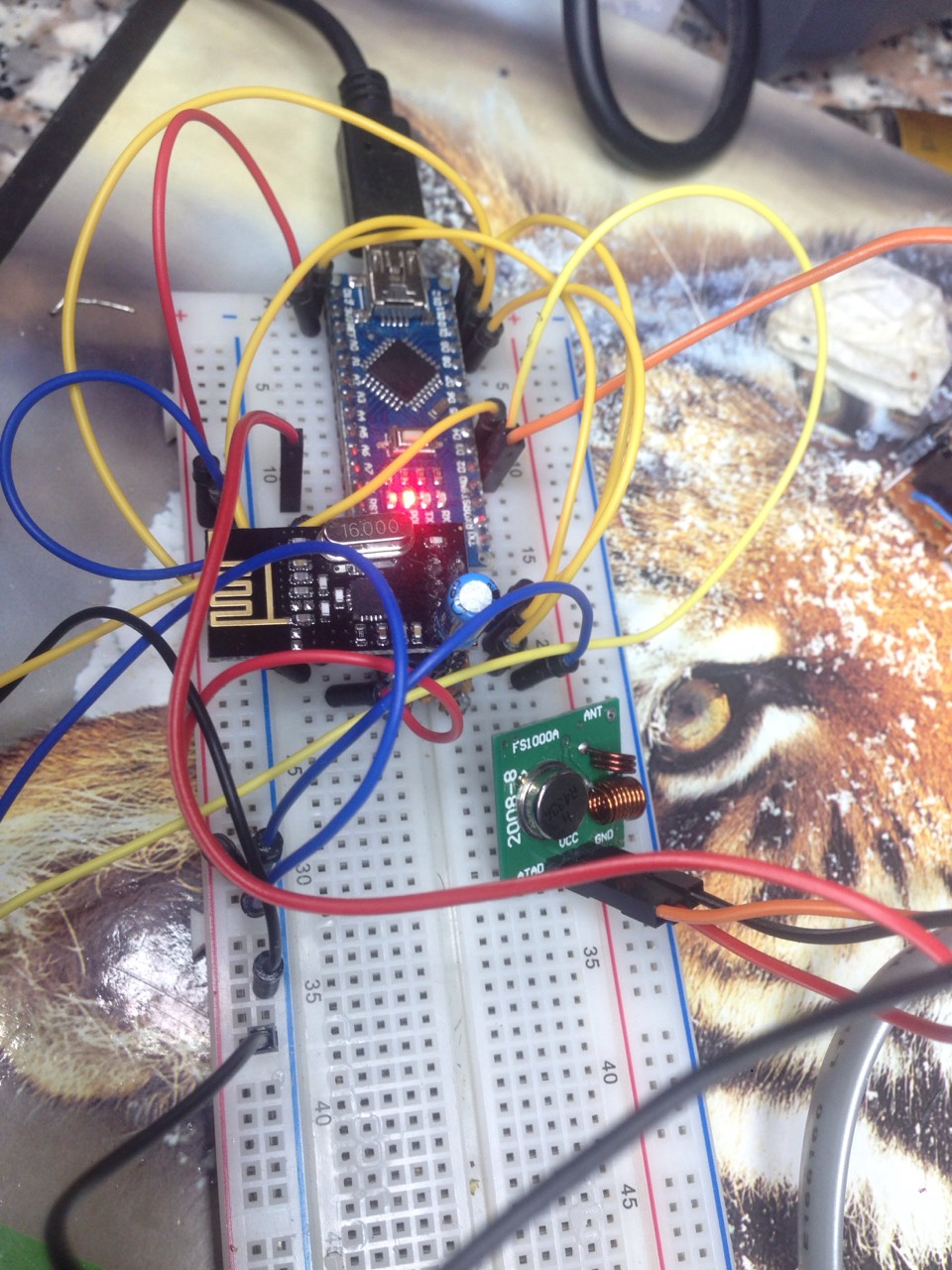
https://codebender.cc/sketch:209936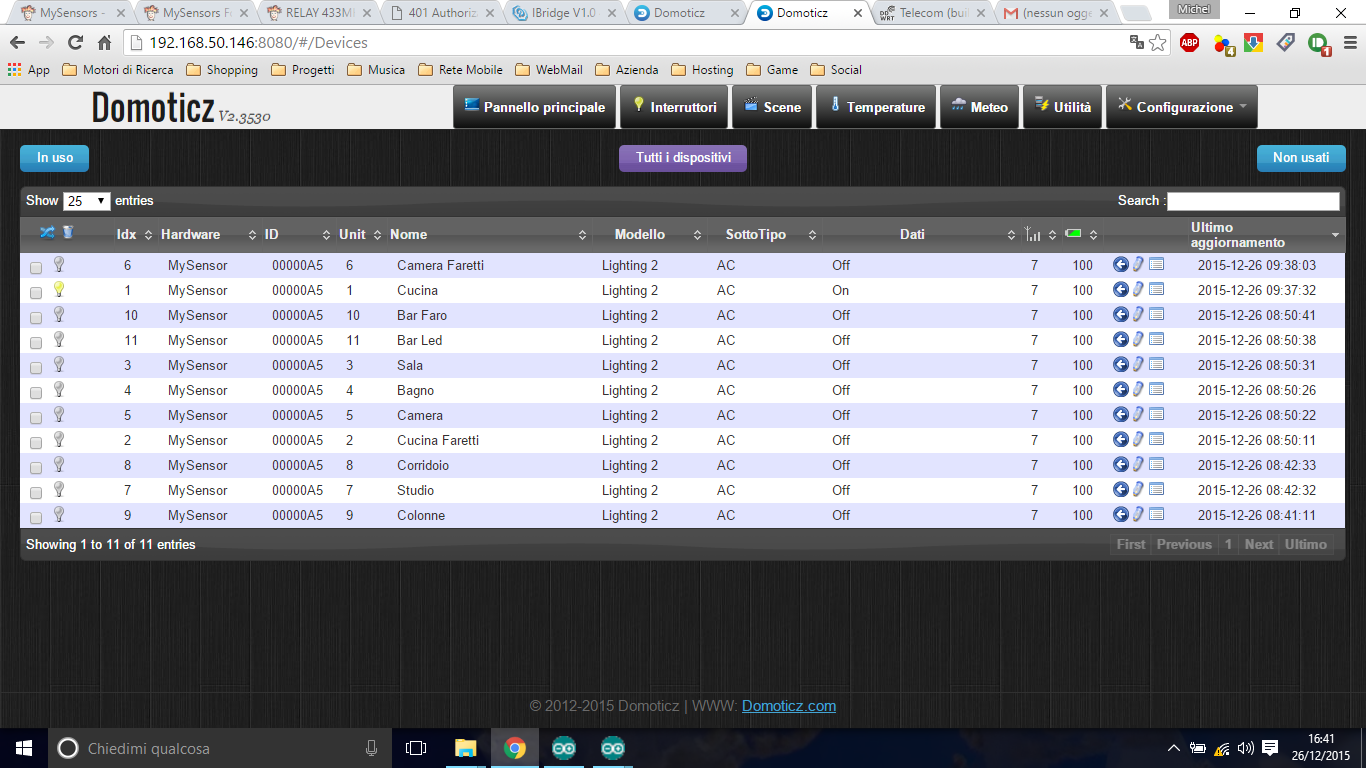
-
@Michel-It There is an Adruino module for scanning 4x4 key matrixs. You can find it here: http://playground.arduino.cc/Main/KeypadTutorial
-
I have one better, but how to implement it in code mysensor?
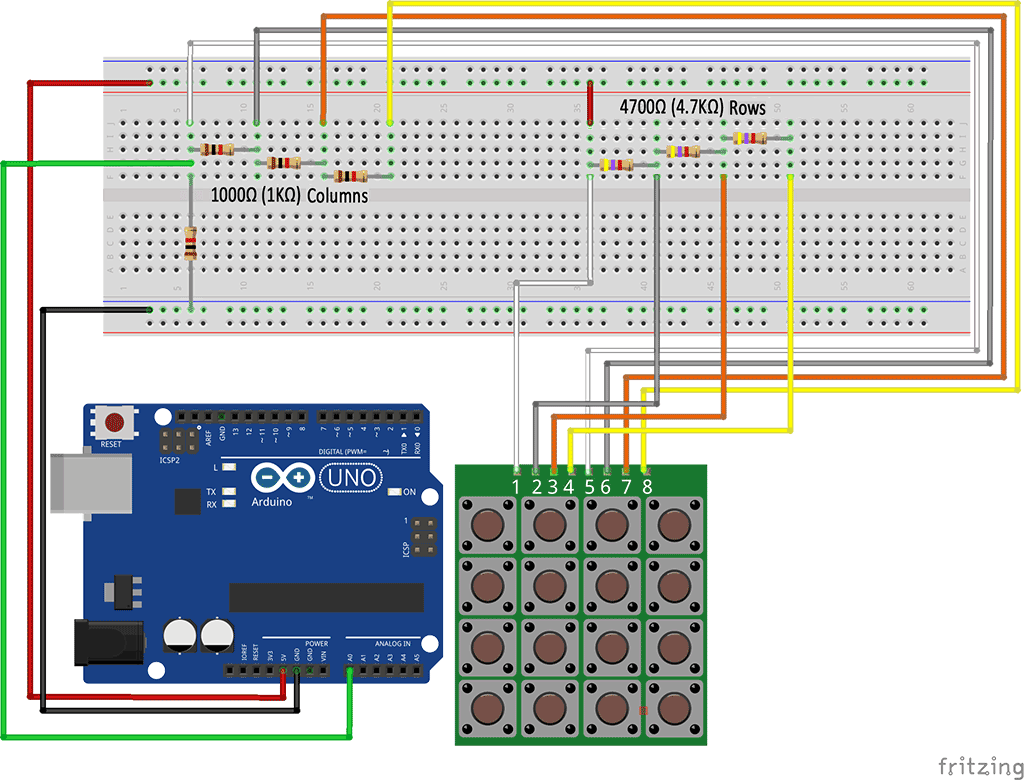
.
New Code > sketch + Library > https://codebender.cc/sketch:183503
Original Code
#include <MyTransportNRF24.h>
#include <MyHwATMega328.h>
#include <MySensor.h>
#include <SPI.h>
#include <Wire.h>
#include <RCSwitch.h>
RCSwitch mySwitch = RCSwitch();

#define NODE_ID          165
#define NODE_VERSION     "1.1"
#define NODE_DESCRIPTION "MikRelay"


#define NUMFLAKES 10
#define XPOS 0
#define YPOS 1
#define DELTAY 2

#define RADIO_TX_PIN 2
#define NUMBER_OF_RELAYS 11 // Total number of attached relays
typedef struct
{
  unsigned long address;
  unsigned char unit;
  bool dimmer;
} MikParams;
MikParams Mik_PARAMS[NUMBER_OF_RELAYS] =
{
  {87311, 24, false},
  {87500, 24, false},
  {87491, 24, false},
  {87359, 24, false},
  {87539, 24, false},
  {87548, 24, false},
  {87536, 24, false},
  {87356, 24, false},
  {87503, 24, false},
  {4011779, 24, false},
  {4011968, 24, false}

};


// NRFRF24L01 radio driver (set low transmit power by default)
MyTransportNRF24 radio(RF24_CE_PIN, RF24_CS_PIN, RF24_PA_LEVEL_GW);
//MyTransportRFM69 radio;
// Message signing driver (none default)
//MySigningNone signer;
// Select AtMega328 hardware profile
MyHwATMega328 hw;
// Construct MySensors library
MySensor gw(radio, hw);

void setup()
{
  mySwitch.enableTransmit(RADIO_TX_PIN);
  // init done
  // Show image buffer on the display hardware.
  // Since the buffer is intialized with an Adafruit splashscreen
  // internally, this will display the splashscreen.
  // Initialize library and add callback for incoming messages
  gw.begin(incomingMessage, NODE_ID, false);

  delay(2000);

  // Send the sketch version information to the gateway and Controller
  gw.sendSketchInfo(NODE_DESCRIPTION, NODE_VERSION);

  // Fetch relay status
  for (int sensor = 1; sensor <= NUMBER_OF_RELAYS; sensor++) {
    // Register all sensors to gw (they will be created as child devices)
    gw.present(sensor, S_LIGHT);
  }
}

void loop()
{
  // Alway process incoming messages whenever possible
  gw.process();
}

void incomingMessage(const MyMessage &message)
{
  if ((message.sensor < 1) && (message.sensor >= NUMBER_OF_RELAYS))
  {
    return;
  }
  if (message.type == V_LIGHT)
  {
    mySwitch.send(Mik_PARAMS[message.sensor - 1].address, Mik_PARAMS[message.sensor - 1].unit);
    // Store state in eeprom
    gw.saveState(message.sensor, message.getBool());
    // Write some debug info
    Serial.print("Incoming change for sensor:");
    Serial.print(message.sensor);
    Serial.print(", Miks: ");
    Serial.print(Mik_PARAMS[message.sensor - 1].address);
    Serial.print(", Miks: ");
    Serial.print(Mik_PARAMS[message.sensor - 1].unit);
    Serial.print(", New status: ");
    Serial.println(message.getBool());

  }
  else if (message.type == V_DIMMER)
  {
    mySwitch.send(Mik_PARAMS[message.sensor - 1].address, Mik_PARAMS[message.sensor - 1].unit);
  }
}```
I know that not everyone. but there is some kind soul can help me?
I see you do not laugh!


Hello! It looks like you're interested in this conversation, but you don't have an account yet.
Getting fed up of having to scroll through the same posts each visit? When you register for an account, you'll always come back to exactly where you were before, and choose to be notified of new replies (either via email, or push notification). You'll also be able to save bookmarks and upvote posts to show your appreciation to other community members.
With your input, this post could be even better 💗
Register Login