
My New IrrigationController
-
@marekd Great controller! For the keypad: I see from the code that you use the I2C code. How did you connect your keypad? Did you use a I2C extension chip? And, which keypad_i2c library do you use? I found multiple on the net.
Thanks!
@karl261
Thanks,
in case I2C yes, and no.
with 1st generation [with 1 ProMini] I used I2C port expander PCF8574.
with 2nd generation [with MEGA2560] just pins, 8 pins, declared like this:/**** Kepad settings /
const byte ROWS = 4;
const byte COLS = 4;
char keys[ROWS][COLS] = {
{'1', '2', '3', 'A'},
{'4', '5', '6', 'B'},
{'7', '8', '9', 'C'},
{'', '0', '#', 'D'}
};byte rowPins[ROWS] = {47, 45, 43, 41};
byte colPins[COLS] = {39, 37, 35, 33};
int i2caddress = 0x20;
Keypad_I2C kpd = Keypad_I2C( makeKeymap(keys), rowPins, colPins, ROWS, COLS, i2caddress );with 3rd generation - plan to have 2nd ProMini with PCF expander.
attached library I use.
0_1474294070076_Keypad_I2C.zip
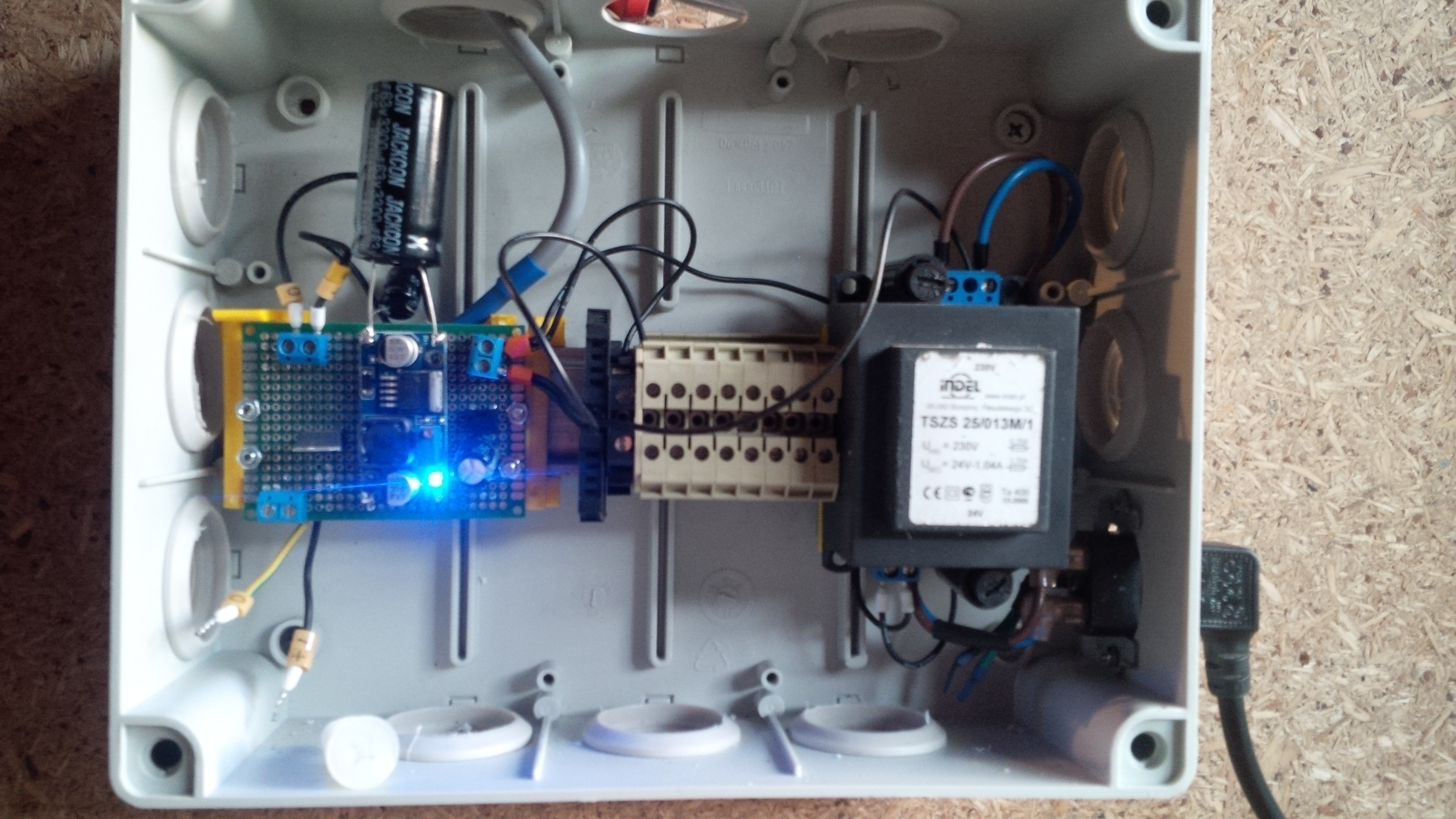
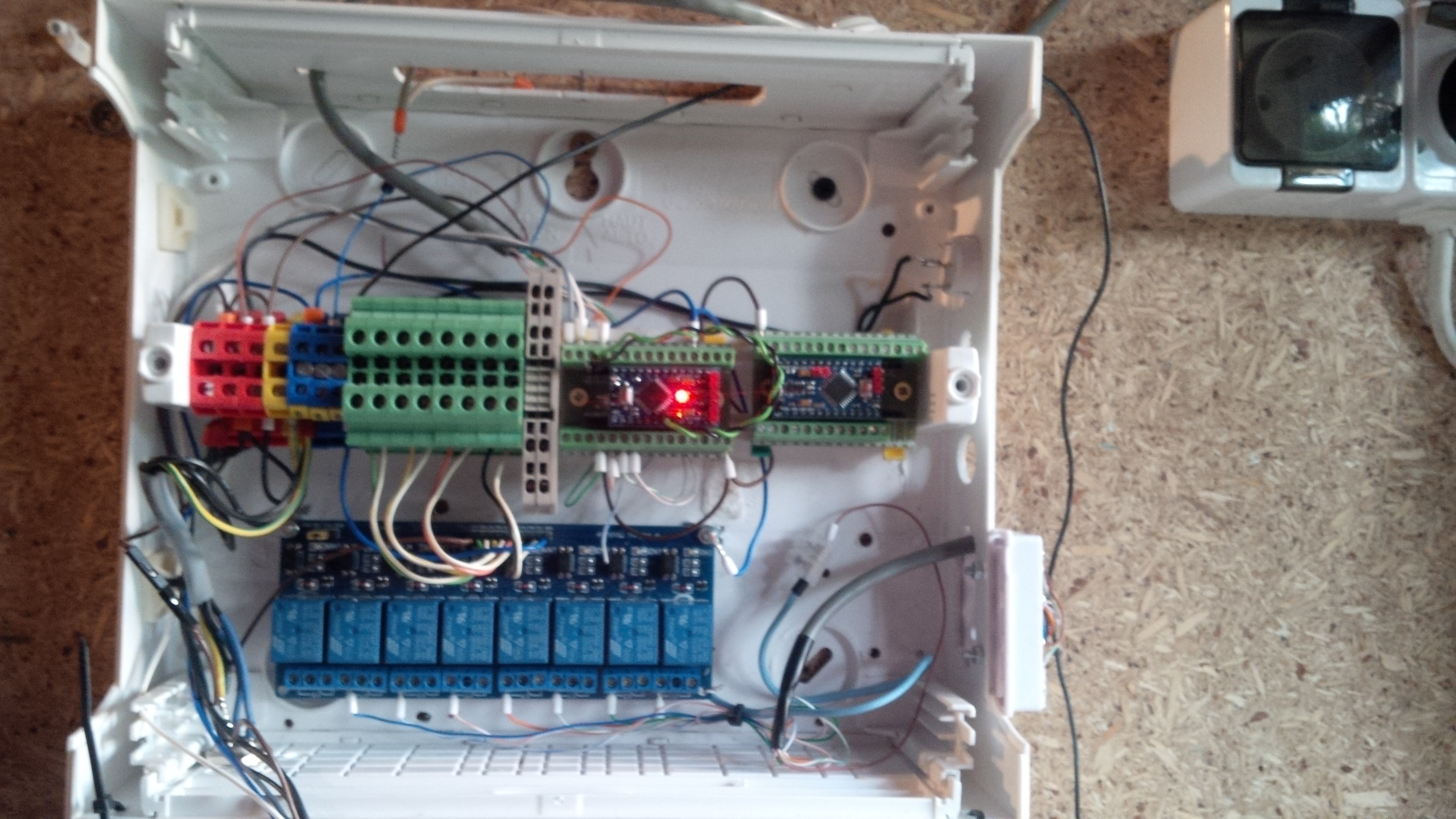
and some pictures of generation 3, which is under construct :)
Power supply:
and control box with 2 ProMinis:
-
@karl261
Thanks,
in case I2C yes, and no.
with 1st generation [with 1 ProMini] I used I2C port expander PCF8574.
with 2nd generation [with MEGA2560] just pins, 8 pins, declared like this:/**** Kepad settings /
const byte ROWS = 4;
const byte COLS = 4;
char keys[ROWS][COLS] = {
{'1', '2', '3', 'A'},
{'4', '5', '6', 'B'},
{'7', '8', '9', 'C'},
{'', '0', '#', 'D'}
};byte rowPins[ROWS] = {47, 45, 43, 41};
byte colPins[COLS] = {39, 37, 35, 33};
int i2caddress = 0x20;
Keypad_I2C kpd = Keypad_I2C( makeKeymap(keys), rowPins, colPins, ROWS, COLS, i2caddress );with 3rd generation - plan to have 2nd ProMini with PCF expander.
attached library I use.
0_1474294070076_Keypad_I2C.zip
and some pictures of generation 3, which is under construct :)
Power supply:
and control box with 2 ProMinis:
@marekd Thanks for the detailed reply. What the monster capacitor for in gen 3?
I plan to build my keypad with one pro mini and the PCF8574. Like your gen 1 & 3. How did / are you planning to wire the PCF8574? It seems rather straight forward according to this:
https://www.hackster.io/venkatesh_rao/i2c-keypad-73a012
Is this the wiring you are using? Or is it different?
Since I am building a battery keypad, I was also planning to use the interrupt line of the PCF8574.
-
@marekd Thanks for the detailed reply. What the monster capacitor for in gen 3?
I plan to build my keypad with one pro mini and the PCF8574. Like your gen 1 & 3. How did / are you planning to wire the PCF8574? It seems rather straight forward according to this:
https://www.hackster.io/venkatesh_rao/i2c-keypad-73a012
Is this the wiring you are using? Or is it different?
Since I am building a battery keypad, I was also planning to use the interrupt line of the PCF8574.

Hello! It looks like you're interested in this conversation, but you don't have an account yet.
Getting fed up of having to scroll through the same posts each visit? When you register for an account, you'll always come back to exactly where you were before, and choose to be notified of new replies (either via email, or push notification). You'll also be able to save bookmarks and upvote posts to show your appreciation to other community members.
With your input, this post could be even better 💗
Register Login