
Motion/Relay sensor sketch help
-
Hi
This is my attempt do merge the motion and relay actuator sketch.
It's working, but I had tp put in some delays, so I didn't get flooded with log updates.
The goal with this is to have the arduino mini pro control a PiR and a 2 channel relay. The PiR should trigger relay_1 and my controller should be in control over relay_2.
It, to my BIG supprise, actually work! But I don't think that the code is no way near optimal! So what I would like, is some optimization hits/examples.
Here's the sketch:
// Example sketch showing how to control physical relays. // This example will remember relay state even after power failure. #include <MySensor.h> #include <SPI.h> #define RELAY_1 6 // Arduino Digital I/O pin number for first relay (second on pin+1 etc) #define NUMBER_OF_RELAYS 2 // Total number of attached relays #define RELAY_ON 1 // GPIO value to write to turn on attached relay #define RELAY_OFF 0 // GPIO value to write to turn off attached relay // Motion sensor defs unsigned long SLEEP_TIME = 10000; // Sleep time between reports (in milliseconds) #define DIGITAL_INPUT_SENSOR 3 // The digital input you attached your motion sensor. (Only 2 and 3 generates interrupt!) #define INTERRUPT DIGITAL_INPUT_SENSOR-2 // Usually the interrupt = pin -2 (on uno/nano anyway) #define CHILD_ID 3 // Id of the sensor child MySensor gw; MyMessage msg(CHILD_ID, V_TRIPPED); void setup() { // Initialize library and add callback for incoming messages gw.begin(incomingMessage, AUTO, true); // Send the sketch version information to the gateway and Controller gw.sendSketchInfo("Relay/Motion Sensor", "1.0"); // Fetch relay status for (int sensor=1, pin=RELAY_1; sensor<=NUMBER_OF_RELAYS;sensor++, pin++) { // Register all sensors to gw (they will be created as child devices) gw.present(sensor, S_LIGHT); // Then set relay pins in output mode pinMode(pin, OUTPUT); // Set relay to last known state (using eeprom storage) digitalWrite(pin, gw.loadState(sensor)?RELAY_ON:RELAY_OFF); } pinMode(DIGITAL_INPUT_SENSOR, INPUT); // sets the motion sensor digital pin as input // Register all sensors to gw (they will be created as child devices) gw.present(CHILD_ID, S_MOTION); } void loop() { // Alway process incoming messages whenever possible gw.process(); // Read digital motion value if (digitalRead(DIGITAL_INPUT_SENSOR) == HIGH) { boolean tripped = digitalRead(DIGITAL_INPUT_SENSOR) == HIGH; Serial.println(tripped); gw.send(msg.set(tripped?"1":"0")); // Send tripped value to gw //gw.sleep(INTERRUPT,CHANGE, SLEEP_TIME); digitalWrite(RELAY_1, 1); delay(5000); } else { digitalWrite(RELAY_1, 0); boolean tripped = digitalRead(DIGITAL_INPUT_SENSOR) == LOW; delay(5000); gw.send(msg.set(tripped?"1":"0")); // Send tripped value to gw } } void incomingMessage(const MyMessage &message) { // We only expect one type of message from controller. But we better check anyway. if (message.type==V_LIGHT) { // Change relay state digitalWrite(message.sensor-1+RELAY_1, message.getBool()?RELAY_ON:RELAY_OFF); // Store state in eeprom gw.saveState(message.sensor, message.getBool()); // Write some debug info Serial.print("Incoming change for sensor:"); Serial.print(message.sensor); Serial.print(", New status: "); Serial.println(message.getBool()); } } -
Hi @Hausner
I've a multisensor sketch. I havent tied my relay to any action of the PIR - as i may not want it to do any action unless Vera has instructed it to do so... ie: if the relay was to turn on a light on detected movement, i'd only want that to occur at night, or if the security system was armed etc...
Anyway sketch is here:
https://codebender.cc/sketch:61919 -
Hi
This is my attempt do merge the motion and relay actuator sketch.
It's working, but I had tp put in some delays, so I didn't get flooded with log updates.
The goal with this is to have the arduino mini pro control a PiR and a 2 channel relay. The PiR should trigger relay_1 and my controller should be in control over relay_2.
It, to my BIG supprise, actually work! But I don't think that the code is no way near optimal! So what I would like, is some optimization hits/examples.
Here's the sketch:
// Example sketch showing how to control physical relays. // This example will remember relay state even after power failure. #include <MySensor.h> #include <SPI.h> #define RELAY_1 6 // Arduino Digital I/O pin number for first relay (second on pin+1 etc) #define NUMBER_OF_RELAYS 2 // Total number of attached relays #define RELAY_ON 1 // GPIO value to write to turn on attached relay #define RELAY_OFF 0 // GPIO value to write to turn off attached relay // Motion sensor defs unsigned long SLEEP_TIME = 10000; // Sleep time between reports (in milliseconds) #define DIGITAL_INPUT_SENSOR 3 // The digital input you attached your motion sensor. (Only 2 and 3 generates interrupt!) #define INTERRUPT DIGITAL_INPUT_SENSOR-2 // Usually the interrupt = pin -2 (on uno/nano anyway) #define CHILD_ID 3 // Id of the sensor child MySensor gw; MyMessage msg(CHILD_ID, V_TRIPPED); void setup() { // Initialize library and add callback for incoming messages gw.begin(incomingMessage, AUTO, true); // Send the sketch version information to the gateway and Controller gw.sendSketchInfo("Relay/Motion Sensor", "1.0"); // Fetch relay status for (int sensor=1, pin=RELAY_1; sensor<=NUMBER_OF_RELAYS;sensor++, pin++) { // Register all sensors to gw (they will be created as child devices) gw.present(sensor, S_LIGHT); // Then set relay pins in output mode pinMode(pin, OUTPUT); // Set relay to last known state (using eeprom storage) digitalWrite(pin, gw.loadState(sensor)?RELAY_ON:RELAY_OFF); } pinMode(DIGITAL_INPUT_SENSOR, INPUT); // sets the motion sensor digital pin as input // Register all sensors to gw (they will be created as child devices) gw.present(CHILD_ID, S_MOTION); } void loop() { // Alway process incoming messages whenever possible gw.process(); // Read digital motion value if (digitalRead(DIGITAL_INPUT_SENSOR) == HIGH) { boolean tripped = digitalRead(DIGITAL_INPUT_SENSOR) == HIGH; Serial.println(tripped); gw.send(msg.set(tripped?"1":"0")); // Send tripped value to gw //gw.sleep(INTERRUPT,CHANGE, SLEEP_TIME); digitalWrite(RELAY_1, 1); delay(5000); } else { digitalWrite(RELAY_1, 0); boolean tripped = digitalRead(DIGITAL_INPUT_SENSOR) == LOW; delay(5000); gw.send(msg.set(tripped?"1":"0")); // Send tripped value to gw } } void incomingMessage(const MyMessage &message) { // We only expect one type of message from controller. But we better check anyway. if (message.type==V_LIGHT) { // Change relay state digitalWrite(message.sensor-1+RELAY_1, message.getBool()?RELAY_ON:RELAY_OFF); // Store state in eeprom gw.saveState(message.sensor, message.getBool()); // Write some debug info Serial.print("Incoming change for sensor:"); Serial.print(message.sensor); Serial.print(", New status: "); Serial.println(message.getBool()); } }something like this:
(compiled but not tested)
// Example sketch showing how to control physical relays. // This example will remember relay state even after power failure. #include <MySensor.h> #include <SPI.h> #define RELAY_1 6 // Arduino Digital I/O pin number for first relay (second on pin+1 etc) #define RELAY_2 7 #define RELAY_ON 1 // GPIO value to write to turn on attached relay #define RELAY_OFF 0 // GPIO value to write to turn off attached relay // Motion sensor defs unsigned long SLEEP_TIME = 10000; // Sleep time between reports (in milliseconds) #define DIGITAL_INPUT_SENSOR 3 // The digital input you attached your motion sensor. (Only 2 and 3 generates interrupt!) //#define INTERRUPT DIGITAL_INPUT_SENSOR-2 // Usually the interrupt = pin -2 (on uno/nano anyway) #define CHILD_ID 3 // Id of the sensor child boolean lastTrippedState; MySensor gw; // MyMessage msgRelay2(2, V_LIGHT); MyMessage msgMotion(3, V_TRIPPED); void setup() { gw.begin(incomingMessage, AUTO, true); gw.sendSketchInfo("Relay/Motion Sensor", "1.0"); // gw.present(1, S_LIGHT); pinMode(RELAY_1, OUTPUT); // gw.present(2, S_LIGHT); pinMode(RELAY_2, OUTPUT); digitalWrite(RELAY_2, gw.loadState(1)? RELAY_ON : RELAY_OFF); pinMode(DIGITAL_INPUT_SENSOR, INPUT); // sets the motion sensor digital pin as input // gw.present(CHILD_ID, S_MOTION); } // void loop() { gw.process(); boolean tripped = digitalRead(DIGITAL_INPUT_SENSOR) == HIGH; if (tripped != lastTrippedState) { Serial.println(tripped? "tripped" : "not tripped"); gw.send(msgMotion.set(tripped?"1":"0")); // Send tripped value to gw// digitalWrite(RELAY_1, tripped? 1 : 0); } lastTrippedState = tripped; } void incomingMessage(const MyMessage &message) { // if (message.type==V_LIGHT && message.sensor == 2) { // Change relay state digitalWrite(RELAY_2, message.getBool()?RELAY_ON:RELAY_OFF); // Store state in eeprom gw.saveState(message.sensor, message.getBool()); // Write some debug info Serial.print("Incoming change for sensor:"); Serial.print(message.sensor); Serial.print(", New status: "); Serial.println(message.getBool()); } } -
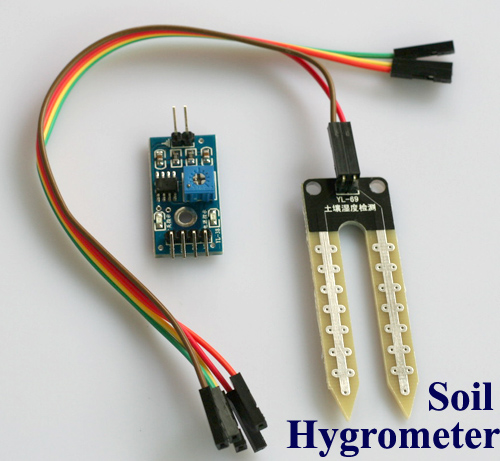
Hello everyone, I am using this code for my bathroom but I added a sensor, This latter allows me to know if there is a flood in my absence and through ver4-domoticz allows me to set an alarm, this code goes in my opinion correct
-
recapping sensor h2o 2 relays 2 buttons I used this code to optimize the water heater in the bathroom and detect water on the floor
the dish is ready
https://codebender.cc/sketch:210051 -
recapping sensor h2o 2 relays 2 buttons I used this code to optimize the water heater in the bathroom and detect water on the floor
the dish is ready
https://codebender.cc/sketch:210051@Michel---It Hi, im quite a beginner but found your sketch interesting. Anyway i cannot compile it from the compile function in your post nor in my arduino ide. it seems somethinf releated the old library used but i cannot find the right one to use. Can you help me ?
thanks -
@Michel---It Hi, im quite a beginner but found your sketch interesting. Anyway i cannot compile it from the compile function in your post nor in my arduino ide. it seems somethinf releated the old library used but i cannot find the right one to use. Can you help me ?
thanks@Marco-MicrOchip-Acquadro the sketch above is for MySensors 1.x, so it won't work with MySensors 2.x.
Converting a sketch is possible, but requires some work. Instructions are available at https://forum.mysensors.org/topic/4276/converting-a-sketch-from-1-5-x-to-2-0-x/
-
@Marco-MicrOchip-Acquadro the sketch above is for MySensors 1.x, so it won't work with MySensors 2.x.
Converting a sketch is possible, but requires some work. Instructions are available at https://forum.mysensors.org/topic/4276/converting-a-sketch-from-1-5-x-to-2-0-x/
@mfalkvidd thank you for your Quick reply . I need to improve my knowledge of coding ... hope to success in this porting anyway.
-
@mfalkvidd thank you for your Quick reply . I need to improve my knowledge of coding ... hope to success in this porting anyway.
@Marco-MicrOchip-Acquadro Great. Maybe the relay example with button can help you get started. It works with MySensors 2.x.





Hello! It looks like you're interested in this conversation, but you don't have an account yet.
Getting fed up of having to scroll through the same posts each visit? When you register for an account, you'll always come back to exactly where you were before, and choose to be notified of new replies (either via email, or push notification). You'll also be able to save bookmarks and upvote posts to show your appreciation to other community members.
With your input, this post could be even better 💗
Register Login