
Arduion IDE error 'MyGateway' does not name a type
-
Greetings,
I have used Arduino products and the IDE in the past. I downloaded the files for Arduino-Master and placed them where I was directed. When I open the IDE and run the SerialGateway sketch, I get the message in the title, as well as the following;
Arduino: 1.5.4 (Windows 7), Board: "Arduino Nano, ATmega328"
SerialGateway:33: error: 'MyGateway' does not name a type
SerialGateway:35: error: 'MAX_RECEIVE_LENGTH' was not declared in this scope
SerialGateway.ino: In function 'void setup()':
SerialGateway:41: error: 'gw' was not declared in this scope
SerialGateway.ino: In function 'void loop()':
SerialGateway:46: error: 'gw' was not declared in this scope
SerialGateway:50: error: 'inputString' was not declared in this scope
SerialGateway.ino: In function 'void serialEvent()':
SerialGateway:69: error: 'MAX_RECEIVE_LENGTH' was not declared in this scope
SerialGateway:71: error: 'inputString' was not declared in this scope
SerialGateway:75: error: 'inputString' was not declared in this scopeWould someone be so kind as to suggest where I may be doing things wrong? I have a couple of nano devices connected to my radios . . . all I need is to make them communicate.
Respectfully - Baran
-
Greetings,
I have used Arduino products and the IDE in the past. I downloaded the files for Arduino-Master and placed them where I was directed. When I open the IDE and run the SerialGateway sketch, I get the message in the title, as well as the following;
Arduino: 1.5.4 (Windows 7), Board: "Arduino Nano, ATmega328"
SerialGateway:33: error: 'MyGateway' does not name a type
SerialGateway:35: error: 'MAX_RECEIVE_LENGTH' was not declared in this scope
SerialGateway.ino: In function 'void setup()':
SerialGateway:41: error: 'gw' was not declared in this scope
SerialGateway.ino: In function 'void loop()':
SerialGateway:46: error: 'gw' was not declared in this scope
SerialGateway:50: error: 'inputString' was not declared in this scope
SerialGateway.ino: In function 'void serialEvent()':
SerialGateway:69: error: 'MAX_RECEIVE_LENGTH' was not declared in this scope
SerialGateway:71: error: 'inputString' was not declared in this scope
SerialGateway:75: error: 'inputString' was not declared in this scopeWould someone be so kind as to suggest where I may be doing things wrong? I have a couple of nano devices connected to my radios . . . all I need is to make them communicate.
Respectfully - Baran
-
Greetings Again,
I beg forgiveness for my relative density but I am not seeing the problem. The following line stops the compiler and is highlighted in yellow:
MyGateway gw(DEFAULT_CE_PIN, DEFAULT_CS_PIN, INCLUSION_MODE_TIME, INCLUSION_MODE_PIN, 6, 5, 4);
The errors are the same as reported above.
My folder hierarchy is as follows:
Arduino-master\libraries\MySensors\examples + MySensor.h, MySensor.cpp, MyGateway.h, MyGateway.cpp, plus several .h and .cpp files for the radio.
As best as I can tell, this is correct - the examples folder is nested in the MySensors folder with all of the .h and .cpp files. Please correct me if I am wrong (and I must be) but I also tried placing all of the .h and .cpp files directly in the examples folder under MySensors to no avail.
-
-
@Baran said:
Arduino-master\libraries\MySensors\examples + MySensor.h, MySensor.cpp, MyGateway.h, MyGateway.cpp, plus several .h and .cpp files for the radio.
This is wrong. Please look at the instructions/pictures here:
http://www.mysensors.org/build/arduino#installing-the-sensor-libraries
-
@Baran said:
Arduino-master\libraries\MySensors\examples + MySensor.h, MySensor.cpp, MyGateway.h, MyGateway.cpp, plus several .h and .cpp files for the radio.
This is wrong. Please look at the instructions/pictures here:
http://www.mysensors.org/build/arduino#installing-the-sensor-libraries
@hek I have to agree with Baran. I just downloaded the new 1.4 file twice and followed the download instructions exactly, and I can't get it to recognize any of the # include files aside from SPI. There might be something wrong with how the new version the files were ordered in the zip file or something. If not could you tell us the correct order the files should go?
-
-
@hek said:
http://www.mysensors.org/build/arduino#installing-the-sensor-libraries
Copy the libraries-folder out of the zip to the sketchbook-folder on your platform:
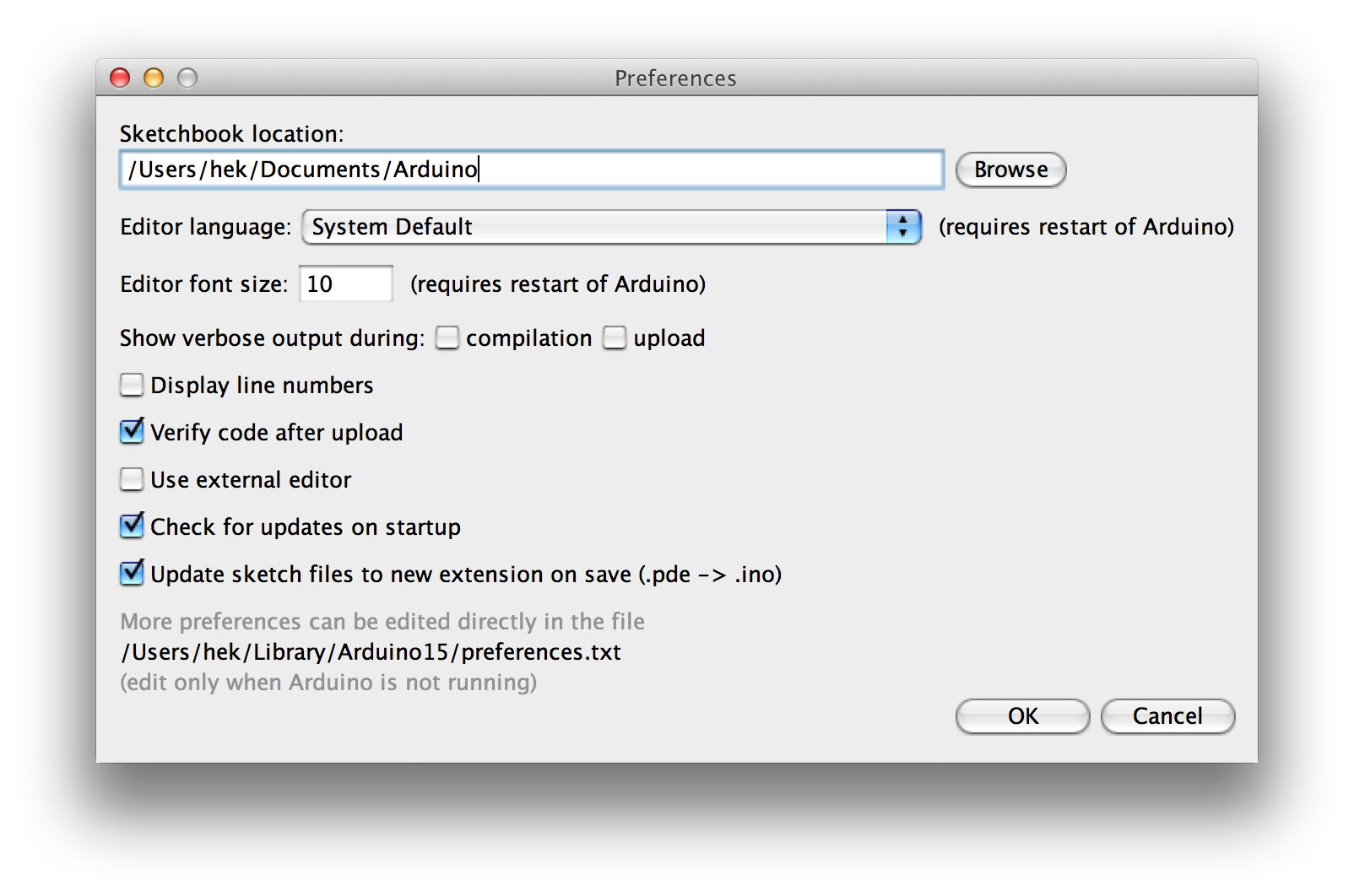
-
Hi Again,
I really feel stupid. I followed the download and unzip instructions and still I received exactly the same errors as in the beginning with an error on the MyGateway gw line.
One thing I still cannot resolve is where the program (serial gateway in the MySensors folder) finds the "stdawg.h" file. All of the other associate files (.h, .cpp, etc) reside in the MySensors folder next to the Examples folder. Is it possible that, without this file, my MyGateway.h file is not being properly read?
Thank you for your patience - Baran
-
Baran, just wondering, but did you try to copy and past JUST the library folder from the zip file into the same folder where your Arduino IDE's library folder is located. Let me make it clear that I'm not talking about pasting it into the Arduino library folder itself, but into the same folder that the Arduino's library folder is located. When you do this the computer will bring up a box that says you can't have two folders named library in this location and then ask if you want to consolidate them. You say yes and then they become one folder making it's so your Arduino IDE can find the now one library file.

Hello! It looks like you're interested in this conversation, but you don't have an account yet.
Getting fed up of having to scroll through the same posts each visit? When you register for an account, you'll always come back to exactly where you were before, and choose to be notified of new replies (either via email, or push notification). You'll also be able to save bookmarks and upvote posts to show your appreciation to other community members.
With your input, this post could be even better 💗
Register Login