
Automatic LED light - high WAF inside :)
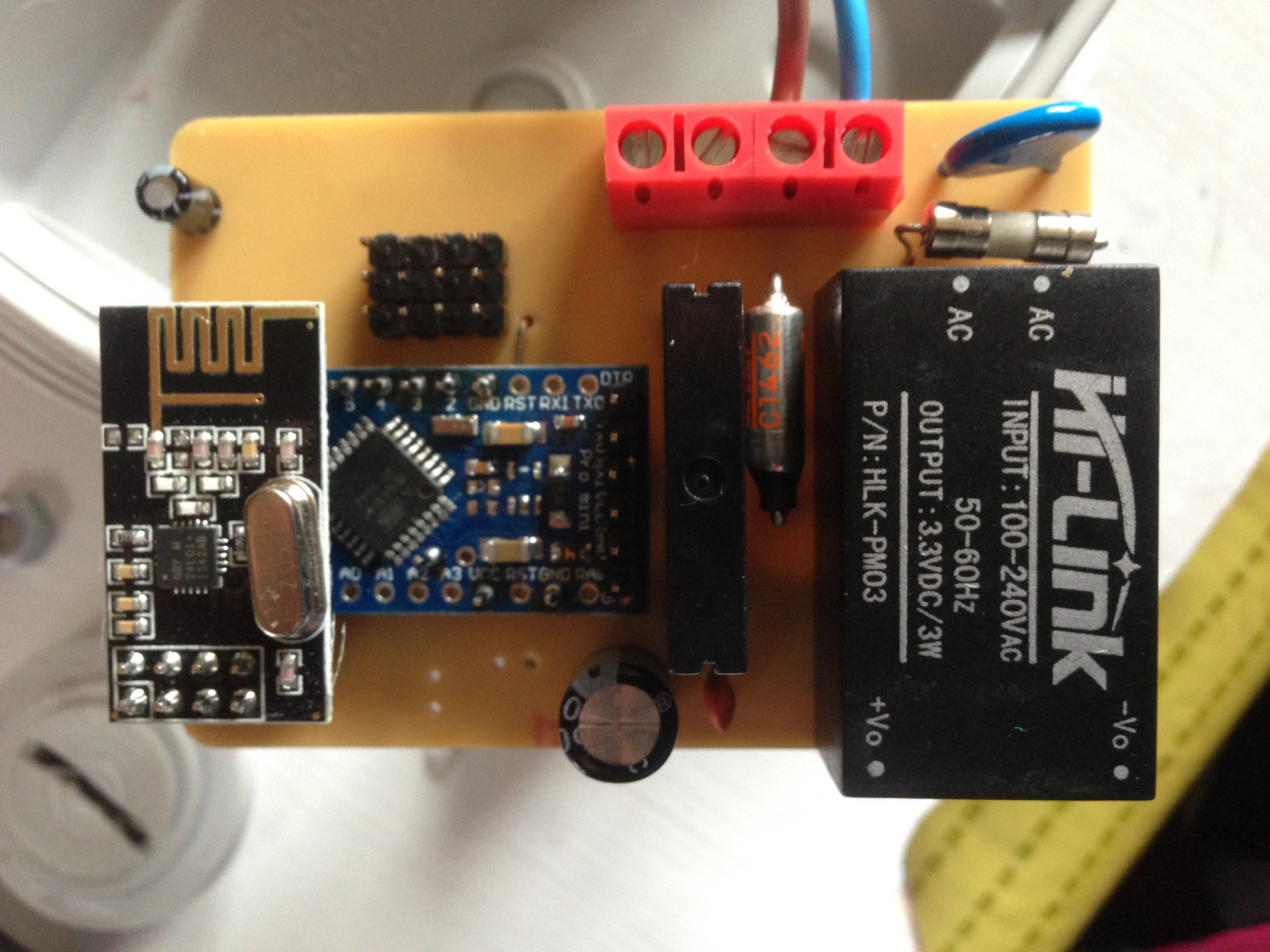
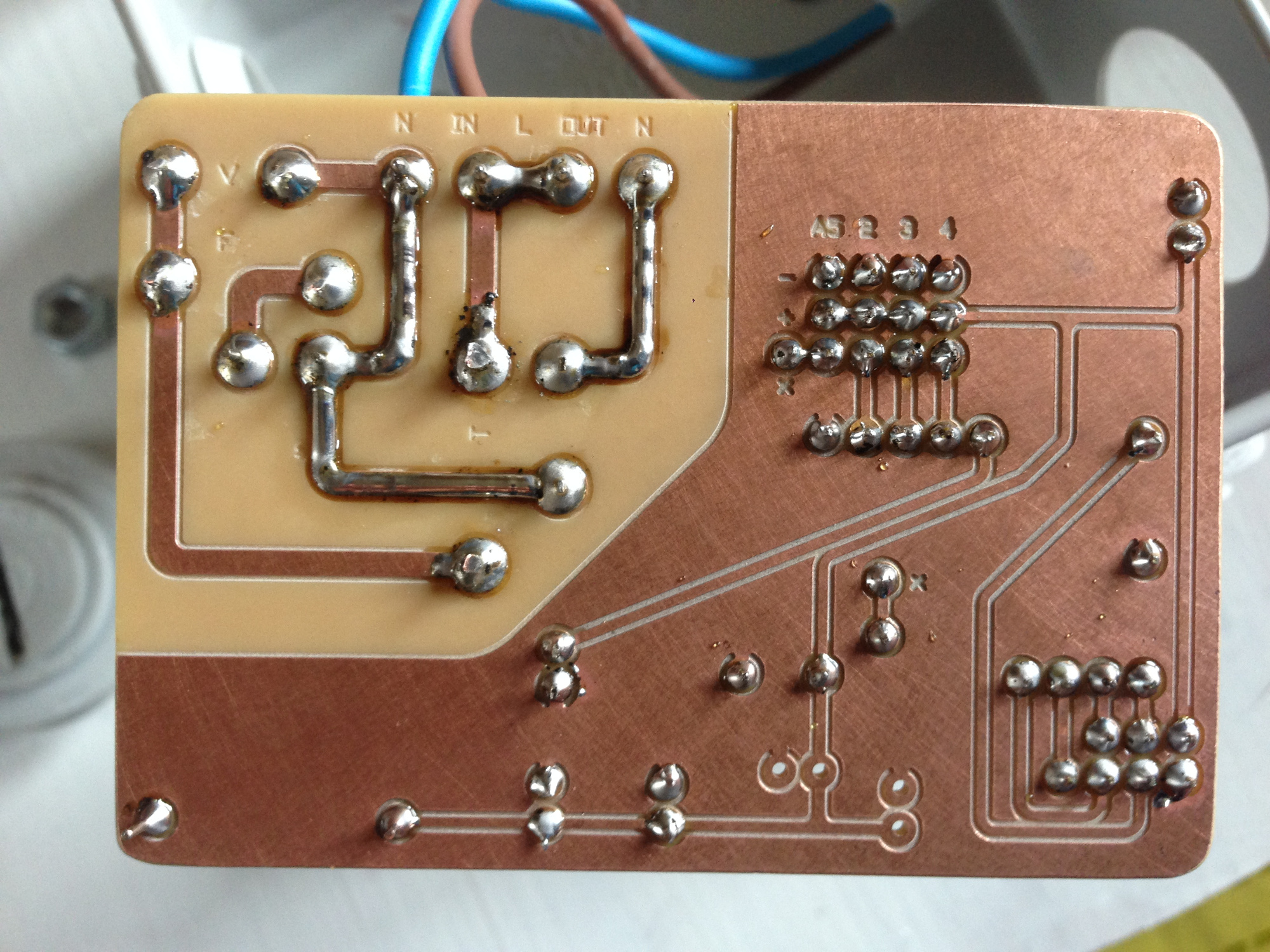
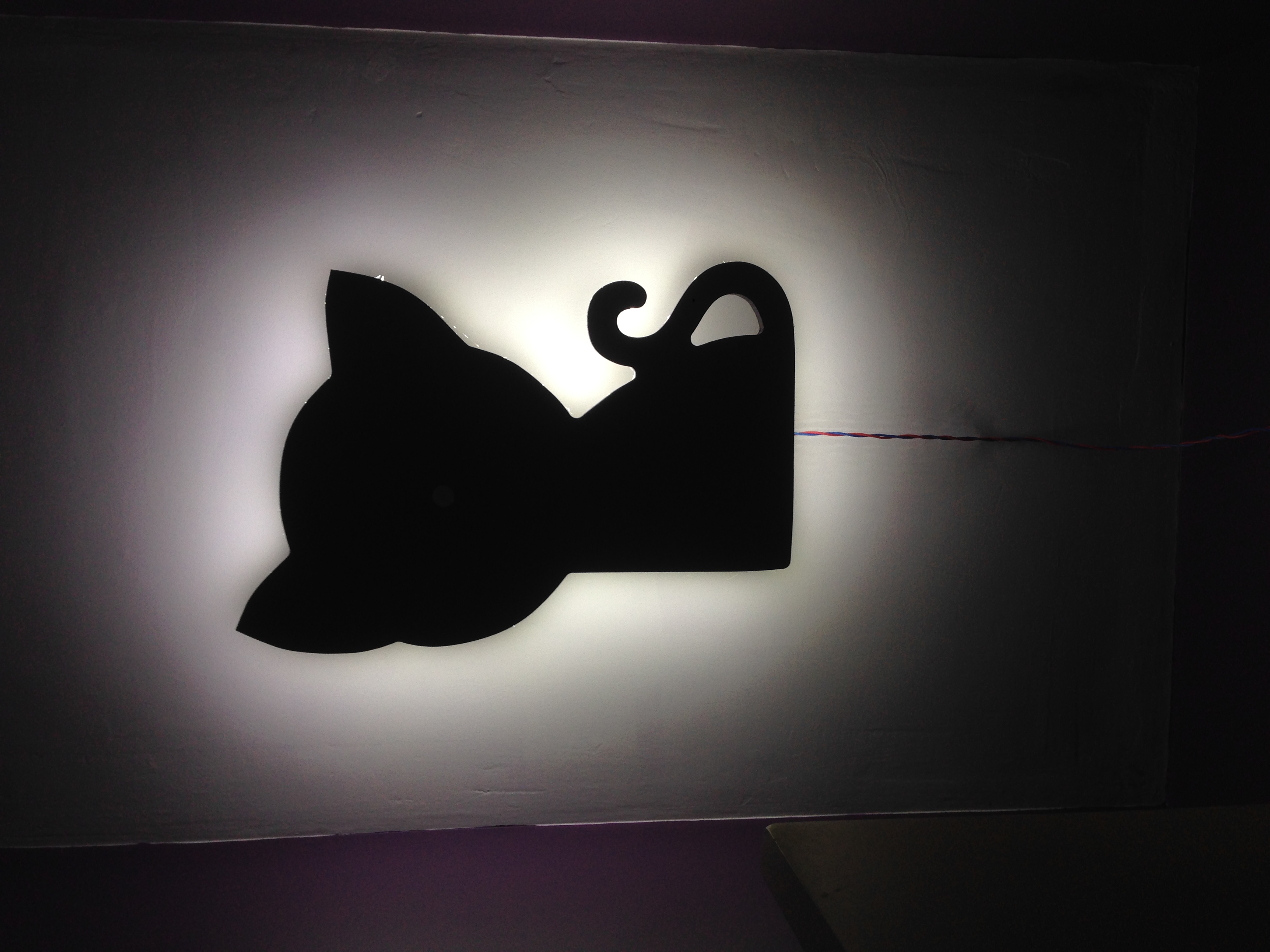
-
Hi guys
Could you please comment on this :
bool tripped = digitalRead(PIN_MOTION) == HIGH;
if ( tripped =! prevTripped ) {     //only send data when there is a change
  send(msgMotion.set(tripped ? "1" : "0")); // Send tripped value to gw
  prevTripped = tripped;
  }
Goal is to send update to gateway when state of PIR sensor changes
Trouble is that node sends state of sensor every cycle and floods karaf console...
Any clue ?
Also can anyone explain thisbool tripped = digitalRead(PIN_MOTION) == HIGH;I dont quite understand.... read, store, and compare... all at once?
Thanks a lot for your help
Cheers
@ben999,
As for your last question, this line is simply converting the pin state (either HIGH or LOW) to a boolean. The right side expression evaluates to a boolean that is true when the pin is HIGH. This is assigned to the boolean variable "tripped". This makes it logically easy to use in the following IF statement.First question: I'm not sure why it would send every cycle. The logic of the IF statement seems correct, and since prevTripped is global, its state will be preserved between loops.
-
Hi guys
A new project came on top of the others : ceiling light
The wife kinda likes the idea behind MySensors and openHab, as home automation and security system
But i had to hit hard to get it fully accepted. So here comes the "cat shaped ceiling light" !!!(
![0_1508911480537_IMG_6161[1].JPG](/assets/uploads/files/1508911496333-img_6161-1-resized.jpeg)
(Ok I know, ceiling is not finished yet... it has to be spotless as this kind of light reveals everything...)
LED strip is glued on the edge of the board, powered via a 12V power supply which is controlled via an OMRON SSR relaySome AutoCad and CNC later... :
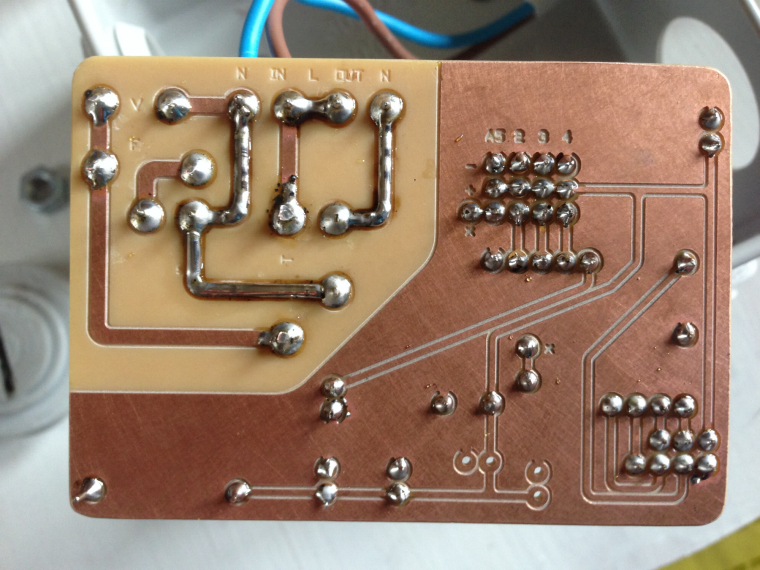
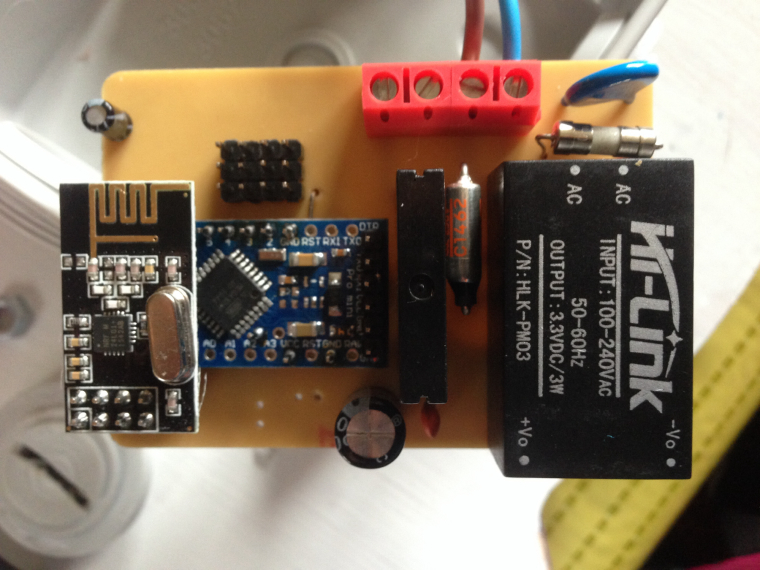
This is highly inspired by Aproxx's work
https://www.openhardware.io/view/77/AC-DC-double-solid-state-relay-moduleWhat I want it to do :
- switch on the light when motion (PIR sensor)
- switch itself off with delay (PIR kind enough to do that as well)
- measure room light level so as to switch light on only when needed
- have 3 modes controlled via openHab : fully automatic, always ON, always OFF
So far i have managed to create a 3-state selector in openhab with this:
- ".items" file:
String HouseMode "House Mode [%s]" - ".sitemap" file:
Switch item=LightMode mappings=[ON=1, AUTO=2, OFF=1]
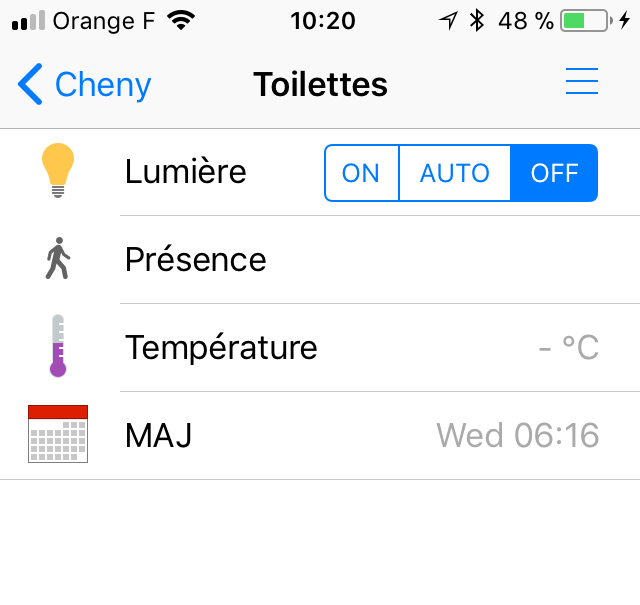
Now I am having some trouble with the sketch...
I guess I should be using S_CUSTOM and V_CUSTOM (instead of S_BINARY and V_STATUS) as the "LightMode" variable can take up to 3 states...
How do i then retreive that value?void receive(const MyMessage &message) int lightMode = message.getInt();Thanks for your input and comments :)
-
Sorted :)
It is probably a bad idea to send data to node while sleeping...
Complete sketch for the record
// Enable debug prints
#define MY_DEBUG

#define MY_RADIO_NRF24

#define MY_PARENT_ID 0
#define MY_NODE_ID 19

#include <MySensors.h>

// (Only input 2 and 3 generates interrupt!)
#define PIN_MOTION 2      // Motion sensor input
#define PIN_RELAY 5       // Omron relay output
#define MOTION_ID 1       // Id of the motion sensor child
#define RELAY_ID 2        // Id of the relay child

int lightMode = 2;         // 0=OFF - 1=ON - 2=auto
bool prevTripped = 0;          // previous state of motion sensor

MyMessage msgMotion(MOTION_ID, V_TRIPPED);    // Initialize motion message

void setup()
{
  pinMode(PIN_MOTION, INPUT);
  delay(3000);  // wait for motion sensor voltage to stabilize
  pinMode(PIN_RELAY, OUTPUT);     // Then set relay pins in output mode
  digitalWrite(PIN_RELAY, LOW);  // Make sure relays are off when starting up
}


void presentation()
{
  sendSketchInfo("Toilet Light", "27.10.2017");
  present(MOTION_ID, S_MOTION);
  present(RELAY_ID, S_CUSTOM);
}


void loop()
{

  bool tripped = digitalRead(PIN_MOTION) == HIGH;

  if ( tripped =! prevTripped ) { //only send data when there is a change
    send(msgMotion.set(tripped ? "1" : "0")); // Send tripped value to gw
    prevTripped = tripped;
  }

  if ( lightMode == 0 ) {
    digitalWrite(PIN_RELAY, LOW);
  }

  if ( lightMode == 1 ) {
    digitalWrite(PIN_RELAY, HIGH);
  }

  if ( (tripped == 1) && ( lightMode == 2 ) )  {
    digitalWrite(PIN_RELAY, HIGH);
  }

  if ( (tripped == 0) && ( lightMode == 2 ) )  {
    digitalWrite(PIN_RELAY, LOW);
  }
}


void receive(const MyMessage &message)
{
  if (message.type == V_VAR1) {
    lightMode = atoi(message.data);
  }
}
Thanks for reading ! Next project !!!
@ben999 I would rewrite some of the logic in your code to shorten it up a bit. I would change this:
  if ( lightMode == 0 ) {
    digitalWrite(PIN_RELAY, LOW);
  }

  if ( lightMode == 1 ) {
    digitalWrite(PIN_RELAY, HIGH);
  }

  if ( (tripped == 1) && ( lightMode == 2 ) )  {
    digitalWrite(PIN_RELAY, HIGH);
  }

  if ( (tripped == 0) && ( lightMode == 2 ) )  {
    digitalWrite(PIN_RELAY, LOW);
  }
To this:
  if ( ( (tripped == 1) && ( lightMode == 2 ) ) ||   lightMode == 1  )  {
    digitalWrite(PIN_RELAY, HIGH);
  }

  if ( ( (tripped == 0) && ( lightMode == 2 ) ) ||   lightMode == 0  )  {
    digitalWrite(PIN_RELAY, LOW);
  }
Vera Plus running UI7 with MySensors, Sonoffs and 1-Wire devices
Visit my website for more Bits, Bytes and Ramblings from me: http://dan.bemowski.info/ -
@ben999 I would rewrite some of the logic in your code to shorten it up a bit. I would change this:
  if ( lightMode == 0 ) {
    digitalWrite(PIN_RELAY, LOW);
  }

  if ( lightMode == 1 ) {
    digitalWrite(PIN_RELAY, HIGH);
  }

  if ( (tripped == 1) && ( lightMode == 2 ) )  {
    digitalWrite(PIN_RELAY, HIGH);
  }

  if ( (tripped == 0) && ( lightMode == 2 ) )  {
    digitalWrite(PIN_RELAY, LOW);
  }
To this:
if ( ( (tripped == 1) && ( lightMode == 2 ) ) || lightMode == 1 ) { digitalWrite(PIN_RELAY, HIGH); } if ( ( (tripped == 0) && ( lightMode == 2 ) ) || lightMode == 0 ) { digitalWrite(PIN_RELAY, LOW); } -
@ben999,
As for your last question, this line is simply converting the pin state (either HIGH or LOW) to a boolean. The right side expression evaluates to a boolean that is true when the pin is HIGH. This is assigned to the boolean variable "tripped". This makes it logically easy to use in the following IF statement.First question: I'm not sure why it would send every cycle. The logic of the IF statement seems correct, and since prevTripped is global, its state will be preserved between loops.
@billgoolsby thanks a lot for your comments that make more sense now :)
Trouble is that if sketch remains as above it doesn't get into the
if ( tripped =! prevTripped )loop (i have putSerial.printhere and there and i never get to it)
On top of thattrippedstays locked on HIGH but light is off...Any clue? Sketch seems fine to you?
Thanks for your time :)
-
-
@dbemowsk said in Automatic LED light - high WAF inside :):
@ben999 Nice CNC work on the PCB.
I have some neat little tools in my workshop:
3x1.5m working area
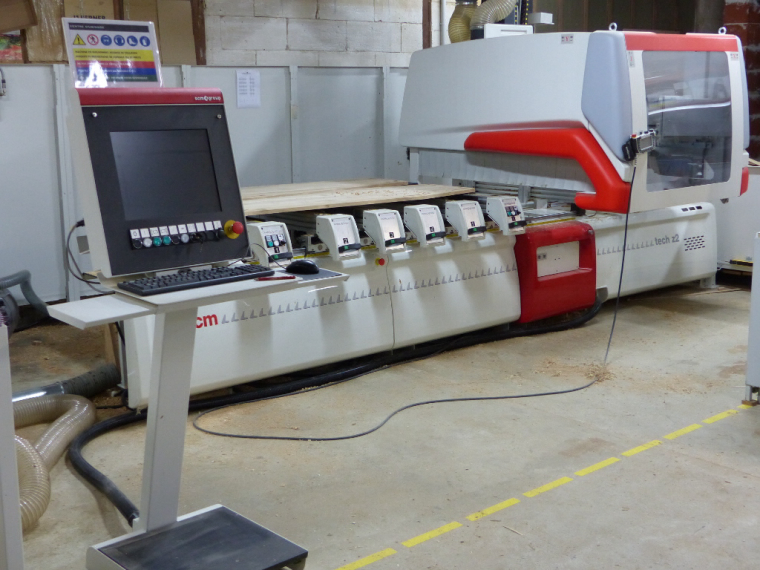
500x300mm working area
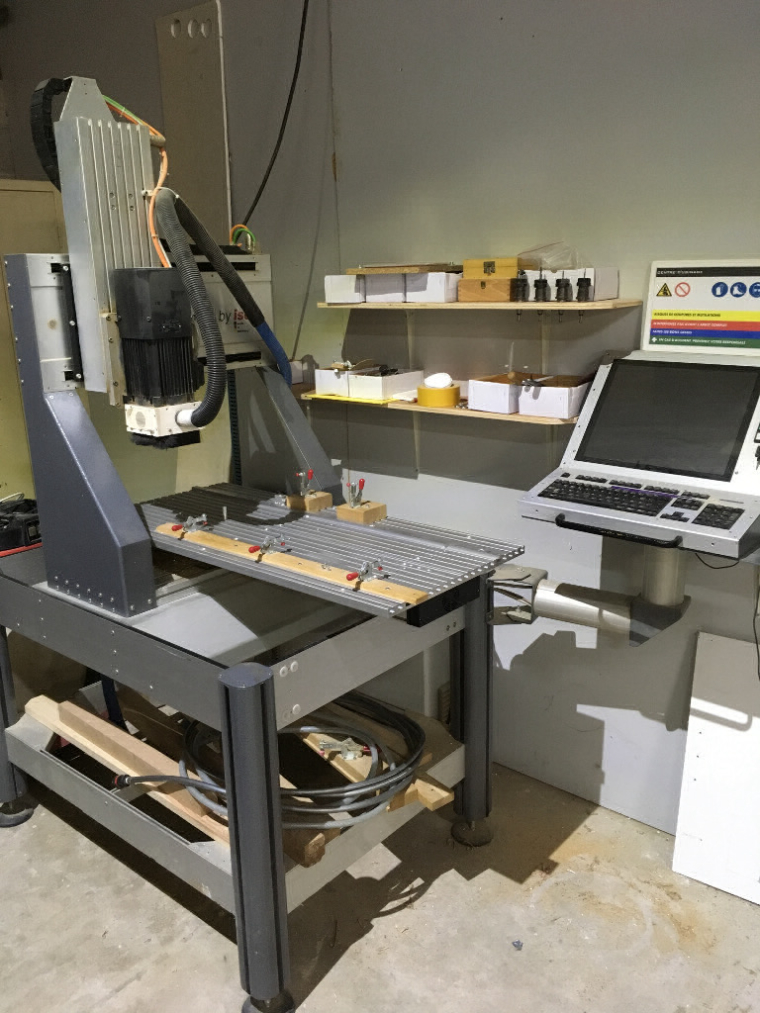
-
-
@dbemowsk :D i know i'm lucky to have all those toys handy
This is a 2.2kW spindle... other one is 13kW in case i need more :D
-
@billgoolsby thanks a lot for your comments that make more sense now :)
Trouble is that if sketch remains as above it doesn't get into the
if ( tripped =! prevTripped )loop (i have putSerial.printhere and there and i never get to it)
On top of thattrippedstays locked on HIGH but light is off...Any clue? Sketch seems fine to you?
Thanks for your time :)


Hello! It looks like you're interested in this conversation, but you don't have an account yet.
Getting fed up of having to scroll through the same posts each visit? When you register for an account, you'll always come back to exactly where you were before, and choose to be notified of new replies (either via email, or push notification). You'll also be able to save bookmarks and upvote posts to show your appreciation to other community members.
With your input, this post could be even better 💗
Register Login