Skip to content
  • MySensors
  • OpenHardware.io
  • Categories
  • Recent
  • Tags
  • Popular
Skins
  • Light
  • Brite
  • Cerulean
  • Cosmo
  • Flatly
  • Journal
  • Litera
  • Lumen
  • Lux
  • Materia
  • Minty
  • Morph
  • Pulse
  • Sandstone
  • Simplex
  • Sketchy
  • Spacelab
  • United
  • Yeti
  • Zephyr
  • Dark
  • Cyborg
  • Darkly
  • Quartz
  • Slate
  • Solar
  • Superhero
  • Vapor

  • Default (No Skin)
  • No Skin
Collapse
Brand Logo
  1. Home
  2. General Discussion
  3. CNC PCB milling

CNC PCB milling

Scheduled Pinned Locked Moved General Discussion
933 Posts 28 Posters 140.2k Views 27 Watching
  • Oldest to Newest
  • Newest to Oldest
  • Most Votes
Reply
  • Reply as topic
Log in to reply
This topic has been deleted. Only users with topic management privileges can see it.
  • E executivul

    @NeverDie Using traces one next to other at known distance you can determine the exact width of the engraving for a wanted depth of cut. I know you don't want to mess with gcode, but it's simpler than you think. Please look at the code: you have init (g92 for setting zero, g21 for mm, etc) you set the feedrate in mm/sec, you have a few movements (g0) a "dwell" to pierce the copper for 0.5seconds (g4) then some cutting moves (g1) all have absolute cartesian coordinates. Eg you're at (0,0) then g1 x0y10 means travel at (0,10) move only the y axis 10mm to the back of the machine, g1 x0.1y10 means move 0.1mm to the right, etc.
    You have the whole script posted above, set your feedrate the same as you set in flatcam, and set the depth in the first z-0.1mm line, maybe you want 0.05mm for eg. After editing the file run it in cp with autoleveling and post the results.

    NeverDieN Offline
    NeverDieN Offline
    NeverDie
    Hero Member
    wrote on last edited by
    #273

    @executivul said in CNC PCB milling:

    Using traces one next to other at known distance you can determine the exact width of the engraving for a wanted depth of cut.

    OK, I think I see what you mean. In other words, when the two cuts just barely bleed into one another, then one can deduce the width of the cut as being the absolute width between the absolute coordinates of the lines it's trying to cut. Makes sense. I'll give it a try. Thanks for the suggestion. :)

    1 Reply Last reply
    0
    • NeverDieN Offline
      NeverDieN Offline
      NeverDie
      Hero Member
      wrote on last edited by
      #274

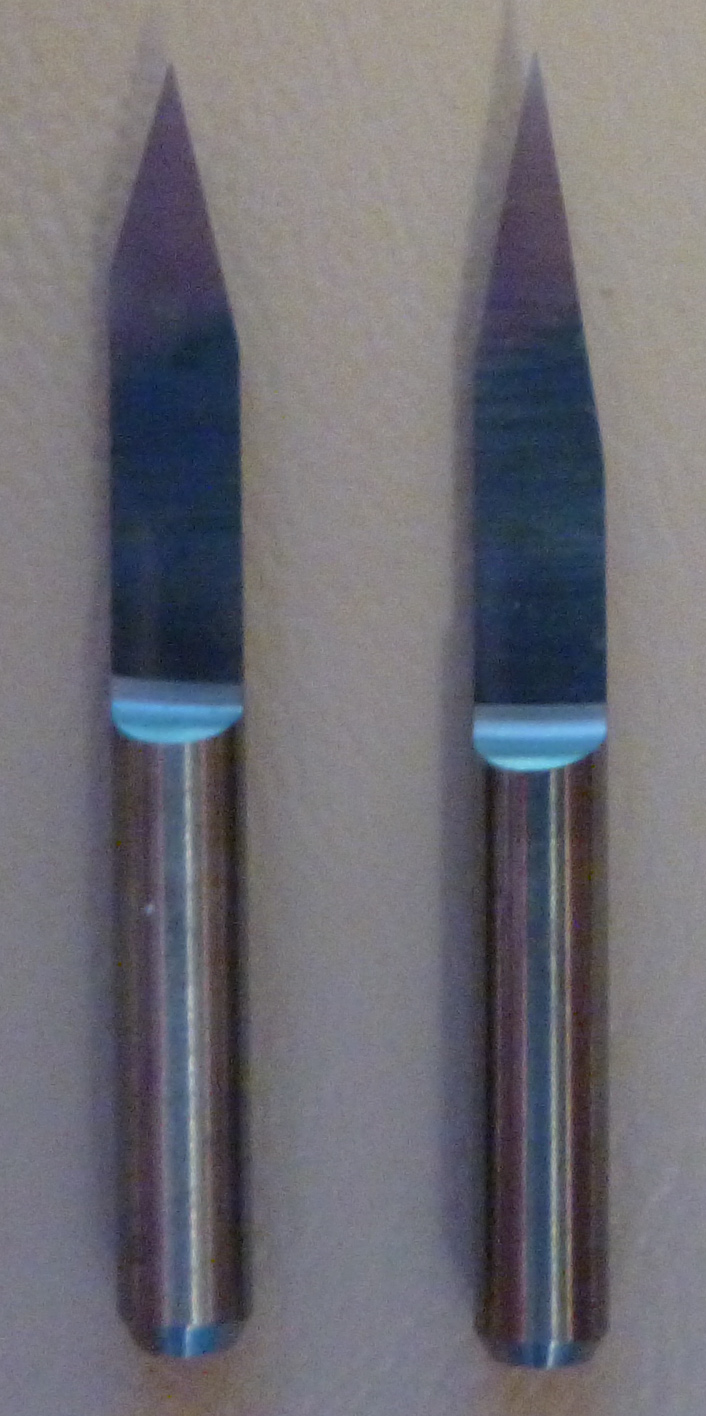
      Good news. I just received my model 2 bits from Aliexpress. Model 2 is 20 degrees with a 0.1mm tip. I compare it here to the freebie bits from Jack:
      0_1514161170351_bits_compare.jpg
      Model 2 is on the right, and Jack is on the left. Looks like the angle is wider on Jack, which I presume (?) means that the tip is wider than 0.1mm.

      1 Reply Last reply
      0
      • NeverDieN Offline
        NeverDieN Offline
        NeverDie
        Hero Member
        wrote on last edited by
        #275

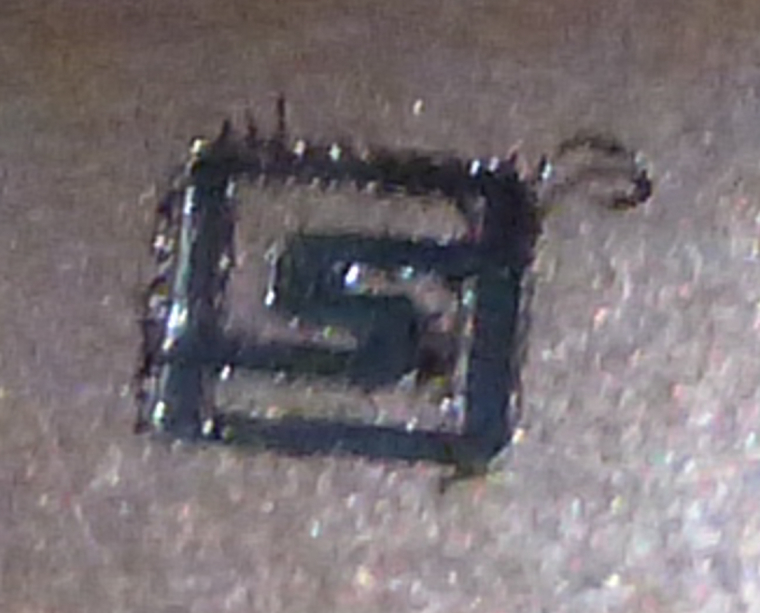
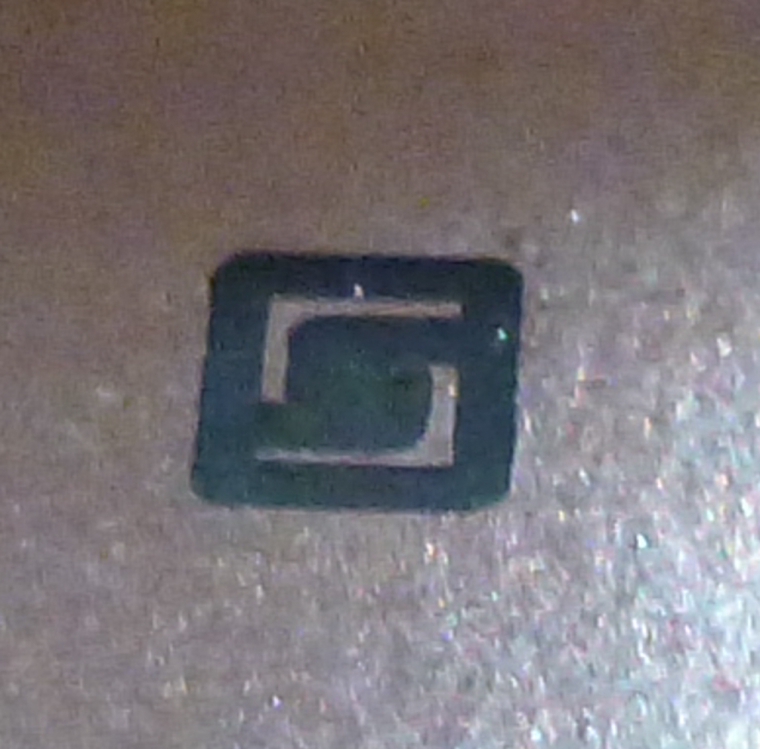
        Well, I thought the model 20 would do better, but it actually did worse:
        0_1514162531708_model20.jpg
        It does seem to cut smoother lines though.

        1 Reply Last reply
        0
        • NeverDieN Offline
          NeverDieN Offline
          NeverDie
          Hero Member
          wrote on last edited by
          #276

          I also received model 6, which is the variety pack that includes a 10 degree bit with a 0.1mm angle. Should I give it a try? I've read that they're prone to create flying shrapnel. Anyone here have experience with them? If it doesn't blow up, it might be just the ticket for doing this cut.

          1 Reply Last reply
          0
          • NeverDieN Offline
            NeverDieN Offline
            NeverDie
            Hero Member
            wrote on last edited by
            #277

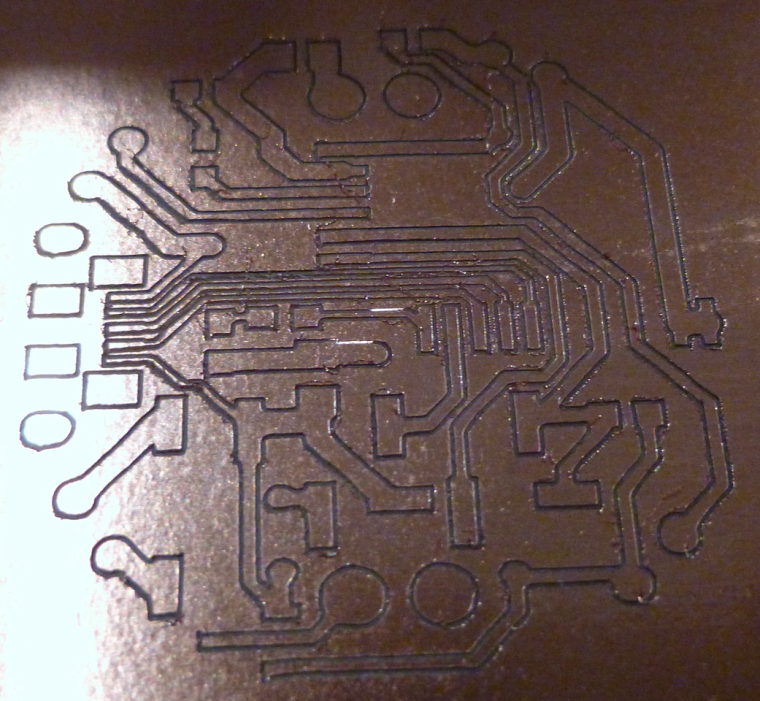
            I just now tried the Model 10:
            0_1514166455895_model10.jpg
            Rougher edges, but it didn't decimate the pads as badly as the model 20.

            mfalkviddM 1 Reply Last reply
            0
            • NeverDieN NeverDie

              I just now tried the Model 10:
              0_1514166455895_model10.jpg
              Rougher edges, but it didn't decimate the pads as badly as the model 20.

              mfalkviddM Offline
              mfalkviddM Offline
              mfalkvidd
              Mod
              wrote on last edited by
              #278

              @neverdie sorry for being unclear. I was thinking of just using a multimeter in continuity mode to verify that there is no connection between parts that should have no connection.

              1 Reply Last reply
              0
              • NeverDieN Offline
                NeverDieN Offline
                NeverDie
                Hero Member
                wrote on last edited by
                #279

                Merry Christmas, @executivul
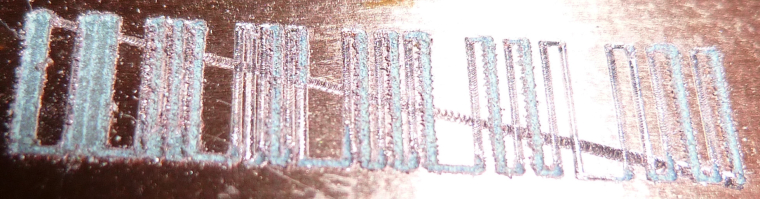
                Here is the output of your script using a Model 20 bit:
                0_1514220979736_executiveval1.jpg

                E 1 Reply Last reply
                1
                • NeverDieN NeverDie

                  Merry Christmas, @executivul
                  Here is the output of your script using a Model 20 bit:
                  0_1514220979736_executiveval1.jpg

                  E Offline
                  E Offline
                  executivul
                  wrote on last edited by
                  #280

                  @neverdie Marry Christmas!
                  What feedrate did you use? (F parameter) and what engraving depth? (G01 Z-0.1?)
                  The jagged edges make me believe your feedrate is a bit high for the used rpm. You can run the first gcode to determine the best feedrate, or just use something low like 200mm/min and maybe a little deeper engraving.
                  It seems that your engraving is about 0.25mm wide, the 0.1mm is clear, 0.2mm is clear, 0.3mm is partially clear, from 0.4mm onwards you see the spacing between passes.

                  NeverDieN 1 Reply Last reply
                  1
                  • E executivul

                    @neverdie Marry Christmas!
                    What feedrate did you use? (F parameter) and what engraving depth? (G01 Z-0.1?)
                    The jagged edges make me believe your feedrate is a bit high for the used rpm. You can run the first gcode to determine the best feedrate, or just use something low like 200mm/min and maybe a little deeper engraving.
                    It seems that your engraving is about 0.25mm wide, the 0.1mm is clear, 0.2mm is clear, 0.3mm is partially clear, from 0.4mm onwards you see the spacing between passes.

                    NeverDieN Offline
                    NeverDieN Offline
                    NeverDie
                    Hero Member
                    wrote on last edited by NeverDie
                    #281

                    @executivul said in CNC PCB milling:

                    G01 Z-0.1

                    I did it again with F200 this time:
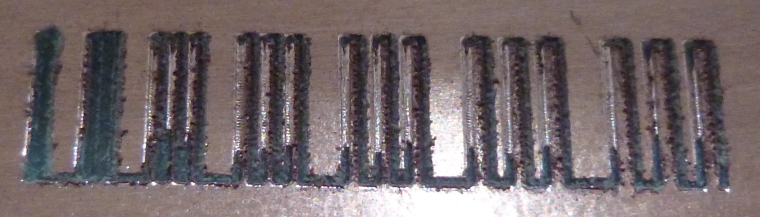
                    0_1514228662588_executiveval2.jpg

                    Doesn't look like the autoleveling is working so well, even though I had it probe every 2mm.

                    I think I may try covering 100% of the back of the pcb with tape. Maybe spacing it out has created this kind of artifact.

                    Not that it matters, but here's how it looks in ChiliPeppr:
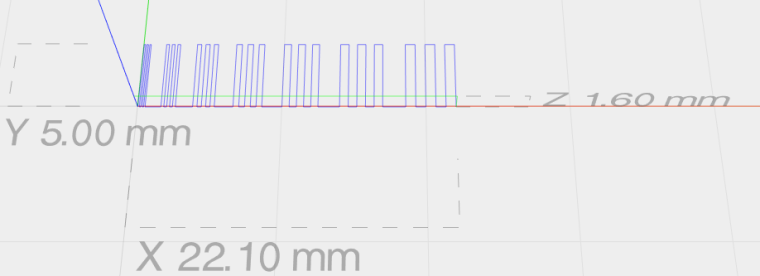
                    0_1514229052919_cp.png

                    NeverDieN 1 Reply Last reply
                    0
                    • NeverDieN NeverDie

                      @executivul said in CNC PCB milling:

                      G01 Z-0.1

                      I did it again with F200 this time:
                      0_1514228662588_executiveval2.jpg

                      Doesn't look like the autoleveling is working so well, even though I had it probe every 2mm.

                      I think I may try covering 100% of the back of the pcb with tape. Maybe spacing it out has created this kind of artifact.

                      Not that it matters, but here's how it looks in ChiliPeppr:
                      0_1514229052919_cp.png

                      NeverDieN Offline
                      NeverDieN Offline
                      NeverDie
                      Hero Member
                      wrote on last edited by NeverDie
                      #282

                      @neverdie Oops. It was F1400.00, which is what your script had. It must have overridden the F200 I had entered manually before running it.

                      1 Reply Last reply
                      0
                      • NeverDieN Offline
                        NeverDieN Offline
                        NeverDie
                        Hero Member
                        wrote on last edited by
                        #283

                        Here it is again, after I modified @executivul script to be F200:
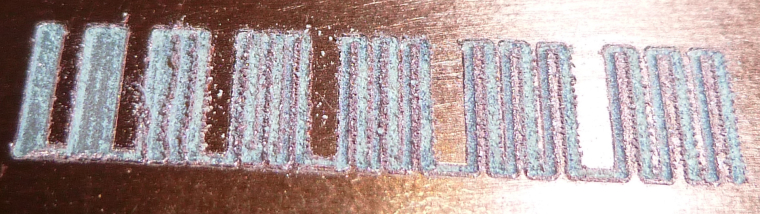
                        0_1514230978381_F200.jpg

                        1 Reply Last reply
                        0
                        • NeverDieN Offline
                          NeverDieN Offline
                          NeverDie
                          Hero Member
                          wrote on last edited by
                          #284

                          Here's something I've noticed. Before running the auto-leveling, I run a test probe and then zero everything out when it makes contact. After running auto-leveling, if I run the test probe again, it generally reads about 0.05 higher than where I zeroed it out after the first test probe before the auto-leveling. Meaning?

                          1 Reply Last reply
                          0
                          • NeverDieN Offline
                            NeverDieN Offline
                            NeverDie
                            Hero Member
                            wrote on last edited by
                            #285

                            Wow! Here's Jack's bit at a cutting depth of 0.05 and a feedrate of 200:
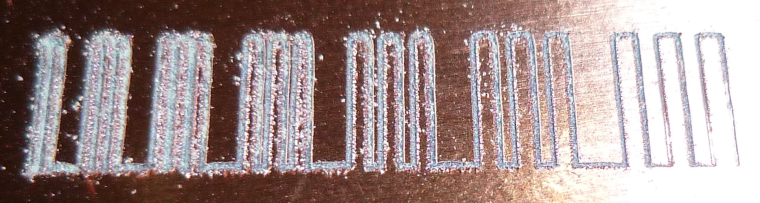
                            0_1514233434394_jacksbit.jpg

                            Seems to blow away the Aliexpress Model 20.

                            1 Reply Last reply
                            0
                            • NeverDieN Offline
                              NeverDieN Offline
                              NeverDie
                              Hero Member
                              wrote on last edited by NeverDie
                              #286

                              Anyhow, I'm not sure what all this means, but 6mil isolation milling seems like a stretch, unless there's more that I can do to get there.

                              What's a conservative number for mill isolation that I can count on getting without having to fuss over it? @executivul was getting 8mil. @andrew was getting 6 mill. So, maybe I can bank on getting 12 mill for sure without much effort such that it "just works"?

                              1 Reply Last reply
                              0
                              • E Offline
                                E Offline
                                executivul
                                wrote on last edited by
                                #287

                                @NeverDie
                                The last bit tested is under 0.1mm wide. WOW!
                                Remember to:
                                -pre run: set the autolevel probe limits and a speed of 25mm/s
                                -run the probing: and DON'T redo Z probing after autolevel, it messes things up, use the same bit for probing and engraving.
                                -post run: "send autoleveled gcode to workspace"
                                Go slower, 100-150mm/min, afterall you don't need 6mil traces for a huge board so time is not an issue here.

                                PS. try some water/shampoo mix, it kinda' helps with engraving, cooling, lube, I don't know.

                                PPS. I've moved to opencncpilot lately (last 2 boards), free on github, a short tut on the tube, it has a great feature that is to break long moves in 5mm segments, works better for bowed/wavy boards.

                                NeverDieN 2 Replies Last reply
                                1
                                • E executivul

                                  @NeverDie
                                  The last bit tested is under 0.1mm wide. WOW!
                                  Remember to:
                                  -pre run: set the autolevel probe limits and a speed of 25mm/s
                                  -run the probing: and DON'T redo Z probing after autolevel, it messes things up, use the same bit for probing and engraving.
                                  -post run: "send autoleveled gcode to workspace"
                                  Go slower, 100-150mm/min, afterall you don't need 6mil traces for a huge board so time is not an issue here.

                                  PS. try some water/shampoo mix, it kinda' helps with engraving, cooling, lube, I don't know.

                                  PPS. I've moved to opencncpilot lately (last 2 boards), free on github, a short tut on the tube, it has a great feature that is to break long moves in 5mm segments, works better for bowed/wavy boards.

                                  NeverDieN Offline
                                  NeverDieN Offline
                                  NeverDie
                                  Hero Member
                                  wrote on last edited by NeverDie
                                  #288

                                  @executivul Do you cut everything in one pass, or do you use multiple passes (each pass at a deeper depth)? Flatcam supports multiple passes, though I have been using only 1 pass.

                                  1 Reply Last reply
                                  0
                                  • E executivul

                                    @NeverDie
                                    The last bit tested is under 0.1mm wide. WOW!
                                    Remember to:
                                    -pre run: set the autolevel probe limits and a speed of 25mm/s
                                    -run the probing: and DON'T redo Z probing after autolevel, it messes things up, use the same bit for probing and engraving.
                                    -post run: "send autoleveled gcode to workspace"
                                    Go slower, 100-150mm/min, afterall you don't need 6mil traces for a huge board so time is not an issue here.

                                    PS. try some water/shampoo mix, it kinda' helps with engraving, cooling, lube, I don't know.

                                    PPS. I've moved to opencncpilot lately (last 2 boards), free on github, a short tut on the tube, it has a great feature that is to break long moves in 5mm segments, works better for bowed/wavy boards.

                                    NeverDieN Offline
                                    NeverDieN Offline
                                    NeverDie
                                    Hero Member
                                    wrote on last edited by
                                    #289

                                    @executivul
                                    Thanks for the tips. Here is Jack's bit again, this time at F100. Even better!
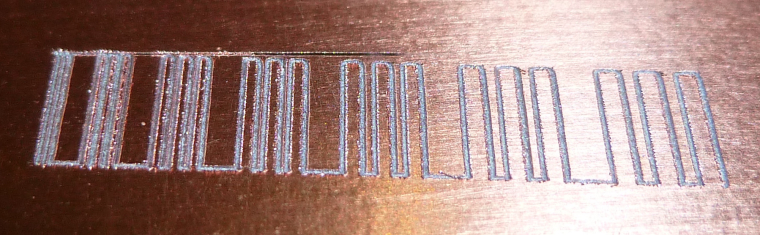
                                    0_1514236520133_F100-3.jpg

                                    1 Reply Last reply
                                    0
                                    • NeverDieN Offline
                                      NeverDieN Offline
                                      NeverDie
                                      Hero Member
                                      wrote on last edited by NeverDie
                                      #290

                                      Here are Jack's etching bits: https://www.aliexpress.com/store/product/Freeshipping-10pcs-3-175mm-Flat-Bottom-CNC-wood-Router-machine-Tools-Cutting-Bits-Carving-V-Shape/424291_32718430291.html?spm=2114.12010612.0.0.6cc36820P3WAXu
                                      It says 30 degree angle and 0.1mm tip.

                                      1 Reply Last reply
                                      0
                                      • NeverDieN Offline
                                        NeverDieN Offline
                                        NeverDie
                                        Hero Member
                                        wrote on last edited by
                                        #291

                                        Time to see whether this machine can cut the mustard or not. I just did a 5mm autoleveling on the following:
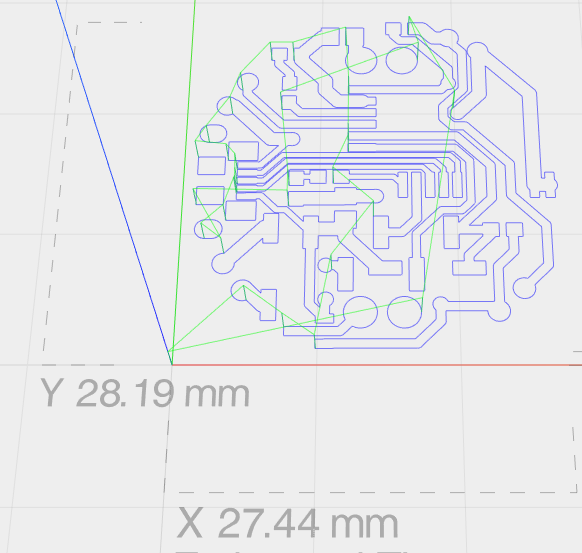
                                        0_1514243813034_top_coincell_th_v023.png

                                        and now I'll try cutting it using Jack's bit.

                                        1 Reply Last reply
                                        0
                                        • NeverDieN Offline
                                          NeverDieN Offline
                                          NeverDie
                                          Hero Member
                                          wrote on last edited by NeverDie
                                          #292

                                          Here's the result:
                                          0_1514258043934_mustard.jpg
                                          The above was cut at a depth of z=-0.1, and still not all the paths cut completely through. Yet, In the middle one of the traces got obliterated.

                                          I'm afraid I'm unlikely to make it work at the resolution that I'm able get from the fab. It's close, but no cigar. So I think it's better suited for earlier prototyping work that's not so optimized for space. For that it might be very handy. Then I can both cut deeper and also not worry about trace obliteration.

                                          1 Reply Last reply
                                          1
                                          Reply
                                          • Reply as topic
                                          Log in to reply
                                          • Oldest to Newest
                                          • Newest to Oldest
                                          • Most Votes


                                          22

                                          Online

                                          11.7k

                                          Users

                                          11.2k

                                          Topics

                                          113.1k

                                          Posts


                                          Copyright 2025 TBD   |   Forum Guidelines   |   Privacy Policy   |   Terms of Service
                                          • Login

                                          • Don't have an account? Register

                                          • Login or register to search.
                                          • First post
                                            Last post
                                          0
                                          • MySensors
                                          • OpenHardware.io
                                          • Categories
                                          • Recent
                                          • Tags
                                          • Popular