Skip to content
  • MySensors
  • OpenHardware.io
  • Categories
  • Recent
  • Tags
  • Popular
Skins
  • Light
  • Brite
  • Cerulean
  • Cosmo
  • Flatly
  • Journal
  • Litera
  • Lumen
  • Lux
  • Materia
  • Minty
  • Morph
  • Pulse
  • Sandstone
  • Simplex
  • Sketchy
  • Spacelab
  • United
  • Yeti
  • Zephyr
  • Dark
  • Cyborg
  • Darkly
  • Quartz
  • Slate
  • Solar
  • Superhero
  • Vapor

  • Default (No Skin)
  • No Skin
Collapse
Brand Logo
  1. Home
  2. Hardware
  3. SCT-013-030 current monitor sensor

SCT-013-030 current monitor sensor

Scheduled Pinned Locked Moved Hardware
65 Posts 16 Posters 50.8k Views 15 Watching
  • Oldest to Newest
  • Newest to Oldest
  • Most Votes
Reply
  • Reply as topic
Log in to reply
This topic has been deleted. Only users with topic management privileges can see it.
  • korttomaK Offline
    korttomaK Offline
    korttoma
    Hero Member
    wrote on last edited by korttoma
    #4
    This post is deleted!
    1 Reply Last reply
    0
    • epierreE Offline
      epierreE Offline
      epierre
      Hero Member
      wrote on last edited by
      #5

      this code is for three, first one is wired on A3 / A0, second A4/A1 and third on A5/A2

      z-wave - Vera -> Domoticz
      rfx - Domoticz <- MyDomoAtHome <- Imperihome
      mysensors -> mysensors-gw -> Domoticz

      1 Reply Last reply
      0
      • chatainsimC Offline
        chatainsimC Offline
        chatainsim
        wrote on last edited by
        #6

        Yes, I've understand this but how is it possible to wire on A3 and A0 with only two wires ? Where is connected the VCC ?
        I've used this : http://openenergymonitor.org/emon/buildingblocks/how-to-build-an-arduino-energy-monitor-measuring-current-only

        1 Reply Last reply
        0
        • M Offline
          M Offline
          maglo18
          wrote on last edited by
          #7

          @maglo18 said:

          A3 is from transformer and A0 is from CT sensor

          Voltage input http://openenergymonitor.org/emon/buildingblocks/measuring-voltage-with-an-acac-power-adapter
          CT input http://openenergymonitor.org/emon/buildingblocks/how-to-build-an-arduino-energy-monitor-measuring-current-only

          I have 3 x voltage input and 3 x ct input.

          1 Reply Last reply
          0
          • chatainsimC Offline
            chatainsimC Offline
            chatainsim
            wrote on last edited by
            #8

            Ahhh ! Ok.
            That why there is A3 and A0 in use !

            I'll digg into the voltage input to know how it's working.
            Thank you.

            1 Reply Last reply
            0
            • chatainsimC Offline
              chatainsimC Offline
              chatainsim
              wrote on last edited by
              #9

              I've change the code to only use A0 for CT sensor.
              It's not plug in the cable, it's for testing.
              Here is the output in arduino serial console :

              sensor started, id 2
              send: 2-2-0-0 s=255,c=0,t=17,pt=0,l=5,st=ok:1.4.1
              send: 2-2-0-0 s=255,c=3,t=6,pt=1,l=1,st=ok:0
              read: 2-1-0 s=255,c=3,t=6,pt=1,l=1:0
              read: 2-1-0 s=255,c=3,t=6,pt=1,l=1:0
              read: 0-0-2 s=255,c=3,t=6,pt=0,l=1:M
              send: 2-2-0-0 s=255,c=3,t=11,pt=0,l=12,st=ok:Energy Meter
              send: 2-2-0-0 s=255,c=3,t=12,pt=0,l=3,st=ok:2.0
              send: 2-2-0-0 s=0,c=0,t=13,pt=0,l=5,st=ok:1.4.1
              read: 2-1-0 s=0,c=0,t=13,pt=0,l=5:1.4.1
              0.00 0.00 0.00 69.60 nan 
              read: 2-1-0 s=0,c=0,t=13,pt=0,l=5:1.4.1
              0.00 0.00 0.00 62.07 nan 
              read: 2-1-0 s=0,c=0,t=13,pt=0,l=5:1.4.1
              0.00 0.00 0.00 55.65 nan 
              0.00 0.00 0.00 48.57 nan 
              0.00 0.00 0.00 40.78 nan 
              0.00 0.00 0.00 35.21 nan 
              0.00 0.00 0.00 30.80 nan 
              0.00 0.00 0.00 24.84 nan 
              0.00 0.00 0.00 19.95 nan 
              0.00 0.00 0.00 16.46 nan 
              send: 2-2-0-0 s=0,c=1,t=24,pt=7,l=5,st=ok:0.0
              send: 2-2-0-0 s=0,c=1,t=25,pt=7,l=5,st=ok:0.0
              send: 2-2-0-0 s=0,c=1,t=26,pt=7,l=5,st=ok:NAN
              send: 2-2-0-0 s=0,c=1,t=27,pt=7,l=5,st=fail:0.0
              send: 2-2-0-0 s=0,c=1,t=28,pt=7,l=5,st=fail:16.5
              read: 2-1-0 s=0,c=0,t=13,pt=0,l=5:1.4.1
              0.00 0.00 0.00 13.53 nan 
              read: 2-1-0 s=0,c=0,t=13,pt=0,l=5:1.4.1
              0.00 0.00 0.00 11.34 nan 
              read: 2-1-0 s=0,c=0,t=13,pt=0,l=5:1.4.1
              0.00 0.00 0.00 9.73 nan 
              0.00 0.00 0.00 8.11 nan 
              0.00 0.00 0.00 6.84 nan 
              0.00 0.00 0.00 5.72 nan 
              0.00 0.00 0.00 4.71 nan 
              0.00 0.00 0.00 3.90 nan 
              0.00 0.00 0.00 3.18 nan 
              0.00 0.00 0.00 2.61 nan 
              send: 2-2-0-0 s=0,c=1,t=24,pt=7,l=5,st=ok:0.0
              send: 2-2-0-0 s=0,c=1,t=25,pt=7,l=5,st=ok:0.0
              send: 2-2-0-0 s=0,c=1,t=26,pt=7,l=5,st=ok:NAN
              send: 2-2-0-0 s=0,c=1,t=27,pt=7,l=5,st=fail:0.0
              send: 2-2-0-0 s=0,c=1,t=28,pt=7,l=5,st=fail:2.6
              read: 2-1-0 s=0,c=0,t=13,pt=0,l=5:1.4.1
              0.00 0.00 0.00 2.22 nan 
              read: 2-1-0 s=0,c=0,t=13,pt=0,l=5:1.4.1
              0.00 0.00 0.00 1.97 nan 
              read: 2-1-0 s=0,c=0,t=13,pt=0,l=5:1.4.1
              0.00 0.00 0.00 1.76 nan 
              0.00 0.00 0.00 1.62 nan 
              0.00 0.00 0.00 1.51 nan 
              0.00 0.00 0.00 1.40 nan 
              0.00 0.00 0.00 1.26 nan 
              0.00 0.00 0.00 1.13 nan 
              0.00 0.00 0.00 0.99 nan 
              0.00 0.00 0.00 0.85 nan 
              send: 2-2-0-0 s=0,c=1,t=24,pt=7,l=5,st=ok:0.0
              send: 2-2-0-0 s=0,c=1,t=25,pt=7,l=5,st=ok:0.0
              send: 2-2-0-0 s=0,c=1,t=26,pt=7,l=5,st=ok:NAN
              send: 2-2-0-0 s=0,c=1,t=27,pt=7,l=5,st=fail:0.0
              send: 2-2-0-0 s=0,c=1,t=28,pt=7,l=5,st=fail:0.8
              read: 2-1-0 s=0,c=0,t=13,pt=0,l=5:1.4.1
              0.00 0.00 0.00 0.74 nan 
              read: 2-1-0 s=0,c=0,t=13,pt=0,l=5:1.4.1
              0.00 0.00 0.00 0.65 nan 
              read: 2-1-0 s=0,c=0,t=13,pt=0,l=5:1.4.1
              0.00 0.00 0.00 0.57 nan 
              0.00 0.00 0.00 0.50 nan 
              0.00 0.00 0.00 0.40 nan 
              0.00 0.00 0.00 0.33 nan 
              0.00 0.00 0.00 0.29 nan 
              0.00 0.00 0.00 0.25 nan 
              0.00 0.00 0.00 0.23 nan 
              0.00 0.00 0.00 0.20 nan 
              send: 2-2-0-0 s=0,c=1,t=24,pt=7,l=5,st=ok:0.0
              send: 2-2-0-0 s=0,c=1,t=25,pt=7,l=5,st=ok:0.0
              send: 2-2-0-0 s=0,c=1,t=26,pt=7,l=5,st=ok:NAN
              send: 2-2-0-0 s=0,c=1,t=27,pt=7,l=5,st=fail:0.0
              send: 2-2-0-0 s=0,c=1,t=28,pt=7,l=5,st=fail:0.2
              read: 2-1-0 s=0,c=0,t=13,pt=0,l=5:1.4.1
              0.00 0.00 0.00 0.19 nan 
              read: 2-1-0 s=0,c=0,t=13,pt=0,l=5:1.4.1
              0.00 0.00 0.00 0.16 nan 
              read: 2-1-0 s=0,c=0,t=13,pt=0,l=5:1.4.1
              0.00 0.00 0.00 0.13 nan 
              0.00 0.00 0.00 0.14 nan 
              0.00 0.00 0.00 0.14 nan 
              0.00 0.00 0.00 0.11 nan 
              0.00 0.00 0.00 0.11 nan 
              0.00 0.00 0.00 0.09 nan 
              

              There are some fail, is it normal ?
              Thanks

              1 Reply Last reply
              0
              • chatainsimC Offline
                chatainsimC Offline
                chatainsim
                wrote on last edited by
                #10

                I starting to understand.
                The SCT-013-030 is used only to get Ampere, nothing more ? Is it correct ?
                If I want the Watt I need more sensors connected to the arduino, right ?

                1 Reply Last reply
                0
                • rvendrameR Offline
                  rvendrameR Offline
                  rvendrame
                  Hero Member
                  wrote on last edited by
                  #11

                  @chatainsim, if you know the Voltage, just multiply the voltage by the amperage and you will have the wattage...

                  http://en.wikipedia.org/wiki/Ohm's_law

                  Home Assistant / Vera Plus UI7
                  ESP8266 GW + mySensors 2.3.2
                  Alexa / Google Home

                  chatainsimC 1 Reply Last reply
                  0
                  • M Offline
                    M Offline
                    maglo18
                    wrote on last edited by
                    #12

                    In Emonlib you have example to measure watt etc. without measure voltage.
                    https://github.com/openenergymonitor/EmonLib

                    1 Reply Last reply
                    0
                    • rvendrameR rvendrame

                      @chatainsim, if you know the Voltage, just multiply the voltage by the amperage and you will have the wattage...

                      http://en.wikipedia.org/wiki/Ohm's_law

                      chatainsimC Offline
                      chatainsimC Offline
                      chatainsim
                      wrote on last edited by
                      #13

                      @rvendrame Thanks, I will try this.
                      @maglo18 I will try to use some example.
                      First I need to check if my sketch and my assemble works at least.

                      Thanks for your help. I think I will need more from you guys !

                      1 Reply Last reply
                      0
                      • chatainsimC Offline
                        chatainsimC Offline
                        chatainsim
                        wrote on last edited by
                        #14

                        Hello guys,

                        I've working on my sensor.
                        It's seems working, but I have some trouble with Watt or Kwh.

                        Here is the sketch:

                        // EmonLibrary examples openenergymonitor.org, Licence GNU GPL V3  ***/
                        #include <SPI.h>
                        #include <MySensor.h>  
                        #include "EmonLib.h"             // Include Emon Library
                        EnergyMonitor emon1;             // Create an instance
                        #define CHILD_ID 0 
                        MySensor gw;
                        unsigned long lastSend;
                        unsigned long SEND_FREQUENCY = 20000; // Minimum time between send (in milliseconds). We don't wnat to spam the gateway.
                        
                        MyMessage IrmsMsg(CHILD_ID,V_WATT);
                        void setup()
                        {  
                          gw.begin();
                        
                          // Send the sketch version information to the gateway and Controller
                          gw.sendSketchInfo("Energy Meter", "1.0");
                        
                          // Register this device as power sensor
                          gw.present(CHILD_ID, S_POWER);
                          emon1.current(A0, 29.0);       // Current: input pin, calibration.
                        }
                        
                        void loop()
                        {
                          gw.process();
                          unsigned long now = millis();
                          double Irms = emon1.calcIrms(1480);
                          //emon1.calcVI(20,2000);         // Calculate all. No.of half wavelengths (crossings), time-out
                          //emon1.serialprint();           // Print out all variables (realpower, apparent power, Vrms, Irms, power factor)
                          bool sendTime = now - lastSend > SEND_FREQUENCY;
                          if (sendTime) { 
                            //float Irms = emon1.Irms;             //extract Irms into Variable
                            gw.send(IrmsMsg.set(Irms*232.0,1));
                            Serial.println(Irms*232.0);
                            lastSend = now;
                          }
                        }
                        

                        I've got around 390 for the Irms*232, do you thinks it's a correct value ?
                        Can I calculated the current kwh with the ampere ?

                        Thank you.

                        AWIA 1 Reply Last reply
                        0
                        • chatainsimC Offline
                          chatainsimC Offline
                          chatainsim
                          wrote on last edited by
                          #15

                          Hello,

                          I've made some change in the code :

                          // EmonLibrary examples openenergymonitor.org, Licence GNU GPL V3  ***/
                          #include <SPI.h>
                          #include <MySensor.h>  
                          #include "EmonLib.h"             // Include Emon Library
                          EnergyMonitor emon1;             // Create an instance
                          #define CHILD_ID_WATT 0
                          #define CHILD_ID_KWH 1
                          MySensor gw;
                          unsigned long lastSend;
                          unsigned long SEND_FREQUENCY = 20000; // Minimum time between send (in milliseconds). We don't wnat to spam the gateway.
                          
                          MyMessage IrmsMsg(CHILD_ID_WATT,V_WATT);
                          MyMessage kWhMsg(CHILD_ID_KWH,V_KWH);
                          void setup()
                          {  
                            gw.begin();
                            gw.sendSketchInfo("Energy Meter", "1.0");  // Send the sketch version information to the gateway and Controller
                            gw.present(CHILD_ID_WATT, S_POWER);  // Register this device as power sensor
                            gw.present(CHILD_ID_KWH, S_POWER);
                            emon1.current(A0, 29.0);       // Current: input pin, calibration.
                          }
                          
                          void loop()
                          {
                            gw.process();
                            unsigned long now = millis();
                            //emon1.serialprint();           // Print out all variables (realpower, apparent power, Vrms, Irms, power factor)
                            double Irms = emon1.calcIrms(1480);
                            bool sendTime = now - lastSend > SEND_FREQUENCY;
                            if (sendTime) {
                              gw.send(IrmsMsg.set((Irms*232.0)*1000, 1));
                          //    Serial.print("Watt: ");
                          //    Serial.println(Irms*232.0);
                              gw.send(kWhMsg.set((Irms*232.0)/1000, 1));
                          //    Serial.print("kWH: ");
                          //    Serial.println((Irms*232.0)/1000);
                              lastSend = now;
                            }
                          }
                          

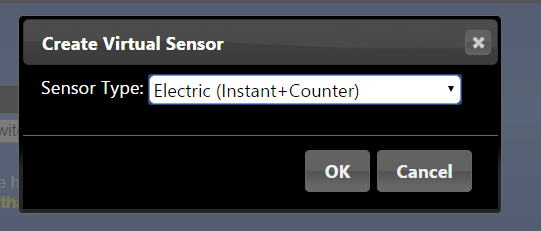
                          But in Domoticz, I've two line for this but in kWh and not on in kWh and other in Watt :

                          Capture.PNG

                          Do you know why ?

                          Regards,

                          1 Reply Last reply
                          0
                          • chatainsimC chatainsim

                            Hello guys,

                            I've working on my sensor.
                            It's seems working, but I have some trouble with Watt or Kwh.

                            Here is the sketch:

                            // EmonLibrary examples openenergymonitor.org, Licence GNU GPL V3  ***/
                            #include <SPI.h>
                            #include <MySensor.h>  
                            #include "EmonLib.h"             // Include Emon Library
                            EnergyMonitor emon1;             // Create an instance
                            #define CHILD_ID 0 
                            MySensor gw;
                            unsigned long lastSend;
                            unsigned long SEND_FREQUENCY = 20000; // Minimum time between send (in milliseconds). We don't wnat to spam the gateway.
                            
                            MyMessage IrmsMsg(CHILD_ID,V_WATT);
                            void setup()
                            {  
                              gw.begin();
                            
                              // Send the sketch version information to the gateway and Controller
                              gw.sendSketchInfo("Energy Meter", "1.0");
                            
                              // Register this device as power sensor
                              gw.present(CHILD_ID, S_POWER);
                              emon1.current(A0, 29.0);       // Current: input pin, calibration.
                            }
                            
                            void loop()
                            {
                              gw.process();
                              unsigned long now = millis();
                              double Irms = emon1.calcIrms(1480);
                              //emon1.calcVI(20,2000);         // Calculate all. No.of half wavelengths (crossings), time-out
                              //emon1.serialprint();           // Print out all variables (realpower, apparent power, Vrms, Irms, power factor)
                              bool sendTime = now - lastSend > SEND_FREQUENCY;
                              if (sendTime) { 
                                //float Irms = emon1.Irms;             //extract Irms into Variable
                                gw.send(IrmsMsg.set(Irms*232.0,1));
                                Serial.println(Irms*232.0);
                                lastSend = now;
                              }
                            }
                            

                            I've got around 390 for the Irms*232, do you thinks it's a correct value ?
                            Can I calculated the current kwh with the ampere ?

                            Thank you.

                            AWIA Offline
                            AWIA Offline
                            AWI
                            Hero Member
                            wrote on last edited by
                            #16

                            @chatainsim Domoticz does not have a different device for power (Watt) and energy(kWh) but combines them in a single device. What you need to do is send both the power and energy to the same child.

                            1 Reply Last reply
                            0
                            • chatainsimC Offline
                              chatainsimC Offline
                              chatainsim
                              wrote on last edited by
                              #17

                              Thanks, but I've already test this and only the kWh is updated in domoticz, not watt.

                              // EmonLibrary examples openenergymonitor.org, Licence GNU GPL V3  ***/
                              #include <SPI.h>
                              #include <MySensor.h>  
                              #include "EmonLib.h"             // Include Emon Library
                              EnergyMonitor emon1;             // Create an instance
                              #define CHILD_ID 0
                              MySensor gw;
                              unsigned long lastSend;
                              unsigned long SEND_FREQUENCY = 20000; // Minimum time between send (in milliseconds). We don't wnat to spam the gateway.
                              
                              MyMessage IrmsMsg(CHILD_ID,V_WATT);
                              MyMessage kWhMsg(CHILD_ID,V_KWH);
                              void setup()
                              {  
                                gw.begin();
                                gw.sendSketchInfo("Energy Meter", "1.0");  // Send the sketch version information to the gateway and Controller
                                gw.present(CHILD_ID, S_POWER);  // Register this device as power sensor
                                emon1.current(A0, 29.0);       // Current: input pin, calibration.
                              }
                              
                              void loop()
                              {
                                gw.process();
                                unsigned long now = millis();
                                //emon1.serialprint();           // Print out all variables (realpower, apparent power, Vrms, Irms, power factor)
                                double Irms = emon1.calcIrms(1480);
                                bool sendTime = now - lastSend > SEND_FREQUENCY;
                                if (sendTime) {
                                  gw.send(IrmsMsg.set((Irms*232.0)*1000, 1));
                              //    Serial.print("Watt: ");
                              //    Serial.println(Irms*232.0);
                                  gw.send(kWhMsg.set((Irms*232.0)/1000, 1));
                              //    Serial.print("kWH: ");
                              //    Serial.println((Irms*232.0)/1000);
                                  lastSend = now;
                                }
                              }
                              

                              Can you help me with this ?

                              Thanks

                              AWIA 1 Reply Last reply
                              0
                              • chatainsimC chatainsim

                                Thanks, but I've already test this and only the kWh is updated in domoticz, not watt.

                                // EmonLibrary examples openenergymonitor.org, Licence GNU GPL V3  ***/
                                #include <SPI.h>
                                #include <MySensor.h>  
                                #include "EmonLib.h"             // Include Emon Library
                                EnergyMonitor emon1;             // Create an instance
                                #define CHILD_ID 0
                                MySensor gw;
                                unsigned long lastSend;
                                unsigned long SEND_FREQUENCY = 20000; // Minimum time between send (in milliseconds). We don't wnat to spam the gateway.
                                
                                MyMessage IrmsMsg(CHILD_ID,V_WATT);
                                MyMessage kWhMsg(CHILD_ID,V_KWH);
                                void setup()
                                {  
                                  gw.begin();
                                  gw.sendSketchInfo("Energy Meter", "1.0");  // Send the sketch version information to the gateway and Controller
                                  gw.present(CHILD_ID, S_POWER);  // Register this device as power sensor
                                  emon1.current(A0, 29.0);       // Current: input pin, calibration.
                                }
                                
                                void loop()
                                {
                                  gw.process();
                                  unsigned long now = millis();
                                  //emon1.serialprint();           // Print out all variables (realpower, apparent power, Vrms, Irms, power factor)
                                  double Irms = emon1.calcIrms(1480);
                                  bool sendTime = now - lastSend > SEND_FREQUENCY;
                                  if (sendTime) {
                                    gw.send(IrmsMsg.set((Irms*232.0)*1000, 1));
                                //    Serial.print("Watt: ");
                                //    Serial.println(Irms*232.0);
                                    gw.send(kWhMsg.set((Irms*232.0)/1000, 1));
                                //    Serial.print("kWH: ");
                                //    Serial.println((Irms*232.0)/1000);
                                    lastSend = now;
                                  }
                                }
                                

                                Can you help me with this ?

                                Thanks

                                AWIA Offline
                                AWIA Offline
                                AWI
                                Hero Member
                                wrote on last edited by
                                #18

                                @chatainsim I am pretty sure it is a combined device which shows Watt only when added ...:
                                upload-40825a2f-8628-4412-8fdb-44b222576843

                                upload-11b440e7-718e-46ae-87f1-a4eb3c913c7e

                                upload-408228f1-e921-418e-bae9-db19b6d47eee

                                Although I am not sure if the Domoticz MySensors plug-in handles it right (I'm still using my own script).

                                1 Reply Last reply
                                0
                                • chatainsimC Offline
                                  chatainsimC Offline
                                  chatainsim
                                  wrote on last edited by
                                  #19

                                  Ok, thanks.
                                  How do you get your watt info ? With teleinfo ?

                                  AWIA 1 Reply Last reply
                                  0
                                  • chatainsimC chatainsim

                                    Ok, thanks.
                                    How do you get your watt info ? With teleinfo ?

                                    AWIA Offline
                                    AWIA Offline
                                    AWI
                                    Hero Member
                                    wrote on last edited by
                                    #20

                                    @chatainsim
                                    I send the V_Watt messages from the Power meter to Domoticz.

                                    1 Reply Last reply
                                    0
                                    • chatainsimC Offline
                                      chatainsimC Offline
                                      chatainsim
                                      wrote on last edited by chatainsim
                                      #21

                                      @AWI

                                      MyMessage IrmsMsg(CHILD_ID,V_WATT);
                                      MyMessage kWhMsg(CHILD_ID,V_KWH);

                                      I also send both data but it's seems that Domoticz is ingnoring it !
                                      I don't know why.

                                      AWIA 1 Reply Last reply
                                      0
                                      • chatainsimC chatainsim

                                        @AWI

                                        MyMessage IrmsMsg(CHILD_ID,V_WATT);
                                        MyMessage kWhMsg(CHILD_ID,V_KWH);

                                        I also send both data but it's seems that Domoticz is ingnoring it !
                                        I don't know why.

                                        AWIA Offline
                                        AWIA Offline
                                        AWI
                                        Hero Member
                                        wrote on last edited by
                                        #22

                                        @chatainsim Sounds you like you need to consult the Domoticz forum. The Domoticz code shows that is interpreted.

                                        case V_WATT:
                                        		{
                                        			_tMySensorSensor *pSensorKwh = FindSensor(pSensor->nodeID, V_KWH);
                                        			if (pSensorKwh) {
                                        				SendKwhMeter(pSensorKwh->nodeID, pSensorKwh->childID, pSensorKwh->batValue, pSensor->floatValue / 1000.0f, pSensorKwh->floatValue, "Meter");
                                        			}
                                        			else {
                                        				_tUsageMeter umeter;
                                        				umeter.id1 = 0;
                                        				umeter.id2 = 0;
                                        				umeter.id3 = 0;
                                        				umeter.id4 = pSensor->nodeID;
                                        				umeter.dunit = pSensor->childID;
                                        				umeter.fusage = pSensor->floatValue/1000.0f;
                                        				sDecodeRXMessage(this, (const unsigned char *)&umeter);
                                        			}
                                        		}
                                        		break;
                                        	case V_KWH:
                                        		{
                                        			_tMySensorSensor *pSensorWatt = FindSensor(pSensor->nodeID, V_WATT);
                                        			if (pSensorWatt) {
                                        				SendKwhMeter(pSensor->nodeID, pSensor->childID, pSensor->batValue, pSensorWatt->floatValue / 1000.0f, pSensor->floatValue, "Meter");
                                        			}
                                        			else {
                                        				SendKwhMeter(pSensor->nodeID, pSensor->childID, pSensor->batValue, 0, pSensor->floatValue, "Meter");
                                        			}
                                        		}
                                        		break;```
                                        1 Reply Last reply
                                        0
                                        • E Offline
                                          E Offline
                                          ewgor
                                          wrote on last edited by
                                          #23

                                          Does anyone have some OpenHab items and rules for @chatainsim sketch posted above? I have a SCT-013-000 can anyone help me use it in my project?
                                          Thanks!

                                          1 Reply Last reply
                                          0
                                          Reply
                                          • Reply as topic
                                          Log in to reply
                                          • Oldest to Newest
                                          • Newest to Oldest
                                          • Most Votes


                                          28

                                          Online

                                          11.7k

                                          Users

                                          11.2k

                                          Topics

                                          113.1k

                                          Posts


                                          Copyright 2025 TBD   |   Forum Guidelines   |   Privacy Policy   |   Terms of Service
                                          • Login

                                          • Don't have an account? Register

                                          • Login or register to search.
                                          • First post
                                            Last post
                                          0
                                          • MySensors
                                          • OpenHardware.io
                                          • Categories
                                          • Recent
                                          • Tags
                                          • Popular