
Distance sensor messure strange values
-
Hi BulldogLowell,
sorry for the delay I was over 2 weeks on vacation. but now I am back.
I using the code from the distance sensore example (http://www.mysensors.org/build/distance).
#include <SPI.h> #include <MySensor.h> #include <NewPing.h> #define CHILD_ID 1 #define TRIGGER_PIN 6 // Arduino pin tied to trigger pin on the ultrasonic sensor. #define ECHO_PIN 5 // Arduino pin tied to echo pin on the ultrasonic sensor. #define MAX_DISTANCE 300 // Maximum distance we want to ping for (in centimeters). Maximum sensor distance is rated at 400-500cm. unsigned long SLEEP_TIME = 5000; // Sleep time between reads (in milliseconds) MySensor gw; NewPing sonar(TRIGGER_PIN, ECHO_PIN, MAX_DISTANCE); // NewPing setup of pins and maximum distance. MyMessage msg(CHILD_ID, V_DISTANCE); int lastDist; boolean metric = true; void setup() { gw.begin(); // Send the sketch version information to the gateway and Controller gw.sendSketchInfo("Distance Sensor", "1.0"); // Register all sensors to gw (they will be created as child devices) gw.present(CHILD_ID, S_DISTANCE); boolean metric = gw.getConfig().isMetric; } void loop() { int dist = metric?sonar.ping_cm():sonar.ping_in(); Serial.print("Ping: "); Serial.print(dist); // Convert ping time to distance in cm and print result (0 = outside set distance range) Serial.println(metric?" cm":" in"); if (dist != lastDist) { gw.send(msg.set(dist)); lastDist = dist; } gw.sleep(SLEEP_TIME); } -
Hi BulldogLowell,
sorry for the delay I was over 2 weeks on vacation. but now I am back.
I using the code from the distance sensore example (http://www.mysensors.org/build/distance).
#include <SPI.h> #include <MySensor.h> #include <NewPing.h> #define CHILD_ID 1 #define TRIGGER_PIN 6 // Arduino pin tied to trigger pin on the ultrasonic sensor. #define ECHO_PIN 5 // Arduino pin tied to echo pin on the ultrasonic sensor. #define MAX_DISTANCE 300 // Maximum distance we want to ping for (in centimeters). Maximum sensor distance is rated at 400-500cm. unsigned long SLEEP_TIME = 5000; // Sleep time between reads (in milliseconds) MySensor gw; NewPing sonar(TRIGGER_PIN, ECHO_PIN, MAX_DISTANCE); // NewPing setup of pins and maximum distance. MyMessage msg(CHILD_ID, V_DISTANCE); int lastDist; boolean metric = true; void setup() { gw.begin(); // Send the sketch version information to the gateway and Controller gw.sendSketchInfo("Distance Sensor", "1.0"); // Register all sensors to gw (they will be created as child devices) gw.present(CHILD_ID, S_DISTANCE); boolean metric = gw.getConfig().isMetric; } void loop() { int dist = metric?sonar.ping_cm():sonar.ping_in(); Serial.print("Ping: "); Serial.print(dist); // Convert ping time to distance in cm and print result (0 = outside set distance range) Serial.println(metric?" cm":" in"); if (dist != lastDist) { gw.send(msg.set(dist)); lastDist = dist; } gw.sleep(SLEEP_TIME); }@crazy_penguin is it battery powered?
-
-
No.
It is powerd with a 5V and 2A powersupply.@crazy_penguin you can see all the failed transmissions. it might have to do with using the nrf and sensor at the same time? can you try it without the mysensor part? just clean arduino sketch?
-
Hi Moshe Livne,
I disconnect the radio device and keep the US-sensor connected and use the following code.
#include <NewPing.h>

#define TRIGGER_PIN  6  // Arduino pin tied to trigger pin on the ultrasonic sensor.
#define ECHO_PIN     5  // Arduino pin tied to echo pin on the ultrasonic sensor.
#define MAX_DISTANCE 500 // Maximum distance we want to ping for (in centimeters). Maximum sensor distance is rated at 400-500cm.

NewPing sonar(TRIGGER_PIN, ECHO_PIN, MAX_DISTANCE); // NewPing setup of pins and maximum distance.

void setup() {
  Serial.begin(115200); // Open serial monitor at 115200 baud to see ping results.
}

void loop() {
  delay(500);                      // Wait 50ms between pings (about 20 pings/sec). 29ms should be the shortest delay between pings.
  unsigned int uS = sonar.ping(); // Send ping, get ping time in microseconds (uS).
  Serial.print("Ping: ");
  Serial.print(uS / US_ROUNDTRIP_CM); // Convert ping time to distance in cm and print result (0 = outside set distance range)
  Serial.println("cm");
}
I got the following results:
Ping: 306cm
Ping: 0cm
Ping: 308cm
Ping: 0cm
Ping: 308cm
Ping: 0cm
Ping: 308cm
Ping: 0cm
Ping: 307cm
Ping: 0cm
Ping: 307cm
Ping: 0cm
Ping: 307cm
Ping: 0cm
Ping: 307cm
Ping: 0cm
Ping: 307cm
Ping: 0cm
Ping: 307cm
Ping: 0cm
Ping: 307cm
Ping: 0cm
Ping: 307cm
Ping: 0cm
Ping: 307cm
Ping: 0cm
Ping: 307cm
Ping: 0cm
Ping: 307cm
Ping: 0cm
Ping: 307cm
Ping: 0cm
Ping: 307cm
Ping: 0cm
Ping: 307cm
Ping: 0cm
Ping: 307cm
Ping: 0cm
Ping: 307cm
Ping: 0cm
Ping: 307cm
Ping: 0cm
Ping: 307cm
Ping: 0cm
Ping: 307cm
Ping: 0cm
Ping: 307cm
Ping: 0cm
Ping: 307cm
Ping: 0cm
Ping: 307cm -
Hi all,
I am really wondering whats going wrong here. I made some changes to the code and now I get this result:
Ping: cm
Ping: 0cm
Ping: 0cm
Ping: 0cm
Ping: 2cm
Ping: 0cm
Ping: 0cm
Ping: 0cm
Ping: 1cm
Ping: 0cm
Ping: 0cm
Ping: 0cm
Ping: 0cm
Ping: 0cm
Ping: 0cm
Ping: 16cm
Ping: 0cm
Ping: 0cm
Ping: 0cmThe distance between sensor and wall is about 75cm.
I took back any chagnes I made. Without any effect.
I try now use the NewPing version 1.6 library. No effect.Current code:
#include <NewPing.h>

#define TRIGGER_PIN  6  // Arduino pin tied to trigger pin on the ultrasonic sensor.
#define ECHO_PIN     5  // Arduino pin tied to echo pin on the ultrasonic sensor.
#define MAX_DISTANCE 500 // Maximum distance we want to ping for (in centimeters). Maximum sensor distance is rated at 400-500cm.

NewPing sonar(TRIGGER_PIN, ECHO_PIN, MAX_DISTANCE); // NewPing setup of pins and maximum distance.

void setup() {
  Serial.begin(115200); // Open serial monitor at 115200 baud to see ping results.
}

void loop() {
  delay(2000);                    // Wait 50ms between pings (about 20 pings/sec). 29ms should be the shortest delay between pings.
  Serial.print("Ping: ");
  Serial.print(sonar.ping_cm()); // Send ping, get distance in cm and print result (0 = outside set distance range)
  Serial.println("cm");
}
I there any way to check I the hardware is bad or may have some defects?
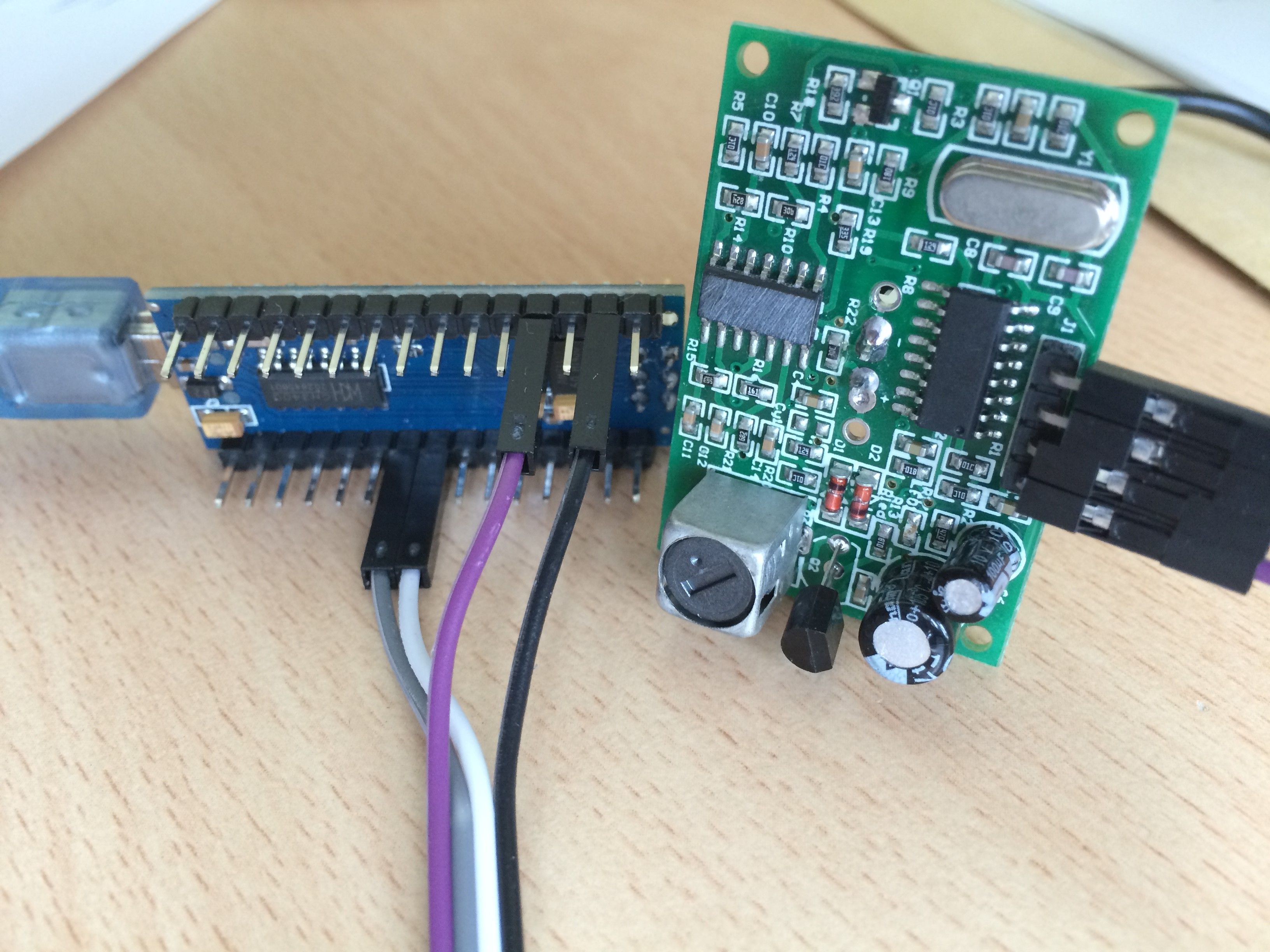
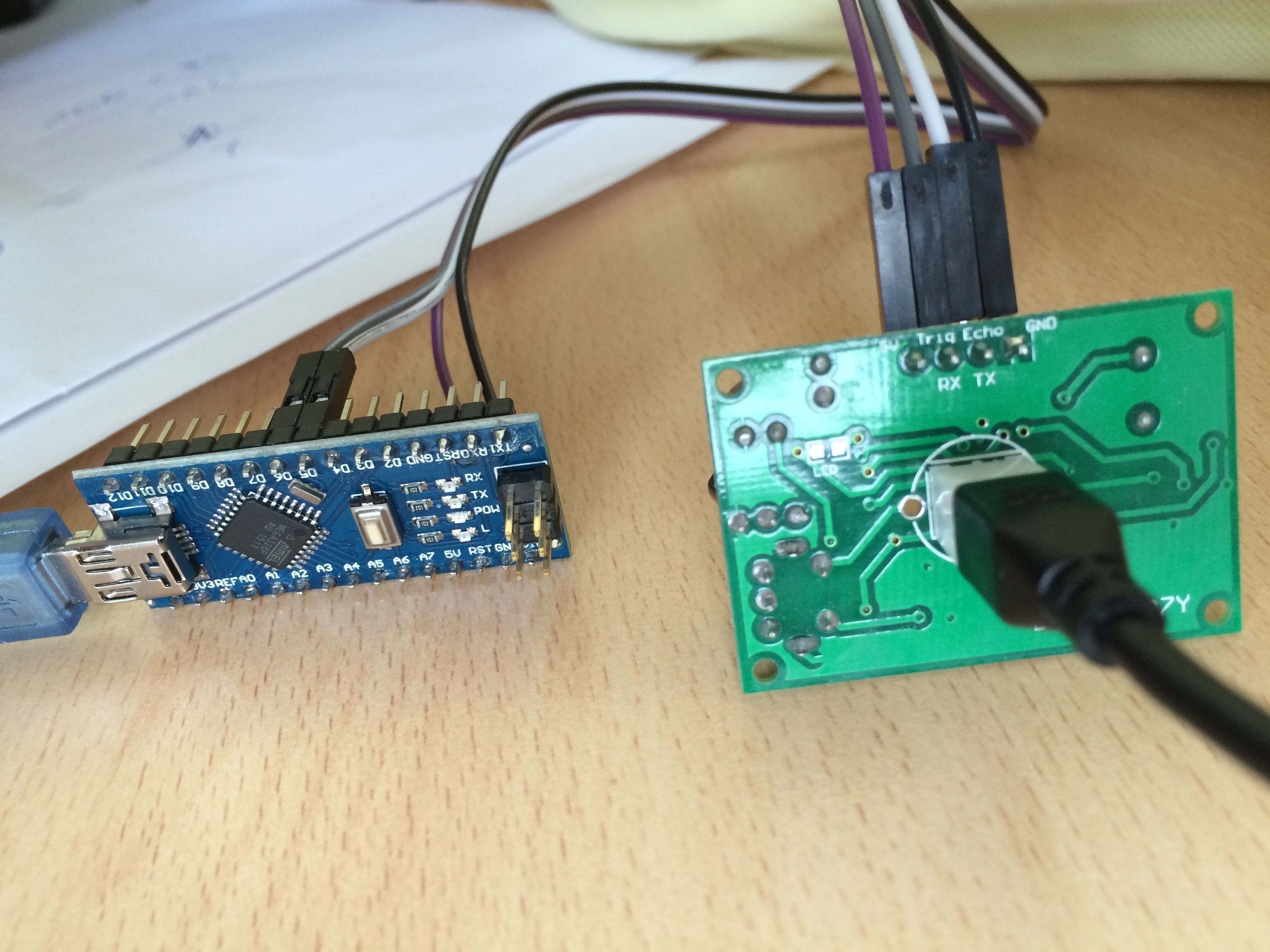
-
Hi all,
I am really wondering whats going wrong here. I made some changes to the code and now I get this result:
Ping: cm
Ping: 0cm
Ping: 0cm
Ping: 0cm
Ping: 2cm
Ping: 0cm
Ping: 0cm
Ping: 0cm
Ping: 1cm
Ping: 0cm
Ping: 0cm
Ping: 0cm
Ping: 0cm
Ping: 0cm
Ping: 0cm
Ping: 16cm
Ping: 0cm
Ping: 0cm
Ping: 0cmThe distance between sensor and wall is about 75cm.
I took back any chagnes I made. Without any effect.
I try now use the NewPing version 1.6 library. No effect.Current code:
#include <NewPing.h>

#define TRIGGER_PIN  6  // Arduino pin tied to trigger pin on the ultrasonic sensor.
#define ECHO_PIN     5  // Arduino pin tied to echo pin on the ultrasonic sensor.
#define MAX_DISTANCE 500 // Maximum distance we want to ping for (in centimeters). Maximum sensor distance is rated at 400-500cm.

NewPing sonar(TRIGGER_PIN, ECHO_PIN, MAX_DISTANCE); // NewPing setup of pins and maximum distance.

void setup() {
  Serial.begin(115200); // Open serial monitor at 115200 baud to see ping results.
}

void loop() {
  delay(2000);                    // Wait 50ms between pings (about 20 pings/sec). 29ms should be the shortest delay between pings.
  Serial.print("Ping: ");
  Serial.print(sonar.ping_cm()); // Send ping, get distance in cm and print result (0 = outside set distance range)
  Serial.println("cm");
}
I there any way to check I the hardware is bad or may have some defects?
@crazy_penguin can you please try to point the sensor straight at the wall (not down) and clear anything from the sides? you might get echoes. but this is a bit far fetched. mine is this one http://www.aliexpress.com/item/Free-shipping-1pcs-Ultrasonic-Module-HC-SR04-Distance-Measuring-Transducer-Sensor-for-Arduino-Samples-Best-prices/1967936408.html?aff_platform=aaf&aff_trace_key=34543821268212384&sk=bUBEAqbMv%3A&cpt=1435219216767
it works reasonably reliably -
@Moshe Livne I order the HC-SR04 Module as well to make sure where the problem is.
I also order aother Arduino Nano. -
@Moshe Livne I order the HC-SR04 Module as well to make sure where the problem is.
I also order aother Arduino Nano. -
@hek DYP-ME007Y
-
Check out this:
http://forum.arduino.cc/index.php?topic=153700.0@hek Thanks. I will check out this and will tell you the result.
-
OK. this threat (http://forum.arduino.cc/index.php?topic=153700.0) is very usefull. I will try out some hints and tell you my result.
Thank to all for now.
-
Hi there,
it's me again.I tried some things which read in the arduino froum (http://forum.arduino.cc/index.php?topic=153700.0) without any good result.
I also get a new sensor and there is still no change of it's behaviour.I read in the forum that it could be a sensor that uses RX/TX to send its information.
Does any one know something about that?


Hello! It looks like you're interested in this conversation, but you don't have an account yet.
Getting fed up of having to scroll through the same posts each visit? When you register for an account, you'll always come back to exactly where you were before, and choose to be notified of new replies (either via email, or push notification). You'll also be able to save bookmarks and upvote posts to show your appreciation to other community members.
With your input, this post could be even better 💗
Register Login