Skip to content
  • MySensors
  • OpenHardware.io
  • Categories
  • Recent
  • Tags
  • Popular
Skins
  • Light
  • Brite
  • Cerulean
  • Cosmo
  • Flatly
  • Journal
  • Litera
  • Lumen
  • Lux
  • Materia
  • Minty
  • Morph
  • Pulse
  • Sandstone
  • Simplex
  • Sketchy
  • Spacelab
  • United
  • Yeti
  • Zephyr
  • Dark
  • Cyborg
  • Darkly
  • Quartz
  • Slate
  • Solar
  • Superhero
  • Vapor

  • Default (No Skin)
  • No Skin
Collapse
Brand Logo
  1. Home
  2. Controllers
  3. Domoticz
  4. How can I manage S_LIGHT_BINARY child in Domotics?

How can I manage S_LIGHT_BINARY child in Domotics?
Scheduled Pinned Locked Moved Domoticz
5 Posts 2 Posters 1.4k Views 2 Watching
  • Oldest to Newest
  • Newest to Oldest
  • Most Votes
Reply
  • Reply as topic
Log in to reply
This topic has been deleted. Only users with topic management privileges can see it.
  • kalinaK Offline
    kalinaK Offline
    kalina
    Hardware Contributor
    wrote on last edited by
    #1

    Hi,
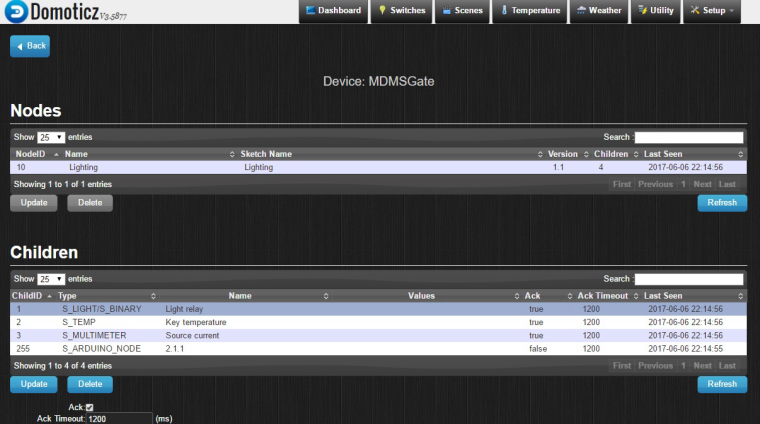
    I have conected gateway to controler via Ethernet.
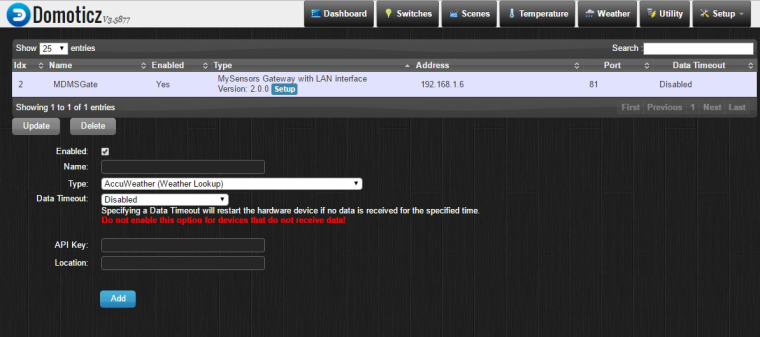
    0_1496776767911_Scr0.jpg
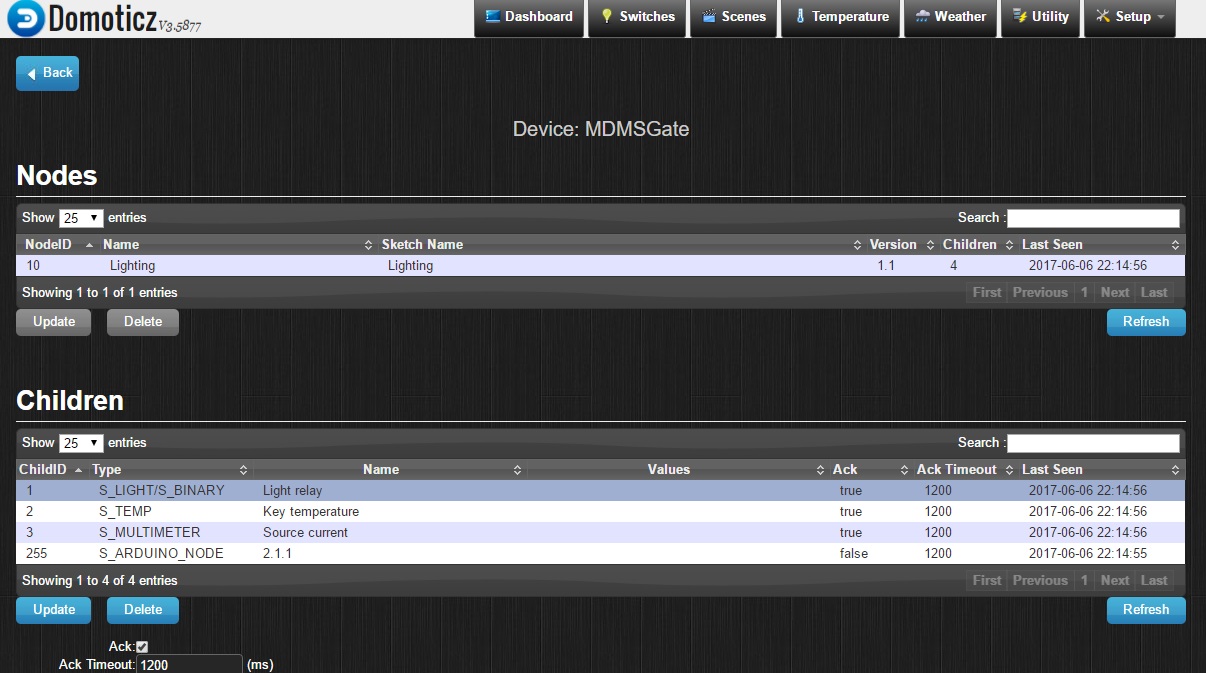
    And I see my node with children.
    0_1496776879775_Scr3.jpg

    Question - how i can change (turn on/off) S_LIGHT_BINARY state? What i have to do?
    Can anybody help me?

    mfalkviddM 1 Reply Last reply
    0
    • kalinaK kalina

      Hi,
      I have conected gateway to controler via Ethernet.
      0_1496776767911_Scr0.jpg
      And I see my node with children.
      0_1496776879775_Scr3.jpg

      Question - how i can change (turn on/off) S_LIGHT_BINARY state? What i have to do?
      Can anybody help me?

      mfalkviddM Offline
      mfalkviddM Offline
      mfalkvidd
      Mod
      wrote on last edited by
      #2

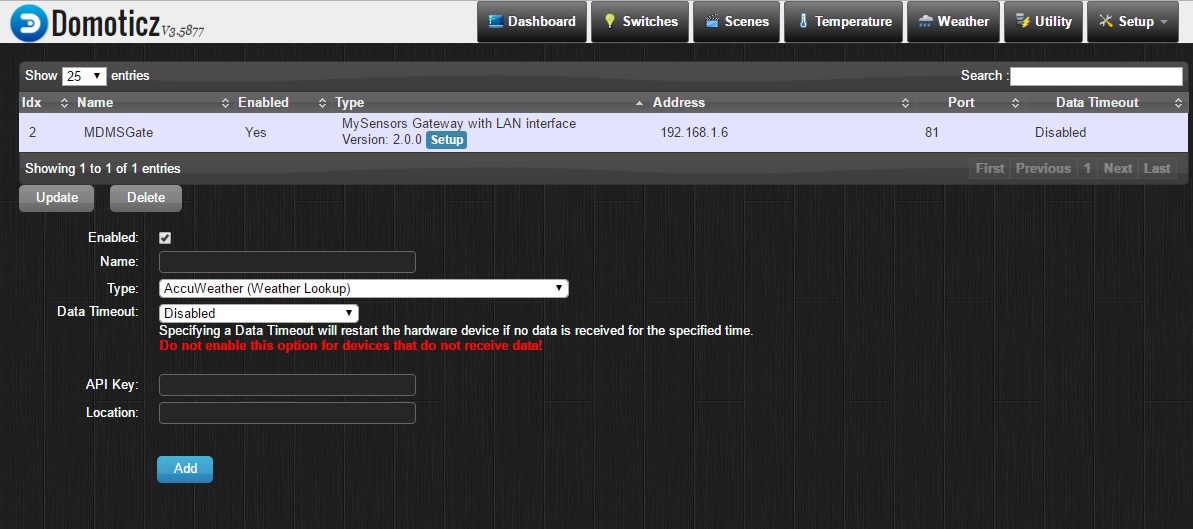
      @kalina go to Setup->Devices and click the green arrow ("Add device"). It should then show up on the "Switches" tab.

      kalinaK 1 Reply Last reply
      1
      • mfalkviddM mfalkvidd

        @kalina go to Setup->Devices and click the green arrow ("Add device"). It should then show up on the "Switches" tab.

        kalinaK Offline
        kalinaK Offline
        kalina
        Hardware Contributor
        wrote on last edited by
        #3

        @mfalkvidd said in How can I manage S_LIGHT_BINARY child in Domotics?:

        @kalina go to Setup->Devices and click the green arrow ("Add device"). It should then show up on the "Switches" tab.

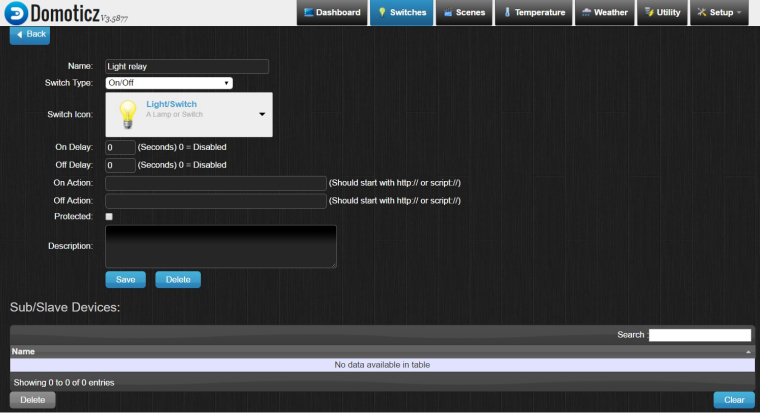
        I have done as you said and...
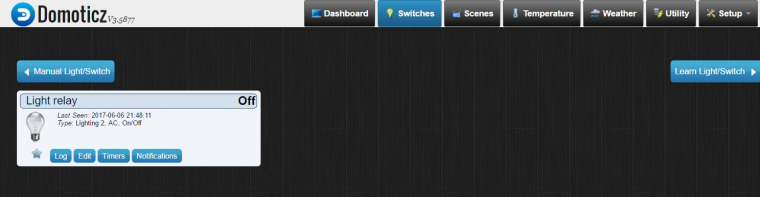
        0_1496779101126_Pic1.jpg
        and then I click on Edit button
        0_1496779120946_Pic2.jpg
        But I still don't know how bind this switch with S_LIGHT_BINARY of my node?

        1 Reply Last reply
        0
        • kalinaK Offline
          kalinaK Offline
          kalina
          Hardware Contributor
          wrote on last edited by
          #4

          For example, i know how manage it in MYSController...
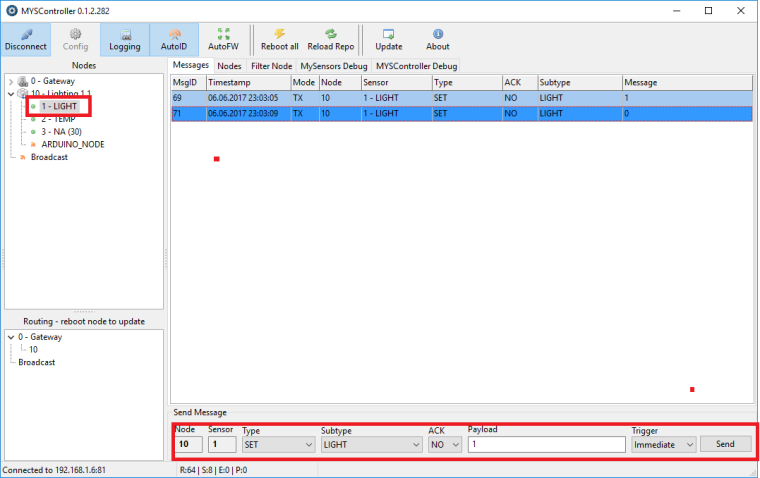
          0_1496779515180_MYSC.png

          1 Reply Last reply
          0
          • kalinaK Offline
            kalinaK Offline
            kalina
            Hardware Contributor
            wrote on last edited by kalina
            #5

            It works!!! I just have pressed on lamp picture
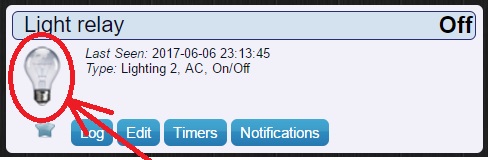
            0_1496780208795_Lamp.jpg
            and my lamp (in the room) switched on :)
            @mfalkvidd, thanks again.

            1 Reply Last reply
            1
            Reply
            • Reply as topic
            Log in to reply
            • Oldest to Newest
            • Newest to Oldest
            • Most Votes


            21

            Online

            11.7k

            Users

            11.2k

            Topics

            113.1k

            Posts


            Copyright 2025 TBD   |   Forum Guidelines   |   Privacy Policy   |   Terms of Service
            • Login

            • Don't have an account? Register

            • Login or register to search.
            • First post
              Last post
            0
            • MySensors
            • OpenHardware.io
            • Categories
            • Recent
            • Tags
            • Popular