
Skip to content
  • MySensors
  • OpenHardware.io
  • Categories
  • Recent
  • Tags
  • Popular
Skins
  • Light
  • Brite
  • Cerulean
  • Cosmo
  • Flatly
  • Journal
  • Litera
  • Lumen
  • Lux
  • Materia
  • Minty
  • Morph
  • Pulse
  • Sandstone
  • Simplex
  • Sketchy
  • Spacelab
  • United
  • Yeti
  • Zephyr
  • Dark
  • Cyborg
  • Darkly
  • Quartz
  • Slate
  • Solar
  • Superhero
  • Vapor

  • Default (No Skin)
  • No Skin
Collapse
Brand Logo
  1. Home
  2. Hardware
  3. Electrodragon NRF Pro Mini Sensor Board

Electrodragon NRF Pro Mini Sensor Board

Scheduled Pinned Locked Moved Hardware
16 Posts 8 Posters 3.9k Views 6 Watching
  • Oldest to Newest
  • Newest to Oldest
  • Most Votes
Reply
  • Reply as topic
Log in to reply
This topic has been deleted. Only users with topic management privileges can see it.
  • N Offline
    N Offline
    ncollins
    wrote on last edited by
    #4

    I had similar high power consumption issues with this NRFduino from electrodragon. It turns out it was the attached flash module that was consuming a lot of power.

    I was able to reduce the sleep current by immediately powering down the flash module.

    #include<SPIFlash.h>
     
    // load user settings
    #include "config.h"
    // include supporting libraries
    #ifdef MY_GATEWAY_ESP8266
      #include <ESP8266WiFi.h>
    #endif
    // load MySensors library
    #include <MySensors.h>
    // load NodeManager library
    #include "NodeManager.h"
    
    // create a NodeManager instance
    NodeManager nodeManager;
    SPIFlash flash(8);
    
    // before
    void before() {
      // setup the serial port baud rate
      Serial.begin(MY_BAUD_RATE);  
      flash.powerDown();
    
    rvendrameR 1 Reply Last reply
    0
    • N ncollins

      I had similar high power consumption issues with this NRFduino from electrodragon. It turns out it was the attached flash module that was consuming a lot of power.

      I was able to reduce the sleep current by immediately powering down the flash module.

      #include<SPIFlash.h>
       
      // load user settings
      #include "config.h"
      // include supporting libraries
      #ifdef MY_GATEWAY_ESP8266
        #include <ESP8266WiFi.h>
      #endif
      // load MySensors library
      #include <MySensors.h>
      // load NodeManager library
      #include "NodeManager.h"
      
      // create a NodeManager instance
      NodeManager nodeManager;
      SPIFlash flash(8);
      
      // before
      void before() {
        // setup the serial port baud rate
        Serial.begin(MY_BAUD_RATE);  
        flash.powerDown();
      
      rvendrameR Offline
      rvendrameR Offline
      rvendrame
      Hero Member
      wrote on last edited by
      #5

      @nikola-collins , yes, I just got the same conclusion. After installing the latest SPIFlash lib from lowpowerlab.com, and changed the constructor to "SPIFlash flash(8)" (like your code), seems that now I have ~12uA in sleep mode.

      Thanks anyway!

      Home Assistant / Vera Plus UI7
      ESP8266 GW + mySensors 2.3.2
      Alexa / Google Home

      1 Reply Last reply
      0
      • X Offline
        X Offline
        xreichardx
        wrote on last edited by
        #6

        I am considering ordering several of these for new and future sensors. I thought I saw this board supported by myscontroller bootloader in 13pre or the github dev branch but cant seem to find it at the moment.

        Has anyone tried this FOTA?

        --Reichard

        N 1 Reply Last reply
        0
        • X xreichardx

          I am considering ordering several of these for new and future sensors. I thought I saw this board supported by myscontroller bootloader in 13pre or the github dev branch but cant seem to find it at the moment.

          Has anyone tried this FOTA?

          --Reichard

          N Offline
          N Offline
          ncollins
          wrote on last edited by
          #7

          @xreichardx I have not tried the myscontroller bootloader, sorry.

          1 Reply Last reply
          0
          • X Offline
            X Offline
            xreichardx
            wrote on last edited by
            #8

            I received my order of these nrf24duinos and loaded up a Nodemanger BME280 sketch. Currently running on a battery and waking up every 10 minutes.

            I installed the spiflash.h library, added the "SPIFlash flash(8);" but flash.powerDown(); throws the an error during compilation "class SPIFlash has no member named 'powerDown".

            I opened the spiflash.h library and no powerDown defined. I did see sleep() though.

            1 Reply Last reply
            0
            • N Offline
              N Offline
              ncollins
              wrote on last edited by
              #9

              Interesting. I might be using a different library. I would stick with the LowPowerLab version, looks like sleep is equivalent to power down.

              #define SPIFLASH_SLEEP            0xB9        // deep power down
              

              https://github.com/LowPowerLab/SPIFlash/blob/master/SPIFlash.h line 82

              I guess I'm using this library, https://github.com/Marzogh/SPIMemory. It was renamed to SPIMemory.

              1 Reply Last reply
              0
              • X Offline
                X Offline
                xreichardx
                wrote on last edited by
                #10

                Thanks, I'll check out that library as well.

                After four days of operating on a 18650 battery, the battery voltage hasn't dropped from full charge voltage of 4.12v. I was quite pleased with the nrf24 range of these ElectroDragon boards as well.

                1 Reply Last reply
                0
                • S Offline
                  S Offline
                  sergio ramos
                  Banned
                  wrote on last edited by sergio ramos
                  #11
                  This post is deleted!
                  X 1 Reply Last reply
                  0
                  • S sergio ramos

                    This post is deleted!

                    X Offline
                    X Offline
                    xreichardx
                    wrote on last edited by
                    #12

                    @sergio-ramos Did you have an issue with one? I have purchased many of them and have not had one problem.

                    mfalkviddM 1 Reply Last reply
                    0
                    • X xreichardx

                      @sergio-ramos Did you have an issue with one? I have purchased many of them and have not had one problem.

                      mfalkviddM Offline
                      mfalkviddM Offline
                      mfalkvidd
                      Mod
                      wrote on last edited by mfalkvidd
                      #13

                      @xreichardx that user was fake, copying a question from earlier in this thread and later editing the post to contain spam links.

                      nagelcN 1 Reply Last reply
                      0
                      • mfalkviddM mfalkvidd

                        @xreichardx that user was fake, copying a question from earlier in this thread and later editing the post to contain spam links.

                        nagelcN Offline
                        nagelcN Offline
                        nagelc
                        wrote on last edited by
                        #14

                        @mfalkvidd Thanks for doing this kind of work (deleting fake users and stopping spam). I am sure it is not as much fun as answering real questions about MySensors topics. But I learn so much from people in these forums, that I would hate to see it overtaken by trolls and spam.

                        1 Reply Last reply
                        3
                        • patt896P patt896

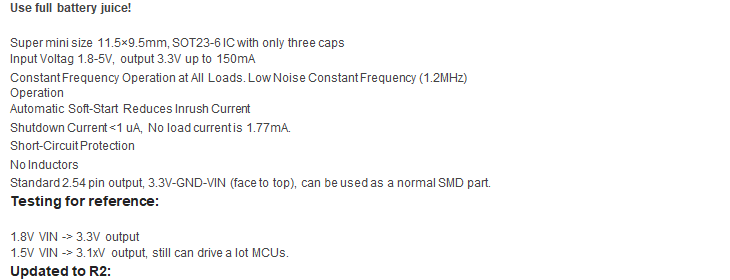
                          And Electrodragon also offers a Mini Boost Buck DC Board 1.8-5V to 3.3V, for Battery Juice R2:
                          http://www.electrodragon.com/product/mini-boost-buck-dc-board-1-8-5v-3-3v/
                          0_1522200872963_ba47b1ea-9d58-4641-b423-9185491b712b-image.png
                          Use full battery juice!
                          • Super mini size 11.5×9.5mm, SOT23-6 IC with only three caps
                          • Input Voltag 1.8-5V, output 3.3V up to 150mA
                          • Constant Frequency Operation at All Loads. Low Noise Constant Frequency (1.2MHz)
                          Operation
                          • Automatic Soft-Start Reduces Inrush Current
                          • Shutdown Current <1 uA, No load current is 1.77mA.
                          • Short-Circuit Protection
                          • No Inductors
                          • Standard 2.54 pin output, 3.3V-GND-VIN (face to top), can be used as a normal SMD part.
                          Testing for reference:
                          • 1.8V VIN -> 3.3V output
                          • 1.5V VIN -> 3.1xV output, still can drive a lot MCUs.

                          Updated to R2:

                          RPunktR Offline
                          RPunktR Offline
                          RPunkt
                          wrote on last edited by
                          #15

                          @patt896 I have the same setting: the "Atmega328P Arduino Plus Nrf24l01+ Board, Nrf24Duino R1.6" and the "Mini Boost Buck DC Board".
                          But I can't get this to a current lower than 3 mA while sleeping.
                          This is to much for me, because I want it to be powered with 5 volt solar module in combination with a supercap.
                          Can You give me a hint, what to do, to reduce the power consumption?

                          X 1 Reply Last reply
                          0
                          • RPunktR RPunkt

                            @patt896 I have the same setting: the "Atmega328P Arduino Plus Nrf24l01+ Board, Nrf24Duino R1.6" and the "Mini Boost Buck DC Board".
                            But I can't get this to a current lower than 3 mA while sleeping.
                            This is to much for me, because I want it to be powered with 5 volt solar module in combination with a supercap.
                            Can You give me a hint, what to do, to reduce the power consumption?

                            X Offline
                            X Offline
                            xreichardx
                            wrote on last edited by
                            #16

                            @rpunkt if 3ma is your current draw while sleeping, you will quickly drain any battery or supercap. The "mini boost buck dc board" itself has a no-load current of 1.77mA.

                            Might look here for low-power libraries and design considerations:

                            http://www.home-automation-community.com/arduino-low-power-how-to-run-atmega328p-for-a-year-on-coin-cell-battery/

                            https://github.com/rocketscream/Low-Power

                            1 Reply Last reply
                            0
                            Reply
                            • Reply as topic
                            Log in to reply
                            • Oldest to Newest
                            • Newest to Oldest
                            • Most Votes


                            24

                            Online

                            11.7k

                            Users

                            11.2k

                            Topics

                            113.1k

                            Posts


                            Copyright 2025 TBD   |   Forum Guidelines   |   Privacy Policy   |   Terms of Service
                            • Login

                            • Don't have an account? Register

                            • Login or register to search.
                            • First post
                              Last post
                            0
                            • MySensors
                            • OpenHardware.io
                            • Categories
                            • Recent
                            • Tags
                            • Popular