Skip to content
  • MySensors
  • OpenHardware.io
  • Categories
  • Recent
  • Tags
  • Popular
Skins
  • Light
  • Brite
  • Cerulean
  • Cosmo
  • Flatly
  • Journal
  • Litera
  • Lumen
  • Lux
  • Materia
  • Minty
  • Morph
  • Pulse
  • Sandstone
  • Simplex
  • Sketchy
  • Spacelab
  • United
  • Yeti
  • Zephyr
  • Dark
  • Cyborg
  • Darkly
  • Quartz
  • Slate
  • Solar
  • Superhero
  • Vapor

  • Default (No Skin)
  • No Skin
Collapse
Brand Logo
  1. Home
  2. Controllers
  3. Vera
  4. UI7

UI7

Scheduled Pinned Locked Moved Vera
27 Posts 13 Posters 15.4k Views 4 Watching
  • Oldest to Newest
  • Newest to Oldest
  • Most Votes
Reply
  • Reply as topic
Log in to reply
This topic has been deleted. Only users with topic management privileges can see it.
  • D Offline
    D Offline
    Dany
    wrote on last edited by
    #16

    I have a VeraEdge, but I have with lot of problem.
    I'm using an Ethernet gateway, and downloaded the latest Vera plugins and libraries mysensors from Github.

    But Vera says everytime communication error...mysensors error.jpg

    O 1 Reply Last reply
    0
    • B Offline
      B Offline
      blacey
      Admin
      wrote on last edited by
      #17

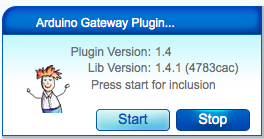
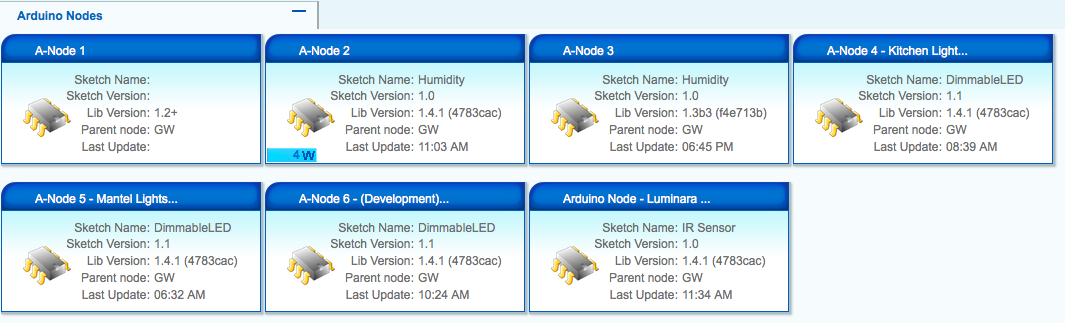
      Here are the requested screenshots from UI5...

      Screen Shot 2015-02-17 at 11.49.50 AM.png

      Screen Shot 2015-02-17 at 11.49.33 AM.png

      1 Reply Last reply
      0
      • D Dany

        I have a VeraEdge, but I have with lot of problem.
        I'm using an Ethernet gateway, and downloaded the latest Vera plugins and libraries mysensors from Github.

        But Vera says everytime communication error...mysensors error.jpg

        O Offline
        O Offline
        olaeke
        wrote on last edited by
        #18

        @Dany Can you ping your gateway? Sometimes I have problem that my Ethernet just "die", but after reset on card and Arduino it works again.

        D 1 Reply Last reply
        0
        • O olaeke

          @Dany Can you ping your gateway? Sometimes I have problem that my Ethernet just "die", but after reset on card and Arduino it works again.

          D Offline
          D Offline
          Dany
          wrote on last edited by
          #19

          @olaeke Yes, I can ping the gateway. This board works fine as MQTT gateway with the openhab.
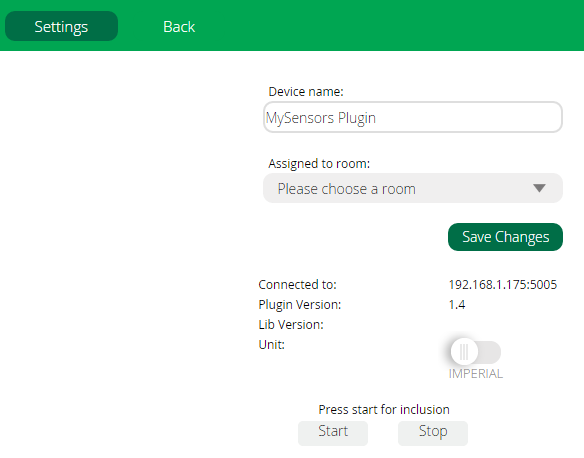
          But the library version is 1.4, not 1.4.1. How can I download the libraries 1.4.1?

          O 1 Reply Last reply
          0
          • A Offline
            A Offline
            abalazs
            wrote on last edited by
            #20

            @olaeke & @Dany Clumsy is not the problem that the original bootloader to use it? The Ethernet gateway both of us produces the same error. OpenHAB all worked well as MQTT.

            1 Reply Last reply
            0
            • D Dany

              @olaeke Yes, I can ping the gateway. This board works fine as MQTT gateway with the openhab.
              But the library version is 1.4, not 1.4.1. How can I download the libraries 1.4.1?

              O Offline
              O Offline
              olaeke
              wrote on last edited by
              #21

              @Dany You will get 1.41 on the download link http://www.mysensors.org/download/. I have no problem access my Gateway with Ethernet, I'm using W5100 module and the lib from the download link.

              1 Reply Last reply
              0
              • P Offline
                P Offline
                pstoian
                wrote on last edited by
                #22

                Hi, I am getting the same error as @Dany .... I am using an W5100 / Ethernet gateway. I downloaded the latest library but still the library is not listed into the device.

                Also I can ping successfully the gateway. Any advice is much appreciated. Thank you.

                upload-53c4a6f9-fdbb-4ecc-b1b0-26441ab092de

                upload-c0ca7cc5-0084-47f7-ae87-f68abc24b253

                upload-caf03c43-f936-4745-95e6-6c755e9a6659

                1 Reply Last reply
                0
                • M Offline
                  M Offline
                  mjunqueira
                  wrote on last edited by
                  #23

                  I managed to use Serial Gateway in my Ver Edge´s UI7 pulling a support ticket in the link http://getvera.com/support/. They asked me to enable the remote support to access my controller and than they updated my open WRT firmware to the latest one and now i can use the Serial Ports normally.

                  1 Reply Last reply
                  0
                  • M Offline
                    M Offline
                    mikemayers
                    wrote on last edited by mikemayers
                    #24

                    @mjunqueira
                    good to know you got Serial to worked.

                    1 Reply Last reply
                    0
                    • B Offline
                      B Offline
                      BulldogLowell
                      Contest Winner
                      wrote on last edited by
                      #25

                      Anyone else getting this persistent error using UI7 and ethernet gateway?
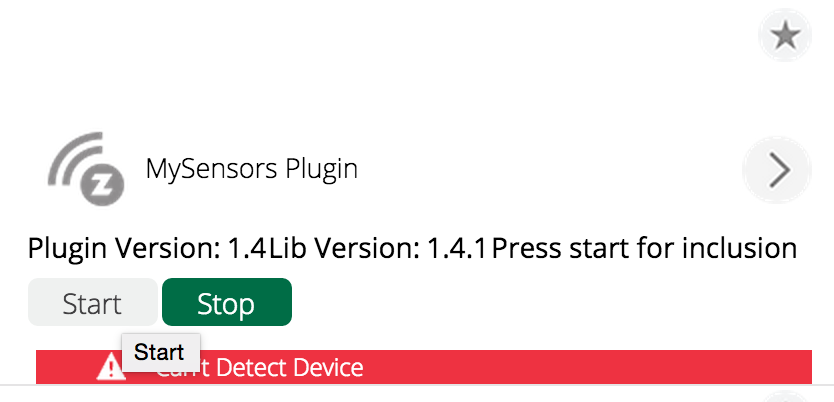
                      Screen Shot 2015-08-19 at 6.31.52 AM.png

                      trying to upgrade....

                      It works (messages go both ways) but this error won't go away...

                      1 Reply Last reply
                      0
                      • K Offline
                        K Offline
                        korttoma
                        Hero Member
                        wrote on last edited by korttoma
                        #26

                        Jim I read this from the Vera forum maybe it is only for z-wave devices or maybe might help for you also:

                        If you have a device that functions fine, and yet reports "Can't detect device", the following may work for you;
                        
                        1) Change the variable CommFailure from "-1" to "0" (click outside the box to save)
                        2) Clear the variable LastCommFailure (going from memory here; it is right next to the CommFailure) field (click outside the box)
                        3) Go to the device settings, and change the "Automatically configure" to "no"
                        
                        Once the "error" has cleared, step 3 (I think) keeps it cleared.
                        

                        I don't have any personal experience since I'm not ready to move from UI5 just yet..

                        • Tomas
                        B 1 Reply Last reply
                        1
                        • K korttoma

                          Jim I read this from the Vera forum maybe it is only for z-wave devices or maybe might help for you also:

                          If you have a device that functions fine, and yet reports "Can't detect device", the following may work for you;
                          
                          1) Change the variable CommFailure from "-1" to "0" (click outside the box to save)
                          2) Clear the variable LastCommFailure (going from memory here; it is right next to the CommFailure) field (click outside the box)
                          3) Go to the device settings, and change the "Automatically configure" to "no"
                          
                          Once the "error" has cleared, step 3 (I think) keeps it cleared.
                          

                          I don't have any personal experience since I'm not ready to move from UI5 just yet..

                          B Offline
                          B Offline
                          BulldogLowell
                          Contest Winner
                          wrote on last edited by
                          #27

                          @korttoma

                          Hey Tomas, thanks!

                          That seems to have worked.

                          I'll update if there is a problem.

                          Other than this issue, I think UI7 is OK for me (testing in one location only :) )

                          1 Reply Last reply
                          0

                          Hello! It looks like you're interested in this conversation, but you don't have an account yet.

                          Getting fed up of having to scroll through the same posts each visit? When you register for an account, you'll always come back to exactly where you were before, and choose to be notified of new replies (either via email, or push notification). You'll also be able to save bookmarks and upvote posts to show your appreciation to other community members.

                          With your input, this post could be even better 💗

                          Register Login
                          Reply
                          • Reply as topic
                          Log in to reply
                          • Oldest to Newest
                          • Newest to Oldest
                          • Most Votes


                          37

                          Online

                          12.0k

                          Users

                          11.2k

                          Topics

                          113.4k

                          Posts


                          Copyright 2025 TBD   |   Forum Guidelines   |   Privacy Policy   |   Terms of Service
                          • Login

                          • Don't have an account? Register

                          • Login or register to search.
                          • First post
                            Last post
                          0
                          • MySensors
                          • OpenHardware.io
                          • Categories
                          • Recent
                          • Tags
                          • Popular