Skip to content
  • MySensors
  • OpenHardware.io
  • Categories
  • Recent
  • Tags
  • Popular
Skins
  • Light
  • Brite
  • Cerulean
  • Cosmo
  • Flatly
  • Journal
  • Litera
  • Lumen
  • Lux
  • Materia
  • Minty
  • Morph
  • Pulse
  • Sandstone
  • Simplex
  • Sketchy
  • Spacelab
  • United
  • Yeti
  • Zephyr
  • Dark
  • Cyborg
  • Darkly
  • Quartz
  • Slate
  • Solar
  • Superhero
  • Vapor

  • Default (No Skin)
  • No Skin
Collapse
Brand Logo
  1. Home
  2. Controllers
  3. Vera
  4. VeraEdge

VeraEdge

Scheduled Pinned Locked Moved Vera
19 Posts 3 Posters 7.7k Views 2 Watching
  • Oldest to Newest
  • Newest to Oldest
  • Most Votes
Reply
  • Reply as topic
Log in to reply
This topic has been deleted. Only users with topic management privileges can see it.
  • L legaultf

    I have tested the hardware succesfully connecting the serial gateway on com5 and having a remote relay not connected to the computer with a led. I can turn the led wirelessly on and off wiht MYSController.

    I have then connected the serial USB to the VeraEdge and with some help from Vera managed to activate and configure the serial port.

    Here is the vera config for the serial port

    Serial Port configuration
    If you connected the USB/serial device and it's not displayed here, reload Luup.Reload Luup
    Name: ftdi_sio Path: /dev/ttyUSB0
    Device number: usb-101c1000.ohci-1
    IP address: Port: 3481
    Baud: 115200 Parity: none
    Data bits: 8 Stop bits: 1
    Used by device: MySensors Plugin [Living Room]

    At that stage I tried paring by pressing the pairing button on the Vera edge and resetting my sensor without succes.

    I the proceeded on creating a new device in the vera develop apps/Create device.

    this one I created a standard d_arduinoRelay1.xml as a child of the MySensors Plugin

    I then tried to discover my sensor without success.

    My next step maybe to add an ethernet gateway and see if the issue come from the serial interface on the vera.

    Hopefully you will see something I am doing wrong.

    Thank you

    Francois

    jeylitesJ Offline
    jeylitesJ Offline
    jeylites
    wrote on last edited by
    #6

    @legaultf

    Did you "Reset the Lupp"

    A trick I learned right after creating devises is to click on " Reload Luup". Then give it a couple of minutes and you should see the created devices on DEVICES on VERA.

    " Reload Luup". could be access from Apps -> Develop apps -> Serial Port configuration -> Reload Luup

    1 Reply Last reply
    0
    • L Offline
      L Offline
      legaultf
      wrote on last edited by
      #7

      I see all the devices but none have any controls. Does that mean they are not properly configured ?

      jeylitesJ 1 Reply Last reply
      0
      • L legaultf

        I see all the devices but none have any controls. Does that mean they are not properly configured ?

        jeylitesJ Offline
        jeylitesJ Offline
        jeylites
        wrote on last edited by
        #8

        @legaultf

        If your gateway is connected, it should look something like this.. See below. On my setup I have it connected via Serial. Initially I had it connected via Ethernet, but felt there was a delay. The serial route seem to be working great for me.

        Are you using the latest Vera version: 1.7.1089
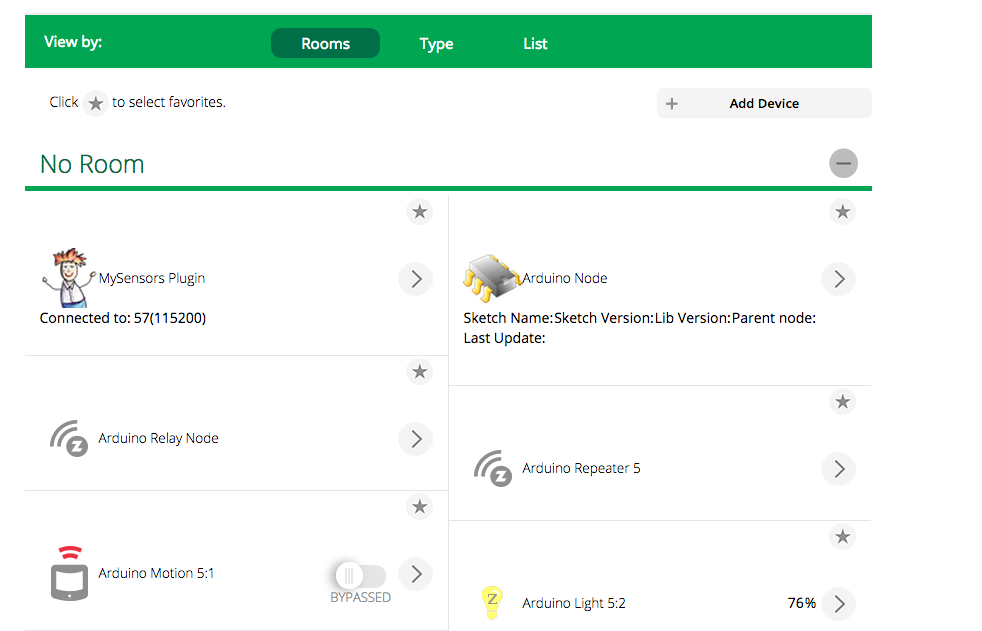
        Screen Shot 2015-04-26 at 11.01.41 AM.png

        1 Reply Last reply
        0
        • L Offline
          L Offline
          legaultf
          wrote on last edited by
          #9

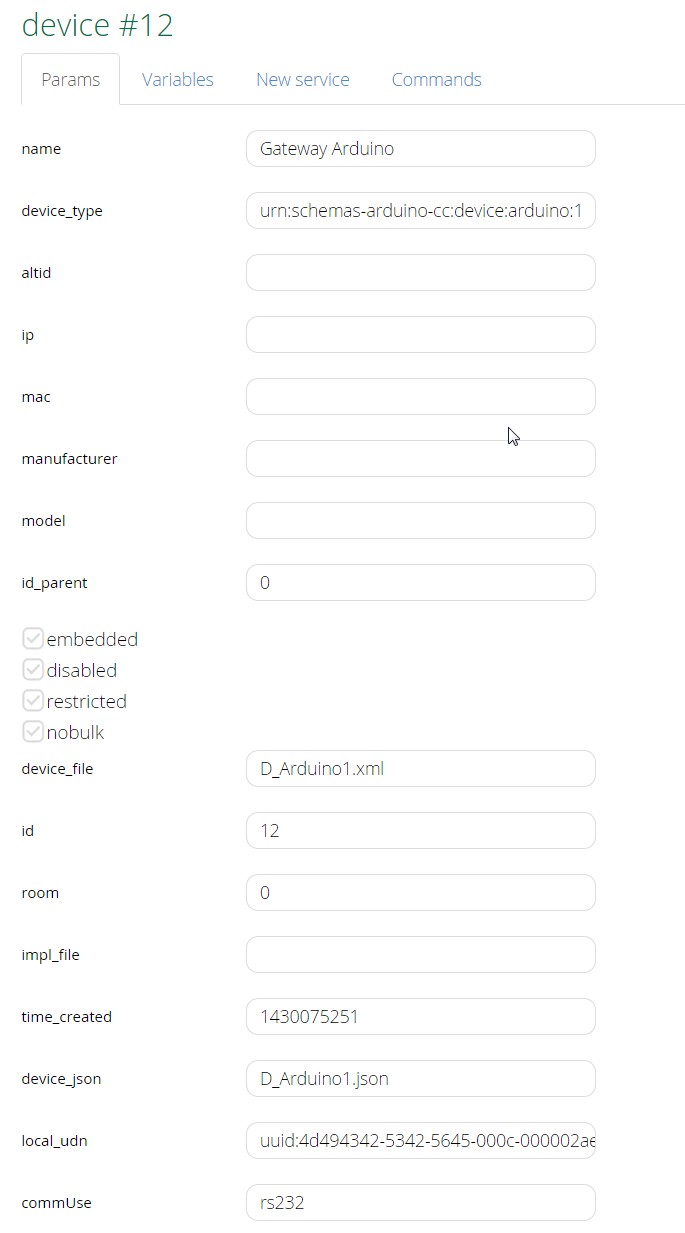
          Please find below the config screen for my device.

          Could you either copy paste your configuration screens or tell me what is not set properly ?

          Your help is greatly appreciated

          Francois
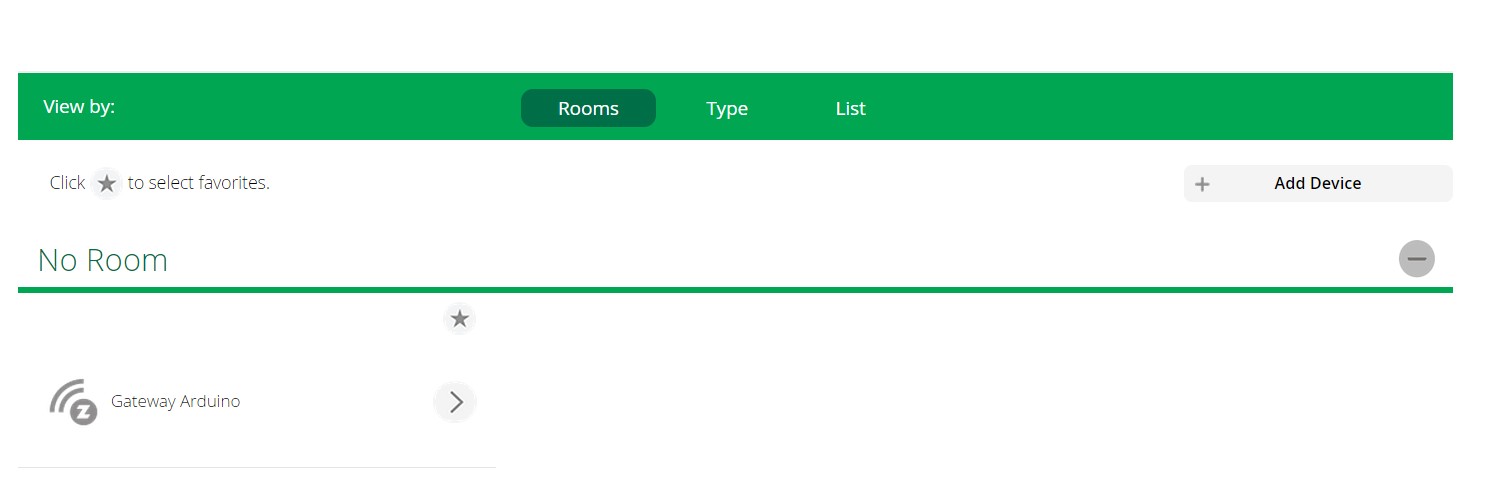
          ScreenHunter_65 Apr. 26 15.08.jpg ScreenHunter_64 Apr. 26 15.07.jpg

          jeylitesJ 1 Reply Last reply
          0
          • L legaultf

            Please find below the config screen for my device.

            Could you either copy paste your configuration screens or tell me what is not set properly ?

            Your help is greatly appreciated

            Francois
            ScreenHunter_65 Apr. 26 15.08.jpg ScreenHunter_64 Apr. 26 15.07.jpg

            jeylitesJ Offline
            jeylitesJ Offline
            jeylites
            wrote on last edited by jeylites
            #10

            @legaultf

            Essentially, you don't have to do anything on this page unless you are using an Ethernet Gateway. If so you will have to copy the IP address with port No. into the ip column in Vera.

            1 Reply Last reply
            0
            • L Offline
              L Offline
              legaultf
              wrote on last edited by
              #11

              any idea why I can not pair any device or have a screen similar to yours showing the gateway ?

              jeylitesJ 1 Reply Last reply
              0
              • L legaultf

                any idea why I can not pair any device or have a screen similar to yours showing the gateway ?

                jeylitesJ Offline
                jeylitesJ Offline
                jeylites
                wrote on last edited by
                #12

                @legaultf

                Can you take a screen shot of your devices on Vera. Try doing a power off / on reset. Or there could be something you didn't create after uploading the Lupp...

                1 Reply Last reply
                0
                • L Offline
                  L Offline
                  legaultf
                  wrote on last edited by
                  #13

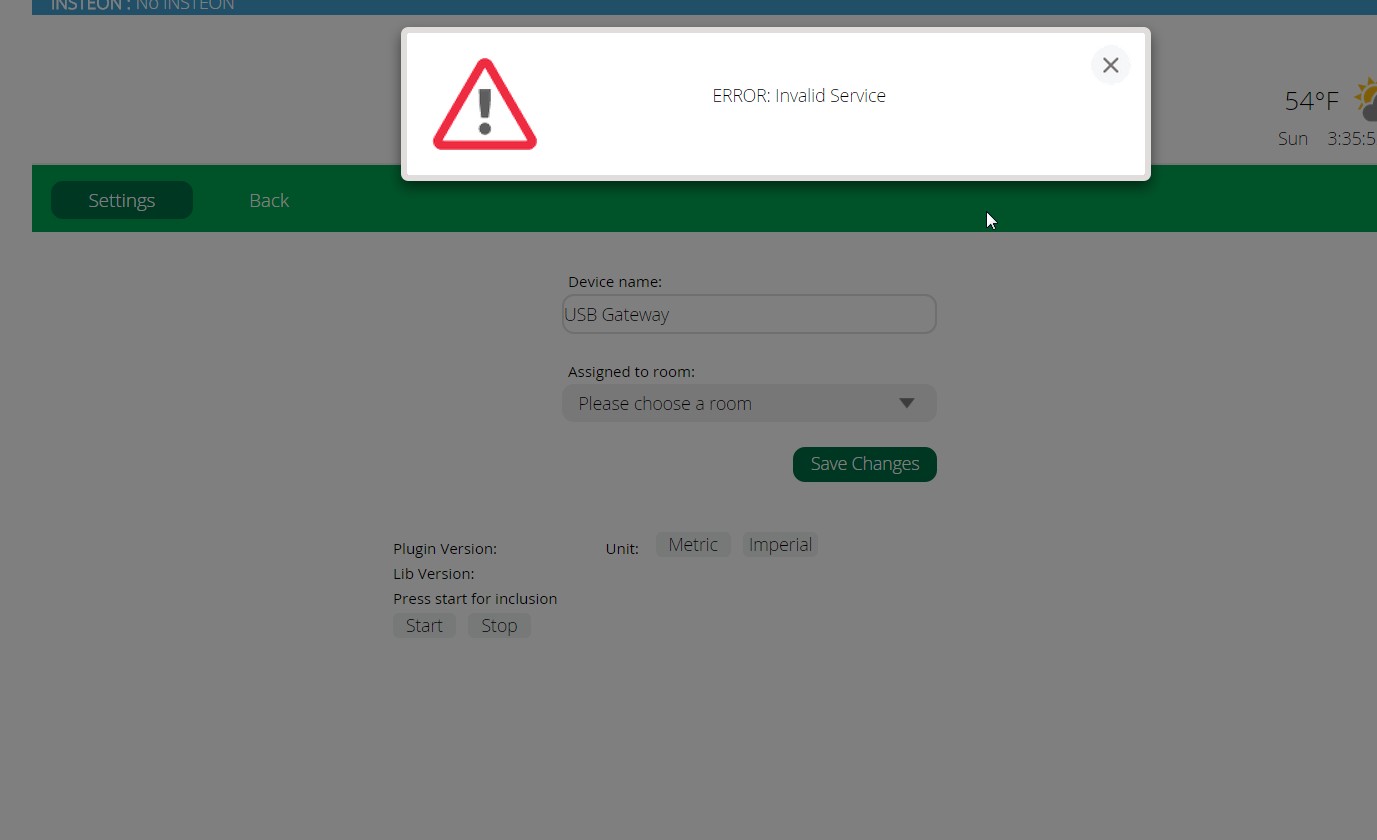
                  I just made some progress

                  I now have the start stop control. I did not initially uploaded the .json file. Now I made sure I have the following d_arduino1.xml, d_arduino1.json, d_arduinorelay1.xml & json
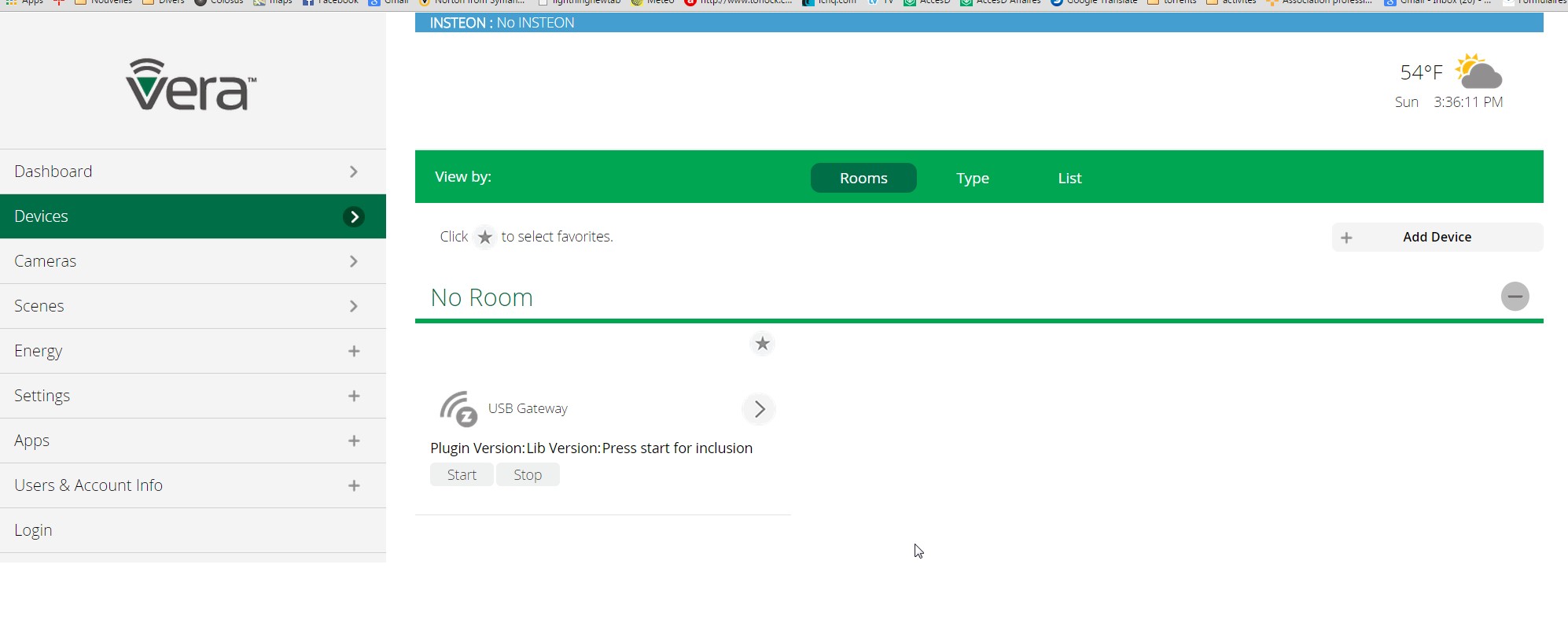
                  ScreenHunter_67 Apr. 26 15.34.jpg

                  ScreenHunter_66 Apr. 26 15.33.jpg

                  jeylitesJ 2 Replies Last reply
                  0
                  • L legaultf

                    I just made some progress

                    I now have the start stop control. I did not initially uploaded the .json file. Now I made sure I have the following d_arduino1.xml, d_arduino1.json, d_arduinorelay1.xml & json

                    ScreenHunter_67 Apr. 26 15.34.jpg

                    ScreenHunter_66 Apr. 26 15.33.jpg

                    jeylitesJ Offline
                    jeylitesJ Offline
                    jeylites
                    wrote on last edited by jeylites
                    #14

                    @legaultf

                    The Error message is a normal because the vera need time to reload the new setting. I suggest to go to serial devices and reload the lupp. Hope it work after. I still fill you mist a couple of steps. I suggest doing through all steps again just to make sure.

                    1 Reply Last reply
                    0
                    • L legaultf

                      I just made some progress

                      I now have the start stop control. I did not initially uploaded the .json file. Now I made sure I have the following d_arduino1.xml, d_arduino1.json, d_arduinorelay1.xml & json

                      ScreenHunter_67 Apr. 26 15.34.jpg

                      ScreenHunter_66 Apr. 26 15.33.jpg

                      jeylitesJ Offline
                      jeylitesJ Offline
                      jeylites
                      wrote on last edited by
                      #15

                      @legaultf

                      Also make sure you are using UI7 files as linked https://github.com/mysensors/Vera/tree/UI7

                      1 Reply Last reply
                      0
                      • C4VetteC Offline
                        C4VetteC Offline
                        C4Vette
                        wrote on last edited by
                        #16

                        An uno as serial gateway?.
                        I think that is not supported and you should use a nano for that:
                        http://www.mysensors.org/build/serial_gateway

                        1 Reply Last reply
                        0
                        • L Offline
                          L Offline
                          legaultf
                          wrote on last edited by
                          #17

                          Major improvement with the latest version for the ui7 ! I now have the gateway being recognized.

                          When I press the start button it does work once after 10 tries and then I get the following ScreenHunter_69 Apr. 26 16.01.jpg
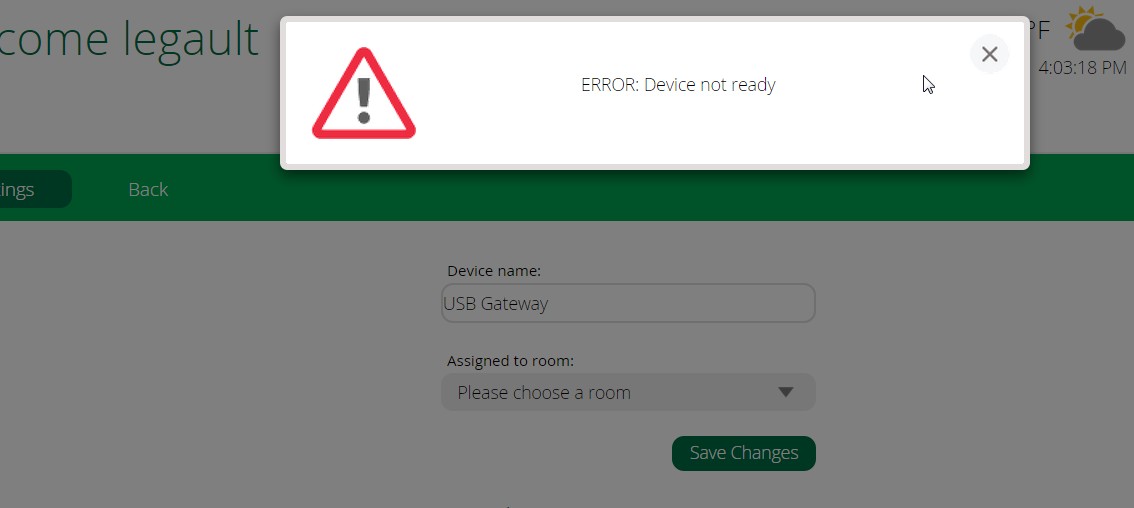
                          your help as got me this far thank you again I feel that I am making progress

                          1 Reply Last reply
                          0
                          • L Offline
                            L Offline
                            legaultf
                            wrote on last edited by
                            #18

                            Ok so I made a new gateway with an Arduino Nano and do not have any error anymore but I can not add any devices.

                            I contacted the people from Vera because my serial port option is gone.

                            They were able to reactive it but they told me "Arduino seems to be a replica (it should use FTDI) " which probably mean I have to order new one. Are you aware of this issue ? is this a show stopper as they seem to imply.

                            I will probably order what I need now and in the mean time I thank you all for your help.

                            Kindest regards,

                            Francois

                            1 Reply Last reply
                            0
                            • C4VetteC Offline
                              C4VetteC Offline
                              C4Vette
                              wrote on last edited by
                              #19

                              Thuis non-FTDI problem has been mentioned before:
                              http://forum.mysensors.org/topic/1024/serial-port-configuration-not-available

                              1 Reply Last reply
                              0
                              Reply
                              • Reply as topic
                              Log in to reply
                              • Oldest to Newest
                              • Newest to Oldest
                              • Most Votes


                              30

                              Online

                              11.7k

                              Users

                              11.2k

                              Topics

                              113.1k

                              Posts


                              Copyright 2025 TBD   |   Forum Guidelines   |   Privacy Policy   |   Terms of Service
                              • Login

                              • Don't have an account? Register

                              • Login or register to search.
                              • First post
                                Last post
                              0
                              • MySensors
                              • OpenHardware.io
                              • Categories
                              • Recent
                              • Tags
                              • Popular