Skip to content
  • MySensors
  • OpenHardware.io
  • Categories
  • Recent
  • Tags
  • Popular
Skins
  • Light
  • Brite
  • Cerulean
  • Cosmo
  • Flatly
  • Journal
  • Litera
  • Lumen
  • Lux
  • Materia
  • Minty
  • Morph
  • Pulse
  • Sandstone
  • Simplex
  • Sketchy
  • Spacelab
  • United
  • Yeti
  • Zephyr
  • Dark
  • Cyborg
  • Darkly
  • Quartz
  • Slate
  • Solar
  • Superhero
  • Vapor

  • Default (No Skin)
  • No Skin
Collapse
Brand Logo
  1. Home
  2. Controllers
  3. Vera
  4. Missing Icons after UI5 -> UI7 Upgrade

Missing Icons after UI5 -> UI7 Upgrade

Scheduled Pinned Locked Moved Vera
5 Posts 2 Posters 1.7k Views 2 Watching
  • Oldest to Newest
  • Newest to Oldest
  • Most Votes
Reply
  • Reply as topic
Log in to reply
This topic has been deleted. Only users with topic management privileges can see it.
  • T Offline
    T Offline
    tbully
    wrote on last edited by tbully
    #1

    Hello All -

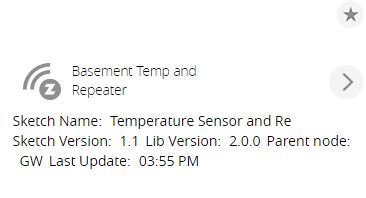
    I did download the newest Vera files and uploaded them. However, I'm missing icons on some of my devices. Can someone give me some ideas?!

    0_1482440375506_MySensors_Missing_Icon1.JPG

    0_1482440385504_MySensors_Missing_Icon2.JPG

    1 Reply Last reply
    0
    • hekH Offline
      hekH Offline
      hek
      Admin
      wrote on last edited by
      #2

      Here's where the icon is defined:

      https://github.com/mysensors/Vera/blob/UI7/watermeter/D_WaterMeter1.json

      From what I can tell, it is still accessible on mysensors.org. Does your browser have external internet connection?

      1 Reply Last reply
      0
      • T Offline
        T Offline
        tbully
        wrote on last edited by
        #3

        Hey Hek!

        Thanks for responding on a rather mundane issue. Browser connectivity is OK. In fact, your smiling guy (also your avatar here) loads OK on the "main" plugin. Also, the "integrated circuit" icon loads on each of the node definitions.

        However, the devices themselves (relays, meters, etc) don't appear to be loading. :-(

        1 Reply Last reply
        0
        • hekH Offline
          hekH Offline
          hek
          Admin
          wrote on last edited by
          #4

          Sorry, not sure. You could always try to see what the browser/device tries to load by inspecting browsers page source etc. But it looks like some default icon.

          1 Reply Last reply
          0
          • T Offline
            T Offline
            tbully
            wrote on last edited by
            #5

            Yep. I think it's the default icon that's used when the JSON points to the wrong image, or the image is not available.

            Are you using UI7? Can you send me a screenshot of Temperature node? Maybe the XML/JSON behind it? I'd like to compare it to what I'm running.

            1 Reply Last reply
            0
            Reply
            • Reply as topic
            Log in to reply
            • Oldest to Newest
            • Newest to Oldest
            • Most Votes


            14

            Online

            11.7k

            Users

            11.2k

            Topics

            113.1k

            Posts


            Copyright 2025 TBD   |   Forum Guidelines   |   Privacy Policy   |   Terms of Service
            • Login

            • Don't have an account? Register

            • Login or register to search.
            • First post
              Last post
            0
            • MySensors
            • OpenHardware.io
            • Categories
            • Recent
            • Tags
            • Popular