Skip to content
  • MySensors
  • OpenHardware.io
  • Categories
  • Recent
  • Tags
  • Popular
Skins
  • Light
  • Brite
  • Cerulean
  • Cosmo
  • Flatly
  • Journal
  • Litera
  • Lumen
  • Lux
  • Materia
  • Minty
  • Morph
  • Pulse
  • Sandstone
  • Simplex
  • Sketchy
  • Spacelab
  • United
  • Yeti
  • Zephyr
  • Dark
  • Cyborg
  • Darkly
  • Quartz
  • Slate
  • Solar
  • Superhero
  • Vapor

  • Default (No Skin)
  • No Skin
Collapse
Brand Logo
  1. Home
  2. My Project
  3. Boiler control from MAX! Cube to Drayton Boiler via Raspberry Pi/Vera/Mysensors.

Boiler control from MAX! Cube to Drayton Boiler via Raspberry Pi/Vera/Mysensors.

Scheduled Pinned Locked Moved My Project
113 Posts 22 Posters 61.1k Views 24 Watching
  • Oldest to Newest
  • Newest to Oldest
  • Most Votes
Reply
  • Reply as topic
Log in to reply
This topic has been deleted. Only users with topic management privileges can see it.
  • S Stuart Middleton

    I've got a CC1101 on its way from China. I'm hoping it'll be here soon. My plan was to rewrite the excellent Python code from this page to talk to them directly rather than through the cube. Currently, I don't have an off the shelf home system. I'm kind of writing it all myself as I go (maybe a mistake, I know). I'll let you know how I get on when mine arrives.

    T Offline
    T Offline
    twisted
    wrote on last edited by
    #77

    @Stuart-Middleton Although I mentioned my difficulties, I would suggest that you at least have a look at homegear and openhab (or the openhabian bundle to make it easier) as it does give great access to the devices and opens up very easy use of MQTT.

    1 Reply Last reply
    0
    • S Offline
      S Offline
      Stuart Middleton
      wrote on last edited by
      #78

      Thanks. I'll take a look at that first.

      T 1 Reply Last reply
      0
      • S Stuart Middleton

        Thanks. I'll take a look at that first.

        T Offline
        T Offline
        twisted
        wrote on last edited by
        #79

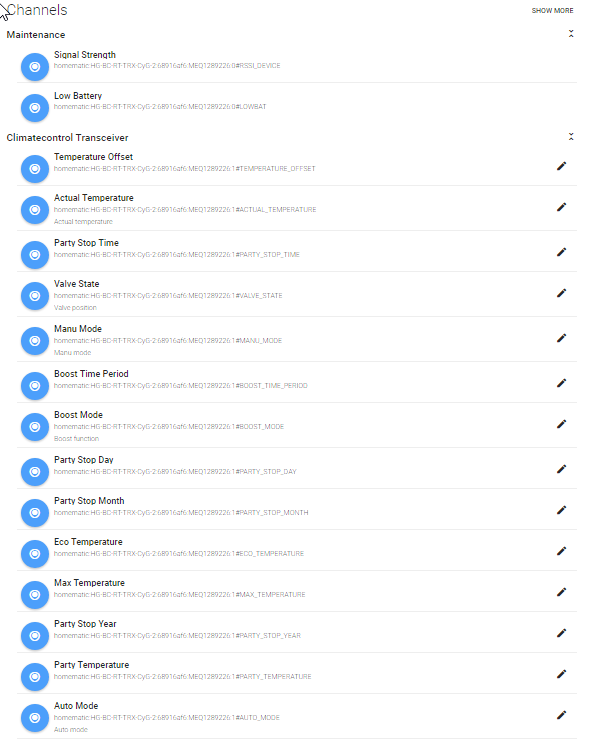
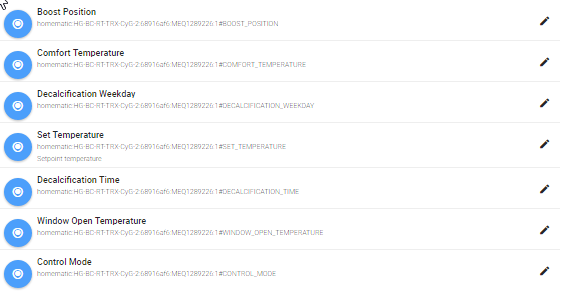
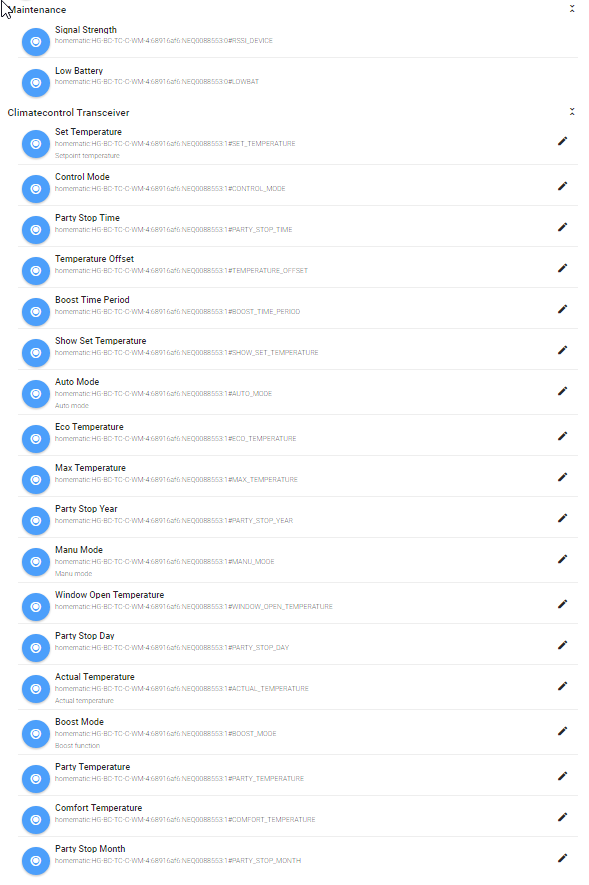
        @Stuart-Middleton attached is an example of the items that get loaded when connected to openhab2 via homegear and the homematic binding.0_1484525182006_Rad1-Paper UI.png 0_1484525185963_Rad2-PaperUI.png 0_1484525188699_Thermostat-PaperUI.png

        1 Reply Last reply
        0
        • S Offline
          S Offline
          Stuart Middleton
          wrote on last edited by
          #80

          That pretty much covers all the settings. When my radio arrives I'll hopefully be able to get it working quickly and I may come to you for help with setting it up with openhab so I can at least see a working system before I start playing with the code. Thanks

          1 Reply Last reply
          0
          • betzaalB Offline
            betzaalB Offline
            betzaal
            wrote on last edited by
            #81

            For a beginner, what shall I read (links) to understand what it means to do this. I have MAX cube and 3 actuators and I need a boiler control device. I called eq-3 and they reply they are not selling boiler controller device BC-TS-Sw2-WM (The MAX! boiler controller has been withdrawn from the market due to poor customer uptake. We do not believe there to be any devices available in the sales channel.) Thanks a lot !

            1 Reply Last reply
            0
            • Maciej JablonskiM Maciej Jablonski

              Looks eq-3 at least have plans for eq-3 MAX! compatible boiler/hot water controller, the manual is already there, just cannot see the product anywhere.

              http://www.eq-3.de/Downloads/eq3/downloads_produktkatalog/max/bda/en/BC-TS-Sw2-WM_UM_E_eQ-3_160420.pdf

              betzaalB Offline
              betzaalB Offline
              betzaal
              wrote on last edited by
              #82

              @Maciej-Jablonski
              They are not selling any more this. (Their answer: The MAX! boiler controller has been withdrawn from the market due to poor customer uptake. We do not believe there to be any devices available in the sales channel.)

              1 Reply Last reply
              0
              • S Offline
                S Offline
                Stuart Middleton
                wrote on last edited by
                #83

                It depends on how much of a beginner you are. If you're OK with very basic electronics, happy to install some software on a Raspberry Pi and can connect a mains voltage wire to your boiler without killing yourself, then it's pretty simple.

                At a minimum, you'll need a Raspberry Pi PC, a mains relay board controllable from the Pi (very cheap on eBay) and some cable.

                betzaalB 1 Reply Last reply
                1
                • S Stuart Middleton

                  It depends on how much of a beginner you are. If you're OK with very basic electronics, happy to install some software on a Raspberry Pi and can connect a mains voltage wire to your boiler without killing yourself, then it's pretty simple.

                  At a minimum, you'll need a Raspberry Pi PC, a mains relay board controllable from the Pi (very cheap on eBay) and some cable.

                  betzaalB Offline
                  betzaalB Offline
                  betzaal
                  wrote on last edited by
                  #84

                  @Stuart-Middleton
                  Thanks. Of course, I can do these. I have Raspberry Pi B and other required things. What I need to know is a schematic of connections and what software to install (on PC, on Raspberry Pi...)

                  Again, Thanks a lot !

                  1 Reply Last reply
                  1
                  • S Offline
                    S Offline
                    Stuart Middleton
                    wrote on last edited by
                    #85

                    The software is all written in python and is linked somewhere near the top of this post. There are instructions of how to install and use it included if I remember right.

                    The wiring is very simple. The boiler on output pin is defined in the software, so just change it to any GPIO pin that you want and connect your relay (3.3v I believe) to the pin and GND. I used a solid state 250v AC relay that accepts 3.3v input. Then just connect the "call for heat" wire on your boiler to the mains side of the relay. This is on your boiler schemaic, but is usually just the two wired to your wall thermostat.

                    I've got a combi boiler so just set it to be on all the time and let the Pi contol the heating.

                    1 Reply Last reply
                    0
                    • betzaalB Offline
                      betzaalB Offline
                      betzaal
                      wrote on last edited by
                      #86

                      Thank you a lot! I will try it and let you now the progress. I need some time to do it...

                      1 Reply Last reply
                      0
                      • S Offline
                        S Offline
                        stephenmhall
                        wrote on last edited by
                        #87

                        if you need any help with my software let me know, I have swapped to a Honywell system myself so no longer use it but if I can help I will.

                        1 Reply Last reply
                        0
                        • S Offline
                          S Offline
                          Stuart Middleton
                          wrote on last edited by
                          #88

                          @twisted It's arrived! I've got a CC1101 module! I presume It's just connected to the Pi via SPI? I think there's a wiring diagram on the website. I'll dig out a spare Pi and let you know what happens. :)

                          1 Reply Last reply
                          0
                          • marogM Offline
                            marogM Offline
                            marog
                            wrote on last edited by
                            #89

                            I use a diagram from homegear to connect it and it is working. No problem with connection.

                            1 Reply Last reply
                            0
                            • T Offline
                              T Offline
                              twisted
                              wrote on last edited by
                              #90

                              I believe I used this one: [https://forum.homegear.eu/t/CC1101-no-physical-device-found/921/2]

                              1 Reply Last reply
                              0
                              • S Offline
                                S Offline
                                Stuart Middleton
                                wrote on last edited by
                                #91

                                OK, so I've got my module, connected it to my Pi and installed homegear (used the Rasbian version with homegear and openhad installed). I connected to the Pi, ran homegear -r, families select 0, pairing on and started pairing on a device. However, I don't see anything in the peers list.

                                So, any ideas or obvious things I'm missing?

                                1 Reply Last reply
                                0
                                • T Offline
                                  T Offline
                                  twisted
                                  wrote on last edited by twisted
                                  #92

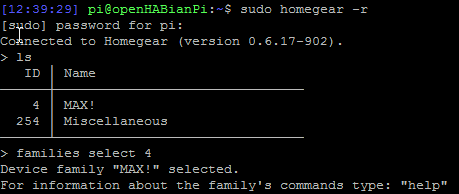
                                  it should be families select 4 I believe, did you go into the max.conf and uncomment all the lines under ti cc1101 module? you may need to set gpio to 25 (not 23) and don't uncomment the the additional section. Reboot, then you should see 4 max! when "sudo homegear -r", "ls"
                                  0_1486862348134_2017-02-12 01_17_56-mRemoteNG - confCons.xml.png

                                  1 Reply Last reply
                                  0
                                  • S Offline
                                    S Offline
                                    Stuart Middleton
                                    wrote on last edited by
                                    #93

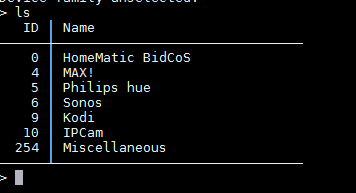
                                    OK, so I uncommented the settings in max.conf (I hadn't got to those) and I do get the following
                                    0_1486895529486_upload-52da0d3f-d4c9-4bc8-b6ed-e0e4b4f57ba1

                                    But no pairing when I do 'families select 4' then 'pon' and try to pair. The device just times out and an 'ls' doesn't show any devices.

                                    I may try a cleaner install and start again. I've been following a few posts and translating them into English, but it's still not working. It could, of course, be my hardware.

                                    Is there a log output somewhere that shows the hardware initializing?

                                    1 Reply Last reply
                                    0
                                    • T Offline
                                      T Offline
                                      twisted
                                      wrote on last edited by
                                      #94

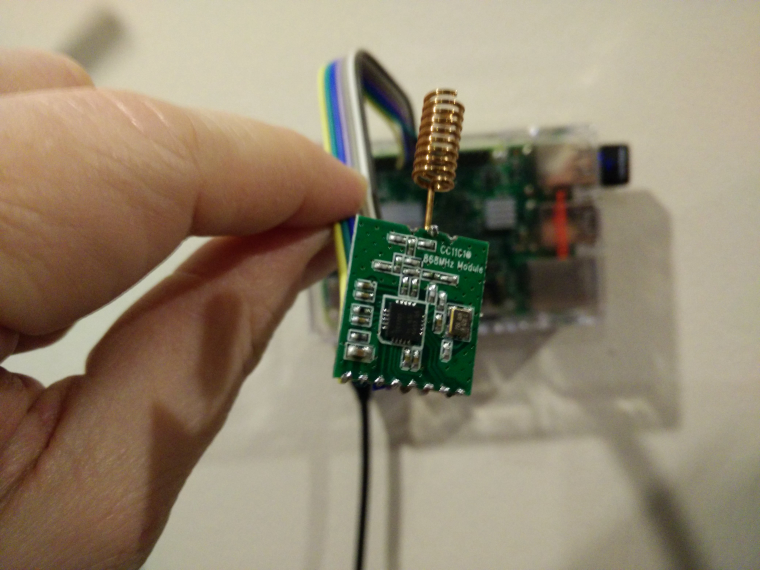
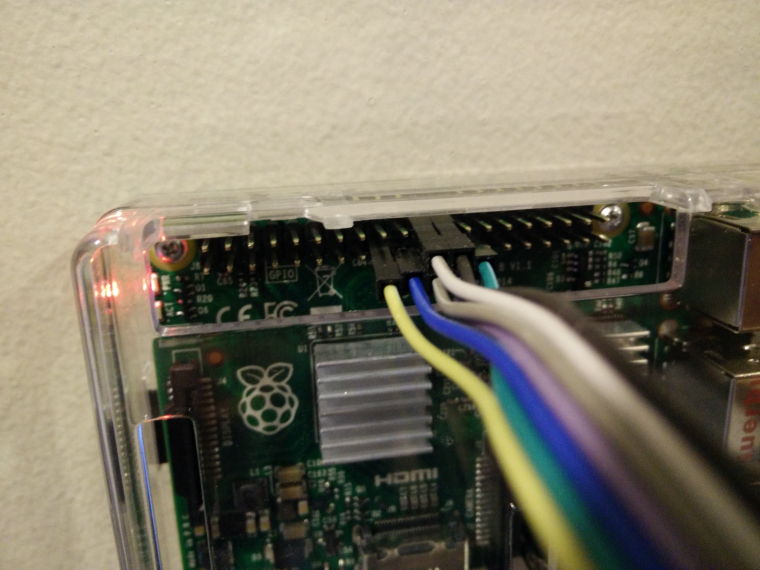
                                      Sorry on the road ATM, but will look when i get home. Here is some pics of my wiring I have on my phone in case that is some use.0_1486896983992_IMG_20170210_165744.jpg 0_1486897020158_IMG_20170210_165751.jpg

                                      1 Reply Last reply
                                      0
                                      • T Offline
                                        T Offline
                                        twisted
                                        wrote on last edited by
                                        #95

                                        Quick thought did you factory reset the max! devices before trying to pair? I found mine wouldn't work until they had been reset due to the pairing with the cube.

                                        1 Reply Last reply
                                        0
                                        • S Offline
                                          S Offline
                                          Stuart Middleton
                                          wrote on last edited by
                                          #96

                                          Thanks. I'm using a different module, but the wiring looks the same. I'll try again later.

                                          I didn't factory reset them. I'll try that.

                                          1 Reply Last reply
                                          0
                                          Reply
                                          • Reply as topic
                                          Log in to reply
                                          • Oldest to Newest
                                          • Newest to Oldest
                                          • Most Votes


                                          32

                                          Online

                                          11.7k

                                          Users

                                          11.2k

                                          Topics

                                          113.1k

                                          Posts


                                          Copyright 2025 TBD   |   Forum Guidelines   |   Privacy Policy   |   Terms of Service
                                          • Login

                                          • Don't have an account? Register

                                          • Login or register to search.
                                          • First post
                                            Last post
                                          0
                                          • MySensors
                                          • OpenHardware.io
                                          • Categories
                                          • Recent
                                          • Tags
                                          • Popular