
Communication problem (maybe)
-
Temperatur sensor
 // Example sketch showing how to send in OneWire temperature readings
 #include <MySensor.h>
 #include <SPI.h>
 #include <DallasTemperature.h>
 #include <OneWire.h>

 #define ONE_WIRE_BUS 3 // Pin where dallase sensor is connected
 #define MAX_ATTACHED_DS18B20 16
 unsigned long SLEEP_TIME = 30000; // Sleep time between reads (in milliseconds)
 OneWire oneWire(ONE_WIRE_BUS);
 DallasTemperature sensors(&oneWire);
 MySensor gw;
 float lastTemperature[MAX_ATTACHED_DS18B20];
 int numSensors=0;
 boolean receivedConfig = false;
 boolean metric = true;
 // Initialize temperature message
 MyMessage msg(0,V_TEMP);

 //int BATTERY_SENSE_PIN = A0; // select the input pin for the battery sense point
 //int oldBatteryPcnt = 0;

 void setup()
 {
   // Startup OneWire
   sensors.begin();

   // Startup and initialize MySensors library. Set callback for incoming messages.
   gw.begin();

   // Send the sketch version information to the gateway and Controller
   gw.sendSketchInfo("Temperature Sensor", "1.0");

   // Fetch the number of attached temperature sensors
   numSensors = sensors.getDeviceCount();

   // Present all sensors to controller
   for (int i=0; i<numSensors && i<MAX_ATTACHED_DS18B20; i++) {
      gw.present(i, S_TEMP);
   }

   // use the 1.1 V internal reference
   //analogReference(INTERNAL);
 }


 void loop()
 {
   // Process incoming messages (like config from server)
   gw.process();

   // Fetch temperatures from Dallas sensors
   sensors.requestTemperatures();

   // Read temperatures and send them to controller
   for (int i=0; i<numSensors && i<MAX_ATTACHED_DS18B20; i++) {

   // Fetch and round temperature to one decimal
   float temperature = static_cast<float>(static_cast<int>  ((gw.getConfig().isMetric?sensors.getTempCByIndex(i):sensors.getTempFByIndex(i)) * 10.)) / 10.;

// Only send data if temperature has changed and no error
if (lastTemperature[i] != temperature && temperature != -127.00) {

  // Send in the new temperature
  gw.send(msg.setSensor(i).set(temperature,1));
  lastTemperature[i]=temperature;
}
   }

// get the battery Voltage
//int sensorValue = analogRead(BATTERY_SENSE_PIN);
//Serial.println(sensorValue);
// 1M, 470K divider across battery and using internal ADC ref of 1.1V
// Sense point is bypassed with 0.1 uF cap to reduce noise at that point
 // ((1e6+470e3)/470e3)*1.1 = Vmax = 3.44 Volts
 // 3.44/1023 = Volts per bit = 0.003363075
//float batteryV = sensorValue * 0.004106;
//int batteryPcnt = sensorValue / 10;
 //Serial.print("Battery Voltage: ");
   //Serial.print(batteryV);
   //Serial.println(" V");
   //Serial.print("Battery percent: ");
   //Serial.print(batteryPcnt);
   //Serial.println(" %");
   //if (oldBatteryPcnt != batteryPcnt) {
   // Power up radio after sleep
   //gw.sendBatteryLevel(batteryPcnt);
   //oldBatteryPcnt = batteryPcnt;
   //}

   //gw.sleep(SLEEP_TIME);
 }
The temp sensor has been build according to this: http://mysensors.org/build/temp
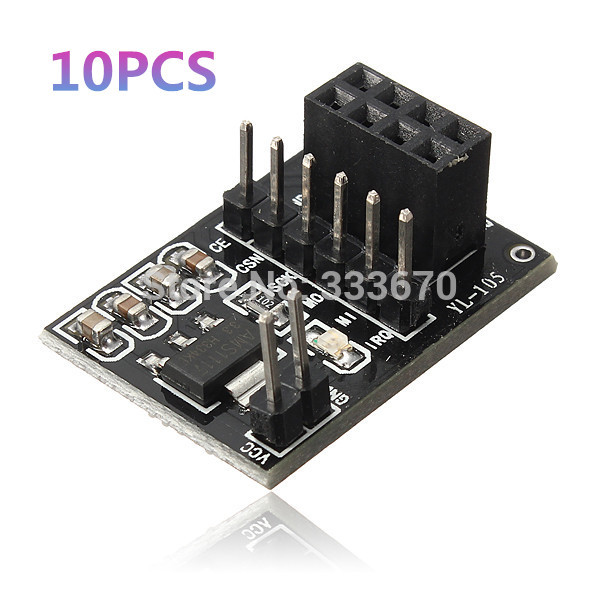
1 small exception though. I have used 5v->3.3v aparters for the radios, but that shouldn't matter.
-
-
Hmm.. shouldn't affect transmissions. When you removed this line you will get several hundreds of temp readings per second. It is a very big chance a few of them differs which means they will send it to gateway.
You could try adding:
gw.powerUp();
delay(10)
Just before gw.send() to add a small some additional delay after radio powers up.If you want to keep node awake another option is to use millis() keep track of send frequency. See here:
https://github.com/mysensors/Arduino/blob/master/libraries/MySensors/examples/TimeAwareSensor/TimeAwareSensor.ino#L47 -
Hmm.. shouldn't affect transmissions. When you removed this line you will get several hundreds of temp readings per second. It is a very big chance a few of them differs which means they will send it to gateway.
You could try adding:
gw.powerUp();
delay(10)
Just before gw.send() to add a small some additional delay after radio powers up.If you want to keep node awake another option is to use millis() keep track of send frequency. See here:
https://github.com/mysensors/Arduino/blob/master/libraries/MySensors/examples/TimeAwareSensor/TimeAwareSensor.ino#L47@hek said:
delay(10)
I assume that is milliseconds, but does that mean that the radio will be powered on during that delay, and will the node repeat incoming messages during that?
If so, I think a much bigger delay would be better, like 30000 or even more.
-
-
-
-
@hek said:
delay(10)
I assume that is milliseconds, but does that mean that the radio will be powered on during that delay, and will the node repeat incoming messages during that?
If so, I think a much bigger delay would be better, like 30000 or even more.
-
By 1-way node I mean a reporting node. It only reports a temperature, nothing else. So therefore 1 way traffic TO the GW/controller.
A relay node on the other hand has to receive also, else you can't flip on/off the relays.
This is roughly 1 minute worth of controller log:
 2014-11-13 04:49:27 - Helena_temp_LastUpdate state updated to 2014-11-13T04:49:27
 2014-11-13 04:49:28 - Temperature_GF_Helena state updated to 26.7
 2014-11-13 04:49:28 - Helena_temp_LastUpdate state updated to 2014-11-13T04:49:28
 2014-11-13 04:49:29 - Temperature_GF_Helena state updated to 26.6
 2014-11-13 04:49:29 - Helena_temp_LastUpdate state updated to 2014-11-13T04:49:29
 2014-11-13 04:49:30 - Temperature_GF_Helena state updated to 26.7
 2014-11-13 04:49:30 - Helena_temp_LastUpdate state updated to 2014-11-13T04:49:30
 2014-11-13 04:49:39 - Temperature_GF_Helena state updated to 26.6
 2014-11-13 04:49:39 - Helena_temp_LastUpdate state updated to 2014-11-13T04:49:39
 2014-11-13 04:50:07 - Temperature_GF_Living state updated to 24.3
 2014-11-13 04:50:07 - Living_temp_LastUpdate state updated to 2014-11-13T04:50:07
 2014-11-13 04:50:08 - Temperature_GF_Living state updated to 24.2
 2014-11-13 04:50:08 - Living_temp_LastUpdate state updated to 2014-11-13T04:50:08
 2014-11-13 04:50:12 - Temperature_GF_Living state updated to 24.3
 2014-11-13 04:50:12 - Living_temp_LastUpdate state updated to 2014-11-13T04:50:12
 2014-11-13 04:50:14 - Temperature_GF_Living state updated to 24.2
 2014-11-13 04:50:14 - Living_temp_LastUpdate state updated to 2014-11-13T04:50:14
 2014-11-13 04:50:15 - Temperature_GF_Helena state updated to 26.7
 2014-11-13 04:50:15 - Helena_temp_LastUpdate state updated to 2014-11-13T04:50:15
 2014-11-13 04:50:16 - Temperature_GF_Helena state updated to 26.6
 2014-11-13 04:50:16 - Helena_temp_LastUpdate state updated to 2014-11-13T04:50:16
 2014-11-13 04:50:16 - Temperature_GF_Living state updated to 24.3
 2014-11-13 04:50:16 - Living_temp_LastUpdate state updated to 2014-11-13T04:50:16
 2014-11-13 04:50:16 - Temperature_GF_Living state updated to 24.2
 2014-11-13 04:50:16 - Living_temp_LastUpdate state updated to 2014-11-13T04:50:16
 2014-11-13 04:50:18 - Temperature_GF_Living state updated to 24.3
 2014-11-13 04:50:18 - Living_temp_LastUpdate state updated to 2014-11-13T04:50:18
 2014-11-13 04:50:19 - Temperature_GF_Helena state updated to 26.7
 2014-11-13 04:50:19 - Helena_temp_LastUpdate state updated to 2014-11-13T04:50:19
 2014-11-13 04:50:20 - Temperature_GF_Helena state updated to 26.6
 2014-11-13 04:50:20 - Helena_temp_LastUpdate state updated to 2014-11-13T04:50:20
 2014-11-13 04:50:20 - Temperature_GF_Living state updated to 24.2
 2014-11-13 04:50:20 - Living_temp_LastUpdate state updated to 2014-11-13T04:50:20
 2014-11-13 04:50:20 - Temperature_GF_Helena state updated to 26.7
 2014-11-13 04:50:20 - Helena_temp_LastUpdate state updated to 2014-11-13T04:50:20
 2014-11-13 04:50:20 - Temperature_GF_Living state updated to 24.3
 2014-11-13 04:50:20 - Living_temp_LastUpdate state updated to 2014-11-13T04:50:20
 2014-11-13 04:50:22 - Temperature_GF_Helena state updated to 26.6
 2014-11-13 04:50:22 - Helena_temp_LastUpdate state updated to 2014-11-13T04:50:22
 2014-11-13 04:50:23 - Temperature_GF_Living state updated to 24.2
 2014-11-13 04:50:23 - Living_temp_LastUpdate state updated to 2014-11-13T04:50:23
 2014-11-13 04:50:24 - Temperature_GF_Living state updated to 24.3
 2014-11-13 04:50:24 - Living_temp_LastUpdate state updated to 2014-11-13T04:50:24
 2014-11-13 04:50:26 - Temperature_GF_Helena state updated to 26.7
 2014-11-13 04:50:26 - Helena_temp_LastUpdate state updated to 2014-11-13T04:50:26
 2014-11-13 04:50:26 - Temperature_GF_Living state updated to 24.2
 2014-11-13 04:50:26 - Living_temp_LastUpdate state updated to 2014-11-13T04:50:26
 2014-11-13 04:50:27 - Temperature_GF_Living state updated to 24.3
 2014-11-13 04:50:27 - Living_temp_LastUpdate state updated to 2014-11-13T04:50:27
 2014-11-13 04:50:29 - Temperature_GF_Helena state updated to 26.6
 2014-11-13 04:50:29 - Helena_temp_LastUpdate state updated to 2014-11-13T04:50:29
As you can see i'm getting way more than 1 reading a second. I think this is happening because of the rounding up/down of the temperature readings.
@Hausner I send the temp changes only if change is > 1 deg C and light changes only > +/- 40 lux, have this in main loop:
void loop()
{
  // Process incoming messages (like config from server)
  gw.process();

  // Fetch temperatures from Dallas sensors
  sensors.requestTemperatures();

  // Read temperatures and send them to controller
  for (int i=0; i<numSensors && i<MAX_ATTACHED_DS18B20; i++) {

    // Fetch and round temperature to one decimal
    float temperature = static_cast<float>(static_cast<int>((gw.getConfig().isMetric?sensors.getTempCByIndex(i):sensors.getTempFByIndex(i)) * 10.)) / 10.;

    // Only send data if temperature has changed more then 1 degC and no error
    if (int(lastTemperature[i]) != int(temperature) && temperature != -127.00) { //added integer

      // Send in the new temperature
      gw.send(msg.setSensor(i).set(temperature,1));
      lastTemperature[i]=temperature;
    }
  }
  // Read lux from TEMT6000
  float lightLevel = analogRead(LIGHT_SENSOR_ANALOG_PIN) * 9.765625;  // 1000/1024
  if (int(lightLevel - lastLightLevel) > 40 || int(lastLightLevel - lightLevel) > 40) {
      gw.send(msg.setSensor(CHILD_ID_LIGHT).set(int(lightLevel),1));
      lastLightLevel = lightLevel;
  }
  //gw.sleep(SLEEP_TIME); //no sleep for relays!!!!
}
Hope this helps, Pego
-
As you can see i'm getting way more than 1 reading a second. I think this is happening because of the rounding up/down of the temperature readings.
Yes, clear, if you do not want this you need to change the if to something like:
if (abs(lastTemperature[i] - temperature) >= 0.5 && temperature != -127.00) { -
As you can see i'm getting way more than 1 reading a second. I think this is happening because of the rounding up/down of the temperature readings.
Yes, clear, if you do not want this you need to change the if to something like:
if (abs(lastTemperature[i] - temperature) >= 0.5 && temperature != -127.00) {Thank you. I'm gonna try with this
if (abs(lastTemperature[i] - temperature) >= 0.2 && temperature != -127.00) {



Hello! It looks like you're interested in this conversation, but you don't have an account yet.
Getting fed up of having to scroll through the same posts each visit? When you register for an account, you'll always come back to exactly where you were before, and choose to be notified of new replies (either via email, or push notification). You'll also be able to save bookmarks and upvote posts to show your appreciation to other community members.
With your input, this post could be even better 💗
Register Login