Skip to content
  • MySensors
  • OpenHardware.io
  • Categories
  • Recent
  • Tags
  • Popular
Skins
  • Light
  • Brite
  • Cerulean
  • Cosmo
  • Flatly
  • Journal
  • Litera
  • Lumen
  • Lux
  • Materia
  • Minty
  • Morph
  • Pulse
  • Sandstone
  • Simplex
  • Sketchy
  • Spacelab
  • United
  • Yeti
  • Zephyr
  • Dark
  • Cyborg
  • Darkly
  • Quartz
  • Slate
  • Solar
  • Superhero
  • Vapor

  • Default (No Skin)
  • No Skin
Collapse
Brand Logo
  1. Home
  2. General Discussion
  3. What did you build today (Pictures) ?

What did you build today (Pictures) ?
Scheduled Pinned Locked Moved General Discussion
1.1k Posts 105 Posters 207.2k Views 98 Watching
  • Oldest to Newest
  • Newest to Oldest
  • Most Votes
Reply
  • Reply as topic
Log in to reply
This topic has been deleted. Only users with topic management privileges can see it.
  • dbemowskD Offline
    dbemowskD Offline
    dbemowsk
    wrote on last edited by
    #209

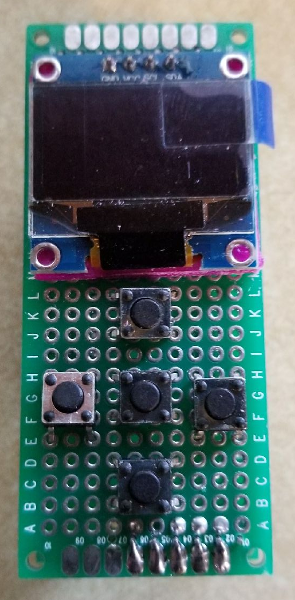
    Since this is still in mockup stage, this is the other button configuration I was thinking about with an up, down, left, right, and center select.
    0_1513532406105_ead7dad0-012f-4987-9a6a-dedf2d7417bc-image.png

    Vera Plus running UI7 with MySensors, Sonoffs and 1-Wire devices
    Visit my website for more Bits, Bytes and Ramblings from me: http://dan.bemowski.info/

    1 Reply Last reply
    2
    • sundberg84S Offline
      sundberg84S Offline
      sundberg84
      Hardware Contributor
      wrote on last edited by
      #210

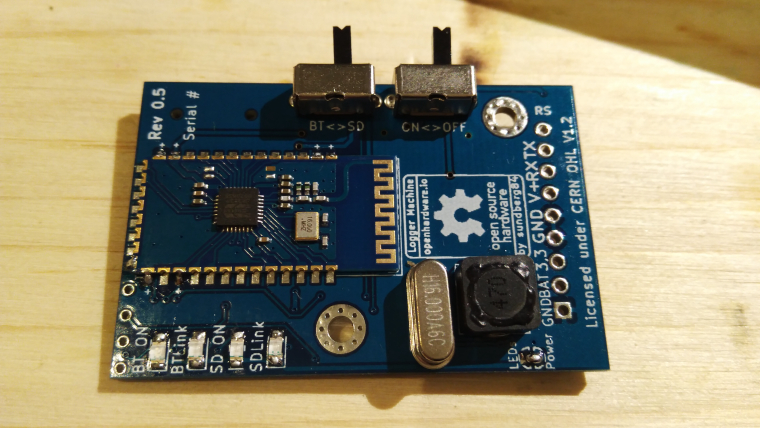
      0_1513621334983_15136213096801205246598.jpg

      Assembling and testing rev 5 tonight.

      Controller: Proxmox VM - Home Assistant
      MySensors GW: Arduino Uno - W5100 Ethernet, Gw Shield Nrf24l01+ 2,4Ghz
      MySensors GW: Arduino Uno - Gw Shield RFM69, 433mhz
      RFLink GW - Arduino Mega + RFLink Shield, 433mhz

      1 Reply Last reply
      1
      • dbemowskD Offline
        dbemowskD Offline
        dbemowsk
        wrote on last edited by
        #211

        So last night I got the display connected and I now have the Adafruit sample code running on it:
        https://youtu.be/knaLySC4X6I

        Tonight I will be installing the buttons and hopefully working on some test code for the buttons and the screen. Here is my proposal for the switch wiring. The red traces are for the columns, and the blue are for the rows.
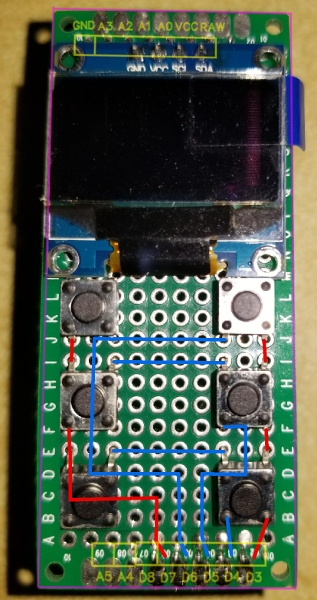
        0_1513644873374_4c3296be-4a3e-4344-9605-c350ba0bf8b2-image.png

        One thing that I would like to do with this is to possibly display some animated graphics for the current weather condition. Seeing the falling stars at the end of the Adafruit test code made me think of rain or snow falling. Something like that might go outside the limits of the pro minis memory, but hey, never hurts to try.

        Vera Plus running UI7 with MySensors, Sonoffs and 1-Wire devices
        Visit my website for more Bits, Bytes and Ramblings from me: http://dan.bemowski.info/

        BulldogLowellB 1 Reply Last reply
        2
        • dbemowskD Offline
          dbemowskD Offline
          dbemowsk
          wrote on last edited by
          #212

          So I have all of the keys soldered in and wired. I did some simple tests to see how things were working. I tested with a font size of 2, and again with a font size of 4.

          Font size 2.
          https://youtu.be/7tu7ZgkpF-0

          Font size 4
          https://youtu.be/acMMex0eIVs

          Vera Plus running UI7 with MySensors, Sonoffs and 1-Wire devices
          Visit my website for more Bits, Bytes and Ramblings from me: http://dan.bemowski.info/

          1 Reply Last reply
          3
          • B Offline
            B Offline
            boozz
            wrote on last edited by
            #213

            Today I build a basic node for temperature (DS18B20) and analog input. Most of my nodes feature a DS18B20 connection as it only 'costs' a 4k7 resistor and a connector.
            PCB is etched.
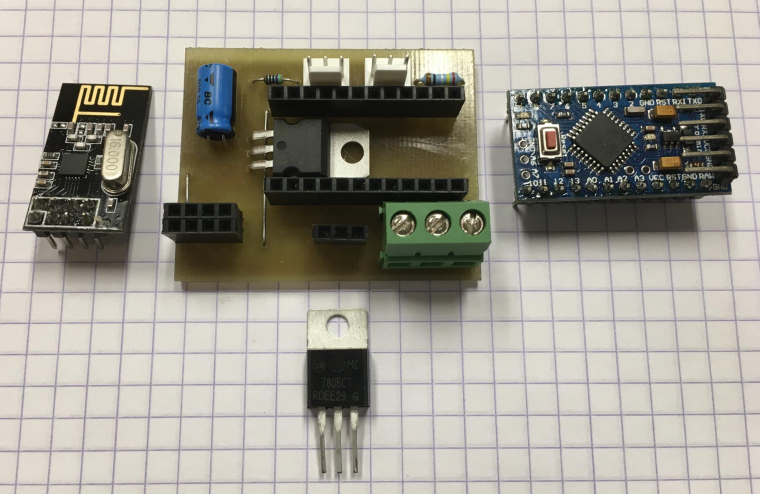
            1_1513700002577_components.jpg 0_1513700002577_assembled.jpg

            NeverDieN 1 Reply Last reply
            3
            • dbemowskD dbemowsk

              So last night I got the display connected and I now have the Adafruit sample code running on it:
              https://youtu.be/knaLySC4X6I

              Tonight I will be installing the buttons and hopefully working on some test code for the buttons and the screen. Here is my proposal for the switch wiring. The red traces are for the columns, and the blue are for the rows.
              0_1513644873374_4c3296be-4a3e-4344-9605-c350ba0bf8b2-image.png

              One thing that I would like to do with this is to possibly display some animated graphics for the current weather condition. Seeing the falling stars at the end of the Adafruit test code made me think of rain or snow falling. Something like that might go outside the limits of the pro minis memory, but hey, never hurts to try.

              BulldogLowellB Offline
              BulldogLowellB Offline
              BulldogLowell
              Contest Winner
              wrote on last edited by
              #214

              @dbemowsk said in What did you build today (Pictures) ?:

              Seeing the falling stars at the end of the Adafruit test code made me think of rain or snow falling. Something like that might go outside the limits of the pro minis memory, but hey, never hurts to try.

              Hey Nice Work!

              I see you are using I2C, vs SPI... that may be why your display is so much slower than the demo in the Adafruit video.

              Can't wait to see the final board!

              1 Reply Last reply
              2
              • B boozz

                Today I build a basic node for temperature (DS18B20) and analog input. Most of my nodes feature a DS18B20 connection as it only 'costs' a 4k7 resistor and a connector.
                PCB is etched.
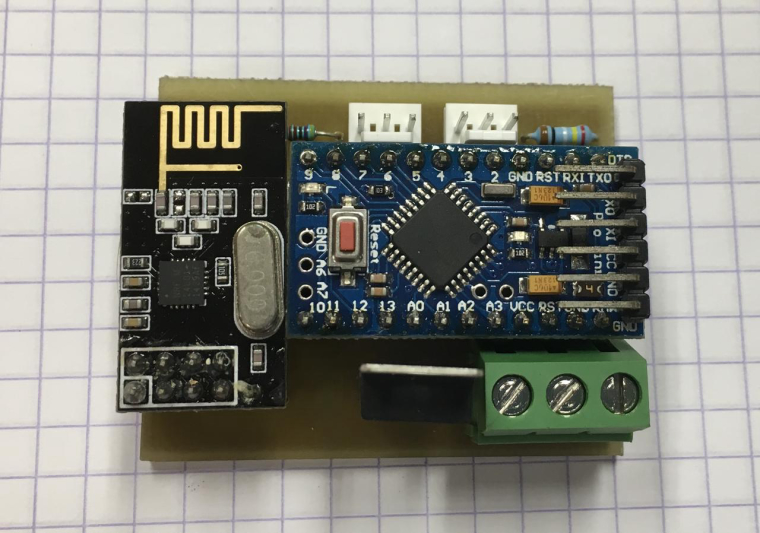
                1_1513700002577_components.jpg 0_1513700002577_assembled.jpg

                NeverDieN Offline
                NeverDieN Offline
                NeverDie
                Hero Member
                wrote on last edited by
                #215

                @boozz What are those 3 pin male connectors called?

                andrewA B 2 Replies Last reply
                0
                • NeverDieN NeverDie

                  @boozz What are those 3 pin male connectors called?

                  andrewA Offline
                  andrewA Offline
                  andrew
                  wrote on last edited by
                  #216

                  @neverdie said in What did you build today (Pictures) ?:

                  @boozz What are those 3 pin male connectors called?

                  I guess that is molex 3 pin tht pcb connector, like this https://uk.rs-online.com/web/p/pcb-headers/4838477/

                  1 Reply Last reply
                  1
                  • D Offline
                    D Offline
                    Dalhoj
                    wrote on last edited by
                    #217

                    Hi
                    Its been a long time since I made something Mysensors.

                    But now I made my first WIFI node with led dimmer. Using the ESP8266 NodeMCU.

                    I use the VeraPlus and made a new Mysensors Device, and put in the IP of the NodeMCU.

                    This is not my last wifi node. I am thinking of making a motion/temp sensor next :-)

                    alt text

                    and the box.

                    alt text

                    1 Reply Last reply
                    2
                    • andrewA Offline
                      andrewA Offline
                      andrew
                      wrote on last edited by
                      #218

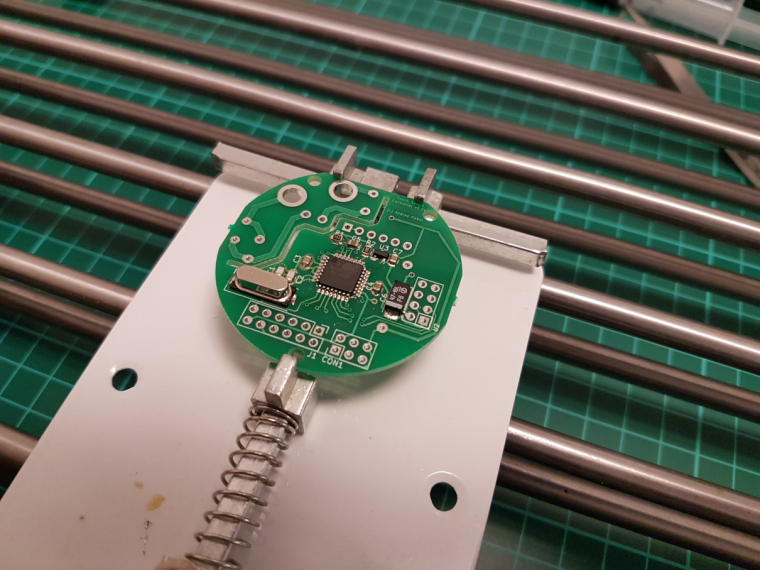
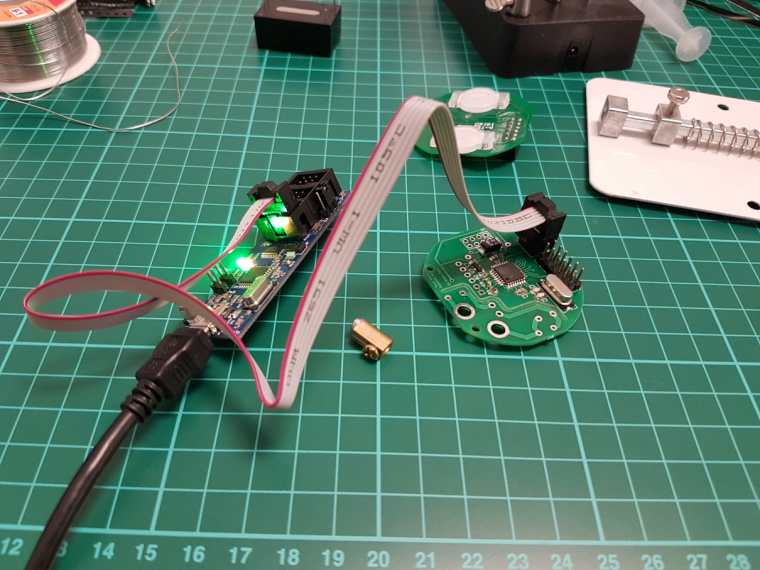
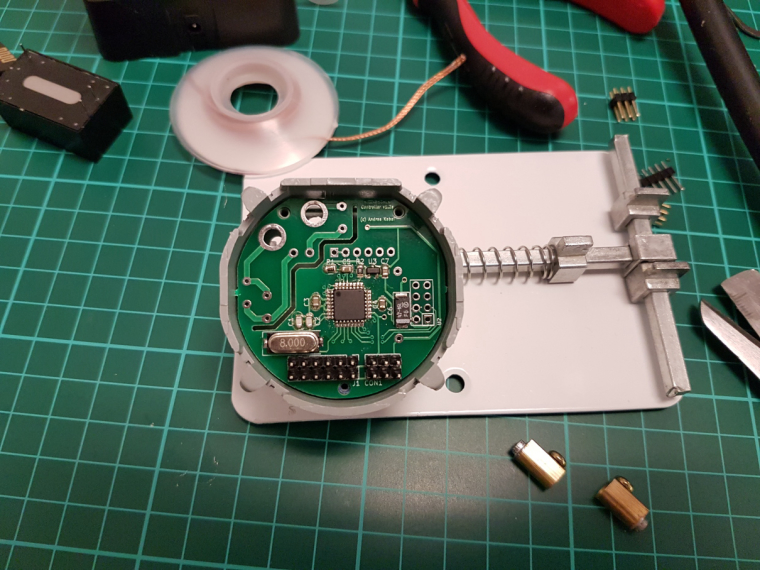
                      one step further...

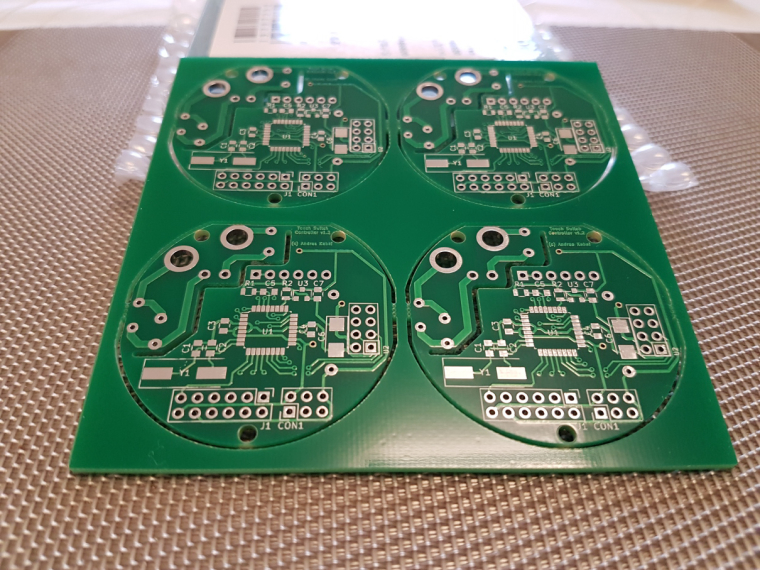
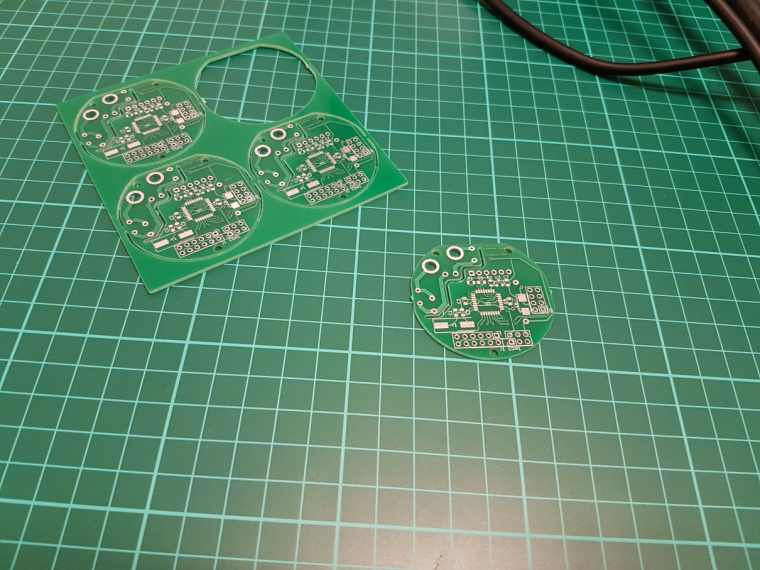
                      0_1513806197320_small_20171220_092956.jpg

                      0_1513806220688_small_20171220_173913.jpg

                      0_1513806243839_small_20171220_190510.jpg

                      0_1513806273694_small_20171220_204925.jpg

                      0_1513806294368_small_20171220_221734.jpg

                      0_1513806318135_small_20171220_223817.jpg

                      ISP works, FTDI works, test code works, and looks like a genuine board :)
                      now comes the hard part :D

                      NeverDieN mtiutiuM 2 Replies Last reply
                      5
                      • andrewA andrew

                        one step further...

                        0_1513806197320_small_20171220_092956.jpg

                        0_1513806220688_small_20171220_173913.jpg

                        0_1513806243839_small_20171220_190510.jpg

                        0_1513806273694_small_20171220_204925.jpg

                        0_1513806294368_small_20171220_221734.jpg

                        0_1513806318135_small_20171220_223817.jpg

                        ISP works, FTDI works, test code works, and looks like a genuine board :)
                        now comes the hard part :D

                        NeverDieN Offline
                        NeverDieN Offline
                        NeverDie
                        Hero Member
                        wrote on last edited by
                        #219

                        @andrew
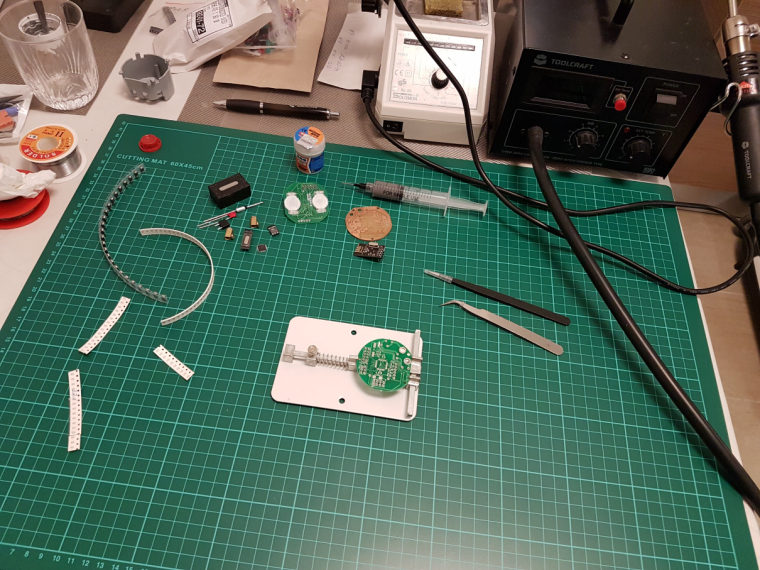
                        What is that spring loaded contraption? Is it for holding your PCB while you solder it? If so, I can see how that would be handy.

                        andrewA 1 Reply Last reply
                        0
                        • NeverDieN NeverDie

                          @andrew
                          What is that spring loaded contraption? Is it for holding your PCB while you solder it? If so, I can see how that would be handy.

                          andrewA Offline
                          andrewA Offline
                          andrew
                          wrote on last edited by andrew
                          #220

                          @neverdie said in What did you build today (Pictures) ?:

                          What is that spring loaded contraption? Is it for holding your PCB while you solder it? If so, I can see how that would be handy.

                          yes. I have a "third hand" station as well, which is good for through hole parts and pcb handling, but for smd, this could be a life saver.

                          this is the exact item which I ordered and which you can see on the photo:
                          https://www.aliexpress.com/item/8-12cm-Fixture-Motherboard-PCB-Holder-For-Mobile-Phone-Board-Repair-Tool/32767458535.html

                          1 Reply Last reply
                          3
                          • dbemowskD Offline
                            dbemowskD Offline
                            dbemowsk
                            wrote on last edited by
                            #221

                            Today's progress on the new switch consists of finishing the basic 3D model of the wall switch plate and working on some of the programming.

                            For the wall plate design I do not have buttons as of yet, but the main part of the wall plate turned out good. I did the initial print in yellow because I am out of white at the moment. I am still trying to figure out the best way of printing it. In the video, you will see that the tabs are looking a bit rough. That is because I printed this one face down with supports for the tabs. If I decide to print them that way, it won't be bad because the tabs will be hidden under the wall plate cover. I will try printing them both ways to see which comes out better.

                            For the programming, I created a couple bitmap icons and did a sample of those icons animated on the screen. The animations toggle back and forth and each runs for about 10 seconds. One bitmap is a rain drop, and the other is a snow flake. The idea is to use these to display weather conditions. I will probably design some clouds and a sun as well and have 4 possible animated weather displays.
                            https://youtu.be/icre7xeprJI

                            Vera Plus running UI7 with MySensors, Sonoffs and 1-Wire devices
                            Visit my website for more Bits, Bytes and Ramblings from me: http://dan.bemowski.info/

                            dbemowskD 1 Reply Last reply
                            3
                            • NeverDieN NeverDie

                              @boozz What are those 3 pin male connectors called?

                              B Offline
                              B Offline
                              boozz
                              wrote on last edited by
                              #222

                              @neverdie

                              Yes these are 'molex' pcb connectors.

                              An ebay alternative can be found at: Ebay shop cayin34

                              1 Reply Last reply
                              1
                              • andrewA andrew

                                one step further...

                                0_1513806197320_small_20171220_092956.jpg

                                0_1513806220688_small_20171220_173913.jpg

                                0_1513806243839_small_20171220_190510.jpg

                                0_1513806273694_small_20171220_204925.jpg

                                0_1513806294368_small_20171220_221734.jpg

                                0_1513806318135_small_20171220_223817.jpg

                                ISP works, FTDI works, test code works, and looks like a genuine board :)
                                now comes the hard part :D

                                mtiutiuM Offline
                                mtiutiuM Offline
                                mtiutiu
                                Hardware Contributor
                                wrote on last edited by
                                #223

                                @andrew
                                Where did you buy that green thing that sits on your work desk (it has some kind of ruler on it and squares). I don't know how it's called but I keep seeing it and I think I want one too. Thanks.

                                andrewA gohanG 2 Replies Last reply
                                0
                                • scalzS Offline
                                  scalzS Offline
                                  scalz
                                  Hardware Contributor
                                  wrote on last edited by scalz
                                  #224

                                  @mtiutiu
                                  here I use esd safe mate etc when I do electronics (maybe too much paranoid.. and I don't know if there are with ruler), but these green mates are nice for tinkering, sure.
                                  if you google "cutting mate ruler" you'll find what you want

                                  1 Reply Last reply
                                  0
                                  • mtiutiuM mtiutiu

                                    @andrew
                                    Where did you buy that green thing that sits on your work desk (it has some kind of ruler on it and squares). I don't know how it's called but I keep seeing it and I think I want one too. Thanks.

                                    andrewA Offline
                                    andrewA Offline
                                    andrew
                                    wrote on last edited by
                                    #225

                                    @mtiutiu just search for "cutting mat"

                                    1 Reply Last reply
                                    0
                                    • mtiutiuM mtiutiu

                                      @andrew
                                      Where did you buy that green thing that sits on your work desk (it has some kind of ruler on it and squares). I don't know how it's called but I keep seeing it and I think I want one too. Thanks.

                                      gohanG Offline
                                      gohanG Offline
                                      gohan
                                      Mod
                                      wrote on last edited by
                                      #226

                                      @mtiutiu I got one of those blue silicon heat resistant mats with magnets so I can use the heat gun over it

                                      NeverDieN 1 Reply Last reply
                                      1
                                      • gohanG gohan

                                        @mtiutiu I got one of those blue silicon heat resistant mats with magnets so I can use the heat gun over it

                                        NeverDieN Offline
                                        NeverDieN Offline
                                        NeverDie
                                        Hero Member
                                        wrote on last edited by NeverDie
                                        #227

                                        @gohan said in What did you build today (Pictures) ?:

                                        @mtiutiu I got one of those blue silicon heat resistant mats with magnets so I can use the heat gun over it

                                        Do you have a link for that? Sounds very useful, especially when soldering things that might get very hot (though maybe I won't need it as much after I get the PCB holder).

                                        gohanG 1 Reply Last reply
                                        0
                                        • mfalkviddM Offline
                                          mfalkviddM Offline
                                          mfalkvidd
                                          Mod
                                          wrote on last edited by mfalkvidd
                                          #228

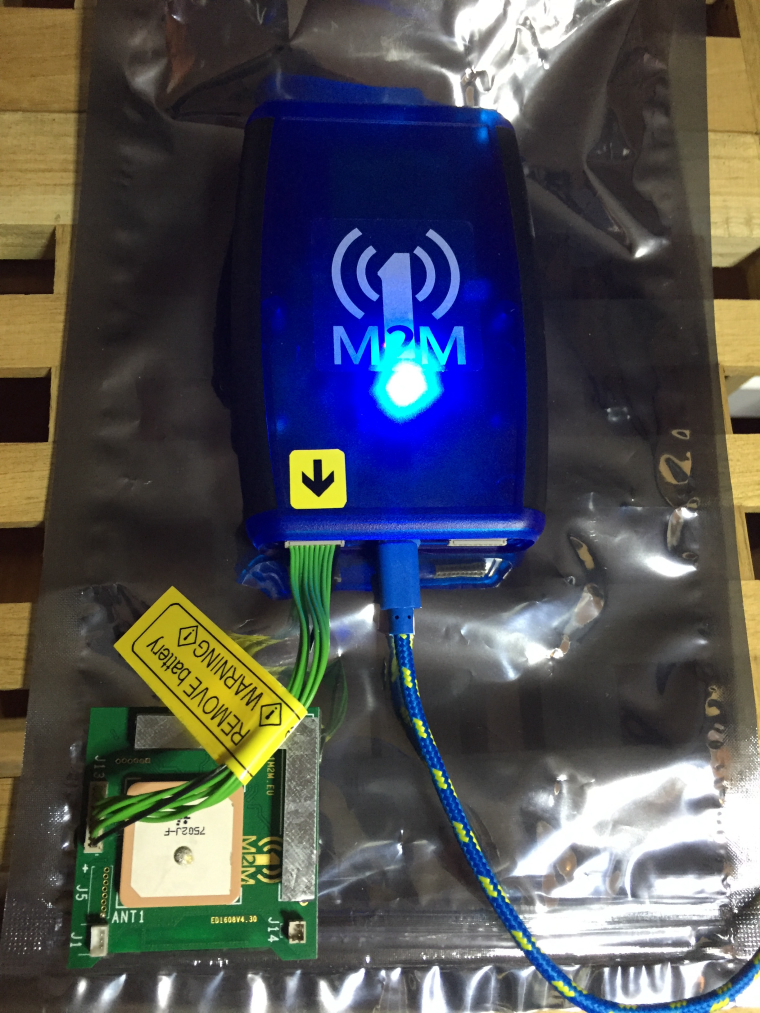
                                          0_1513863309699_IMG_6267.JPG

                                          Trying to get a programmer for Sigfox/LoRaWAN devices to work for a non-MySensors project. (the programmer is from a nice Dutch company called 1M2M)

                                          I like the Swedish-branded usb cable :)

                                          1 Reply Last reply
                                          2
                                          Reply
                                          • Reply as topic
                                          Log in to reply
                                          • Oldest to Newest
                                          • Newest to Oldest
                                          • Most Votes


                                          28

                                          Online

                                          11.7k

                                          Users

                                          11.2k

                                          Topics

                                          113.1k

                                          Posts


                                          Copyright 2025 TBD   |   Forum Guidelines   |   Privacy Policy   |   Terms of Service
                                          • Login

                                          • Don't have an account? Register

                                          • Login or register to search.
                                          • First post
                                            Last post
                                          0
                                          • MySensors
                                          • OpenHardware.io
                                          • Categories
                                          • Recent
                                          • Tags
                                          • Popular