Sending image-data over the MySensors network.
-
Adding a capacitor hasn't helped.
I changed the setup using now a serial gateway on a separate Arduino instead of having it directly on the Pi. This is working fine. So it seems that the serial gateway on the Pi was the problem.. -
Adding a capacitor hasn't helped.
I changed the setup using now a serial gateway on a separate Arduino instead of having it directly on the Pi. This is working fine. So it seems that the serial gateway on the Pi was the problem..@thomas1412 said:
This is working fine. So it seems that the serial gateway on the Pi was the problem..
I tested this, and yes, the Pi serial gateway seems to be the problem, clogging up on some point and stops.
The problem itself seems to be in the pseudo terminal created. If i rewrite the gateway that the data with type 24 (image data) is not written to the pseudo terminal the sending works fine.The Pi serial gateway has atm afaik no maintainer and needs some love.
-
Hello, this is my first arduino project: sending a file (jpeg, pdf, txt) from an arduino sd card module to android phone using arduino uno and bluetooth module HC-05
It's possible with this hardware?If it's possible can someone please send me the source code and android app use it to receive the file
thank you -
Hello, this is my first arduino project: sending a file (jpeg, pdf, txt) from an arduino sd card module to android phone using arduino uno and bluetooth module HC-05
It's possible with this hardware?If it's possible can someone please send me the source code and android app use it to receive the file
thank you -
I've been looking around a bit, but beside the example Perl script provided by @thomas1412 and the STREAM type usage in the OTA feature, there seems not to exist any working solution using really the stream type message structure. But this is more or less receiving only on the node side afai understood.
As I'm about to do some renovation work on the FHEM integration (also written in Perl), I'd be interested in some guidelines about the best way to transfer e.g. jpeg data as stream from node side.
The sample sketch @thomas1412 provided uses not stream type, but V_VAR1 (data) and V_VAR2 (signalizing start and end).I'd be happy if someone could provide a sample sketch using the newer (?) stream type sending style or a link to the relevant parts in the MySensors codebase...
-
The Perl-Script i'm using instead of a controller, because obviously no controller supports this yet.
#!/usr/bin/perl
use Device::SerialPort;
use POSIX qw(strftime);
use Data::Dumper;
use Time::HiRes qw (sleep);
use Time::HiRes qw(time);
my $port = Device::SerialPort->new("/dev/ttyUSB1");
$| = 1;
use Time::HiRes qw(time);

$port->baudrate(115200);
$port->databits(8);
$port->parity("none");
$port->stopbits(1);

my $buffer;
my %transfers;

print "Waiting for incoming transfers...\n";

while (1) {
	my ($count,$saw)=$port->read(256);
	if($count > 0 || length($buffer) > 0)
	{
		$buffer .= $saw;
		my ($cmd, $rest) = split(/\n/, $buffer, 2);
		if(defined($rest))
		{
			if(@m = $cmd =~ /([0-9]*);([0-9]*);([0-9]*);([0-9]*);([0-9]*);(.*)/g)
			{
				my ($node_id, $child_sensor_id, $message_type, $ack, $sub_type, $payload) = @m;
		#		print "node_id: $node_id, child_sensor_id: $child_sensor_id, message_type: $child_sensor_id, ack: $ack, sub_type: $sub_type, payload: $payload \n";
				if($sub_type eq "25")
				{
					if($payload eq "START" && $transfers{$node_id}{'state'} == 0)
					{
						print "New transfer incoming from node $node_id.\n";
						$transfers{$node_id}{'start_time'} = time();
						$transfers{$node_id}{'state'} = 1;
						$transfers{$node_id}{'count'} = 0;
						my $time = strftime("%Y-%m-%d-%H-%M-%S", localtime);
						open ($transfers{$node_id}{'FH'}, ">>node-".$node_id."-".$time.".jpg");
						binmode($transfers{$node_id}{'FH'});
					}

					if($payload eq "END" && $transfers{$node_id}{'state'} == 1)
					{
						close($transfers{$node_id}{'FH'});
						$transfers{$node_id}{'state'} = 0;
						my $duration = time() - $transfers{$node_id}{'start_time'};
						my $bps = $transfers{$node_id}{'count'} * 24 / $duration;
						my $pps = $transfers{$node_id}{'count'} / $duration;
						print "Transfer from $node_id finished.\n";
						print "$duration seconds, $bps Bytes/s, $pps Packets/s\n";
					}
				}
				elsif($sub_type eq "24")
				{
					if($transfers{$node_id}{'state'} == 1)
					{
						$transfers{$node_id}{'count'}++;
						print { $transfers{$node_id}{'FH'} } pack('H*',$payload);
					}
				}
			}
			$buffer = $rest;
		}
	}
        #Check for timeout
        while(($node_id) = each %transfers)
        {
	        my $duration = time() - $transfers{$node_id}{'start_time'};
               	if($duration > 120 && $transfers{$node_id}{'state'} == 1)
                {
                	close($transfers{$node_id}{'FH'});
                        $transfers{$node_id}{'state'} = 0;
                        print "Warning: Timeout from node $node_id. Transfer cancelled.\n";
                }
	}
	sleep (0.001);
}
The sketch:
#include <MySensor.h>
#include <SPI.h>
#include <Adafruit_VC0706.h>
#include <SoftwareSerial.h>

#undef DEBUG

SoftwareSerial cameraConnection = SoftwareSerial(6,7);

Adafruit_VC0706 cam = Adafruit_VC0706(&cameraConnection);

#define CHILD_ID 3

MySensor gw;
MyMessage msg(CHILD_ID,V_VAR1);
MyMessage msg2(CHILD_ID,V_VAR2);

void setup()
{
  gw.begin();

  gw.present(CHILD_ID, S_CUSTOM);

  if (cam.begin()){}
  else { return; } //Abort the transfer if camera does not initialize

  cam.setImageSize(VC0706_640x480);
  delay(3000);
  snapAndSend();
  cam.reset();
}

//Do nothing.
void loop()
{

}

void snapAndSend()
{
  cam.takePicture();
  uint16_t jpgLen = cam.frameLength();
  Serial.print("Sending Picture of ");
  Serial.print(jpgLen, DEC);
  Serial.println(" Bytes.");
  gw.send(msg2.set("START"));
  while (jpgLen > 0)
  {                     //Send off 24 bytes of data at a time
    uint8_t *buffer;
    uint8_t bytesToRead = min(24, jpgLen);
    buffer = cam.readPicture(bytesToRead);
    gw.send(msg.set(buffer, bytesToRead));
    jpgLen -= bytesToRead;
  }
  Serial.println("Done.");
  gw.send(msg2.set("END"));
}
Hardware:
Typical MySensors-Node and a Serial TTL Camera like this:
http://aliexpress.com/item/NEW-RS232-TTL-JPEG-Digital-Serial-Port-CCTV-Camera-Module-SCB-1-with-video-out-Support/1975852463.html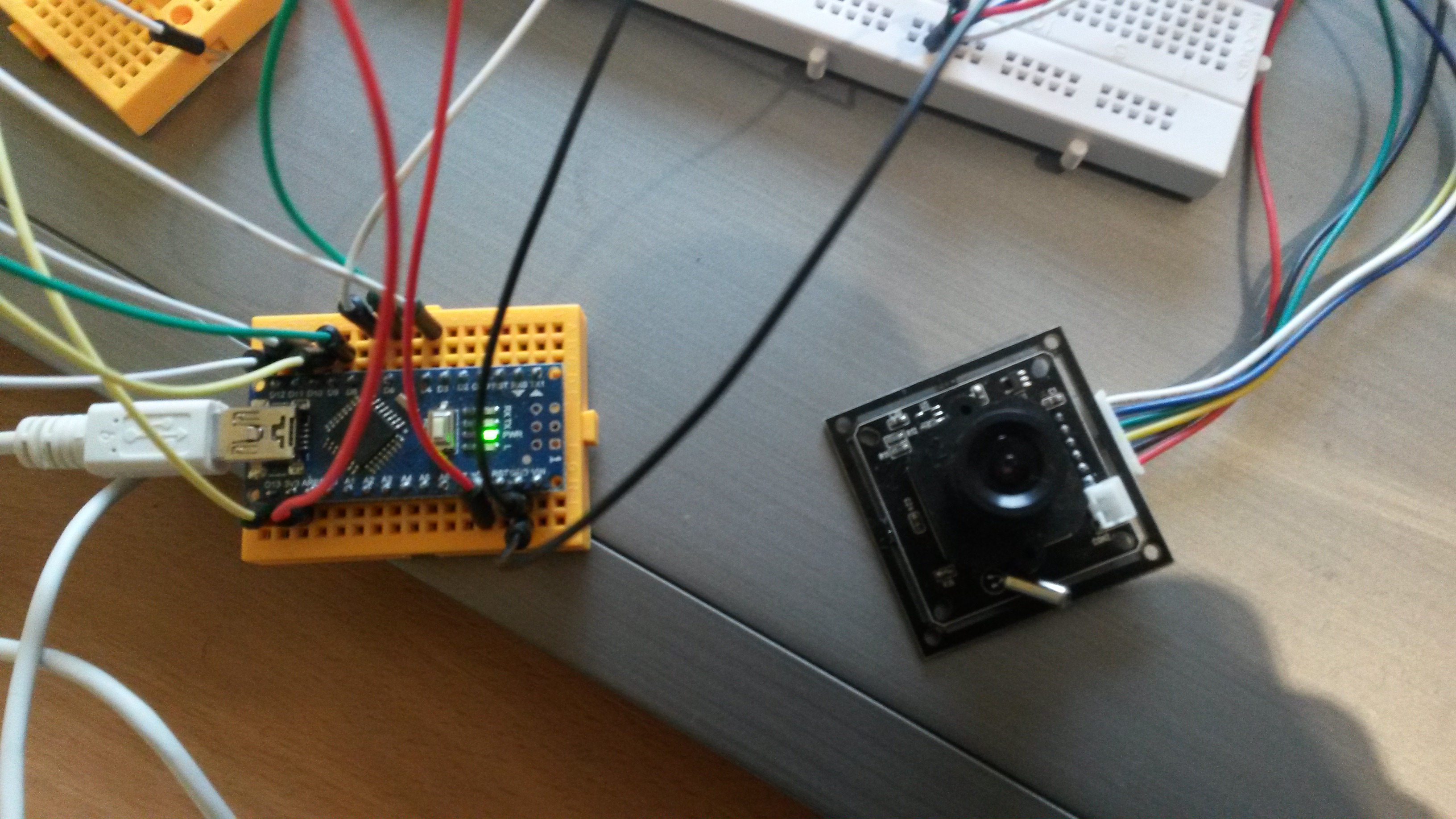
@Oitzu Great work. Looking forward to use it. I have a use for this (some remote roof drain that gets clogged with leaves). Thanks!