Skip to content
  • MySensors
  • OpenHardware.io
  • Categories
  • Recent
  • Tags
  • Popular
Skins
  • Light
  • Brite
  • Cerulean
  • Cosmo
  • Flatly
  • Journal
  • Litera
  • Lumen
  • Lux
  • Materia
  • Minty
  • Morph
  • Pulse
  • Sandstone
  • Simplex
  • Sketchy
  • Spacelab
  • United
  • Yeti
  • Zephyr
  • Dark
  • Cyborg
  • Darkly
  • Quartz
  • Slate
  • Solar
  • Superhero
  • Vapor

  • Default (No Skin)
  • No Skin
Collapse
Brand Logo
  1. Home
  2. Troubleshooting
  3. How to update sensor relay from serial gateway

How to update sensor relay from serial gateway

Scheduled Pinned Locked Moved Troubleshooting
12 Posts 3 Posters 4.7k Views 2 Watching
  • Oldest to Newest
  • Newest to Oldest
  • Most Votes
Reply
  • Reply as topic
Log in to reply
This topic has been deleted. Only users with topic management privileges can see it.
  • B Offline
    B Offline
    beanl
    wrote on last edited by beanl
    #3

    tried :

    echo "1;1;1;0;2;1" >> /dev/ttyUSB0

    without success :(

    1 Reply Last reply
    0
    • B Offline
      B Offline
      beanl
      wrote on last edited by
      #4

      I also tried using node.js ...

      I check if i receive serial data on my gateway using :

      bash> picocom /dev/ttyUSB1 -b 115200 -r -l --omap lfcrlf --imap lfcrlf --emap lfcrlf
      Terminal ready
      send: 1-1-0-0 s=255,c=0,t=18,pt=0,l=3,sg=0,st=ok:1.5
      send: 1-1-0-0 s=255,c=3,t=6,pt=1,l=1,sg=0,st=ok:0
      repeater started, id=1, parent=0, distance=1
      send: 1-1-0-0 s=255,c=3,t=11,pt=0,l=5,sg=0,st=ok:Relay
      send: 1-1-0-0 s=255,c=3,t=12,pt=0,l=3,sg=0,st=ok:1.0
      send: 1-1-0-0 s=1,c=0,t=3,pt=0,l=0,sg=0,st=ok:


      Here is my node.js script :

      
      const gwType = 'Serial';
      //const gwPort = 'COM4';
      const gwPort = '/dev/ttyUSB0';
      const gwBaud = 115200;
      
      //var SerialPort = require('/home/bxl/node-v0.12.0-linux-x64/lib/node_modules/serialport');
      var serialport = require('/home/bxl/node-v0.12.0-linux-x64/lib/node_modules/serialport');
      var SerialPort = serialport.SerialPort;
      
      
      gw = new SerialPort(gwPort,
              { baudrate: gwBaud
                ,parser: serialport.parsers.readline("\n")
      });
      
                  gw.on('open', function() {
                              console.log('connected to serial gateway at ' + gwPort);
                              gw.write('1;1;1;0;2;1');
                              console.log('Write done.');
                      }).on('end', function() {
                              console.log('disconnected from gateway');
                      }).on('error', function() {
                              console.log('connection error - trying to reconnect');
                              gw.open();
                      });
      

      but nothing move on my serial gateway :(

      1 Reply Last reply
      0
      • hekH Offline
        hekH Offline
        hek
        Admin
        wrote on last edited by
        #5

        @beanl said:

        gw.write('1;1;1;0;2;1');

        Does not att newline (I think?)...

        1 Reply Last reply
        0
        • B Offline
          B Offline
          beanl
          wrote on last edited by
          #6

          I also try to put my gateway on a widows machine and on arduino ide :
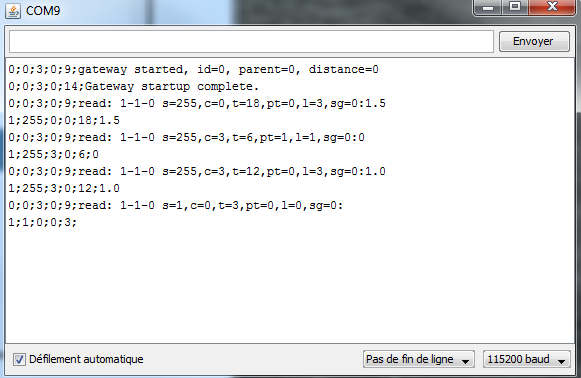
          2015-08-06_115823.png

          I send : 1;1;1;0;2;1

          But on my node :

          bash>  picocom /dev/ttyUSB1 -b 115200 -r -l --omap lfcrlf --imap lfcrlf --emap lfcrlf
          picocom v1.7
          
          port is        : /dev/ttyUSB1
          flowcontrol    : none
          baudrate is    : 115200
          parity is      : none
          databits are   : 8
          escape is      : C-a
          local echo is  : no
          noinit is      : no
          noreset is     : yes
          nolock is      : yes
          send_cmd is    : sz -vv
          receive_cmd is : rz -vv
          imap is        : lfcrlf,
          omap is        : lfcrlf,
          emap is        : lfcrlf,
          
          Terminal ready
          send: 1-1-0-0 s=255,c=0,t=18,pt=0,l=3,sg=0,st=ok:1.5
          send: 1-1-0-0 s=255,c=3,t=6,pt=1,l=1,sg=0,st=ok:0
          repeater started, id=1, parent=0, distance=1
          send: 1-1-0-0 s=255,c=3,t=11,pt=0,l=5,sg=0,st=fail:Relay
          send: 1-1-0-0 s=255,c=3,t=12,pt=0,l=3,sg=0,st=ok:1.0
          send: 1-1-0-0 s=1,c=0,t=3,pt=0,l=0,sg=0,st=ok:
          
          
          1 Reply Last reply
          0
          • hekH Offline
            hekH Offline
            hek
            Admin
            wrote on last edited by
            #7

            What does "Pas de fun de ligne" mean?

            korttomaK 1 Reply Last reply
            0
            • hekH hek

              What does "Pas de fun de ligne" mean?

              korttomaK Offline
              korttomaK Offline
              korttoma
              Hero Member
              wrote on last edited by
              #8

              @hek acording to google translate "No end of line"

              • Tomas
              1 Reply Last reply
              0
              • B Offline
                B Offline
                beanl
                wrote on last edited by
                #9

                yep it's the french version of arduino IDE :)

                1 Reply Last reply
                0
                • hekH Offline
                  hekH Offline
                  hek
                  Admin
                  wrote on last edited by
                  #10

                  Choose the option where it sends newlines then...

                  1 Reply Last reply
                  0
                  • B Offline
                    B Offline
                    beanl
                    wrote on last edited by
                    #11

                    i try with the option without success.

                    I also try to reset EEPROM & assigning Node ID with "MYScontroller" :
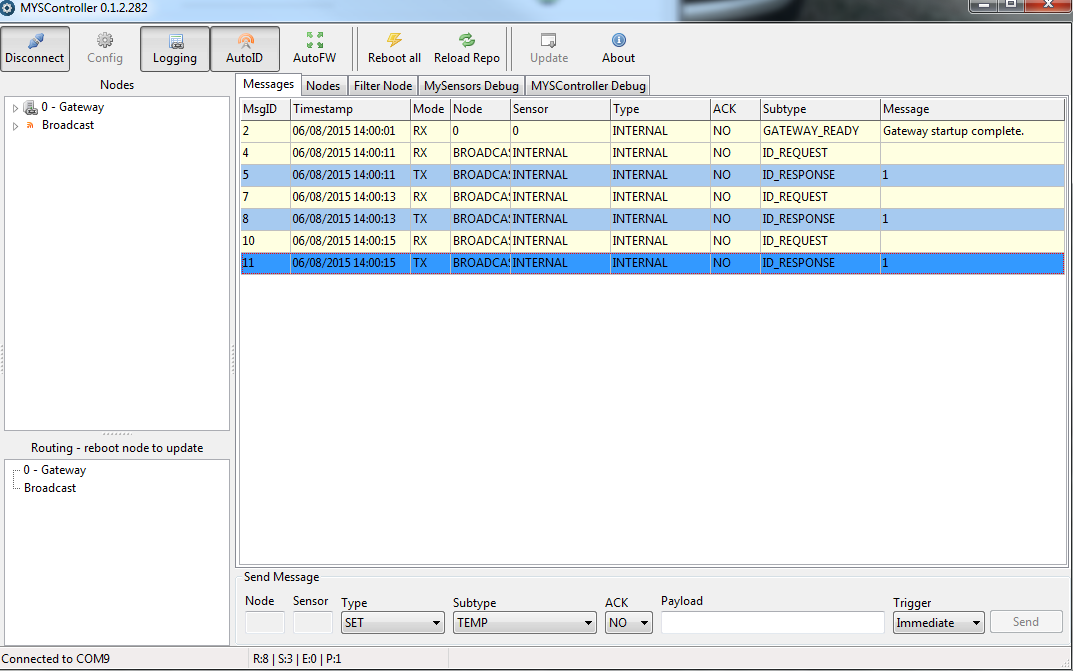
                    2015-08-06_140028.png

                    On my node :

                    Terminal ready
                    req id
                    send: 255-255-0-0 s=255,c=3,t=3,pt=0,l=0,sg=0,st=fail:
                    repeater started, id=255, parent=0, distance=1
                    req id
                    send: 255-255-0-0 s=255,c=3,t=3,pt=0,l=0,sg=0,st=ok:
                    req id
                    send: 255-255-0-0 s=255,c=3,t=3,pt=0,l=0,sg=0,st=ok:
                    req id
                    send: 255-255-0-0 s=255,c=3,t=3,pt=0,l=0,sg=0,st=ok:
                    

                    I think my gateway don't really send message ...
                    Any idea why ?

                    1 Reply Last reply
                    0
                    • B Offline
                      B Offline
                      beanl
                      wrote on last edited by
                      #12

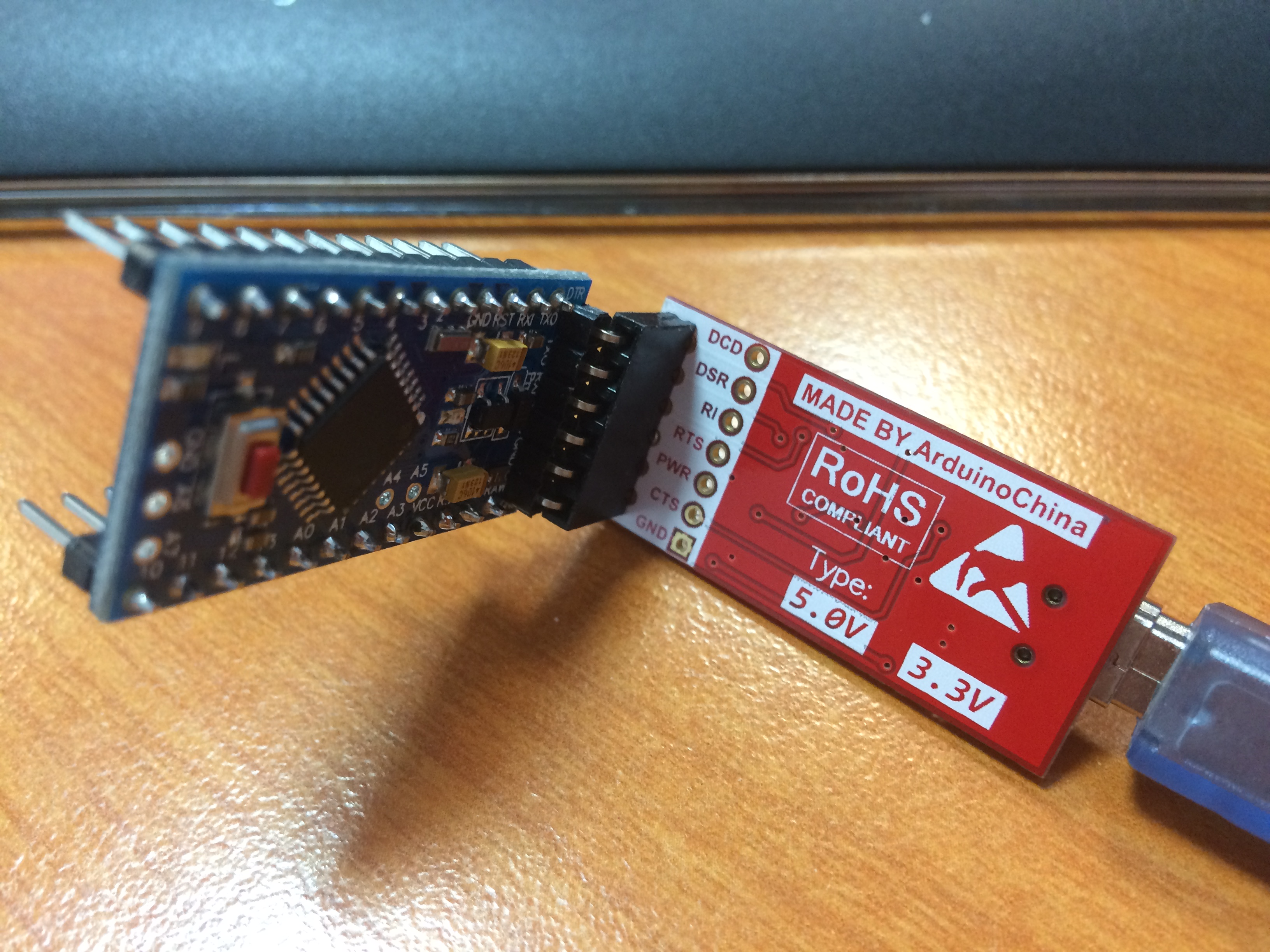
                      I used a mini pro whith FTDI :

                      IMG_0781.JPG

                      It wasn't working the serial gateway don't send data.

                      I test with a nano and all is ok now ...
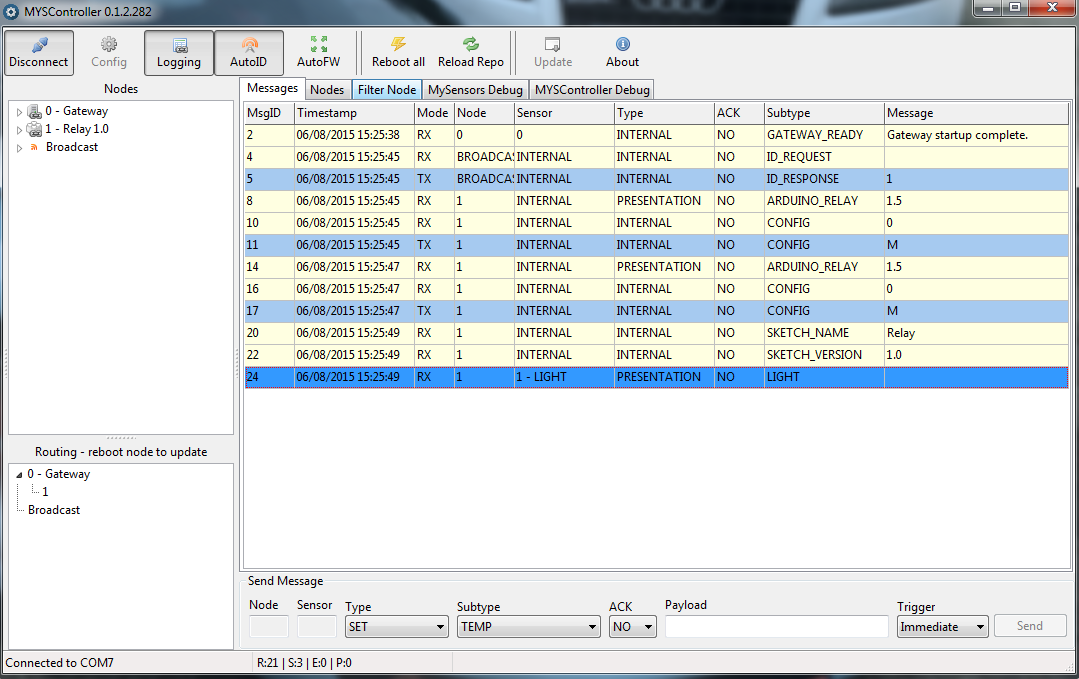
                      1.png

                      And on my relay sensor :

                      Terminal ready
                      req id
                      send: 255-255-0-0 s=255,c=3,t=3,pt=0,l=0,sg=0,st=ok:
                      read: 0-0-255 s=255,c=3,t=4,pt=0,l=1,sg=0:1
                      send: 1-1-0-0 s=255,c=0,t=18,pt=0,l=3,sg=0,st=ok:1.5
                      send: 1-1-0-0 s=255,c=3,t=6,pt=1,l=1,sg=0,st=ok:0
                      read: 0-0-1 s=255,c=3,t=6,pt=0,l=1,sg=0:M
                      id=1
                      send: 1-1-0-0 s=255,c=0,t=18,pt=0,l=3,sg=0,st=ok:1.5
                      send: 1-1-0-0 s=255,c=3,t=6,pt=1,l=1,sg=0,st=ok:0
                      read: 0-0-1 s=255,c=3,t=6,pt=0,l=1,sg=0:M
                      repeater started, id=1, parent=0, distance=1
                      send: 1-1-0-0 s=255,c=3,t=11,pt=0,l=5,sg=0,st=ok:Relay
                      send: 1-1-0-0 s=255,c=3,t=12,pt=0,l=3,sg=0,st=ok:1.0
                      send: 1-1-0-0 s=1,c=0,t=3,pt=0,l=0,sg=0,st=ok:

                      
                      1 Reply Last reply
                      0
                      Reply
                      • Reply as topic
                      Log in to reply
                      • Oldest to Newest
                      • Newest to Oldest
                      • Most Votes


                      12

                      Online

                      11.7k

                      Users

                      11.2k

                      Topics

                      113.1k

                      Posts


                      Copyright 2025 TBD   |   Forum Guidelines   |   Privacy Policy   |   Terms of Service
                      • Login

                      • Don't have an account? Register

                      • Login or register to search.
                      • First post
                        Last post
                      0
                      • MySensors
                      • OpenHardware.io
                      • Categories
                      • Recent
                      • Tags
                      • Popular