About DS18B20 onewire.
-
@tomasandersson You are welcome!
I am more feeling as a beginner also in most programming aspects. This is just some sort of copy/pasting in addition with some thoughts on how things may work and reading technical documentation and examples :simple_smile:; most of this is based on leodesigners work here somewhere in the forum (fride monitor). I had a hard time to find solutions working for me, so I'm happy if someone can learn from this.Back to the answer: just add a
wait(50);as new line 120 (somewhere within the reading/sending for-loop).Now I have tried both of the programs. It works much the same. It pops up a fault sometimes.
Is it difficult to enter a line in the program, says that if the temperature has changed system than - + 5 degrees so it shall not be reported -
Now I have tried both of the programs. It works much the same. It pops up a fault sometimes.
Is it difficult to enter a line in the program, says that if the temperature has changed system than - + 5 degrees so it shall not be reported@tomasandersson To me, this really seems to be hardware related, so triple check your wirings first.
If you really believe this to be a software problem, you may add an additional condition in line 119 with another "&&", (from memory something like abs(lastTemperature[i] - temperature < 5). I would have to test it myself and don't find this reasonable (s.o.), so feel free to finish this part of the job yourself. -
@tomasandersson To me, this really seems to be hardware related, so triple check your wirings first.
If you really believe this to be a software problem, you may add an additional condition in line 119 with another "&&", (from memory something like abs(lastTemperature[i] - temperature < 5). I would have to test it myself and don't find this reasonable (s.o.), so feel free to finish this part of the job yourself.@rejoe2
Thank you for helping me in the right direction
I do not think there is anything wrong with the hardware because I have two identical sets. One to a spa and a heat pump. Maybe I'll try it with less resistance. Now i have 4.8kohmI'm now trying with more or less distinction from the former transient temp.
I will reply when I got it to work.Tomas
-
@rejoe2
Thank you for helping me in the right direction
I do not think there is anything wrong with the hardware because I have two identical sets. One to a spa and a heat pump. Maybe I'll try it with less resistance. Now i have 4.8kohmI'm now trying with more or less distinction from the former transient temp.
I will reply when I got it to work.Tomas
@tomasandersson Just 2 DS18B20 on each line should never cause trouble wrt current draw using a 4.8k resistor and 30 sec. intervals and no additional sensors drawing current from the arduino. If not already in place I would anyhow recommend using 3 wires for operation instead of parasitic mode.
Anyhow: Best way to identify these chips is using the addresses. Most likely you now are also prepared to do some small editing in sketches?
"My" array-sketch-version also prints the ID's as array information you need to serial. You may test it and then disable this feature once you have the info for both of your sketches (begin the respecting line with the #define with a "//"). Doing so will definitely eliminate any smallest risk of mixing data... -
I have modify the sketch so now if sensor B is disconnected A will be A and C will be C, as soon as B is connected again it will send the values again.
/**
 * The MySensors Arduino library handles the wireless radio link and protocol
 * between your home built sensors/actuators and HA controller of choice.
 * The sensors forms a self healing radio network with optional repeaters. Each
 * repeater and gateway builds a routing tables in EEPROM which keeps track of the
 * network topology allowing messages to be routed to nodes.
 *
 * Created by Henrik Ekblad <henrik.ekblad@mysensors.org>
 * Copyright (C) 2013-2015 Sensnology AB
 * Full contributor list: https://github.com/mysensors/Arduino/graphs/contributors
 *
 * Documentation: http://www.mysensors.org
 * Support Forum: http://forum.mysensors.org
 *
 * This program is free software; you can redistribute it and/or
 * modify it under the terms of the GNU General Public License
 * version 2 as published by the Free Software Foundation.
 *
 *******************************
 *
 * DESCRIPTION
 *
 * Example sketch showing how to send in DS1820B OneWire temperature readings back to the controller
 * http://www.mysensors.org/build/temp
 */

#include <MySensor.h>
#include <SPI.h>
#include <DallasTemperature.h>
#include <OneWire.h>

#define COMPARE_TEMP 0 // Send temperature only if changed? 1 = Yes 0 = No

#define ONE_WIRE_BUS 3 // Pin where dallase sensor is connected
#define MAX_ATTACHED_DS18B20 16
unsigned long SLEEP_TIME = 3000; // Sleep time between reads (in milliseconds)
OneWire oneWire(ONE_WIRE_BUS); // Setup a oneWire instance to communicate with any OneWire devices (not just Maxim/Dallas temperature ICs)
DallasTemperature sensors(&oneWire); // Pass the oneWire reference to Dallas Temperature.

byte D[3][8] = {
{ 0x28, 0xB1, 0x47, 0xB4, 0x04, 0x00, 0x00, 0x97 },
{ 0x28, 0xFF, 0x53, 0x78, 0x63, 0x15, 0x02, 0xC9 },
{ 0x28, 0xFF, 0xCD, 0x06, 0x52, 0x04, 0x00, 0x80 }
};
MySensor gw;
float lastTemperature[MAX_ATTACHED_DS18B20];
int numSensors=0;
boolean receivedConfig = false;
boolean metric = true;
// Initialize temperature message
MyMessage msg(0,V_TEMP);

void setup()
{
  // Startup up the OneWire library
  sensors.begin();
  // requestTemperatures() will not block current thread
  sensors.setWaitForConversion(false);

  // Startup and initialize MySensors library. Set callback for incoming messages.
  gw.begin();

  // Send the sketch version information to the gateway and Controller
  gw.sendSketchInfo("Temperature Sensor", "1.1");

  // Fetch the number of attached temperature sensors
  //numSensors = sensors.getDeviceCount();

  // Present all sensors to controller
  for (int i=0; i<3 && i<MAX_ATTACHED_DS18B20; i++) {
     gw.present(i, S_TEMP);
  }
}


void loop()
{

Serial.println(millis());
  // Process incoming messages (like config from server)
  gw.process();

  // Fetch temperatures from Dallas sensors
  sensors.requestTemperatures();

  // query conversion time and sleep until conversion completed
  int16_t conversionTime = sensors.millisToWaitForConversion(sensors.getResolution());
  // sleep() call can be replaced by wait() call if node need to process incoming messages (or if node is repeater)
  gw.sleep(conversionTime);

  // Read temperatures and send them to controller
  for (int i=0; i<3 && i<MAX_ATTACHED_DS18B20; i++) {

    // Fetch and round temperature to one decimal
 //   float temperature = static_cast<float>(static_cast<int>((sensors.requestTemperaturesByAddress(D[i])) * 10.)) / 10.;
      float temperature = sensors.getTempC(D[i]);
    // Only send data if temperature has changed and no error
    #if COMPARE_TEMP == 1
    if (lastTemperature[i] != temperature && temperature != -127.00 && temperature != 85.00) {
    #else
    if (temperature != -127.00 && temperature != 85.00) {
    #endif

      // Send in the new temperature
      gw.send(msg.setSensor(i).set(temperature,1));
      // Save new temperatures for next compare
      lastTemperature[i]=temperature;
    }
  }
  //gw.sleep(SLEEP_TIME);
}
first you need to use this sketch to get the correct addresses for all your DS18B20
#include <OneWire.h>

// OneWire DS18S20, DS18B20, DS1822 Temperature Example
//
// http://www.pjrc.com/teensy/td_libs_OneWire.html
//
// The DallasTemperature library can do all this work for you!
// http://milesburton.com/Dallas_Temperature_Control_Library

OneWire  ds(3);  // on pin 10 (a 4.7K resistor is necessary)
int count=0;
void setup(void) {
  Serial.begin(9600);
}

void loop(void) {
  byte i;
  byte present = 0;
  byte type_s;
  byte data[12];
  byte addr[8];
  float celsius;

  if ( !ds.search(addr)) {
    //Serial.println("No more addresses.");
    Serial.println();
    ds.reset_search();
    delay(250);
    Serial.println(count);
    Serial.println();
    count=0;
    return;
  }

  //Serial.print("ROM =");
  Serial.print("{");
  for( i = 0; i < 8; i++) {
  Serial.print(" 0x");
    //Serial.write(' ');
    //int a = (addr[i], DEC);
    //Serial.print(a);
    if (addr[i] <= 15){

      Serial.print("0");
    }

    Serial.print(addr[i], HEX);
    if (i < 7){
      Serial.print(",");
    }
    else
    Serial.print(" },");
  }

  if (OneWire::crc8(addr, 7) != addr[7]) {
      Serial.println("CRC is not valid!");
      return;
  }
  Serial.println();

  // the first ROM byte indicates which chip
  switch (addr[0]) {
    case 0x10:
      //Serial.println("  Chip = DS18S20");  // or old DS1820
      type_s = 1;
      break;
    case 0x28:
      //Serial.println("  Chip = DS18B20");
      type_s = 0;
      break;
    case 0x22:
      //Serial.println("  Chip = DS1822");
      type_s = 0;
      break;
    default:
      //Serial.println("Device is not a DS18x20 family device.");
      return;
  }

  ds.reset();
  ds.select(addr);
  ds.write(0x44, 1);        // start conversion, with parasite power on at the end

  delay(1000);     // maybe 750ms is enough, maybe not
  // we might do a ds.depower() here, but the reset will take care of it.

  present = ds.reset();
  ds.select(addr);
  ds.write(0xBE);         // Read Scratchpad

  //Serial.print("  Data = ");
  //Serial.print(present, HEX);
  //Serial.print(" ");
  for ( i = 0; i < 9; i++) {           // we need 9 bytes
    data[i] = ds.read();
    //Serial.print(data[i], HEX);
    //Serial.print(" ");
  }
  //Serial.print(" CRC=");
  //Serial.print(OneWire::crc8(data, 8), HEX);
  //Serial.println();

  // Convert the data to actual temperature
  // because the result is a 16 bit signed integer, it should
  // be stored to an "int16_t" type, which is always 16 bits
  // even when compiled on a 32 bit processor.
  int16_t raw = (data[1] << 8) | data[0];
  if (type_s) {
    raw = raw << 3; // 9 bit resolution default
    if (data[7] == 0x10) {
      // "count remain" gives full 12 bit resolution
      raw = (raw & 0xFFF0) + 12 - data[6];
    }
  } else {
    byte cfg = (data[4] & 0x60);
    // at lower res, the low bits are undefined, so let's zero them
    if (cfg == 0x00) raw = raw & ~7;  // 9 bit resolution, 93.75 ms
    else if (cfg == 0x20) raw = raw & ~3; // 10 bit res, 187.5 ms
    else if (cfg == 0x40) raw = raw & ~1; // 11 bit res, 375 ms
    //// default is 12 bit resolution, 750 ms conversion time
  }
  celsius = (float)raw / 16.0;

  //Serial.print("  Temperature = ");
  //Serial.print(celsius);
  //Serial.println(" Celsius, ");

  count++;
}
you will get the address like this format
{ 0x28, 0xB1, 0x47, 0xB4, 0x04, 0x00, 0x00, 0x97 }
Hi
i try use your sketch but it is not working... I add in this to use serial gateway but also i get error why ?/** * The MySensors Arduino library handles the wireless radio link and protocol * between your home built sensors/actuators and HA controller of choice. * The sensors forms a self healing radio network with optional repeaters. Each * repeater and gateway builds a routing tables in EEPROM which keeps track of the * network topology allowing messages to be routed to nodes. * * Created by Henrik Ekblad <henrik.ekblad@mysensors.org> * Copyright (C) 2013-2015 Sensnology AB * Full contributor list: https://github.com/mysensors/Arduino/graphs/contributors * * Documentation: http://www.mysensors.org * Support Forum: http://forum.mysensors.org * * This program is free software; you can redistribute it and/or * modify it under the terms of the GNU General Public License * version 2 as published by the Free Software Foundation. * ******************************* * * DESCRIPTION * * Example sketch showing how to send in DS1820B OneWire temperature readings back to the controller * http://www.mysensors.org/build/temp */ #define MY_GATEWAY_SERIAL #include <MySensors.h> #include <SPI.h> #include <DallasTemperature.h> #include <OneWire.h> #define COMPARE_TEMP 0 // Send temperature only if changed? 1 = Yes 0 = No #define ONE_WIRE_BUS 3 // Pin where dallase sensor is connected #define MAX_ATTACHED_DS18B20 16 unsigned long SLEEP_TIME = 3000; // Sleep time between reads (in milliseconds) OneWire oneWire(ONE_WIRE_BUS); // Setup a oneWire instance to communicate with any OneWire devices (not just Maxim/Dallas temperature ICs) DallasTemperature sensors(&oneWire); // Pass the oneWire reference to Dallas Temperature. byte D[3][8] = { { 0x28, 0xC6, 0xCA, 0xA0, 0x05, 0x00, 0x00, 0x30 } }; MySensor gw; float lastTemperature[MAX_ATTACHED_DS18B20]; int numSensors=0; boolean receivedConfig = false; boolean metric = true; // Initialize temperature message MyMessage msg(0,V_TEMP); void setup() { // Startup up the OneWire library sensors.begin(); // requestTemperatures() will not block current thread sensors.setWaitForConversion(false); // Startup and initialize MySensors library. Set callback for incoming messages. gw.begin(); // Send the sketch version information to the gateway and Controller gw.sendSketchInfo("Temperature Sensor", "1.1"); // Fetch the number of attached temperature sensors numSensors = sensors.getDeviceCount(); // Present all sensors to controller for (int i=0; i<3 && i<MAX_ATTACHED_DS18B20; i++) { gw.present(i, S_TEMP); } } void loop() { Serial.println(millis()); // Process incoming messages (like config from server) gw.process(); // Fetch temperatures from Dallas sensors sensors.requestTemperatures(); // query conversion time and sleep until conversion completed int16_t conversionTime = sensors.millisToWaitForConversion(sensors.getResolution()); // sleep() call can be replaced by wait() call if node need to process incoming messages (or if node is repeater) gw.sleep(conversionTime); // Read temperatures and send them to controller for (int i=0; i<3 && i<MAX_ATTACHED_DS18B20; i++) { // Fetch and round temperature to one decimal // float temperature = static_cast<float>(static_cast<int>((sensors.requestTemperaturesByAddress(D[i])) * 10.)) / 10.; float temperature = sensors.getTempC(D[i]); // Only send data if temperature has changed and no error #if COMPARE_TEMP == 1 if (lastTemperature[i] != temperature && temperature != -127.00 && temperature != 85.00) { #else if (temperature != -127.00 && temperature != 85.00) { #endif // Send in the new temperature gw.send(msg.setSensor(i).set(temperature,1)); // Save new temperatures for next compare lastTemperature[i]=temperature; } } //gw.sleep(SLEEP_TIME); }But when try compile i get error:
dallas_with_address_ok:45:1: error: 'MySensor' does not name a type

 MySensor gw;

 ^

C:\Users\Piotrek\Desktop\Arduino\dallas_with_address_ok\dallas_with_address_ok.ino: In function 'void setup()':

dallas_with_address_ok:61:3: error: 'gw' was not declared in this scope

   gw.begin();

   ^

C:\Users\Piotrek\Desktop\Arduino\dallas_with_address_ok\dallas_with_address_ok.ino: In function 'void loop()':

dallas_with_address_ok:81:3: error: 'gw' was not declared in this scope

   gw.process();

   ^

exit status 1
'MySensor' does not name a type
Please help me...
-
Hi
i try use your sketch but it is not working... I add in this to use serial gateway but also i get error why ?/** * The MySensors Arduino library handles the wireless radio link and protocol * between your home built sensors/actuators and HA controller of choice. * The sensors forms a self healing radio network with optional repeaters. Each * repeater and gateway builds a routing tables in EEPROM which keeps track of the * network topology allowing messages to be routed to nodes. * * Created by Henrik Ekblad <henrik.ekblad@mysensors.org> * Copyright (C) 2013-2015 Sensnology AB * Full contributor list: https://github.com/mysensors/Arduino/graphs/contributors * * Documentation: http://www.mysensors.org * Support Forum: http://forum.mysensors.org * * This program is free software; you can redistribute it and/or * modify it under the terms of the GNU General Public License * version 2 as published by the Free Software Foundation. * ******************************* * * DESCRIPTION * * Example sketch showing how to send in DS1820B OneWire temperature readings back to the controller * http://www.mysensors.org/build/temp */ #define MY_GATEWAY_SERIAL #include <MySensors.h> #include <SPI.h> #include <DallasTemperature.h> #include <OneWire.h> #define COMPARE_TEMP 0 // Send temperature only if changed? 1 = Yes 0 = No #define ONE_WIRE_BUS 3 // Pin where dallase sensor is connected #define MAX_ATTACHED_DS18B20 16 unsigned long SLEEP_TIME = 3000; // Sleep time between reads (in milliseconds) OneWire oneWire(ONE_WIRE_BUS); // Setup a oneWire instance to communicate with any OneWire devices (not just Maxim/Dallas temperature ICs) DallasTemperature sensors(&oneWire); // Pass the oneWire reference to Dallas Temperature. byte D[3][8] = { { 0x28, 0xC6, 0xCA, 0xA0, 0x05, 0x00, 0x00, 0x30 } }; MySensor gw; float lastTemperature[MAX_ATTACHED_DS18B20]; int numSensors=0; boolean receivedConfig = false; boolean metric = true; // Initialize temperature message MyMessage msg(0,V_TEMP); void setup() { // Startup up the OneWire library sensors.begin(); // requestTemperatures() will not block current thread sensors.setWaitForConversion(false); // Startup and initialize MySensors library. Set callback for incoming messages. gw.begin(); // Send the sketch version information to the gateway and Controller gw.sendSketchInfo("Temperature Sensor", "1.1"); // Fetch the number of attached temperature sensors numSensors = sensors.getDeviceCount(); // Present all sensors to controller for (int i=0; i<3 && i<MAX_ATTACHED_DS18B20; i++) { gw.present(i, S_TEMP); } } void loop() { Serial.println(millis()); // Process incoming messages (like config from server) gw.process(); // Fetch temperatures from Dallas sensors sensors.requestTemperatures(); // query conversion time and sleep until conversion completed int16_t conversionTime = sensors.millisToWaitForConversion(sensors.getResolution()); // sleep() call can be replaced by wait() call if node need to process incoming messages (or if node is repeater) gw.sleep(conversionTime); // Read temperatures and send them to controller for (int i=0; i<3 && i<MAX_ATTACHED_DS18B20; i++) { // Fetch and round temperature to one decimal // float temperature = static_cast<float>(static_cast<int>((sensors.requestTemperaturesByAddress(D[i])) * 10.)) / 10.; float temperature = sensors.getTempC(D[i]); // Only send data if temperature has changed and no error #if COMPARE_TEMP == 1 if (lastTemperature[i] != temperature && temperature != -127.00 && temperature != 85.00) { #else if (temperature != -127.00 && temperature != 85.00) { #endif // Send in the new temperature gw.send(msg.setSensor(i).set(temperature,1)); // Save new temperatures for next compare lastTemperature[i]=temperature; } } //gw.sleep(SLEEP_TIME); }But when try compile i get error:
dallas_with_address_ok:45:1: error: 'MySensor' does not name a type

 MySensor gw;

 ^

C:\Users\Piotrek\Desktop\Arduino\dallas_with_address_ok\dallas_with_address_ok.ino: In function 'void setup()':

dallas_with_address_ok:61:3: error: 'gw' was not declared in this scope

   gw.begin();

   ^

C:\Users\Piotrek\Desktop\Arduino\dallas_with_address_ok\dallas_with_address_ok.ino: In function 'void loop()':

dallas_with_address_ok:81:3: error: 'gw' was not declared in this scope

   gw.process();

   ^

exit status 1
'MySensor' does not name a type
Please help me...
-
I correct this sketch But for me dont read temp.....
standard sketch from mysensors looks similary like this read with no problem.
https://www.mysensors.org/build/temp/** * The MySensors Arduino library handles the wireless radio link and protocol * between your home built sensors/actuators and HA controller of choice. * The sensors forms a self healing radio network with optional repeaters. Each * repeater and gateway builds a routing tables in EEPROM which keeps track of the * network topology allowing messages to be routed to nodes. * * Created by Henrik Ekblad <henrik.ekblad@mysensors.org> * Copyright (C) 2013-2015 Sensnology AB * Full contributor list: https://github.com/mysensors/Arduino/graphs/contributors * * Documentation: http://www.mysensors.org * Support Forum: http://forum.mysensors.org * * This program is free software; you can redistribute it and/or * modify it under the terms of the GNU General Public License * version 2 as published by the Free Software Foundation. * ******************************* * * DESCRIPTION * * Example sketch showing how to send in DS1820B OneWire temperature readings back to the controller * http://www.mysensors.org/build/temp */ #define MY_GATEWAY_SERIAL #include <MySensors.h> #include <SPI.h> #include <DallasTemperature.h> #include <OneWire.h> #define COMPARE_TEMP 0 // Send temperature only if changed? 1 = Yes 0 = No #define ONE_WIRE_BUS 3 // Pin where dallase sensor is connected #define MAX_ATTACHED_DS18B20 16 unsigned long SLEEP_TIME = 3000; // Sleep time between reads (in milliseconds) OneWire oneWire(ONE_WIRE_BUS); // Setup a oneWire instance to communicate with any OneWire devices (not just Maxim/Dallas temperature ICs) DallasTemperature sensors(&oneWire); // Pass the oneWire reference to Dallas Temperature. byte D[3][8] = { { 0x28, 0xFB, 0x8F, 0x77, 0x91, 0x15, 0x02, 0x32 }, { 0x28, 0xFF, 0x37, 0x77, 0x91, 0x18, 0x02, 0x16 } }; //MySensor gw; float lastTemperature[MAX_ATTACHED_DS18B20]; int numSensors=0; boolean receivedConfig = false; boolean metric = true; // Initialize temperature message MyMessage msg(0,V_TEMP); void before() { // Startup up the OneWire library sensors.begin(); } void setup() { // requestTemperatures() will not block current thread sensors.setWaitForConversion(false); // Startup and initialize MySensors library. Set callback for incoming messages. // begin(); } void presentation() { // Send the sketch version information to the gateway and Controller sendSketchInfo("Temp. Sensor", "1.1"); // Fetch the number of attached temperature sensors numSensors = sensors.getDeviceCount(); // Present all sensors to controller for (int i=0; i<3 && i<MAX_ATTACHED_DS18B20; i++) { present(i, S_TEMP); } } void loop() { Serial.println(millis()); // Process incoming messages (like config from server) //process(); // Fetch temperatures from Dallas sensors sensors.requestTemperatures(); // query conversion time and sleep until conversion completed int16_t conversionTime = sensors.millisToWaitForConversion(sensors.getResolution()); // sleep() call can be replaced by wait() call if node need to process incoming messages (or if node is repeater) sleep(conversionTime); // Read temperatures and send them to controller for (int i=0; i<3 && i<MAX_ATTACHED_DS18B20; i++) { // Fetch and round temperature to one decimal // float temperature = static_cast<float>(static_cast<int>((sensors.requestTemperaturesByAddress(D[i])) * 10.)) / 10.; float temperature = sensors.getTempC(D[i]); // Only send data if temperature has changed and no error #if COMPARE_TEMP == 1 if (lastTemperature[i] != temperature && temperature != -127.00 && temperature != 85.00) { #else if (temperature != -127.00 && temperature != 85.00) { #endif // Send in the new temperature send(msg.setSensor(i).set(temperature,1)); // Save new temperatures for next compare lastTemperature[i]=temperature; } } //gw.sleep(SLEEP_TIME); } -
@pepson that sketch is for MySensors 1.x. It needs to be updated to work with 2.x. There is a guide, see if you can find it by searching (I’m on mobile now so I can’t search easily)
@mfalkvidd
Hi
I am not programmer and i dont know how. Is any chance to you can help me convert it to working with MySensors 2.x ?
This sketch looks similary as standard sketch from mysensors:
https://www.mysensors.org/build/tempStandard sketch works but i want use sketch with ID Dallas to write in my Home assistant to specify number child.... and when dallas destroy i replace ID in sketch write to arduino and in Home Assistant automaticaly replace it and show still correct temp to my room.
-
I have a sketch where I have attached 40 pcs mixed both DS18B20 and DS18S20, works perfect, except that sometimes I recevied 0 as value for some of them. I am polling every minute, so I don't care if the value is 0 for a couple of minutes, it is not that very important
-
I have a sketch where I have attached 40 pcs mixed both DS18B20 and DS18S20, works perfect, except that sometimes I recevied 0 as value for some of them. I am polling every minute, so I don't care if the value is 0 for a couple of minutes, it is not that very important
But for what is number 8 in this ?
byte D[3][8] = {On what MySensors you use it ?
Previous sketch your in this thread i can not compile. I convert it as i show. You mean that sketch with 2 pcs dallas should look like this:/** * The MySensors Arduino library handles the wireless radio link and protocol * between your home built sensors/actuators and HA controller of choice. * The sensors forms a self healing radio network with optional repeaters. Each * repeater and gateway builds a routing tables in EEPROM which keeps track of the * network topology allowing messages to be routed to nodes. * * Created by Henrik Ekblad <henrik.ekblad@mysensors.org> * Copyright (C) 2013-2015 Sensnology AB * Full contributor list: https://github.com/mysensors/Arduino/graphs/contributors * * Documentation: http://www.mysensors.org * Support Forum: http://forum.mysensors.org * * This program is free software; you can redistribute it and/or * modify it under the terms of the GNU General Public License * version 2 as published by the Free Software Foundation. * ******************************* * * DESCRIPTION * * Example sketch showing how to send in DS1820B OneWire temperature readings back to the controller * http://www.mysensors.org/build/temp */ #define MY_GATEWAY_SERIAL #include <MySensors.h> #include <SPI.h> #include <DallasTemperature.h> #include <OneWire.h> #define COMPARE_TEMP 1 // Send temperature only if changed? 1 = Yes 0 = No #define ONE_WIRE_BUS 3 // Pin where dallase sensor is connected #define MAX_ATTACHED_DS18B20 16 unsigned long SLEEP_TIME = 3000; // Sleep time between reads (in milliseconds) OneWire oneWire(ONE_WIRE_BUS); // Setup a oneWire instance to communicate with any OneWire devices (not just Maxim/Dallas temperature ICs) DallasTemperature sensors(&oneWire); // Pass the oneWire reference to Dallas Temperature. byte D[2][8] = { { 0x28, 0xFB, 0x8F, 0x77, 0x91, 0x15, 0x02, 0x32 }, { 0x28, 0xC5, 0xBF, 0x77, 0x91, 0x16, 0x02, 0x1D } }; //MySensor gw; float lastTemperature[MAX_ATTACHED_DS18B20]; int numSensors=0; boolean receivedConfig = false; boolean metric = true; // Initialize temperature message MyMessage msg(0,V_TEMP); void before() { // Startup up the OneWire library sensors.begin(); } void setup() { // requestTemperatures() will not block current thread sensors.setWaitForConversion(false); // Startup and initialize MySensors library. Set callback for incoming messages. // begin(); } void presentation() { // Send the sketch version information to the gateway and Controller sendSketchInfo("Temp. Sensor", "1.1"); // Fetch the number of attached temperature sensors numSensors = sensors.getDeviceCount(); // Present all sensors to controller for (int i=0; i<3 && i<MAX_ATTACHED_DS18B20; i++) { present(i, S_TEMP); } } void loop() { Serial.println(millis()); // Process incoming messages (like config from server) //process(); // Fetch temperatures from Dallas sensors sensors.requestTemperatures(); // query conversion time and sleep until conversion completed int16_t conversionTime = sensors.millisToWaitForConversion(sensors.getResolution()); // sleep() call can be replaced by wait() call if node need to process incoming messages (or if node is repeater) sleep(conversionTime); // Read temperatures and send them to controller for (int i=0; i<3 && i<MAX_ATTACHED_DS18B20; i++) { // Fetch and round temperature to one decimal //float temperature = static_cast<float>(static_cast<int>((getControllerConfig().isMetric?sensors.getTempCByIndex(D[i]):sensors.getTempFByIndex(D[i])) * 10.)) / 10.; //float temperature = static_cast<float>(static_cast<int>((sensors.requestTemperaturesByAddress(D[i])) * 10.)) / 10.; float temperature = sensors.getTempC(D[i]); // Only send data if temperature has changed and no error #if COMPARE_TEMP == 1 if (lastTemperature[i] != temperature && temperature != -127.00 && temperature != 85.00) { #else if (temperature != -127.00 && temperature != 85.00) { #endif // Send in the new temperature send(msg.setSensor(i).set(temperature,1)); // Save new temperatures for next compare lastTemperature[i]=temperature; } } sleep(SLEEP_TIME); }And what command in sketch should be use:
- float temperature = static_cast<float>(static_cast<int>((getControllerConfig().isMetric?sensors.getTempCByIndex(D[i]):sensors.getTempFByIndex(D[i])) * 10.)) / 10.;
- float temperature = static_cast<float>(static_cast<int>((sensors.requestTemperaturesByAddress(D[i])) * 10.)) / 10.;
- float temperature = sensors.getTempC(D[i]);
In original sketch from Mysensors he use this :
float temperature = static_cast<float>(static_cast<int>((getControllerConfig().isMetric?sensors.getTempCByIndex(i):sensors.getTempFByIndex(i)) * 10.)) / 10.;And please share me sketch which you use with MySensors 2.x and with how system controller you use it ? I want use with Home Assistant.
-
/** * The MySensors Arduino library handles the wireless radio link and protocol * between your home built sensors/actuators and HA controller of choice. * The sensors forms a self healing radio network with optional repeaters. Each * repeater and gateway builds a routing tables in EEPROM which keeps track of the * network topology allowing messages to be routed to nodes. * * Created by Henrik Ekblad <henrik.ekblad@mysensors.org> * Copyright (C) 2013-2015 Sensnology AB * Full contributor list: https://github.com/mysensors/Arduino/graphs/contributors * * Documentation: http://www.mysensors.org * Support Forum: http://forum.mysensors.org * * This program is free software; you can redistribute it and/or * modify it under the terms of the GNU General Public License * version 2 as published by the Free Software Foundation. * ******************************* * * DESCRIPTION * * Example sketch showing how to send in DS1820B OneWire temperature readings back to the controller * http://www.mysensors.org/build/temp */ // Enable and select radio type attached #define MY_RADIO_NRF24 // Enable debug prints to serial monitor #define MY_DEBUG #define MY_NODE_ID 14 #include <SPI.h> #include <MySensors.h> #include <DallasTemperature.h> #define COMPARE_TEMP 0 // Send temperature only if changed? 1 = Yes 0 = No #define ONE_WIRE_BUS 3 // Pin where dallase sensor is connected #define ATTACHED_DS18B20 40 unsigned long SLEEP_TIME = 60000; // Sleep time between reads (in milliseconds) OneWire oneWire(ONE_WIRE_BUS); // Setup a oneWire instance to communicate with any OneWire devices (not just Maxim/Dallas temperature ICs) DallasTemperature sensors(&oneWire); // Pass the oneWire reference to Dallas Temperature. byte D[ATTACHED_DS18B20][8] = { { 0x10, 0x04, 0xB8, 0x3F, 0x02, 0x08, 0x00, 0xBD }, //KökTbx { 0x10, 0xF4, 0xD7, 0x3F, 0x02, 0x08, 0x00, 0xB1 }, //UppTbx { 0x10, 0x92, 0x9F, 0x3E, 0x02, 0x08, 0x00, 0x98 }, //KökUt { 0x10, 0x4E, 0xE4, 0x3E, 0x02, 0x08, 0x00, 0x3C }, //ToaUt { 0x10, 0x1E, 0xE8, 0x3E, 0x02, 0x08, 0x00, 0x33 }, //EfterPump { 0x10, 0x09, 0xA1, 0x3E, 0x02, 0x08, 0x00, 0xF7 }, //HallTbx { 0x10, 0x59, 0xCB, 0x3F, 0x02, 0x08, 0x00, 0xFA }, //UppUt { 0x10, 0x07, 0x1B, 0x3F, 0x02, 0x08, 0x00, 0x99 }, //ToaTbx { 0x28, 0xFF, 0xB1, 0xAA, 0x63, 0x15, 0x03, 0xC8 }, //Kök { 0x10, 0x80, 0xB6, 0x3F, 0x02, 0x08, 0x00, 0x29 }, //Panna komp { 0x10, 0x3C, 0x9C, 0x3E, 0x02, 0x08, 0x00, 0x99 }, //Hall ut { 0x10, 0x42, 0xE0, 0x3F, 0x02, 0x08, 0x00, 0xD1 }, //Tvätt { 0x10, 0xCE, 0xE9, 0x3E, 0x02, 0x08, 0x00, 0x3A }, //T12 { 0x10, 0x99, 0xAC, 0x3F, 0x02, 0x08, 0x00, 0x25 }, //V mellan { 0x10, 0x15, 0xDB, 0x3E, 0x02, 0x08, 0x00, 0x01 }, //Hallen { 0x10, 0xF3, 0xD7, 0x3F, 0x02, 0x08, 0x00, 0x34 }, //Panna El { 0x10, 0xFB, 0xCB, 0x3F, 0x02, 0x08, 0x00, 0xC8 }, //Toa Nere { 0x10, 0x97, 0x23, 0x3F, 0x02, 0x08, 0x00, 0x92 }, //Varmvatten { 0x10, 0x0F, 0xE6, 0x3E, 0x02, 0x08, 0x00, 0xFD }, //Carport { 0x10, 0xF3, 0xC6, 0x3F, 0x02, 0x08, 0x00, 0x85 }, //Förrådet { 0x10, 0x9C, 0x3B, 0x52, 0x02, 0x08, 0x00, 0x25 }, //Mark 60 { 0x10, 0xF2, 0x24, 0x3F, 0x02, 0x08, 0x00, 0xEB }, //Vrum V { 0x10, 0x6A, 0x5E, 0x52, 0x02, 0x08, 0x00, 0x26 }, //Mark 30 { 0x10, 0x76, 0xCE, 0x3F, 0x02, 0x08, 0x00, 0xBA }, //Plattan { 0x10, 0x0E, 0x7B, 0x13, 0x02, 0x08, 0x00, 0x7C }, //Utetemp { 0x10, 0xEE, 0xEB, 0x3E, 0x02, 0x08, 0x00, 0x0F }, //Uterum { 0x28, 0x8C, 0x2D, 0xB4, 0x04, 0x00, 0x00, 0x9C }, //Kyl uppe { 0x28, 0xFF, 0xB2, 0x74, 0x63, 0x15, 0x02, 0xCC }, //Kyl mitten { 0x28, 0xFF, 0x08, 0x07, 0x52, 0x04, 0x00, 0xFF }, //Kyl nere { 0x28, 0xFF, 0xE6, 0x06, 0x52, 0x04, 0x00, 0x08 }, //Frys uppe { 0x28, 0xFF, 0xB4, 0x07, 0x55, 0x04, 0x00, 0xEB }, //Kyl bakom { 0x10, 0x1C, 0xA8, 0x3F, 0x02, 0x08, 0x00, 0x3B }, //Lucas { 0x10, 0x83, 0x3C, 0x3F, 0x02, 0x08, 0x00, 0x06 }, //Allrum { 0x10, 0xA3, 0xE8, 0x3E, 0x02, 0x08, 0x00, 0x7E }, //Theo { 0x10, 0x33, 0x3C, 0x3F, 0x02, 0x08, 0x00, 0x01 }, //Sovrum { 0x28, 0xFF, 0xFB, 0x3D, 0xC3, 0x16, 0x03, 0x58 }, //Panna luft in(varm) { 0x28, 0xFF, 0xD4, 0x1C, 0x00, 0x17, 0x03, 0x43 }, //Dränering { 0x28, 0xFF, 0x97, 0x11, 0x01, 0x15, 0x04, 0xC0 } // Poolvatten }; float lastTemperature[ATTACHED_DS18B20]; // Initialize temperature message MyMessage msg(0,V_TEMP); MyMessage heat(0,V_STATUS); void setup() { // Startup up the OneWire library sensors.begin(); // requestTemperatures() will not block current thread sensors.setWaitForConversion(false); } void presentation() { // Send the sketch version information to the gateway and Controller sendSketchInfo("OneWire Temp+Heating LED", "20180709"); // Fetch the number of attached temperature sensors //numSensors = sensors.getDeviceCount(); // Present all sensors to controller for (int i=0; i<ATTACHED_DS18B20; i++) { present(i, S_TEMP); } for (int i=ATTACHED_DS18B20; i<ATTACHED_DS18B20+5; i++) { present(i, S_HEATER); } } void loop() { // Fetch temperatures from Dallas sensors sensors.requestTemperatures(); // query conversion time and sleep until conversion completed int16_t conversionTime = sensors.millisToWaitForConversion(sensors.getResolution()); // sleep() call can be replaced by wait() call if node need to process incoming messages (or if node is repeater) sleep(conversionTime); // Read temperatures and send them to controller for (int i=0; i<ATTACHED_DS18B20; i++) { //Serial.println(sensors.getResolution(D[i]), DEC); // Fetch and round temperature to one decimal // float temperature = static_cast<float>(static_cast<int>((sensors.requestTemperaturesByAddress(D[i])) * 10.)) / 10.; float temperature = sensors.getTempC(D[i]); // Only send data if temperature has changed and no error #if COMPARE_TEMP == 1 if (lastTemperature[i] != temperature && temperature != -127.00 && temperature != 85.00) { #else if (temperature != -127.00 && temperature <= 85.00) { #endif // Send in the new temperature send(msg.setSensor(i).set(temperature,1)); // Save new temperatures for next compare lastTemperature[i]=temperature; } } for (int i=0; i<5;i++){ int value = analogRead(i); /*Serial.print("Pin"); Serial.print(i); Serial.print("="); Serial.println(value); */ int j=i+ATTACHED_DS18B20; if (value>150) { send(heat.setSensor(j).set(1)); } else { send(heat.setSensor(j).set(0)); } } sleep(SLEEP_TIME); } -
@pepson said in About DS18B20 onewire.:
And you dont use library onewire.h ?
I think it will be included in DallasTemperature.h.
Doesn’t my sketch work for you?
-
@pepson said in About DS18B20 onewire.:
And you dont use library onewire.h ?
I think it will be included in DallasTemperature.h.
Doesn’t my sketch work for you?
@flopp
Probably tommorow I test your sketch and send you an info...And what you mean in sketch write Heat?
And is any chance to modify this sketch and add value name "Description" to each sensor Dallas to send info to controller like Home Assistant to user can easily identify sensors in controller? What is what....
-
@pepson said in About DS18B20 onewire.:
And you dont use library onewire.h ?
I think it will be included in DallasTemperature.h.
Doesn’t my sketch work for you?
@flopp
Hi
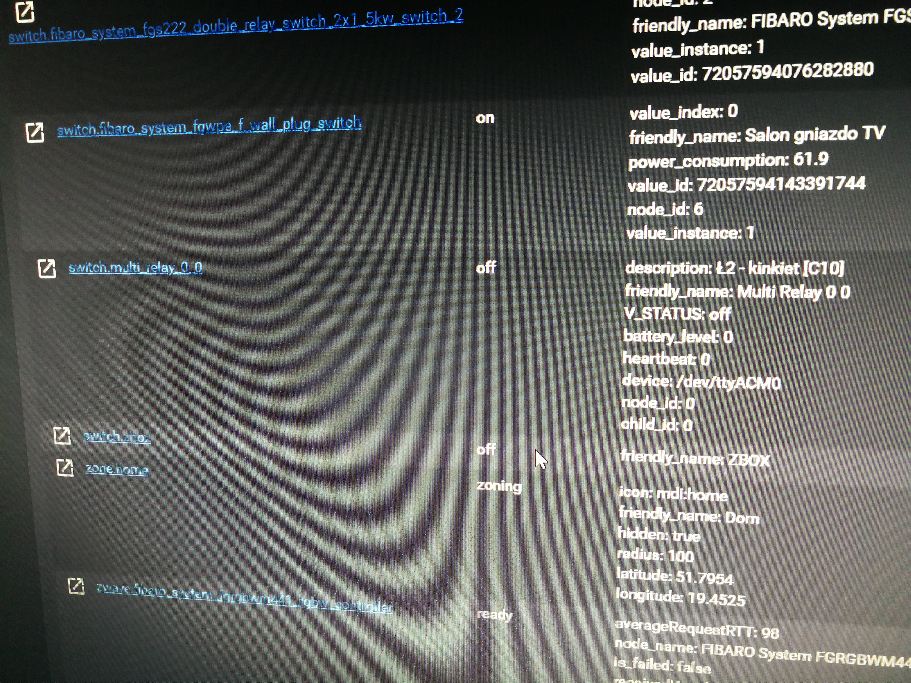
Tell me... is any chance to add in sketch position to write description for sensor and to send this description to Home Assistant....? It is ok write in other sketch for relay and it works perfect:
https://github.com/lkankowski/arduino-multi-relay/blob/master/arduino-multi-relay.inoIt show in Home Assisnatn this information in description example: Ł2 - kinkiet [C10]
-
@flopp
Hi
Tell me... is any chance to add in sketch position to write description for sensor and to send this description to Home Assistant....? It is ok write in other sketch for relay and it works perfect:
https://github.com/lkankowski/arduino-multi-relay/blob/master/arduino-multi-relay.inoIt show in Home Assisnatn this information in description example: Ł2 - kinkiet [C10]
-
@pepson yes. Just change the present call, just like in your sketch.
Example: change
present(i, S_HEATER);to
present(i, S_HEATER, "Description goes here");