
Building Serial Gateway Issues
-
Hello
Would like a little help.. I'm trying to setup a serial gateway using a Nano but I'm having issues.. I start uploading the code initially and I get this message in the status window:: "WARNING: Category '' in library UIPEthernet is not valid. Setting to 'Uncategorized'.. is this an issue? seems that if I let it continue to compile and load the rest seems fine. When I connect the Nano to my Vera Edge, setup the serial port, load all the files create device I'm still not able to communicate with the Nano... Any insight would be very much appreciated, I am very anxious to start building sensors.. (I do have a few screen shots from my VeraEdge dashboard I can post but I first wanted to check the error message I'm getting when I load the code..)Thanks!!!!!!
-
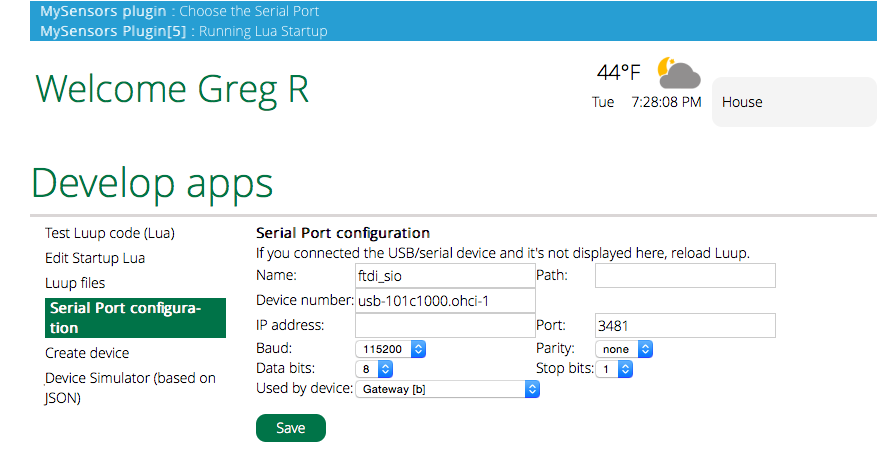
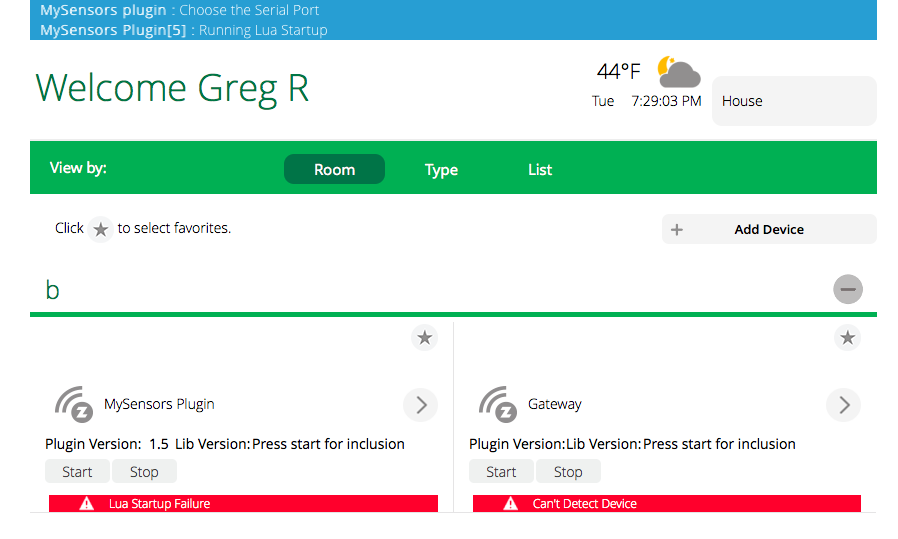
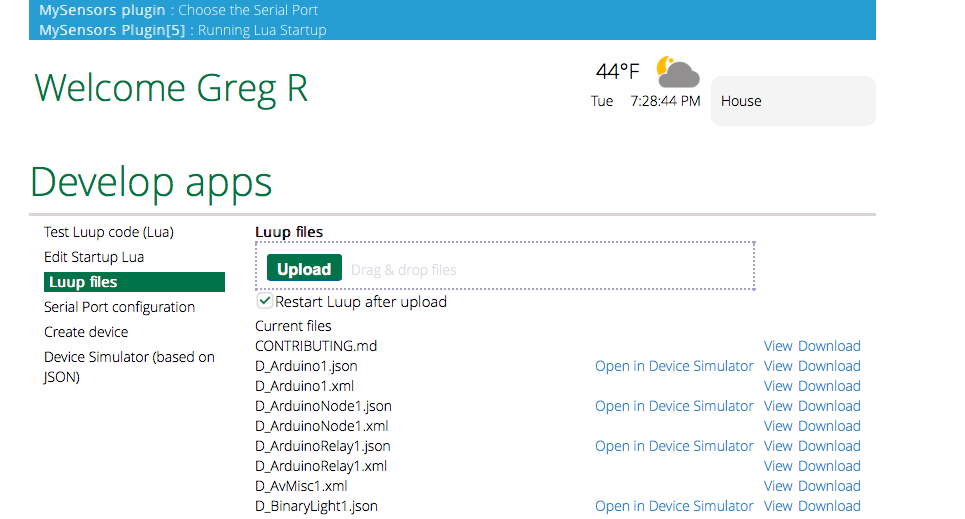
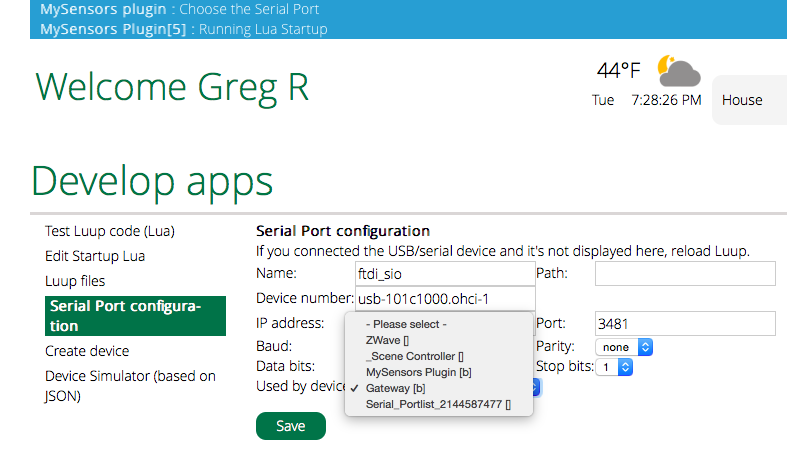
Thank you very much for the quick answer, now that, that is out of the way I'm still not able to connect to my Nano from the Vera Edge.. I've tried two different Nano's and also tried uploading the serial gateway sketch to an Uno with no positive results, Vera Edge continues to have trouble communicating to the device.. I have a few screen shots attached, if anyone can point me in the right direction I'd be most appreciative... Thanks!!!!
-
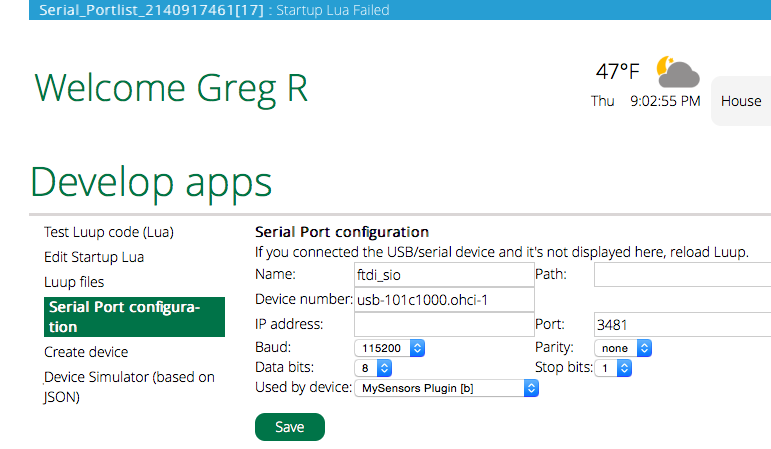
Thanks!!! That was the issue, much appreciated!!! Getting closer for sure, I'm trying to figure out why on the serial port tab I have My Sensors Plug In selected but at the top it is saying Serial PortList? And then there is the fact that Lua start up has failed... I have tried restarting everything and re-adding the device but the serial portliest keeps appearing.... Thanks again!!!!
-
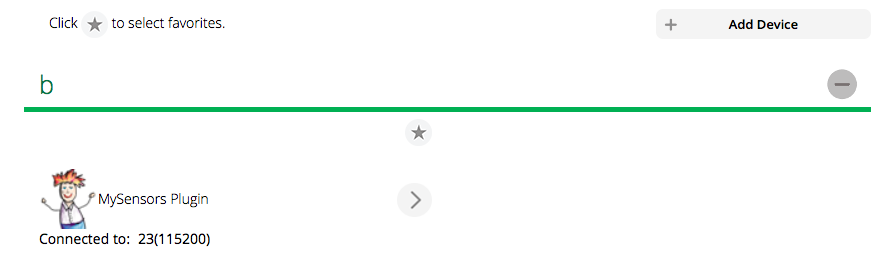
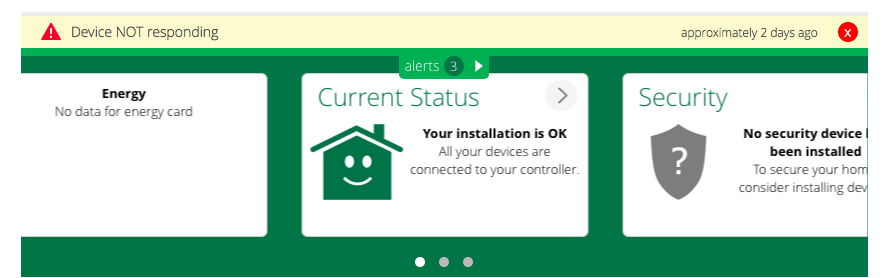
I finally got things somewhat communicating, I just kept reloading the Luup files and things just starting talking.. I'm still having issues with my Vera Edge coming up with a "device not responding" in the dashboard for some reason.. I still need to find out if my transceiver is working on my gateway, in the past I was getting "radio init failed" message on the serial monitor.. This is a huge learning process for me, thanks for all the help...
-
I finally got things working, I think the main problem turned out to be some bad dupont jumpers, I ended up just swapping out all of them and the gateway started working right away, pretty cool stuff.. Looking forward to adding more sensors and other things, just waiting for more stuff to come in the mail.. I decided to try my Uno for the node instead of the Nano so I'm hoping the Nano works as well as the Uno did for my next sensor...
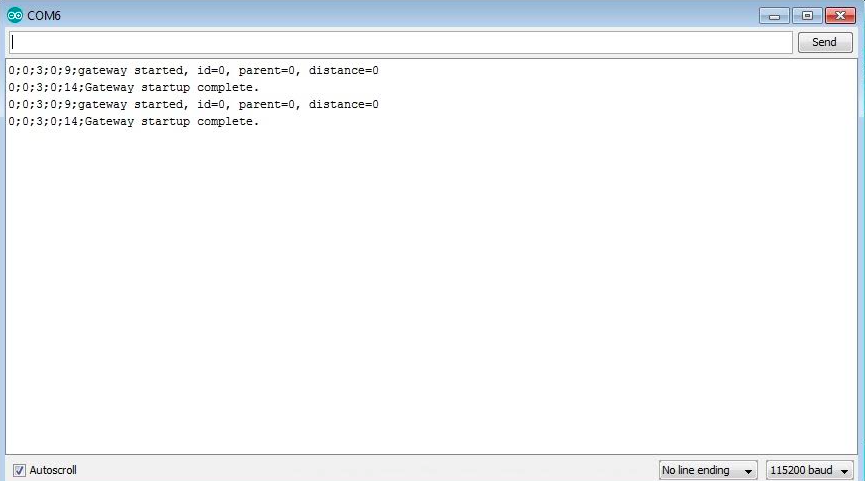
I have attached a couple screen shots of how the serial gateway should respond with and without an operating node..
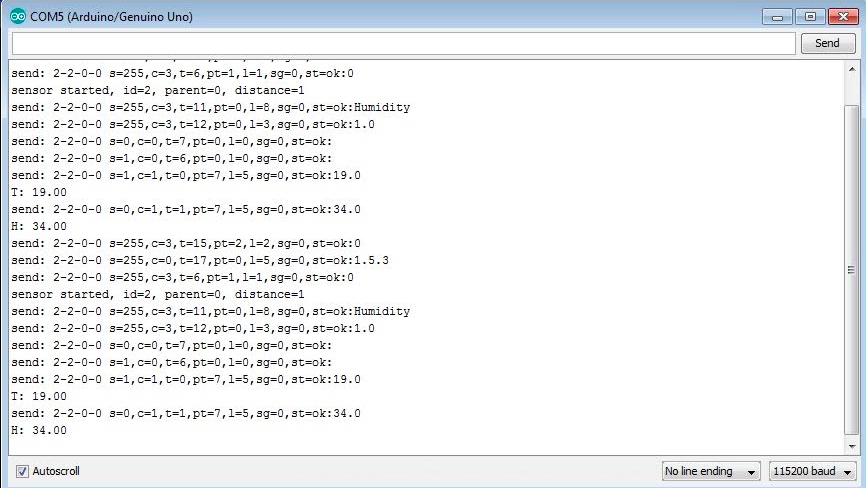 Thanks!


Hello! It looks like you're interested in this conversation, but you don't have an account yet.
Getting fed up of having to scroll through the same posts each visit? When you register for an account, you'll always come back to exactly where you were before, and choose to be notified of new replies (either via email, or push notification). You'll also be able to save bookmarks and upvote posts to show your appreciation to other community members.
With your input, this post could be even better 💗
Register Login