
node var request issue
-
@hek here is what the console shows me:
sensor started, id 2
send: 2-2-0-0 s=255,c=0,t=17,pt=0,l=3,st=ok:1.4
send: 2-2-0-0 s=255,c=3,t=6,pt=1,l=1,st=ok:0
send: 2-2-0-0 s=255,c=3,t=11,pt=0,l=11,st=ok:Water Meter
send: 2-2-0-0 s=255,c=3,t=12,pt=0,l=8,st=ok:1.0 reed
send: 2-2-0-0 s=5,c=0,t=21,pt=0,l=3,st=ok:1.4
send: 2-2-0-0 s=5,c=2,t=24,pt=0,l=3,st=ok:1.4
read: 0-0-2 s=5,c=3,t=24,pt=0,l=5:50623I don't see the println from incomming message.
Afterward the node keeps asking the VAR_1 value to the node although answers are given:
send: 2-2-0-0 s=5,c=2,t=24,pt=0,l=5,st=ok:50623
read: 0-0-2 s=5,c=3,t=24,pt=0,l=5:50623
send: 2-2-0-0 s=5,c=2,t=24,pt=0,l=5,st=ok:50623
read: 0-0-2 s=5,c=3,t=24,pt=0,l=5:50623
send: 2-2-0-0 s=5,c=2,t=24,pt=0,l=5,st=ok:50623
read: 0-0-2 s=5,c=3,t=24,pt=0,l=5:50623
and so on ...
I'm not so confident this piece of code works:
void incomingMessage(const MyMessage &message) { if (message.type==V_VAR1) { pulseCount = oldPulseCount = message.getLong(); Serial.print("Received last pulse count from gw:"); Serial.println(pulseCount); pcReceived = true; } } -
-
@hek argh... values having changed, it would have been good to have such low level exchanges a bit documented as before(at least explaining you answer a get by a set...)... now that part works,
Next I have to investigate why it is not counting anymore... so bat we can't yet make OTA updates
https://github.com/empierre/arduino/blob/master/WaterMeterPulseSensor2.ino -
ok this is now fixed, I added a led pulse too.
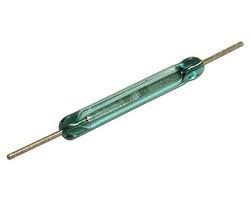
@hek could wwe provide both methods in the smae sketch to handle both visual pulse and reed ? the default one does not work for reed....
z-wave - Vera -> Domoticz
rfx - Domoticz <- MyDomoAtHome <- Imperihome
mysensors -> mysensors-gw -> Domoticz -
ok this is now fixed, I added a led pulse too.
@hek could wwe provide both methods in the smae sketch to handle both visual pulse and reed ? the default one does not work for reed....
-
-
@hek What's different from a regular button when using a reed sensor? Both have to be debounced...
-
-
-
-
@Yveaux @hek in fact it has to be debounced for it vibrates on rising and falling so it is important to see. maybe the bling delay would do it simply but someoone may remove the led...
Also through trial and error here is the way to manage it:
  // Setup the reed
  pinMode(DIGITAL_INPUT_SENSOR,INPUT);
  // Activate internal pull-up
  digitalWrite(DIGITAL_INPUT_SENSOR,HIGH);
  attachInterrupt(INTERRUPT, onPulse, FALLING);
you have to power the pin to get the signal when both sides are connected.



Hello! It looks like you're interested in this conversation, but you don't have an account yet.
Getting fed up of having to scroll through the same posts each visit? When you register for an account, you'll always come back to exactly where you were before, and choose to be notified of new replies (either via email, or push notification). You'll also be able to save bookmarks and upvote posts to show your appreciation to other community members.
With your input, this post could be even better 💗
Register Login