
Board and hardware failures
-
Re: Easy/Newbie PCB for MySensors
Over the course of months using the boards, I'm up to 4 boards that I have had to "put aside" due to hardware problems. Maybe the radio is bad, maybe the pro-mini, maybe the board itself. I have been waiting for a day when I would try to recover what I could. My last failure was the most aggravating - I tested the radio, tested the pro-mini - everything was OK. Then I soldered them onto the newbie board, and I get the rolling:
0 MCO:BGN:INIT NODE,CP=RNNNA---,VER=2.2.0-beta
49 TSM:INIT
65 TSF:WUR:MS=0
81 !TSM:INIT:TSP FAIL
114 TSM:FAIL:CNT=1
131 TSM:FAIL:DIS
147 TSF:TDI:TSL
10174 TSM:FAIL:RE-INIT
10190 TSM:INIT
10223 !TSM:INIT:TSP FAIL
10256 TSM:FAIL:CNT=2
I assume a connection to the radio is bad. It would be better if I always used female headers so I could swap out boards - but it makes the package so much bigger - I don't like them.
I'm looking for tips for avoiding problems, and how to recover boards.
Should I try to de-solder the pro-mini first? The radio?
Is it possible my soldering iron is too hot?
Should I test the newbie board before using it?
Are there any tips for diagnosing connection problems on the board, or identifying what is bad?Thanks ahead of time!
@ileneken3 - Hi!
Sorry to hear you are having problems. You should not need to test the PCB but who knows, might be a bad batch?
What kind of hardware are u using besides the radio and pro mini? Any DC/DC booster involved? This is the only time I have had problems using the board. Are you using Rev 6-8? (If you do, make sure you connect the ground properly on the capacitor on the radio - the G that marks ground is wrong!). I would guess everything is connected atleast since you are getting to this debug. If any connection was broken it would say something else.I have made a setup board to test my hardware before putting them into place on the board. Using this method for atleast 15 nodes have worked out great for me. I hope we can help you figure out this problem.
Do you have any Pictures that might help us help you?
-
@ileneken3 and @sundberg84
Hi!
I agree with @sundberg84 , the only time I have had problems, and that is only once, is when I had a very noisy DC/DC booster connected. It took an extra 22uF capacitor at the output of the booster to get the radio to connect to the GW. The booster generated spikes of more than 150 mV peak. I connected the capacitor in the experimental area where Vcc and GND are available. I also switched the capacitor close to the radio to 22uF instead of 4.7 uF. For my next design, I will make sure to connect the radio directly to 2xAA as suggested many times -
@ileneken3 - Hi!
Sorry to hear you are having problems. You should not need to test the PCB but who knows, might be a bad batch?
What kind of hardware are u using besides the radio and pro mini? Any DC/DC booster involved? This is the only time I have had problems using the board. Are you using Rev 6-8? (If you do, make sure you connect the ground properly on the capacitor on the radio - the G that marks ground is wrong!). I would guess everything is connected atleast since you are getting to this debug. If any connection was broken it would say something else.I have made a setup board to test my hardware before putting them into place on the board. Using this method for atleast 15 nodes have worked out great for me. I hope we can help you figure out this problem.
Do you have any Pictures that might help us help you?
Hello everyone:
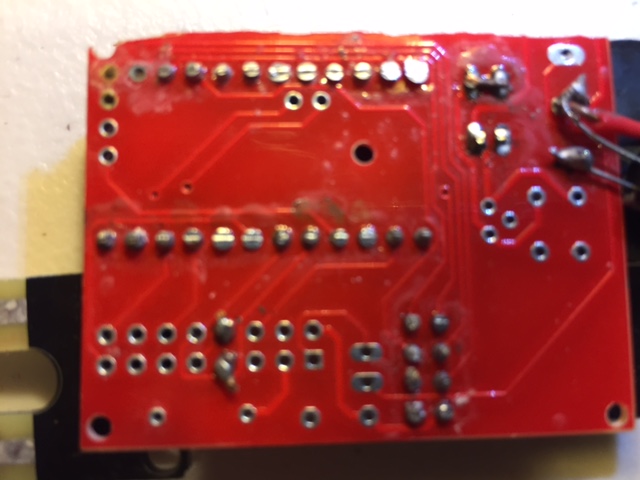
I took Gohan's advice and did the continuity tests. On two of the boards I tested, there was a lack of connectivity to pins 10 and 11. (Pins 9,13, and 12 were fine).
These boards were from two different batches.Below is a picture of a board that was actually working for weeks. Then I get the same !TSM:INIT:TSP FAIL failures rolling out. Since this was a plant moisture sensor, I assumed it was because I got some water on it - but maybe not.
On one of the boards, I de-soldered the radio. Then the continuity was even worse. I don't even want to show a picture of it :)
So - does this provide more clues? Any idea on the best way to salvage parts now? I have a feeling the pro-mini is just fine.
Thanks again!
-
-
Hello everyone:
I took Gohan's advice and did the continuity tests. On two of the boards I tested, there was a lack of connectivity to pins 10 and 11. (Pins 9,13, and 12 were fine).
These boards were from two different batches.Below is a picture of a board that was actually working for weeks. Then I get the same !TSM:INIT:TSP FAIL failures rolling out. Since this was a plant moisture sensor, I assumed it was because I got some water on it - but maybe not.
On one of the boards, I de-soldered the radio. Then the continuity was even worse. I don't even want to show a picture of it :)
So - does this provide more clues? Any idea on the best way to salvage parts now? I have a feeling the pro-mini is just fine.
Thanks again!
@ileneken3 - well its really odd that the tracks should be damaged! Never seen that - but hey first time for everything.
Do you see any damage or exposed copper where you cut the PCB (between prototyping area and main board?) The board and pin in the upper left corner looks badly damaged and without conductive material- is this pin 10? Pin 11 looks damaged as well.
I find it very hard to salvage parts, (probably bad desoldering skills) and I would just add wires where the tracks are broken and use the board. (Edit: Like @gohan said).
Your radio (without silkscreen markings) could be really bad fake versions. I have unfortunately seen some posts about these and this can also be an issue (unless they worked before you soldered them on - with the same range as live). I have some of these and they work on the bench a couple of meter from the gw but are useless when you get some distance away. To be clear I have also had radios with the silkscreen which performed OK!
-
-
I am enclosing a picture of my attempt at a "workaround". Someone might get a good laugh out of it!
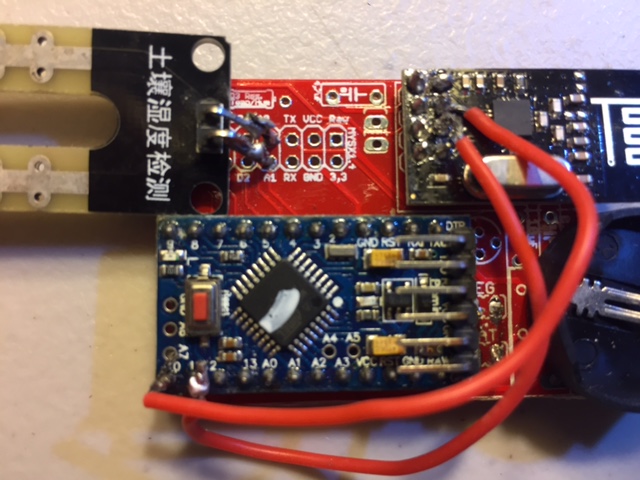
This was a bit of a challenge to do - and it STILL doesn't work. I measure continuity with all the right pins, but I probably damaged the board. This should have been the first thing I did.
In answer to all the questions:
- I don't think the tracks are damaged, and there was nothing left exposed when cutting off the right side.
- I tested the parts before soldering them on, although that doesn't mean they couldn't go bad later.
- I will be using female headers the next couple of rounds. I just wish they weren't so big.
- I have been watching YouTube videos about de-soldering. It will be a project for another day.
I appreciate the help. Hopefully others have learned from my experience! I will report any other interesting findings.
-
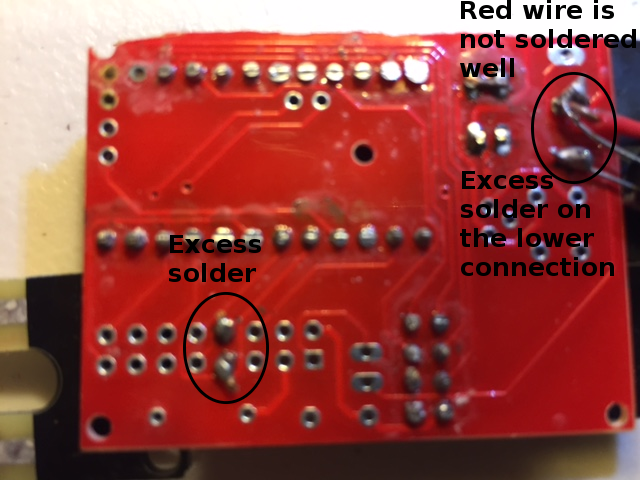
Your pictures from your original post are a bit blurry, but pins 10 and 11 don't appear to come through to the bottom side of the board, and you solder joints don't look the best. Not sure why those pins aren't coming through the bottom side of the board, but that could be a major part of your problem. The traces that connect them to the radio are on the bottom side, so if there is not a good solder connection there, you will most likely have issues. Especially if the through hole plating is damaged in any way.
Suggestions:
- Use some flux and your soldering iron to clean up those solder joints. You may need to use some solder wick, or even a bare piece of copper wire with some flux on it to remove excess solder from your joints if it doesn't wick away with the tip of your iron.
- When soldering, apply heat to both the pad and the lead coming through the hole for a second or two, then apply the solder, then remove the iron. Don't hold the iron on the pads for extended periods as you can damage the pads.
- Use a small chisel tip rather than a conical tip. You will get better heat distribution when soldering. Hold the flat part mostly on the solder pad and touch the protruding wire when soldering.
Here are some examples of good and bad solder joints:
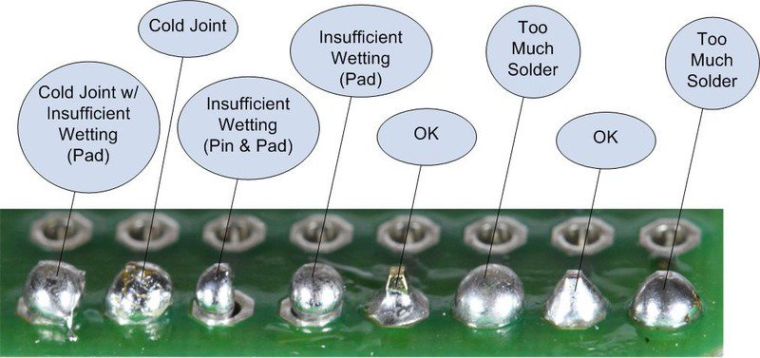
MAKE SURE that the tip of your soldering iron is clean too any time you are going to touch it to the board. A dirty iron tip can cause some of the issues shown above. If your tip looks anything like this, GET A NEW ONE:
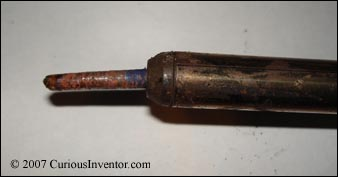
Here is an example of before and after wiping your tip when soldering:
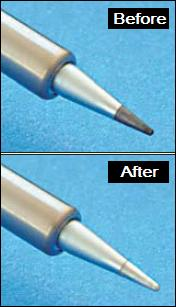
Hope that helps.
-
-
In the blurred picture it seems more if he trimmed the headers and also some solder in the process.
@gohan said in Board and hardware failures:
In the blurred picture it seems more if he trimmed the headers and also some solder in the process.
Not for 10 and 11, it looks like there are holes in the board in those two spots. The rest of them look like they are cut/trimmed.
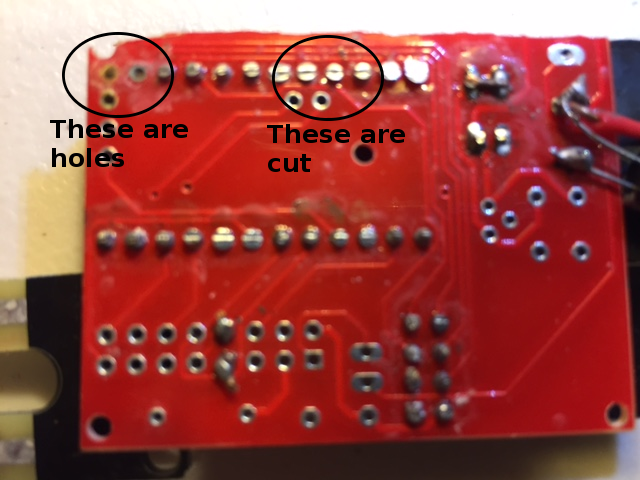
Also, look around pins 10 and 11 and a few other spots on the board. The board is really dirty like excess flux residue. That should be cleaned with alcohol.Vera Plus running UI7 with MySensors, Sonoffs and 1-Wire devices
Visit my website for more Bits, Bytes and Ramblings from me: http://dan.bemowski.info/ -
@gohan said in Board and hardware failures:
In the blurred picture it seems more if he trimmed the headers and also some solder in the process.
Not for 10 and 11, it looks like there are holes in the board in those two spots. The rest of them look like they are cut/trimmed.
Also, look around pins 10 and 11 and a few other spots on the board. The board is really dirty like excess flux residue. That should be cleaned with alcohol.@dbemowsk is right here, pins 11 & 12 are not connected to the PCB.
I've had hardare problems with PCBs only with one batch from one maker and after desoldering, if you don't severely overheat the board or apply excessive mechanical force you will not have problem, as they are all electronically tested at the end of the production process and they only send you the boards that pass the test.
And desoldering things like pro mini or nrf24 is a real pain, most of the time you will damage them and just waste your time.
What I do now is I unsolder the parts (mainly atmega, capacitors) on the promini using my hot air gun as it's fast and I can reuse them in SMD projects. But full ProMini and through hole NRF 24 I have given up, not worth the time wasted when you see the price on AliExpress... -
-
@dbemowsk is right here, pins 11 & 12 are not connected to the PCB.
I've had hardare problems with PCBs only with one batch from one maker and after desoldering, if you don't severely overheat the board or apply excessive mechanical force you will not have problem, as they are all electronically tested at the end of the production process and they only send you the boards that pass the test.
And desoldering things like pro mini or nrf24 is a real pain, most of the time you will damage them and just waste your time.
What I do now is I unsolder the parts (mainly atmega, capacitors) on the promini using my hot air gun as it's fast and I can reuse them in SMD projects. But full ProMini and through hole NRF 24 I have given up, not worth the time wasted when you see the price on AliExpress...@Nca78 Years ago I bought this desoldering iron from Radio Shack. This thing works great for thru-hole components as you can heat up the pad and lead with the tip and suck it away right away while it is hot. I have had a few troubles on some things, but overall it has worked well for me.
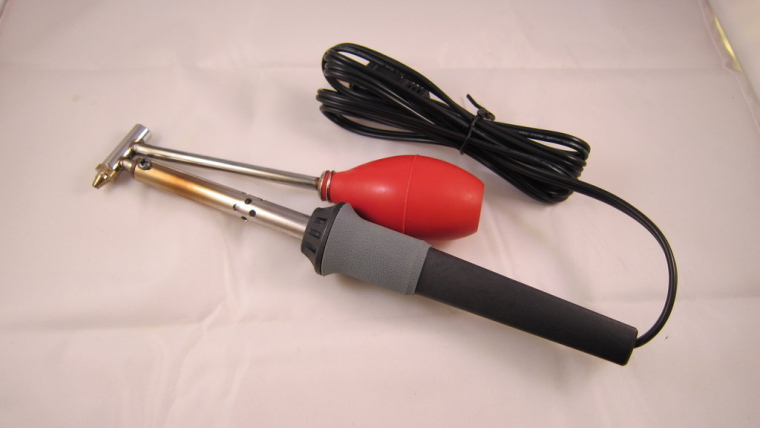
-
-
Clever design, a little bulky for my personal taste: I'd have preferred a spring loaded mechanism
@gohan I have one at work that is a pencil type like the old plunger type solder suckers, but that one doesn't seem to work for crap. What can you expect for $8 bucks. The only reason I bought it was because I knew how well the one I had at home worked, and I thought this might do a similar job.
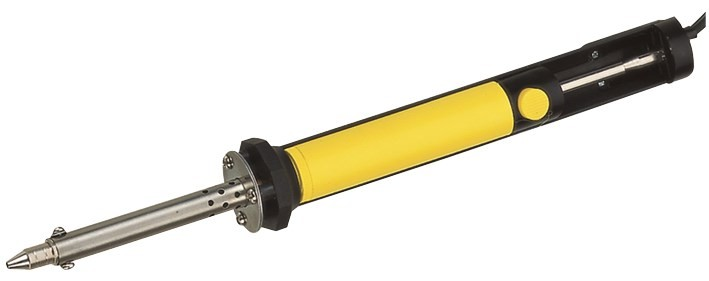
-
-
-
Hello everyone:
I took Gohan's advice and did the continuity tests. On two of the boards I tested, there was a lack of connectivity to pins 10 and 11. (Pins 9,13, and 12 were fine).
These boards were from two different batches.Below is a picture of a board that was actually working for weeks. Then I get the same !TSM:INIT:TSP FAIL failures rolling out. Since this was a plant moisture sensor, I assumed it was because I got some water on it - but maybe not.
On one of the boards, I de-soldered the radio. Then the continuity was even worse. I don't even want to show a picture of it :)
So - does this provide more clues? Any idea on the best way to salvage parts now? I have a feeling the pro-mini is just fine.
Thanks again!
@ileneken3 said in Board and hardware failures:
Since this was a plant moisture sensor, I assumed it was because I got some water on it.
I'll bet on (galvanic) corrosion as a root cause. Protect the pcb or use wires between pcb and sensor.
-
-
OK, I started over again with the moisture sensor -taking all the advice I got.
- Used female headers, to allow for easily swapping hardware.
- No longer cutting pins on back of the board.
- No longer cutting right side of board off (in case damage is done).
- New soldering iron tip.
- Soldering with a magnifying glass, and being careful.
- Checking continuity.
- Checking pro-mini and radio separately.
- Separating the "fork" so no soil or moisture touches the PCB (avoiding corrosion).
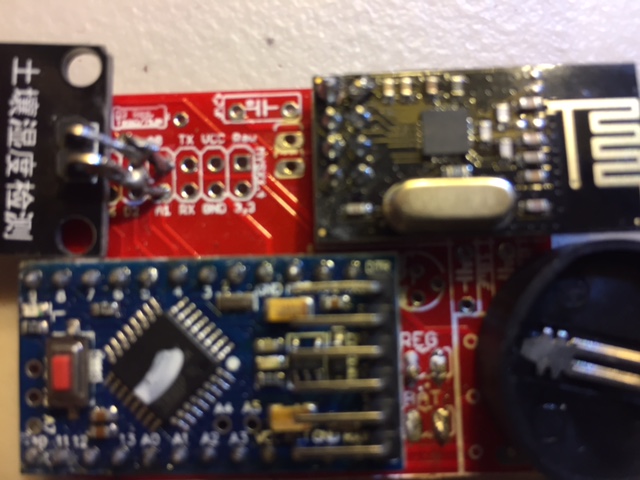
I turned it all on , and got the same !TSM:INIT failures. Just when I was about to throw the board against the wall, I took a shot at shorting the REG (in addition to the BAT). Then everything worked great!
I guess I don't understand why that worked. I figured I'd write myself a spreadsheet, and fill in the combinations. Attached is my start.
Comments/Corrections?







Hello! It looks like you're interested in this conversation, but you don't have an account yet.
Getting fed up of having to scroll through the same posts each visit? When you register for an account, you'll always come back to exactly where you were before, and choose to be notified of new replies (either via email, or push notification). You'll also be able to save bookmarks and upvote posts to show your appreciation to other community members.
With your input, this post could be even better 💗
Register Login