
3 Switch Pins but 1 Not Updating Vera
-
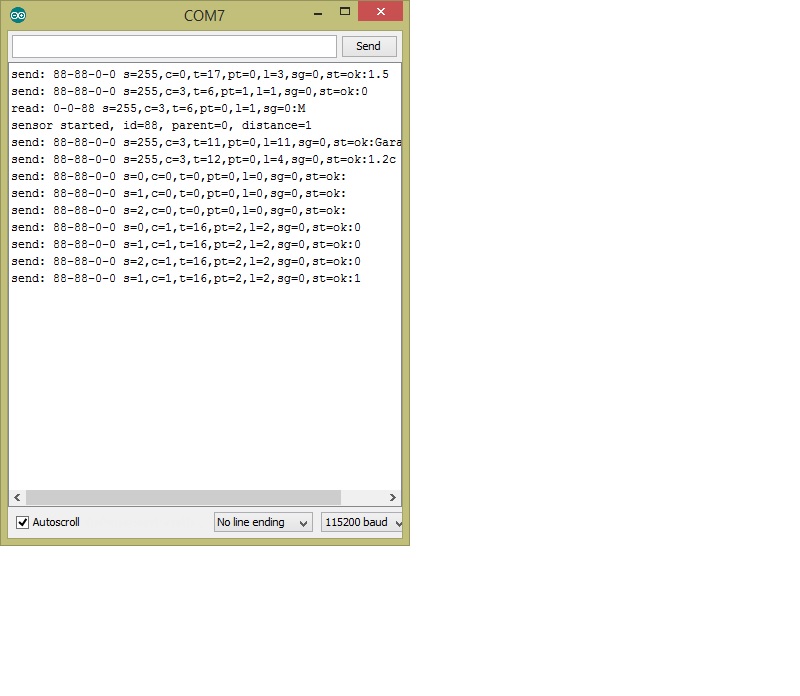
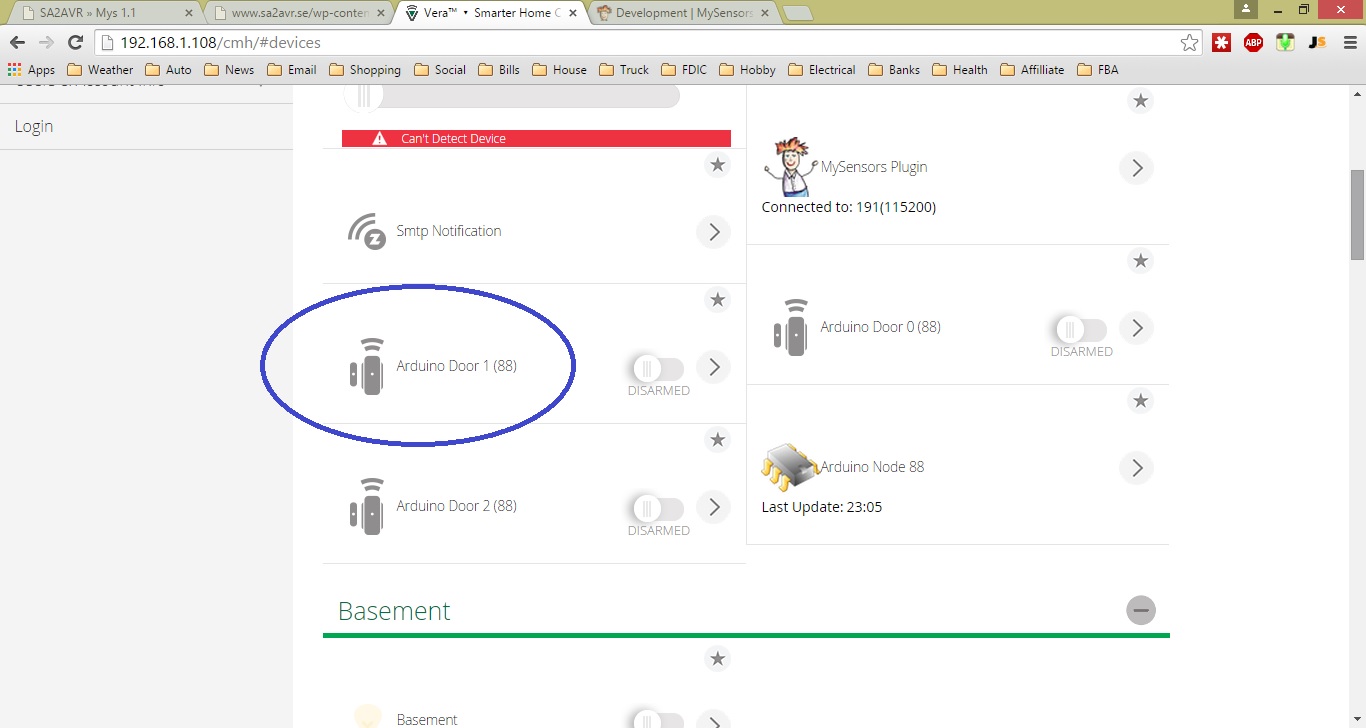
Having trouble getting the Pro-mini Arduino pins to update my Veralite. As you see the send looks like it should be updating but nothing or maybe I am missing something. In my sketch I am using pins 3,4,5 and pins 3 and 5 are updating fine. I'm running MySensors Plugin V1.4 and API v1.5 and UI7.
.
#include <MySensor.h> #include <SPI.h> #include <Bounce2.h> #define NUMBER_OF_SWITCHES 3 #define RADIO_ID 88 MySensor gw; Bounce debouncer[NUMBER_OF_SWITCHES]; int oldValue[NUMBER_OF_SWITCHES]; byte switchPin[NUMBER_OF_SWITCHES] = {3,4,5}; //<<<<<<<<<<< set your switch pins here MyMessage msg(RADIO_ID,V_TRIPPED); void setup() { gw.begin(NULL, RADIO_ID, false); // Send the sketch version information to the gateway and Controller gw.sendSketchInfo("Garage Node", "1.2c"); for (int i = 0; i < NUMBER_OF_SWITCHES; i++) { pinMode(switchPin[i],INPUT_PULLUP); debouncer[i] = Bounce(); debouncer[i].attach(switchPin[i]); debouncer[i].interval(5); } for (int i = 0; i < NUMBER_OF_SWITCHES; i++) { gw.present(i, S_DOOR); gw.wait(250); } } // void loop() { for (int i = 0; i < NUMBER_OF_SWITCHES; i++) { debouncer[i].update(); int value = debouncer[i].read(); if (value != oldValue[i]) { gw.wait(250); gw.send(msg.setSensor(i).set(value==LOW ? true : false),false); } oldValue[i] = value; } } -
Having trouble getting the Pro-mini Arduino pins to update my Veralite. As you see the send looks like it should be updating but nothing or maybe I am missing something. In my sketch I am using pins 3,4,5 and pins 3 and 5 are updating fine. I'm running MySensors Plugin V1.4 and API v1.5 and UI7.
.
#include <MySensor.h> #include <SPI.h> #include <Bounce2.h> #define NUMBER_OF_SWITCHES 3 #define RADIO_ID 88 MySensor gw; Bounce debouncer[NUMBER_OF_SWITCHES]; int oldValue[NUMBER_OF_SWITCHES]; byte switchPin[NUMBER_OF_SWITCHES] = {3,4,5}; //<<<<<<<<<<< set your switch pins here MyMessage msg(RADIO_ID,V_TRIPPED); void setup() { gw.begin(NULL, RADIO_ID, false); // Send the sketch version information to the gateway and Controller gw.sendSketchInfo("Garage Node", "1.2c"); for (int i = 0; i < NUMBER_OF_SWITCHES; i++) { pinMode(switchPin[i],INPUT_PULLUP); debouncer[i] = Bounce(); debouncer[i].attach(switchPin[i]); debouncer[i].interval(5); } for (int i = 0; i < NUMBER_OF_SWITCHES; i++) { gw.present(i, S_DOOR); gw.wait(250); } } // void loop() { for (int i = 0; i < NUMBER_OF_SWITCHES; i++) { debouncer[i].update(); int value = debouncer[i].read(); if (value != oldValue[i]) { gw.wait(250); gw.send(msg.setSensor(i).set(value==LOW ? true : false),false); } oldValue[i] = value; } }Have you tried using external pullup resistors instead of the internal?
-
Have you tried using external pullup resistors instead of the internal?
@BulldogLowell Thanks I will try that in the future it's a bit hard SMD resistors.
If you see the last line on the serial monitor it looks to me it appears to be sending the data...right?
-
-
-
@akbooer Yes this is what I was seeing on UI7 but nothing on sensor pin for sensor door 1. I was powering it from my USB but I changed it to board(MYS11) power 5v and now it sends the data.
This is good now but now I see delays and some times 2 sensors report both on but only 1 is grounded. I'm not sure if that has to do with debounce timers perhaps?


Hello! It looks like you're interested in this conversation, but you don't have an account yet.
Getting fed up of having to scroll through the same posts each visit? When you register for an account, you'll always come back to exactly where you were before, and choose to be notified of new replies (either via email, or push notification). You'll also be able to save bookmarks and upvote posts to show your appreciation to other community members.
With your input, this post could be even better 💗
Register Login