Communication problem (maybe)
-
Temperatur sensor
 // Example sketch showing how to send in OneWire temperature readings
 #include <MySensor.h>
 #include <SPI.h>
 #include <DallasTemperature.h>
 #include <OneWire.h>

 #define ONE_WIRE_BUS 3 // Pin where dallase sensor is connected
 #define MAX_ATTACHED_DS18B20 16
 unsigned long SLEEP_TIME = 30000; // Sleep time between reads (in milliseconds)
 OneWire oneWire(ONE_WIRE_BUS);
 DallasTemperature sensors(&oneWire);
 MySensor gw;
 float lastTemperature[MAX_ATTACHED_DS18B20];
 int numSensors=0;
 boolean receivedConfig = false;
 boolean metric = true;
 // Initialize temperature message
 MyMessage msg(0,V_TEMP);

 //int BATTERY_SENSE_PIN = A0; // select the input pin for the battery sense point
 //int oldBatteryPcnt = 0;

 void setup()
 {
   // Startup OneWire
   sensors.begin();

   // Startup and initialize MySensors library. Set callback for incoming messages.
   gw.begin();

   // Send the sketch version information to the gateway and Controller
   gw.sendSketchInfo("Temperature Sensor", "1.0");

   // Fetch the number of attached temperature sensors
   numSensors = sensors.getDeviceCount();

   // Present all sensors to controller
   for (int i=0; i<numSensors && i<MAX_ATTACHED_DS18B20; i++) {
      gw.present(i, S_TEMP);
   }

   // use the 1.1 V internal reference
   //analogReference(INTERNAL);
 }


 void loop()
 {
   // Process incoming messages (like config from server)
   gw.process();

   // Fetch temperatures from Dallas sensors
   sensors.requestTemperatures();

   // Read temperatures and send them to controller
   for (int i=0; i<numSensors && i<MAX_ATTACHED_DS18B20; i++) {

   // Fetch and round temperature to one decimal
   float temperature = static_cast<float>(static_cast<int>  ((gw.getConfig().isMetric?sensors.getTempCByIndex(i):sensors.getTempFByIndex(i)) * 10.)) / 10.;

// Only send data if temperature has changed and no error
if (lastTemperature[i] != temperature && temperature != -127.00) {

  // Send in the new temperature
  gw.send(msg.setSensor(i).set(temperature,1));
  lastTemperature[i]=temperature;
}
   }

// get the battery Voltage
//int sensorValue = analogRead(BATTERY_SENSE_PIN);
//Serial.println(sensorValue);
// 1M, 470K divider across battery and using internal ADC ref of 1.1V
// Sense point is bypassed with 0.1 uF cap to reduce noise at that point
 // ((1e6+470e3)/470e3)*1.1 = Vmax = 3.44 Volts
 // 3.44/1023 = Volts per bit = 0.003363075
//float batteryV = sensorValue * 0.004106;
//int batteryPcnt = sensorValue / 10;
 //Serial.print("Battery Voltage: ");
   //Serial.print(batteryV);
   //Serial.println(" V");
   //Serial.print("Battery percent: ");
   //Serial.print(batteryPcnt);
   //Serial.println(" %");
   //if (oldBatteryPcnt != batteryPcnt) {
   // Power up radio after sleep
   //gw.sendBatteryLevel(batteryPcnt);
   //oldBatteryPcnt = batteryPcnt;
   //}

   //gw.sleep(SLEEP_TIME);
 }
The temp sensor has been build according to this: http://mysensors.org/build/temp
1 small exception though. I have used 5v->3.3v aparters for the radios, but that shouldn't matter.
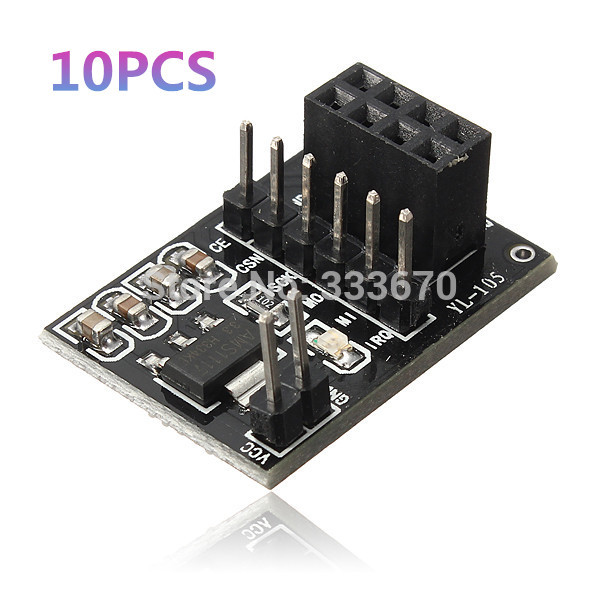
-
Temperatur sensor
 // Example sketch showing how to send in OneWire temperature readings
 #include <MySensor.h>
 #include <SPI.h>
 #include <DallasTemperature.h>
 #include <OneWire.h>

 #define ONE_WIRE_BUS 3 // Pin where dallase sensor is connected
 #define MAX_ATTACHED_DS18B20 16
 unsigned long SLEEP_TIME = 30000; // Sleep time between reads (in milliseconds)
 OneWire oneWire(ONE_WIRE_BUS);
 DallasTemperature sensors(&oneWire);
 MySensor gw;
 float lastTemperature[MAX_ATTACHED_DS18B20];
 int numSensors=0;
 boolean receivedConfig = false;
 boolean metric = true;
 // Initialize temperature message
 MyMessage msg(0,V_TEMP);

 //int BATTERY_SENSE_PIN = A0; // select the input pin for the battery sense point
 //int oldBatteryPcnt = 0;

 void setup()
 {
   // Startup OneWire
   sensors.begin();

   // Startup and initialize MySensors library. Set callback for incoming messages.
   gw.begin();

   // Send the sketch version information to the gateway and Controller
   gw.sendSketchInfo("Temperature Sensor", "1.0");

   // Fetch the number of attached temperature sensors
   numSensors = sensors.getDeviceCount();

   // Present all sensors to controller
   for (int i=0; i<numSensors && i<MAX_ATTACHED_DS18B20; i++) {
      gw.present(i, S_TEMP);
   }

   // use the 1.1 V internal reference
   //analogReference(INTERNAL);
 }


 void loop()
 {
   // Process incoming messages (like config from server)
   gw.process();

   // Fetch temperatures from Dallas sensors
   sensors.requestTemperatures();

   // Read temperatures and send them to controller
   for (int i=0; i<numSensors && i<MAX_ATTACHED_DS18B20; i++) {

   // Fetch and round temperature to one decimal
   float temperature = static_cast<float>(static_cast<int>  ((gw.getConfig().isMetric?sensors.getTempCByIndex(i):sensors.getTempFByIndex(i)) * 10.)) / 10.;

// Only send data if temperature has changed and no error
if (lastTemperature[i] != temperature && temperature != -127.00) {

  // Send in the new temperature
  gw.send(msg.setSensor(i).set(temperature,1));
  lastTemperature[i]=temperature;
}
   }

// get the battery Voltage
//int sensorValue = analogRead(BATTERY_SENSE_PIN);
//Serial.println(sensorValue);
// 1M, 470K divider across battery and using internal ADC ref of 1.1V
// Sense point is bypassed with 0.1 uF cap to reduce noise at that point
 // ((1e6+470e3)/470e3)*1.1 = Vmax = 3.44 Volts
 // 3.44/1023 = Volts per bit = 0.003363075
//float batteryV = sensorValue * 0.004106;
//int batteryPcnt = sensorValue / 10;
 //Serial.print("Battery Voltage: ");
   //Serial.print(batteryV);
   //Serial.println(" V");
   //Serial.print("Battery percent: ");
   //Serial.print(batteryPcnt);
   //Serial.println(" %");
   //if (oldBatteryPcnt != batteryPcnt) {
   // Power up radio after sleep
   //gw.sendBatteryLevel(batteryPcnt);
   //oldBatteryPcnt = batteryPcnt;
   //}

   //gw.sleep(SLEEP_TIME);
 }
The temp sensor has been build according to this: http://mysensors.org/build/temp
1 small exception though. I have used 5v->3.3v aparters for the radios, but that shouldn't matter.
-
-
Hmm.. shouldn't affect transmissions. When you removed this line you will get several hundreds of temp readings per second. It is a very big chance a few of them differs which means they will send it to gateway.
You could try adding:
gw.powerUp();
delay(10)
Just before gw.send() to add a small some additional delay after radio powers up.If you want to keep node awake another option is to use millis() keep track of send frequency. See here:
https://github.com/mysensors/Arduino/blob/master/libraries/MySensors/examples/TimeAwareSensor/TimeAwareSensor.ino#L47 -
Hmm.. shouldn't affect transmissions. When you removed this line you will get several hundreds of temp readings per second. It is a very big chance a few of them differs which means they will send it to gateway.
You could try adding:
gw.powerUp();
delay(10)
Just before gw.send() to add a small some additional delay after radio powers up.If you want to keep node awake another option is to use millis() keep track of send frequency. See here:
https://github.com/mysensors/Arduino/blob/master/libraries/MySensors/examples/TimeAwareSensor/TimeAwareSensor.ino#L47@hek said:
delay(10)
I assume that is milliseconds, but does that mean that the radio will be powered on during that delay, and will the node repeat incoming messages during that?
If so, I think a much bigger delay would be better, like 30000 or even more.
-
@hek said:
delay(10)
I assume that is milliseconds, but does that mean that the radio will be powered on during that delay, and will the node repeat incoming messages during that?
If so, I think a much bigger delay would be better, like 30000 or even more.
-
By 1-way node I mean a reporting node. It only reports a temperature, nothing else. So therefore 1 way traffic TO the GW/controller.
A relay node on the other hand has to receive also, else you can't flip on/off the relays.
This is roughly 1 minute worth of controller log:
 2014-11-13 04:49:27 - Helena_temp_LastUpdate state updated to 2014-11-13T04:49:27
 2014-11-13 04:49:28 - Temperature_GF_Helena state updated to 26.7
 2014-11-13 04:49:28 - Helena_temp_LastUpdate state updated to 2014-11-13T04:49:28
 2014-11-13 04:49:29 - Temperature_GF_Helena state updated to 26.6
 2014-11-13 04:49:29 - Helena_temp_LastUpdate state updated to 2014-11-13T04:49:29
 2014-11-13 04:49:30 - Temperature_GF_Helena state updated to 26.7
 2014-11-13 04:49:30 - Helena_temp_LastUpdate state updated to 2014-11-13T04:49:30
 2014-11-13 04:49:39 - Temperature_GF_Helena state updated to 26.6
 2014-11-13 04:49:39 - Helena_temp_LastUpdate state updated to 2014-11-13T04:49:39
 2014-11-13 04:50:07 - Temperature_GF_Living state updated to 24.3
 2014-11-13 04:50:07 - Living_temp_LastUpdate state updated to 2014-11-13T04:50:07
 2014-11-13 04:50:08 - Temperature_GF_Living state updated to 24.2
 2014-11-13 04:50:08 - Living_temp_LastUpdate state updated to 2014-11-13T04:50:08
 2014-11-13 04:50:12 - Temperature_GF_Living state updated to 24.3
 2014-11-13 04:50:12 - Living_temp_LastUpdate state updated to 2014-11-13T04:50:12
 2014-11-13 04:50:14 - Temperature_GF_Living state updated to 24.2
 2014-11-13 04:50:14 - Living_temp_LastUpdate state updated to 2014-11-13T04:50:14
 2014-11-13 04:50:15 - Temperature_GF_Helena state updated to 26.7
 2014-11-13 04:50:15 - Helena_temp_LastUpdate state updated to 2014-11-13T04:50:15
 2014-11-13 04:50:16 - Temperature_GF_Helena state updated to 26.6
 2014-11-13 04:50:16 - Helena_temp_LastUpdate state updated to 2014-11-13T04:50:16
 2014-11-13 04:50:16 - Temperature_GF_Living state updated to 24.3
 2014-11-13 04:50:16 - Living_temp_LastUpdate state updated to 2014-11-13T04:50:16
 2014-11-13 04:50:16 - Temperature_GF_Living state updated to 24.2
 2014-11-13 04:50:16 - Living_temp_LastUpdate state updated to 2014-11-13T04:50:16
 2014-11-13 04:50:18 - Temperature_GF_Living state updated to 24.3
 2014-11-13 04:50:18 - Living_temp_LastUpdate state updated to 2014-11-13T04:50:18
 2014-11-13 04:50:19 - Temperature_GF_Helena state updated to 26.7
 2014-11-13 04:50:19 - Helena_temp_LastUpdate state updated to 2014-11-13T04:50:19
 2014-11-13 04:50:20 - Temperature_GF_Helena state updated to 26.6
 2014-11-13 04:50:20 - Helena_temp_LastUpdate state updated to 2014-11-13T04:50:20
 2014-11-13 04:50:20 - Temperature_GF_Living state updated to 24.2
 2014-11-13 04:50:20 - Living_temp_LastUpdate state updated to 2014-11-13T04:50:20
 2014-11-13 04:50:20 - Temperature_GF_Helena state updated to 26.7
 2014-11-13 04:50:20 - Helena_temp_LastUpdate state updated to 2014-11-13T04:50:20
 2014-11-13 04:50:20 - Temperature_GF_Living state updated to 24.3
 2014-11-13 04:50:20 - Living_temp_LastUpdate state updated to 2014-11-13T04:50:20
 2014-11-13 04:50:22 - Temperature_GF_Helena state updated to 26.6
 2014-11-13 04:50:22 - Helena_temp_LastUpdate state updated to 2014-11-13T04:50:22
 2014-11-13 04:50:23 - Temperature_GF_Living state updated to 24.2
 2014-11-13 04:50:23 - Living_temp_LastUpdate state updated to 2014-11-13T04:50:23
 2014-11-13 04:50:24 - Temperature_GF_Living state updated to 24.3
 2014-11-13 04:50:24 - Living_temp_LastUpdate state updated to 2014-11-13T04:50:24
 2014-11-13 04:50:26 - Temperature_GF_Helena state updated to 26.7
 2014-11-13 04:50:26 - Helena_temp_LastUpdate state updated to 2014-11-13T04:50:26
 2014-11-13 04:50:26 - Temperature_GF_Living state updated to 24.2
 2014-11-13 04:50:26 - Living_temp_LastUpdate state updated to 2014-11-13T04:50:26
 2014-11-13 04:50:27 - Temperature_GF_Living state updated to 24.3
 2014-11-13 04:50:27 - Living_temp_LastUpdate state updated to 2014-11-13T04:50:27
 2014-11-13 04:50:29 - Temperature_GF_Helena state updated to 26.6
 2014-11-13 04:50:29 - Helena_temp_LastUpdate state updated to 2014-11-13T04:50:29
As you can see i'm getting way more than 1 reading a second. I think this is happening because of the rounding up/down of the temperature readings.
@Hausner I send the temp changes only if change is > 1 deg C and light changes only > +/- 40 lux, have this in main loop:
void loop()
{
  // Process incoming messages (like config from server)
  gw.process();

  // Fetch temperatures from Dallas sensors
  sensors.requestTemperatures();

  // Read temperatures and send them to controller
  for (int i=0; i<numSensors && i<MAX_ATTACHED_DS18B20; i++) {

    // Fetch and round temperature to one decimal
    float temperature = static_cast<float>(static_cast<int>((gw.getConfig().isMetric?sensors.getTempCByIndex(i):sensors.getTempFByIndex(i)) * 10.)) / 10.;

    // Only send data if temperature has changed more then 1 degC and no error
    if (int(lastTemperature[i]) != int(temperature) && temperature != -127.00) { //added integer

      // Send in the new temperature
      gw.send(msg.setSensor(i).set(temperature,1));
      lastTemperature[i]=temperature;
    }
  }
  // Read lux from TEMT6000
  float lightLevel = analogRead(LIGHT_SENSOR_ANALOG_PIN) * 9.765625;  // 1000/1024
  if (int(lightLevel - lastLightLevel) > 40 || int(lastLightLevel - lightLevel) > 40) {
      gw.send(msg.setSensor(CHILD_ID_LIGHT).set(int(lightLevel),1));
      lastLightLevel = lightLevel;
  }
  //gw.sleep(SLEEP_TIME); //no sleep for relays!!!!
}
Hope this helps, Pego
-
As you can see i'm getting way more than 1 reading a second. I think this is happening because of the rounding up/down of the temperature readings.
Yes, clear, if you do not want this you need to change the if to something like:
if (abs(lastTemperature[i] - temperature) >= 0.5 && temperature != -127.00) { -
As you can see i'm getting way more than 1 reading a second. I think this is happening because of the rounding up/down of the temperature readings.
Yes, clear, if you do not want this you need to change the if to something like:
if (abs(lastTemperature[i] - temperature) >= 0.5 && temperature != -127.00) {Thank you. I'm gonna try with this
if (abs(lastTemperature[i] - temperature) >= 0.2 && temperature != -127.00) {