Skip to content
  • MySensors
  • OpenHardware.io
  • Categories
  • Recent
  • Tags
  • Popular
Skins
  • Light
  • Brite
  • Cerulean
  • Cosmo
  • Flatly
  • Journal
  • Litera
  • Lumen
  • Lux
  • Materia
  • Minty
  • Morph
  • Pulse
  • Sandstone
  • Simplex
  • Sketchy
  • Spacelab
  • United
  • Yeti
  • Zephyr
  • Dark
  • Cyborg
  • Darkly
  • Quartz
  • Slate
  • Solar
  • Superhero
  • Vapor

  • Default (No Skin)
  • No Skin
Collapse
Brand Logo
T

tssk

@tssk
About
Posts
51
Topics
5
Shares
0
Groups
0
Followers
0
Following
0

Posts

Recent Best Controversial

  • Ethernet / MQTT PoE gateway for 16 reed switches
    T tssk

    Hello,

    few days ago I accidentally came across mysensors (how is it that I did not find it earlier as I am looking into rpi, arduino and home automation for about 2 years?) and I was exited from the first moment . For some time now I was working on several small sensors for my home but did not really like any of the solutions I met so far - my idea was ethernet + poe + rest api + simple progressive mobile UI. Closest I got was arduino pro mini with W5500 + 5V poe splitter + custom sketch using webduino to provide REST API + mozilla iot gateway.

    I had (nearly) finished the HW for my window/door reed switches. But I got into trouble with REST API + mozilla iot gateway. Testing the REST API worked ok from browser but somehow the mozilla iot gateway was unable to load all the presented switches reliably. I have to say that until this problem I had quite a good experience with it - I had it connected to few thermometers and relays to operate heating.

    I saw the sample sketches for mysensors + mycontroller.org and it "just clicked" to my idea. I edited the sketch and installed mycontroller and successfully tested both Ethernet Gateway and MQTT Gateway in few hours. I think I will stick with MQTT for more compatibility (I did not find any description about the mysensors communication protocol so I have no idea how standardized it is).

    So I want to share my HW + say thanks for the great project!
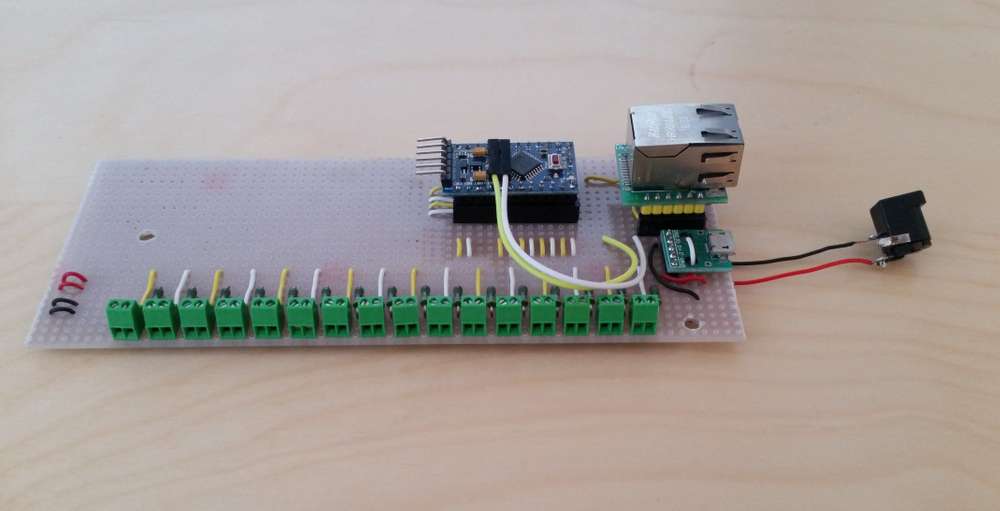
    IMG_20200821_130334.jpg
    Designed to be powered over usb micro (so it can run without poe) as these chargers are everywhere now.
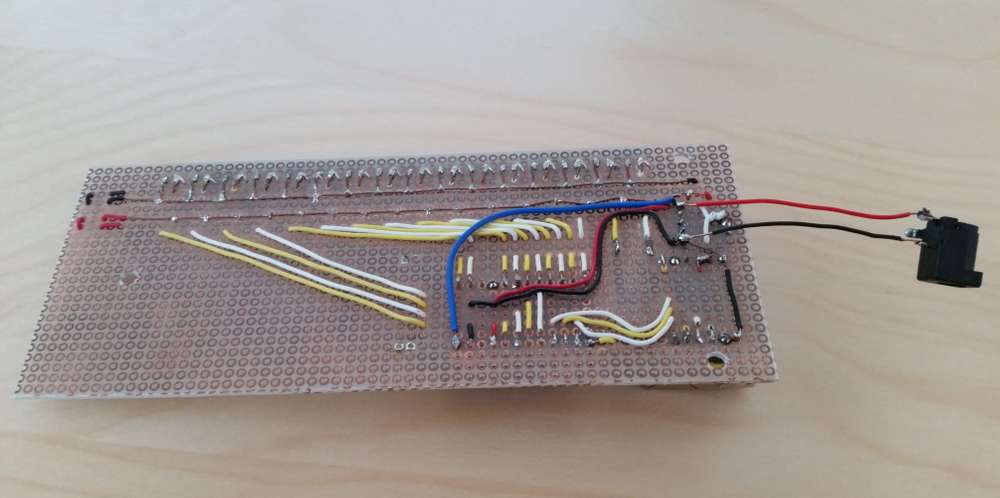
    IMG_20200821_130347.jpg
    The barrel connector is temporary until I modify the poe splitter output to usb micro.
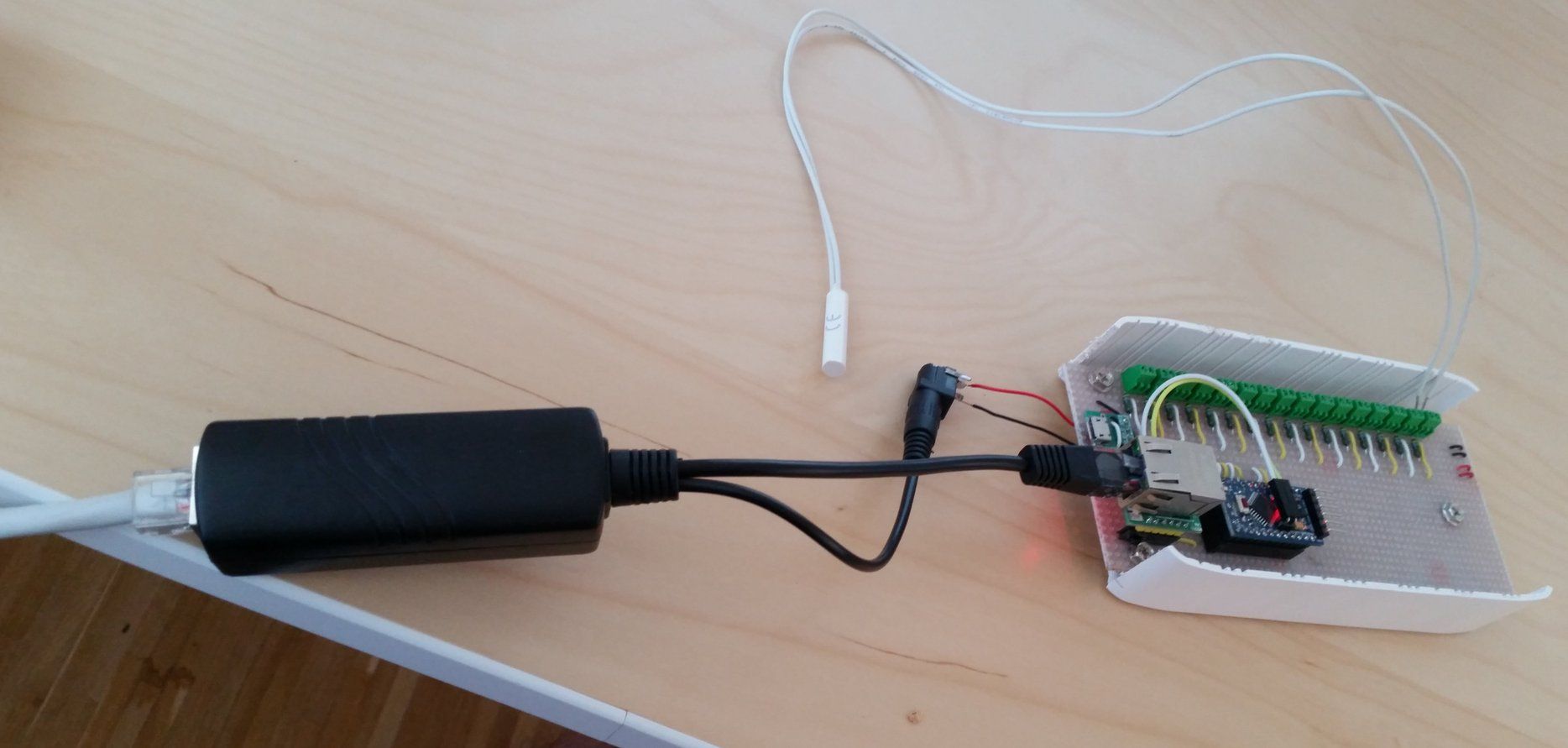
    IMG_20200821_130658.jpg
    Sample connection - I have such reed switches installed in my windows and doors.

    Of course I will be happy for any constructive criticism and suggestions (I do not have any education in electronics so try not to be very harsh about my circuit design and soldering though ;) ).
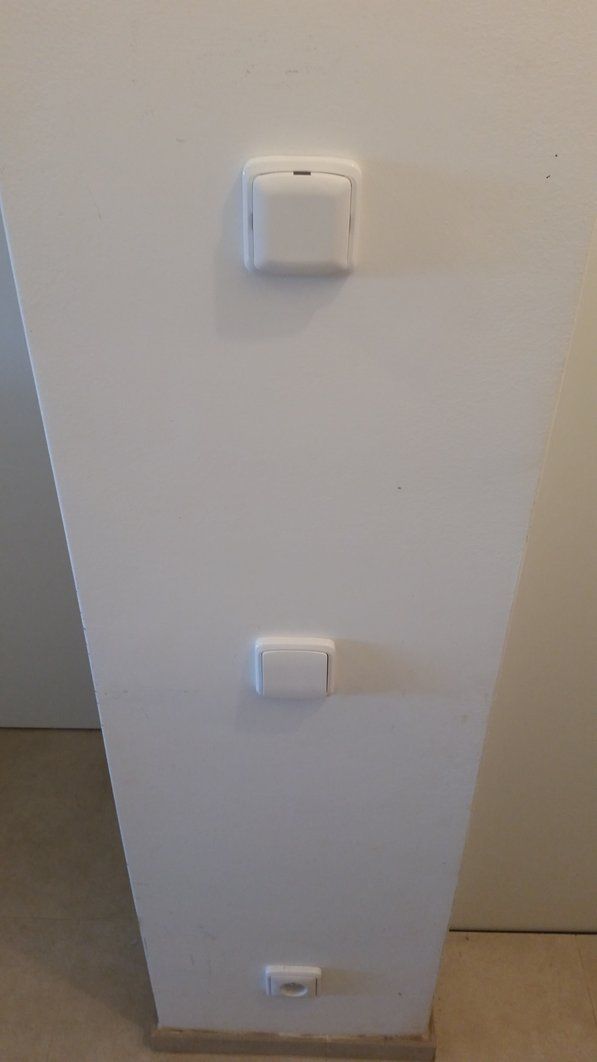
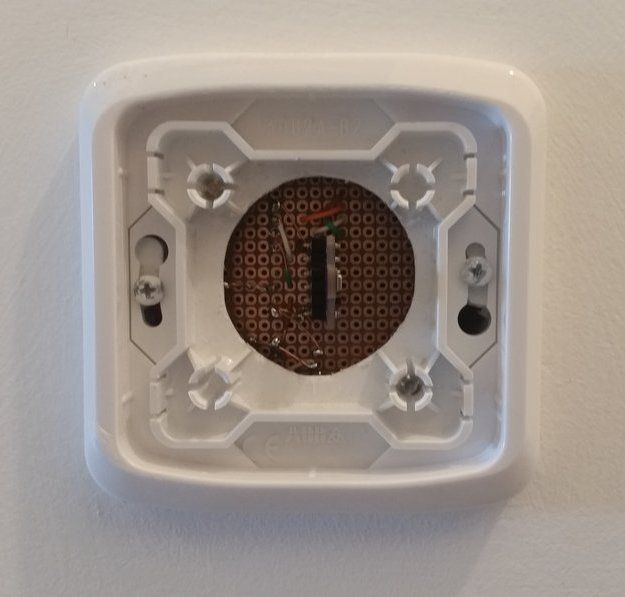
    My Project

  • What did you build today (Pictures) ?
    T tssk

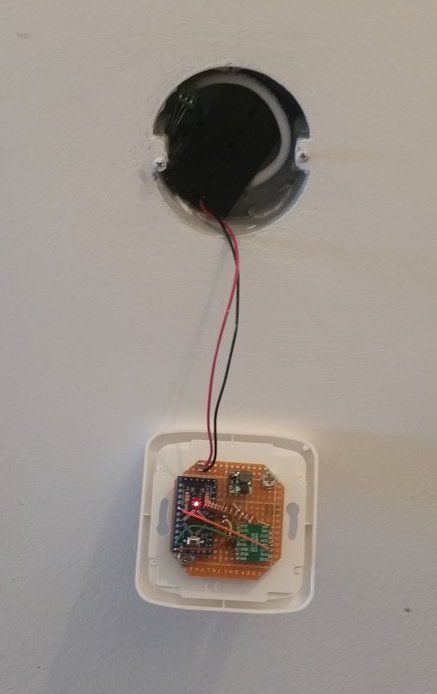
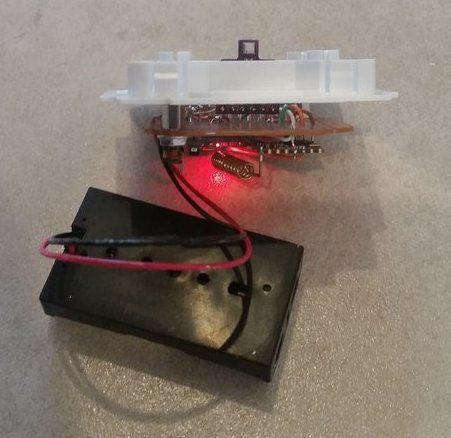
    Prototype of room sensor for stardard electric box

    • arduino pro mini 3.3V
    • sx1276 radio
    • bme680
    • 2x1.5V AA battery holder
    • battery measuring circuit according to https://www.mysensors.org/build/battery
    • ABB Tango cover (drilled)

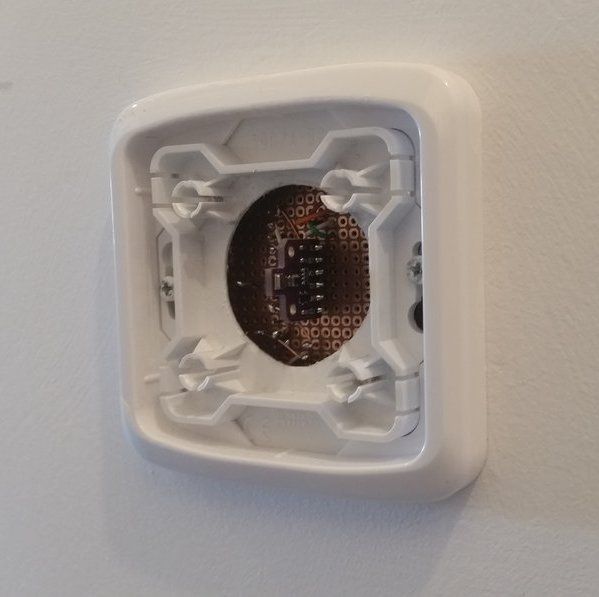
    IMG_20201025_141753.jpg IMG_20201025_141837.jpg IMG_20201025_141848.jpg IMG_20201025_141942.jpg IMG_20201025_142159.jpg

    Cover is not fully closed to allow air circulation. But I would preffer some method to drill holes/grill into it - any tips to get decent looking result?

    General Discussion

  • Help with bar project....
    T tssk

    Hello

    (brainstorming)

    If you have the "original choice selector" you can tap to each wire and see what happens over individual wires when you press each button. An then simulate this from MCU (like arduino).

    Or open the "original choice selector" and connect wires to the existing buttons. (That will probably void warranty.) That wires then you can connect to some MCU and "push" the buttons programmatically.

    Tomas

    General Discussion

  • Which radio / wireless module to choose? Please recommend
    T tssk

    I would like to thank everyone for suggestions and comments.

    I did 3 quick tests with two SX1276 based chips (868MHz LoRa) I already had.

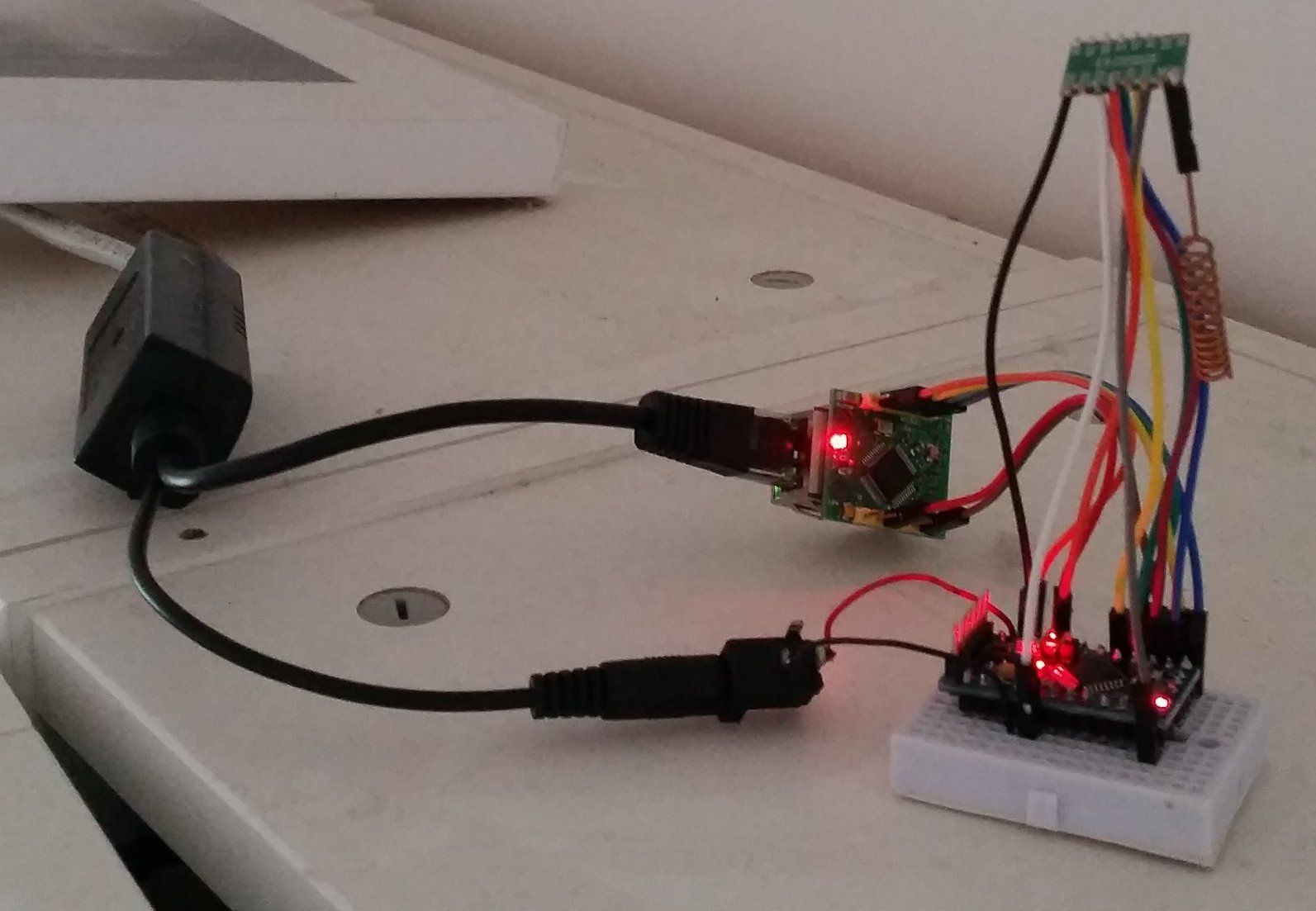
    I made simple 5V poe powered mysensors mqtt gateway with arduino pro mini 3.3V, W5500 lite and SX1276 radio
    test-gateway.jpg

    Simple 9V battery powered mysensors passive node with arduino pro mini 3.3V, BME680 (for some reason the sensor does not work when connected over SPI with the radio module at the same time - I have to investigate that ) and SX1276 radio
    test-node.jpeg

    First test was inside house - I placed the node inside the freezer on the opposite side of house (approx 15m from gw) with concrete ceiling between. All messages were delivered.

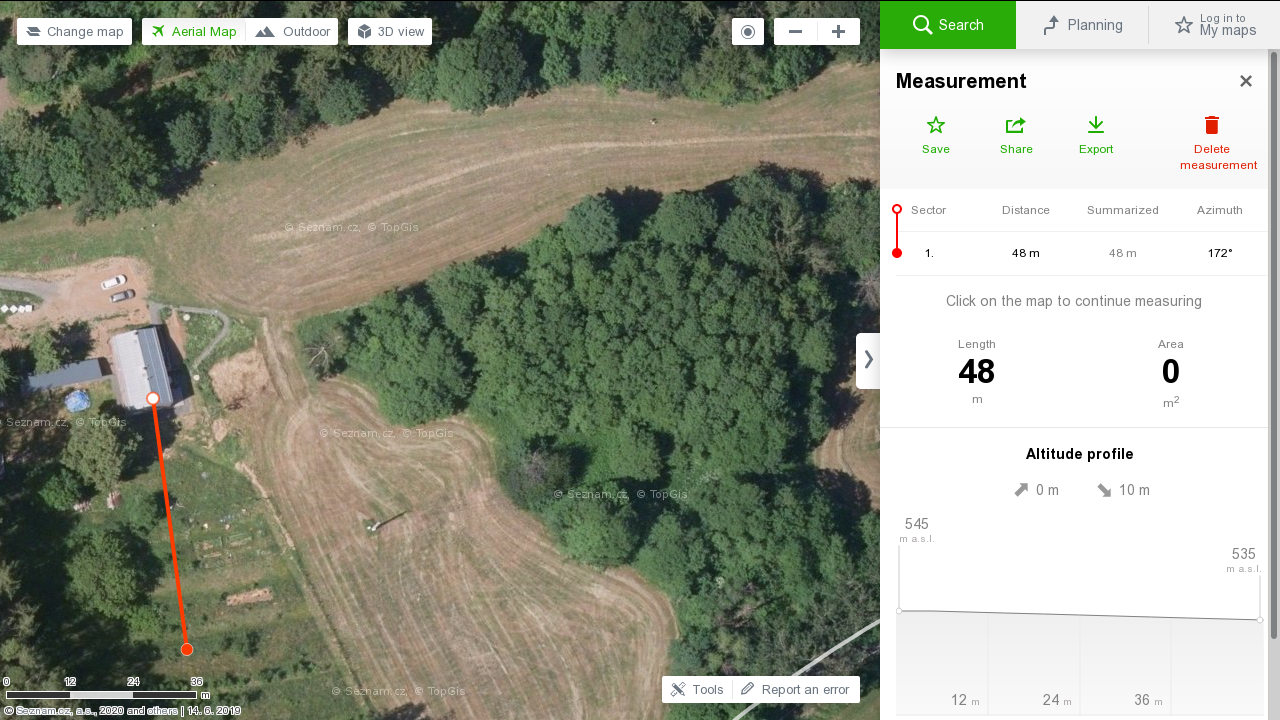
    Second test was outside the house - I placed the node under the beehives (approx 50m from gw). All messages were delivered.
    test-ok.png

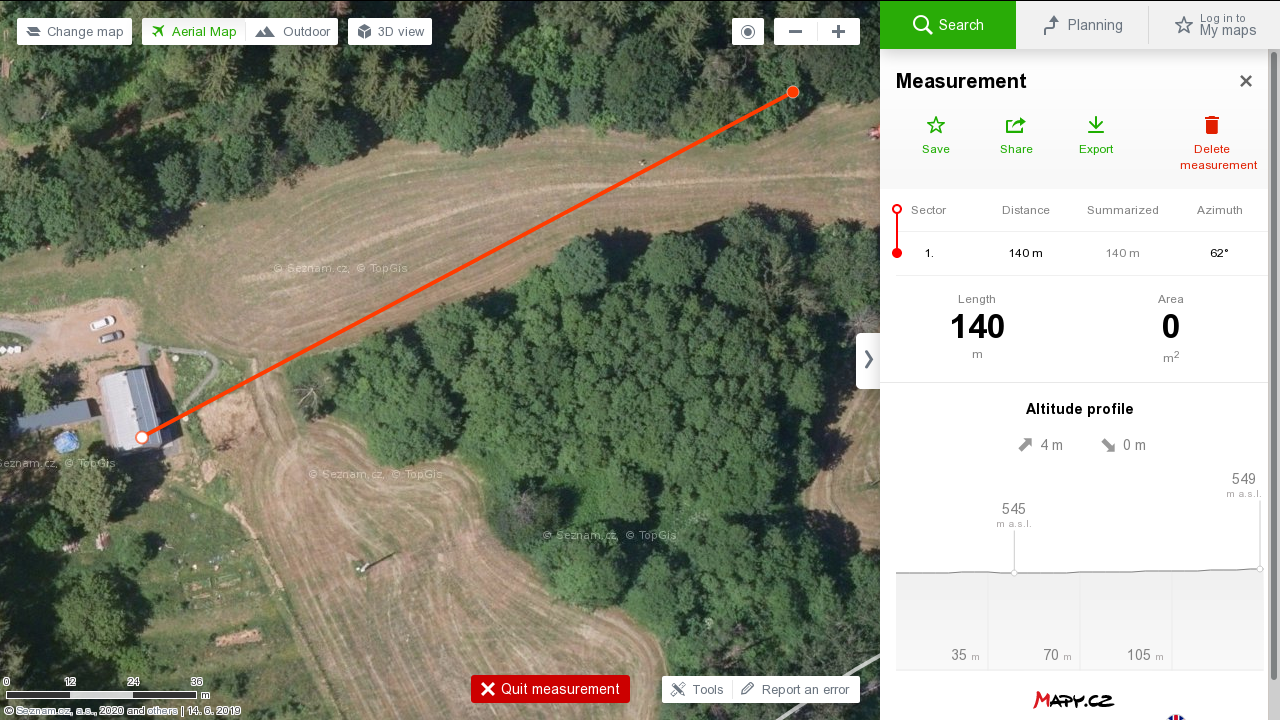
    Third test was also outside the house - I placed the node at the end of our property (approx 140m from gw). But no message was delivered.
    test-notok.png

    I expected 140m would not be problem for LoRa chip but I think this may be improved with some antenna fiddling. But overall I am very happy with the results. So my current decision is to go with this setup but to use 2 or 3 1.5V AA batteries instead of 9V.

    Hardware

  • 💬 Battery Powered Sensors
    T tssk

    @zboblamont It is not electrical noise but audio noise I can hear. Sorry if I use improper terms.

    Announcements battery

  • What did you build today (Pictures) ?
    T tssk

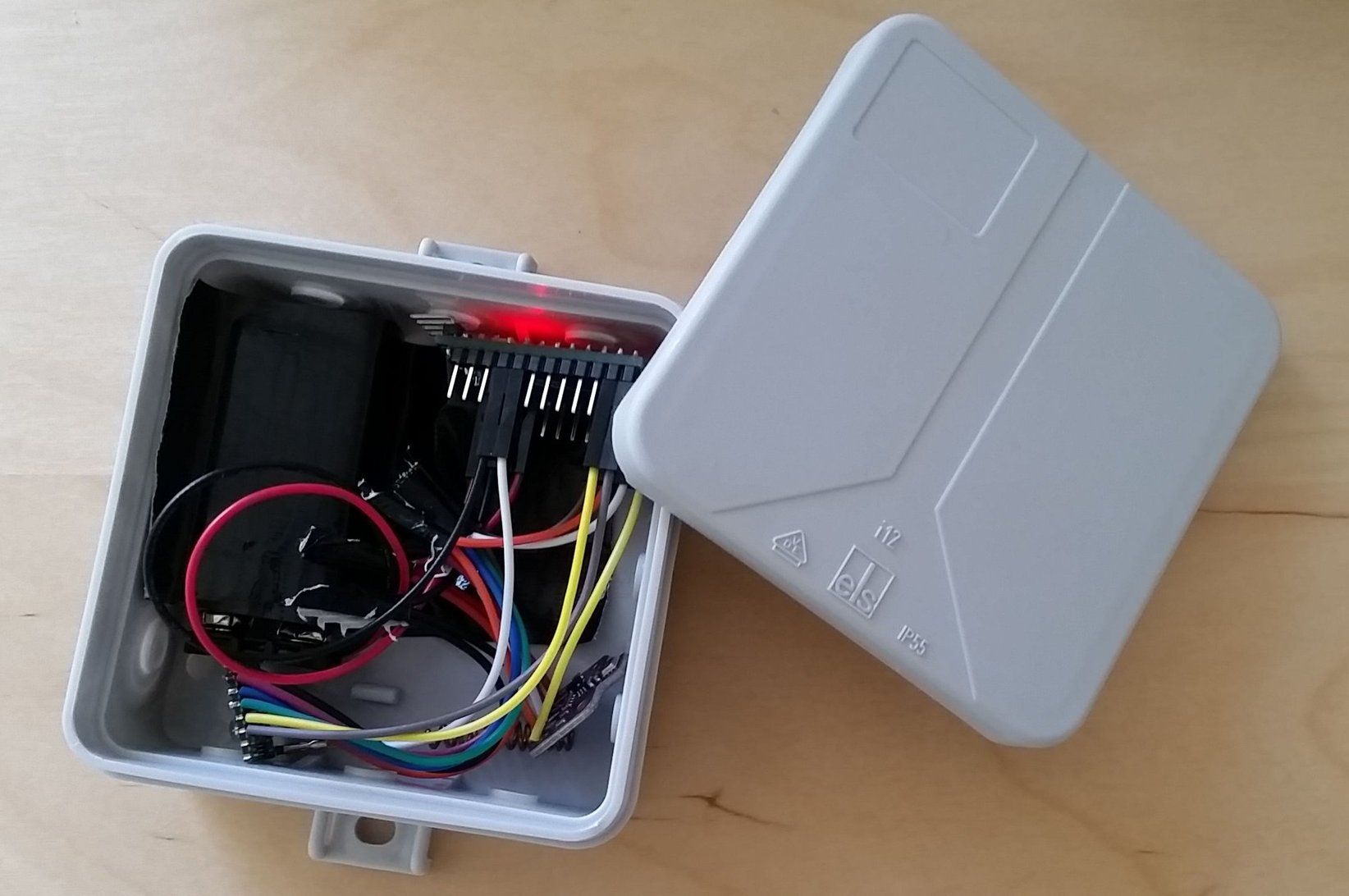
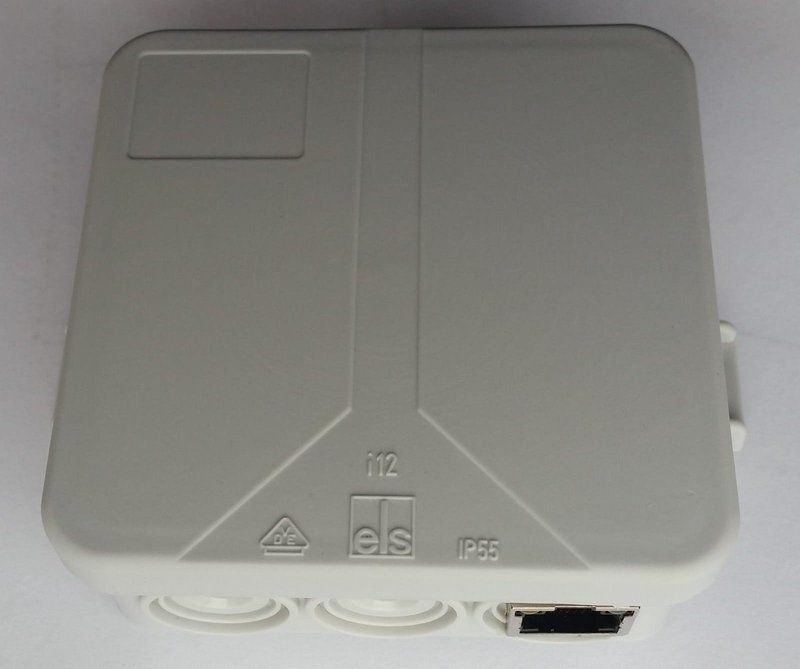
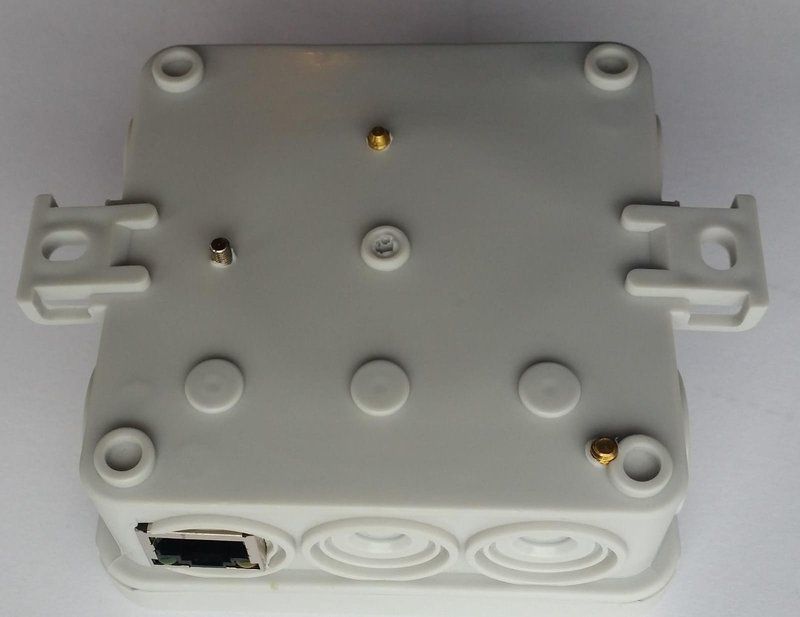
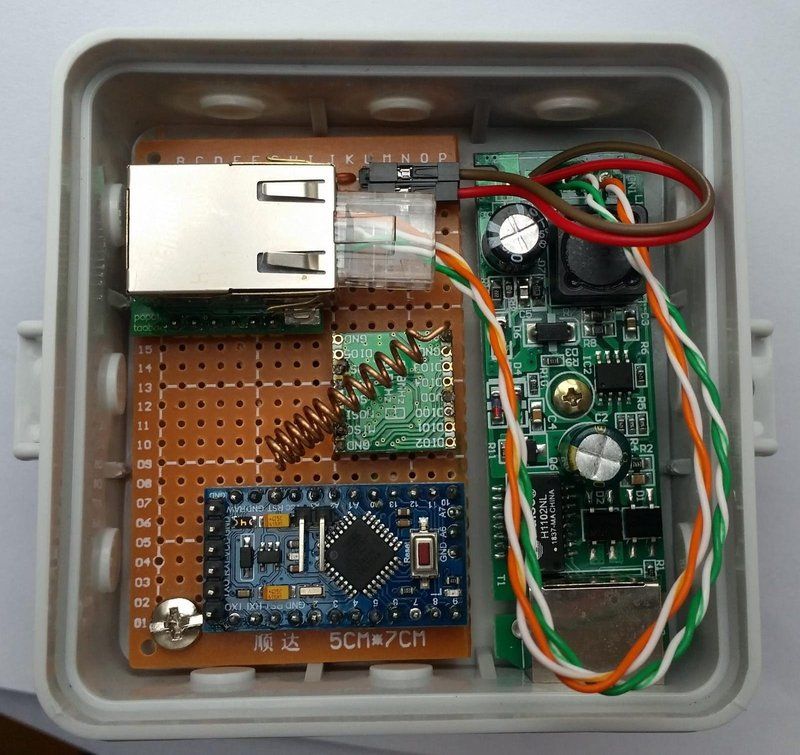
    MYS PoE MQTT Gateway with 868Mhz LoRa radio in IP55 85mm x 85mm box

    • arduino pro mini 3.3V clone
    • SX1276 with spring antenna
    • W5500 lite
    • 5V 802.3at power over ethernet splitter (gutted)
    • SPELSBERG IP55 box

    gw1.jpeg gw2.jpeg gw3.jpeg

    General Discussion

  • How to manage dynamic number of sensors?
    T tssk

    @mfalkvidd I did not see it - thanks for mentioning it.

    I think this is what I was looking for - the sketch uses one MyMessage msg(0,V_TEMP); for values from all DS18B20 with such code construction

      // Read temperatures and send them to controller 
      for (int i=0; i<numSensors && i<MAX_ATTACHED_DS18B20; i++) {
          ...
          // Send in the new temperature
          send(msg.setSensor(i).set(temperature,1));
          ...
      }
    

    I thought I will need to set up MyMessage msg(0,V_TEMP) x number_of_sensors which would be terrible.

    I guess if I extend the code with MyMessage msg(0,V_ID) to send also the 1wire address it will be what I am looking for.

    Thanks!

    Development

  • OH2.5.9 / ethernet gateway / autodiscovery?
    T tssk

    Hello, also beginner here so take my advice with some reserve.

    1 - It seems to me that your ethernet connection does not work - https://www.mysensors.org/apidocs/group__MyGatewayTransportgrp.html

    17:21:06.386 -> 2580 !GWT:TIN:ETH FAIL
    

    Can you ping the gateway?

    2 - I am also using openHab but with MQTT gateway and MQTT binding as I did not find mysensors binding in the official list. But there is no autodiscovery - but I prefer to configure it manually anyway.

    OpenHAB

  • 💬 Battery Powered Sensors
    T tssk

    So I ordered Arduino Uno for programming my Pro Minis. And going to experiment with 2xAA or 3xAA setup without step up booster (they are whining anyway so I will be happy if I get rid of it :)

    Thank everyone for help!

    Announcements battery

  • How to manage dynamic number of sensors?
    T tssk

    @zboblamont Thanks for the tip. I am trying to avoid hardcoding any addresses - maybe I find out that it will be necessary at some point. But so far it looks fine:

    23:08:43.873 -> 0 MCO:BGN:INIT GW,CP=R-NGA---,FQ=8,REL=255,VER=2.3.2
    23:08:44.438 -> 585 GWT:TPC:IP=192.168.1.113
    23:08:45.468 -> 1589 MCO:BGN:STP
    23:08:45.468 -> 1591 MCO:REG:NOT NEEDED
    23:08:45.468 -> 1595 MCO:BGN:INIT OK,TSP=NA
    23:08:45.468 -> 1597 GWT:TPC:IP=192.168.1.113
    23:08:46.464 -> 2600 GWT:RMQ:CONNECTING...
    23:08:46.464 -> 2611 GWT:RMQ:OK
    23:08:46.464 -> 2613 GWT:TPS:TOPIC=1wire-out/0/255/0/0/17,MSG SENT
    23:08:46.497 -> 2619 GWT:TPS:TOPIC=1wire-out/0/255/3/0/11,MSG SENT
    23:08:46.497 -> 2625 GWT:TPS:TOPIC=1wire-out/0/255/3/0/12,MSG SENT
    23:08:46.497 -> DBG: loop start
    23:08:47.559 -> 0 : 280838211713012D
    23:08:47.559 -> 3704 GWT:TPS:TOPIC=1wire-out/0/0/1/0/42,MSG SENT
    23:08:47.592 -> 0 : 5A014B467FFF0C1044 : 21.62
    23:08:47.626 -> 3753 GWT:TPS:TOPIC=1wire-out/0/0/1/0/0,MSG SENT
    23:08:47.692 -> 1 : 28A82B7D17130189
    23:08:47.692 -> 3825 GWT:TPS:TOPIC=1wire-out/0/1/1/0/42,MSG SENT
    23:08:47.692 -> 1 : 53014B467FFF0C102D : 21.19
    23:08:47.758 -> 3876 GWT:TPS:TOPIC=1wire-out/0/1/1/0/0,MSG SENT
    23:08:47.824 -> 2 : 28949D2816130138
    23:08:47.824 -> 3948 GWT:TPS:TOPIC=1wire-out/0/2/1/0/42,MSG SENT
    23:08:47.824 -> 2 : 5F014B467FFF0C1012 : 21.94
    23:08:47.858 -> 3999 GWT:TPS:TOPIC=1wire-out/0/2/1/0/0,MSG SENT
    23:08:47.924 -> 3 : 282C3C2A16130167
    23:08:47.924 -> 4071 GWT:TPS:TOPIC=1wire-out/0/3/1/0/42,MSG SENT
    23:08:47.957 -> 3 : 56014B467FFF0C107B : 21.37
    23:08:47.990 -> 4122 GWT:TPS:TOPIC=1wire-out/0/3/1/0/0,MSG SENT
    23:08:48.057 -> 4 : 28FC801F16130104
    23:08:48.057 -> 4194 GWT:TPS:TOPIC=1wire-out/0/4/1/0/42,MSG SENT
    23:08:48.057 -> 4 : 5C014B467FFF0C10D7 : 21.75
    23:08:48.123 -> 4245 GWT:TPS:TOPIC=1wire-out/0/4/1/0/0,MSG SENT
    23:08:48.190 -> 5 : 2832312A161301C3
    23:08:48.190 -> 4317 GWT:TPS:TOPIC=1wire-out/0/5/1/0/42,MSG SENT
    23:08:48.190 -> 5 : 58014B467FFF0C10C2 : 21.50
    23:08:48.223 -> 4368 GWT:TPS:TOPIC=1wire-out/0/5/1/0/0,MSG SENT
    23:08:48.322 -> 6 : 28CAD31F16130180
    23:08:48.322 -> 4440 GWT:TPS:TOPIC=1wire-out/0/6/1/0/42,MSG SENT
    23:08:48.322 -> 6 : 57014B467FFF0C1038 : 21.44
    23:08:48.356 -> 4489 GWT:TPS:TOPIC=1wire-out/0/6/1/0/0,MSG SENT
    23:08:48.422 -> 7 : 28FFE4493118014F
    23:08:48.422 -> 4560 GWT:TPS:TOPIC=1wire-out/0/7/1/0/42,MSG SENT
    23:08:48.422 -> 7 : 58014B467FFF0C10C2 : 21.50
    23:08:48.488 -> 4612 GWT:TPS:TOPIC=1wire-out/0/7/1/0/0,MSG SENT
    23:08:48.555 -> 8 : 28FF345E311801AF
    23:08:48.555 -> 4683 GWT:TPS:TOPIC=1wire-out/0/8/1/0/42,MSG SENT
    23:08:48.555 -> 8 : 5B014B467FFF0C1007 : 21.69
    23:08:48.621 -> 4734 GWT:TPS:TOPIC=1wire-out/0/8/1/0/0,MSG SENT
    23:08:48.687 -> 9 : 28FF094131180165
    23:08:48.687 -> 4806 GWT:TPS:TOPIC=1wire-out/0/9/1/0/42,MSG SENT
    23:08:48.687 -> 9 : 55014B467FFF0C10BE : 21.31
    23:08:48.721 -> 4855 GWT:TPS:TOPIC=1wire-out/0/9/1/0/0,MSG SENT
    23:08:48.787 -> 10 : 28FFE513311802A3
    23:08:48.787 -> 4927 GWT:TPS:TOPIC=1wire-out/0/10/1/0/42,MSG SENT
    23:08:48.820 -> 10 : 51014B467FFF0C10AB : 21.06
    23:08:48.853 -> 4980 GWT:TPS:TOPIC=1wire-out/0/10/1/0/0,MSG SENT
    23:08:48.920 -> 11 : 28FF2B1F31180231
    23:08:48.920 -> 5052 GWT:TPS:TOPIC=1wire-out/0/11/1/0/42,MSG SENT
    23:08:48.920 -> 11 : 56014B467FFF0C107B : 21.37
    23:08:48.986 -> 5103 GWT:TPS:TOPIC=1wire-out/0/11/1/0/0,MSG SENT
    23:08:48.986 -> DBG: loop end
    
    Development

  • How to manage dynamic number of sensors?
    T tssk

    In case someone is interested in the code for mysensors mqtt gateway using the DS2482.h library from https://github.com/paeaetech/paeae. The temperature conversion code is from example. I am omitting the mysensors setup.

    ...
    
    #include <DS2482.h>
    #include <Ethernet.h>
    #include <MySensors.h>
    #include <Wire.h>
    
    
    DS2482 ds( 0 );  //channels ds2482-800 is 0 to 7, DS2482-100 is just set 0
    byte dsData[8]; //holding for onewire capture
    byte dsAddr[8]; //1wire wire address and CRC
    
    MyMessage msgAddr( 0, V_ID );
    MyMessage msgTemp( 0, V_TEMP );
    
    
    void setup() {
    
      //Uses Wire library to communicate with DS2482 so be sure to call Wire.begin() before using the library.
      Wire.begin();
      ds.reset();
    
    }
    
    void presentation() {
    
      // Send the sketch version information to the gateway and Controller
      sendSketchInfo( SKETCH_NAME, SKETCH_MAJOR_VER "." SKETCH_MINOR_VER );
    
    }
    
    void loop() {
    
      #ifdef MY_DEBUG
        Serial.println( "DBG: loop start" );
      #endif
    
      ds.wireResetSearch();
      ds.wireReset();
      ds.wireSkip();
      //need to send high power to bus??  Adding 5 volts to devices makes it work.
      ds.wireWriteByte( 0x44 ); //convert temperature on all devices
      delay( 1000 );
    
      byte sensorId = 0;
      while( ds.wireSearch( dsAddr ) ) {
    
        #ifdef MY_DEBUG
          Serial.print( sensorId );
          Serial.print( " : " );
        #endif
    
        char sensorAddr[17]; //eg. 280838211713012D
    
        for( int i = 0; i < 8; i++ ) {
          
          sensorAddr[i*2] = ( dsAddr[i] >> 4 ) + 0x30;
          if ( sensorAddr[i*2] > 0x39 ) {
            sensorAddr[i*2] += 7;
          }
          
          sensorAddr[i*2+1] = ( dsAddr[i] & 0x0f ) + 0x30;
          if ( sensorAddr[i*2+1] > 0x39 ) {
            sensorAddr[i*2+1] += 7;
          }
    
        }
    
        sensorAddr[16]  = '\0'; //always zero terminate string
        
        #ifdef MY_DEBUG
          Serial.print( sensorAddr );
          Serial.print( "\n" );
        #endif
    
        send( msgAddr.setSensor( sensorId ).set( sensorAddr ) );
    
        #ifdef MY_DEBUG
          Serial.print( sensorId );
          Serial.print( " : " );
        #endif
    
        if ( ds.crc8( dsAddr, 7 ) != dsAddr[7] ) {
          Serial.print( "CRC is not valid!" );
          return;
        }
    
        /*
        //test if device code DS18B20
        if ( dsAddr[0]==0x28 ) {
    
        //test if device code MAX31850
        if ( dsAddr[0]==0x3B ) {
        */
    
        //read temperature data.
        ds.wireReset(); //ds.reset();
        ds.selectChannel( 0 ); //necessary on -800
        ds.wireSelect( dsAddr );
        ds.wireWriteByte( 0xbe ); // Read Scratchpad command
    
        //display hex values of scratchpad
        for ( int i = 0; i < 9; i++ ) { // we need 9 bytes
          dsData[i] = ds.wireReadByte();
    
          #ifdef MY_DEBUG
            if ( dsData[i] < 16 ) {
              Serial.print( "0" );
            }
            Serial.print( dsData[i], HEX );
          #endif
        }
        
        //convert to decimal temperature
        int LowByte = dsData[0];
        int HighByte = dsData[1];
        int TReading = ( HighByte << 8 ) + LowByte;
        int SignBit = TReading & 0x8000; // test most sig bit
        if ( SignBit ) // negative
        {
                TReading = ( TReading ^ 0xffff ) + 1; // 2's comp
        }
    
        float Tc_100 = (double) TReading * 0.0625;
    
        if ( SignBit ) { // If its negative
                Tc_100 = 0 - Tc_100;
        }
    
        //print temp for each device
        #ifdef MY_DEBUG
          Serial.print( " : " );
          Serial.println( Tc_100 );
        #endif
    
        send ( msgTemp.setSensor( sensorId ).set( Tc_100, 2 ) );
    
        sensorId++;
      }
    
      #ifdef MY_DEBUG
        Serial.println( "DBG: loop end" );
      #endif
    
      delay( 60000 );
    }
    

    I am of course happy for any feedback. Especially if I am doing anything stupid as I am no programmer :)

    Development
  • Login

  • Don't have an account? Register

  • Login or register to search.
  • First post
    Last post
0
  • MySensors
  • OpenHardware.io
  • Categories
  • Recent
  • Tags
  • Popular