
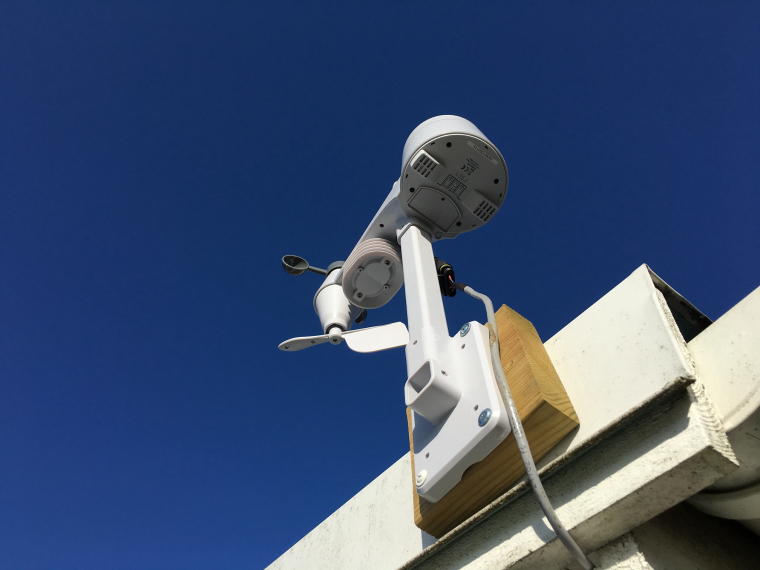
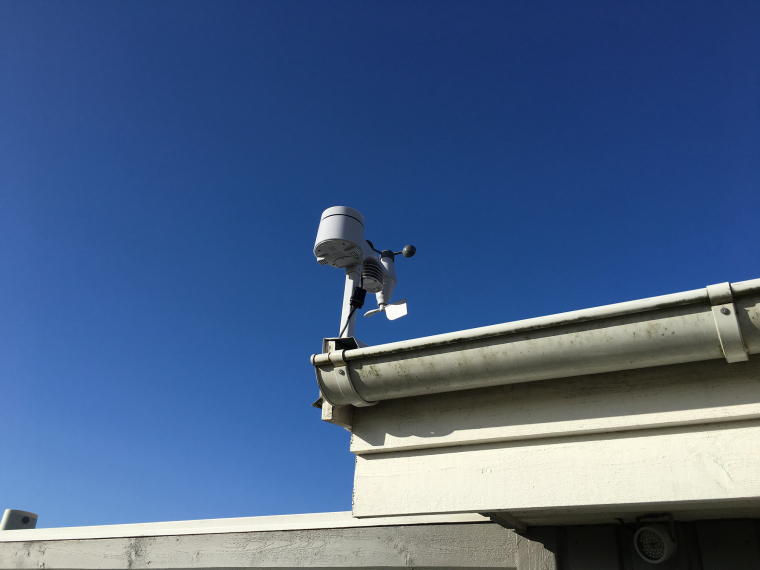
fody weather station, wind sensor
-
-
For anyone interested, I am in the process of designing a fully 3D printable weather station. The plan for the 3D printable parts will be:
- rain gauge
- combined wind speed and wind direction sensors
- radiation shield that will house sensors for temp, humidity, barometric pressure and possibly a lux sensor.
- central brain box for holding the MySensors electronics to control everything.
I am just finishing the wind speed and direction sensor parts today. I will post pics later. I have a post in this category for the rain gauge that will be part of the station. I am designing all the parts myself. I still need to figure out a few more parts plus the MySensors electronics and code. I'll post everything as I get the different parts done.
-
-
-
@flopp are you still using old library version? Are you going to make it a battery powered node or else? I noticed you didn't use any sleep in the code
@gohan said in fody weather station, wind sensor:
@flopp are you still using old library version?
Yes, this is for 1.5
Are you going to make it a battery powered node or else?I noticed you didn't use any sleep in the code
This is powered from a PC, not battery. I want data very often that's why it is not battery powered. I can also change the code if something is wrong.
-
-
@flopp - any more images? :)
-
@flopp - any more images? :)
@sundberg84
Can upload some later today.
I found that I have some problem with the NRf, so I need to open it up.
Will upload new code later today, as well. -
-
-
-
I have not verify all the code yet.
Wind direction is correct.
Temp is little bit higher then another temp that I have on shadow so maybe the radiation shield is not working 100%
Hum: my other sensor that I have outdoor broke a few weeks ago, so nothing to compare with
Wind Speed: I want to verify with an RPM tool. I get some extra indication from reeed switch.
Every second indication is below 1000 micros which is 1 millisecond, which is 1000m/s
Rain: lucky or unlucky I have not had any rain when the mast was up and running -
-
@gohan said in fody weather station, wind sensor:
Maybe you need a better heat shield, did you try some aluminum foil?
Good idea :)
Should I have the foil inside the shield or outside?
Any pics if you done it yourself?
I think I need some air through the shield so it can cool down. -
-
I haven't done anything yet, I'm just trying to apply some cheap physics 😀
I'd start from the outside and see what happens -
New code again :frowning:
Wind speed: it compare between two interrupts if it is too quick, if more than 100000 micros it will not use it#include <SPI.h> #include <MySensor.h> #include <Wire.h> #define WIND_CHILD 0 #define TEMP_CHILD 1 #define HUM_CHILD 2 #define RAIN_CHILD 3 MySensor gw; MyMessage WSMsg(WIND_CHILD, V_WIND); MyMessage WGMsg(WIND_CHILD, V_GUST); MyMessage WDMsg(WIND_CHILD, V_DIRECTION); MyMessage TempMsg(TEMP_CHILD, V_TEMP); MyMessage HumMsg(HUM_CHILD, V_HUM); MyMessage RainMsg(RAIN_CHILD, V_RAIN); MyMessage RainCounterMsg(RAIN_CHILD,V_VAR1); //Wind Speed volatile unsigned long lastPulse = 0; volatile unsigned long intervalSum; unsigned long lastInterval = 0; unsigned long looptime; float WS = 0; float WG = 0; int WScount = 0; //Wind Direction int WDarray[8] = {0,45,90,135,180,225,270,315}; int WD; //Rain volatile float hwRainVolume = 0; // Current rainvolume calculated in hardware. float bucketSize = 0.4; // mm per tip boolean pcReceived = false; volatile unsigned long lastSend = 0; // Temperature/Humidity double hum = 0; double temp = 0; void setup() { Wire.begin(); //start i2c gw.begin(incomingMessage, AUTO, false); // Send the sketch version information to the gateway and Controller gw.sendSketchInfo("WeatherMast", "170427"); gw.present(WIND_CHILD, S_WIND); gw.present(TEMP_CHILD, S_TEMP); gw.present(HUM_CHILD, S_HUM); gw.present(RAIN_CHILD, S_RAIN); gw.request(RAIN_CHILD, V_VAR1); gw.wait(5000); //pin 2 is rain, pin 3 is wind speed //pin 4-8, 14-16 is wind direction //configure pin 2-8 as an input and enable the internal pull-up resistor for (int i=2 ; i < 9 ; i++) { pinMode(i, INPUT_PULLUP); } //configure pin 14-16(A0-A2) as an input and enable the internal pull-up resistor for (int i=14 ; i < 17 ; i++) { pinMode(i, INPUT_PULLUP); } attachInterrupt(0, Rain, FALLING); //rain attachInterrupt(1, WindSpeed, FALLING); //wind speed } void loop() { gw.wait(60000); detachInterrupt(1); looptime = micros(); readTempHum(); //read temperature and humidity readWindDirection(); //read wind direction resend((WSMsg.set(WS, 1)),3); WS = 0; //reset wind speed, useful if there is no wind otherwise old value will be sent to Controller resend((WGMsg.set(WG, 1)),3); WG = 0; //reset gust resend((WDMsg.set(WD, 1)),3); resend((RainMsg.set((float)hwRainVolume,2)),3); resend((TempMsg.set(temp, 1)),3); resend((HumMsg.set(hum, 1)),3); lastPulse += micros() - looptime; attachInterrupt(1, WindSpeed, FALLING); //wind speed } void readWindDirection() { //check in what direction the wind is. First sensor that have light will be the direction int i = 4; for (i; i < 9 ; i++){ if (!digitalRead(i)){ WD = WDarray[i-4]; return; } } i = 14; for (i; i < 17 ; i++){ if (!digitalRead(i)){ WD = WDarray[i-9]; return; } } } void Rain() { unsigned long currentTime = millis(); if (!pcReceived) { gw.request(RAIN_CHILD, V_VAR1); Serial.println("Request rainCount"); gw.process(); return; } if (currentTime - lastSend > 5000) { hwRainVolume = hwRainVolume + bucketSize; resend((RainCounterMsg.set(hwRainVolume,2)),3); resend((RainMsg.set((float)hwRainVolume,2)),3); lastSend=currentTime; } } void WindSpeed() { detachInterrupt(1); volatile unsigned long newPulse = micros(); unsigned long interval = newPulse-lastPulse; if (interval<16000L) { // Sometimes we get wrong interrupt. 16000L = ~30 m/s attachInterrupt(1, WindSpeed, FALLING); lastPulse = newPulse; return; } long a = interval-lastInterval; a = abs(a); lastInterval = interval; if (a > 100000) { lastPulse = newPulse; attachInterrupt(1, WindSpeed, FALLING); return; } else { lastPulse = newPulse; WS = (0.4775/(interval/1000000.0)); if (WS > WG) { WG = WS; } } attachInterrupt(1, WindSpeed, FALLING); } void readTempHum() { Wire.beginTransmission(0x28); // Begin transmission with given device on I2C bus Wire.requestFrom(0x28, 4); // Request 4 bytes if(Wire.available() == 4) { int b1 = Wire.read(); int b2 = Wire.read(); int b3 = Wire.read(); int b4 = Wire.read(); Wire.endTransmission(); // End transmission and release I2C bus // combine humidity bytes and calculate humidity int rawHumidity = b1 << 8 | b2; // compound bitwise to get 14 bit measurement first two bits // are status/stall bit (see intro text) rawHumidity = (rawHumidity &= 0x3FFF); hum = 100.0 / pow(2,14) * rawHumidity; // combine temperature bytes and calculate temperature b4 = (b4 >> 2); // Mask away 2 least significant bits see HYT 221 doc int rawTemperature = b3 << 6 | b4; temp = 165.0 / pow(2,14) * rawTemperature - 40; } } void incomingMessage(const MyMessage &message) { if (message.type==V_VAR1) { hwRainVolume = message.getFloat(); pcReceived = true; Serial.print("Received last pulse count from gw: "); Serial.println(hwRainVolume,2); } } void resend(MyMessage &msg, int repeats) { int repeat = 1; int repeatdelay = 0; boolean sendOK = false; while ((sendOK == false) and (repeat < repeats)) { if (gw.send(msg)) { sendOK = true; } else { sendOK = false; Serial.print("Error "); Serial.println(repeat); repeatdelay += 500; } repeat++; delay(repeatdelay); } }EDIT: added
WS = 0;in loop
-
-
@gohan
Thanks for asking :)
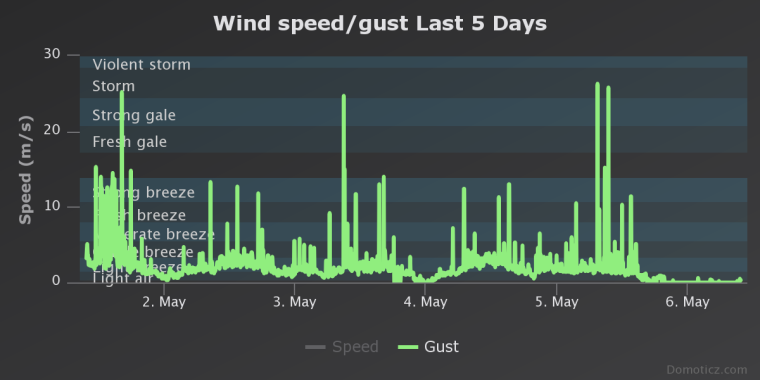
It is working good, but I don't trust the wind speed. I have lots of "ghost" indications from the reed
switch, I tried to remove it with code in two different ways but anyway I get some high values. I will order a wind speed meter and check against that one. I also record a slow-mo video when it spins in front of a fan(2.5m/s) and it is correct but it is difficult to test it with 10 m/s,
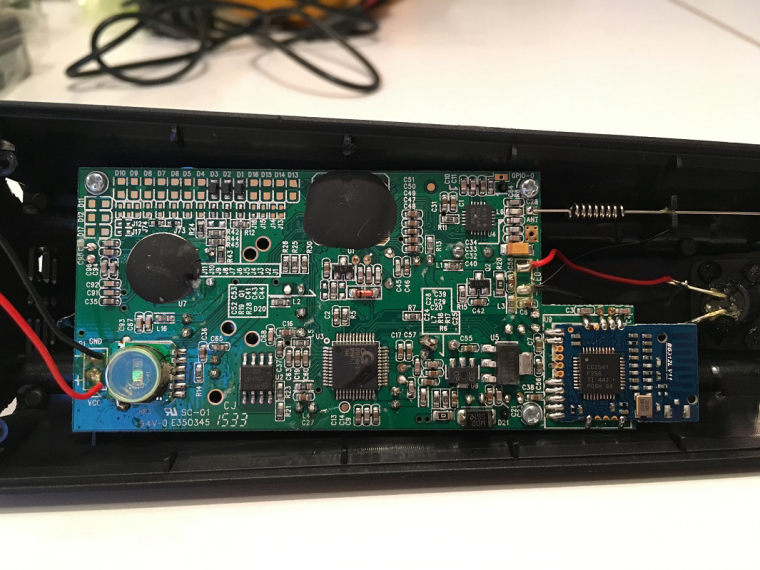
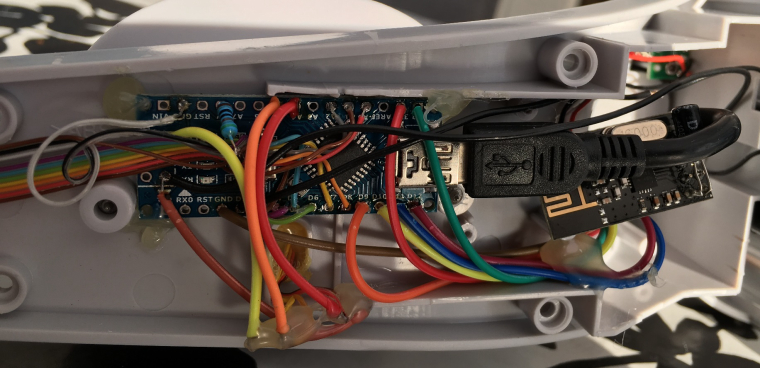
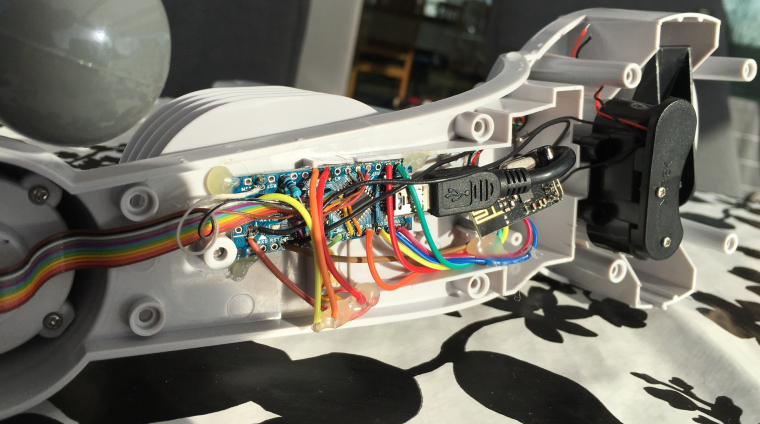
If anyone are inreseted what's inside the receiver that was included from Fody. It look like this
-



Hello! It looks like you're interested in this conversation, but you don't have an account yet.
Getting fed up of having to scroll through the same posts each visit? When you register for an account, you'll always come back to exactly where you were before, and choose to be notified of new replies (either via email, or push notification). You'll also be able to save bookmarks and upvote posts to show your appreciation to other community members.
With your input, this post could be even better 💗
Register Login