Skip to content
  • Measure multiple voltages

    Troubleshooting
    5
    0 Votes
    5 Posts
    60 Views
    MasMatM
    Check. Gotta redesign. I'll get optos on the AC-voltages and power the Rpi from the 48/12V ground source. Thanks for confirming my doubts.
  • 0 Votes
    4 Posts
    66 Views
    R
    I modified the code, so the relay status is sent to the HA only at the beginning. I also changed the child id numbers (those for relays now correspond to the pin numbers). The good news is the sensor part for the pushbuttons is now working, but the relays still not. They do not register to the HA in any way. // Enable debug prints to serial monitor #define MY_DEBUG // Enable and select radio type attached //#define MY_RADIO_RF24 //#define MY_RADIO_NRF5_ESB //#define MY_RADIO_RFM69 //#define MY_RADIO_RFM95 // Set LOW transmit power level as default, if you have an amplified NRF-module and // power your radio separately with a good regulator you can turn up PA level. //#define MY_RF24_PA_LEVEL RF24_PA_LOW // Enable serial gateway #define MY_GATEWAY_SERIAL // Define a lower baud rate for Arduinos running on 8 MHz (Arduino Pro Mini 3.3V & SenseBender) #if F_CPU == 8000000L #define MY_BAUD_RATE 38400 #endif // Enable inclusion mode #define MY_INCLUSION_MODE_FEATURE // Enable Inclusion mode button on gateway //#define MY_INCLUSION_BUTTON_FEATURE // Inverses behavior of inclusion button (if using external pullup) //#define MY_INCLUSION_BUTTON_EXTERNAL_PULLUP // Set inclusion mode duration (in seconds) #define MY_INCLUSION_MODE_DURATION 60 // Digital pin used for inclusion mode button //#define MY_INCLUSION_MODE_BUTTON_PIN 3 // Set blinking period #define MY_DEFAULT_LED_BLINK_PERIOD 300 // Inverses the behavior of leds //#define MY_WITH_LEDS_BLINKING_INVERSE // Flash leds on rx/tx/err // Uncomment to override default HW configurations //#define MY_DEFAULT_ERR_LED_PIN 4 // Error led pin //#define MY_DEFAULT_RX_LED_PIN 6 // Receive led pin //#define MY_DEFAULT_TX_LED_PIN 5 // the PCB, on board LED #include <SPI.h> #include <MySensors.h> #include <Bounce2.h> #define RELAY_22 22 // Arduino Digital I/O pin number for first relay (second on pin+1 etc) #define NUMBER_OF_RELAYS 16 // Total number of attached relays: 4 // Opto Relay Module I was using Active Low - Low (0):ON, High (1): OFF #define RELAY_ON 0 // GPIO value to write to turn on attached relay #define RELAY_OFF 1 // GPIO value to write to turn off attached relay #define FIRST_PIR_ID 1 #define MAX_PIRS 16 const uint8_t pirPin[] = {A0,A1,A2,A3,A4,A5,A6,A7,A8,A9,A10,A11,A12,A13,A14,A15}; // switch around pins to your desire Bounce debouncer[MAX_PIRS]; MyMessage pirMsg(0, V_TRIPPED); bool oldPir[MAX_PIRS] = {false}; bool initialValueSent = false; //Init MyMessage for Each Child ID MyMessage msg22(22, V_LIGHT); MyMessage msg23(23, V_LIGHT); MyMessage msg24(24, V_LIGHT); MyMessage msg25(25, V_LIGHT); MyMessage msg26(26, V_LIGHT); MyMessage msg27(27, V_LIGHT); MyMessage msg28(28, V_LIGHT); MyMessage msg29(29, V_LIGHT); MyMessage msg30(30, V_LIGHT); MyMessage msg31(31, V_LIGHT); MyMessage msg32(32, V_LIGHT); MyMessage msg33(33, V_LIGHT); MyMessage msg34(34, V_LIGHT); MyMessage msg35(35, V_LIGHT); MyMessage msg36(36, V_LIGHT); MyMessage msg37(37, V_LIGHT); void before() { for (int sensor=22, pin=RELAY_22; sensor<=NUMBER_OF_RELAYS;sensor++, pin++) { // Then set relay pins in output mode pinMode(pin, OUTPUT); // Set relay to last known state (using eeprom storage) digitalWrite(pin, loadState(sensor)?RELAY_ON:RELAY_OFF); } } void setup() { for (uint8_t i = 0; i < MAX_PIRS; i++) { debouncer[i] = Bounce(); // initialize debouncer debouncer[i].attach(pirPin[i], INPUT_PULLUP); debouncer[i].interval(5); oldPir[i] = debouncer[i].read(); } wait(5000); Serial.println("Sending initial value"); send(msg22.set(loadState(22)?RELAY_OFF:RELAY_ON),true); wait(1000); send(msg23.set(loadState(23)?RELAY_OFF:RELAY_ON),true); wait(1000); send(msg24.set(loadState(24)?RELAY_OFF:RELAY_ON),true); wait(1000); send(msg25.set(loadState(25)?RELAY_OFF:RELAY_ON),true); wait(1000); send(msg26.set(loadState(26)?RELAY_OFF:RELAY_ON),true); wait(1000); send(msg27.set(loadState(27)?RELAY_OFF:RELAY_ON),true); wait(1000); send(msg28.set(loadState(28)?RELAY_OFF:RELAY_ON),true); wait(1000); send(msg29.set(loadState(29)?RELAY_OFF:RELAY_ON),true); wait(1000); send(msg30.set(loadState(30)?RELAY_OFF:RELAY_ON),true); wait(1000); send(msg31.set(loadState(31)?RELAY_OFF:RELAY_ON),true); wait(1000); send(msg32.set(loadState(32)?RELAY_OFF:RELAY_ON),true); wait(1000); send(msg33.set(loadState(33)?RELAY_OFF:RELAY_ON),true); wait(1000); send(msg34.set(loadState(34)?RELAY_OFF:RELAY_ON),true); wait(1000); send(msg35.set(loadState(35)?RELAY_OFF:RELAY_ON),true); wait(1000); send(msg36.set(loadState(36)?RELAY_OFF:RELAY_ON),true); wait(1000); send(msg37.set(loadState(37)?RELAY_OFF:RELAY_ON),true); wait(1000); Serial.println("Sending initial value: Completed"); wait(5000); } void presentation() { // Send the sketch version information to the gateway and Controller sendSketchInfo("Combo_22-37_i_A0-A15", "1.0"); for (int sensor=22, pin=RELAY_22; sensor<=NUMBER_OF_RELAYS;sensor++, pin++) { // Register all sensors to gw (they will be created as child devices) present(sensor, S_LIGHT); for (int i = 0; i < MAX_PIRS; i++) { //i < numSensors && present(FIRST_PIR_ID + i, S_MOTION); } } } void loop() { bool pir[MAX_PIRS]; for (uint8_t i = 0; i < MAX_PIRS; i++) { debouncer[i].update(); pir[i] = debouncer[i].read(); if (pir[i] != oldPir[i]) { send(pirMsg.setSensor(FIRST_PIR_ID + i).set( pir[i])); // Send tripped value to gw oldPir[i] = pir[i]; } } } void receive(const MyMessage &message) { Serial.println("=============== Receive Start ======================="); if (message.isAck()) { Serial.println(">>>>> ACK <<<<<"); Serial.println("This is an ack from gateway"); Serial.println("<<<<<< ACK >>>>>>"); } // We only expect one type of message from controller. But we better check anyway. if (message.type==V_LIGHT) { Serial.println(">>>>> V_LIGHT <<<<<"); if (!initialValueSent) { Serial.println("Receiving initial value from controller"); initialValueSent = true; } // Update relay state to HA digitalWrite(message.sensor-1+RELAY_22, message.getBool()?RELAY_ON:RELAY_OFF); switch (message.sensor) { case 22: Serial.print("Incoming change for sensor 1"); send(msg22.set(message.getBool()?RELAY_OFF:RELAY_ON)); break; case 23: Serial.print("Incoming change for sensor 2"); send(msg23.set(message.getBool()?RELAY_OFF:RELAY_ON)); break; case 24: Serial.print("Incoming change for sensor 3"); send(msg24.set(message.getBool()?RELAY_OFF:RELAY_ON)); break; case 25: Serial.print("Incoming change for sensor 4"); send(msg25.set(message.getBool()?RELAY_OFF:RELAY_ON)); break; case 26: Serial.print("Incoming change for sensor 5"); send(msg26.set(message.getBool()?RELAY_OFF:RELAY_ON)); break; case 27: Serial.print("Incoming change for sensor 6"); send(msg27.set(message.getBool()?RELAY_OFF:RELAY_ON)); break; case 28: Serial.print("Incoming change for sensor 7"); send(msg28.set(message.getBool()?RELAY_OFF:RELAY_ON)); break; case 29: Serial.print("Incoming change for sensor 8"); send(msg29.set(message.getBool()?RELAY_OFF:RELAY_ON)); break; case 30: Serial.print("Incoming change for sensor 9"); send(msg30.set(message.getBool()?RELAY_OFF:RELAY_ON)); break; case 31: Serial.print("Incoming change for sensor 10"); send(msg31.set(message.getBool()?RELAY_OFF:RELAY_ON)); break; case 32: Serial.print("Incoming change for sensor 11"); send(msg32.set(message.getBool()?RELAY_OFF:RELAY_ON)); break; case 33: Serial.print("Incoming change for sensor 12"); send(msg33.set(message.getBool()?RELAY_OFF:RELAY_ON)); break; case 34: Serial.print("Incoming change for sensor 13"); send(msg34.set(message.getBool()?RELAY_OFF:RELAY_ON)); break; case 35: Serial.print("Incoming change for sensor 14"); send(msg35.set(message.getBool()?RELAY_OFF:RELAY_ON)); break; case 36: Serial.print("Incoming change for sensor 15"); send(msg36.set(message.getBool()?RELAY_OFF:RELAY_ON)); break; case 37: Serial.print("Incoming change for sensor 16"); send(msg37.set(message.getBool()?RELAY_OFF:RELAY_ON)); break; default: Serial.println("Default Case: Receiving Other Sensor Child ID"); break; } // Store state in Arduino eeprom saveState(message.sensor, message.getBool()); Serial.print("Saved State for sensor: "); Serial.print( message.sensor); Serial.print(", New status: "); Serial.println(message.getBool()); Serial.println("<<<<<< V_LIGHT >>>>>>"); } Serial.println("=============== Receive END ======================="); } No error logs in HA, not a sign of relay entities in the json file.
  • USB Serial missing on Maple Mini

    Troubleshooting stm32 usb serial
    1
    0 Votes
    1 Posts
    36 Views
    No one has replied
  • 0 Votes
    4 Posts
    48 Views
    bgunnarbB
    Thanks to @electrik and @mfalkvidd for your answers. I will try next time I have the opportunity. Currently the sensor is 400 km away from home.
  • 0 Votes
    8 Posts
    95 Views
    mfalkviddM
    @VonJoost Yes, naturally. Bad code will result in bad result. I'm trying to understand where the bad code came from.
  • Having problems with RFM69HW in Raspberry Pi

    Troubleshooting
    3
    0 Votes
    3 Posts
    62 Views
    Constantin PetraC
    @frapell I am having the same issue with Raspberry PI zero W, I get an awful range (less than 2 meters) with the default build values. It seems the default power setting for RFM69HCW are 5dB. Also, for RPI Zero W it seems the 3.3V pin supplies only 50mA and I have also added an extra 3.3V regulator (should not be the case for RPI3+). I have now compiled the gateway using the following and got a better range indoors: ./configure --my-transport=rfm69 --my-rfm69-frequency=915 --my-is-rfm69hcw --my-gateway=mqtt --my-controller-ip-address=192.168.1.41 --my-mqtt-publish-topic-prefix=mysensors-out --my-mqtt-subscribe-topic-prefix=mysensors-in --my-mqtt-client-id=mygateway1 --extra-cxxflags="-DMY_RFM69_MAX_POWER_LEVEL_DBM=20 -DMY_RFM69_TX_POWER_DBM=20 -DMY_DEBUG_VERBOSE_RFM69" Look for "LEVEL" in the logs to check that the power level is the correct one. I don't know how mysensors handles the power range (expected to see it increasing it by itself no answers, but I could not get it working otherwise). Maybe it helps. Best Regards, Costa
  • 0 Votes
    4 Posts
    54 Views
    Ethan ChuaE
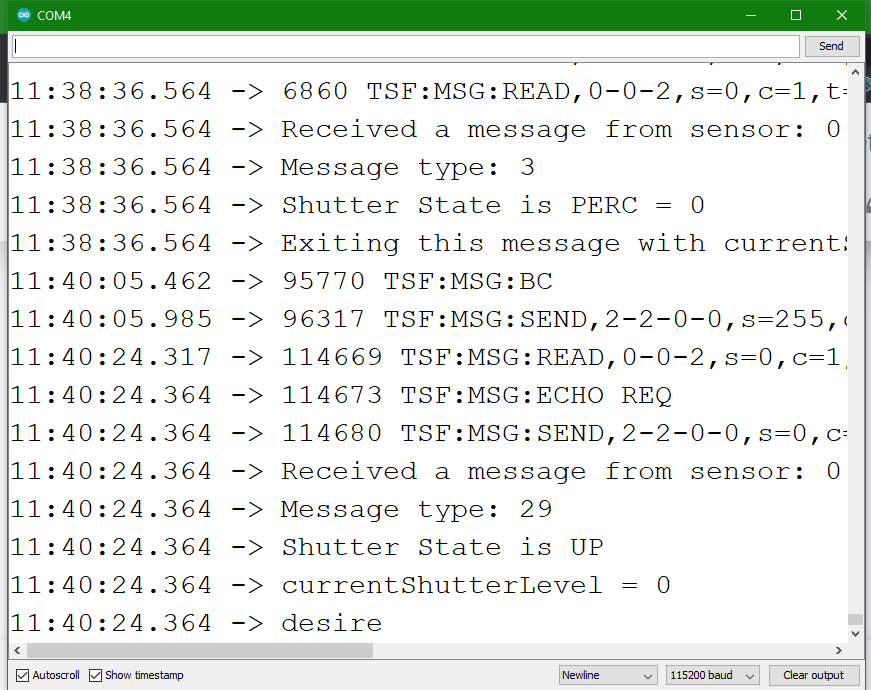
    Hi there, Thanks for the replies! It seemed that the culprit was my stupidity. I forgot that the AccelStepper library's stepper.moveTo() function's argument was the absolute rather than the relative position of the stepper motor. As such my code would end up trying to push the stepper motor to extreme values (because I thought I needed to input a negative to move to the left etc) and this caused weird things to happen, most likely this crashing as well. In any case I'm glad the issue has been resolved. @electrik the programme takes up 72% of storage space and 64% of dynamic memory, so I will definitely cut out the Serial logs once I am done debugging. @mfalkvidd yikes you're right it seems I had forgotten to include the function to run the steppers. Anyways for reference sake I'll drop my final code here (from the last I tested it is working but with the minor issue of the motors having to travel to the end of their move before it can reverse direction, which I have no clue why it happens but I don't mind it): #include <AccelStepper.h> const byte dirPin1 = A0; const byte stepPin1 = A1; const byte enPin1 = A2; const byte dirPin2 = A3; const byte stepPin2 = A4; const byte enPin2 = A5; const byte dirPin3 = 4; const byte stepPin3 = 3; const byte enPin3 = 8; const byte dirPin4 = 7; const byte stepPin4 = 6; const byte enPin4 = 5; const bool enOne = true, enTwo = true, enThree = true, enFour = true; const bool dirOne = true, dirTwo = true, dirThree = true, dirFour = true; const int stepmmOne = 160, stepmmTwo = 160, stepmmThree = 160, stepmmFour = 160; const byte endstopup = A6, endstopdown = A7; //long timer = 0; #define motorInterfaceType 1 AccelStepper stepperOne(motorInterfaceType, stepPin1, dirPin1); AccelStepper stepperTwo(motorInterfaceType, stepPin2, dirPin2); AccelStepper stepperThree(motorInterfaceType, stepPin3, dirPin3); AccelStepper stepperFour(motorInterfaceType, stepPin4, dirPin4); #define MY_DEBUG #define MY_RADIO_RF24 #include <MySensors.h> #define CHILD_ID 0 //#define MY_TRANSPORT_WAIT_READY_MS 1000 int currentShutterLevel = 0, desiredShutterLevel = 0; enum currentState { STOP, UP, DOWN, }; static int currentState = STOP; //the initial state is STOP because it is not moving boolean requested = false; boolean isAlrMoving = false; boolean initialValueSent = false; boolean receivedStop = false; int totalDist = 150; //in mm int stepsPerMM = 160; int currentSteps = 0; int desiredSteps = 0; int stepsToMove = 0, oldStepsToMove = 0; int levelsToMove = 0; int levelsToGo = 0; int savedShutterLevel = 0; int stepSpeed = 50; int stepAccel = 1000; MyMessage upMessage(CHILD_ID, V_UP); MyMessage downMessage(CHILD_ID, V_DOWN); MyMessage stopMessage(CHILD_ID, V_STOP); MyMessage percMessage(CHILD_ID, V_PERCENTAGE); void sendState(){ #ifdef MY_DEBUG Serial.println("Sending states: "); Serial.print("UP: "); Serial.println(currentState == UP); Serial.print("DOWN: "); Serial.println(currentState == DOWN); Serial.print("STOP: "); Serial.println(currentState == STOP); Serial.print("PERC: "); Serial.println(currentShutterLevel); #endif send(upMessage.set(currentState == UP)); send(downMessage.set(currentState == DOWN)); send(stopMessage.set(currentState == STOP)); send(percMessage.set(desiredShutterLevel)); } void setup() { Serial.begin(115200); stepperOne.setEnablePin(enPin1); stepperOne.setPinsInverted(dirOne,false,enOne); stepperOne.setMaxSpeed(stepSpeed); stepperOne.setAcceleration(stepAccel); //stepperOne.setSpeed(50); stepperTwo.setEnablePin(enPin2); stepperTwo.setPinsInverted(dirTwo,false,enTwo); stepperTwo.setMaxSpeed(stepSpeed); stepperTwo.setAcceleration(stepAccel); //stepperTwo.setSpeed(50); stepperThree.setEnablePin(enPin3); stepperThree.setPinsInverted(dirThree,false,enThree); stepperThree.setMaxSpeed(stepSpeed); stepperThree.setAcceleration(stepAccel); //stepperThree.setSpeed(50);; stepperFour.setEnablePin(enPin4); stepperFour.setPinsInverted(dirFour,false,enFour); stepperFour.setMaxSpeed(stepSpeed); stepperFour.setAcceleration(stepAccel); //stepperFour.setSpeed(50); pinMode(endstopup, INPUT_PULLUP); pinMode(endstopdown, INPUT_PULLUP); } void presentation() { sendSketchInfo("Hydroponics Stepper Motors", "1.0"); wait(1000); present(CHILD_ID, S_COVER); } void loop() { /*if(!initialValueSent){ #ifdef MY_DEBUG Serial.println("Sending initial values!"); #endif sendState(); initialValueSent = true; } */ //requesting percentage of height if(!requested){ request(CHILD_ID, V_PERCENTAGE); #ifdef MY_DEBUG Serial.println("Requesting initial position of lights"); #endif } if(currentShutterLevel != desiredShutterLevel || receivedStop){ //allow the setting of new positions if a STOP is called //currentShutterLevel and desiredShutterLevel are used to detect the change in parameters if(!isAlrMoving){ //this ensures the following code is only executed once enableAllSteppers(); stepsToMove = map(desiredShutterLevel,0,100,0,totalDist*stepsPerMM); Serial.print("Moving to: "); Serial.println(stepsToMove); moveAllSteppers(stepsToMove); isAlrMoving = true; sendState(); } if(stepperOne.distanceToGo() != 0){ } else{ currentShutterLevel = desiredShutterLevel; currentState = STOP; sendState(); disableAllSteppers(); } receivedStop = false; }else{ //if desired and current are the same - either because there is no movement or when we call STOP, then check to see //if there was a change in the state of STOP. If there was then send the state. if(receivedStop){ sendState(); receivedStop = false; } disableAllSteppers(); } runAllSteppers(); if(analogRead(endstopup)>10 && currentState == UP){ //if the top endstop is triggered and the shutter was moving up #ifdef MY_DEBUG Serial.println("Top Endstop has been activated!"); #endif receivedStop = true; setCurrentPositionofAll(100); desiredShutterLevel = 100; currentShutterLevel = 100; currentState = STOP; } else if(analogRead(endstopdown)>10 && currentState == DOWN){ //if the bottom endstop is triggered and the shutter was moving down #ifdef MY_DEBUG Serial.println("Bottom Endstop has been activated!"); #endif receivedStop = true; setCurrentPositionofAll(0); desiredShutterLevel = 0; currentShutterLevel = 0; currentState = STOP; } } void receive(const MyMessage &message) { #ifdef MY_DEBUG Serial.print("Received a message from sensor: "); Serial.println(String(message.sensor)); Serial.print("Message type: "); Serial.println(String(message.type)); #endif isAlrMoving = false; //since if we receive a message it means that we need to do something, we can allow the position to be reset if(message.sensor == CHILD_ID){ switch(message.type){ case V_UP: desiredShutterLevel = 100; currentState = UP; #ifdef MY_DEBUG Serial.println("Shutter State is UP"); Serial.print("currentShutterLevel = "); Serial.println(currentShutterLevel); Serial.print("desiredShutterLevel = "); Serial.println(desiredShutterLevel); #endif break; case V_DOWN: desiredShutterLevel = 0; currentState = DOWN; #ifdef MY_DEBUG Serial.println("Shutter State is DOWN"); Serial.print("currentShutterLevel = "); Serial.println(currentShutterLevel); Serial.print("desiredShutterLevel = "); Serial.println(desiredShutterLevel); #endif break; case V_STOP: receivedStop = true; //allow the loop to send states once currentShutterLevel = map(stepperOne.currentPosition(),-totalDist*stepsPerMM,totalDist*stepsPerMM,-100,100); //update the current state with the state that the stepper is actually at desiredShutterLevel = currentShutterLevel; //stop the steppers currentState = STOP; #ifdef MY_DEBUG Serial.print("Halt called! Stopping all motors at pos: "); Serial.println(currentShutterLevel); #endif break; case V_PERCENTAGE: int pos = message.getInt(); if(pos > 100) pos = 100; if(pos < 0) pos = 0; if(!requested){ currentShutterLevel = pos; desiredShutterLevel = pos; setCurrentPositionofAll(map(pos,0,100,0,totalDist*stepsPerMM)); #ifdef MY_DEBUG Serial.print("Initialized! Current Shutter Level Set to: "); Serial.println(currentShutterLevel); #endif requested = true; } else{ desiredShutterLevel = pos; } currentState = (desiredShutterLevel > currentShutterLevel)?UP:DOWN; #ifdef MY_DEBUG Serial.print("Shutter State is PERC = "); Serial.println(desiredShutterLevel); Serial.print("currentShutterLevel = "); Serial.println(currentShutterLevel); Serial.print("desiredShutterLevel = "); Serial.println(desiredShutterLevel); #endif break; } } #ifdef MY_DEBUG Serial.print("Exiting this message with currentState = "); Serial.println(currentState); #endif } void enableAllSteppers(void){ stepperOne.enableOutputs(); stepperTwo.enableOutputs(); stepperThree.enableOutputs(); stepperFour.enableOutputs(); } void moveAllSteppers(int steps){ stepperOne.moveTo(steps); stepperTwo.moveTo(steps); stepperThree.moveTo(steps); stepperFour.moveTo(steps); } void runAllSteppers(void){ stepperOne.run(); stepperTwo.run(); stepperThree.run(); stepperFour.run(); } void disableAllSteppers(void){ stepperOne.disableOutputs(); stepperTwo.disableOutputs(); stepperThree.disableOutputs(); stepperFour.disableOutputs(); } void setCurrentPositionofAll(int pos){ stepperOne.setCurrentPosition(pos); stepperTwo.setCurrentPosition(pos); stepperThree.setCurrentPosition(pos); stepperFour.setCurrentPosition(pos); } Thanks so much for your patience and suggestions!
  • Sporadic issues finding parent gateway

    Troubleshooting
    3
    1 Votes
    3 Posts
    51 Views
    Ethan ChuaE
    Hi there, Thanks for your response! It turns out I needed a better 3.3V power supply because I was powering the NRF24L01 from the Nano's 3.3V pin which is derived from the CH340 USB-Serial converter and is not ideal. Upgrading the supply to an AMS1117 3.3V supply solved the issue completely! Sorry for the late reply and thanks so much for your tips! Will try them out if issues crop up in the future.
  • Adafruit RFM69 Bonnet not working

    Troubleshooting
    14
    0 Votes
    14 Posts
    207 Views
    FarmerEdF
    @FlyingSaucrDude What great timing (for me anyway), only this week I purchased the Adafruit RFM95 Bonnet version, and this thread is the only thing returned in a quick search. Your solution works for RFM95 also. I didn't need to comment out the code that prevented toggling the CS_PIN, but I'm using the development version as the main branch dose not seem to build on Pi OS Bullseye. ./configure --my-transport=rfm95 --my-rfm95-frequency=868 --my-gateway=ethernet --my-port=5003 --my-rfm95-cs-pin=26 --my-rfm95-irq-pin=15 --extra-cxxflags="-DMY_RFM95_RST_PIN=22" --spi-spidev-device=/dev/spidev0.1 --spi-driver=SPIDEV Thanks to your post I got this working in a few min of trying, would have taken me much longer otherwise, so thank you for posting to an ancient thread.
  • Gateway stopped "seeing" the sensors

    Troubleshooting
    3
    0 Votes
    3 Posts
    63 Views
    C
    I have an almost identical issue with me ESP MQTT gateway no longer connecting to nodes. Similar issues to start with in that it was good for a number of months then would stop, restart ok, then multiple restarts to begin working. I have now resorted to changing out the 24RF01 module and the ESP to try and locate the issue. Will let you know how I get on.
  • Multiple messages often fail

    Troubleshooting
    4
    1
    1 Votes
    4 Posts
    88 Views
    B
    Thank you for swift reply. Given the problem takes place in ~20% of cases it seems the problem is really caused by forcing echo. Since MySensors can cope with 80% of triple messages I believe cutting the number of messages by half would solve the problem. I do not observe issues during presentation though my heaviest node has 9 children. It also seems to be a better way than engaging in multicast feature. So the problem becomes more Home Assistant related... Given the ack (Enhaced Shockburst) mechanism, forcing echo seems to be redundant. Instead, the failure of message sending should be reported by the gateway - is there any mechanism possible? I only noticed the send() function returns bool as an advice but did not notice an equivalent returning feedback from gateway via ehternet/serial/mqtt. The documentation says there is an 'optimistic' option, where "Home Assistant will assume any requested changes (turn on light, open cover) are applied immediately without waiting for feedback from the node", so I believe HA does not require echo. Unfortunately when trying to set that nothing really changes , and I get the following HA log: optimistic option for mysensors is deprecated. Please remove optimistic from your configuration file I will post a suggestion to HA forum to restore this option, unless you know a (good) reason for removing optimistic from HA?
  • can't get D1 mini gateway sketch to work

    Troubleshooting
    4
    0 Votes
    4 Posts
    41 Views
    M
    I fixed the issue by using the ESP8266 2.7.4 board software and installing https://github.com/espressif/esptool/archive/v3.0.zip and https://github.com/pyserial/pyserial/archive/v3.4.zip and replacing the esptool and pyserial folders in ~/Library/Arduino15/packages/esp8266/hardware/esp8266/2.7.4/tools/ If anybody has a fix for 3.0.2, it would be very much welcome!
  • 0 Votes
    3 Posts
    70 Views
    Elin AngelowE
    another update: another (same) board found, and tested... problem persists. "Verify fail" starts between 670 and 690 message received ... it looks like something get full and nonce is not included in hmac generation.
  • 0 Votes
    3 Posts
    84 Views
    EncryptE
    Hello everyone! Thank you @mfalkvidd for your answer. I finally found the issue... Timing is particularly critical when reading UART and using the internal RC oscillator isn't a good idea... at all. Especially knowing that its frequency varies (quite a lot in my opinion) with temperature: [image: 1638139089726-capture.png] (Page 274 of the ATMEGA328P datasheet available here: https://ww1.microchip.com/downloads/en/DeviceDoc/Atmel-7810-Automotive-Microcontrollers-ATmega328P_Datasheet.pdf) So, I changed the fuses of the ATMEGA328P to use an external 8 MHz crystal oscillator and now everything works perfectly! :champagne: Regarding the code, I've initialized the "Serial" object with the configuration SERIAL_7E1, it works as expected! Cheers! Encrypt
  • send many variables in one messages

    Troubleshooting
    1
    0 Votes
    1 Posts
    34 Views
    No one has replied
  • Problems ethernet GW with ESP8266- NodeMcu V3.4

    Troubleshooting
    11
    0 Votes
    11 Posts
    168 Views
    bgunnarbB
    I also edited according to @Yveaux 's workaround and it works! I found however that in order to get the MQTT GW to listen to messages and forward them to the broker, I had to set wait(2000); in the void loop() If I set wait(0) the GW started but did not listen to messages. If I set wait(100); the GW started spamming the broker with the presentation message. Again, a big thank you to everybody involved. "Now we are cooking with gas again!"
  • MYSBootloader does not work

    Troubleshooting
    6
    0 Votes
    6 Posts
    76 Views
    E
    @nexus1212 You're using a 3V Arduino. It looks like all the patterns are correct, but it's just not getting things right. A lot of the unprintable characters in ASCII are at the start of the table, so I'm thinking maybe you have a serial connection that is expecting 5V as the 'high' voltage and what it's actually seeing is so borderline that it's not always registering correctly. So look if there's a setting on whatever you're using to read the serial data to set it to be 3V compatible. (Maybe a physical jumper on the board?) It's so close to getting it that I bet it's something super simple like that and your Arduino is really doing it's job pretty well.
  • Node doesn't recieve message from gateway

    Troubleshooting
    12
    0 Votes
    12 Posts
    131 Views
    K
    I changed node arduino to mega and it worked first try. Thanks for help
  • Problem with Recursive calls on signed node (Solved)

    Troubleshooting
    7
    1 Votes
    7 Posts
    107 Views
    TheoLT
    @Nigel31 Maybe it's best to use the wait outside a while loop. With this I mean. Right now you're calling a function that does the resends within the same while loop - so basically it blocks the main loop. The only thing I can think of, is that MySensors doesn't get time to execute all it needs to do before you call the next request. So if you'd rewrite the code a little bit so it does all the requests in different execution of the main loop() method. It might work much better. As I do it in a MessageQueue I've written and don't have the problems you have. Also sometimes it takes a while before a node starts using the repeater. If it's close enough to the gateway to get some responses. Than - if understand correctly - it will not start using the repeater until the repeater sees x-time of failures.
  • problem with button and mqtt after restart gateway

    Troubleshooting
    2
    0 Votes
    2 Posts
    51 Views
    No one has replied

16

Online

11.7k

Users

11.2k

Topics

113.1k

Posts