Skip to content

Troubleshooting

Help! Everything just falls apart
2.7k Topics 21.5k Posts
  • Node broadcast loop

    2
    0 Votes
    2 Posts
    361 Views
    OumuamuaO
    Solved. Issue with power supply. Added a capacidade to power source.
  • Sudden battery drain - Pro-mini + RFM69

    pro mini rfm69 si7021 battery
    10
    1
    0 Votes
    10 Posts
    1k Views
    OumuamuaO
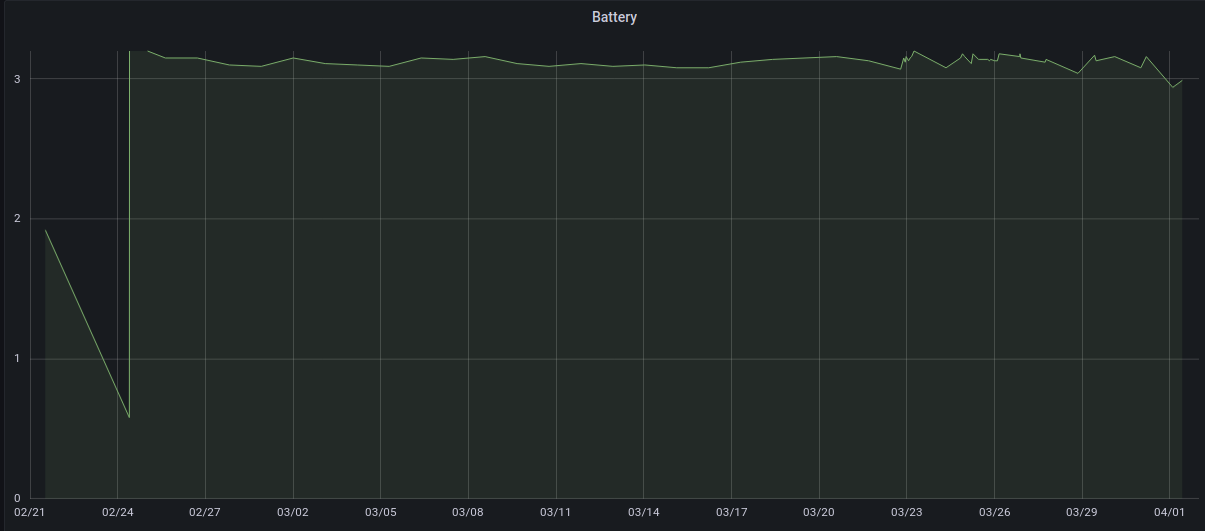
    Hi all, Should anyone face the same problem, I found the root cause: brownout threshold. I burned a new bootloader (Optiboot 8.0) without such trigger and the node has been working with used batteries (~2.7V) since May. Hope this helps.
  • Remotes will not connect after latest compile

    3
    0 Votes
    3 Posts
    350 Views
    G
    Thanks for the quick response. Yep! When I updated the IDE I forgot to modify the settings (915 MHz) in the new myconfig.h file. Doh! All good now.
  • Send 2x relay states to Home Assistant to make them visible?

    15
    0 Votes
    15 Posts
    1k Views
    E
    @Matt Yes, the landscape there is incredible. Unfortunately, I mostly have to work when I'm there :) Where are you from?
  • Pulse Water Meter, cant see anything

    4
    0 Votes
    4 Posts
    382 Views
    Thib.T
    Its seems to be working with this last sketch https://github.com/paolo-rendano/MySensors/blob/c01e14d0942de68126d67325a0687b1a6ce4fa16/examples/WaterMeterPulseSensor/WaterMeterPulseSensor.ino need some time to test it thanks
  • Compile on arm64 Raspi 3

    5
    0 Votes
    5 Posts
    580 Views
    M
    @monte thanks, did it!
  • Termite terminal for RS485

    1
    0 Votes
    1 Posts
    373 Views
    No one has replied
  • 433MHz amplified (>5V)

    22
    0 Votes
    22 Posts
    13k Views
    Yohann StreibelY
    Hi, I create a rflink pcb with this schema [image: 1692351051576-rflink_schema.jpeg]. I have an emission issue, the module RF 433Mhz Out not have 12v in VOUT+. What could I need to do. This is the pcb design, maybe it needs some improvement. [image: 1692351218669-mon_rflink_pcb_design-resized.png] [image: 1692351244899-mon_rflink_pcb.png] Thanks
  • Help me build a 6-light-sensor & 2 ch relay node.

    3
    2
    0 Votes
    3 Posts
    402 Views
    H
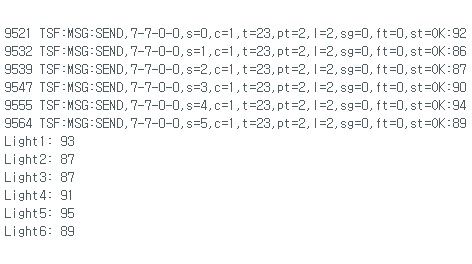
    Only if you send a correct message from the controller to the node the receive function is called. I don't see a receive in your log. I think in your case the receive-function is not called (or called with a wrong message type or node id). Put a serial.print("receive() is called with type "); serial.println(message.getType()); on top of the receive function to see if the receive function is called and which type is handed over..
  • Requesting for help building traffic light led module node

    5
    0 Votes
    5 Posts
    508 Views
    A
    I am sharing my sketch. Based on the sketch below, I am using this led light to show air quality status (good for green, normal for yellow and bad for red). This sketch is just a switch so you should make some automation in HA. https://www.amazon.com/Traffic-Display-Module-Arduino-Mini-Traffic/dp/B07SZMRSDN #define MY_DEBUG #define MY_RADIO_RF24 #define MY_NODE_ID 16 #define MY_RF24_PA_LEVEL RF24_PA_LOW #include <MySensors.h> #define CHILD_ID_GREEN 1 #define CHILD_ID_YELLOW 2 #define CHILD_ID_RED 3 #define GREEN_PIN 3 #define YELLOW_PIN 4 #define RED_PIN 5 bool greenState = false; bool yellowState = false; bool redState = false; MyMessage msgGreen(CHILD_ID_GREEN, V_LIGHT); MyMessage msgYellow(CHILD_ID_YELLOW, V_LIGHT); MyMessage msgRed(CHILD_ID_RED, V_LIGHT); void setup() { Serial.begin(115200); pinMode(GREEN_PIN, OUTPUT); pinMode(YELLOW_PIN, OUTPUT); pinMode(RED_PIN, OUTPUT); wait(200); } void presentation() { // Initialize the MySensors communication sendSketchInfo("Traffic Light Node", "1.0"); present(CHILD_ID_GREEN, S_LIGHT); present(CHILD_ID_YELLOW, S_LIGHT); present(CHILD_ID_RED, S_LIGHT); } void loop() { // Send initial values of the LEDs to the controller send(msgGreen.set(greenState ? 1 : 0)); send(msgYellow.set(yellowState ? 1 : 0)); send(msgRed.set(redState ? 1 : 0)); // Other tasks in the loop if needed // ... // Add a delay to control how often the initial values are sent delay(5000); // Send initial values every 5 seconds (adjust as needed) } void receive(const MyMessage &message) { // Check which LED to control based on the message received if (message.sensor == CHILD_ID_GREEN && message.type == V_LIGHT) { greenState = !greenState; // Toggle the state digitalWrite(GREEN_PIN, greenState ? HIGH : LOW); // Set the pin accordingly send(msgGreen.set(greenState ? 1 : 0)); // Report back the new state } else if (message.sensor == CHILD_ID_YELLOW && message.type == V_LIGHT) { yellowState = !yellowState; digitalWrite(YELLOW_PIN, yellowState ? HIGH : LOW); send(msgYellow.set(yellowState ? 1 : 0)); } else if (message.sensor == CHILD_ID_RED && message.type == V_LIGHT) { redState = !redState; digitalWrite(RED_PIN, redState ? HIGH : LOW); send(msgRed.set(redState ? 1 : 0)); } }
  • Consistent NACK + RPI Gateway

    5
    0 Votes
    5 Posts
    466 Views
    OumuamuaO
    Hi all, Should any one need, the fix mentioned in this page actually works. Thanks,
  • Error when restarting Homeassistant (mysensors-error)

    8
    2
    0 Votes
    8 Posts
    754 Views
    B
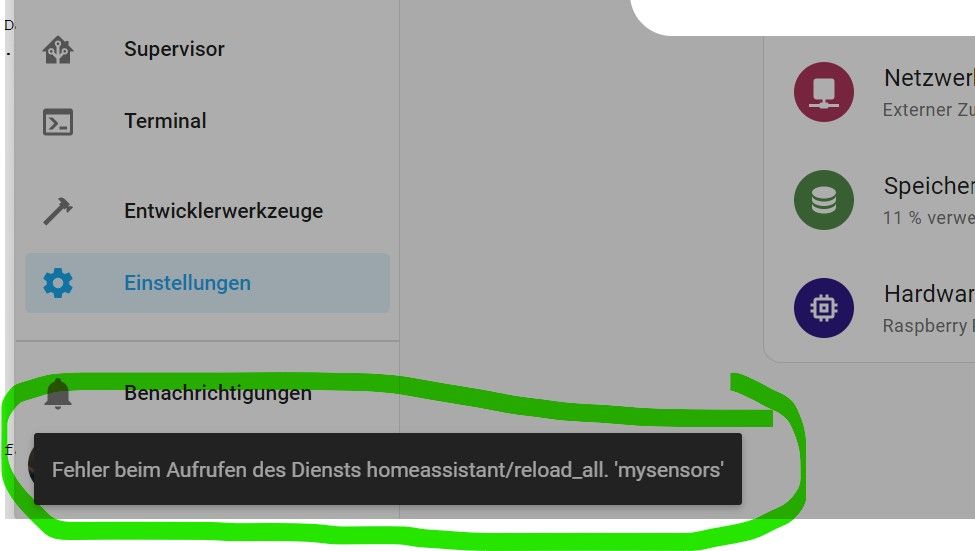
    thanks again Edi. I will first make a full backup and put it on a new ssd. after that i will test your solutions as far as i can. sorry, i must have overlooked the code snippets function. best regards
  • ATMEGA 328 Timer/Counter2 frequency problem

    2
    0 Votes
    2 Posts
    346 Views
    E
    Hi Monte! May you please post your sketch? Thank you very much, edi
  • Lights on after gateway reboot

    6
    0 Votes
    6 Posts
    517 Views
    electrikE
    If the message is retained, it will show up already when you connect MQTT explorer to the broker, without HA sending a message yet
  • MySensor Network on RS485 - only single node visible

    mysensors
    13
    0 Votes
    13 Posts
    1k Views
    R
    Very useful topic for me, thanks. Even though it's been a long time, the information was useful to me. And especially the information on the link you sent.
  • Unsolved problem with RFM95

    1
    0 Votes
    1 Posts
    143 Views
    No one has replied
  • RSSI affects Sleep Timer??

    5
    0 Votes
    5 Posts
    502 Views
    J
    thanks for the feedback
  • Error sending switch command, check device/hardware !

    18
    0 Votes
    18 Posts
    7k Views
    G
    Solved by adding a short delay between the RX/TX turnaround when replying with an ACK message. In file MyTransport.cpp at line 706 in the "if (msg.getRequestEcho) block, right after the debug message "TSF:MSG:"ECHO REQ" added a 2ms delay to allow the caller to switch from TX to RX mode. GS
  • NRF24 nodes failing to connect on channels below ~100

    10
    0 Votes
    10 Posts
    741 Views
    E
    @GaryStofer Okay, then sounds like you're doing what I would. Are you able to turn on debug and connect serial to it to troubleshoot that way? Without getting more info on it, I'm out of ideas at the moment.
  • How to change the RFM69 Modem configuration?

    3
    0 Votes
    3 Posts
    331 Views
    G
    Working great! Thanks very much!

12

Online

11.9k

Users

11.2k

Topics

113.3k

Posts