
💬 Battery Powered Sensors
-
@nekitoss If I were you I;d reflash the bootloader and chec again. I got my pro mini with ebyte nrf24 to work and register with the gateway all the way down to 1.63V, so somethingi is wrong if you are loosing it at 2.7V (which is also as it happens, a BoD setting for atmel 328p). For the test I used minicore bootloader iwth Bod disabled and 2MHz clock. Bench power supply for the voltage variation.
@skywatch Thank you very much! Your advice helped. Not shure what it was on BOTH devices - my mistake or some corruption of fuses/program.
On first device (where i found problem) - there were different fuse bits (but according to my eyes BOD was even disabed, but not shure). On the second (where i tested) fuses were checked and were correct. I tried to play with fuses and erase chip... and something strange happened - or chip memory was broken or i can't verify program when box "erase flash and eeprom" is checked... so i took fresh nano, programmed it and resoldered MCU into the second device.
So both devices now are fixed and tested - both work till ~1.9V.
Thanks, you saved my brains! -
@skywatch Thank you very much! Your advice helped. Not shure what it was on BOTH devices - my mistake or some corruption of fuses/program.
On first device (where i found problem) - there were different fuse bits (but according to my eyes BOD was even disabed, but not shure). On the second (where i tested) fuses were checked and were correct. I tried to play with fuses and erase chip... and something strange happened - or chip memory was broken or i can't verify program when box "erase flash and eeprom" is checked... so i took fresh nano, programmed it and resoldered MCU into the second device.
So both devices now are fixed and tested - both work till ~1.9V.
Thanks, you saved my brains! -
Hi from France;
I've tried everything I could and no way to put My temp. sensor to deep sleep.
so I went back to the very beginning with a bare Pro-Min 3.3v and I tryed this:
#include <LowPower.h>
void setup() {
pinMode(13, OUTPUT);
}
void loop() {
LowPower.powerDown(SLEEP_8S, ADC_OFF, BOD_OFF);
digitalWrite(13, HIGH);
delay(1000);
digitalWrite(13, LOW);
}
My boad is going to sleep;
YEEEESSS ! the pb is NOT comming from the board itself....eating a bunch ou micro amp;
Then I've added the minimum requested to make a MySensor extension and I tried this:
#define MY_RADIO_NRF24 // Choix du module radio
#define MY_RF24_PA_LEVEL (RF24_PA_HIGH) //CHOIX: RF24_PA_MIN; RF24_PA_LOW; RF24_PA_HIGH; RF24_PA_MAX
#define RF24_CHANNEL 76
#define RF24_DATARATE RF24_250KBPS
#include <MySensors.h>
#include <LowPower.h>
void setup() {
pinMode(13, OUTPUT);
}
void loop() {
LowPower.powerDown(SLEEP_8S, ADC_OFF, BOD_OFF);
digitalWrite(13, HIGH);
delay(1000);
digitalWrite(13, LOW);
}
The boad stays awaken (4 mA current)
So may be the problem is comming from LowPower library...
I tried this minimal prgm recommended in a tutorial, using MySensors library and SLEEP function:
// Enable and select radio type attached
#define MY_RADIO_RF24
#include <MySensors.h>
uint32_t SLEEP_TIME = 900000; // sleep time between reads (in seconds * 1000 )
int oldBatteryPcnt = 0;
#define FULL_BATTERY 3 // 3V for 2xAA alkaline. Adjust if you use a different battery setup.
void setup()
{
}
void presentation()
{
// Send the sketch version information to the gateway and Controller
sendSketchInfo("Battery Meter", "1.0");
}
void loop()
{
// get the battery Voltage
long batteryMillivolts = hwCPUVoltage();
int batteryPcnt = batteryMillivolts / FULL_BATTERY / 1000.0 * 100 + 0.5;
if (oldBatteryPcnt != batteryPcnt) {
sendBatteryLevel(batteryPcnt);
oldBatteryPcnt = batteryPcnt;
}
sleep(SLEEP_TIME);
}
NO WAY AGAIN; The board is still eating 4mA all the way long.
I'm lost !!!! Please HELP ME .... -
Hi from France;
I've tried everything I could and no way to put My temp. sensor to deep sleep.
so I went back to the very beginning with a bare Pro-Min 3.3v and I tryed this:
#include <LowPower.h>
void setup() {
pinMode(13, OUTPUT);
}
void loop() {
LowPower.powerDown(SLEEP_8S, ADC_OFF, BOD_OFF);
digitalWrite(13, HIGH);
delay(1000);
digitalWrite(13, LOW);
}
My boad is going to sleep;
YEEEESSS ! the pb is NOT comming from the board itself....eating a bunch ou micro amp;
Then I've added the minimum requested to make a MySensor extension and I tried this:
#define MY_RADIO_NRF24 // Choix du module radio
#define MY_RF24_PA_LEVEL (RF24_PA_HIGH) //CHOIX: RF24_PA_MIN; RF24_PA_LOW; RF24_PA_HIGH; RF24_PA_MAX
#define RF24_CHANNEL 76
#define RF24_DATARATE RF24_250KBPS
#include <MySensors.h>
#include <LowPower.h>
void setup() {
pinMode(13, OUTPUT);
}
void loop() {
LowPower.powerDown(SLEEP_8S, ADC_OFF, BOD_OFF);
digitalWrite(13, HIGH);
delay(1000);
digitalWrite(13, LOW);
}
The boad stays awaken (4 mA current)
So may be the problem is comming from LowPower library...
I tried this minimal prgm recommended in a tutorial, using MySensors library and SLEEP function:
// Enable and select radio type attached
#define MY_RADIO_RF24
#include <MySensors.h>
uint32_t SLEEP_TIME = 900000; // sleep time between reads (in seconds * 1000 )
int oldBatteryPcnt = 0;
#define FULL_BATTERY 3 // 3V for 2xAA alkaline. Adjust if you use a different battery setup.
void setup()
{
}
void presentation()
{
// Send the sketch version information to the gateway and Controller
sendSketchInfo("Battery Meter", "1.0");
}
void loop()
{
// get the battery Voltage
long batteryMillivolts = hwCPUVoltage();
int batteryPcnt = batteryMillivolts / FULL_BATTERY / 1000.0 * 100 + 0.5;
if (oldBatteryPcnt != batteryPcnt) {
sendBatteryLevel(batteryPcnt);
oldBatteryPcnt = batteryPcnt;
}
sleep(SLEEP_TIME);
}
NO WAY AGAIN; The board is still eating 4mA all the way long.
I'm lost !!!! Please HELP ME ....@Gilles-BILLARD Using the lowpower lib and mysensors lib together will probably give conflicts, so you should avoid it. MySensors lib implements the same low power tricks.
When doing the latest test sketch, are you doing this also with a bare pro-mini 3.3V?
So not connected to anything, no radio, no sensor?
Try the same latest sketch, but set everything inside the loop() in comment except the sleep line. -
Thanks EVB;
- Yes; Last test with a bare pro-mini 3.3v
- I did that...
// Enable and select radio type attached
#define MY_RADIO_RF24
#include <MySensors.h>
uint32_t SLEEP_TIME = 900000;  // sleep time between reads (in seconds * 1000 )
int oldBatteryPcnt = 0;
#define FULL_BATTERY 3 // 3V for 2xAA alkaline. Adjust if you use a different battery setup.
void setup()
{
}
void presentation()
{
  // Send the sketch version information to the gateway and Controller
  sendSketchInfo("Battery Meter", "1.0");
}
void loop()
{
//    // get the battery Voltage
//    long batteryMillivolts = hwCPUVoltage();
//    int batteryPcnt = batteryMillivolts / FULL_BATTERY / 1000.0 * 100 + 0.5;
//
//    if (oldBatteryPcnt != batteryPcnt) {
//      sendBatteryLevel(batteryPcnt);
//      oldBatteryPcnt = batteryPcnt;
//  }
  sleep(SLEEP_TIME);
}
Again : 4.2mA (no sleep )
So sad ! :disappointed_relieved: -
@Gilles-BILLARD IT took me some time to work it out and get it working.
I suggest you install MiniCore library - it is easy to follow simple steps and takes a minute or two.
Then burn a bootloader into the atmega, I always use 3.3V, disable BoD and 4MHz or 8MHz internal clock. You can use one arduino to program another or just get a USB programmer from your preferred source (about $2).
Once your pro mini is booeloaded and you have your sketch in installed , remove the Power LED (or the series resistor for the LED) and also remove the voltage regulator (or cut the tracks as shown in the battery powered page).
You won't get down to <10uA in sleep unless you do all of this.
-
Thanks Skywatch,
My Pro-Mini boards are comming from Aliexpress, so, I was also thinking about the bootloader... what else ?
I'll do what you explain ASAP and be back to say what...
BTW: I already have cut the tracks powering the LED & regulator -
@Gilles-BILLARD IT took me some time to work it out and get it working.
I suggest you install MiniCore library - it is easy to follow simple steps and takes a minute or two.
Then burn a bootloader into the atmega, I always use 3.3V, disable BoD and 4MHz or 8MHz internal clock. You can use one arduino to program another or just get a USB programmer from your preferred source (about $2).
Once your pro mini is booeloaded and you have your sketch in installed , remove the Power LED (or the series resistor for the LED) and also remove the voltage regulator (or cut the tracks as shown in the battery powered page).
You won't get down to <10uA in sleep unless you do all of this.
@skywatch NO WAY ! So bad !
I burned the MiniCore bootloader quite eazily using a second Pro-Mini loaded with Arduino BootLoader ( juste a file name error; looking for optiboot_flash_atmega328p_UART1_115200_16000000L_B5.hex but only optiboot_flash_atmega328p_UART0_115200_16000000L_B5.hex on the folder, so I just changed 0-->1 in the file name) and the résult was:
*
avrdude: Version 6.3-20201216
Copyright (c) 2000-2005 Brian Dean, http://www.bdmicro.com/
Copyright (c) 2007-2014 Joerg WunschSystem wide configuration file is "C:\Users\billa\AppData\Local\Arduino15\packages\MiniCore\hardware\avr\2.1.0/avrdude.conf" Using Port : COM7 Using Programmer : stk500v1 Overriding Baud Rate : 19200 AVR Part : ATmega328P Chip Erase delay : 9000 us PAGEL : PD7 BS2 : PC2 RESET disposition : dedicated RETRY pulse : SCK serial program mode : yes parallel program mode : yes Timeout : 200 StabDelay : 100 CmdexeDelay : 25 SyncLoops : 32 ByteDelay : 0 PollIndex : 3 PollValue : 0x53 Memory Detail : Block Poll Page Polled Memory Type Mode Delay Size Indx Paged Size Size #Pages MinW MaxW ReadBack ----------- ---- ----- ----- ---- ------ ------ ---- ------ ----- ----- --------- eeprom 65 20 4 0 no 1024 4 0 3600 3600 0xff 0xff flash 65 6 128 0 yes 32768 128 256 4500 4500 0xff 0xff lfuse 0 0 0 0 no 1 0 0 4500 4500 0x00 0x00 hfuse 0 0 0 0 no 1 0 0 4500 4500 0x00 0x00 efuse 0 0 0 0 no 1 0 0 4500 4500 0x00 0x00 lock 0 0 0 0 no 1 0 0 4500 4500 0x00 0x00 calibration 0 0 0 0 no 1 0 0 0 0 0x00 0x00 signature 0 0 0 0 no 3 0 0 0 0 0x00 0x00 Programmer Type : STK500 Description : Atmel STK500 Version 1.x firmware Hardware Version: 2 Firmware Version: 1.18 Topcard : Unknown Vtarget : 0.0 V Varef : 0.0 V Oscillator : Off SCK period : 0.1 usavrdude: AVR device initialized and ready to accept instructions
Reading | ################################################## | 100% 0.04s
avrdude: Device signature = 0x1e950f (probably m328p)
avrdude: NOTE: "flash" memory has been specified, an erase cycle will be performed
To disable this feature, specify the -D option.
avrdude: erasing chip
avrdude: reading input file "C:\Users\billa\AppData\Local\Arduino15\packages\MiniCore\hardware\avr\2.1.0/bootloaders/empty/empty.hex"
avrdude: writing flash (0 bytes):Writing | ################################################## | 100% 0.00s
avrdude: 0 bytes of flash written
avrdude: verifying flash memory against C:\Users\billa\AppData\Local\Arduino15\packages\MiniCore\hardware\avr\2.1.0/bootloaders/empty/empty.hex:
avrdude: load data flash data from input file C:\Users\billa\AppData\Local\Arduino15\packages\MiniCore\hardware\avr\2.1.0/bootloaders/empty/empty.hex:
avrdude: input file C:\Users\billa\AppData\Local\Arduino15\packages\MiniCore\hardware\avr\2.1.0/bootloaders/empty/empty.hex contains 0 bytes
avrdude: reading on-chip flash data:Reading | ################################################## | 100% -0.00s
avrdude: verifying ...
avrdude: 0 bytes of flash verified
avrdude: reading input file "0x0f"
avrdude: writing lock (1 bytes):Writing | ################################################## | 100% 0.04s
avrdude: 1 bytes of lock written
avrdude: verifying lock memory against 0x0f:
avrdude: load data lock data from input file 0x0f:
avrdude: input file 0x0f contains 1 bytes
avrdude: reading on-chip lock data:Reading | ################################################## | 100% 0.01s
avrdude: verifying ...
avrdude: 1 bytes of lock verifiedavrdude done. Thank you.
Then I loaded it with Blink demo...
At this point all's OKay. Both Po-Mini are blinking
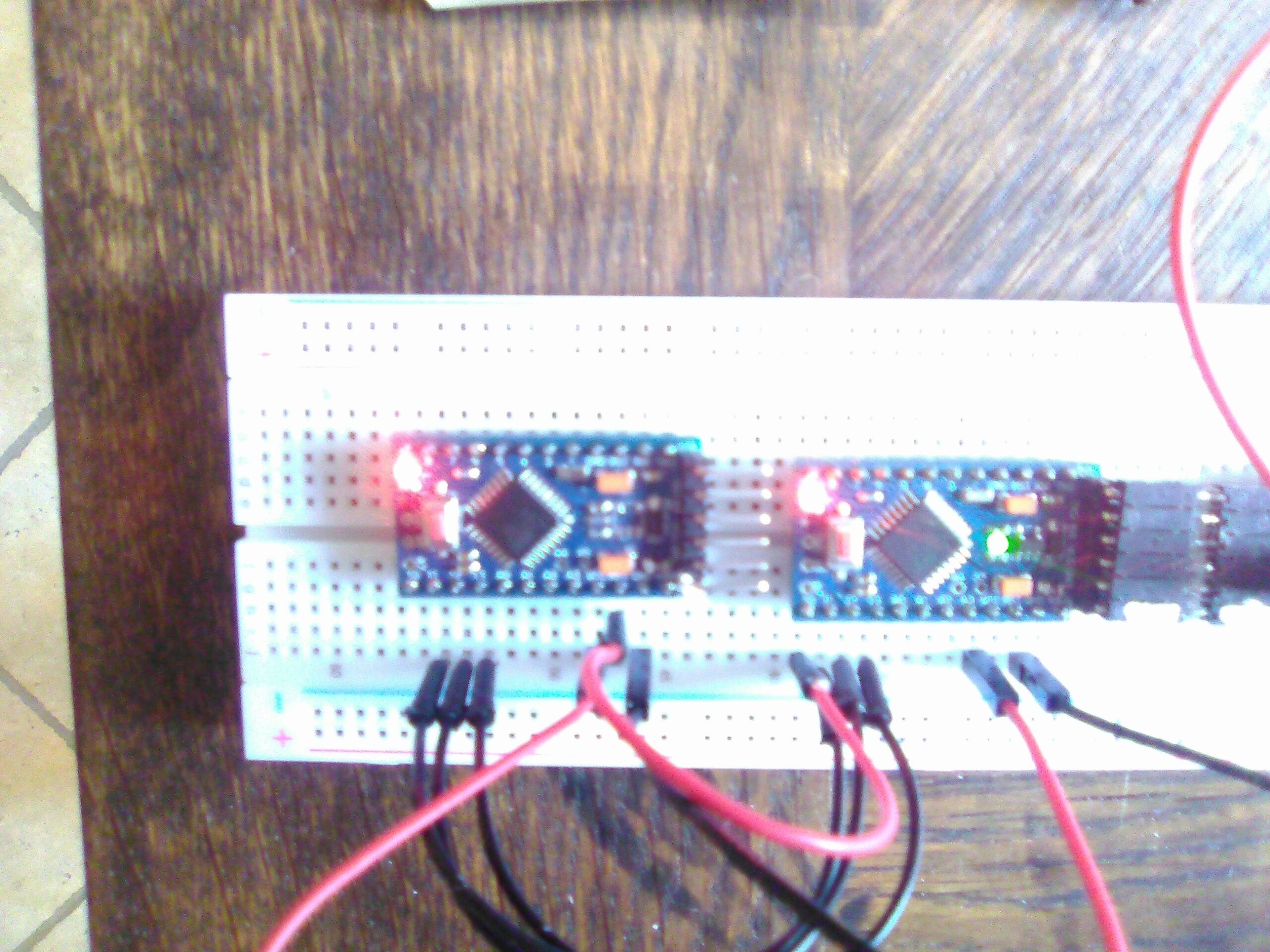
Then I've loaded the 2nd with that:// Enable and select radio type attached #define MY_RADIO_RF24 #include <MySensors.h> uint32_t SLEEP_TIME = 4000; // sleep time (in seconds * 1000 ) void setup() { pinMode(LED_BUILTIN, OUTPUT); } void presentation() { sendSketchInfo("Test Prgm", "1.0"); // Send the sketch version information to the gateway and Controller } void loop() { digitalWrite(LED_BUILTIN, HIGH); delay(1000); digitalWrite(LED_BUILTIN, LOW); delay(1000); sleep(SLEEP_TIME); }and...
the result is...
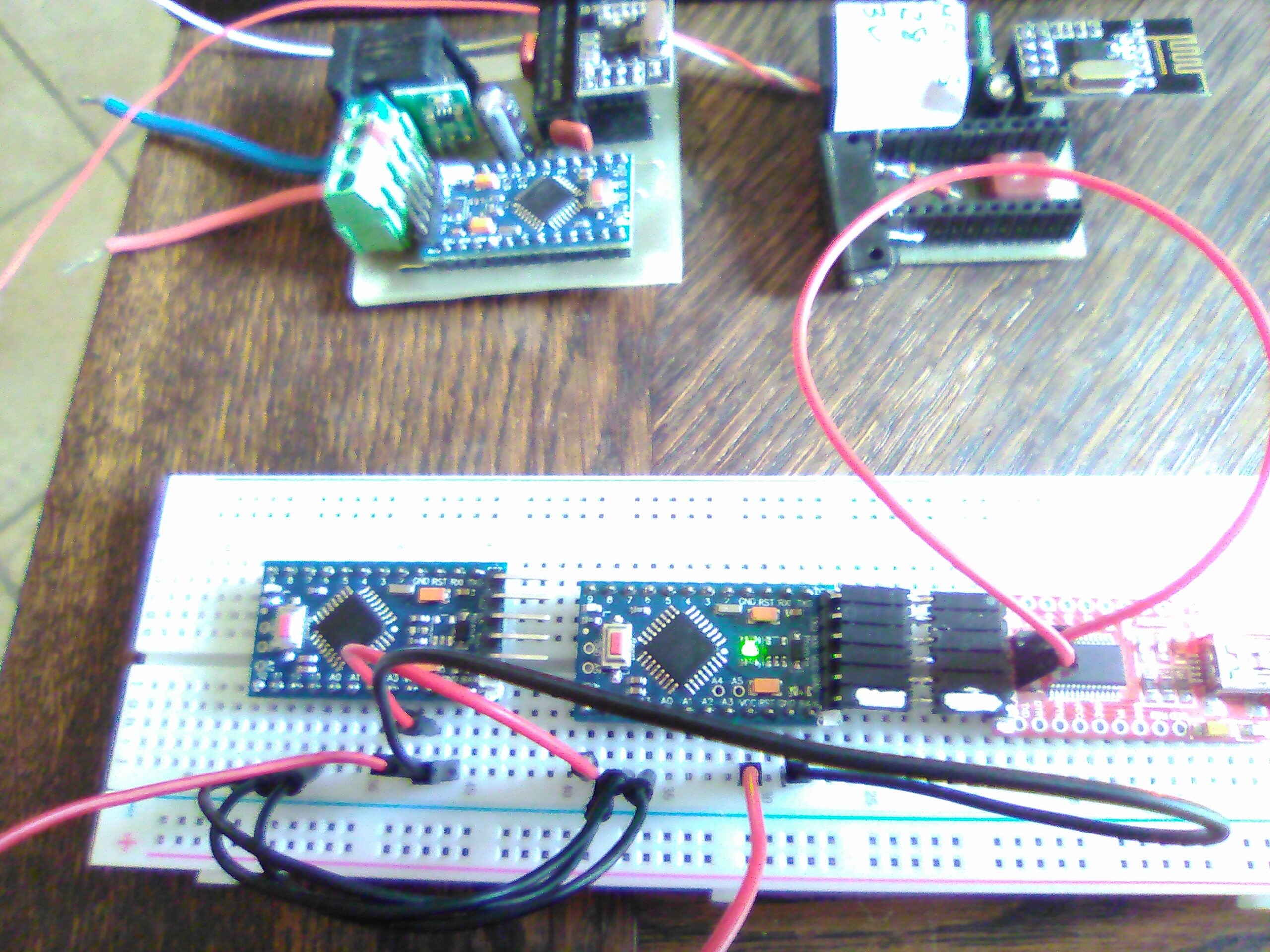
NO BLINK
(draining more or less 2mA; Varying quickly from 1600uA to 2000uA; I should put a scope probe on that....) -
@skywatch NO WAY ! So bad !
I burned the MiniCore bootloader quite eazily using a second Pro-Mini loaded with Arduino BootLoader ( juste a file name error; looking for optiboot_flash_atmega328p_UART1_115200_16000000L_B5.hex but only optiboot_flash_atmega328p_UART0_115200_16000000L_B5.hex on the folder, so I just changed 0-->1 in the file name) and the résult was:
*
avrdude: Version 6.3-20201216
Copyright (c) 2000-2005 Brian Dean, http://www.bdmicro.com/
Copyright (c) 2007-2014 Joerg WunschSystem wide configuration file is "C:\Users\billa\AppData\Local\Arduino15\packages\MiniCore\hardware\avr\2.1.0/avrdude.conf" Using Port : COM7 Using Programmer : stk500v1 Overriding Baud Rate : 19200 AVR Part : ATmega328P Chip Erase delay : 9000 us PAGEL : PD7 BS2 : PC2 RESET disposition : dedicated RETRY pulse : SCK serial program mode : yes parallel program mode : yes Timeout : 200 StabDelay : 100 CmdexeDelay : 25 SyncLoops : 32 ByteDelay : 0 PollIndex : 3 PollValue : 0x53 Memory Detail : Block Poll Page Polled Memory Type Mode Delay Size Indx Paged Size Size #Pages MinW MaxW ReadBack ----------- ---- ----- ----- ---- ------ ------ ---- ------ ----- ----- --------- eeprom 65 20 4 0 no 1024 4 0 3600 3600 0xff 0xff flash 65 6 128 0 yes 32768 128 256 4500 4500 0xff 0xff lfuse 0 0 0 0 no 1 0 0 4500 4500 0x00 0x00 hfuse 0 0 0 0 no 1 0 0 4500 4500 0x00 0x00 efuse 0 0 0 0 no 1 0 0 4500 4500 0x00 0x00 lock 0 0 0 0 no 1 0 0 4500 4500 0x00 0x00 calibration 0 0 0 0 no 1 0 0 0 0 0x00 0x00 signature 0 0 0 0 no 3 0 0 0 0 0x00 0x00 Programmer Type : STK500 Description : Atmel STK500 Version 1.x firmware Hardware Version: 2 Firmware Version: 1.18 Topcard : Unknown Vtarget : 0.0 V Varef : 0.0 V Oscillator : Off SCK period : 0.1 usavrdude: AVR device initialized and ready to accept instructions
Reading | ################################################## | 100% 0.04s
avrdude: Device signature = 0x1e950f (probably m328p)
avrdude: NOTE: "flash" memory has been specified, an erase cycle will be performed
To disable this feature, specify the -D option.
avrdude: erasing chip
avrdude: reading input file "C:\Users\billa\AppData\Local\Arduino15\packages\MiniCore\hardware\avr\2.1.0/bootloaders/empty/empty.hex"
avrdude: writing flash (0 bytes):Writing | ################################################## | 100% 0.00s
avrdude: 0 bytes of flash written
avrdude: verifying flash memory against C:\Users\billa\AppData\Local\Arduino15\packages\MiniCore\hardware\avr\2.1.0/bootloaders/empty/empty.hex:
avrdude: load data flash data from input file C:\Users\billa\AppData\Local\Arduino15\packages\MiniCore\hardware\avr\2.1.0/bootloaders/empty/empty.hex:
avrdude: input file C:\Users\billa\AppData\Local\Arduino15\packages\MiniCore\hardware\avr\2.1.0/bootloaders/empty/empty.hex contains 0 bytes
avrdude: reading on-chip flash data:Reading | ################################################## | 100% -0.00s
avrdude: verifying ...
avrdude: 0 bytes of flash verified
avrdude: reading input file "0x0f"
avrdude: writing lock (1 bytes):Writing | ################################################## | 100% 0.04s
avrdude: 1 bytes of lock written
avrdude: verifying lock memory against 0x0f:
avrdude: load data lock data from input file 0x0f:
avrdude: input file 0x0f contains 1 bytes
avrdude: reading on-chip lock data:Reading | ################################################## | 100% 0.01s
avrdude: verifying ...
avrdude: 1 bytes of lock verifiedavrdude done. Thank you.
Then I loaded it with Blink demo...
At this point all's OKay. Both Po-Mini are blinking
Then I've loaded the 2nd with that:// Enable and select radio type attached #define MY_RADIO_RF24 #include <MySensors.h> uint32_t SLEEP_TIME = 4000; // sleep time (in seconds * 1000 ) void setup() { pinMode(LED_BUILTIN, OUTPUT); } void presentation() { sendSketchInfo("Test Prgm", "1.0"); // Send the sketch version information to the gateway and Controller } void loop() { digitalWrite(LED_BUILTIN, HIGH); delay(1000); digitalWrite(LED_BUILTIN, LOW); delay(1000); sleep(SLEEP_TIME); }and...
the result is...
NO BLINK
(draining more or less 2mA; Varying quickly from 1600uA to 2000uA; I should put a scope probe on that....) -
@Gilles-BILLARD from the photos it seems you didn't connect a radio. If that is the case, the loop will not be entered and your arduino won't sleep!
-
@Yveaux
YESSSSSS !<
That was the last problèm to solve.
Back with my own MySensors routine all is perfect ! (8uA in sleep mode)
I am very happy now and I thank all those who assisted me.
You've made my day !
Gilles -
@skywatch NO WAY ! So bad !
I burned the MiniCore bootloader quite eazily using a second Pro-Mini loaded with Arduino BootLoader ( juste a file name error; looking for optiboot_flash_atmega328p_UART1_115200_16000000L_B5.hex but only optiboot_flash_atmega328p_UART0_115200_16000000L_B5.hex on the folder, so I just changed 0-->1 in the file name) and the résult was:
*
avrdude: Version 6.3-20201216
Copyright (c) 2000-2005 Brian Dean, http://www.bdmicro.com/
Copyright (c) 2007-2014 Joerg WunschSystem wide configuration file is "C:\Users\billa\AppData\Local\Arduino15\packages\MiniCore\hardware\avr\2.1.0/avrdude.conf" Using Port : COM7 Using Programmer : stk500v1 Overriding Baud Rate : 19200 AVR Part : ATmega328P Chip Erase delay : 9000 us PAGEL : PD7 BS2 : PC2 RESET disposition : dedicated RETRY pulse : SCK serial program mode : yes parallel program mode : yes Timeout : 200 StabDelay : 100 CmdexeDelay : 25 SyncLoops : 32 ByteDelay : 0 PollIndex : 3 PollValue : 0x53 Memory Detail : Block Poll Page Polled Memory Type Mode Delay Size Indx Paged Size Size #Pages MinW MaxW ReadBack ----------- ---- ----- ----- ---- ------ ------ ---- ------ ----- ----- --------- eeprom 65 20 4 0 no 1024 4 0 3600 3600 0xff 0xff flash 65 6 128 0 yes 32768 128 256 4500 4500 0xff 0xff lfuse 0 0 0 0 no 1 0 0 4500 4500 0x00 0x00 hfuse 0 0 0 0 no 1 0 0 4500 4500 0x00 0x00 efuse 0 0 0 0 no 1 0 0 4500 4500 0x00 0x00 lock 0 0 0 0 no 1 0 0 4500 4500 0x00 0x00 calibration 0 0 0 0 no 1 0 0 0 0 0x00 0x00 signature 0 0 0 0 no 3 0 0 0 0 0x00 0x00 Programmer Type : STK500 Description : Atmel STK500 Version 1.x firmware Hardware Version: 2 Firmware Version: 1.18 Topcard : Unknown Vtarget : 0.0 V Varef : 0.0 V Oscillator : Off SCK period : 0.1 usavrdude: AVR device initialized and ready to accept instructions
Reading | ################################################## | 100% 0.04s
avrdude: Device signature = 0x1e950f (probably m328p)
avrdude: NOTE: "flash" memory has been specified, an erase cycle will be performed
To disable this feature, specify the -D option.
avrdude: erasing chip
avrdude: reading input file "C:\Users\billa\AppData\Local\Arduino15\packages\MiniCore\hardware\avr\2.1.0/bootloaders/empty/empty.hex"
avrdude: writing flash (0 bytes):Writing | ################################################## | 100% 0.00s
avrdude: 0 bytes of flash written
avrdude: verifying flash memory against C:\Users\billa\AppData\Local\Arduino15\packages\MiniCore\hardware\avr\2.1.0/bootloaders/empty/empty.hex:
avrdude: load data flash data from input file C:\Users\billa\AppData\Local\Arduino15\packages\MiniCore\hardware\avr\2.1.0/bootloaders/empty/empty.hex:
avrdude: input file C:\Users\billa\AppData\Local\Arduino15\packages\MiniCore\hardware\avr\2.1.0/bootloaders/empty/empty.hex contains 0 bytes
avrdude: reading on-chip flash data:Reading | ################################################## | 100% -0.00s
avrdude: verifying ...
avrdude: 0 bytes of flash verified
avrdude: reading input file "0x0f"
avrdude: writing lock (1 bytes):Writing | ################################################## | 100% 0.04s
avrdude: 1 bytes of lock written
avrdude: verifying lock memory against 0x0f:
avrdude: load data lock data from input file 0x0f:
avrdude: input file 0x0f contains 1 bytes
avrdude: reading on-chip lock data:Reading | ################################################## | 100% 0.01s
avrdude: verifying ...
avrdude: 1 bytes of lock verifiedavrdude done. Thank you.
Then I loaded it with Blink demo...
At this point all's OKay. Both Po-Mini are blinking
Then I've loaded the 2nd with that:// Enable and select radio type attached #define MY_RADIO_RF24 #include <MySensors.h> uint32_t SLEEP_TIME = 4000; // sleep time (in seconds * 1000 ) void setup() { pinMode(LED_BUILTIN, OUTPUT); } void presentation() { sendSketchInfo("Test Prgm", "1.0"); // Send the sketch version information to the gateway and Controller } void loop() { digitalWrite(LED_BUILTIN, HIGH); delay(1000); digitalWrite(LED_BUILTIN, LOW); delay(1000); sleep(SLEEP_TIME); }and...
the result is...
NO BLINK
(draining more or less 2mA; Varying quickly from 1600uA to 2000uA; I should put a scope probe on that....)@Gilles-BILLARD Damn! Why did I order UNO if I could use another Pro Mini for programming... :)
-
@Gilles-BILLARD Damn! Why did I order UNO if I could use another Pro Mini for programming... :)
@tssk My Pro-Mini's are 3.3V, so this way I avoid the resistors dividers wiring to change 5V (Uno) to 3.3 (Pro-Mini);
May be you love creating problems where there are none ;-) -
Hy guys; So sorry but the procedure ran just once :-/
When I reproammed my soldred Pro-Minis (via the radio socket + 1 air wire to the reset pin) none was running as expected; The issue was a kind of permanent reboot..????
I tried to burn the MinCore bootloader and load my sketch into several brand new boards and the result was the same...
So I simplified and simplified again the sketches until this one:/*This sketch is cycling wether you comment MY-DEBUG..... SERIAL MONITOR report: 2021-04-04 17:20:04.426 Status: MySensors: Node: 20, Sketch Name: Temperature Sensor Test 2021-04-04 17:20:04.426 Status: MySensors: Node: 20, Sketch Version: G.B. 2021-04-04 17:20:15.378 (GiBi-Home) Temp (Temptest) 2021-04-04 17:20:15.368 Status: MySensors: Node: 20, Sketch Name: Temperature Sensor Test 2021-04-04 17:20:15.368 Status: MySensors: Node: 20, Sketch Version: G.B. . . . ......or running as it should do if you uncomment MY-DEBUG SERIAL MONITOR report: 2021-04-04 17:22:52.558 Status: MySensors: Node: 20, Sketch Name: Temperature Sensor Test 2021-04-04 17:22:52.558 Status: MySensors: Node: 20, Sketch Version: G.B. 2021-04-04 17:23:02.654 (GiBi-Home) Temp (Temptest) 2021-04-04 17:23:12.717 (GiBi-Home) Temp (Temptest) 2021-04-04 17:23:22.781 (GiBi-Home) Temp (Temptest) . . . NOTA: wether bootLoader is ordinary AVR bootloader or MiniCore's one */ //#define MY_DEBUG #define MY_RADIO_RF24 #include <MySensors.h> #include <DallasTemperature.h> #include <OneWire.h> #define ONE_WIRE_BUS 3 // Pin E/S de mesure OneWire oneWire(ONE_WIRE_BUS); // Instanciation du OneWire DallasTemperature sensors(&oneWire); // Passage de l'instance du OneWire à Dallas Temperature. MyMessage msg(0,V_TEMP); // Init temp msg void before() { sensors.begin();// démarre le OneWire } void setup() { } void presentation() { sendSketchInfo("Temperature Sensor Test", "GB.1.0"); present(0, S_TEMP); } void loop() { float (temperature) = sensors.getTempCByIndex(0); // acquisition du résultat temperature = float(int(temperature * 10)) / 10; // cast pour 1 seul chiffre après la virgule send(msg.setSensor(0).set(temperature,1)); sensors.requestTemperatures(); // ordre de mesure // ************Sleeping test *************** #ifdef MY_DEBUG delay(10000); // 10 secondes #else sleep(10000); #endif }and then this one
// Simplest test to to highlight my problèm // Ordinary delay function used on DEBUG // Sleep is used without DEBUG // Successiv Serial prints should be printed if loop entered //************************************************ /* Without DEBUG Serial monitor screen copy ⸮⸮ `_⸮ ⸮ߟ⸮ ⸮ ⸮o ⸮⸮ ⸮/ _⸮⸮⸮` ⸮⸮⸮ ⸮ ⸮⸮ `ߟ⸮ ⸮⸮⸮ ⸮ ⸮⸮`⸮⸮⸮ ⸮ ⸮⸮/⸮ ⸮ ⸮ ⸮ ⸮_⸮⸮ ⸮ / ⸮ ⸮ `⸮ ⸮/ ⸮⸮⸮/ ⸮`⸮⸮ ⸮⸮⸮/ ⸮⸮⸮ ⸮ ⸮ ⸮`⸮ ⸮⸮⸮ ⸮⸮⸮⸮⸮ ⸮ ⸮⸮/`⸮ ⸮ ⸮⸮⸮ ⸮ `⸮ ⸮ ⸮ `⸮⸮⸮`⸮ ⸮⸮⸮ ⸮_⸮⸮⸮⸮, |⸮_⸮⸮/ ⸮⸮ߟ⸮⸮⸮ ⸮⸮⸮_⸮⸮/⸮⸮⸮_/⸮⸮⸮ ⸮⸮⸮⸮/ ⸮⸮ߟ/` `2.3.2 ⸮é⸮u⸮ ⸮⸮ ⸮⸮⸮⸮ :. ⸮⸮ ⸮⸮ ⸮ߟ⸮ ⸮ ⸮/ ⸮⸮ ⸮/ ⸮⸮⸮⸮ ⸮⸮⸮ ⸮ ⸮⸮ ߟ⸮ ⸮⸮⸮ ⸮ ⸮⸮ ⸮_⸮ ⸮ ⸮⸮/⸮ ⸮ ⸮`⸮ ܟ⸮⸮ ⸮ / ⸮ ⸮ ⸮⸮`⸮/`⸮⸮⸮/ ⸮ ⸮⸮ ⸮ߟ/ ⸮⸮⸮ ⸮`⸮ `⸮`⸮ ⸮⸮⸮ ⸮⸮⸮⸮⸮ ⸮ `ߟ/ ⸮`⸮`ܟ⸮ ⸮ `⸮` ⸮ ⸮ ܟ⸮ ⸮ ⸮⸮⸮ `⸮⸮⸮⸮⸮⸮, ⸮⸮⸮⸮⸮/ ⸮⸮ߟ⸮⸮⸮ ⸮⸮⸮⸮ߟ/ܟ⸮⸮o⸮⸮⸮` ⸮⸮⸮⸮o ` ` ` ⸮⸮ߟo`` ` ` ` `` 2.3.2 ⸮⸮i⸮⸮⸮`⸮⸮`⸮⸮⸮⸮ :. ⸮⸮ ⸮⸮ ⸮⸮⸮⸮ ⸮ ⸮/` ⸮⸮ ` ⸮/ ⸮ߟ⸮ ⸮⸮⸮`⸮ ߟ `⸮ߟ `⸮⸮⸮ `⸮`⸮⸮ ⸮ߟ ⸮ ⸮⸮/⸮ ⸮ ⸮ ⸮ ⸮ߟ⸮ ⸮ / ⸮ ⸮ ⸮⸮ ⸮o`ߟ⸮/`⸮`⸮⸮ ⸮ߟo ⸮⸮⸮ ⸮`⸮ ⸮ ⸮ ⸮⸮⸮ ⸮_⸮⸮⸮`⸮``⸮⸮/`⸮ ⸮ ⸮⸮⸮ ⸮ `⸮` ⸮`⸮ `⸮ߟ`⸮ ⸮⸮⸮` ⸮⸮⸮⸮ߟl`⸮⸮⸮⸮⸮o`⸮ߟ⸮⸮⸮⸮ ⸮⸮⸮ߟ⸮/⸮⸮⸮⸮o⸮⸮⸮ `⸮⸮⸮⸮/ ` ⸮⸮⸮⸮/ ` ``` ``` 2.3.r etc.... ******************************************************* * With DEBUG Serial monitor screen copy ⸮⸮ ⸮⸮ ⸮⸮⸮⸮ ⸮ ⸮/ ⸮⸮` ⸮/ ⸮⸮⸮⸮ ߟ⸮`⸮ ⸮⸮` ⸮⸮⸮ ߟ⸮` ⸮ ⸮⸮`⸮⸮⸮ ⸮ ⸮⸮o⸮ ⸮ ⸮ ⸮ ⸮_⸮⸮ \ / ⸮ ⸮ ⸮_ ⸮/ ⸮⸮⸮/ ⸮ ⸮| ⸮⸮⸮o ⸮⸮⸮ ⸮ ⸮` ⸮`⸮ ⸮⸮⸮ ⸮⸮_⸮⸮ ⸮ ⸮⸮/ ⸮ ⸮ ⸮⸮⸮`⸮ ⸮ `⸮`⸮` ⸮ߟ ⸮ ⸮⸮⸮` ⸮⸮⸮ܟ⸮,`⸮⸮ߟ⸮o ⸮ߟ⸮⸮⸮⸮`⸮⸮⸮⸮⸮⸮/\⸮⸮⸮o⸮⸮⸮` ⸮ߟ⸮/ ⸮ߟ⸮/ ` ` ` 2.3.2 16 ̓⸮:⸮⸮⸮:⸮Ή⸮`⸮⸮⸮⸮,⸮⸮=⸮Ύ---,⸮Q=8,⸮⸮⸮=2u5,⸮E⸮=2.3.2 28 ⸮⸮⸮:⸮⸮⸮⸮ 28 T⸮⸮:⸮⸮⸮:⸮⸮=0 s6`⸮⸮⸮:⸮Ή⸮:⸮Ӑ ⸮⸮ 38`⸮⸮⸮:⸮I⸮:⸮K,⸮D=25 40 ⸮⸮⸮z⸮Ё⸮ 45 ?⸮⸮⸮z⸮⸮⸮:⸮⸮⸮⸮,25-25-255-255,⸮=255,⸮=3,⸮=7,⸮t=0,l=0,⸮⸮}0l⸮⸮}0,⸮⸮=⸮⸮: 10t0`ԓ⸮:⸮⸮⸮:⸮⸮⸮⸮,0-0-25,⸮=255,⸮}3,⸮=x,⸮⸮=1,⸮=1,sg=0:0 1046 T⸮⸮:⸮⸮⸮:⸮⸮⸮R ⸮⸮,Ʉ=0,⸮=1 20u4 ⸮⸮⸮:⸮Ё⸮zϋ 2054 ⸮S⸮:⸮⸮ 2056 ⸮⸮⸮:⸮⸮:⸮⸮ 2058 ԓ⸮:⸮Ќ 2064 ⸮⸮⸮:⸮⸮⸮:⸮⸮⸮⸮,25-25-0-0,⸮=255l⸮=s,⸮}24l⸮⸮=1,⸮=q,⸮⸮=0,⸮⸮=0l⸮⸮=⸮⸮:1 2076 ⸮⸮⸮:⸮S⸮:⸮⸮⸮⸮,0-0-25,⸮=255l⸮=3,⸮=25,⸮⸮=1,⸮=1,⸮⸮=0:1 2082 ⸮S⸮:⸮⸮⸮:⸮⸮⸮⸮ ⸮⸮C⸮,H⸮=1 2084 ⸮⸮⸮zՐ⸮z⸮⸮ 2086 ⸮⸮⸮:⸮⸮⸮ę:⸮⸮=25,⸮⸮⸮=0,⸮⸮⸮=1 2099 ⸮⸮⸮:⸮⸮⸮:⸮⸮⸮⸮,25-25-0-0,⸮=255,⸮=3,t=15,⸮⸮=6,⸮=2,⸮⸮=0,⸮⸮=0,⸮⸮=⸮⸮:0100 2107 ⸮S⸮:⸮Ӈ:⸮Ł⸮,0-0-25,⸮=255,⸮=3,⸮=q5,⸮⸮}6l⸮}2,⸮⸮}0z0q00 2117 ⸮⸮⸮:⸮Ӈ:⸮Ŏ⸮,ru-25-0m0,⸮=255,⸮=0,⸮=17,⸮⸮=0,⸮}5,⸮⸮}p,⸮⸮=p,⸮⸮}⸮⸮:2.3.2 21r9 ⸮⸮⸮:⸮⸮⸮:⸮⸮⸮⸮,25-25-0-0,⸮=255,⸮=3,⸮=6,⸮⸮=1,⸮=1,⸮⸮}0,⸮⸮=0l⸮⸮=⸮⸮:p 2142 ⸮⸮⸮:M⸮⸮:⸮E⸮⸮,p-p-25,⸮=255,⸮}sl⸮}vl⸮⸮}0,⸮=1,s⸮=0:⸮ 2154 ⸮⸮⸮:⸮⸮⸮:⸮⸮⸮⸮,25-25-0-0,⸮=r55,⸮=3,⸮=11,⸮⸮=0,⸮}9,⸮⸮=0l⸮⸮=0,⸮⸮}⸮⸮z⸮⸮⸮⸮ ⸮⸮⸮⸮ r1v6 ⸮⸮⸮:⸮⸮⸮:⸮⸮⸮⸮,25m25-0-0l⸮=r55,⸮=3,⸮=12,pt=0,⸮}6l⸮⸮=p,⸮⸮=0,⸮⸮=⸮⸮:⸮⸮.2np 217t ̓⸮z⸮⸮⸮:⸮⸮Q 2179 ⸮⸮⸮:M⸮⸮:⸮⸮⸮⸮,25-25-0-0,⸮=255,⸮=3,⸮=26,⸮⸮=1,l=1,⸮⸮=0,⸮⸮=0,⸮⸮}ϋ:2 2187 ԓ⸮:͓⸮:⸮Ł⸮,p-0m2u,⸮=25u,⸮}3,⸮=27l⸮⸮=1,l=1,⸮⸮=0z1 r1ys ⸮⸮⸮:Љ⸮z⸮⸮ą`⸮Ň=q 2q97`⸮⸮⸮:⸮G⸮:⸮T⸮ ⸮⸮)⸮⸮⸮ ⸮⸮ ⸮⸮⸮⸮ 2199 ̓⸮z⸮:⸮⸮⸮T ⸮⸮,⸮⸮⸮=1 :.:.:.:.:.:.:.:.:.:.:.:.:.:.:.:.:.:.:.:.:. */ #define MY_DEBUG #define MY_RADIO_RF24 #include <MySensors.h> #include <DallasTemperature.h> #include <OneWire.h> void setup() { Serial.begin(115200); Serial.println ("Début du test"); } void presentation() { sendSketchInfo("Test Prgm", "GB.2.0"); // Send the sketch version information to the gateway and Controller } void loop() { Serial.print (":."); #ifdef MY_DEBUG delay(10000); // 10 secondes #else sleep(10000); #endif }I have included the Domoticz log in the 1st one and the serial monitor report for the 2nd.
You can see, if "delay(xxx)" is in use, all's Okay, but if "sleep(xxx) is employed, the sketch is cycling in both sketches....
What is happening?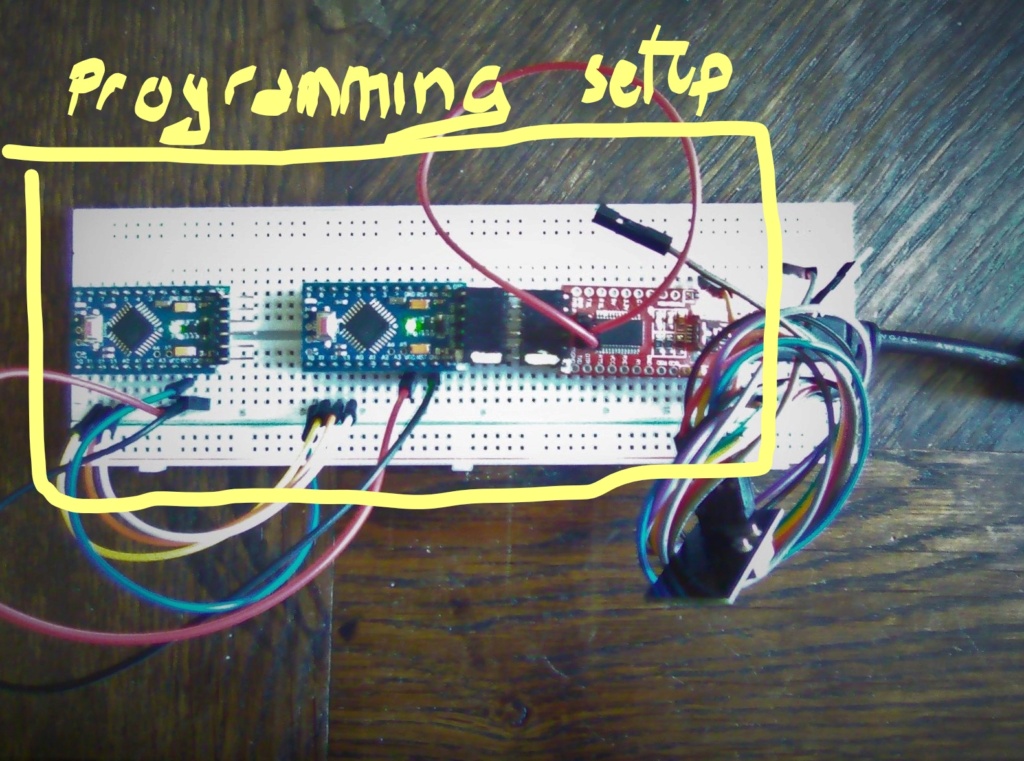
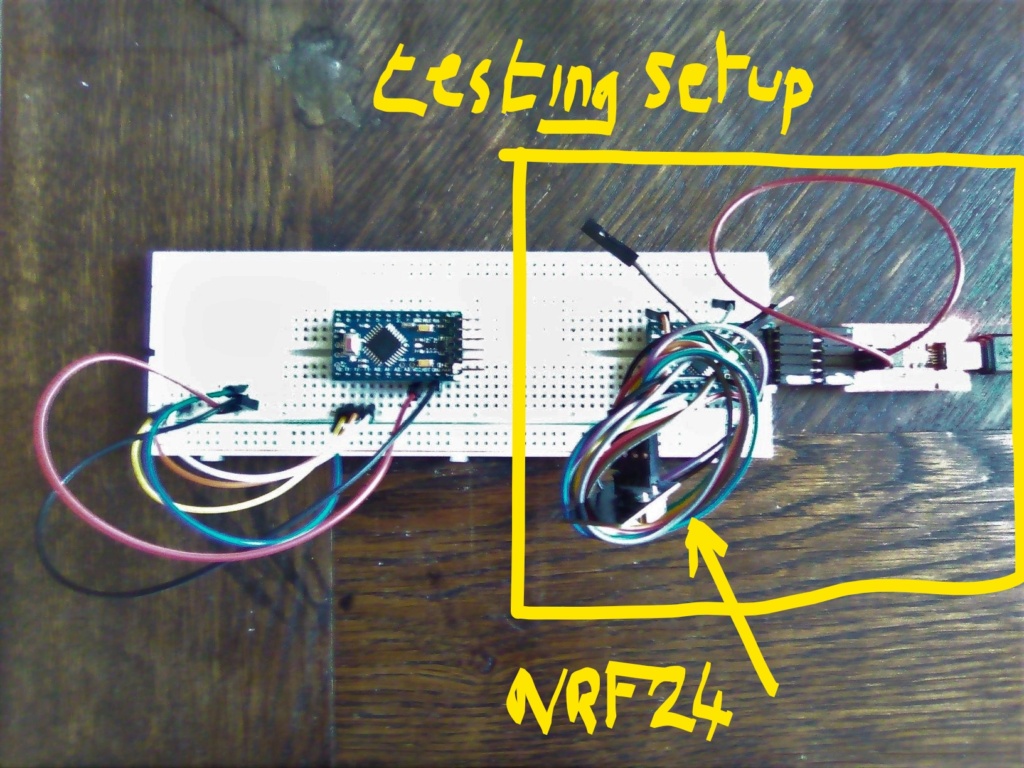
-
Hy guys; So sorry but the procedure ran just once :-/
When I reproammed my soldred Pro-Minis (via the radio socket + 1 air wire to the reset pin) none was running as expected; The issue was a kind of permanent reboot..????
I tried to burn the MinCore bootloader and load my sketch into several brand new boards and the result was the same...
So I simplified and simplified again the sketches until this one:/*This sketch is cycling wether you comment MY-DEBUG..... SERIAL MONITOR report: 2021-04-04 17:20:04.426 Status: MySensors: Node: 20, Sketch Name: Temperature Sensor Test 2021-04-04 17:20:04.426 Status: MySensors: Node: 20, Sketch Version: G.B. 2021-04-04 17:20:15.378 (GiBi-Home) Temp (Temptest) 2021-04-04 17:20:15.368 Status: MySensors: Node: 20, Sketch Name: Temperature Sensor Test 2021-04-04 17:20:15.368 Status: MySensors: Node: 20, Sketch Version: G.B. . . . ......or running as it should do if you uncomment MY-DEBUG SERIAL MONITOR report: 2021-04-04 17:22:52.558 Status: MySensors: Node: 20, Sketch Name: Temperature Sensor Test 2021-04-04 17:22:52.558 Status: MySensors: Node: 20, Sketch Version: G.B. 2021-04-04 17:23:02.654 (GiBi-Home) Temp (Temptest) 2021-04-04 17:23:12.717 (GiBi-Home) Temp (Temptest) 2021-04-04 17:23:22.781 (GiBi-Home) Temp (Temptest) . . . NOTA: wether bootLoader is ordinary AVR bootloader or MiniCore's one */ //#define MY_DEBUG #define MY_RADIO_RF24 #include <MySensors.h> #include <DallasTemperature.h> #include <OneWire.h> #define ONE_WIRE_BUS 3 // Pin E/S de mesure OneWire oneWire(ONE_WIRE_BUS); // Instanciation du OneWire DallasTemperature sensors(&oneWire); // Passage de l'instance du OneWire à Dallas Temperature. MyMessage msg(0,V_TEMP); // Init temp msg void before() { sensors.begin();// démarre le OneWire } void setup() { } void presentation() { sendSketchInfo("Temperature Sensor Test", "GB.1.0"); present(0, S_TEMP); } void loop() { float (temperature) = sensors.getTempCByIndex(0); // acquisition du résultat temperature = float(int(temperature * 10)) / 10; // cast pour 1 seul chiffre après la virgule send(msg.setSensor(0).set(temperature,1)); sensors.requestTemperatures(); // ordre de mesure // ************Sleeping test *************** #ifdef MY_DEBUG delay(10000); // 10 secondes #else sleep(10000); #endif }and then this one
// Simplest test to to highlight my problèm // Ordinary delay function used on DEBUG // Sleep is used without DEBUG // Successiv Serial prints should be printed if loop entered //************************************************ /* Without DEBUG Serial monitor screen copy ⸮⸮ `_⸮ ⸮ߟ⸮ ⸮ ⸮o ⸮⸮ ⸮/ _⸮⸮⸮` ⸮⸮⸮ ⸮ ⸮⸮ `ߟ⸮ ⸮⸮⸮ ⸮ ⸮⸮`⸮⸮⸮ ⸮ ⸮⸮/⸮ ⸮ ⸮ ⸮ ⸮_⸮⸮ ⸮ / ⸮ ⸮ `⸮ ⸮/ ⸮⸮⸮/ ⸮`⸮⸮ ⸮⸮⸮/ ⸮⸮⸮ ⸮ ⸮ ⸮`⸮ ⸮⸮⸮ ⸮⸮⸮⸮⸮ ⸮ ⸮⸮/`⸮ ⸮ ⸮⸮⸮ ⸮ `⸮ ⸮ ⸮ `⸮⸮⸮`⸮ ⸮⸮⸮ ⸮_⸮⸮⸮⸮, |⸮_⸮⸮/ ⸮⸮ߟ⸮⸮⸮ ⸮⸮⸮_⸮⸮/⸮⸮⸮_/⸮⸮⸮ ⸮⸮⸮⸮/ ⸮⸮ߟ/` `2.3.2 ⸮é⸮u⸮ ⸮⸮ ⸮⸮⸮⸮ :. ⸮⸮ ⸮⸮ ⸮ߟ⸮ ⸮ ⸮/ ⸮⸮ ⸮/ ⸮⸮⸮⸮ ⸮⸮⸮ ⸮ ⸮⸮ ߟ⸮ ⸮⸮⸮ ⸮ ⸮⸮ ⸮_⸮ ⸮ ⸮⸮/⸮ ⸮ ⸮`⸮ ܟ⸮⸮ ⸮ / ⸮ ⸮ ⸮⸮`⸮/`⸮⸮⸮/ ⸮ ⸮⸮ ⸮ߟ/ ⸮⸮⸮ ⸮`⸮ `⸮`⸮ ⸮⸮⸮ ⸮⸮⸮⸮⸮ ⸮ `ߟ/ ⸮`⸮`ܟ⸮ ⸮ `⸮` ⸮ ⸮ ܟ⸮ ⸮ ⸮⸮⸮ `⸮⸮⸮⸮⸮⸮, ⸮⸮⸮⸮⸮/ ⸮⸮ߟ⸮⸮⸮ ⸮⸮⸮⸮ߟ/ܟ⸮⸮o⸮⸮⸮` ⸮⸮⸮⸮o ` ` ` ⸮⸮ߟo`` ` ` ` `` 2.3.2 ⸮⸮i⸮⸮⸮`⸮⸮`⸮⸮⸮⸮ :. ⸮⸮ ⸮⸮ ⸮⸮⸮⸮ ⸮ ⸮/` ⸮⸮ ` ⸮/ ⸮ߟ⸮ ⸮⸮⸮`⸮ ߟ `⸮ߟ `⸮⸮⸮ `⸮`⸮⸮ ⸮ߟ ⸮ ⸮⸮/⸮ ⸮ ⸮ ⸮ ⸮ߟ⸮ ⸮ / ⸮ ⸮ ⸮⸮ ⸮o`ߟ⸮/`⸮`⸮⸮ ⸮ߟo ⸮⸮⸮ ⸮`⸮ ⸮ ⸮ ⸮⸮⸮ ⸮_⸮⸮⸮`⸮``⸮⸮/`⸮ ⸮ ⸮⸮⸮ ⸮ `⸮` ⸮`⸮ `⸮ߟ`⸮ ⸮⸮⸮` ⸮⸮⸮⸮ߟl`⸮⸮⸮⸮⸮o`⸮ߟ⸮⸮⸮⸮ ⸮⸮⸮ߟ⸮/⸮⸮⸮⸮o⸮⸮⸮ `⸮⸮⸮⸮/ ` ⸮⸮⸮⸮/ ` ``` ``` 2.3.r etc.... ******************************************************* * With DEBUG Serial monitor screen copy ⸮⸮ ⸮⸮ ⸮⸮⸮⸮ ⸮ ⸮/ ⸮⸮` ⸮/ ⸮⸮⸮⸮ ߟ⸮`⸮ ⸮⸮` ⸮⸮⸮ ߟ⸮` ⸮ ⸮⸮`⸮⸮⸮ ⸮ ⸮⸮o⸮ ⸮ ⸮ ⸮ ⸮_⸮⸮ \ / ⸮ ⸮ ⸮_ ⸮/ ⸮⸮⸮/ ⸮ ⸮| ⸮⸮⸮o ⸮⸮⸮ ⸮ ⸮` ⸮`⸮ ⸮⸮⸮ ⸮⸮_⸮⸮ ⸮ ⸮⸮/ ⸮ ⸮ ⸮⸮⸮`⸮ ⸮ `⸮`⸮` ⸮ߟ ⸮ ⸮⸮⸮` ⸮⸮⸮ܟ⸮,`⸮⸮ߟ⸮o ⸮ߟ⸮⸮⸮⸮`⸮⸮⸮⸮⸮⸮/\⸮⸮⸮o⸮⸮⸮` ⸮ߟ⸮/ ⸮ߟ⸮/ ` ` ` 2.3.2 16 ̓⸮:⸮⸮⸮:⸮Ή⸮`⸮⸮⸮⸮,⸮⸮=⸮Ύ---,⸮Q=8,⸮⸮⸮=2u5,⸮E⸮=2.3.2 28 ⸮⸮⸮:⸮⸮⸮⸮ 28 T⸮⸮:⸮⸮⸮:⸮⸮=0 s6`⸮⸮⸮:⸮Ή⸮:⸮Ӑ ⸮⸮ 38`⸮⸮⸮:⸮I⸮:⸮K,⸮D=25 40 ⸮⸮⸮z⸮Ё⸮ 45 ?⸮⸮⸮z⸮⸮⸮:⸮⸮⸮⸮,25-25-255-255,⸮=255,⸮=3,⸮=7,⸮t=0,l=0,⸮⸮}0l⸮⸮}0,⸮⸮=⸮⸮: 10t0`ԓ⸮:⸮⸮⸮:⸮⸮⸮⸮,0-0-25,⸮=255,⸮}3,⸮=x,⸮⸮=1,⸮=1,sg=0:0 1046 T⸮⸮:⸮⸮⸮:⸮⸮⸮R ⸮⸮,Ʉ=0,⸮=1 20u4 ⸮⸮⸮:⸮Ё⸮zϋ 2054 ⸮S⸮:⸮⸮ 2056 ⸮⸮⸮:⸮⸮:⸮⸮ 2058 ԓ⸮:⸮Ќ 2064 ⸮⸮⸮:⸮⸮⸮:⸮⸮⸮⸮,25-25-0-0,⸮=255l⸮=s,⸮}24l⸮⸮=1,⸮=q,⸮⸮=0,⸮⸮=0l⸮⸮=⸮⸮:1 2076 ⸮⸮⸮:⸮S⸮:⸮⸮⸮⸮,0-0-25,⸮=255l⸮=3,⸮=25,⸮⸮=1,⸮=1,⸮⸮=0:1 2082 ⸮S⸮:⸮⸮⸮:⸮⸮⸮⸮ ⸮⸮C⸮,H⸮=1 2084 ⸮⸮⸮zՐ⸮z⸮⸮ 2086 ⸮⸮⸮:⸮⸮⸮ę:⸮⸮=25,⸮⸮⸮=0,⸮⸮⸮=1 2099 ⸮⸮⸮:⸮⸮⸮:⸮⸮⸮⸮,25-25-0-0,⸮=255,⸮=3,t=15,⸮⸮=6,⸮=2,⸮⸮=0,⸮⸮=0,⸮⸮=⸮⸮:0100 2107 ⸮S⸮:⸮Ӈ:⸮Ł⸮,0-0-25,⸮=255,⸮=3,⸮=q5,⸮⸮}6l⸮}2,⸮⸮}0z0q00 2117 ⸮⸮⸮:⸮Ӈ:⸮Ŏ⸮,ru-25-0m0,⸮=255,⸮=0,⸮=17,⸮⸮=0,⸮}5,⸮⸮}p,⸮⸮=p,⸮⸮}⸮⸮:2.3.2 21r9 ⸮⸮⸮:⸮⸮⸮:⸮⸮⸮⸮,25-25-0-0,⸮=255,⸮=3,⸮=6,⸮⸮=1,⸮=1,⸮⸮}0,⸮⸮=0l⸮⸮=⸮⸮:p 2142 ⸮⸮⸮:M⸮⸮:⸮E⸮⸮,p-p-25,⸮=255,⸮}sl⸮}vl⸮⸮}0,⸮=1,s⸮=0:⸮ 2154 ⸮⸮⸮:⸮⸮⸮:⸮⸮⸮⸮,25-25-0-0,⸮=r55,⸮=3,⸮=11,⸮⸮=0,⸮}9,⸮⸮=0l⸮⸮=0,⸮⸮}⸮⸮z⸮⸮⸮⸮ ⸮⸮⸮⸮ r1v6 ⸮⸮⸮:⸮⸮⸮:⸮⸮⸮⸮,25m25-0-0l⸮=r55,⸮=3,⸮=12,pt=0,⸮}6l⸮⸮=p,⸮⸮=0,⸮⸮=⸮⸮:⸮⸮.2np 217t ̓⸮z⸮⸮⸮:⸮⸮Q 2179 ⸮⸮⸮:M⸮⸮:⸮⸮⸮⸮,25-25-0-0,⸮=255,⸮=3,⸮=26,⸮⸮=1,l=1,⸮⸮=0,⸮⸮=0,⸮⸮}ϋ:2 2187 ԓ⸮:͓⸮:⸮Ł⸮,p-0m2u,⸮=25u,⸮}3,⸮=27l⸮⸮=1,l=1,⸮⸮=0z1 r1ys ⸮⸮⸮:Љ⸮z⸮⸮ą`⸮Ň=q 2q97`⸮⸮⸮:⸮G⸮:⸮T⸮ ⸮⸮)⸮⸮⸮ ⸮⸮ ⸮⸮⸮⸮ 2199 ̓⸮z⸮:⸮⸮⸮T ⸮⸮,⸮⸮⸮=1 :.:.:.:.:.:.:.:.:.:.:.:.:.:.:.:.:.:.:.:.:. */ #define MY_DEBUG #define MY_RADIO_RF24 #include <MySensors.h> #include <DallasTemperature.h> #include <OneWire.h> void setup() { Serial.begin(115200); Serial.println ("Début du test"); } void presentation() { sendSketchInfo("Test Prgm", "GB.2.0"); // Send the sketch version information to the gateway and Controller } void loop() { Serial.print (":."); #ifdef MY_DEBUG delay(10000); // 10 secondes #else sleep(10000); #endif }I have included the Domoticz log in the 1st one and the serial monitor report for the 2nd.
You can see, if "delay(xxx)" is in use, all's Okay, but if "sleep(xxx) is employed, the sketch is cycling in both sketches....
What is happening? -
@Gilles-BILLARD what pro minis are you using? The 3v3 version only goes to 57600 baud, so 115200 is likely too much
@Yveaux Yes Yveaux, you're probably righ, but, if I use AVR bootloader and Test Nb 2 the serial monitor says:
 __  __       ____
|  \/  |_   _/ ___|  ___ _ __  ___  ___  _ __ ___
| |\/| | | | \___ \ / _ \ `_ \/ __|/ _ \| `__/ __|
| |  | | |_| |___| |  __/ | | \__ \  _  | |  \__ \
|_|  |_|\__, |____/ \___|_| |_|___/\___/|_|  |___/
        |___/                      2.3.2

16 MCO:BGN:INIT NODE,CP=RNNNA---,FQ=8,REL=255,VER=2.3.2
28 TSM:INIT
28 TSF:WUR:MS=0
36 TSM:INIT:TSP OK
38 TSF:SID:OK,ID=20
40 TSM:FPAR
45 ?TSF:MSG:SEND,20-20-255-255,s=255,c=3,t=7,pt=0,l=0,sg=0,ft=0,st=OK:
657 TSF:MSG:READ,0-0-20,s=255,c=3,t=8,pt=1,l=1,sg=0:0
663 TSF:MSG:FPAR OK,ID=0,D=1
2054 TSM:FPAR:OK
2054 TSM:ID
2056 TSM:ID:OK
2058 TSM:UPL
2062 TSF:MSG:SEND,20-20-0-0,s=255,c=3,t=24,pt=1,l=1,sg=0,ft=0,st=OK:1
2070 TSF:MSG:READ,0-0-20,s=255,c=3,t=25,pt=1,l=1,sg=0:1
2076 TSF:MSG:PONG RECV,HP=1
2080 TSM:UPL:OK
2082 TSM:READY:ID=20,PAR=0,DIS=1
2086 TSF:MSG:SEND,20-20-0-0,s=255,c=3,t=15,pt=6,l=2,sg=0,ft=0,st=OK:0100
2095 TSF:MSG:READ,0-0-20,s=255,c=3,t=15,pt=6,l=2,sg=0:0100
2105 TSF:MSG:SEND,20-20-0-0,s=255,c=0,t=17,pt=0,l=5,sg=0,ft=0,st=OK:2.3.2
2115 TSF:MSG:SEND,20-20-0-0,s=255,c=3,t=6,pt=1,l=1,sg=0,ft=0,st=OK:0
2125 TSF:MSG:READ,0-0-20,s=255,c=3,t=6,pt=0,l=1,sg=0:M
2134 TSF:MSG:SEND,20-20-0-0,s=255,c=3,t=11,pt=0,l=9,sg=0,ft=0,st=OK:Test Prgm
2146 TSF:MSG:SEND,20-20-0-0,s=255,c=3,t=12,pt=0,l=6,sg=0,ft=0,st=OK:GB.2.0
2154 MCO:REG:REQ
2156 TSF:MSG:SEND,20-20-0-0,s=255,c=3,t=26,pt=1,l=1,sg=0,ft=0,st=OK:2
2164 TSF:MSG:READ,0-0-20,s=255,c=3,t=27,pt=1,l=1,sg=0:1
2170 MCO:PIM:NODE REG=1
2174 MCO:BGN:STP
Début du test
2177 MCO:BGN:INIT OK,TSP=1
:.:.:.:.:.:.:.:.:.:.:.:.:.:.:.
and Domoticz log is:
2021-04-08 08:08:24.328 Status: MySensors: Node: 20, Sketch Name: Test Prgm
2021-04-08 08:08:24.329 Status: MySensors: Node: 20, Sketch Version: GB.2.0
NB: On the Sérial monitor, only the last line matters
One more point: Once the Pro-Minis are burnt with MiniCore library, I'm not able to revert on standard AVR bootloader; They are somehow bricked on MiniCore bootloader
-
@Yveaux Yes Yveaux, you're probably righ, but, if I use AVR bootloader and Test Nb 2 the serial monitor says:
 __  __       ____
|  \/  |_   _/ ___|  ___ _ __  ___  ___  _ __ ___
| |\/| | | | \___ \ / _ \ `_ \/ __|/ _ \| `__/ __|
| |  | | |_| |___| |  __/ | | \__ \  _  | |  \__ \
|_|  |_|\__, |____/ \___|_| |_|___/\___/|_|  |___/
        |___/                      2.3.2

16 MCO:BGN:INIT NODE,CP=RNNNA---,FQ=8,REL=255,VER=2.3.2
28 TSM:INIT
28 TSF:WUR:MS=0
36 TSM:INIT:TSP OK
38 TSF:SID:OK,ID=20
40 TSM:FPAR
45 ?TSF:MSG:SEND,20-20-255-255,s=255,c=3,t=7,pt=0,l=0,sg=0,ft=0,st=OK:
657 TSF:MSG:READ,0-0-20,s=255,c=3,t=8,pt=1,l=1,sg=0:0
663 TSF:MSG:FPAR OK,ID=0,D=1
2054 TSM:FPAR:OK
2054 TSM:ID
2056 TSM:ID:OK
2058 TSM:UPL
2062 TSF:MSG:SEND,20-20-0-0,s=255,c=3,t=24,pt=1,l=1,sg=0,ft=0,st=OK:1
2070 TSF:MSG:READ,0-0-20,s=255,c=3,t=25,pt=1,l=1,sg=0:1
2076 TSF:MSG:PONG RECV,HP=1
2080 TSM:UPL:OK
2082 TSM:READY:ID=20,PAR=0,DIS=1
2086 TSF:MSG:SEND,20-20-0-0,s=255,c=3,t=15,pt=6,l=2,sg=0,ft=0,st=OK:0100
2095 TSF:MSG:READ,0-0-20,s=255,c=3,t=15,pt=6,l=2,sg=0:0100
2105 TSF:MSG:SEND,20-20-0-0,s=255,c=0,t=17,pt=0,l=5,sg=0,ft=0,st=OK:2.3.2
2115 TSF:MSG:SEND,20-20-0-0,s=255,c=3,t=6,pt=1,l=1,sg=0,ft=0,st=OK:0
2125 TSF:MSG:READ,0-0-20,s=255,c=3,t=6,pt=0,l=1,sg=0:M
2134 TSF:MSG:SEND,20-20-0-0,s=255,c=3,t=11,pt=0,l=9,sg=0,ft=0,st=OK:Test Prgm
2146 TSF:MSG:SEND,20-20-0-0,s=255,c=3,t=12,pt=0,l=6,sg=0,ft=0,st=OK:GB.2.0
2154 MCO:REG:REQ
2156 TSF:MSG:SEND,20-20-0-0,s=255,c=3,t=26,pt=1,l=1,sg=0,ft=0,st=OK:2
2164 TSF:MSG:READ,0-0-20,s=255,c=3,t=27,pt=1,l=1,sg=0:1
2170 MCO:PIM:NODE REG=1
2174 MCO:BGN:STP
Début du test
2177 MCO:BGN:INIT OK,TSP=1
:.:.:.:.:.:.:.:.:.:.:.:.:.:.:.
and Domoticz log is:
2021-04-08 08:08:24.328 Status: MySensors: Node: 20, Sketch Name: Test Prgm
2021-04-08 08:08:24.329 Status: MySensors: Node: 20, Sketch Version: GB.2.0
NB: On the Sérial monitor, only the last line matters
One more point: Once the Pro-Minis are burnt with MiniCore library, I'm not able to revert on standard AVR bootloader; They are somehow bricked on MiniCore bootloader
@Gilles-BILLARD
Update: Today, using Arduino UNO as ISP (instead of a ProMini as ISP), I was able to "unbrick" one Pro-Mini and revert to standard AVR bootloader -
@Yveaux Yes Yveaux, you're probably righ, but, if I use AVR bootloader and Test Nb 2 the serial monitor says:
 __  __       ____
|  \/  |_   _/ ___|  ___ _ __  ___  ___  _ __ ___
| |\/| | | | \___ \ / _ \ `_ \/ __|/ _ \| `__/ __|
| |  | | |_| |___| |  __/ | | \__ \  _  | |  \__ \
|_|  |_|\__, |____/ \___|_| |_|___/\___/|_|  |___/
        |___/                      2.3.2

16 MCO:BGN:INIT NODE,CP=RNNNA---,FQ=8,REL=255,VER=2.3.2
28 TSM:INIT
28 TSF:WUR:MS=0
36 TSM:INIT:TSP OK
38 TSF:SID:OK,ID=20
40 TSM:FPAR
45 ?TSF:MSG:SEND,20-20-255-255,s=255,c=3,t=7,pt=0,l=0,sg=0,ft=0,st=OK:
657 TSF:MSG:READ,0-0-20,s=255,c=3,t=8,pt=1,l=1,sg=0:0
663 TSF:MSG:FPAR OK,ID=0,D=1
2054 TSM:FPAR:OK
2054 TSM:ID
2056 TSM:ID:OK
2058 TSM:UPL
2062 TSF:MSG:SEND,20-20-0-0,s=255,c=3,t=24,pt=1,l=1,sg=0,ft=0,st=OK:1
2070 TSF:MSG:READ,0-0-20,s=255,c=3,t=25,pt=1,l=1,sg=0:1
2076 TSF:MSG:PONG RECV,HP=1
2080 TSM:UPL:OK
2082 TSM:READY:ID=20,PAR=0,DIS=1
2086 TSF:MSG:SEND,20-20-0-0,s=255,c=3,t=15,pt=6,l=2,sg=0,ft=0,st=OK:0100
2095 TSF:MSG:READ,0-0-20,s=255,c=3,t=15,pt=6,l=2,sg=0:0100
2105 TSF:MSG:SEND,20-20-0-0,s=255,c=0,t=17,pt=0,l=5,sg=0,ft=0,st=OK:2.3.2
2115 TSF:MSG:SEND,20-20-0-0,s=255,c=3,t=6,pt=1,l=1,sg=0,ft=0,st=OK:0
2125 TSF:MSG:READ,0-0-20,s=255,c=3,t=6,pt=0,l=1,sg=0:M
2134 TSF:MSG:SEND,20-20-0-0,s=255,c=3,t=11,pt=0,l=9,sg=0,ft=0,st=OK:Test Prgm
2146 TSF:MSG:SEND,20-20-0-0,s=255,c=3,t=12,pt=0,l=6,sg=0,ft=0,st=OK:GB.2.0
2154 MCO:REG:REQ
2156 TSF:MSG:SEND,20-20-0-0,s=255,c=3,t=26,pt=1,l=1,sg=0,ft=0,st=OK:2
2164 TSF:MSG:READ,0-0-20,s=255,c=3,t=27,pt=1,l=1,sg=0:1
2170 MCO:PIM:NODE REG=1
2174 MCO:BGN:STP
Début du test
2177 MCO:BGN:INIT OK,TSP=1
:.:.:.:.:.:.:.:.:.:.:.:.:.:.:.
and Domoticz log is:
2021-04-08 08:08:24.328 Status: MySensors: Node: 20, Sketch Name: Test Prgm
2021-04-08 08:08:24.329 Status: MySensors: Node: 20, Sketch Version: GB.2.0
NB: On the Sérial monitor, only the last line matters
One more point: Once the Pro-Minis are burnt with MiniCore library, I'm not able to revert on standard AVR bootloader; They are somehow bricked on MiniCore bootloader
@Gilles-BILLARD Something is not right with either your set up (wiring etc), settings or installation of arduino IDE/libraries.
I just tested a 3V pro mini and was able to to back and forth freely between MiniCore and AVR bootloaders without issue. Two blinks for Minicore and one blink for AVR.
A USB programmer is usually cheaper than an uno, so why not try one and see. That is what I use and the only difference is less cabling and only one arduino in the mix.
In one photo you show nrf24 - are you using FOTA? Is this connected when bootloading the chip?
The error you described a week ago about optiboot should not happen and you should not need to change anything. Try reinstalling the MiniCore library again following the instructions to the letter. Have you in any way modified your boards.txt or changed your arduino ide from default settings or installation path in any way?
-
@Gilles-BILLARD Something is not right with either your set up (wiring etc), settings or installation of arduino IDE/libraries.
I just tested a 3V pro mini and was able to to back and forth freely between MiniCore and AVR bootloaders without issue. Two blinks for Minicore and one blink for AVR.
A USB programmer is usually cheaper than an uno, so why not try one and see. That is what I use and the only difference is less cabling and only one arduino in the mix.
In one photo you show nrf24 - are you using FOTA? Is this connected when bootloading the chip?
The error you described a week ago about optiboot should not happen and you should not need to change anything. Try reinstalling the MiniCore library again following the instructions to the letter. Have you in any way modified your boards.txt or changed your arduino ide from default settings or installation path in any way?
@skywatch When I try to use the red ISP (based on a FT232R ) you can see on the pictures I joined, I receive an error msg like :
avrdude: Version 6.3-20201216
         Copyright (c) 2000-2005 Brian Dean, http://www.bdmicro.com/
         Copyright (c) 2007-2014 Joerg Wunsch

         System wide configuration file is "C:\Users\billa\AppData\Local\Arduino15\packages\MiniCore\hardware\avr\2.1.1/avrdude.conf"

         Using Port                    : usb
         Using Programmer              : usbasp
avrdude: error: could not find USB device with vid=0x16c0 pid=0x5dc vendor='www.fischl.de' product='USBasp'

avrdude done.  Thank you
That is the reason why I used or Po-Mini Or UNO as ISP.
I tried to change and test many others drivers for my FTDI (for 2 days) unsuccessfullyare you using FOTA? Is this connected when bootloading the chip? As you can see on one picture, in the programming section, NRF is NOT wired to the programmed Pro-Mini.
Neither it was when I tried to reprogram the wired Pro-mini because I was using the NRF socket to acces the Arduino pins......or installation of arduino IDE/libraries I checked that as well and installed the new Adruino IDE 2.0.0 beta.... same problèms :-//
-
@Gilles-BILLARD Something is not right with either your set up (wiring etc), settings or installation of arduino IDE/libraries.
I just tested a 3V pro mini and was able to to back and forth freely between MiniCore and AVR bootloaders without issue. Two blinks for Minicore and one blink for AVR.
A USB programmer is usually cheaper than an uno, so why not try one and see. That is what I use and the only difference is less cabling and only one arduino in the mix.
In one photo you show nrf24 - are you using FOTA? Is this connected when bootloading the chip?
The error you described a week ago about optiboot should not happen and you should not need to change anything. Try reinstalling the MiniCore library again following the instructions to the letter. Have you in any way modified your boards.txt or changed your arduino ide from default settings or installation path in any way?
@skywatch said in 💬 Battery Powered Sensors:
....... Two blinks for Minicore and one blink for AVR.....>
Thay is not my case; 1 blink for AVR and NO BLINK for MiniCore !?!?!?


Hello! It looks like you're interested in this conversation, but you don't have an account yet.
Getting fed up of having to scroll through the same posts each visit? When you register for an account, you'll always come back to exactly where you were before, and choose to be notified of new replies (either via email, or push notification). You'll also be able to save bookmarks and upvote posts to show your appreciation to other community members.
With your input, this post could be even better 💗
Register Login