
Door, Motion and Temperature Sensor
-
-
@m26872 No idea how do to that, could you please help me ? :)
@CaptainZap said:
@m26872 No idea how do to that, could you please help me ? :)
Here is an excellent article; How and why to avoid Delay()
-
Regarding the Vera parental node issue. I see it often but don't know what's causing this. A lot of struggle usually help. I'd try things like:
- put a "delay(500);" before gw.begin and before gw.sendsketchinfo to make sure radio is fully powered and ready when initializing. Then redo the Vera inclusion. Try a few times.
- If still no success. Load and run the ClearEepromConfig sketch. Reload your sketch again and continue trying inclusion in vera.
Perhaps you'll get a lot of ghost child nodes to delete. I use static node Ids so inclusion with cleared eeprom doesn't make the controller give me new node ids every time.
-
-
DallasSensors.requestTemperatures();delays code execution up to 750ms. MySensors DS18B20 library is bit outdated, you should update library (https://github.com/milesburton/Arduino-Temperature-Control-Library) and use following code:In setup:
	DallasSensors.begin();
	DallasSensors.setWaitForConversion(false);
In loop:
DallasSensors.requestTemperatures(); // no delay here gw.wait(750); // insert another value for non-12-bit resolution float tempC = DallasSensors.getTempCByIndex(1); -
@robosensor Thank you very much for your insight... do I just download the new library and overwrite the one in the Arduino IDE install folder ?
I've also used your code and I'm getting errors compiling it, any hints ? I guess it could be because of the library ?
Arduino: 1.6.4 (Windows 8.1), Board: "Arduino Mini, ATmega328"
Door_Motion_Temp_rev2.ino: In function 'void getTemps()':
Door_Motion_Temp_rev2:115: error: 'class MySensor' has no member named 'wait'
Multiple libraries were found for "DallasTemperature.h"Used: C:\Users***\Documents\Arduino\libraries\DallasTemperature << this is where I've copied the downloaded library
Not used: C:\Users***\Documents\Arduino\libraries\Arduino-Temperature-Control-Library-master
'class MySensor' has no member named 'wait'
This report would have more information with
"Show verbose output during compilation"
enabled in File > Preferences.'class MySensor' has no member named 'wait'
-
@robosensor Thank you very much for your insight... do I just download the new library and overwrite the one in the Arduino IDE install folder ?
I've also used your code and I'm getting errors compiling it, any hints ? I guess it could be because of the library ?
Arduino: 1.6.4 (Windows 8.1), Board: "Arduino Mini, ATmega328"
Door_Motion_Temp_rev2.ino: In function 'void getTemps()':
Door_Motion_Temp_rev2:115: error: 'class MySensor' has no member named 'wait'
Multiple libraries were found for "DallasTemperature.h"Used: C:\Users***\Documents\Arduino\libraries\DallasTemperature << this is where I've copied the downloaded library
Not used: C:\Users***\Documents\Arduino\libraries\Arduino-Temperature-Control-Library-master
'class MySensor' has no member named 'wait'
This report would have more information with
"Show verbose output during compilation"
enabled in File > Preferences.'class MySensor' has no member named 'wait'
@CaptainZap yes, but update two libraries (OneWire and Dallas).
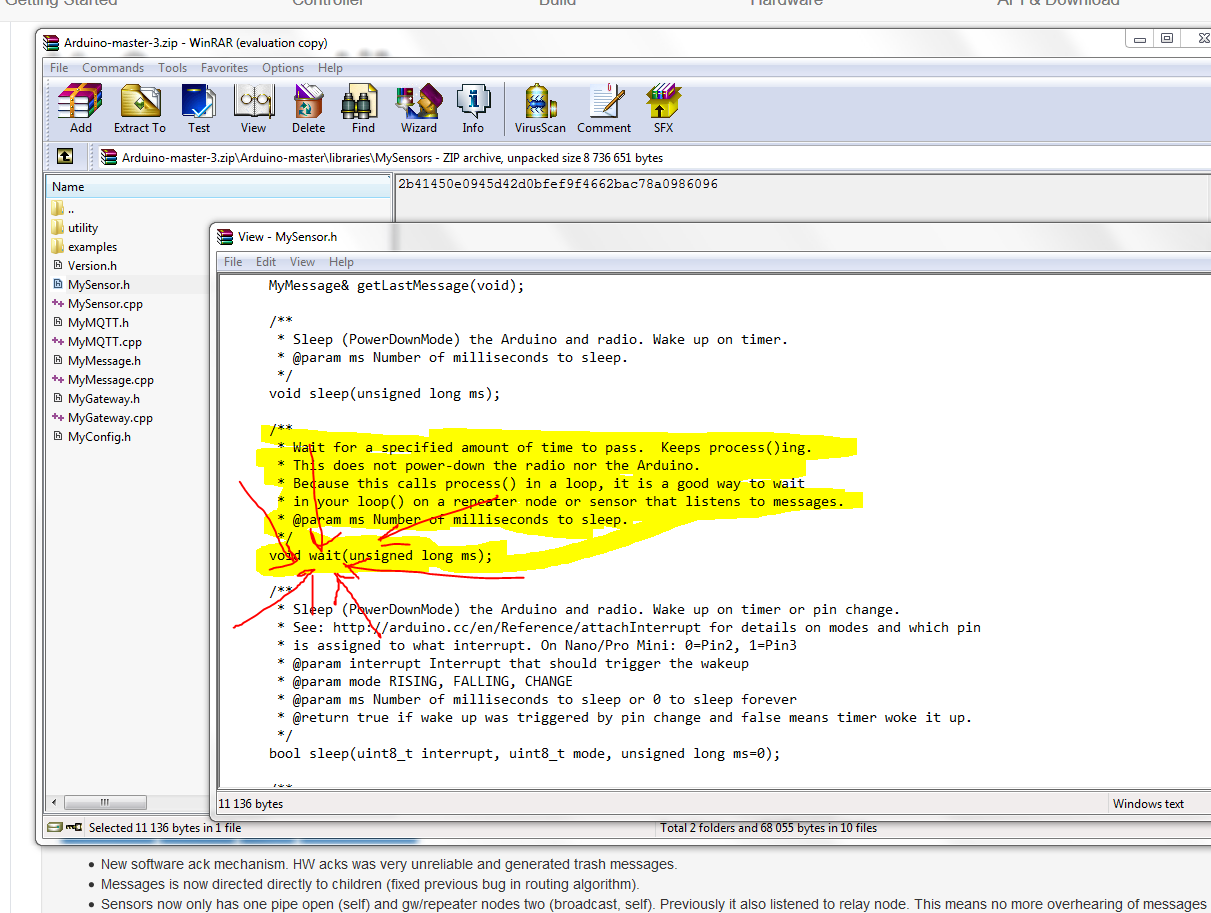
gw.wait()function was added 1 feb 2015: https://github.com/mysensors/Arduino/commit/d45a48d8b786656968fb4b45b049e16700dd3fd0 so you should use latest stable 1.4.* code. -
@CaptainZap yes, but update two libraries (OneWire and Dallas).
gw.wait()function was added 1 feb 2015: https://github.com/mysensors/Arduino/commit/d45a48d8b786656968fb4b45b049e16700dd3fd0 so you should use latest stable 1.4.* code.@robosensor I don't know where to find the complete library for version 1.4.x
-
@robosensor I don't know where to find the complete library for version 1.4.x
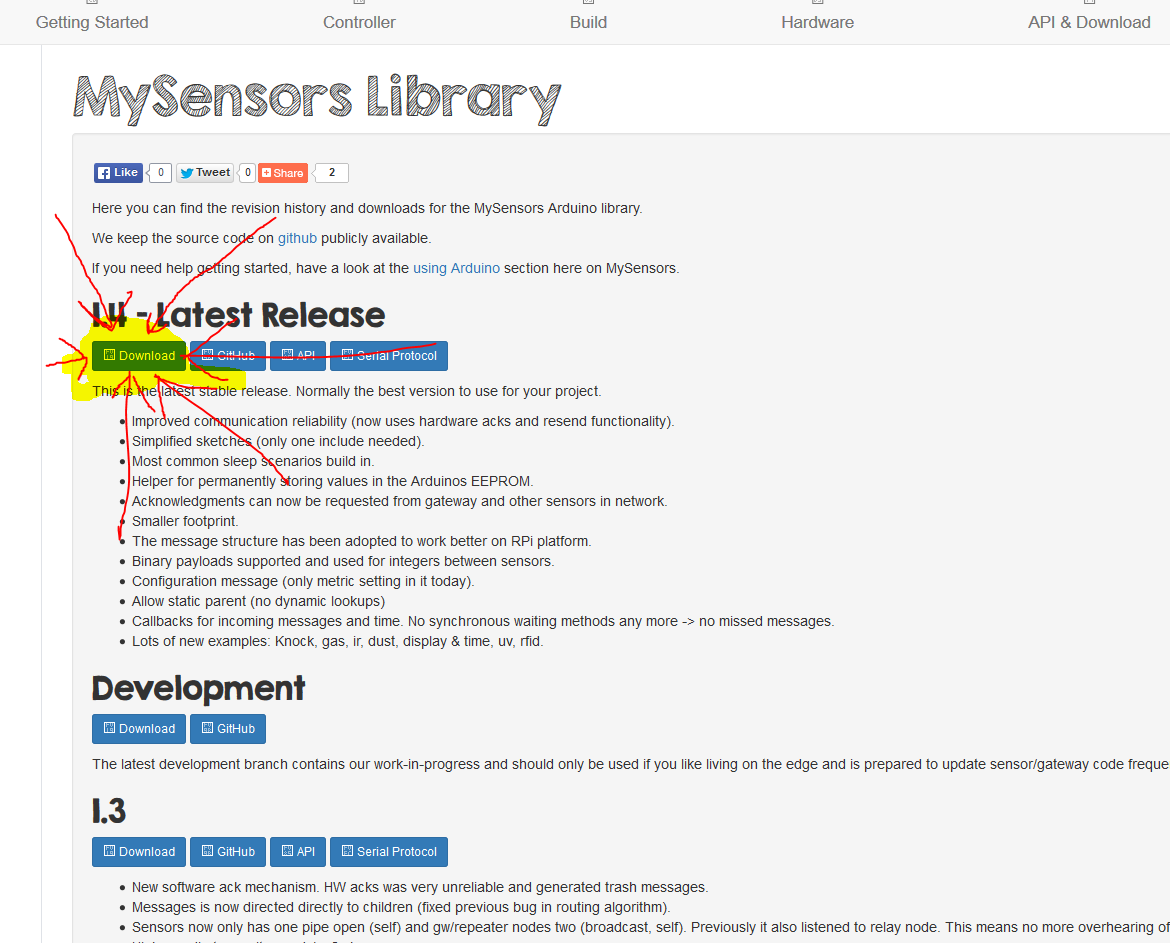
http://www.mysensors.org/download/ click on Download button under "1.4 - Latest Release" section, download zip archive, extract archive and check Arduino-master\libraries\MySensors\Version.h file.
-
http://www.mysensors.org/download/ click on Download button under "1.4 - Latest Release" section, download zip archive, extract archive and check Arduino-master\libraries\MySensors\Version.h file.
@robosensor Thanks, I installed that but it's version 1.5 b1 and after using it it's giving me lots of errors :| I think there have been changes in how the code is used...
LE: I finally found the 1.4.1 branch and downloaded it however it's still giving me the same error about wait:
Door_Motion_Temp_rev2.ino: In function 'void getTemps()':
Door_Motion_Temp_rev2:115: error: 'class MySensor' has no member named 'wait'
'class MySensor' has no member named 'wait'LLE: Just checked the cpp and there is no wait, this is the library I used :
https://github.com/mysensors/Arduino/tree/1.4.1Can you tell me if there will be any issue if I comment that part ?
-
@robosensor Thanks, I installed that but it's version 1.5 b1 and after using it it's giving me lots of errors :| I think there have been changes in how the code is used...
LE: I finally found the 1.4.1 branch and downloaded it however it's still giving me the same error about wait:
Door_Motion_Temp_rev2.ino: In function 'void getTemps()':
Door_Motion_Temp_rev2:115: error: 'class MySensor' has no member named 'wait'
'class MySensor' has no member named 'wait'LLE: Just checked the cpp and there is no wait, this is the library I used :
https://github.com/mysensors/Arduino/tree/1.4.1Can you tell me if there will be any issue if I comment that part ?
-
-
That was the version I was using when I first encountered the issues... anyways I'll remove arduino IDE with everything and reinstall it. Thanks.
@hek I also LOL-ed :D Gotta love the helping spirit in the community you guys built.
-
That was the version I was using when I first encountered the issues... anyways I'll remove arduino IDE with everything and reinstall it. Thanks.
@hek I also LOL-ed :D Gotta love the helping spirit in the community you guys built.
@CaptainZap also try to backup and clean C:\Users***\Documents\Arduino\ directory :)
-
LOL :)
@hek as I said before, Dallas library is bit outdated. Is it possible to update dallas and onewire libraries? I provided links for newer versions of this libraries in this thread. I can do PR in github myself, but I don't know how to do it :) I need to read github manuals first :)
requestTemperatures() is can be non-blocking in newer version of dallas library, so code can deep sleep (better for batteries) or process messages (better for repeaters and msg-receiving nodes) about 750 ms.
-
@hek as I said before, Dallas library is bit outdated. Is it possible to update dallas and onewire libraries? I provided links for newer versions of this libraries in this thread. I can do PR in github myself, but I don't know how to do it :) I need to read github manuals first :)
requestTemperatures() is can be non-blocking in newer version of dallas library, so code can deep sleep (better for batteries) or process messages (better for repeaters and msg-receiving nodes) about 750 ms.
Using github is quite easy (when you get a hang of it). We can use this as a "training session" if you want?
I did a quick getting-started guide here:
http://forum.mysensors.org/topic/330/how-to-contribute-code-to-the-mysensors-projectBasically you need to
- Fork the mysensors project on github
- Clone your fork from your computer.
- Replace the libraries that is outdated.
- Commit as push the changes back to your fork of github.
- Create a pull-request (see above instructions) which I'll review and merge.
Easy peasy.. :)
-
Using github is quite easy (when you get a hang of it). We can use this as a "training session" if you want?
I did a quick getting-started guide here:
http://forum.mysensors.org/topic/330/how-to-contribute-code-to-the-mysensors-projectBasically you need to
- Fork the mysensors project on github
- Clone your fork from your computer.
- Replace the libraries that is outdated.
- Commit as push the changes back to your fork of github.
- Create a pull-request (see above instructions) which I'll review and merge.
Easy peasy.. :)
-
@hek thank you, I'll read and try on dallas&onewire :)
-
Great, just ask (or open a chat) if you run into trouble.
@hek I have forked MySensors project, added 3 commits into master branch with updated libraries and updated dallas sensors example (lower power usage).
I'm using similar code in my own version of MySensors 1.5-dev in my home, but I havn't tested this committed 1.4.1 github code on real hardware, so I will make PR after test on real hardware.
https://github.com/mysensors/Arduino/compare/master...roboprint:master?diff=split&name=master
-



Hello! It looks like you're interested in this conversation, but you don't have an account yet.
Getting fed up of having to scroll through the same posts each visit? When you register for an account, you'll always come back to exactly where you were before, and choose to be notified of new replies (either via email, or push notification). You'll also be able to save bookmarks and upvote posts to show your appreciation to other community members.
With your input, this post could be even better 💗
Register Login