
Error when restarting Homeassistant (mysensors-error)
-
Hi,
i need help again.
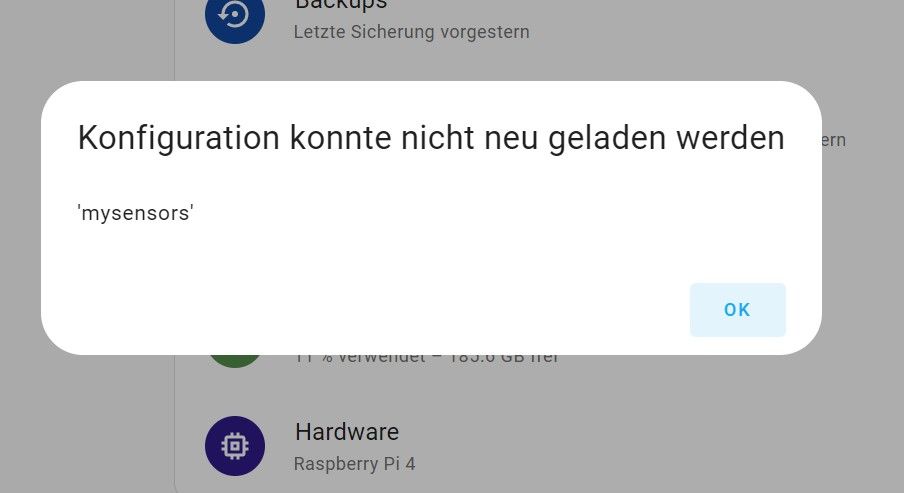
when i want to restart or quickly reboot my homeassistant i get the error.
configuration could not be started
"error calling the service homeassistant/reload_all. 'mysensors'"
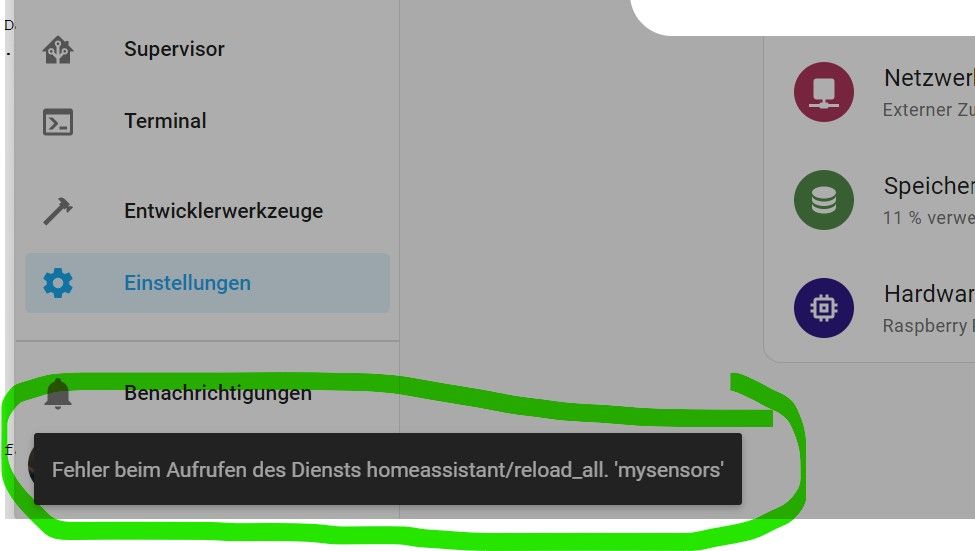
so i can only do a complete restart.
has something changed in homeassistant in version Core 6.1 regarding MySensors?
best regards -
-
Hi, thank you for your feedback.
here are the 2 protocols that concern mysensors:First:
Logger: homeassistant.components.websocket_api.http.connection
Source: helpers/check_config.py:184
Integration: Home Assistant WebSocket API (documentation, issues)
First occurred: 11:20:17 (1 occurrences)
Last logged: 11:20:17[547863234576] 'mysensors'
Traceback (most recent call last):
File "/usr/src/homeassistant/homeassistant/components/websocket_api/commands.py", line 205, in handle_call_service
await hass.services.async_call(
File "/usr/src/homeassistant/homeassistant/core.py", line 1910, in async_call
task.result()
File "/usr/src/homeassistant/homeassistant/core.py", line 1950, in _execute_service
await cast(Callable[[ServiceCall], Awaitable[None]], handler.job.target)(
File "/usr/src/homeassistant/homeassistant/helpers/service.py", line 887, in admin_handler
await result
File "/usr/src/homeassistant/homeassistant/components/homeassistant/init.py", line 311, in async_handle_reload_all
if errors := await conf_util.async_check_ha_config_file(hass):
^^^^^^^^^^^^^^^^^^^^^^^^^^^^^^^^^^^^^^^^^^^^^^^^
File "/usr/src/homeassistant/homeassistant/config.py", line 982, in async_check_ha_config_file
res = await check_config.async_check_ha_config_file(hass)
^^^^^^^^^^^^^^^^^^^^^^^^^^^^^^^^^^^^^^^^^^^^^^^^^^^
File "/usr/src/homeassistant/homeassistant/helpers/check_config.py", line 184, in async_check_ha_config_file
result[domain] = config[domain]
~~~~~~^^^^^^^^
KeyError: 'mysensors'and the second:
Logger: homeassistant.components.mysensors
Source: helpers/config_validation.py:867
Integration: MySensors (documentation, issues)
First occurred: 11. Juni 2023 um 18:35:52 (2 occurrences)
Last logged: 11:20:17The 'mysensors' option near /config/configuration.yaml:2 has been removed, please remove it from your configuration
The 'mysensors' option has been removed, please remove it from your configurationunfortunately my knowledge is not sufficient to understand that:confused:
thanx
branther -
-
Hi there,
Well, MySensors configuration has moved from configuration.yaml to the UI config (which I also don't like, because at the moment, it's impossible to change something like the IP of a gateway). So you have to remove all MySensors related Stuff from the yaml file and (if not already there) add the gateway(s) over the UI again. Do a backup before. Not sure if the entities match after that operation.
Can you post the relevant section from your configuration.yaml?
Btw: to post large text files, you can use something like pastebin. -
Hi,
Thanks a lot, it works.
If I remove mysensors from the yaml I can actually call a reboot again without problems.i had only the serial usb-gateway in the configuration.yaml
MySensors now works without the entry in the yaml. After a reboot all entities are listed and work. but how can i change the parameters, e.g. the serial port of the gateway?
here the section which concerns mysensors.
mysensors:
gateways:- device: '/dev/serial/by-id/usb-1a86_USB2.0-Serial-if00-port0'
optimistic: true
persistence: true
version: 'V2.0'
logger:
default: info
logs:
homeassistant.components.mysensors: debug
mysensors: debug - device: '/dev/serial/by-id/usb-1a86_USB2.0-Serial-if00-port0'
-
Hey @Branther
Cool it works again. Regarding your question:
Short answer:
You can't. Thats what I ment when I said I didn't like the change to the UI config in my last post.Experimental answer:
- Create a backup
- Delete the gateway device
- Create a new gateway device, enter the name of the old persistence file
If you are lucky enough, all your devices will continue to work.
Risky answer:
YOU ARE NOT SUPPOSED TO EDIT THESE FILES, BUT IT WORKED FOR ME- Create a backup
- in your config directory, you'll find a hidden folder
.storage - in this folder, you'll find the json file
core.config_entries - search for
"domain": "mysensors", in this section you can change the settings
With this method, I successfully changed the IP address and the API version of a gateway.
A kind request Could you do us a favor and include things like the config excerpt in your last post into code tags (```
... your code here ...```)? This makes things easier to read.
A hint It's a good idea to use the serial devices by the symlinks in/dev/seriallike you do. It's even a better idea to use a symlink to this device likeln -s /dev/serial/by-id/usb-1a86_USB2.0-Serial-if00-port0 /mydev/mysensors. Then, you can change the device and recreate the symlink without changing the configuration.Regards, Edi
-
Hello! It looks like you're interested in this conversation, but you don't have an account yet.
Getting fed up of having to scroll through the same posts each visit? When you register for an account, you'll always come back to exactly where you were before, and choose to be notified of new replies (either via email, or push notification). You'll also be able to save bookmarks and upvote posts to show your appreciation to other community members.
With your input, this post could be even better 💗
Register Login